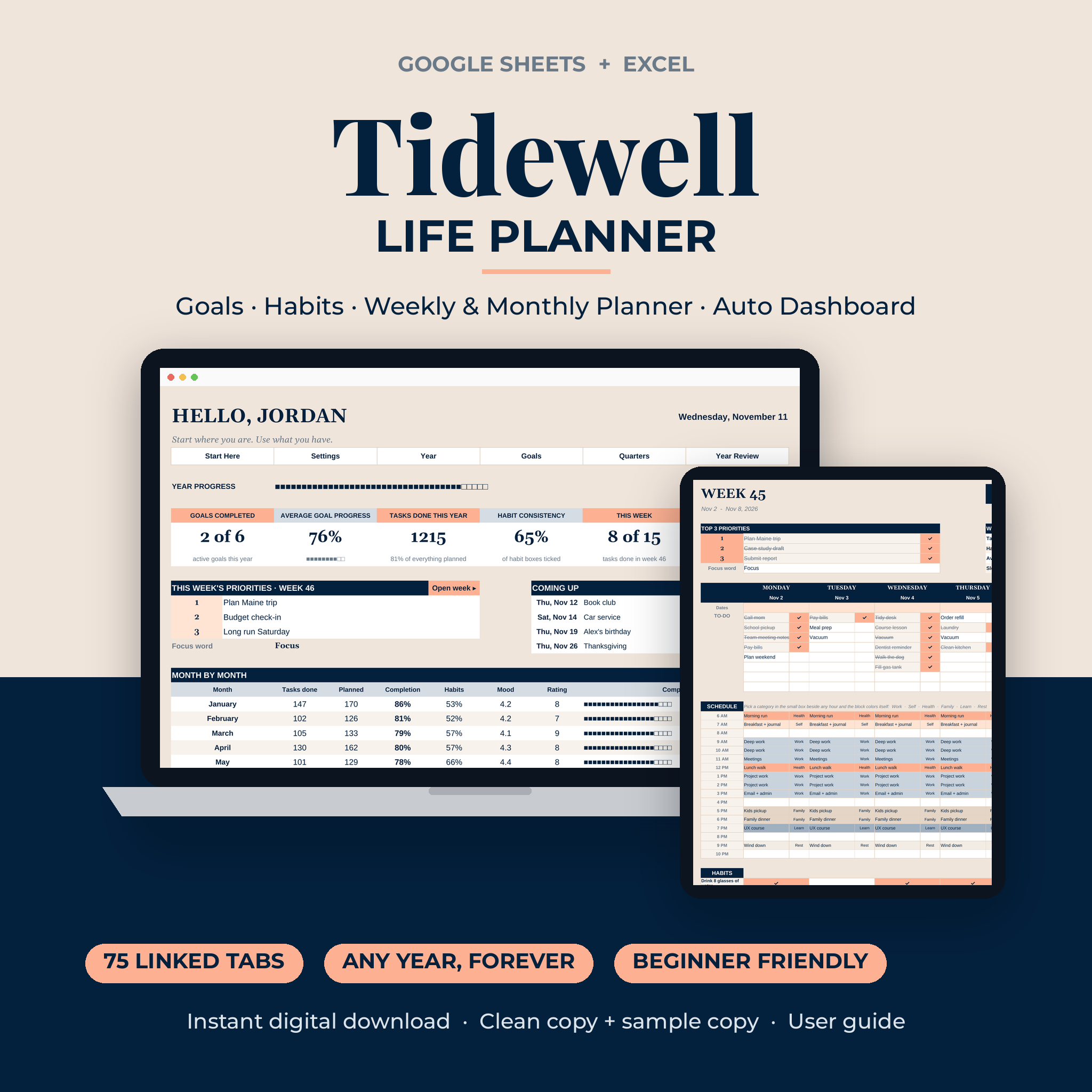


Tidewell is a life planner spreadsheet for people who want their whole year in one place and want it to add itself up. You plan the week, tick off tasks and habits, and the dashboard, month pages and charts fill in on their own. It runs in Google Sheets and Microsoft Excel. No add-ons. No macros. No subscription.
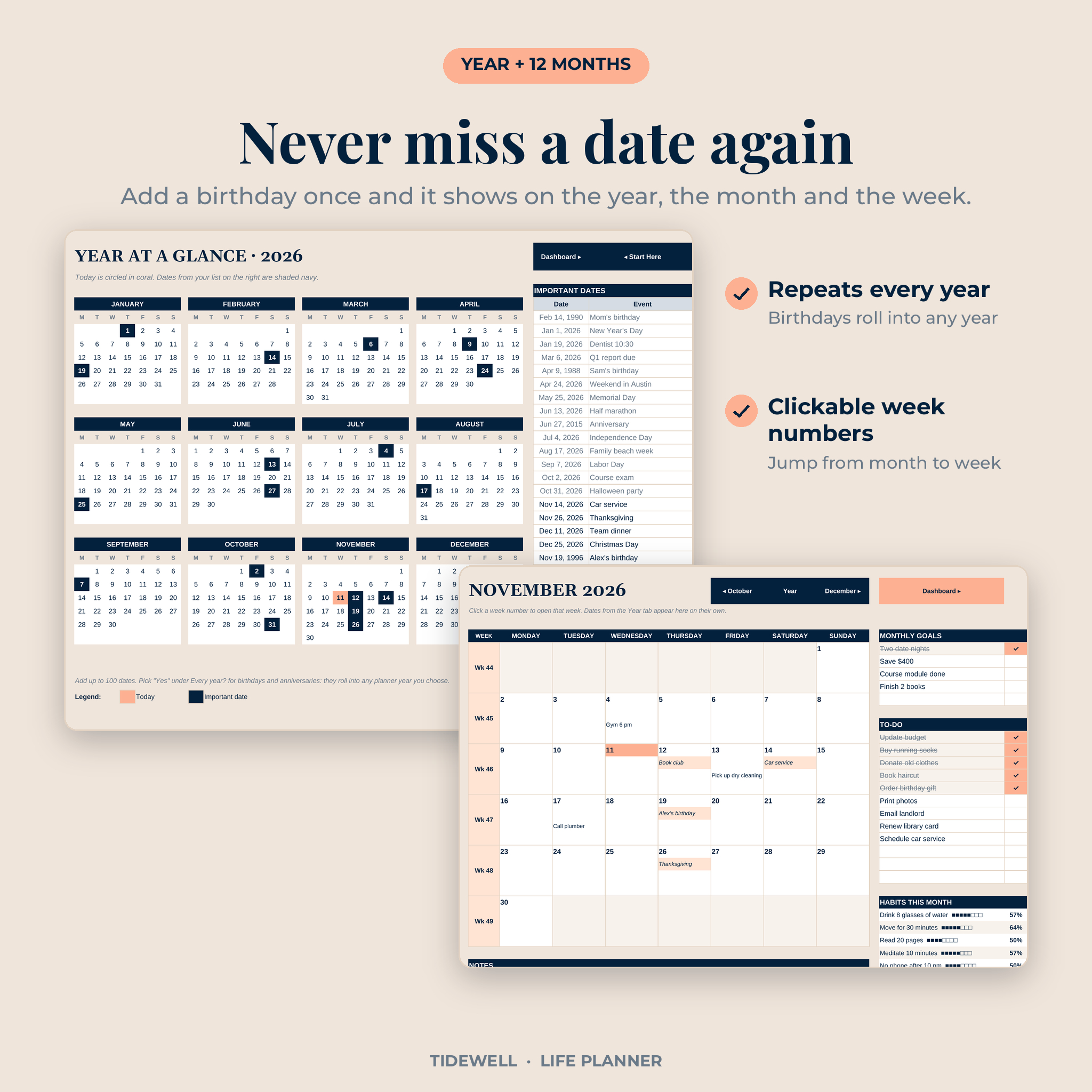
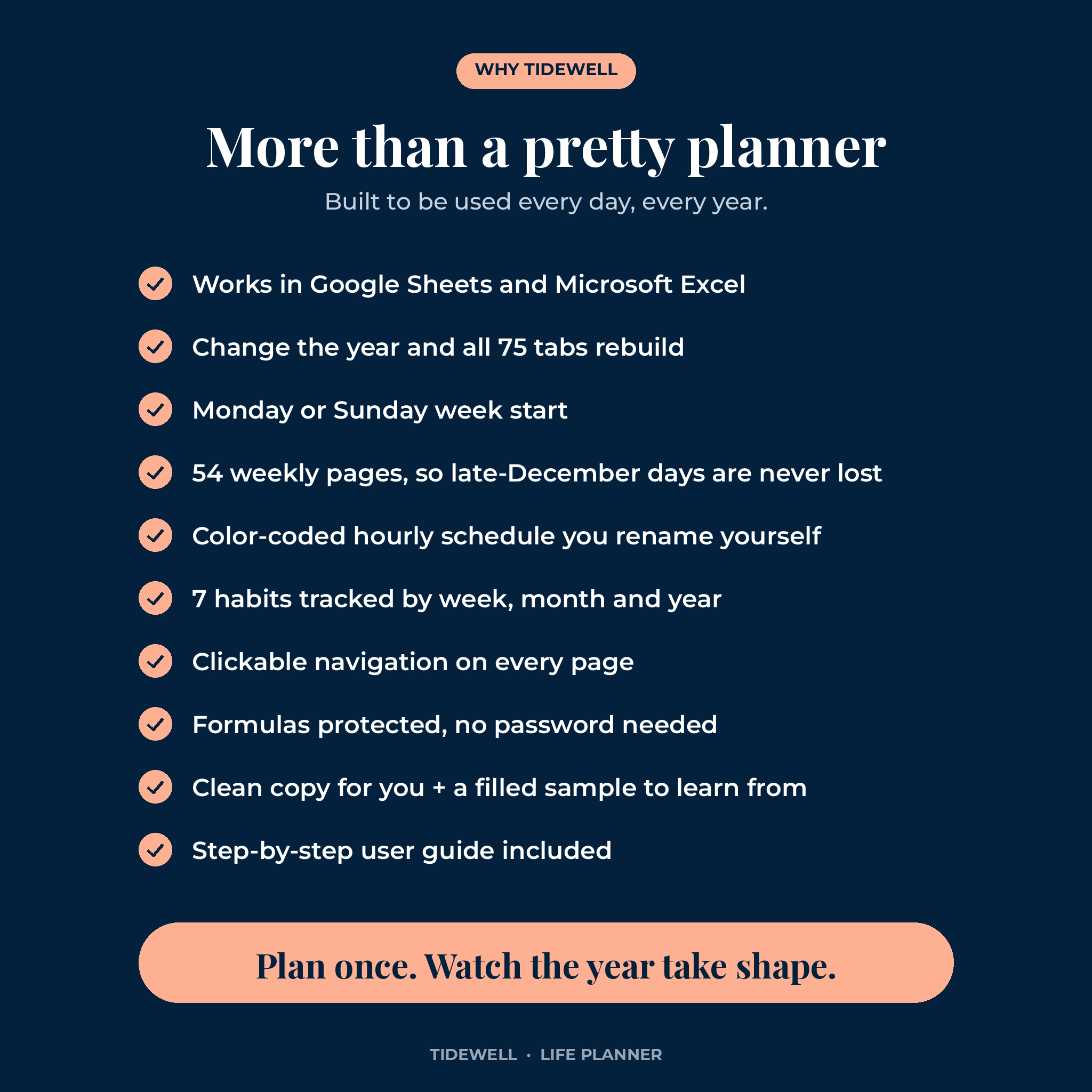
Most spreadsheet planners give you nice pages and leave the math to you. This one counts everything. Finish a goal step and the goal bar moves. Add your mom’s birthday once and it shows on the year view, the month and the week. Change the year in Settings and all 75 tabs rebuild in a second.
What the Tidewell Life Planner Spreadsheet Does
It ties four layers of planning together: your year, your goals, your months and your weeks. Each layer feeds the next, so you never copy the same thing twice.
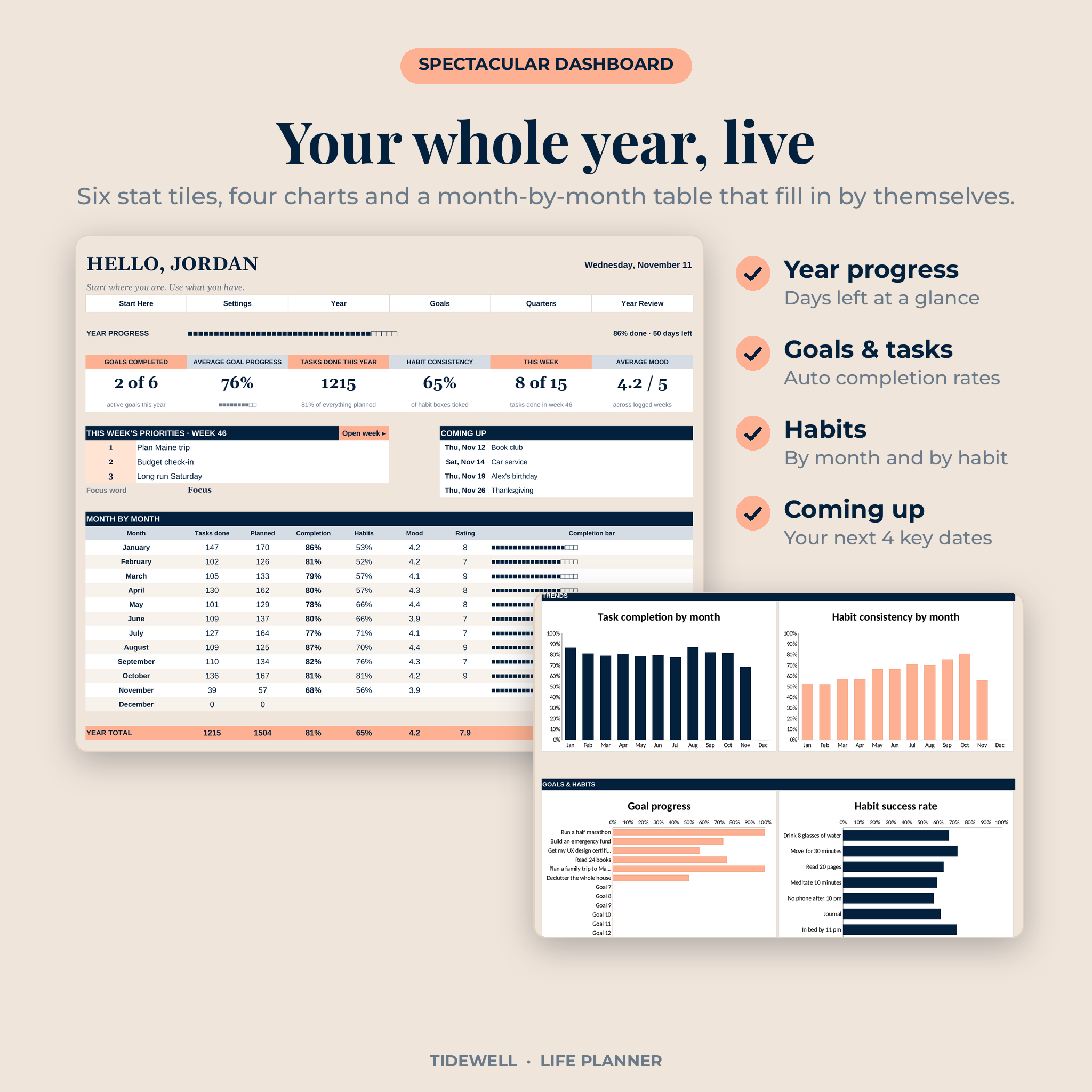
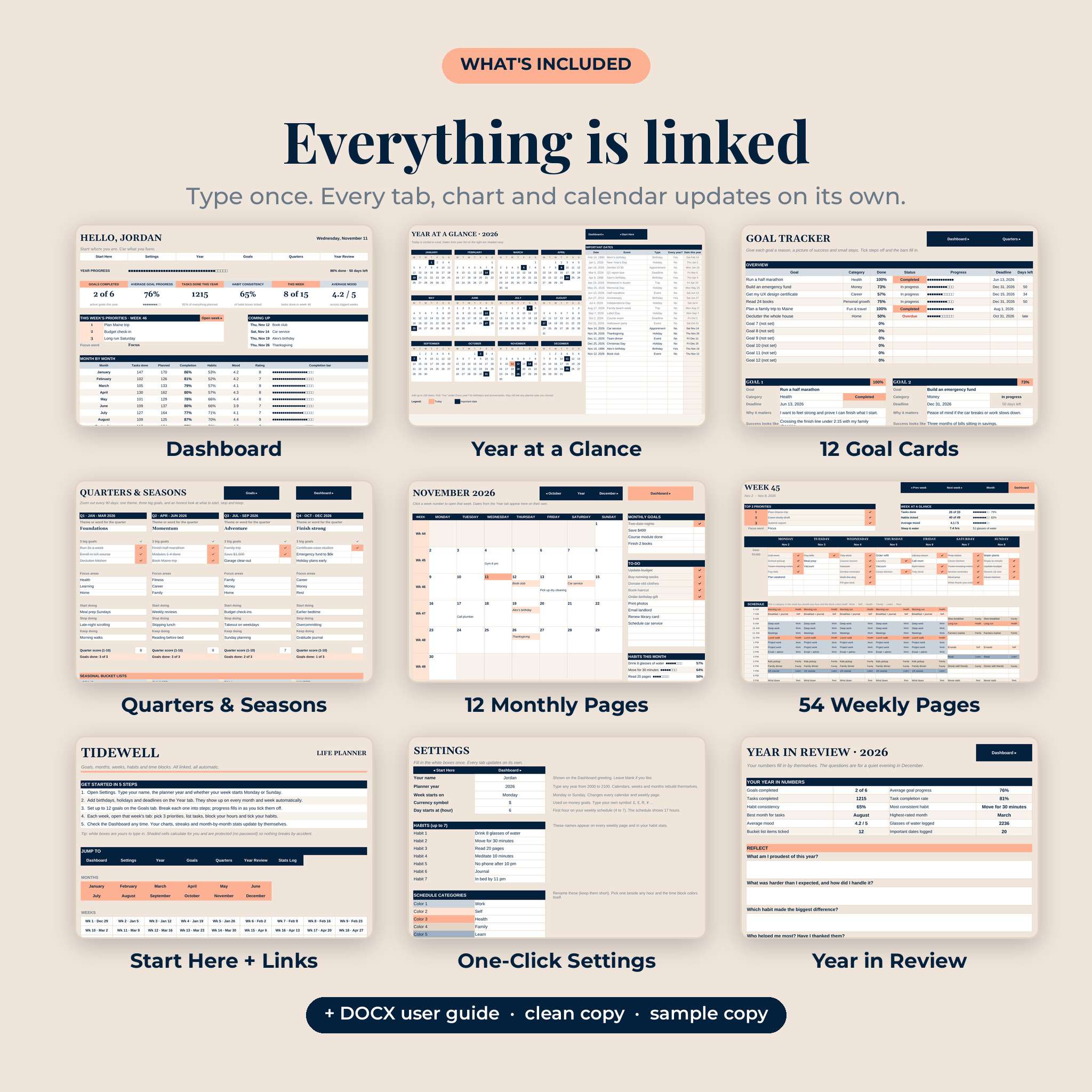
- Dashboard: year progress bar, 6 live stat tiles, this week’s priorities, your next 4 important dates, a month-by-month table and 4 charts.
- Year at a glance: 12 mini calendars with today marked and your key dates shaded.
- Goal tracker: 12 goal cards, each with a reason, a picture of success, a reward, a deadline, a money target and 8 steps.
- Quarters and seasons: a theme, 3 big goals and a start/stop/keep check-in every 90 days, plus 4 seasonal bucket lists.
- 12 monthly pages: a full calendar with clickable week numbers, monthly goals, a 12-line to-do list, habit stats and a month review.
- 54 weekly pages: top 3 priorities, 8 to-dos per day, a 17-hour time-block schedule, 7 habits, mood, water, sleep and a weekly review.
- Year in review: your best month, most consistent habit, tasks completed and 8 reflection questions.
Who This Digital Life Planner Is For
- Busy parents juggling school runs, work and family dates
- Professionals who like to time-block their day by the hour
- Students tracking classes, study habits and deadlines
- Anyone setting New Year goals who wants to actually see progress by March
- Beginners. If you can type in a box and pick from a list, you can use every feature
Features That Make Planning Easier
A dashboard that does the counting
Six tiles show goals completed, average goal progress, tasks done this year, habit consistency, this week’s tasks and your average mood. Below them, four charts track task completion by month, habit consistency by month, goal progress and each habit’s success rate.
Color-coded time blocking
Type an activity beside any hour, pick a category from the small box next to it, and the block colors itself. Rename the 6 categories in Settings (Work, Kids, Gym, whatever fits) and every weekly page updates.
Goal tracking with real steps
Break each goal into up to 8 steps with due dates. Tick a step and the progress bar fills. Saving for something? Add a target and what you’ve saved in your own currency. Missed a deadline? The status turns red so it doesn’t slip by.
Habit tracker built into every week
Your 7 habits appear on all 54 weekly pages. Tick them daily and see your rate for the week, the month and the year.
Dates that repeat every year
Mark birthdays and anniversaries as “every year” and they roll into any planner year you choose. No re-typing next January.
Clickable navigation
Jump from the dashboard to this week, from a month to any week number, and between weeks with Prev and Next buttons. A Start Here page links to every one of the 75 tabs.
What’s Included in Your Download
- Tidewell Life Planner for Google Sheets (make-a-copy link in the access PDF)
- Tidewell-Life-Planner.xlsx for Microsoft Excel, clean and ready to use
- Tidewell-Life-Planner-Sample.xlsx, a filled example year so you can see it in action
- Tidewell-Life-Planner-Access.pdf with your link and a 3-minute quick start
- Tidewell-Life-Planner-User-Guide.docx covering every tab, tips, fixes and FAQ
How It Works
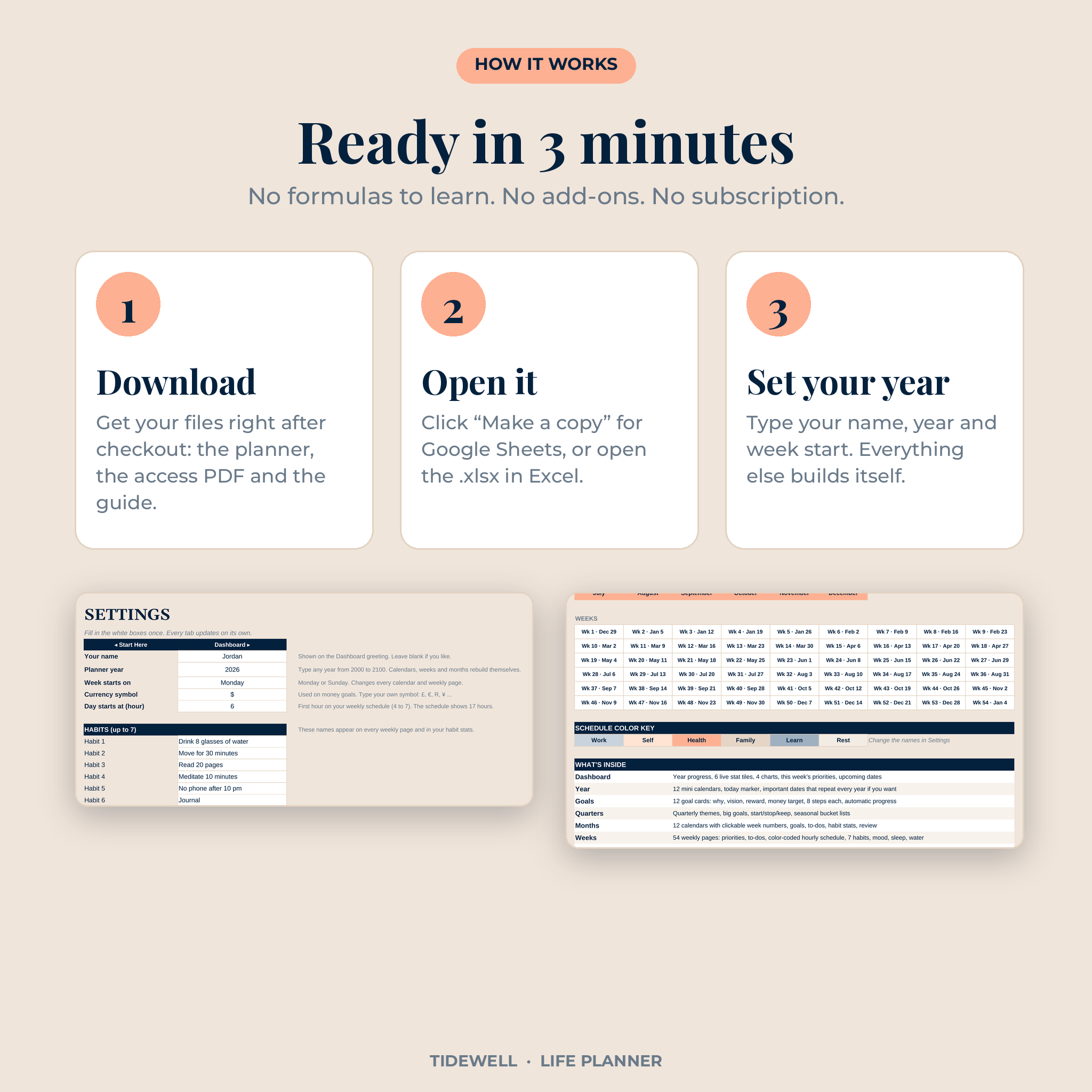
- Download your files right after checkout.
- Open it: click “Make a copy” for Google Sheets, or open the .xlsx in Excel.
- Set it up: type your name, the year and your week start day in Settings. Rename your habits and categories.
- Plan: add key dates on the Year tab, set a few goals, then open this week from the dashboard.
File Formats and Software Requirements
- Google Sheets: a free Google account. Works in any web browser and in the Google Sheets app.
- Microsoft Excel: Excel 2016 or newer, Excel for Mac, Microsoft 365 or Excel on the web.
- Formats: Google Sheets copy link, .xlsx, .docx and .pdf.
- Best on a laptop, desktop or tablet. The weekly page is wide, so phones are fine for quick ticks.
Customization
Rename your 7 habits, 6 schedule categories and 8 goal categories in one Settings tab. Pick Monday or Sunday as your first day, choose the hour your day starts, and type your own currency symbol ($ by default). Fonts and colors can be changed like any spreadsheet. Formula cells are protected in Excel with no password, so you can’t break anything by accident.
Real Ways People Use It
- A Sunday-night routine: pick 3 priorities, block the busy hours, list the errands.
- A New Year reset: set 5 goals in January, break them into steps, check the bars each month.
- A habit build: track water, steps and reading for 90 days and watch the monthly chart climb.
- A family calendar: every birthday, school holiday and appointment in one year view.
- A savings push: an emergency fund goal with a target and a running total.
Digital Download Information
This is an instant digital download. No physical item will be shipped. Your files are ready right after payment from your order confirmation and your account downloads page. For personal use only. Please don’t resell, share or redistribute the planner.
Frequently Asked Questions
Does this life planner work in both Google Sheets and Excel?
Yes. Use the copy link for Google Sheets or open the .xlsx file in Excel.
Is it dated or undated?
Both, in a way. Type any year from 2000 to 2100 and every calendar and week rebuilds for that year. Use it for 2027 and reuse it in 2028.
Can I start my week on Sunday?
Yes. Pick Monday or Sunday in Settings and all pages switch.
Do I need to know formulas?
No. You only type in the white boxes and pick from lists. All the math runs in the background.
Can I use it on an iPad or phone?
Yes, through the Google Sheets or Excel app. Planning is easiest on a larger screen.
Is my information private?
Yes. Your copy lives in your own Google Drive or on your own computer.
What if a year has 53 weeks?
There are 54 weekly tabs, so the last days of December are always covered.
Reviews
There are no reviews yet.