



A UX Researcher Resume Template for Word That Shows How You Think
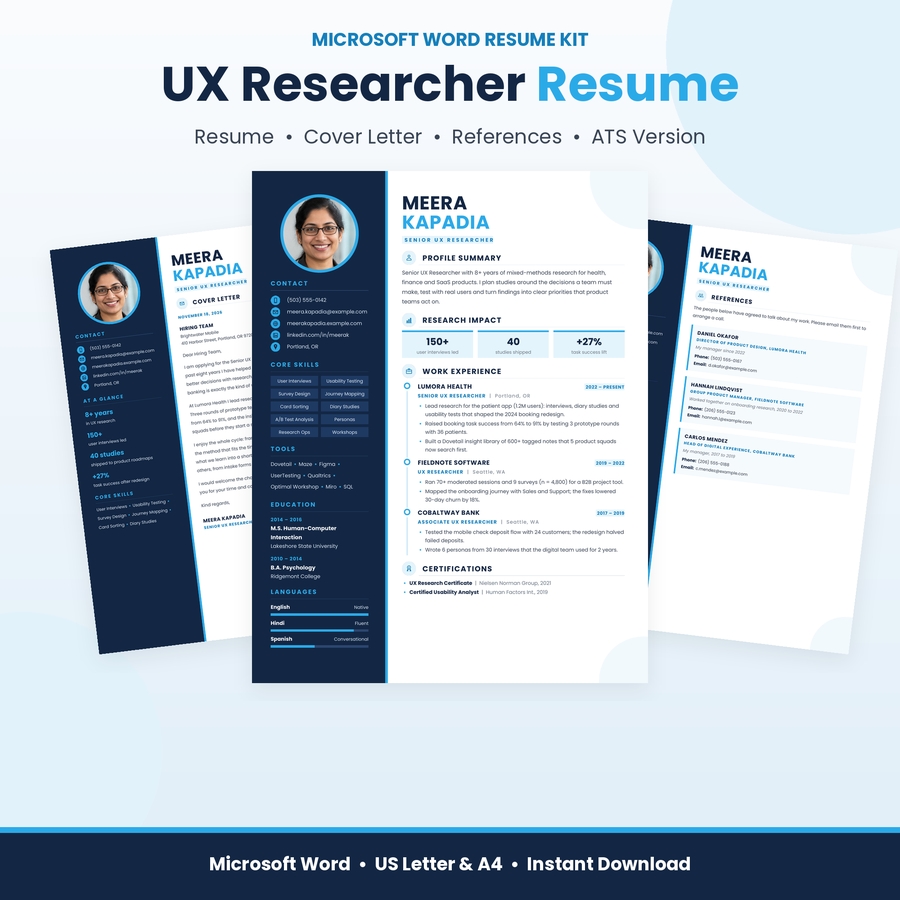
Deepsea is a UX researcher resume template for Word built for people who run interviews, usability tests and surveys for a living. Hiring managers want to see two things fast: the methods you know and the decisions your research changed. This layout puts both up front, with a Research Impact row for your three best numbers and a timeline that walks through each role in order.
The look is calm and confident. A deep navy sidebar holds your photo, contact details, skill chips, tools, education and languages. Your first name sits in navy and your last name in bright cyan, with your job title in a small tag underneath. Round icons mark each section, and cyan dots run down the work experience timeline.
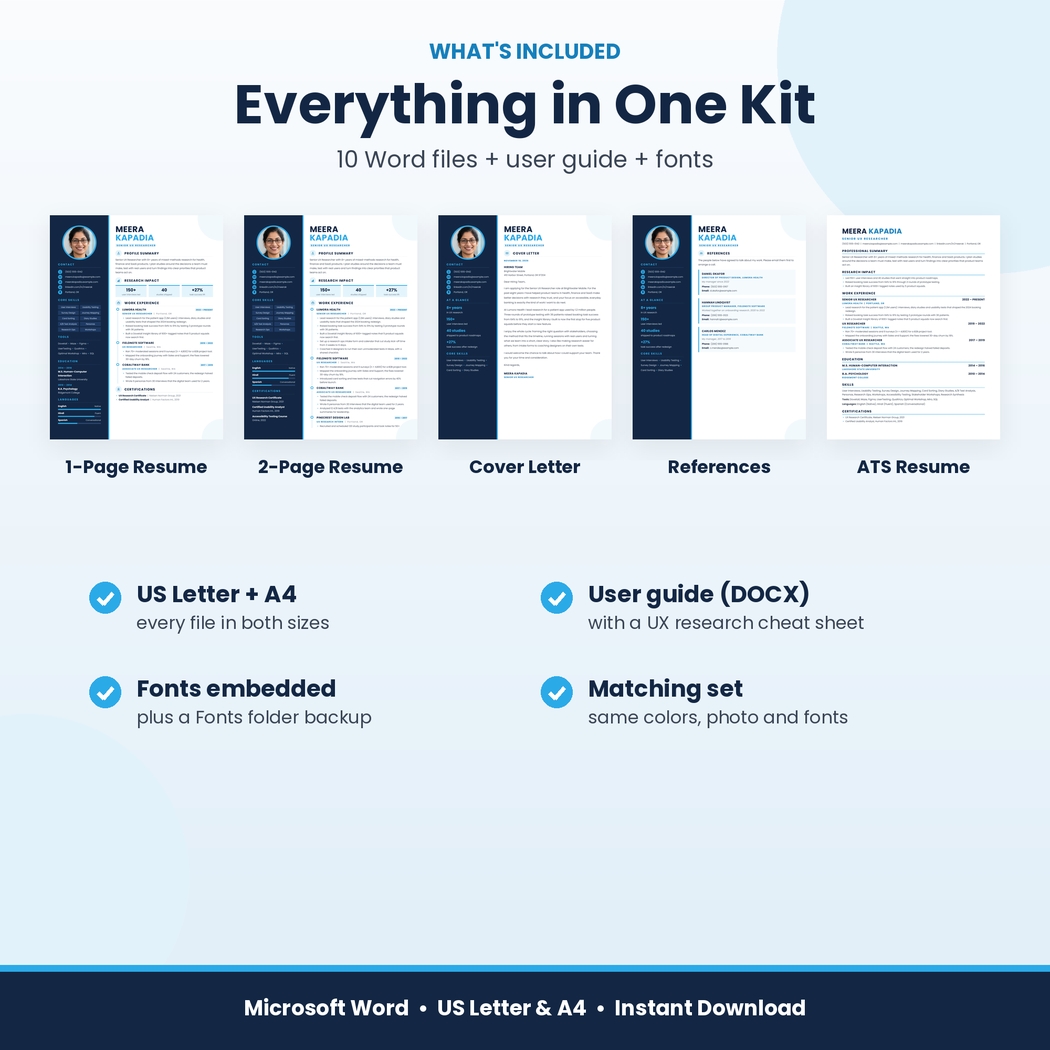
What Is Included in the UX Researcher Resume Kit
- 1-page resume with photo, contact icons, 10 skill chips, research impact tiles, a 3-role timeline and certifications
- 2-page resume with room for four roles, selected research projects, education, volunteering, certifications, awards and talks
- Matching cover letter with an At a Glance column for your headline numbers
- Matching references page with three tinted reference cards
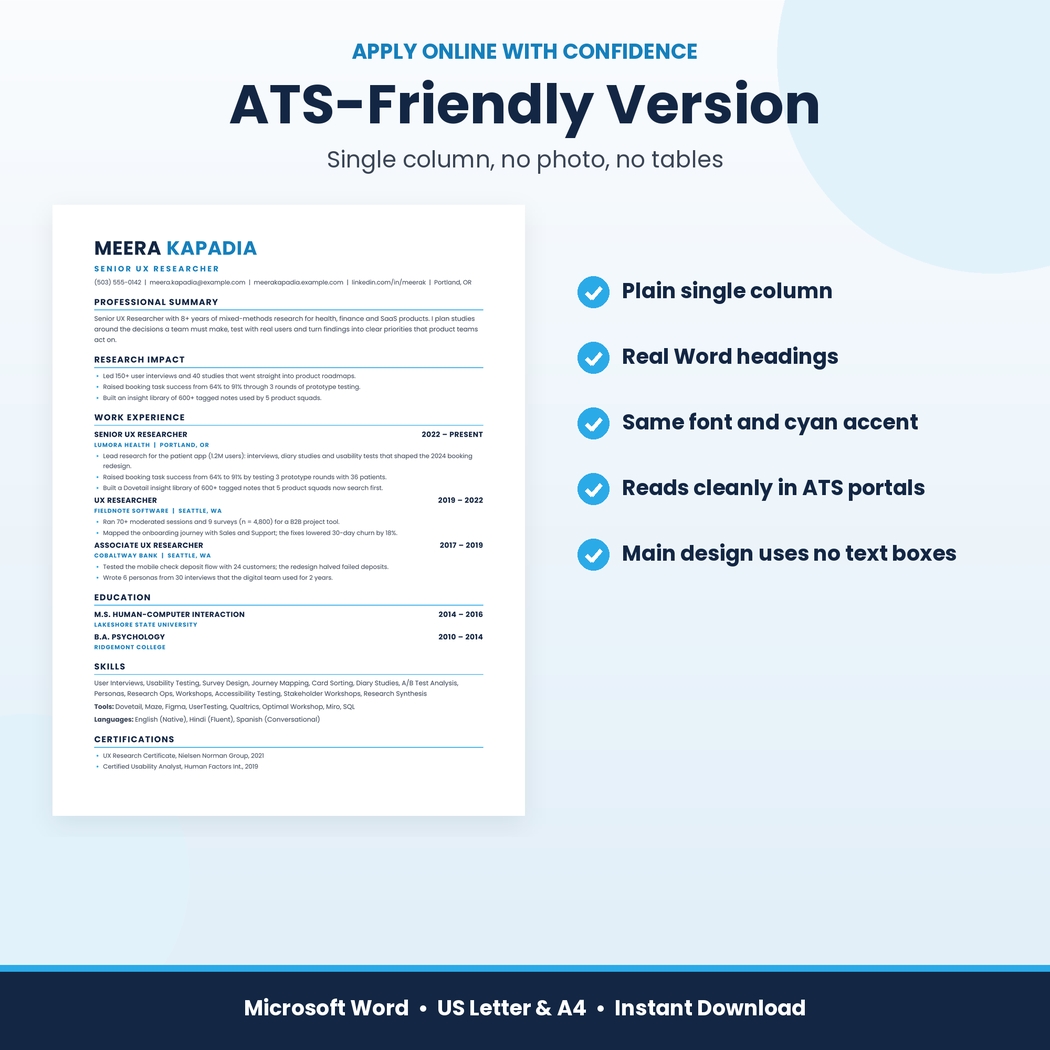
- ATS-friendly plain resume: single column, no photo, no tables, same font and cyan accent
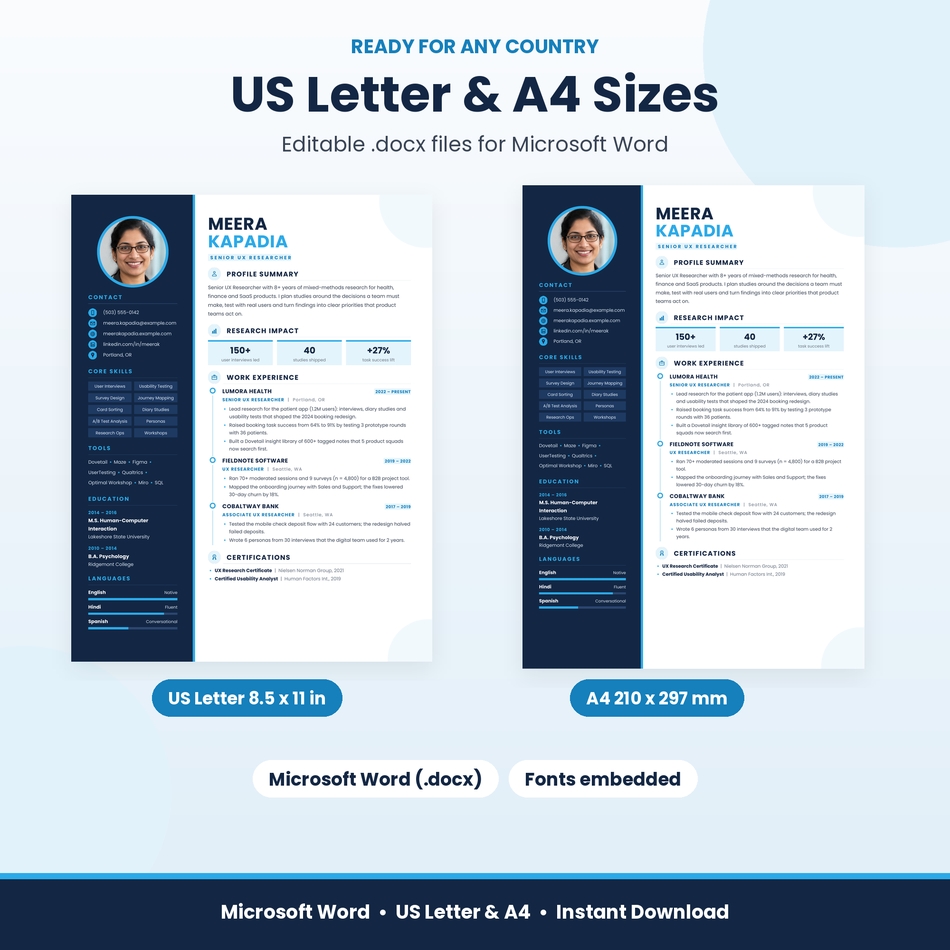
- US Letter and A4 versions of every file (10 .docx files in total)
- User guide (DOCX) with step-by-step editing help and a UX researcher resume cheat sheet
- Fonts folder with Poppins and its open font license, plus a READ-ME-FIRST file
Why This UX Research Resume Works Better
Fonts that travel with the file
Many Word resume templates break because the buyer does not have the right font installed. Poppins is embedded in every file, so the design opens the same way on another computer without installing anything. A backup copy of the font is in the zip as well.
No floating text boxes
The sidebar, chips, tiles and timeline are built from Word tables and header shapes, not text boxes. Text stays in the normal flow, so it does not jump around when you edit, and applicant tracking systems can read it. For portals that want the plainest format, upload the ATS version.
A photo that stays round
Right-click the photo and choose Change Picture. Your own photo drops into the same circle with the same cyan ring. Prefer no photo? Delete it and the sidebar keeps its shape.
Sample text written for UX research
There is no lorem ipsum here. The sample resume belongs to a fictional senior UX researcher and shows bullets such as raising booking task success from 64% to 91% after three rounds of prototype testing. Read them, then swap in your own studies, numbers and tools.
Tested to stay on one page
We added three extra bullets, a long last name and a two-line job title to the 1-page resume, and it still fit on one page. The 2-page resume flows onto page two by itself, so adding a role never creates a stray third page.
Who This Resume Template Is For
- UX researchers and senior UX researchers applying for product, design or research ops teams
- User researchers, usability specialists and research analysts
- Product designers and service designers moving into a research-focused role
- Psychology, HCI or anthropology graduates going for their first UX research job (use the 1-page version)
- Research managers who need a clean 2-page resume with projects, talks and awards
How It Works
- Download and unzip the kit. Open the US-Letter or A4 folder.
- Open the 1-page or 2-page UX researcher resume in Microsoft Word and type over the sample text.
- Right-click the photo to change it, then update the skill chips, tools and impact tiles.
- Copy your header details into the cover letter and references page.
- Save as PDF from Word and send it, or upload the ATS version to online portals.
Easy to Customize in Word
Every heading and paragraph uses a real Word style: Title, Subtitle, Heading 1, Heading 2, Heading 3, List Bullet and a set of sidebar styles. Change one style and every matching line updates. The navy sidebar, cyan edge and corner circles are Word shapes you can recolor with Shape Fill. Chips, tiles and language bars are table cells you can recolor with Shading. The small icons are pictures drawn for this kit, and the guide explains how to swap or remove them.
The UX Researcher Resume Cheat Sheet
The user guide ends with a cheat sheet for UX research job applications: a bullet formula with weak and strong examples, 30 action verbs, a table of keywords recruiters search for (methods, skills and tools such as usability testing, diary studies, Dovetail and Qualtrics) and what to put in each resume section. It also includes a sample profile you can adapt.
Use Cases
- Applying for a senior UX researcher role at a health tech or fintech company and needing a polished resume this weekend
- Moving from UX design into research and wanting a layout that puts methods and study results first
- Sending a matching resume, cover letter and references set to a recruiter after a portfolio review
- Applying through an online portal that asks for a Word file: use the ATS-friendly version
- Applying in the UK, Europe or Australia: use the A4 files
File Formats and Requirements
- Format: Microsoft Word .docx (10 files) plus a DOCX user guide
- Sizes: US Letter (8.5 x 11 in) and A4 (210 x 297 mm)
- Software: Microsoft Word 2016 or newer, Microsoft 365, or Word for Mac
- Google Docs and Apple Pages open the files with minor layout differences. For the best result, export your final PDF from Word.
- Font: Poppins (SIL Open Font License), embedded and included
Digital Download
This is a digital product. Nothing is shipped. After checkout you can download the resume kit zip and the user guide right away, from your order email or your account. The sample photo is an AI-generated image of a fictional person, and all names, companies and schools in the samples are made up. License: personal use only. You may not resell or share the files.
FAQ
Is this UX researcher resume template ATS friendly?
Yes. All text sits in normal paragraphs and table cells, with no text boxes. The kit also includes a plain single-column ATS version for strict application portals.
Can I edit it in Google Docs?
You can open the .docx in Google Docs, but the layout may shift slightly. We recommend editing in Microsoft Word and saving your PDF from there.
Do I need to install fonts?
No. Poppins is embedded in every Word file. A backup copy is included if you want to install it.
Can I remove the photo?
Yes. Delete it and the sidebar keeps its layout. The ATS version has no photo at all.
Does it work for UX designers or product roles?
Yes. Every word is editable, so the design suits UX design, product design, service design and research ops roles too.
Is it a Canva template?
No. This kit is made for Microsoft Word (.docx). There is no Canva link.
Reviews
There are no reviews yet.