
Virtual Assistant Resume Template for Word, Made for Remote Support Roles
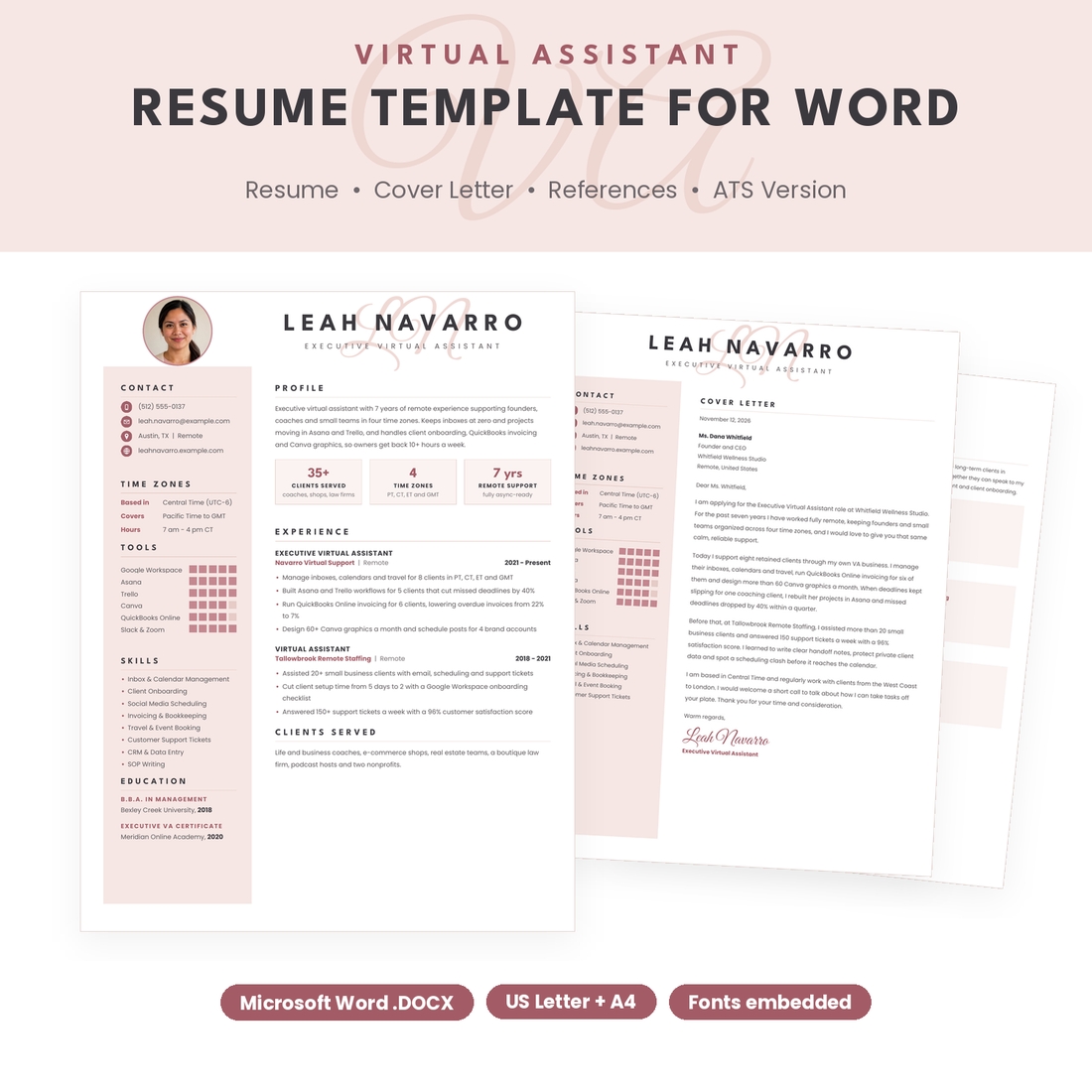
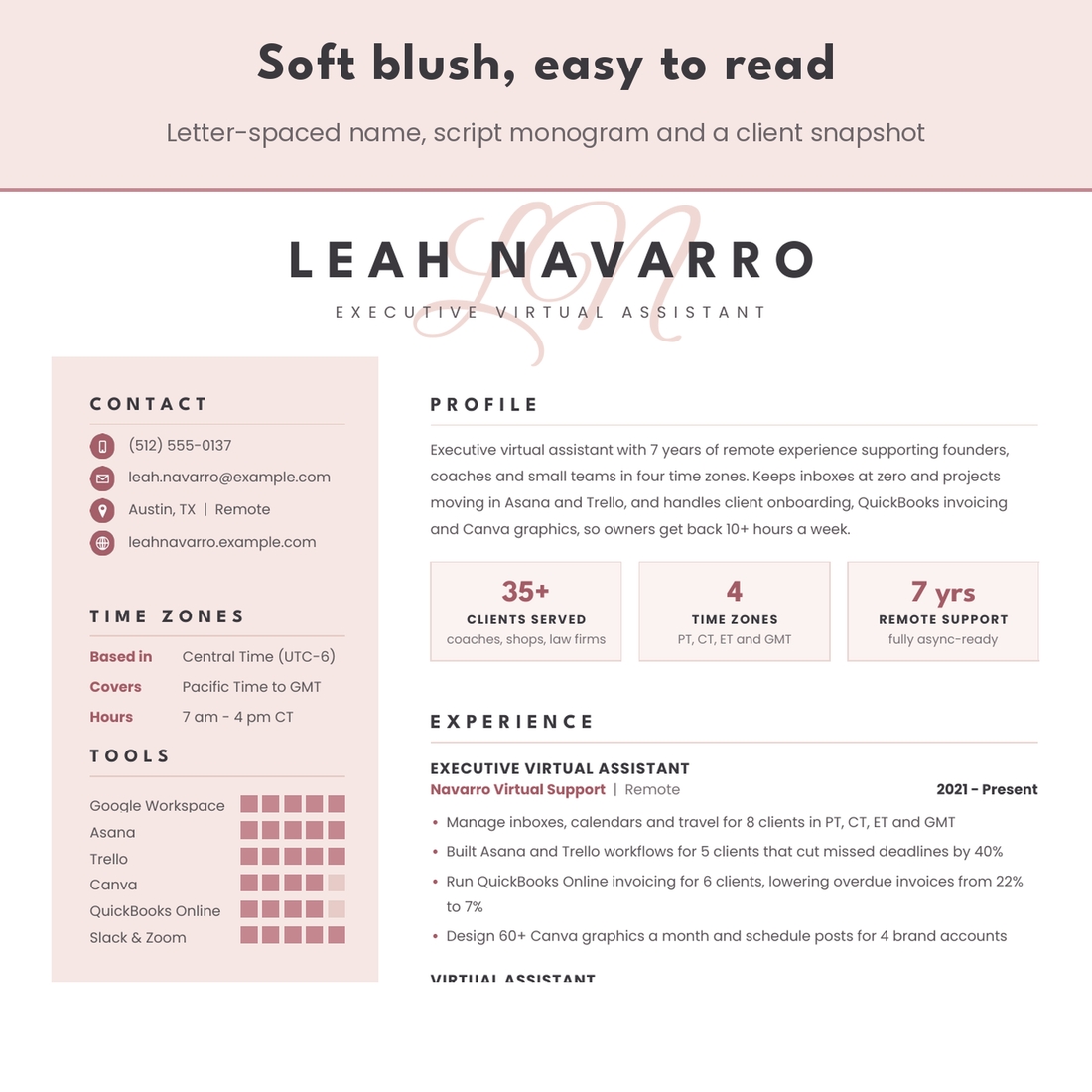
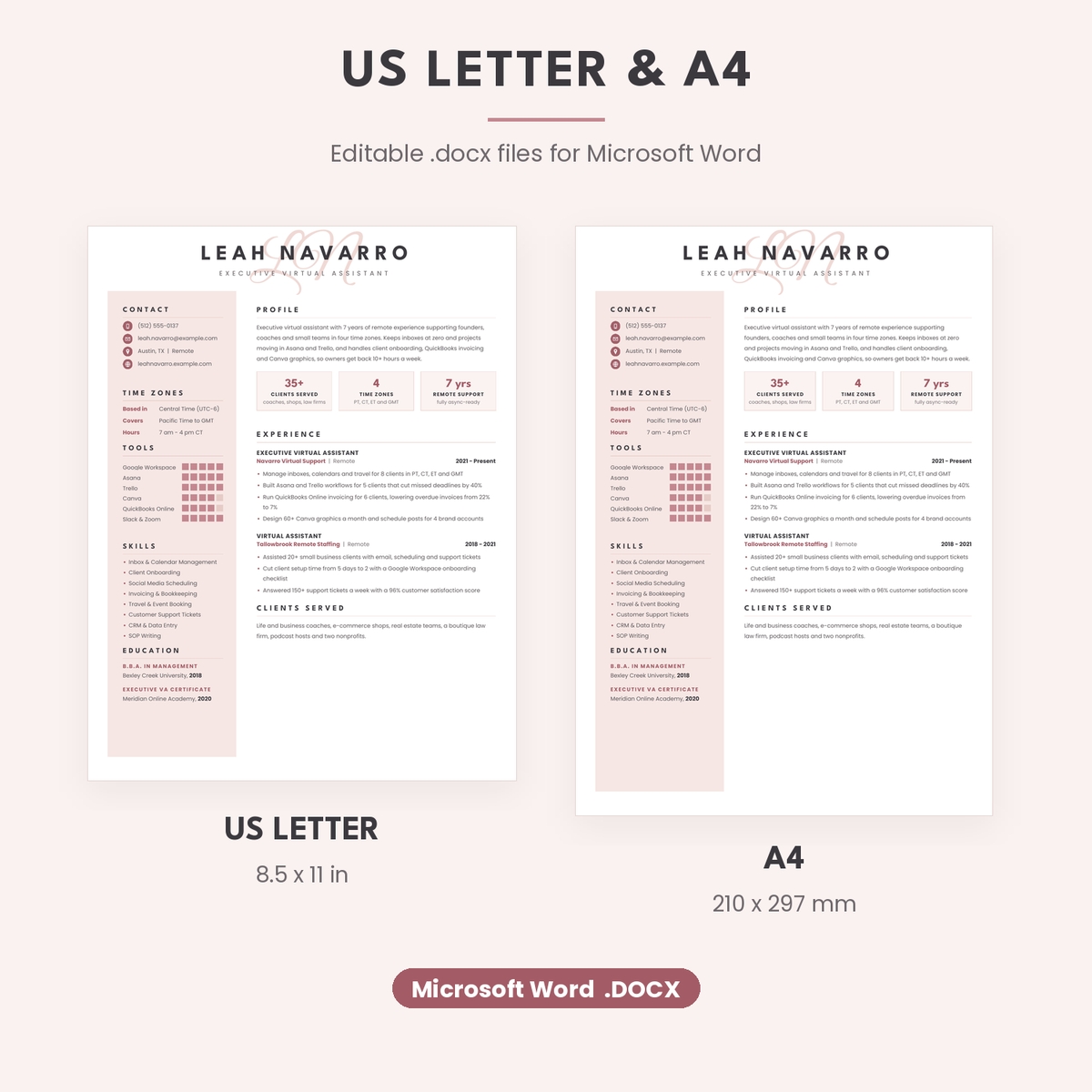
Blushline is a virtual assistant resume template for Word with a soft blush pink sidebar, a letter-spaced name and a faint script monogram behind it. It looks calm and organized, which is exactly what clients want from a VA. The sample text is written for remote work, with sections for your tools, the clients you serve and the time zones you cover.
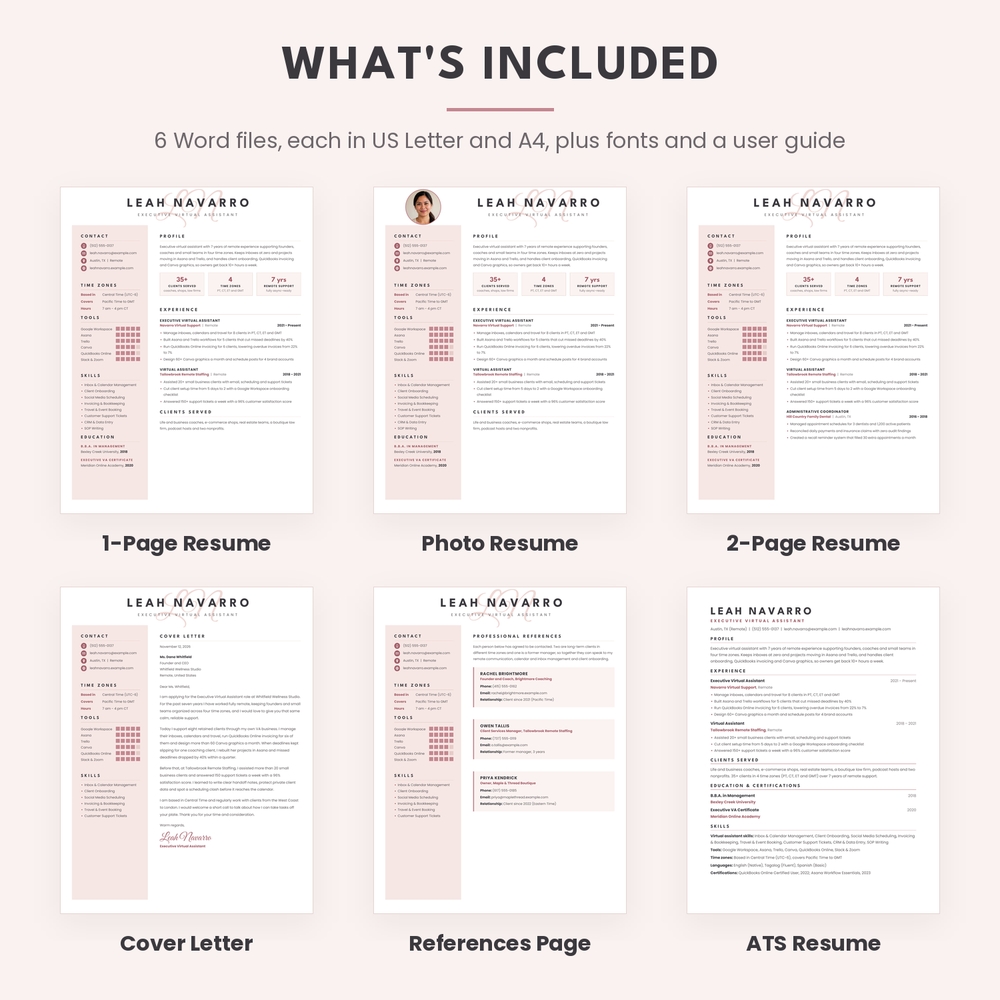
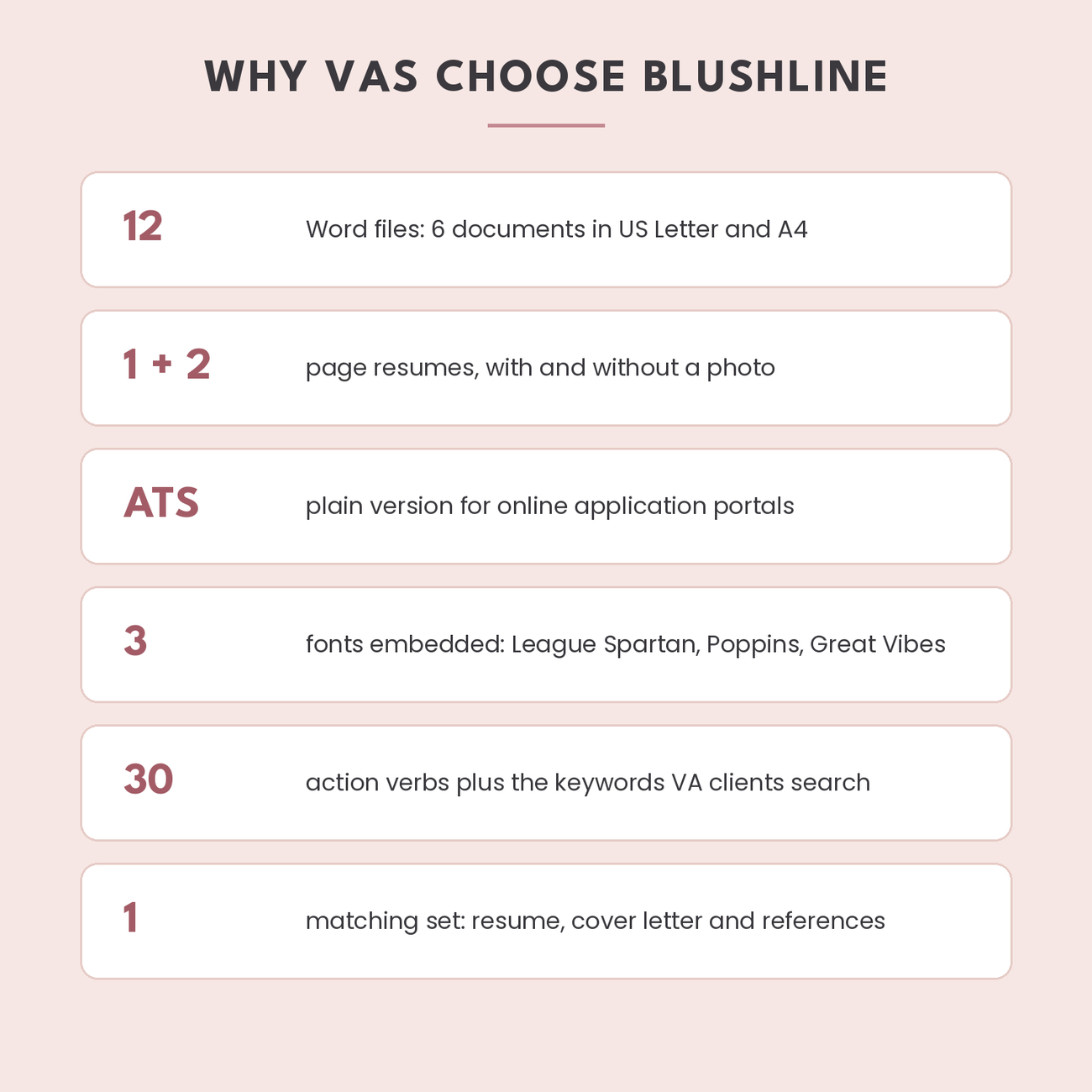
You get a full job application set in one download: a 1-page resume, a 1-page photo resume, a 2-page resume, a matching cover letter, a references page and a plain ATS version. Every file comes in US Letter and A4, and every file is a normal editable .docx for Microsoft Word.
Why this VA resume template works
Most resume templates are built for office jobs. A virtual assistant has to answer different questions before a client even reads the first bullet: Which tools do you know? When are you online? Have you worked with businesses like mine? Blushline answers all three in the first few seconds.
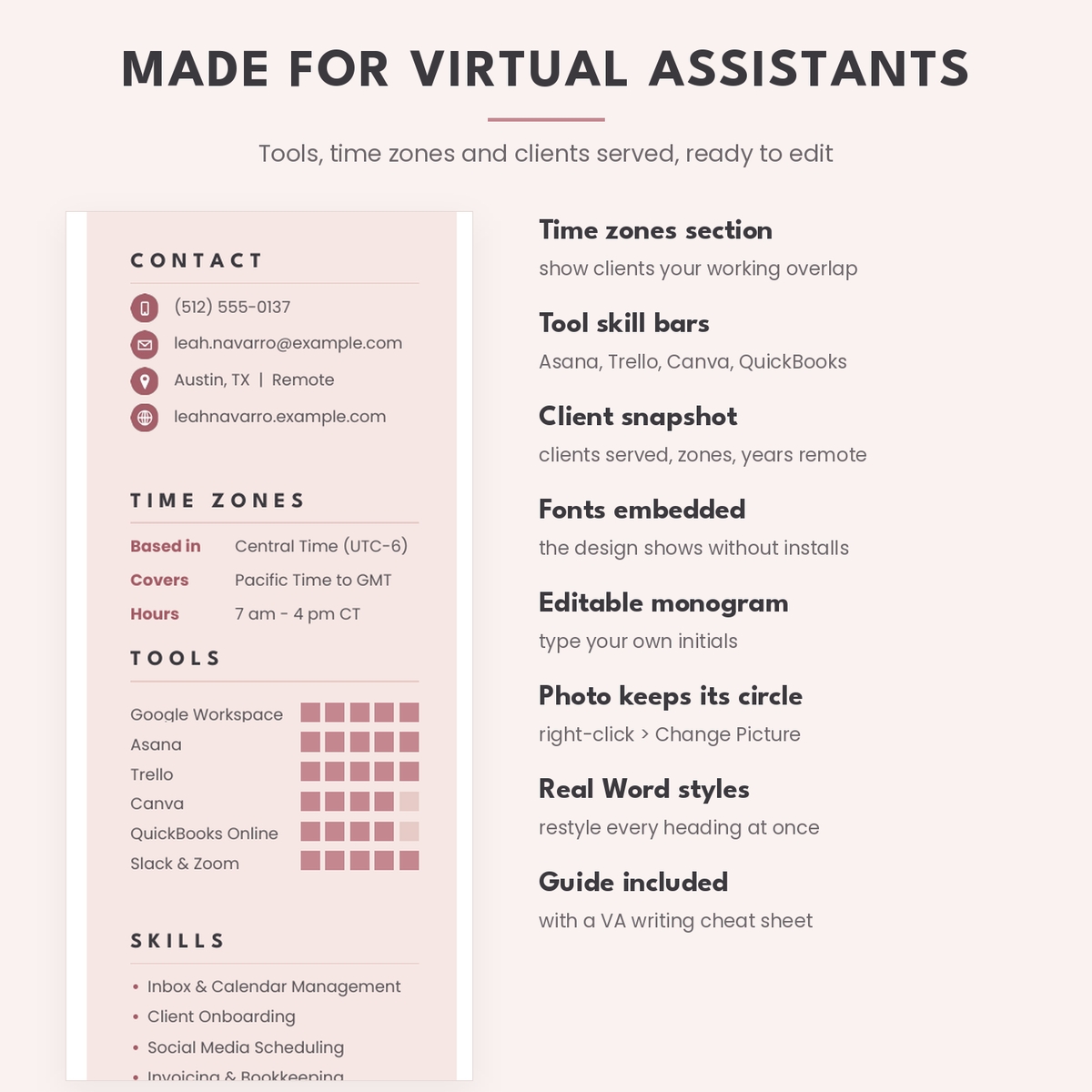
- Time zones section: shows where you are based, which zones you cover and your working hours, so a client in London or Los Angeles can see the overlap at a glance.
- Tool skill bars: Google Workspace, Asana, Trello, Canva, QuickBooks Online and Slack with five-step bars. Swap in ClickUp, Notion or HubSpot in seconds.
- Client snapshot: three boxes under your profile for numbers such as 35+ clients served, 4 time zones and 7 years of remote support.
- Clients served: a short line that tells a new client you already know their world, whether that is coaches, online shops or real estate teams.
What’s included in the virtual assistant resume kit
- Resume, 1 page, with the script monogram and no photo (the main design)
- Resume, 1 page, with a round photo next to your name
- Resume, 2 pages, adding a third job, selected projects, services you offer, a client testimonial, certifications, strengths, languages and volunteering
- Matching cover letter with a full sample letter for a VA role
- References page with three reference cards
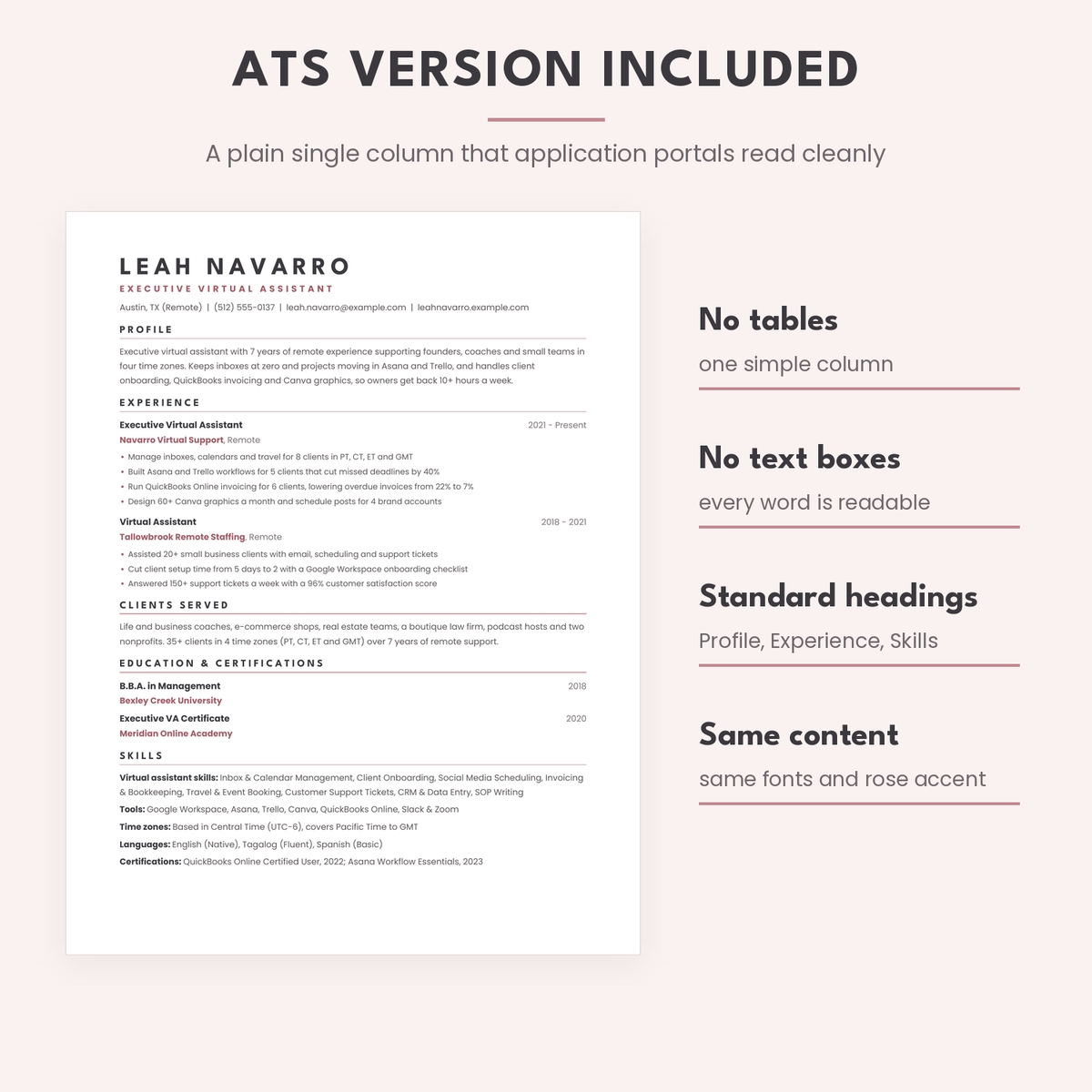
- ATS-friendly resume: one plain column with the same content, no tables and no photo
- All six files in US Letter (8.5 x 11 in) and A4 (210 x 297 mm), 12 Word files in total
- Fonts folder with League Spartan, Poppins and Great Vibes (SIL Open Font License)
- DOCX user guide with a virtual assistant writing cheat sheet
Features that make editing easy
Fonts embedded in every file
A common complaint about Word resume templates is that fonts go missing and the layout falls apart. Here all three fonts are embedded in each .docx, so the design shows correctly in Microsoft Word without installing anything. A backup copy of each font is in the zip, just in case.
No floating text boxes
Each page is one simple table: the name block on top, the blush sidebar and the main column below. Your text stays in the normal flow, so it doesn’t jump around when you type, and application software can read every word. The sidebar is a shaded table cell that grows with your text.
Editable monogram and easy photo swap
The script initials behind your name are live text, not a picture. Open the header, select the letters and type your own. In the photo resume, right-click the photo and choose Change Picture; the round crop and thin rose ring stay in place.
Real Word styles
Every heading, bullet and sidebar label uses a named style. Change the Heading 1 style once and every section heading updates together. Colors work the same way, and the blush sidebar changes with Table Design > Shading.
Room to grow
The 1-page resume was tested with three extra bullets, a long job title and two extra skills, and it still fits on one page in both sizes. When you need more space, the 2-page file is ready.
How it works
- Download the zip and unzip it.
- Open the US-Letter or A4 folder and choose a file.
- Open it in Microsoft Word and click into the sample text to type your own.
- Change the monogram, add your photo if you want one, and adjust your tool bars.
- Save a PDF from Word and send it to clients, agencies or job portals.
The sample wording already sounds like a real executive virtual assistant, so editing goes fast. Bullets such as “Run QuickBooks Online invoicing for 6 clients, lowering overdue invoices from 22% to 7%” show you how to write results with numbers.
Who this resume template is for
- Virtual assistants and executive virtual assistants applying to clients, VA agencies or remote job boards
- Remote administrative assistants and online business managers
- Office admins, receptionists and coordinators moving into remote work
- Freelance VAs who want a polished PDF to attach to proposals
Real situations where buyers use it
Applying to a VA staffing agency that asks for a resume upload? Use the ATS version. Sending a proposal to a coach who found you on LinkedIn? Attach the 1-page design as a PDF. Pitching a long-term executive support role with a UK client? The time zones section shows you cover GMT, and the cover letter has a paragraph ready for it.
File formats and software requirements
- Format: Microsoft Word .docx (12 files), plus a DOCX user guide
- Software: Microsoft Word 2016 or newer, Word for Mac or Microsoft 365
- Google Docs and Apple Pages: the files open with minor layout differences, so export your final PDF from Word if you can
- Sizes: US Letter and A4
Customization
Change any text, color or font. Rename sections, add or remove jobs and tools, or delete the monogram for a cleaner look. The sample person, clients, companies and schools are fictional, and the sample headshot is AI-generated, so replace them with your own details.
Digital download
This is a digital product. No physical item will be shipped. After payment you can download the kit zip and the user guide right away from your order page, with unlimited downloads. Personal use only: you may use the files for your own job applications but not resell or share them.
Frequently asked questions
Is this virtual assistant resume template ATS friendly?
Yes. The designed resume keeps all text in the normal flow with no text boxes, and the kit includes a plain single-column ATS version for online portals.
Do I need Microsoft Word?
Word gives the best result. The files open in Google Docs and Apple Pages with small layout differences.
Can I remove the photo?
Yes. The main 1-page resume has no photo. The photo version is an extra file for clients who expect one.
I’m a new VA with little experience. Will it work for me?
Yes. List your admin, customer service or office jobs as experience, and use the projects and services sections in the 2-page file to show what you can do.
Can I change the colors?
Yes. The blush sidebar, boxes and bars change with Table Design > Shading, and text colors change through the styles.
What paper sizes are included?
US Letter for the USA and Canada, and A4 for the UK, Europe, Australia, the Philippines and most other countries.
Reviews
There are no reviews yet.