

Year One Transformation Planner: Transformation Planner
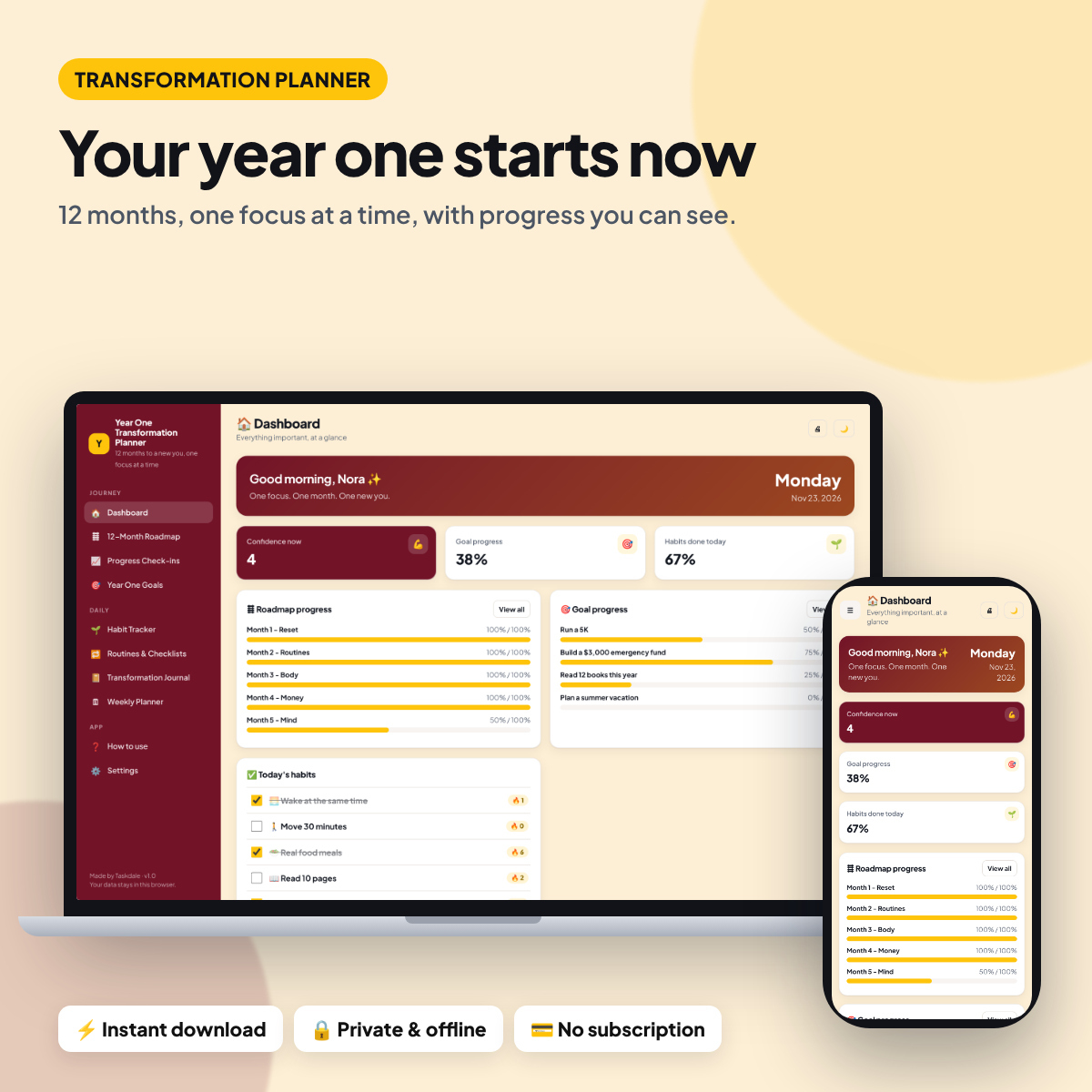
Year One Transformation Planner is a transformation planner that breaks a big life change into twelve focused months. Each month has a single theme, from reset and routines to money, mind and career, with actions and a reflection.
Bi-weekly progress check-ins chart your energy, confidence and savings, while goals, habits, routines, weekly planning and journaling keep you moving forward.
Who this transformation planner is for
- Anyone starting a fresh chapter
- Glow up and self-improvement fans
- New Year planners
- People rebuilding after a hard season
Main benefits
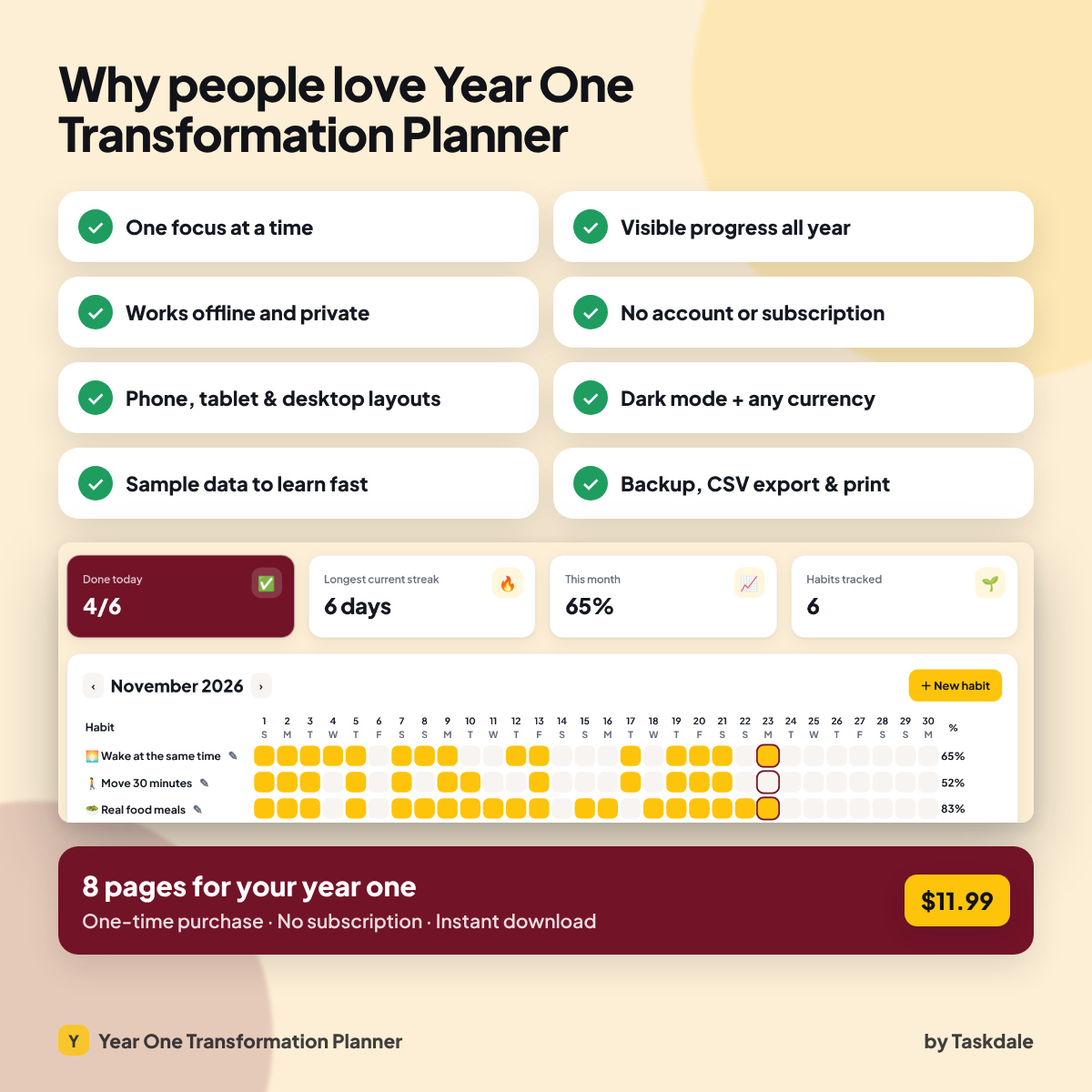
- One focus at a time
- Visible progress all year
- Works offline and private
- No account or subscription
- Phone, tablet & desktop layouts
- Dark mode + any currency
- Sample data to learn fast
- Backup, CSV export & print
Features of the transformation planner
- Dashboard: Your overview with live totals, charts and what needs attention next.
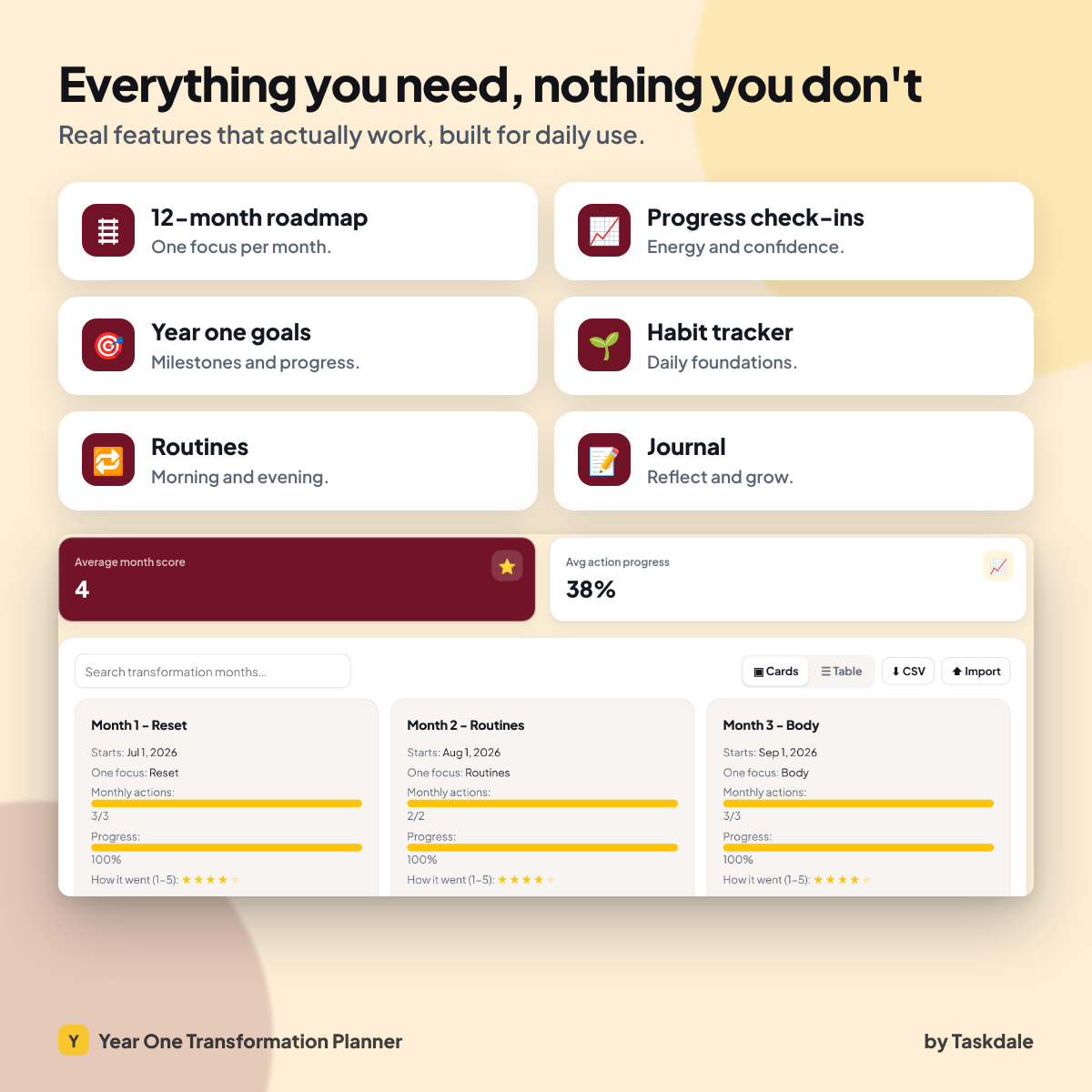
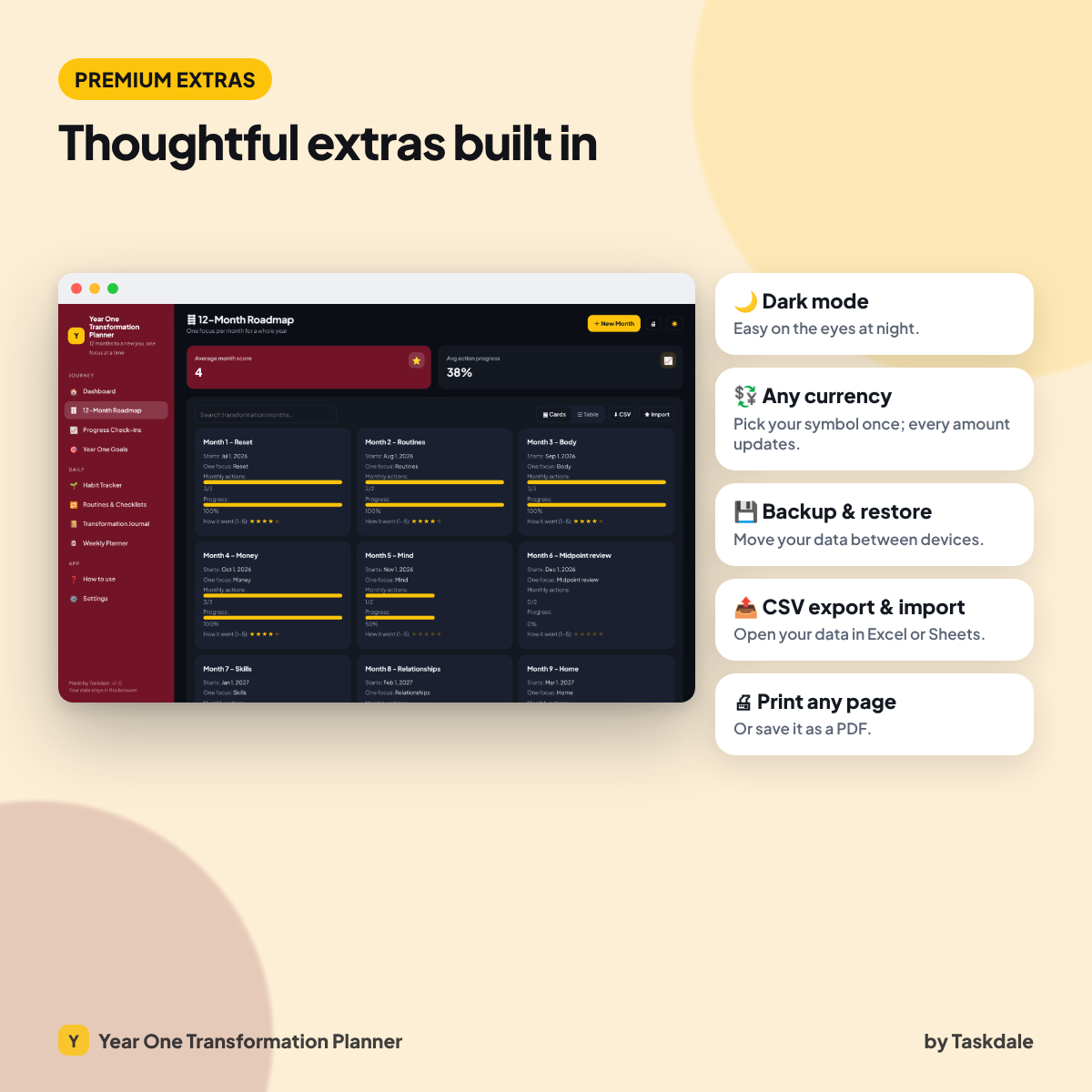
- 12-Month Roadmap: Twelve themed months, each with a single focus, monthly actions, progress bar, score and reflection.
- Progress Check-ins: Every two weeks: energy, confidence, optional weight, total saved, biggest win and progress photo reminder.
- Year One Goals: Set goals by life area, add milestones and watch progress fill up.
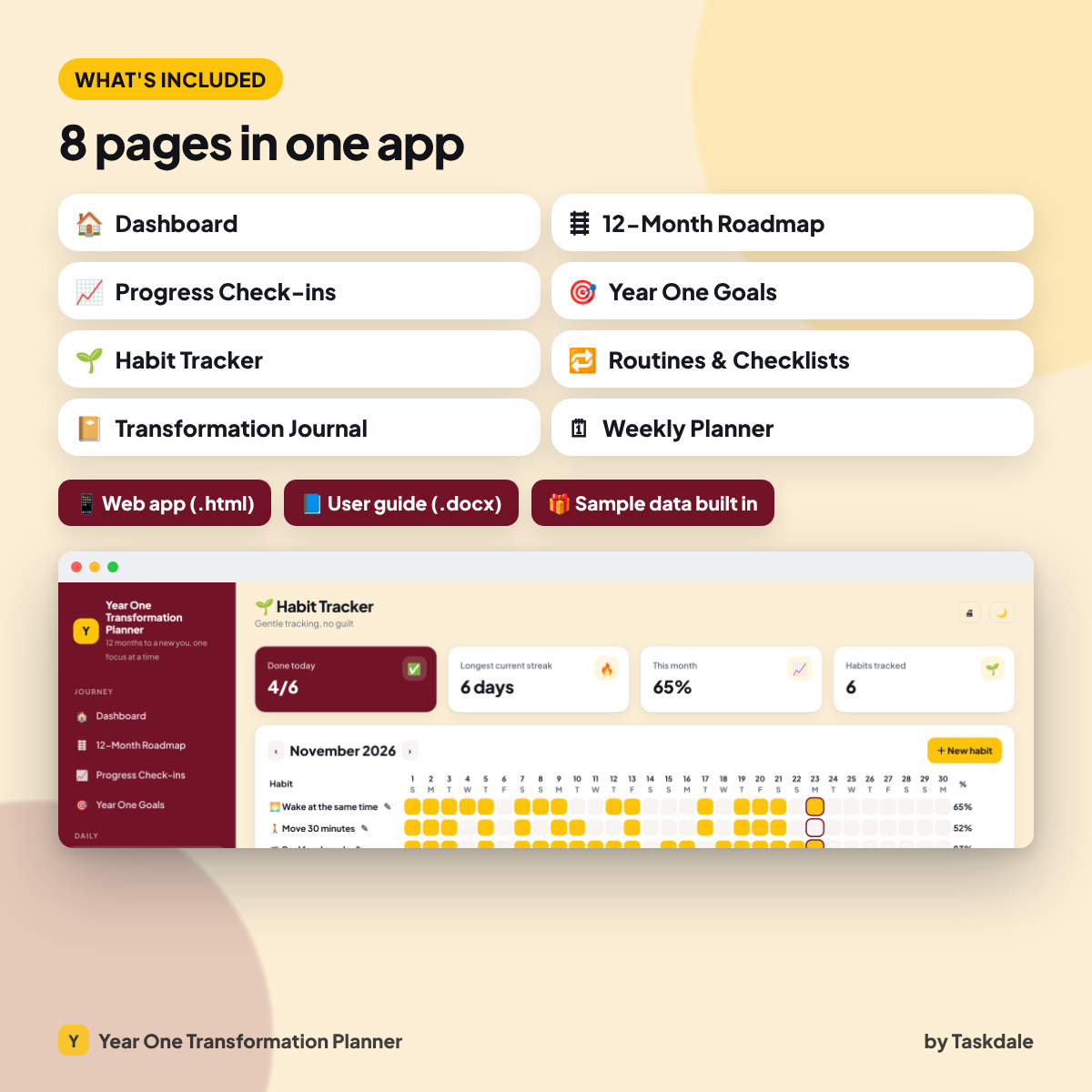
- Habit Tracker: Track daily habits on a monthly grid with streaks and monthly scores.
- Routines & Checklists: Reusable routine checklists with progress you can reset anytime.
- Transformation Journal: Journal entries with mood, energy, gratitude and tags, plus mood charts.
- Weekly Planner: A seven-day spread with a weekly focus, wins and notes.
Built-in extras
- Dark mode: Switch between light and dark themes.
- Any currency: One currency setting that every money value reads from ($ by default).
- Backup and restore: Export all your data to a file and restore it on any device.
- CSV export and import: Open your tables in Excel or Google Sheets, or bring data in.
- Print-ready pages: Print any page or save it as a PDF.
- Sample data: explore a fully filled-in example, then clear it with one click.
Why an app instead of a spreadsheet or PDF?
- Nothing to break: there are no formulas to copy or cells to protect. Totals, charts and progress bars calculate themselves.
- Faster to use: add an entry with a simple form, search and filter in one click, and switch between table, board and calendar views.
- Private by design: Year One Transformation Planner runs in your own browser and never uploads your data.
What’s included
- Year One Transformation Planner web app (one .html file, 8 pages)
- Year One Transformation Planner User Guide (.docx) with setup steps, feature walkthroughs, tips, troubleshooting and FAQ
- Built-in sample data and quick start page
How it works
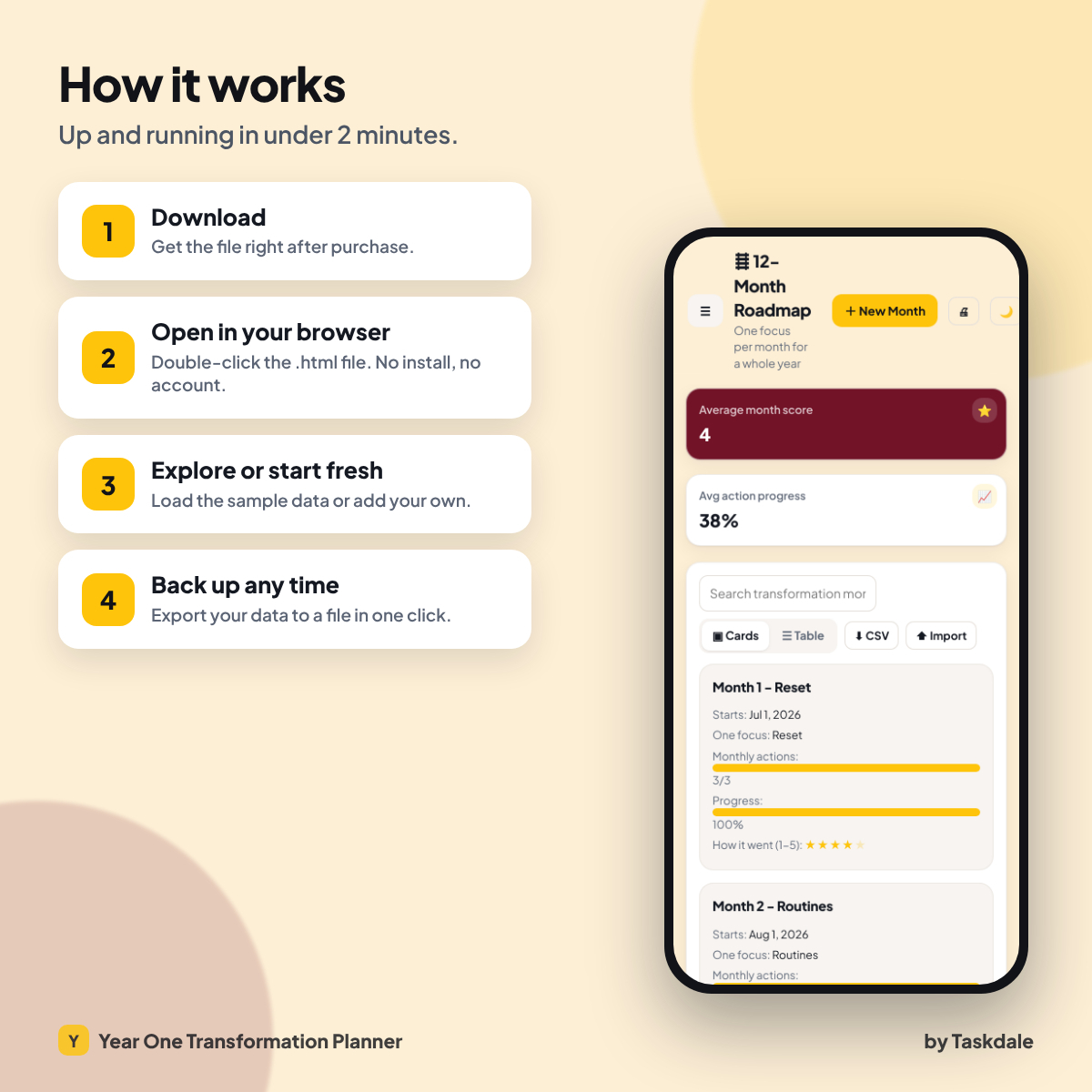
- Download the ZIP file after purchase and unzip it.
- Double-click the .html file. It opens in your web browser like an app, with no install.
- Click Explore sample data to see it filled in, or start adding your own entries.
- Set your name and currency in Settings, and export a backup now and then.
File format and software requirements
- Format: one HTML web app file (.html) plus a Word user guide (.docx), delivered in a ZIP.
- Tested in Google Chrome on desktop and on phone-sized screens. It uses standard HTML, CSS and JavaScript with no plugins.
- No internet connection, account or subscription needed after download.
- Your data is stored locally in your browser. It does not sync between devices automatically; use the backup file to move it.
Customization
- Add, rename and delete your own entries, categories and lists
- Choose your currency symbol and add your name for a personal greeting
- Switch between light and dark mode
Digital download
This is a digital product. No physical item will be shipped. Your files are available to download right after checkout.
Use cases
- Month start: choose the focus and actions.
- Daily: habits and routines.
- Every two weeks: progress check-in.
FAQ
Do I need internet or an account?
No. The app is a single file that runs in your web browser. After download it works offline, with no sign-up and no subscription.
Where is my data saved?
Privately in your browser on your device. Nothing is uploaded anywhere. Use Settings → Export backup to keep a copy or move your data to another device.
Can I use it on my phone or tablet?
The layout adapts to phone and tablet screens. We test it in Google Chrome on desktop and on phone-sized screens. Data is stored per device and browser, so use the backup file to move it between devices.
Can I change the currency?
Yes. Choose any currency symbol in Settings and every money value in the app updates. The default is $.
Is there a free version?
Yes, a free version with a few pages is available on our blog so you can try it first. This listing is the complete app.
Can I print or export my data?
Yes. Every page has a print button (print or save as PDF), and every table can be exported to CSV for Excel or Google Sheets.
Licence: personal use only. You may not resell, share or redistribute the files. © Taskdale.
Reviews
There are no reviews yet.