A proforma invoice is a bill you send before the work is done or the goods ship. It tells the buyer exactly what they will be charged, so they can approve the spend, pay a deposit or clear customs. It is not a final invoice, and treating it like one causes most of the confusion around it.
This guide is for small businesses and freelancers who have been asked for “a proforma” and are not sure what to send. You will learn what goes on one, when to use a proforma invoice template and when a plain quote does the job, how to turn a proforma into the real invoice, and which Taskdale templates make the switch quick.
Quick picks: templates for proformas, quotes and final invoices
| Product | Best for | Price | Link |
|---|---|---|---|
| QuoteBloom Price Quote Template | Proforma to invoice with deposits | $4.99 | View |
| Ledgerline Invoice, Quote & Receipt Kit | Final invoices plus receipts | Original price was: $3.00.$1.50Current price is: $1.50. | View |
| PaidPath Client & Invoice Hub | Tracking drafts, quotes and payments | $9.49 | View |
| Rosewater Price Quote Template Kit | Soft, polished estimates with a quote tracker | $3.97 | View |
What a proforma invoice actually is
Think of a proforma as a preview of the final invoice. Same layout, same line items, same totals. The difference is status: it is a good-faith statement of what you expect to bill, sent before the sale is complete.
Because the sale has not happened yet, a proforma usually does not count as a sales invoice in your books. You do not record it as income, and the buyer does not record it as a bill they owe. Once the goods ship or the work is delivered, you issue a normal invoice with its own invoice number, and that is the document that goes into the accounts.
A quick example. A furniture maker gets an order for a dining table and eight chairs from a restaurant. The restaurant’s finance team will not release a deposit without a document that looks like an invoice. So the maker sends a proforma for $6,400 with a 50% deposit line. Finance approves it, pays $3,200, and the maker starts cutting wood. When the set is delivered, a final invoice for the full amount goes out, showing the deposit received and $3,200 still due.
When to use a proforma invoice
Most small businesses only need a proforma now and then. These are the situations where it earns its place.
The buyer needs internal approval
Larger companies, schools and councils often need a priced document before a purchase order can be raised. A quote sometimes works, but some finance teams insist on something titled “invoice”. A proforma gives them that without you pretending the sale is done.
You want payment or a deposit up front
Custom work, large orders and new clients are all good reasons to ask for money first. A proforma sets out the full price and the amount due now, so the buyer pays against a clear, detailed document.
Goods are crossing a border
International shipments often travel with paperwork stating what is in the box and what it is worth. Some buyers and freight agents ask for a proforma for this purpose, or to arrange an import permit or bank payment before shipping. If you export, ask your courier or freight agent what they need, because rules vary by country.
The final price could still shift slightly
If you expect small changes, such as an extra delivery charge or one item swapped, a proforma lets you agree the bulk of the price now and settle the final figure on the real invoice.
Proforma vs quote vs invoice
These three documents look alike and do different jobs. Mix them up and you end up with duplicate income in your books or a client paying the wrong amount.
| Document | When it is sent | What it does | Goes in your sales records? |
|---|---|---|---|
| Quote or estimate | Before the client agrees | Offers a price for them to accept | No |
| Proforma invoice | After they agree, before delivery | Confirms the price and asks for approval or prepayment | No |
| Final invoice | When work or goods are delivered | Formally requests payment of the amount owed | Yes |
A simple test: if the client has not yet said yes, send a quote. If they have said yes but nothing has been delivered and they need a bill-style document, send a proforma. If the job is done, send the invoice. Our guide on quote vs estimate vs invoice covers the first and last of these in more depth.
What to put on a proforma invoice template
A proforma carries almost everything a normal invoice does. The key is labelling it clearly so nobody mistakes it for the final bill.
- The words “Proforma Invoice” at the top, large and plain.
- A proforma reference number, such as PF-2026-007, kept separate from your invoice numbers.
- Your business name, address and contact details.
- The buyer’s name, address and any purchase order number they have given you.
- Itemized lines with descriptions, quantities, unit prices and line totals.
- Tax, shipping and any discount, so the total matches what they will finally pay.
- The amount due now, if you want a deposit or full prepayment.
- A validity date, such as “Prices valid until 30 November 2026”.
- Payment instructions and your bank details.
- Expected delivery date for the goods or work.
For goods going abroad, buyers may also want weights, country of origin and a short description of each item in plain words. Ask before you send it rather than guessing.
Building a proforma from a quote template
You do not need a separate proforma template. A good quote and invoice template already holds every field a proforma needs. You simply retitle it and give it its own number series.
Here is a fast way to do it with a template that turns a quote into an invoice:
- Build the quote as normal, with your client, items and deposit.
- When the client accepts, save a copy and change the heading from “Quote” to “Proforma Invoice”.
- Give it a PF number, set the amount due now to the deposit, and send it as a PDF.
- When the deposit lands, start work. Log the payment.
- When you deliver, produce the final invoice from the same lines, with the deposit shown as received.
Because every step uses the same lines, the numbers never drift. The client sees $6,400 on the quote, $6,400 on the proforma and $6,400 on the final invoice, less what they already paid. That consistency builds trust, and it saves you a very awkward email.
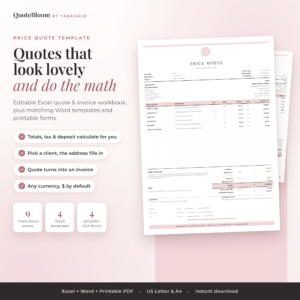
QuoteBloom Price Quote Template
Price: $4.99 | Best for: businesses that take deposits before work
An Excel quote template with a client dropdown for up to 200 clients and a product and service list for up to 200 items. It calculates discounts, sales tax, shipping, a deposit and the remaining balance, and its Invoice sheet copies the client, lines and totals with the deposit taken off. Matching Word templates come in US Letter and A4, which is handy for retitling a copy as a proforma. Set your validity days and payment terms first.
If you prefer a softer blush-and-rose look, the Rosewater Price Quote Template Kit follows the same quote-to-invoice idea and adds a tracker that marks quotes as draft, sent, accepted, declined or expired.
Turning the proforma into a final invoice
This step is where people slip. The final invoice is a new document, not the proforma with “Proforma” deleted. Give it a number from your normal invoice sequence, date it on or after delivery, and show any deposit already paid.
Say the restaurant table set ships on 14 November. The final invoice is INV-2026-112, dated 14 November, listing the same table and chairs for $6,400, a line “Less deposit received 2 October: $3,200” and “Balance due: $3,200”. It references PF-2026-007, so the restaurant’s finance team can match it to what they approved. Clean, simple, and easy to audit.
If you are in a VAT or sales tax system, check how your local rules treat advance payments, as a deposit can create a tax point before the final invoice. When in doubt, a quick word with your accountant settles it once and for all.
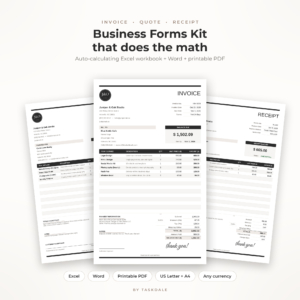
Ledgerline Invoice, Quote and Receipt Kit
Price: Original price was: $3.00.$1.50Current price is: $1.50. | Best for: small businesses issuing final invoices
An Excel workbook plus matching Word templates and printable PDF forms. The invoice fills in clients and items from dropdowns and works out the subtotal, discount, tax, shipping and balance due, and the quote form includes a deposit line and an acceptance signature. A log of up to 300 invoices updates status on its own, and a receipt template records the deposit when it arrives. Add your price list first so every document pulls from it.
Keeping proformas and invoices apart in your records
The biggest risk with proformas is counting money twice. If you log a $6,400 proforma as income, then log the $6,400 final invoice, your sales look $6,400 higher than they really are. Over a year, that can make a quiet business look busy on paper.
Two simple rules stop this. First, keep proformas in a separate list or mark them as drafts so they never reach your income totals. Second, record deposits as payments against the final invoice when it is issued, not as stand-alone income with no invoice attached. A tracker that separates drafts, quotes and invoices does most of this for you.
Deposits also change your cash position long before the job ends, which matters if you plan spending around expected money. If that is you, a cash flow forecast template helps you see when deposits and balances will actually land.

PaidPath Client and Invoice Hub
Price: $9.49 | Best for: freelancers tracking drafts and payments
An Excel workbook with one row per invoice, quote or draft, linked to your clients, services, payments and expenses. Log a payment and the invoice status and client balance update, while the dashboard shows invoiced, collected, outstanding and overdue totals. It prints a clean invoice, quote or client statement on US Letter or A4 and lets you set your own currency symbol. Start by entering your clients and your usual services.
How to word the email that goes with it
The email matters almost as much as the document. A buyer’s finance team may see dozens of attachments a day, so tell them in two lines what this is and what you need. Something like this works well:
Subject: Proforma invoice PF-2026-007 for dining set order
Body: Hi Dana, attached is the proforma invoice for the dining table and eight chairs we agreed on Tuesday. The total is $6,400, and a 50% deposit of $3,200 is due before we begin. Prices are valid until 30 November. Once the set is delivered, we will send the final invoice for the balance. Thanks, Marcus.
Notice what it does. It names the reference, the order, the total, the amount due now, the deadline and what happens next. Nobody has to reply with a question. That one tidy message often saves a week of back and forth, and the deposit arrives sooner because of it.
Send the proforma as a PDF, never as an editable spreadsheet. Name the file clearly, such as “PF-2026-007 Proforma Invoice.pdf”, so it is easy to find in their system and in yours.
Common proforma mistakes
- Using your invoice number series. A proforma numbered INV-2026-112 followed by a final invoice INV-2026-113 for the same job looks like two sales. Use a PF series.
- Forgetting the label. If it does not say “Proforma”, a buyer may file it as a bill and pay it twice.
- No validity date. Material costs move. Give the price a deadline.
- Skipping the final invoice. The buyer’s accounts team still needs a real invoice once you deliver.
- Not showing the deposit. The final invoice must show what was already paid, or the client may pay the full amount again.
Frequently asked questions
Is a proforma invoice a legal invoice?
No. It is a preliminary document showing what will be billed. It is not usually treated as a sales invoice for tax or accounting, which is why you send a final invoice once the goods or work are delivered.
Can a customer pay a proforma invoice?
Yes. Many buyers pay a deposit or the full amount against a proforma. When you issue the final invoice, show the payment as already received so the balance is correct.
Do I need a special proforma invoice template?
No. Any quote or invoice template works if you change the heading to “Proforma Invoice”, use a separate number series and add the amount due now and a validity date.
What is the difference between a proforma invoice and a quote?
A quote offers a price the client has not yet accepted. A proforma confirms an agreed price before delivery, often so the buyer can approve the spend or pay up front.
Should a proforma invoice include tax?
Show the tax you expect to charge so the total matches the final bill. The tax itself is accounted for on the final invoice, or when a deposit is paid if your local rules say so.
Your next step
Next time a client asks for a proforma, open your quote template, change the heading, give it a PF number and set the deposit as the amount due now. Send it as a PDF and keep it out of your income list until the final invoice goes out. For a template that already carries the deposit through from quote to invoice, try QuoteBloom.