Best Rental Income and Expense Tracker for Landlords
Choose a rental income and expense tracker by how you work. For Excel, Gableworth or Rooftally suit you. For Google Sheets, Brick & Ledger, Lantern Lane, Keyward or Porchfolio fit. For an offline app that posts rent automatically, choose Gablewise. All of them track rent, expenses and a Schedule E summary.
Keeping track of rent, repairs, mileage and tax figures can feel like a second job, and the wrong tool makes it worse. This guide explains what matters, so you can pick one with confidence. You can browse all 7 options below.
Key facts at a glance
- Six of the trackers on this page are spreadsheets, and one, Gablewise, is a bookkeeping app that runs offline in your browser.
- Every tracker includes a Schedule E summary, which is the US IRS form for rental income and expenses, so UK landlords will need to map the figures to their own return.
- Property limits run from 25 properties (Rooftally) to 50 properties (most others), and unit limits run from 100 to 300.
- Gablewise and Brick & Ledger state that there is no subscription, and Porchfolio is a one-time purchase.
- Gableworth, Brick & Ledger, Lantern Lane and Keyward include a filled sample file, so you can see how a finished set of figures looks before you enter your own.
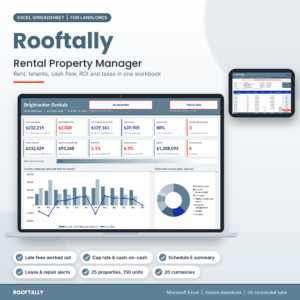 Rental Property Spreadsheet for Landlords (Excel): Rent Tracker, Tenant Ledger, ROI & Schedule E | Rooftally
 Rental Property Bookkeeping App | Gablewise Landlord Income & Expense Tracker with Rent Tracker, Tenant Ledger, Schedule E, Depreciation & 1099s | Works Offline
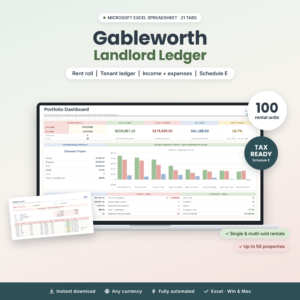 Landlord Spreadsheet for Excel | Gableworth Rental Property Tracker with Rent Roll, Tenant Ledger, Income & Expense Tracker, Schedule E Tax Summary & ROI
 Landlord Spreadsheet for Google Sheets & Excel | Brick & Ledger Rental Property Bookkeeping with Tenant Ledger, Rent Tracker, Schedule E Tax Report & Dashboards
 Rental Property Spreadsheet for Excel & Google Sheets | Lantern Lane Landlord Tracker – Rent Collection, Tenant Ledger, Income & Expenses, Schedule E
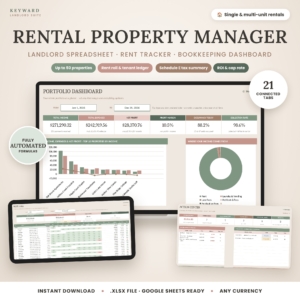
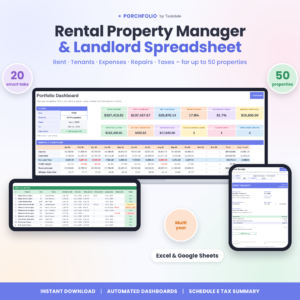
Table of Contents
Toggle
- What is the best rental income and expense tracker?
- What should you look for in a tracker?
- How do the trackers compare?
- Which tracker suits which landlord?
- How do you set one up?
- Mistakes to avoid
- What affects the price?
- Final decision rule
- Common questions
What is the best rental income and expense tracker?
The best rental income and expense tracker is the one that matches the software you already use and the size of your portfolio. A tool you open every week beats a more powerful one you avoid.
If you're comfortable in Excel, the choice is between Rooftally and Gableworth. If you want to work in Google Sheets, or share the file with a partner or bookkeeper, Brick & Ledger, Lantern Lane, Keyward and Porchfolio all work there. If you'd rather not build a workbook at all, Gablewise does the posting for you.
What should you look for in a rental income and expense tracker?
A good rental income and expense tracker records rent and costs once, then builds your reports from that single entry. Six factors separate the strong options from the merely adequate ones.
Does it show who has paid, who is partial and who is late?
A rent tracker is the part of the file you'll use most. Lantern Lane separates paid, partial and overdue tenants and suggests late fees. Keyward adds overdue-rent alerts and an Action Centre. Gablewise adds receipts and tenant statements to its late-fee handling.
Do the expense categories match your tax return?
An expense tracker is only useful at tax time if its categories line up with the form you file. Porchfolio maps expenses to IRS Schedule E lines directly. Gablewise adds depreciation and a 1099 tracker, which matters if you pay contractors.
Can it show true profit for each property?
Per-property profit tells you which rental actually earns its keep. Lantern Lane works out true profit by property and unit and splits shared bills automatically. Rooftally and Keyward show cash flow, cap rate, cash-on-cash return and DSCR (debt service coverage ratio, a lender's measure of whether rent covers the mortgage). Keyward adds NOI (net operating income).
Will it hold your whole portfolio?
Check the limits before you commit. Rooftally covers 25 properties and 150 units. Gableworth covers 50 properties and 100 units. Brick & Ledger allows 50 properties, 150 units and 200 leases. Lantern Lane and Keyward allow 250 units, and Porchfolio allows 300. Gablewise doesn't state a limit.
Does it work on your device?
Gableworth needs Excel 2010 or newer, on Windows or Mac. Brick & Ledger says no Microsoft 365 is needed. Keyward is an .xlsx file tested in Google Sheets. Gablewise runs offline in your browser, which suits a landlord who works from properties with poor signal.
Does it come with a sample file and a guide?
A filled sample file shows you what a finished set of records looks like. Gableworth includes a 21-page illustrated guide, Keyward a 19-page guide, and Porchfolio a step-by-step DOCX guide. Brick & Ledger and Lantern Lane include step-by-step guides as well.
How do the best rental income and expense trackers compare?
The table below compares the trackers on format, capacity and the feature each does best. Capacity figures are the limits stated in each listing.
Which rental income and expense tracker suits which landlord?
Each tracker suits a different kind of landlord, and the differences are practical rather than cosmetic.
Rooftally suits a landlord with a modest portfolio who also assesses purchases. It includes a deal analyser, loan tracking and a mileage log, and its dashboard reports 12 KPIs.
Gablewise suits someone who dislikes spreadsheets. Rent posts itself every month, payments take one click, and receipts can be photographed. It's also the only option here with depreciation and a 1099 tracker built in.
Gableworth suits an Excel user who wants everything printable. Pick a unit and the property and tenant fill in, and the ledgers and rent receipts print cleanly.
Brick & Ledger suits a landlord who works across Google Sheets and Excel and wants a subscription-free file. Its 12-month rent collections grid shows a full year of payments at a glance.
Lantern Lane suits owners of multi-unit buildings. Shared bills split automatically, so each unit's profit is realistic, and the move-in and move-out inspection checklist helps at tenancy changes.
Keyward suits a landlord who wants a prompt list of what needs doing. The Action Centre and Rent Roll calendar point to the next task, and the DSCR and NOI figures cover lender questions.
Porchfolio suits the largest portfolios, with room for 300 units and views by month, five years or a custom range.
How do you set up a rental income and expense tracker?
Setting up a rental income and expense tracker takes about one evening if you gather your documents first. Follow these steps in order.
- Open the sample file or example data first, so you can see how the finished tabs should look.
- Enter each property, then each unit and lease, with start dates and rent amounts.
- Add your tenants and attach them to units, so ledgers fill automatically.
- Log last month's rent and bills as your first test entries.
- Check the dashboard and rent roll against your bank statement.
- Set a weekly slot, such as Sunday evening, to log new payments and receipts.
What mistakes should you avoid with a rental income and expense tracker?
The commonest mistakes are about habit and set-up, not the software itself.
- Mixing personal and rental spending. Keep a separate account for rental money, so every entry in your tracker has a matching bank line.
- Skipping receipts. Photograph or file them the day you pay. Gablewise lets you attach receipt photos, and the spreadsheets work best alongside a folder of scans.
- Assuming Schedule E fits your return. It's a US form. UK landlords can use the income and expense totals, but should check them against their own return.
- Ignoring partial payments. A tenant who pays half is neither paid nor missing. Use a tracker that records partial amounts, such as Lantern Lane.
- Buying for today's portfolio only. If you plan to add properties, check the unit limit now.
What affects the price of a rental income and expense tracker?
The price of a rental income and expense tracker depends mainly on how many properties it supports, how much it builds for you, and whether you pay once or repeatedly. Live prices appear on each product card.
Subscription-free tools such as Gablewise and Brick & Ledger cost nothing after purchase, and Porchfolio is a one-time purchase. Larger capacity and extras like inspection checklists, deal analysers and extra dashboards usually add to the cost. A simple Excel workbook costs less up front than a feature-heavy suite, but you may outgrow it.
How do you choose your rental income and expense tracker with confidence?
Choose by platform first, then by portfolio size, then by the one feature you'd miss most. That order removes most of the doubt.
- Excel only: Rooftally or Gableworth.
- Google Sheets or shared access: Brick & Ledger, Lantern Lane, Keyward or Porchfolio.
- No spreadsheet work wanted: Gablewise.
- More than 250 units: Porchfolio.
- Shared bills across units: Lantern Lane.
Common questions
Can I use a spreadsheet instead of accounting software for rental income?
Yes, for most small landlords. A rental spreadsheet records rent, expenses and tenants in one file and builds reports from them. Accounting software such as Gablewise adds automation, like rent that posts itself. Spreadsheets give more control and no learning curve if you already use Excel.
Will these trackers work with UK tax returns?
They work for recording income and expenses in any currency, but their tax summaries follow the US Schedule E form. A UK landlord can use the totals by category, then transfer them to their own return or give them to an accountant.
Do I need Microsoft 365 for these spreadsheets?
Not for all of them. Brick & Ledger states that no Microsoft 365 is needed. Gableworth works in Excel 2010 or newer. Keyward is an .xlsx file tested in Google Sheets, so you can use it without any paid Microsoft account.
How often should I update my rental tracker?
Weekly is a sensible rhythm for most landlords. Log rent when it arrives and expenses when you pay them. Monthly updates are workable for one or two units, but receipts and mileage are easier to record while they're fresh.
Which tracker is best for working offline?
Gablewise is the one built for it. It runs in your browser without a connection, with no subscription. The spreadsheets also work offline once downloaded, but only Gablewise states offline use as a headline feature.