Best US Letter Resume Templates for Word and Google Docs
Choosing the best US Letter resume template comes down to three checks: the file is set to 8.5 by 11 inches, the layout is single-column so applicant tracking systems can read it, and a matching cover letter comes in the same set. Everett, Shortlist and Quillmark cover that for most applicants.
- US Letter is 8.5 by 11 inches, slightly shorter and wider than A4, which is 210 by 297 mm.
- Every kit on this page includes US Letter files, so the choice is about layout, extras and editing app.
- Lengths range from one page to five pages, but a one-page or two-page resume suits most applications.
- Most kits add a cover letter, references page and thank-you letter in the same design.
- Photo versions are optional, and a no-photo or ATS version is the safer default for US employers.
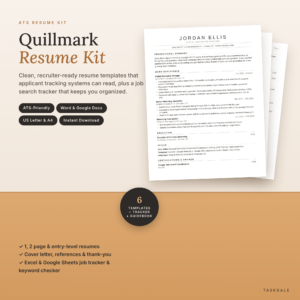 ATS Resume Template for Word & Google Docs | Quillmark Resume Kit with Cover Letter, References, Thank-You Letter & Job Tracker | 1 & 2 Page Resume, Entry-Level CV | US Letter & A4
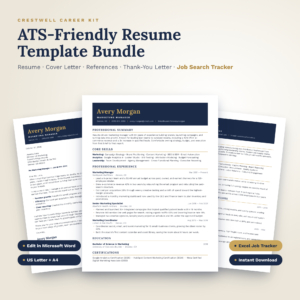 Crestwell ATS Resume Template Bundle | Editable Word Resume, Cover Letter, References & Thank-You Letter + Excel Job Search Tracker | US Letter & A4
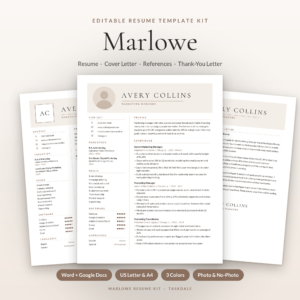 Marlowe Resume Template Kit for Word & Google Docs | Resume, Cover Letter, References & ATS Resume, 1 to 3 Pages
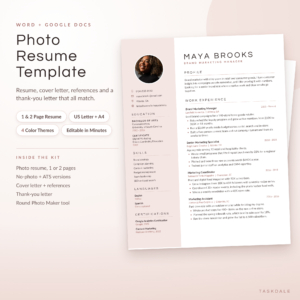 Photo Resume Template for Word & Google Docs | Calla Resume Kit with Cover Letter, References & Thank You Letter | 1 & 2 Page CV | ATS Version | US Letter & A4
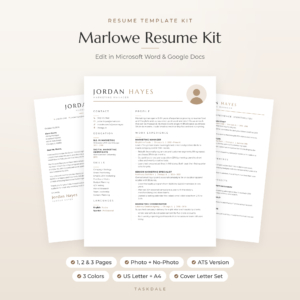 Marlowe Resume Template for Word & Google Docs | Minimalist Resume with Photo, Cover Letter & References | 1, 2 & 3 Page CV | ATS Resume | US Letter & A4
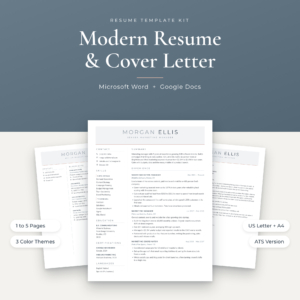
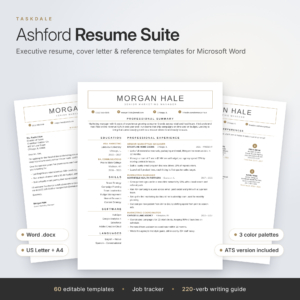 Ashford Resume Template Bundle for Word & Google Docs | Executive + ATS-Friendly Resume, Cover Letter, Reference Page | 1, 2, 3 Page CV + Job Tracker
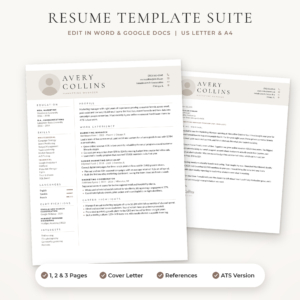 Sloane Resume Template for Word & Google Docs | Modern Resume with Photo, Cover Letter & References | 1, 2 & 3 Page CV | ATS Resume | US Letter & A4
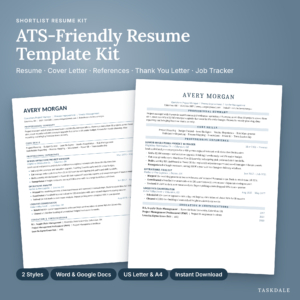 Shortlist ATS Resume Template Kit for Word and Google Docs | 1 & 2 Page Resume, Cover Letter, References, Thank You Letter + Job Search Tracker | US Letter & A4
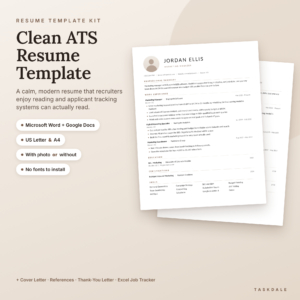
Table of Contents
Toggle
- What should you look for in a US Letter resume template?
- Which US Letter resume template should you choose?
- Who does each US Letter resume template suit?
- How do you use a US Letter resume template?
- What mistakes should you avoid?
- What affects the price of a resume template kit?
- How to decide with confidence
- Common questions
Picking a resume template can feel more complicated than it should. Kits come with dozens of files, colour options and bonus tools, and it isn't obvious which parts matter. We'll go through the differences that change how your resume performs, so you can choose without second-guessing.
What should you look for in a US Letter resume template?
A good US Letter resume template has the right page size, a layout that software can read, an editing app you already use, and the page lengths you need. Five factors separate the kits on this page, and each is worth checking before you buy.
Is the file really set to US Letter?
US Letter is the standard paper size in the United States and Canada. Every kit here includes US Letter files, and most also include A4 for the UK and Europe. Check that you are opening the Letter version, because an A4 file sent to a US employer can shift margins or push a line onto a second page.
Can applicant tracking systems read the layout?
An applicant tracking system (ATS) is software that scans resumes into a database before a person sees them. It reads single-column text most reliably. Everett, Quillmark, Crestwell and Shortlist are described as ATS or single-column designs. Northline, Marlowe, Sloane, Calla and Ashford give you a styled resume plus a separate ATS version for online portals.
Does it work in the app you use?
Most kits open in both Microsoft Word and Google Docs. Crestwell is listed for Microsoft Word only, so skip it if you work in Google Docs. Calla supplies separate Word and Google Docs editions that keep their layout, which helps if you switch between the two.
Which page lengths do you get?
Two sets of kits exist here. Everett, Shortlist, Quillmark and the plain ATS Resume Template give you one-page and two-page resumes. Marlowe, Sloane and Ashford extend to three pages, and Northline goes up to five. For most US applications, one page suits early careers and two pages suit longer histories.
Is a photo version included, and do you need one?
Marlowe, Sloane and Calla include photo and no-photo designs. US employers generally expect no photo, partly because it adds nothing for software and partly because many hiring teams prefer to avoid it. Take the photo option only if your industry or target country asks for one.
Which US Letter resume template should you choose?
The table below compares the eleven kits on what differs: lengths, photo options, ATS versions and the main extras. Browse all 11 options in the grid for current prices.
Who does each US Letter resume template suit?
Each kit suits a different applicant, and the simplest rule is to match the kit to your career stage and the portals you will use.
- First job or career change: Quillmark includes an entry-level resume and a 15-page guidebook with 60 bullet examples. Everett offers guided placeholder text and a short, focused file set.
- Heavy online applications: Shortlist and Crestwell both pair a single-column layout with a tracker that sends follow-up alerts. Crestwell adds offer comparison, which helps once responses start arriving.
- Senior and executive roles: Ashford is built around an executive layout and gives you a second ATS set for portals.
- Designers and people who want a polished look: Northline gives you a two-column main resume with a plain ATS copy, and Calla offers a photo design with a round photo tool.
- Long histories: Marlowe, Sloane and Northline extend beyond two pages, though academic and technical CVs are the main reason to go past two.
- Flexibility in one download: The plain ATS Resume Template includes photo and no-photo options without needing font downloads.
How do you use a US Letter resume template?
You use a US Letter resume template by checking the page size, replacing the placeholder text, trimming to length, and exporting in the right format. The steps below take around an hour for a first draft.
- Open the US Letter file, not the A4 one, and confirm the page size is 8.5 by 11 inches in Page Setup.
- Replace placeholder text section by section, keeping the heading names unchanged so software can recognise them.
- Add numbers to your bullets where you have them, such as team size, volume or time saved.
- Copy a few key phrases from the job advert into your skills and experience lines where they are true.
- Cut to one page, or two if you genuinely need it, and check that no heading sits alone at the bottom of a page.
- Export to PDF unless the employer asks for a Word file, then open the PDF to check nothing has moved.
- Save a separate copy for each application and log it in the tracker.
What mistakes should you avoid?
The most common mistakes are using the wrong paper size, choosing style over readability, and sending files you haven't checked. All three are easy to avoid.
- Sending the A4 version to a US employer. The margins differ, and a printed copy can crop or leave odd gaps.
- Using the two-column design for online forms. Software may read the columns across the page and scramble your job history. Use the ATS version for portals.
- Adding a photo for a US application. Unless the employer asks for one, leave it out.
- Leaving placeholder text in. Search the document for leftover dummy words before sending.
- Changing fonts without checking. Marlowe's minimalist template embeds its fonts in every file, but other kits need the free font files installed first.
- Sending the same cover letter every time. The matching cover letter is a starting point, so rewrite the opening paragraph for each role.
What affects the price of a resume template kit?
The price of a resume template kit depends mainly on how many files you get and how much support material sits alongside them. A kit with a single ATS resume and a cover letter costs less up front than one with dozens of files.
Page-length variants, colour themes and photo versions all multiply the file count. Marlowe's kit holds 84 files, while Everett holds 10. Bonus tools also change the value: a job tracker with a dashboard, an icon pack or a long writing guide adds more than a plain download does.
Check what you will actually use. If you only need one clean resume and a cover letter, extra files add clutter rather than value. Current prices are shown on the product cards.
How to decide with confidence
Choose by working down three questions, and stop at the first one that settles it.
- If you apply mostly through online portals, pick a single-column kit such as Everett, Shortlist or Quillmark.
- If you want a styled resume for emailing to people, pick Northline, Calla or Sloane and keep the ATS version for forms.
- If you want to track many applications, pick a kit with a dashboard tracker, such as Crestwell or Shortlist.
When two kits seem equal, choose the one with the clearest written guide, because that is what you will lean on during the first draft.
Common questions
Can I print an A4 file on US Letter paper?
You can, but the content may scale or crop at the edges. A4 is taller and narrower than US Letter. For a US employer or a printed copy, open the US Letter file in each kit instead and keep the margins as designed.
Do Word and Google Docs keep the same layout?
Usually, though fonts can shift between the two. Calla supplies separate Word and Google Docs editions to protect the layout. With other kits, check the finished file in the app you will export from before sending.
Do I need a cover letter with every application?
Not always, but many employers read one when it is offered. Each kit includes a matching cover letter, so it costs little to adapt. Rewrite the opening for the specific role and company rather than sending the same text.
Is the job tracker worth using?
A tracker helps once you have more than a handful of applications open. Kits with follow-up reminders or alerts, such as Shortlist and Crestwell, prompt you to chase at the right time. Even a simple log of dates and contacts is better than memory.
Are free fonts safe for ATS?
Yes, if they are standard and installed correctly. Software reads the text, not the typeface. Problems appear when a font is missing and the file substitutes another, which shifts spacing. Install the supplied font files before editing, then export to PDF.