Nobody warns you that planning a wedding turns you into a part-time accounts department. The venue wants 50% now. The photographer wants a $500 retainer, then the rest 30 days out. The florist wants a third, a third, a third. The caterer wants final numbers and the balance 14 days before.
Fifteen vendors, two or three payments each, and suddenly you’re juggling 40 dates. A wedding vendor payment tracker is how you stop that from becoming a late fee, or worse, a vendor quietly releasing your date.
Here’s how to set one up, what to record for each vendor, and the habits that keep it accurate.
What a wedding vendor payment tracker should record
For every vendor, you want one row with the contract basics and a separate list of each payment. Keeping those apart is the trick. One vendor, many payments.
Per vendor:
- Name, contact person, phone and email
- Category (venue, catering, photo and so on)
- Booking status: researching, quoted, booked
- Total contract price, including tax and service charge
- Total paid so far
- Balance still owed
- Next due date
- Cancellation terms, in a few words (“deposit non-refundable, 50% refund before 90 days”)
Per payment:
- Date due and date paid
- Amount
- Type: deposit, installment, final balance, tip
- Method: card, transfer, cash
- Who paid (you, a partner, a parent)
That “who paid” column feels fussy until your mum asks how much of her contribution has gone out. Then it’s gold.
Read the contract before you fill in a single row
Most payment mistakes come from not reading the schedule properly. Before you log a vendor, find these four things in the contract:
- Deposit amount and whether it’s refundable. Many aren’t.
- Installment dates. Some are fixed dates, some are “60 days before the event”. Work out the actual date and write that down.
- Final balance date. Often 7 to 30 days before the wedding. A few vendors want it on the day, in cash.
- Late fees and what happens if you miss a payment. Some contracts let the vendor cancel and keep the deposit.
Two minutes per contract. It saves a lot of stress in the final month, when most balances land at once.
Watch the cash flow, not just the totals
Here’s the bit couples miss. Your total might fit the budget perfectly, but if $11,000 of balances fall due in the same three weeks before the wedding, that’s a cash problem.
Sort your payments by date and add them up month by month. If one month looks frightening, ask vendors early whether they’ll move a payment. Many will, if you ask months ahead rather than days.
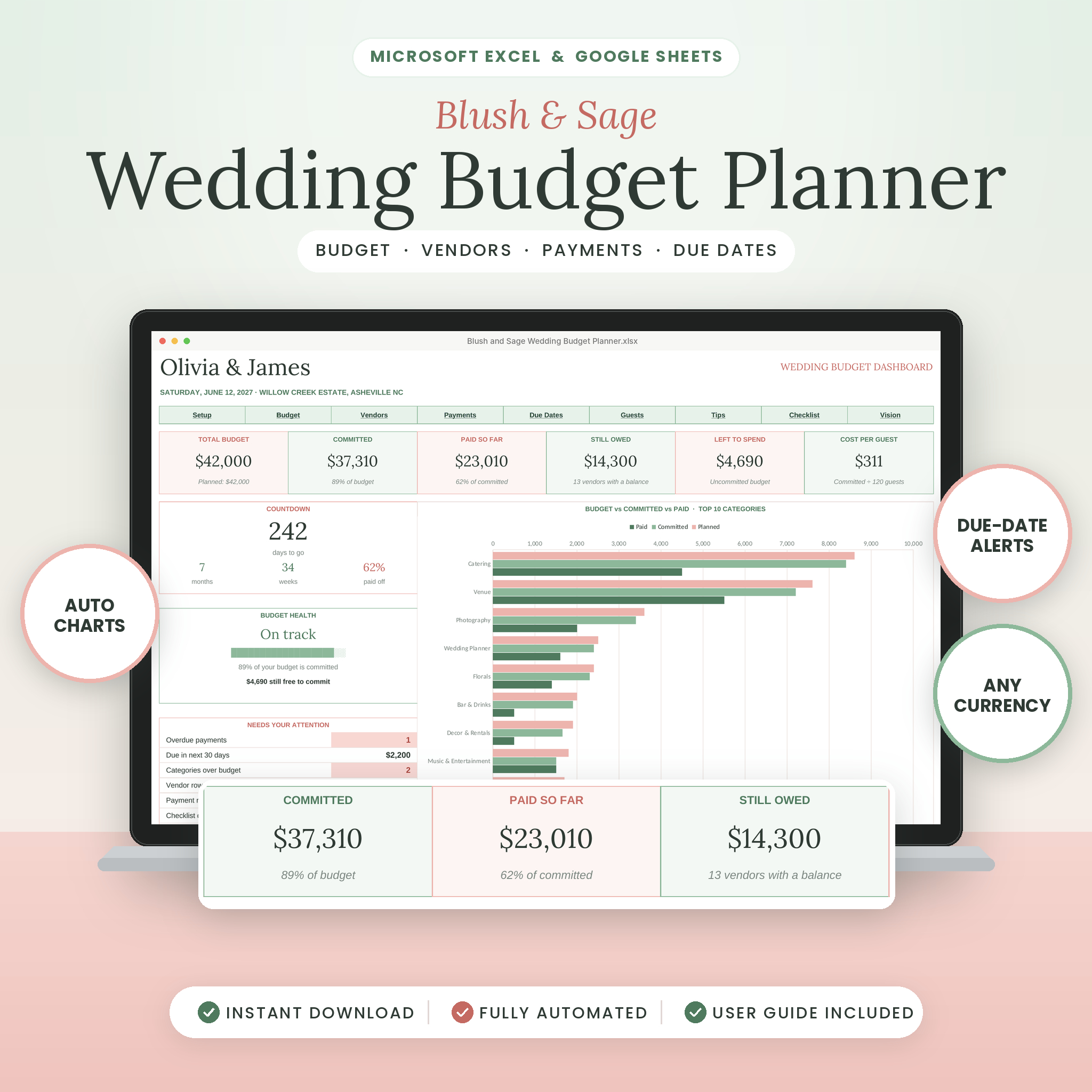
The Blush & Sage Wedding Budget Planner charts monthly cash flow on its dashboard so a heavy month shows up early. Its Due Dates tab holds up to 150 deposits and installments, and each one changes colour as it gets close: Upcoming, Due within 30 days, Due this week, then Overdue. A Needs Your Attention box counts overdue payments and anything due in the next 30 days, so you don’t have to remember to look.
Log payments the day you make them
Not at the weekend. Not “when things calm down”. The day the money leaves.
A tracker that’s two weeks behind is worse than none, because you’ll trust numbers that aren’t true. If logging a payment takes more than a minute, your tracker is too complicated.
In Blush & Sage, the payment log holds up to 300 payments. Pick the vendor and the category fills in by itself, then choose who paid. The vendor tracker covers up to 60 vendors and works out total paid, balance due and next due date. There’s also a Check column that catches common slips like a missing category, a duplicate vendor name or paying more than the contract price. That last one has saved more than one couple from paying a deposit twice.
Plan the final payments and tips in one go
The week before the wedding, list every payment still due on or before the day: final balances, cash payments and tips. Put cash in labelled envelopes and hand them to one trusted person. You do not want to be counting notes in your wedding outfit.
Tips vary, but common US ranges are 15 to 20% for catering staff if gratuity isn’t already in the contract, and a flat amount for others like hair and makeup, drivers and musicians. Blush & Sage includes a Tip and Gratuity Planner that works tips out as a percentage or a flat amount.
If you want payments inside a full wedding planner
Blush & Sage focuses only on money: budget, vendors, payments, due dates and contributors. If you also need a guest list, seating chart and checklist in the same file, Something Blue covers payments within a full 25-tab planner. Its Expenses tab has 200 rows with deposits, balances and due dates, and it marks each one Paid, Due Soon, Overdue or Upcoming. The dashboard lists your next 6 payments due, and the Vendors tab tracks contract signed, deposit paid, cost and final payment date for each vendor.
A simple rule: money-only tracker if someone else is handling guests and tasks; full planner if it’s all on you.
Vendor payment FAQ
How much is a typical wedding vendor deposit?
Often 25 to 50% of the contract for venues and caterers, and a flat retainer for photographers and planners. It’s usually non-refundable, so read the terms before you pay.
When is the final payment due?
Usually 7 to 30 days before the wedding. Venues and caterers often want it two weeks out, once final numbers are in. Some smaller vendors take it on the day.
Should we pay vendors by card or bank transfer?
A credit card gives you more protection if a vendor goes out of business. Some vendors add a card fee, so ask. Whatever you use, log the method so you can find the transaction later.
Should tips go in the payment tracker?
Yes. They’re real money leaving your budget. Add them as their own payment type so they don’t get lost.