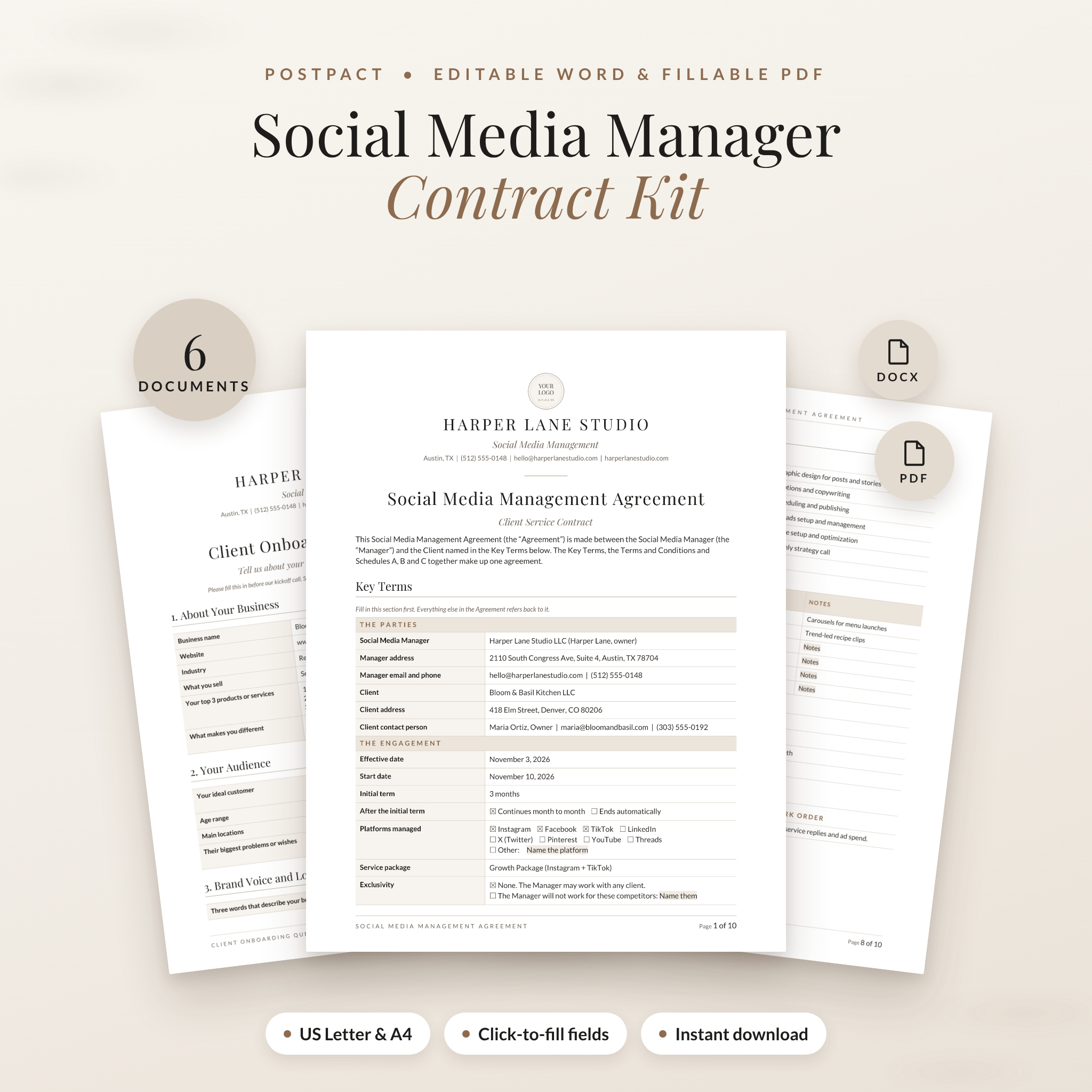
This social media manager contract template kit gives you the agreement you sign with a client, plus the five forms you reach for once the work starts. PostPact comes as editable Word files and fillable PDFs, in US Letter and A4. Fill it in once, save it as your master copy, and you are ready for every new client.
Most templates stop at the signature. That is usually where the problems begin. A client wants “just one more video.” Nobody remembers who has the Instagram password. The last invoice drags on for weeks. PostPact puts those moments in writing, so you can point to a page instead of having an awkward talk.
What’s Inside the Social Media Manager Contract Kit
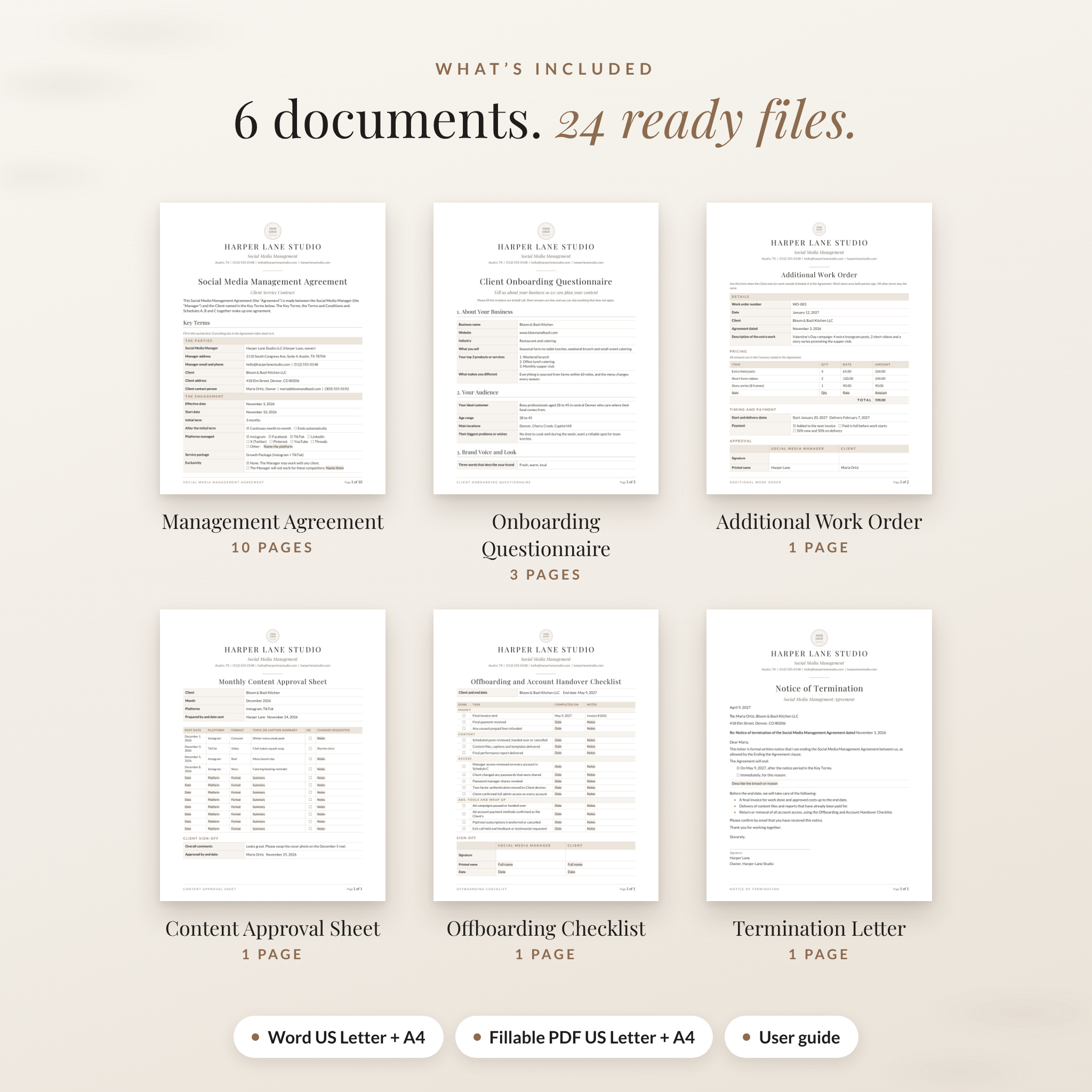
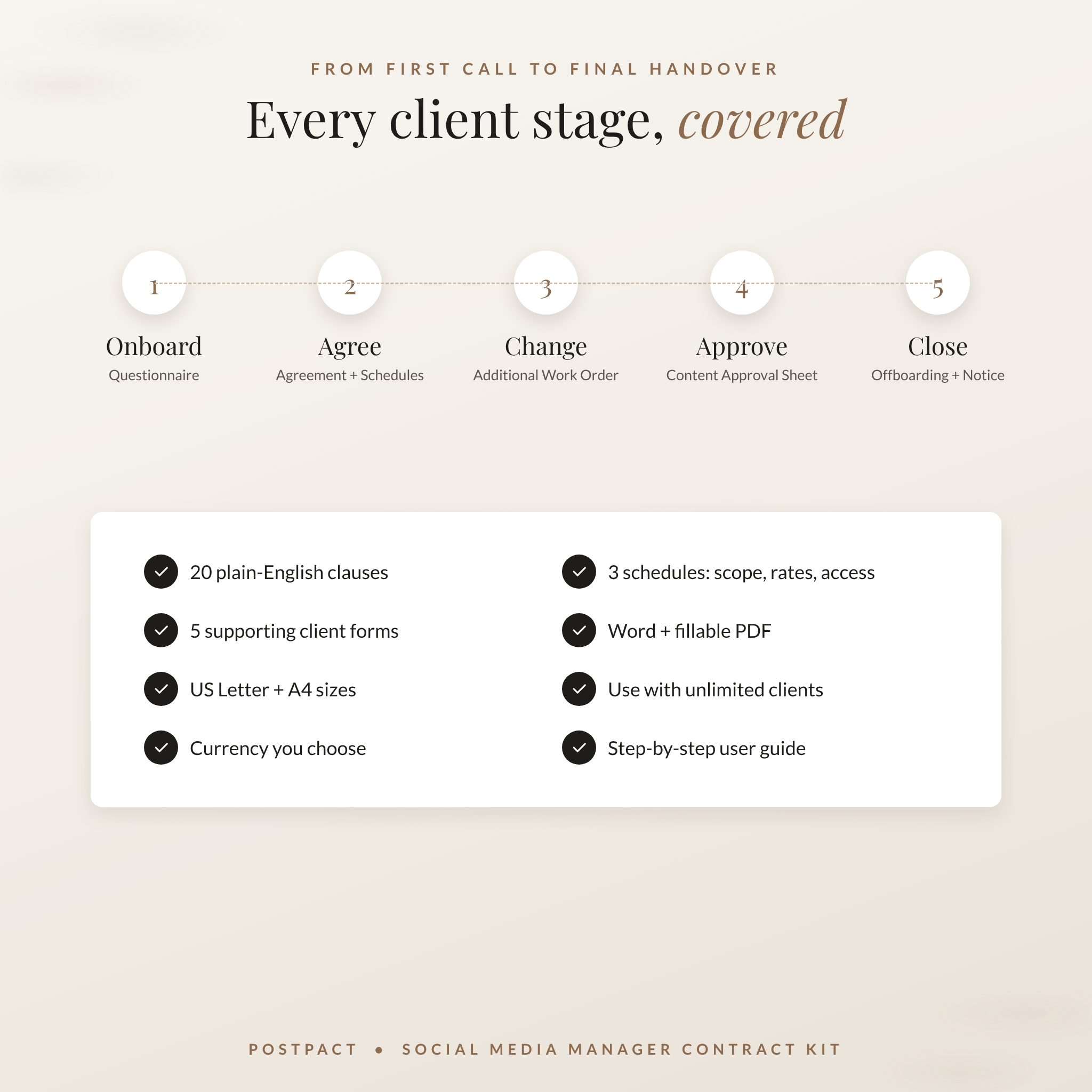
You get 6 documents, each in 4 versions (Word US Letter, Word A4, fillable PDF US Letter, fillable PDF A4). That’s 24 ready files, plus a 17-page user guide.
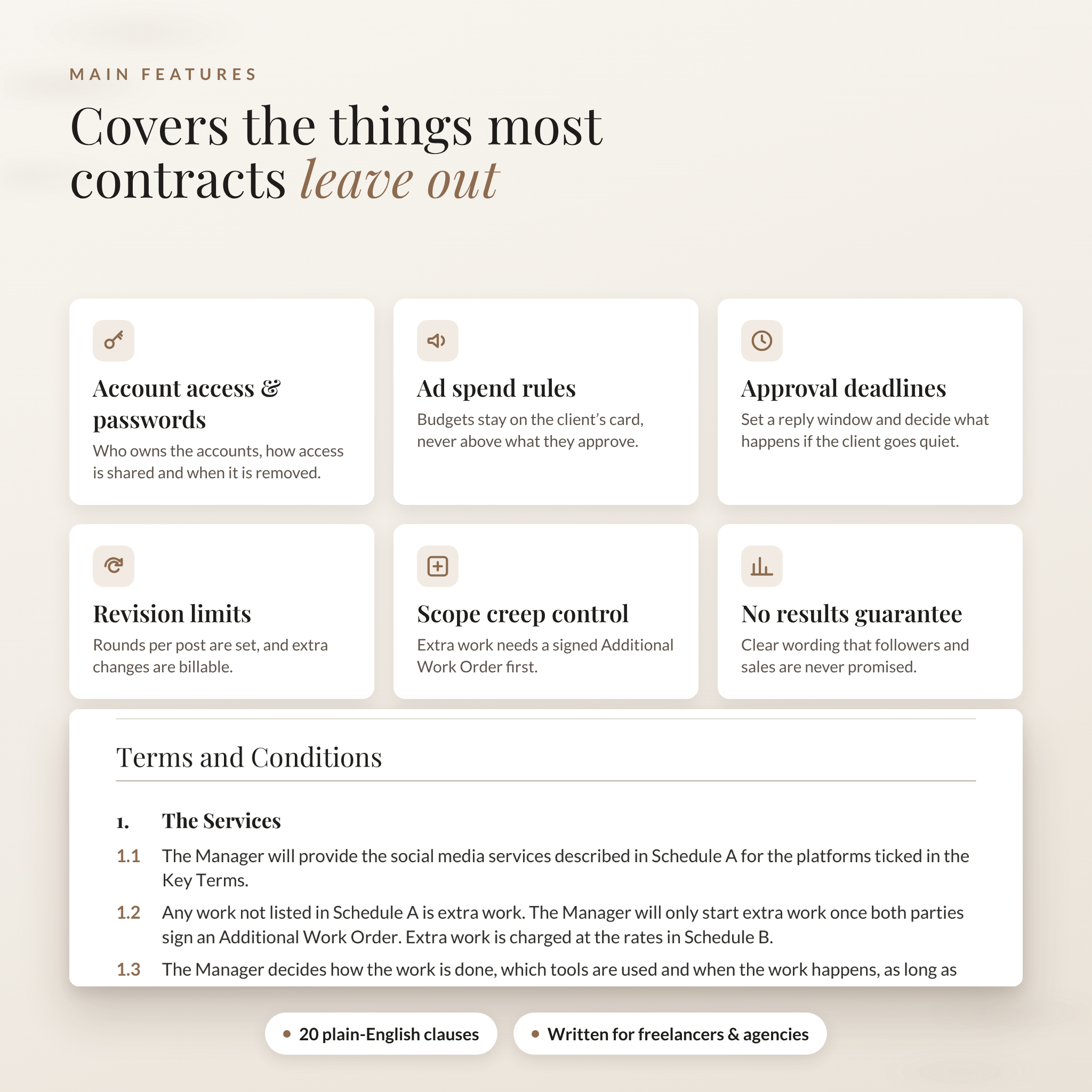
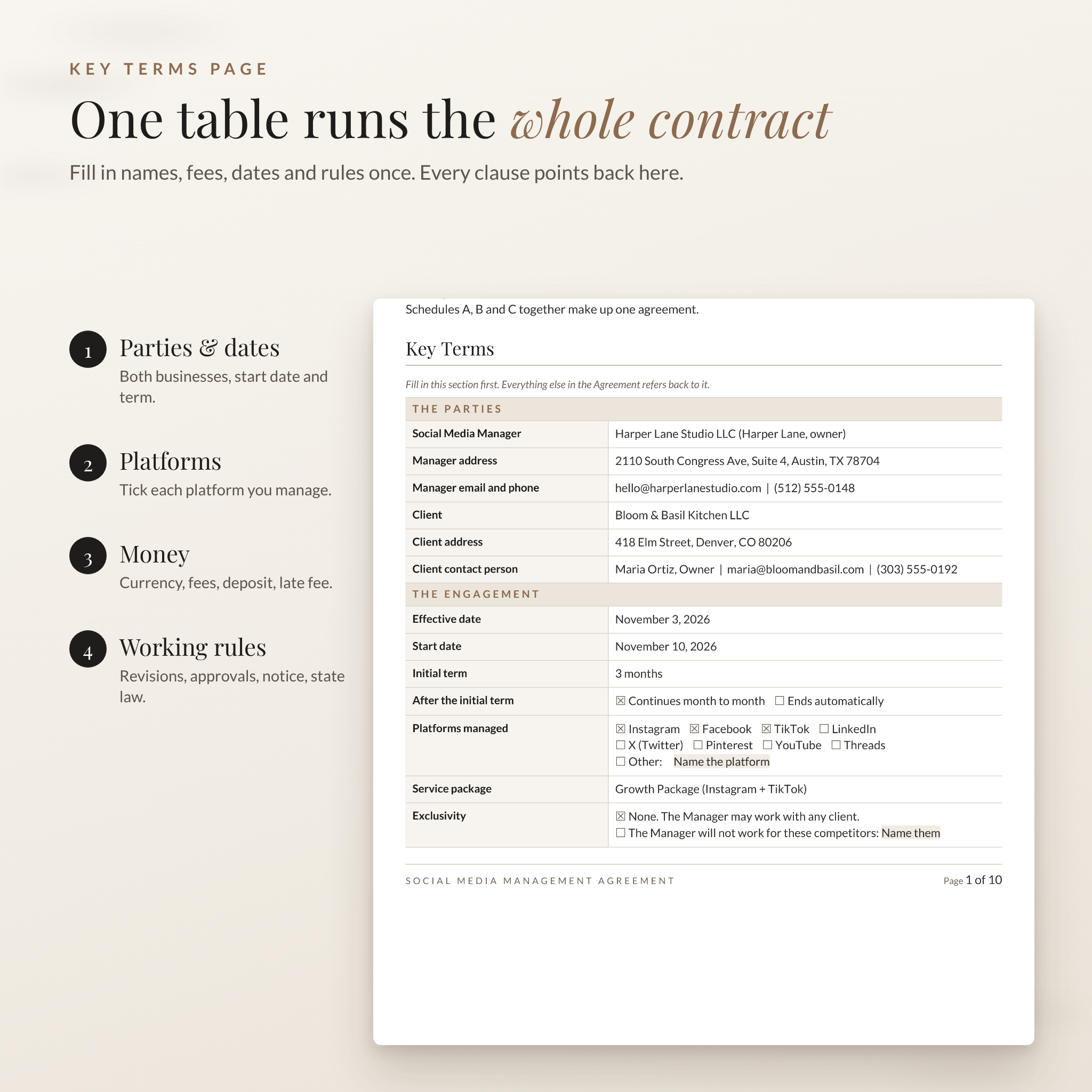
- Social Media Management Agreement (10 pages): a Key Terms page, 20 plain-English clauses, a signature page and three schedules.
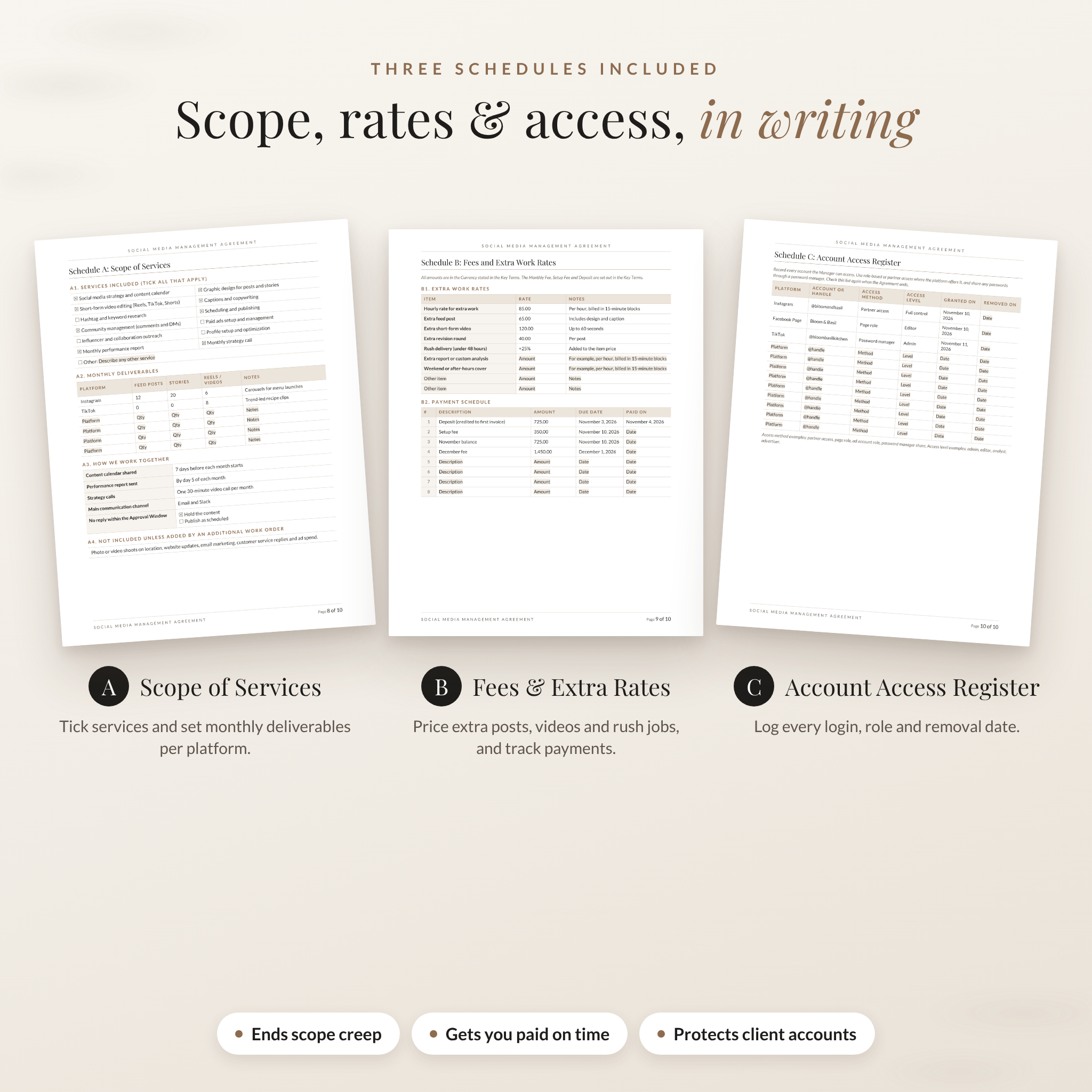
- Schedule A, Scope of Services: tick 12 common services and set monthly posts, stories and videos for each platform.
- Schedule B, Fees and Extra Work Rates: price extra posts, videos, rush jobs and revisions, then track 8 payments.
- Schedule C, Account Access Register: log every login, role, grant date and removal date.
- Client Onboarding Questionnaire (3 pages): brand voice, audience, goals, competitors, assets and contact details.
- Additional Work Order (1 page): price and approve anything outside the agreed scope before you start.
- Monthly Content Approval Sheet (1 page): 12 planned posts the client approves line by line.
- Offboarding and Account Handover Checklist (1 page): final invoice, files, access removal, ad accounts and paid tools.
- Notice of Termination letter (1 page): end the agreement on notice or straight away.
- User guide (Word): setup steps, tips, troubleshooting and FAQ.
Clauses Written for How Social Media Managers Work
Generic freelance contracts miss the parts of this job that cause the most trouble. This agreement covers them in plain English your clients can read.
- Account access and passwords. The client owns the accounts. Access goes through page roles or a password manager, and you remove it within 5 business days of the end date.
- Ad spend. Budgets stay on the client’s own card and you never spend more than they approve in writing.
- Approval window. The client replies within a set time. If they go quiet, you choose in advance whether posts are held or published.
- Revision rounds. A set number per post. Anything beyond that is billable.
- Scope creep. Extra work only starts after a signed Additional Work Order.
- No results guarantee. Clear wording that followers, views and sales are never promised.
- Crisis and complaints. You flag sensitive issues and reply in public only on the client’s instructions.
- Payment protection. Deposit, late fee, a right to pause work on overdue invoices, and an optional early exit fee.
- Portfolio and exclusivity choices with simple tick boxes. No hidden non-compete.
How It Works
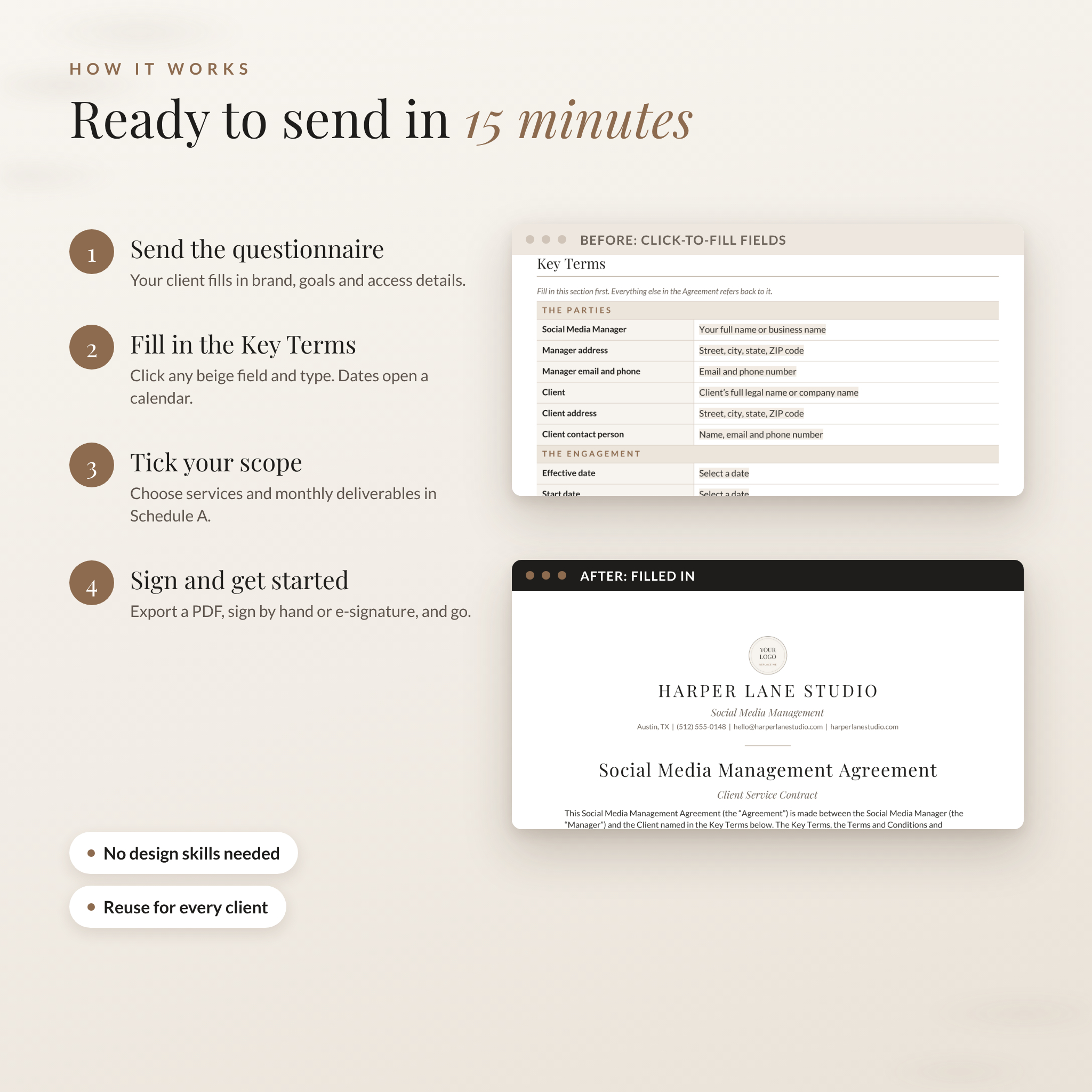
- Send the onboarding questionnaire as soon as the client says yes.
- Add your logo and business name to the top of the agreement.
- Fill in the Key Terms table. Names, fees, dates and rules all live here, and every clause refers back to it.
- Tick your services and add monthly numbers in Schedule A, and your extra rates in Schedule B.
- Save a copy for the client, export a PDF, and sign by hand or with any e-signature tool.
Most people are ready to send in about 15 minutes.
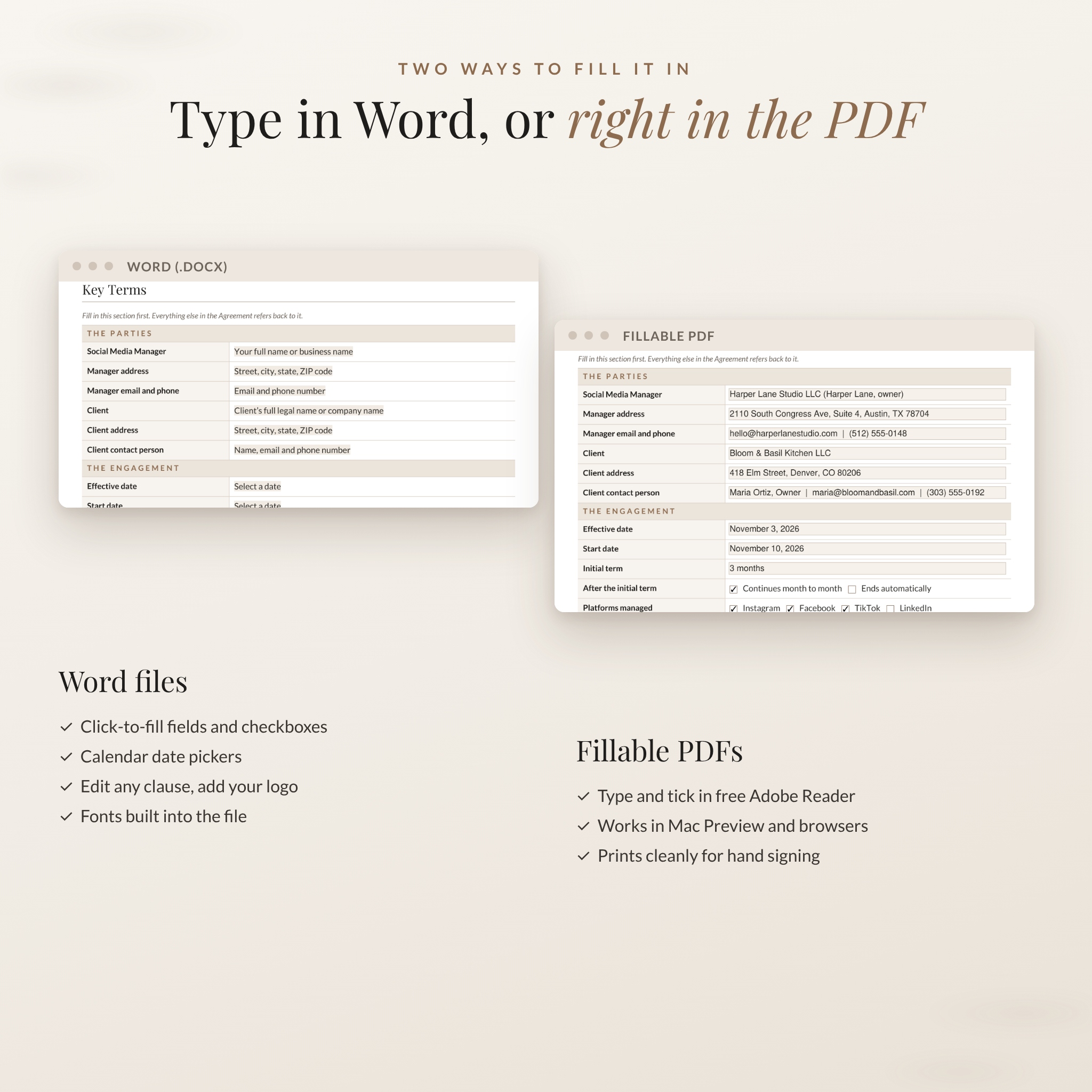
Click-to-fill Word fields
Every blank is a soft beige field. Click it once and type. Date fields open a calendar picker and checkboxes tick with a single click. The clause numbers update on their own if you delete a clause, and the fonts are built into the files so the layout stays right.
Fillable PDF forms
Prefer not to use Word? Open the PDFs in free Adobe Acrobat Reader, Mac Preview or Chrome and type straight into the shaded boxes. They also print cleanly for signing by hand.
File Formats and Requirements
- Word files (.docx): Microsoft Word 2010 or newer on Windows or Mac, or LibreOffice Writer.
- Fillable PDF files: Adobe Acrobat Reader (free), Mac Preview or a modern web browser.
- Sizes: US Letter (8.5 x 11 in) and A4.
- Currency: set your own in the Key Terms. It is USD ($) by default, and every amount follows it.
- Delivered as one ZIP download plus the user guide.
Customize It to Your Brand
Swap the round logo placeholder for your own with Change Picture. Type your business name, tagline and contact line at the top. Change heading colors and fonts for the whole document through Word styles in a few clicks. Edit any clause in Word, or rename “Manager” to “Consultant” or “Agency” with Find and Replace.
Who Uses It
- A freelance social media manager signing a 3-month retainer with a local restaurant.
- A virtual assistant who schedules posts and answers DMs for a coach.
- A small agency that wants the same paperwork for every client.
- A content creator handing accounts back cleanly at the end of a project.
Instant Digital Download
This is a digital product. No physical item will be shipped. Your files are ready to download as soon as payment is confirmed. You can use the kit in your own business with an unlimited number of your own clients. Reselling, sharing or giving away the templates is not allowed.
FAQ
Can I edit the contract wording?
Yes. The Word files are fully editable. The PDFs are for filling in the blanks.
Does it work outside the US?
Yes. Use the A4 version, set your currency and enter the state or country whose laws apply.
Can I use it with more than one client?
Yes. Use it with as many of your own clients as you like.
Can clients sign electronically?
Yes. The agreement allows electronic signatures. Export a PDF and use your preferred e-signature tool.
Do I need Microsoft Word?
No. The fillable PDFs work in free Adobe Acrobat Reader, Mac Preview and most browsers. LibreOffice Writer also opens the Word files.
Is this a legal advice service?
No. It is a professionally written template. Laws differ by state and country, so a quick review by a local attorney is a good idea.
What if the fonts look different?
The fonts travel inside the Word files. If your app ignores them, install the free Playfair Display and Lato fonts from Google Fonts.
Reviews
There are no reviews yet.