Best Sales Tax Tracker: Spreadsheets and Apps Compared
The best sales tax tracker records the tax on every sale separately from your income and shows a running total you owe. For most small sellers that means a bookkeeping spreadsheet with a built-in sales tax centre, such as Sandstone Ledger or Ledgerlume. Ledgerwick suits anyone who wants an offline app instead of a spreadsheet.
Sales tax can feel like the part of running a small business that sneaks up on you. It is collected a little at a time, owed in lumps, and easy to muddle with your own income. We'll walk through what a good tracker does, how the options on this page differ, and how to choose without second-guessing yourself.
- A sales tax tracker is a spreadsheet or app that separates the tax collected on each sale from your income and totals it for each filing period.
- Most options on this page work in both Excel and Google Sheets, and Sandstone Ledger and LedgerBloom are built for Google Sheets.
- Ledgerwick is the only offline app here, with payroll and bank reconciliation included.
- Sorbet Books is the one that names VAT, GST and Sales Tax as settings you can switch between.
- You can browse all 11 options below, but a shortlist of two or three will do for most shops.
Table of Contents Toggle
- What should the best sales tax tracker do?
- How do the sales tax trackers compare?
- Which sales tax tracker suits which seller?
- How do you use a sales tax tracker each week?
- What mistakes should you avoid?
- What affects the price of a sales tax tracker?
- Which sales tax tracker should you pick?
- Common questions
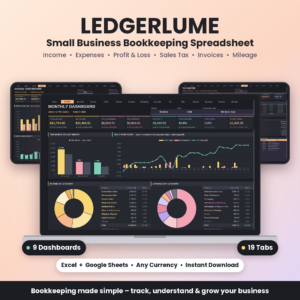 Small Business Bookkeeping Spreadsheet | Ledgerlume Income & Expense Tracker with Profit and Loss, 9 Dashboards, Sales Tax Center, Invoice & Mileage Tracker | Excel & Google Sheets
 Small Business Bookkeeping Spreadsheet | Tallybloom Income & Expense Tracker with Profit Dashboard, Quarterly Tax Center, Mileage Log, Invoice Tracker & Budget | Excel & Google Sheets
 Small Business Accounting App | Ledgerwick Bookkeeping Software with Invoices, Payroll, Bank Reconciliation, P&L & Tax Center | Works Offline
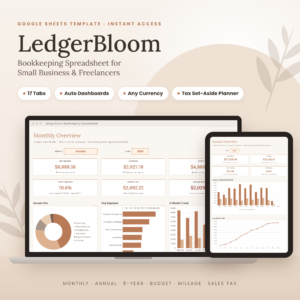 Bookkeeping Spreadsheet Google Sheets | LedgerBloom Small Business Income & Expense Tracker with Profit Dashboard, Budget, Tax Set-Aside & Mileage Log
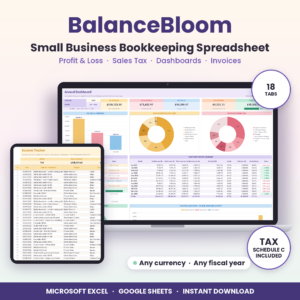 Small Business Bookkeeping Spreadsheet for Excel & Google Sheets | BalanceBloom Profit and Loss, Sales Tax & Income Expense Tracker
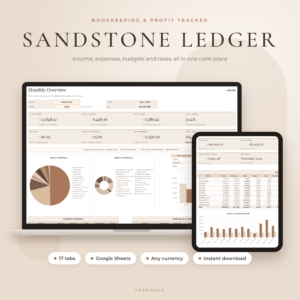 Bookkeeping Spreadsheet for Google Sheets | Sandstone Ledger Small Business Income & Expense Tracker, Budget, Profit & Loss, Sales Tax & Mileage Log
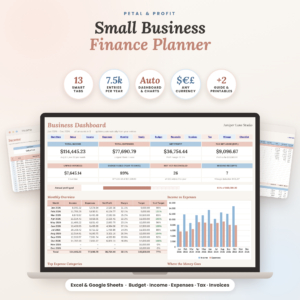 Small Business Finance Planner Spreadsheet for Excel & Google Sheets | Petal & Profit Bookkeeping, Budget, Income & Expense Tracker and Tax Planner
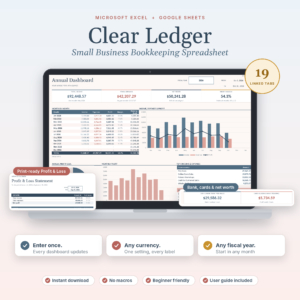 Small Business Bookkeeping Spreadsheet for Excel & Google Sheets | Clear Ledger Income & Expense Tracker, Profit and Loss, Budget, Invoice & Sales Tax Template
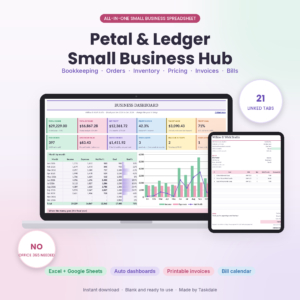 Small Business Spreadsheet for Excel & Google Sheets | Petal & Ledger Bookkeeping, Inventory, Order Tracker, Pricing Calculator, Invoice & Bill Calendar
What should the best sales tax tracker do?
The best sales tax tracker does four things: it splits tax out of each sale, totals it by period, keeps it apart from your profit, and lets you check the figures against your records. Everything else is a bonus. The factors below show how to judge each one.
Does it separate sales tax from income automatically?
Automatic separation means you enter a sale once and the tracker works out the tax portion itself. Ledgerlume does this and also calculates deductible amounts. Without it, you end up typing tax into a separate column and one forgotten entry skews your total.
Does it show a running total of tax owed?
A running total tells you what you owe today, not at filing time. Sandstone Ledger and Ledgerlume both include a dedicated sales tax centre, and BalanceBloom shows sales tax totals alongside its dashboards. Seeing the figure monthly stops the surprise.
Does it keep tax money out of your profit?
Collected sales tax is not your money, so a profit figure that includes it flatters you. Tallybloom splits out sales tax and tracks your profit goal separately. LedgerBloom and Sandstone Ledger add a quarterly set-aside planner, which is aimed at income tax but helps you keep the habit of putting money aside.
Does it handle your tax type and currency?
Tax rules differ between countries, so flexibility matters. Sorbet Books lets you choose VAT, GST or Sales Tax, and most spreadsheets here accept any currency and any fiscal-year start. Confirm the details with your local tax authority, as no template replaces that.
Does it fit how you sell?
If you sell through marketplaces, fee handling matters. Clear Ledger splits out Etsy and Shopify fees automatically and marks invoices paid on its own. If you also hold stock, Petal & Ledger links orders, inventory and invoices in one workbook.
Can you get set up quickly and trust the formulas?
Look for a user guide and protected formulas. Sandstone Ledger's guide promises setup in about 10 minutes. LedgerBloom, BalanceBloom and Petal & Profit all mention protected formulas or error checks, which stop accidental overwrites.
How do the sales tax trackers compare?
The trackers differ mainly in format, how directly they mention sales tax, and how much else they bundle. Some, such as the two income-tax-focused sheets, may need a closer look at the listing before you rely on them for sales tax.
| Product | Format | Sales tax and tax features | Best for |
|---|---|---|---|
| Small Business Bookkeeping Spreadsheet | Ledgerlume Income & Expense Tracker with Profit and Loss, 9 Dashboards, Sales Tax Centre, Invoice & Mileage Tracker | Excel & Google Sheets | Excel and Google Sheets | Automatic sales tax and deductible amounts; Sales Tax Centre | Sellers who want many dashboard views |
| Small Business Bookkeeping Spreadsheet | Tallybloom Income & Expense Tracker with Profit Dashboard, Quarterly Tax Centre, Mileage Log, Invoice Tracker & Budget | Excel & Google Sheets | Excel and Google Sheets | Splits out sales tax; quarterly set-aside; Schedule C summary | US sole traders |
| Small Business Accounting App | Ledgerwick Bookkeeping Software with Invoices, Payroll, Bank Reconciliation, P&L & Tax Centre | Works Offline | Offline app | Tax Centre; 29 connected tools | Payroll and bank reconciliation |
| Bookkeeping Spreadsheet Google Sheets | LedgerBloom Small Business Income & Expense Tracker with Profit Dashboard, Budget, Tax Set-Aside & Mileage Log | Google Sheets | Sales tax; quarterly set-aside; cash or accrual | Google Sheets users |
| Small Business Bookkeeping Spreadsheet for Excel & Google Sheets | BalanceBloom Profit and Loss, Sales Tax & Income Expense Tracker | Excel and Google Sheets | Sales tax totals; Tax Centre with Schedule C summary | Sellers who want an invoice maker |
| Bookkeeping Spreadsheet for Google Sheets | Sandstone Ledger Small Business Income & Expense Tracker, Budget, Profit & Loss, Sales Tax & Mileage Log | Google Sheets | Sales tax centre; quarterly set-aside; unpaid invoice alerts | Quick setup |
| Small Business Finance Planner Spreadsheet for Excel & Google Sheets | Petal & Profit Bookkeeping, Budget, Income & Expense Tracker and Tax Planner | Excel and Google Sheets | Quarterly tax planner; no macros | Budgeting and planning |
| Small Business Bookkeeping Spreadsheet for Excel & Google Sheets | Clear Ledger Income & Expense Tracker, Profit and Loss, Budget, Invoice & Sales Tax Template | Excel and Google Sheets | Sales tax; marketplace fees split out | Etsy and Shopify sellers |
| Small Business Spreadsheet for Excel & Google Sheets | Petal & Ledger Bookkeeping, Inventory, Order Tracker, Pricing Calculator, Invoice & Bill Calendar | Excel and Google Sheets | Tax tracker; 21 linked tabs | Shops with stock |
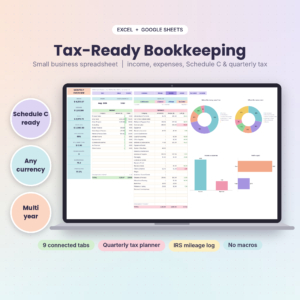 Tax-Ready Bookkeeping Spreadsheet for Self-Employed | TallyBloom Income and Expense Tracker for Excel and Google Sheets | Schedule C, Quarterly Tax Planner, Mileage Log | Excel and Google Sheets | Schedule C lines; quarterly estimated tax planner | Self-employed income tax |
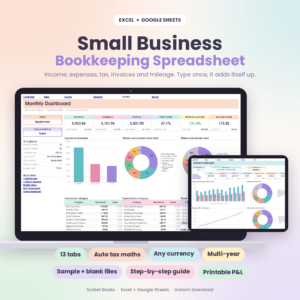 Small Business Bookkeeping Spreadsheet | Sorbet Books Income and Expense Tracker for Excel and Google Sheets | Profit and Loss, Budget, Invoice and Tax Template | Excel and Google Sheets | Choice of VAT, GST or Sales Tax | Non-US sellers |
Which sales tax tracker suits which seller?
Match the tracker to how you sell and where you work. Here is how the options split.
Google Sheets users. Sandstone Ledger and LedgerBloom both live in Google Sheets and both have 17 tabs. Sandstone Ledger adds unpaid invoice alerts. LedgerBloom lets you pick cash or accrual accounting, which matters if you invoice customers and wait to be paid.
Sellers who want everything in one place. BalanceBloom has 18 tabs, including an invoice maker and a Tax Centre. Clear Ledger has 19, and it suits sellers whose takings arrive through Etsy or Shopify.
Shops with stock. Petal & Ledger connects orders, inventory, pricing and bills. Add a product once and it flows through. Check its tax tracker tab against your needs, as the description does not detail the rate handling.
Sellers outside the US. Sorbet Books supports VAT, GST and Sales Tax, and comes with a sample file, a blank file and a 23-page guide.
US sole traders with income tax to plan for. Tallybloom and TallyBloom Tax-Ready both include Schedule C support. Tallybloom explicitly splits out sales tax. The Tax-Ready listing focuses on income tax lines and a mileage log, so confirm sales tax handling before buying.
Anyone who dislikes spreadsheets. Ledgerwick is an offline app with payroll, bank import and reconciliation, with no subscription and no cloud. It is the largest option here, with 29 connected tools.
How do you use a sales tax tracker each week?
Using a sales tax tracker well takes about ten minutes a week once it is set up. The routine is the same whichever one you choose.
- Set your currency, fiscal-year start and tax type before you enter anything.
- Enter each sale, with its date and amount, as it happens or in a weekly batch.
- Check that the sales tax column or centre shows a sensible figure for the week.
- Record every tax payment you make to the authority, so the owed balance falls.
- At each period end, compare the total to your sales records and note any gaps.
- Save a dated copy of the file before you file your return.
What mistakes should you avoid?
The most common mistake is treating collected sales tax as spare cash. Others are easy to avoid once you know them.
- Entering gross figures in a net column. Check whether the tracker expects tax-inclusive or tax-exclusive amounts.
- Skipping the user guide. Even a 10-minute setup has steps worth following.
- Overwriting formulas. Protected formulas help, but copying data in carelessly can still break links.
- Assuming an income tax planner covers sales tax. A Schedule C summary is not a sales tax return.
- Leaving reconciliation to year end. One missed month is easy to fix. Twelve is not.
What affects the price of a sales tax tracker?
Price depends mainly on how much the product bundles and whether it is a spreadsheet or an app. A single-purpose spreadsheet costs less than a workbook with inventory, orders and pricing, and an offline app with payroll costs more than either.
Several listings say you pay once and keep the file, so there is no subscription to budget for. Ledgerwick and Petal & Profit both make that point. Check the live product cards for current prices, and weigh them against the features you will use.
Which sales tax tracker should you pick?
Pick the tracker that matches the place you already work. If you use Google Sheets, choose Sandstone Ledger or LedgerBloom. If you sell on marketplaces, choose Clear Ledger. If you are outside the US, choose Sorbet Books.
If you want payroll and bank reconciliation in one offline app, choose Ledgerwick. If you only need sales tax split out and a profit figure, any of the Ledgerlume, Tallybloom or BalanceBloom sheets will do the job. Shortlist two, open their descriptions, and choose the one whose tabs you would actually use.
Common questions
Can a spreadsheet replace accounting software for sales tax?
For a small shop, yes. A spreadsheet such as Ledgerlume or Sandstone Ledger can log sales, split tax and total it per period. If you need payroll, bank import and a balance sheet, an app like Ledgerwick covers more.
Do these trackers work in both Excel and Google Sheets?
Most do. Ledgerlume, Tallybloom, BalanceBloom, Clear Ledger, Petal & Ledger, TallyBloom Tax-Ready and Sorbet Books list both. LedgerBloom and Sandstone Ledger are built for Google Sheets. Sorbet Books and TallyBloom Tax-Ready work in Excel 2010 and later.
Will a sales tax tracker file my return for me?
No. A tracker gives you accurate totals to use when you file. Tallybloom and BalanceBloom provide a Schedule C summary, which helps with income tax records, but you still submit returns yourself or through an adviser.
Can I track sales tax in a currency other than dollars?
Yes. Ledgerlume, Tallybloom, BalanceBloom, Sandstone Ledger, Petal & Profit, Clear Ledger and Sorbet Books all say any currency is supported. LedgerBloom uses a single currency setting with dollars by default.
Do I need to keep the sample file?
It is worth keeping. Sorbet Books and Ledgerwick include sample data, and Ledgerlume provides an example file. Comparing your entries with the sample shows you quickly if a formula has gone wrong.