Plan softly. Live fully.
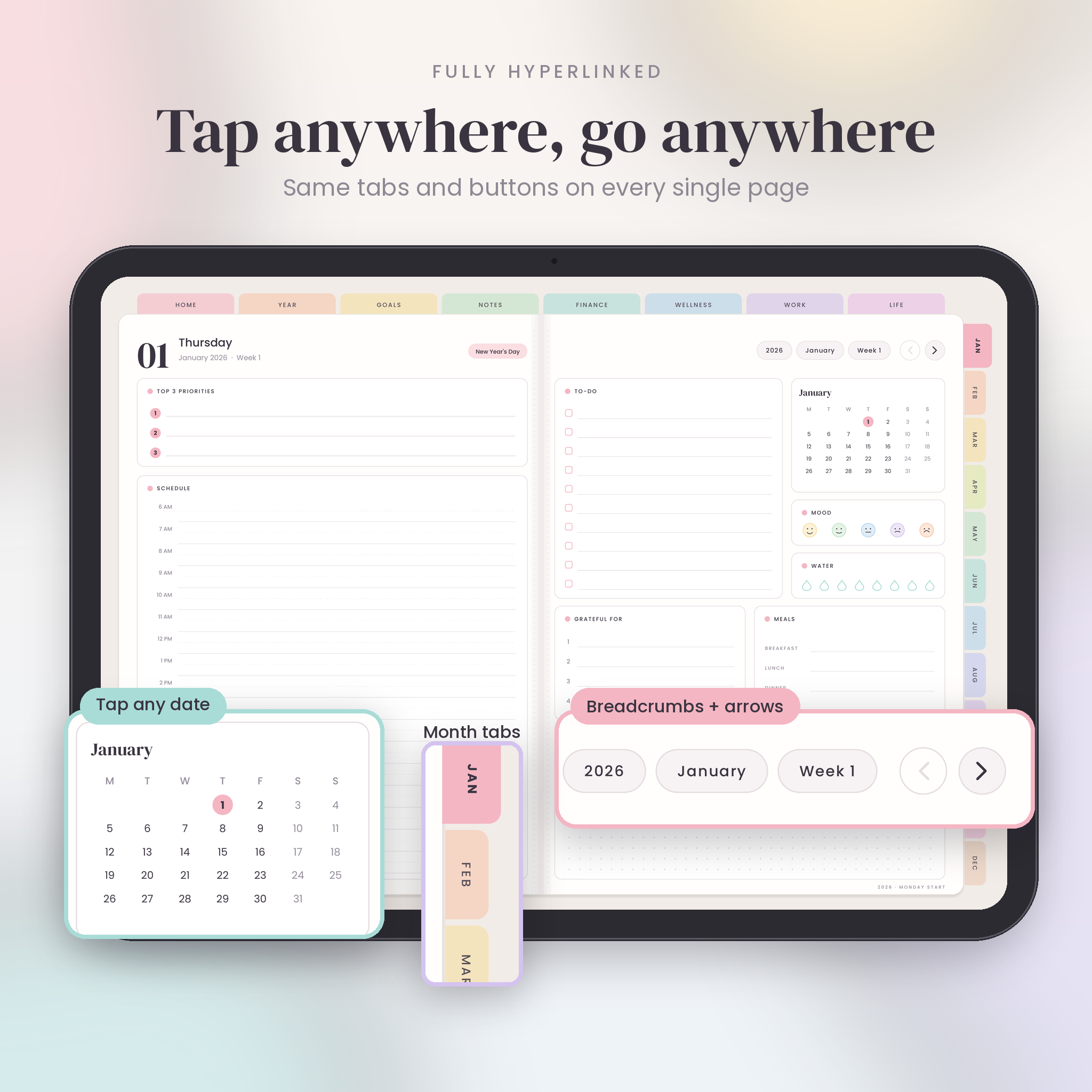
Most digital planners look lovely in the photos. Then you open one and get lost by page 40. Petal & Pace was built the other way round. The navigation came first. Every page has the same tabs, the same breadcrumbs and the same arrows in the same place, so you learn it once and never think about it again.
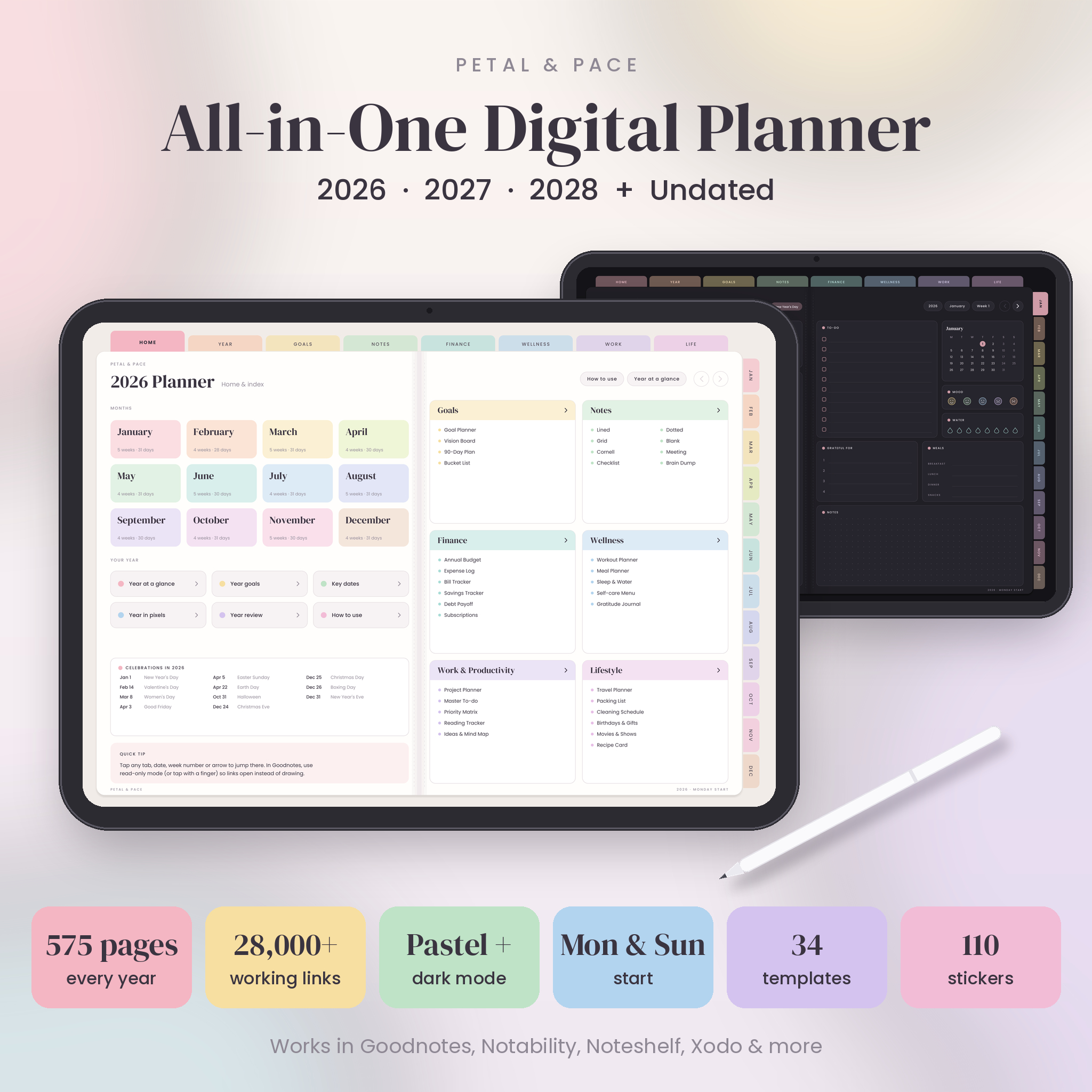
It covers three full years, 2026, 2027 and 2028. There is also an undated version, so it never runs out.
Who it is for
Students, busy parents, freelancers, small business owners. Anyone who wants plans, money, habits and notes in one place on their tablet. If a previous planner felt hard to use, start here.
What is inside every planner
- Home and index: 12 colour-coded month tiles, quick links to every year page and a linked list of all templates
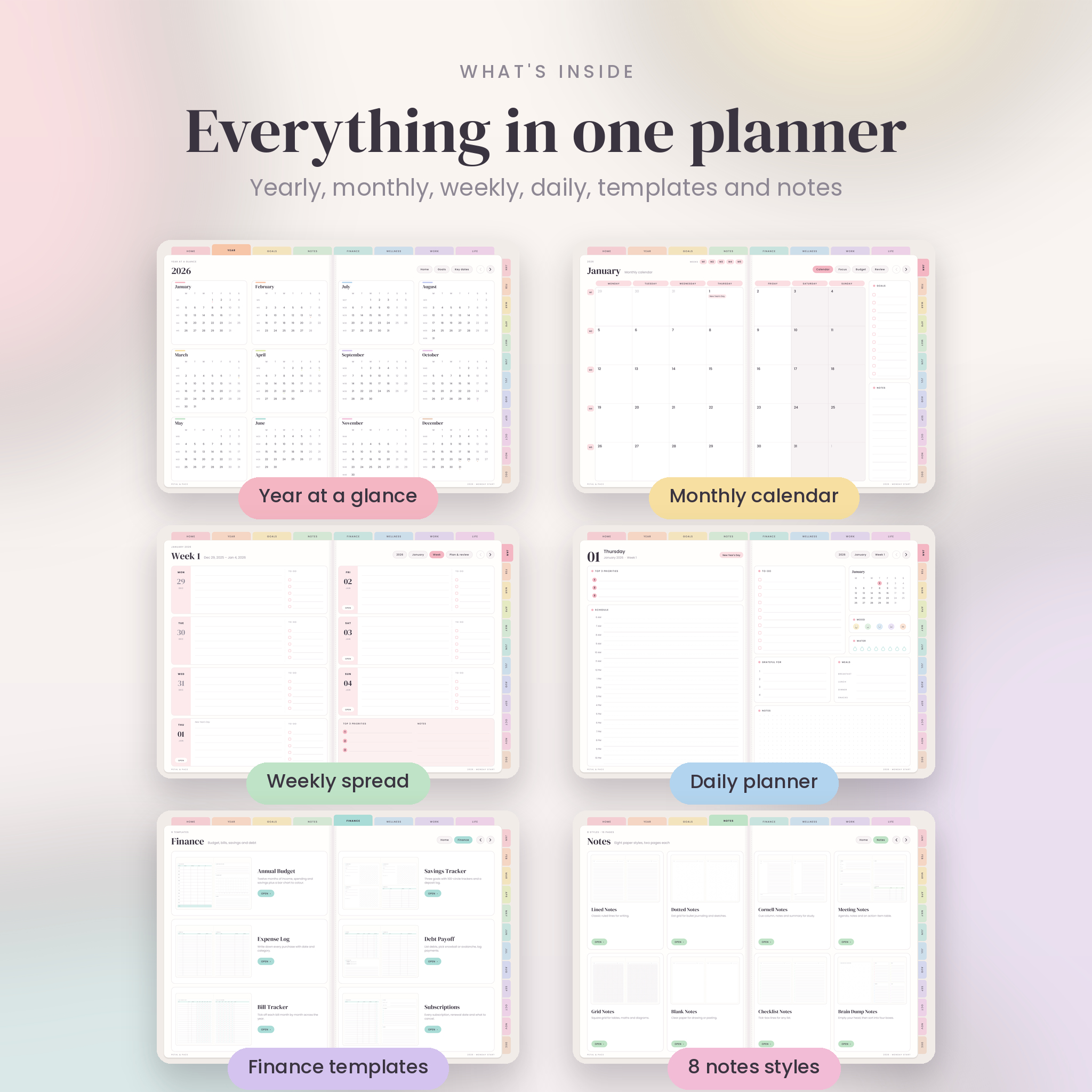
- Year pages: year at a glance, goals and intentions, key dates and birthdays, year in pixels (two trackers) and a year review
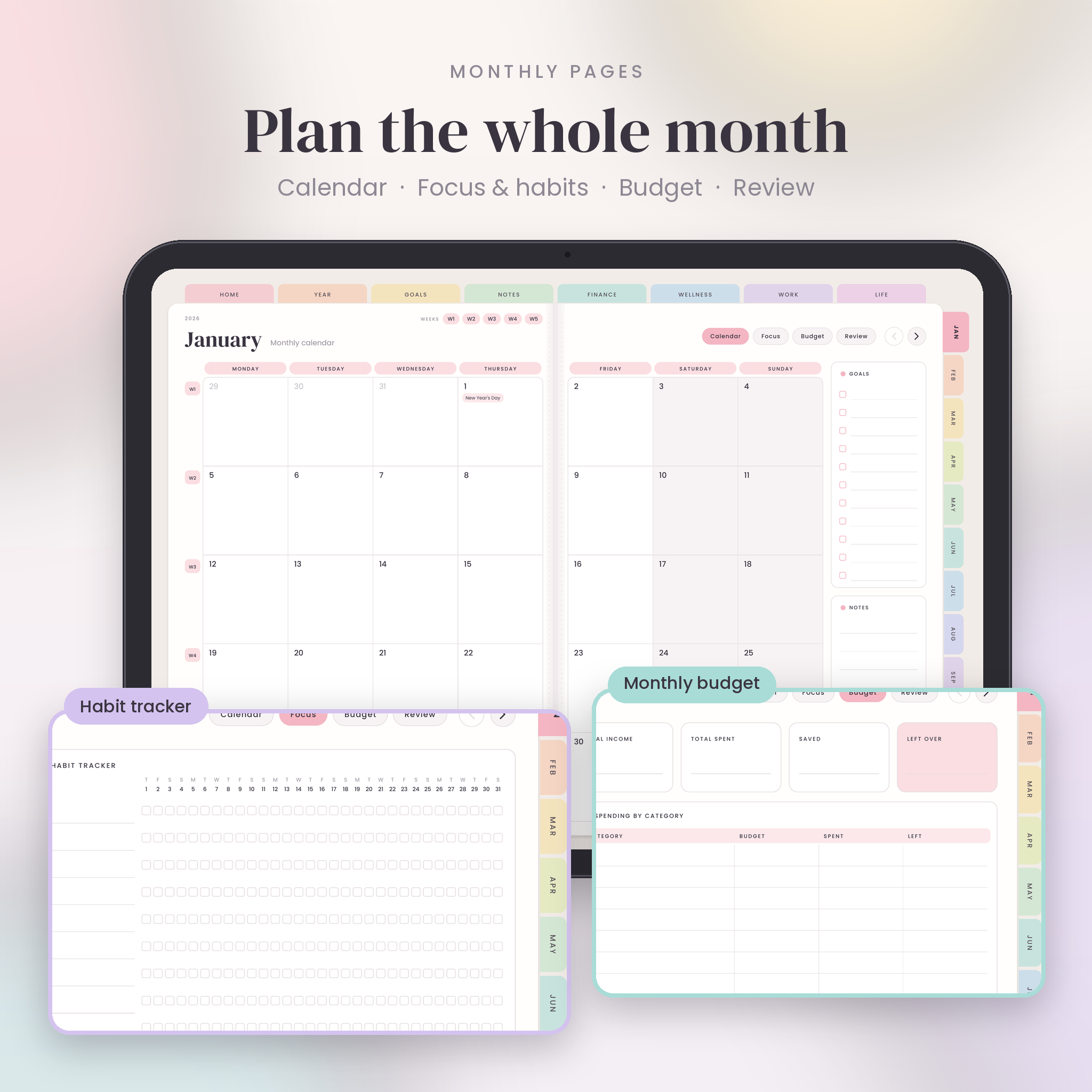
- 4 pages every month: two-page calendar, focus and habit tracker (up to 11 habits), budget, and monthly review
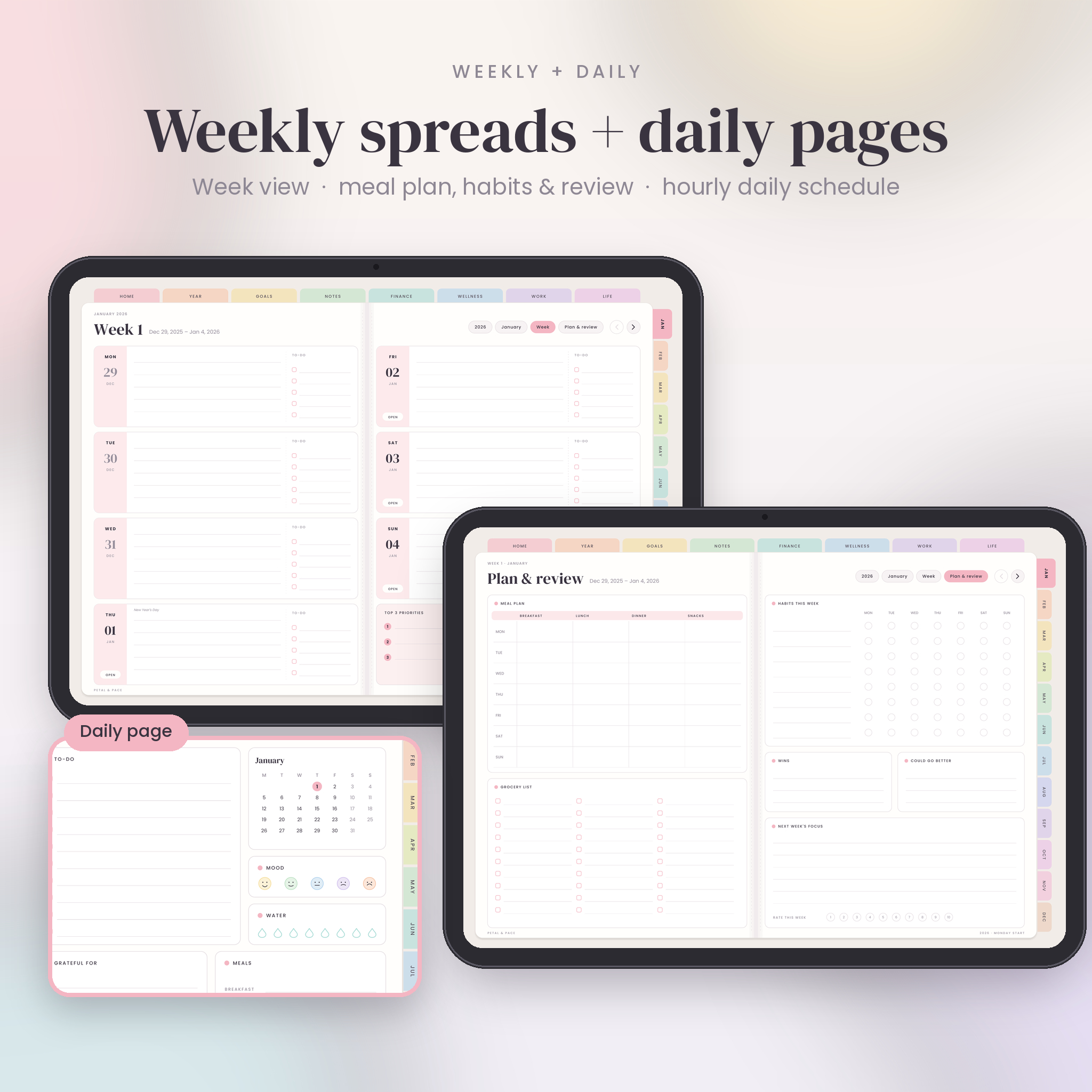
- 2 spreads every week: a week view with daily to-do lists, then Plan & review with meal plan, grocery list, habit tracker and weekly reflection
- A page for every day: top 3 priorities, hourly schedule 6 AM to 10 PM, to-do list, mood, water, gratitude, meals, dotted notes and a linked mini calendar
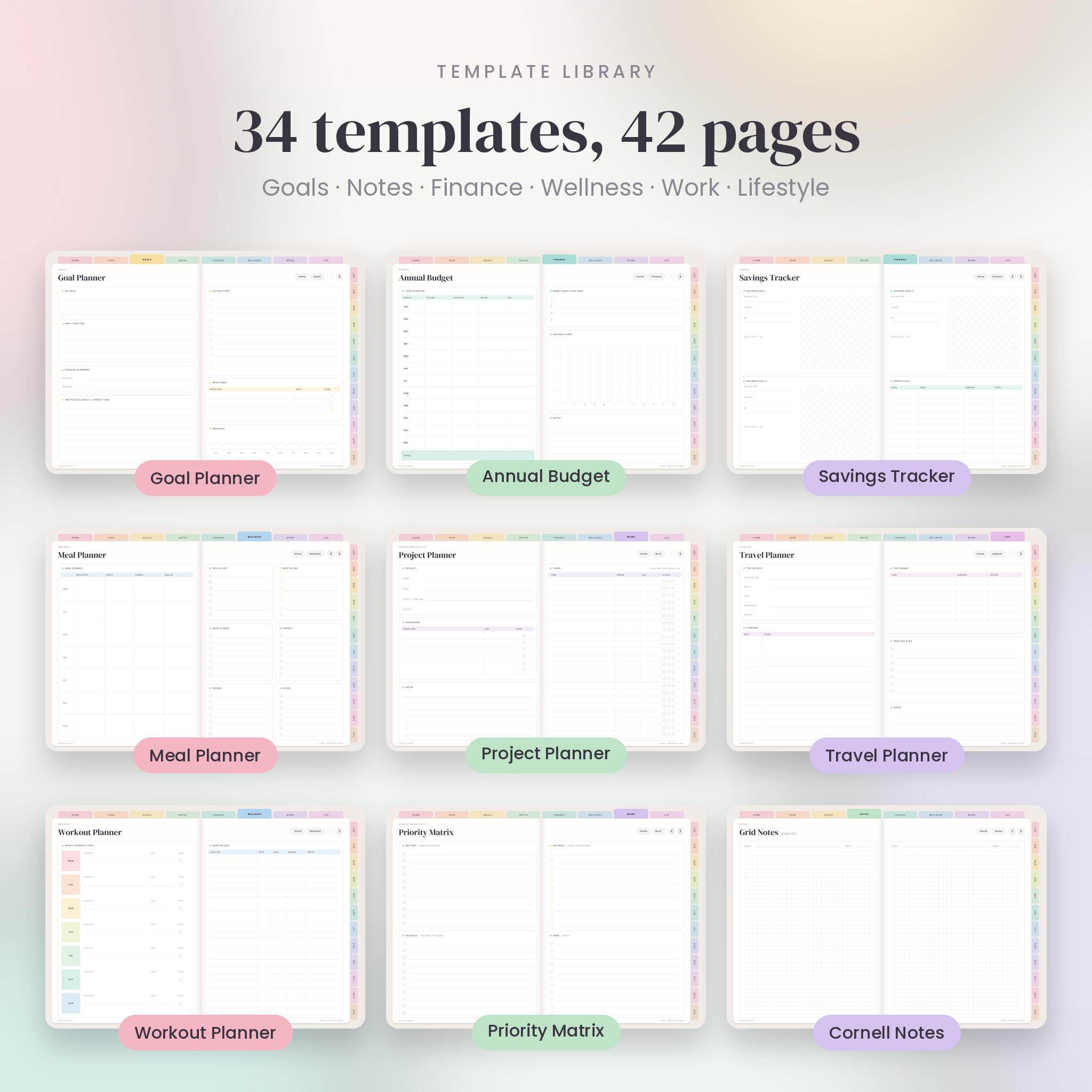
- 34 templates on 42 pages: Goal Planner, Vision Board, 90-Day Plan, Bucket List, Annual Budget, Expense Log, Bill Tracker, Savings Tracker, Debt Payoff, Subscriptions, Workout Planner, Meal Planner, Sleep & Water, Self-care Menu, Gratitude Journal, Project Planner, Master To-do, Priority Matrix, Reading Tracker, Ideas & Mind Map, Travel Planner, Packing List, Cleaning Schedule, Birthdays & Gifts, Movies & Shows, Recipe Card
- 8 notes styles: lined, dotted, grid, blank, Cornell, meeting, checklist and brain dump, two pages each
Why buyers pick this one
- Everything links. Around 28,000 links per year file. Tap any date, week number, tab or arrow. We test every link before release, with zero dead ends.
- No lag. Each year is its own light file of about 2.5 MB, so pages turn quickly even on older iPads.
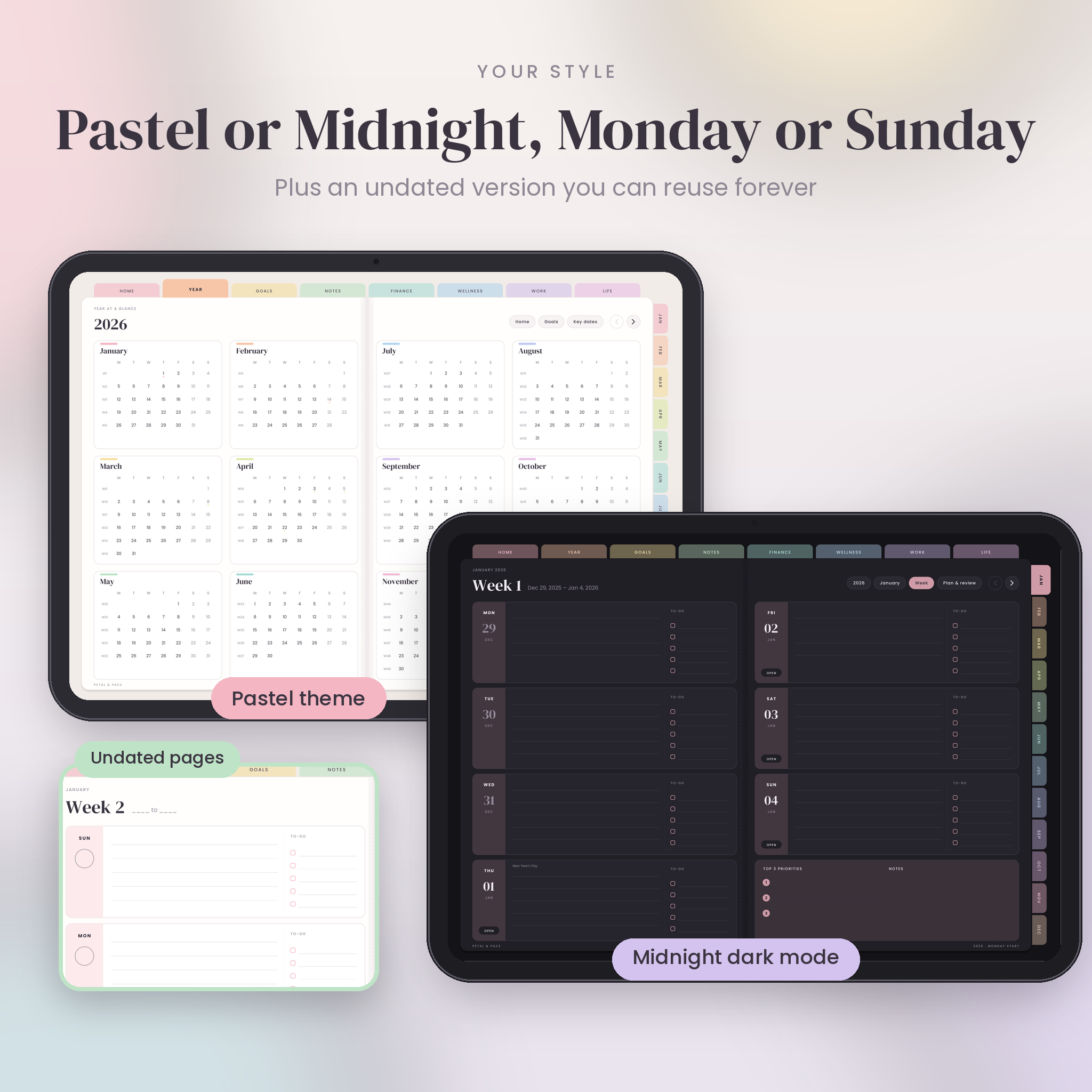
- Two themes. Pastel for daytime and Midnight dark mode for evening planning.
- Your week, your way. Monday start and Sunday start versions of everything.
- Big tap targets. Tabs and buttons are sized for fingers, not just a stylus tip.
- Undated version included. Start in any month and reuse it as long as you like.
- Built-in PDF outline. Jump to any month or week from your app’s outline panel.
What you get
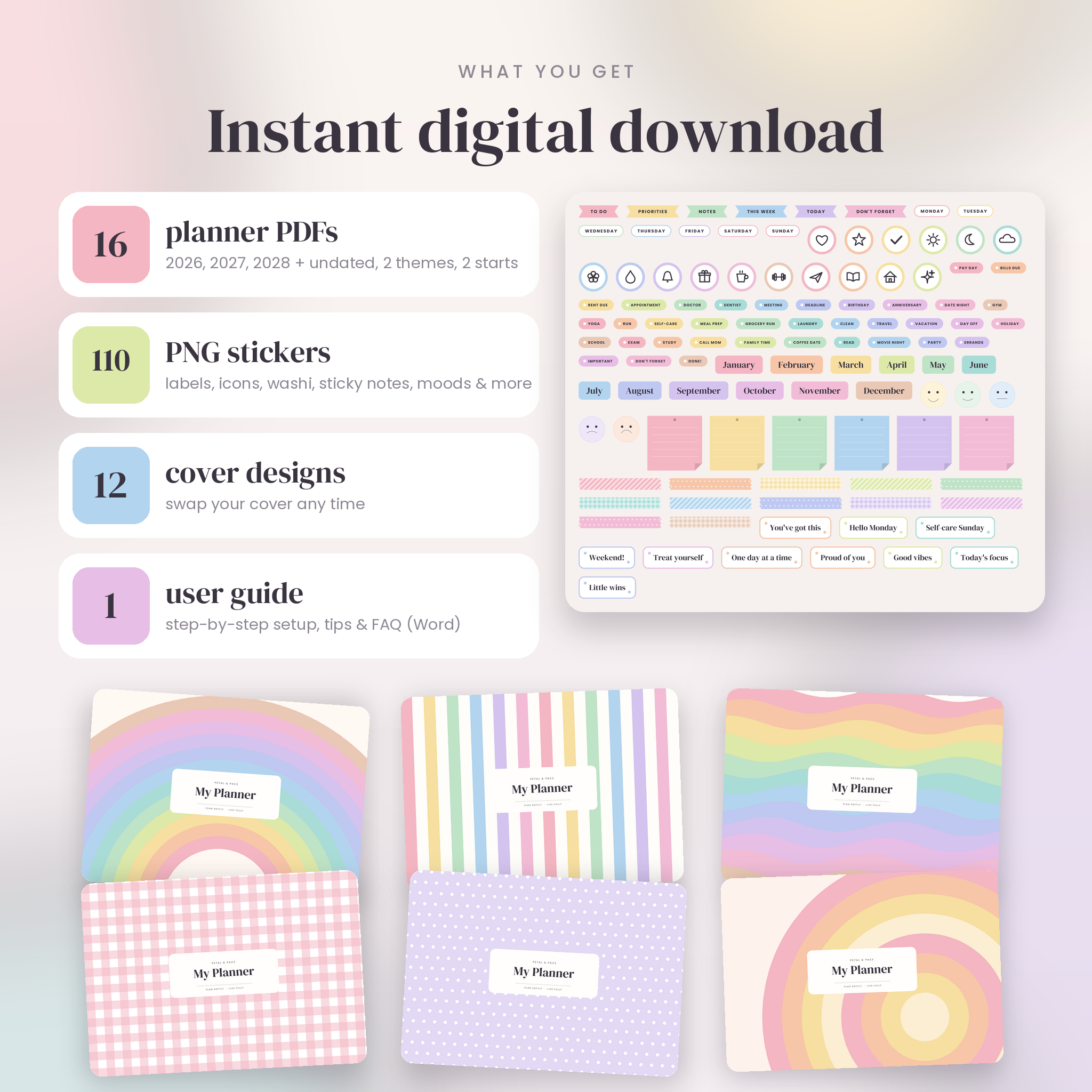
- 12 dated planner PDFs: 2026, 2027 and 2028, each in Pastel and Midnight, Monday and Sunday start
- 4 undated planner PDFs in the same four options
- 110 transparent PNG stickers in 9 sets: labels, words, banners, icons, moods, sticky notes, washi tape, months and days
- 12 alternative cover images (2388 × 1668 px)
- A step-by-step user guide (Word document) with setup steps, tips, troubleshooting and FAQs
How it works
- Buy and download the zip files straight away.
- Unzip them and pick your year, theme and week start.
- Import the PDF into your note-taking app.
- Tap to move around, write with your stylus, and add stickers.
File formats and requirements
- Planner: hyperlinked PDF, landscape, sized for tablet screens
- Stickers and covers: PNG
- Guide: DOCX (opens in Word, Pages or Google Docs)
- Works with any PDF app that supports links, such as Goodnotes, Notability, Noteshelf, Zinnia, ZoomNotes, PDF Expert, Xodo and Samsung Notes
- Best on an iPad or Android/Windows tablet with a stylus. Not designed for phones or for printing
Customising
Duplicate any template page as many times as you need, add blank pages anywhere, swap the cover, and decorate with the stickers. Your handwriting and stickers sit on top of the PDF, so the links keep working.
Digital download
This is a digital product. Nothing physical is shipped. Your files are ready to download as soon as payment goes through. Personal use only: please do not share or resell the files.
Reviews
There are no reviews yet.