Know where your money stands in about ten minutes
Most budgets fall apart because they get fiddly. This one stays simple. You set it up once. You log what you spend on a single sheet. The dashboard does the rest and shows you money left, days left, which bills are due and how your goals are going.
It works for monthly, biweekly, weekly or payday-to-payday budgets. Change one date and you are on to the next period. No copying tabs. No rebuilding charts.
Who it is for
Beginners who want a budget they will actually keep up. Families sharing one set of bills. Freelancers with uneven income. Students on a tight month. Anyone chasing a debt-free date or a savings goal. If a budget has ever felt like homework, this one was made for you.
What you will love
- One list for everything. Log purchases, paychecks and payments in a single Transactions sheet.
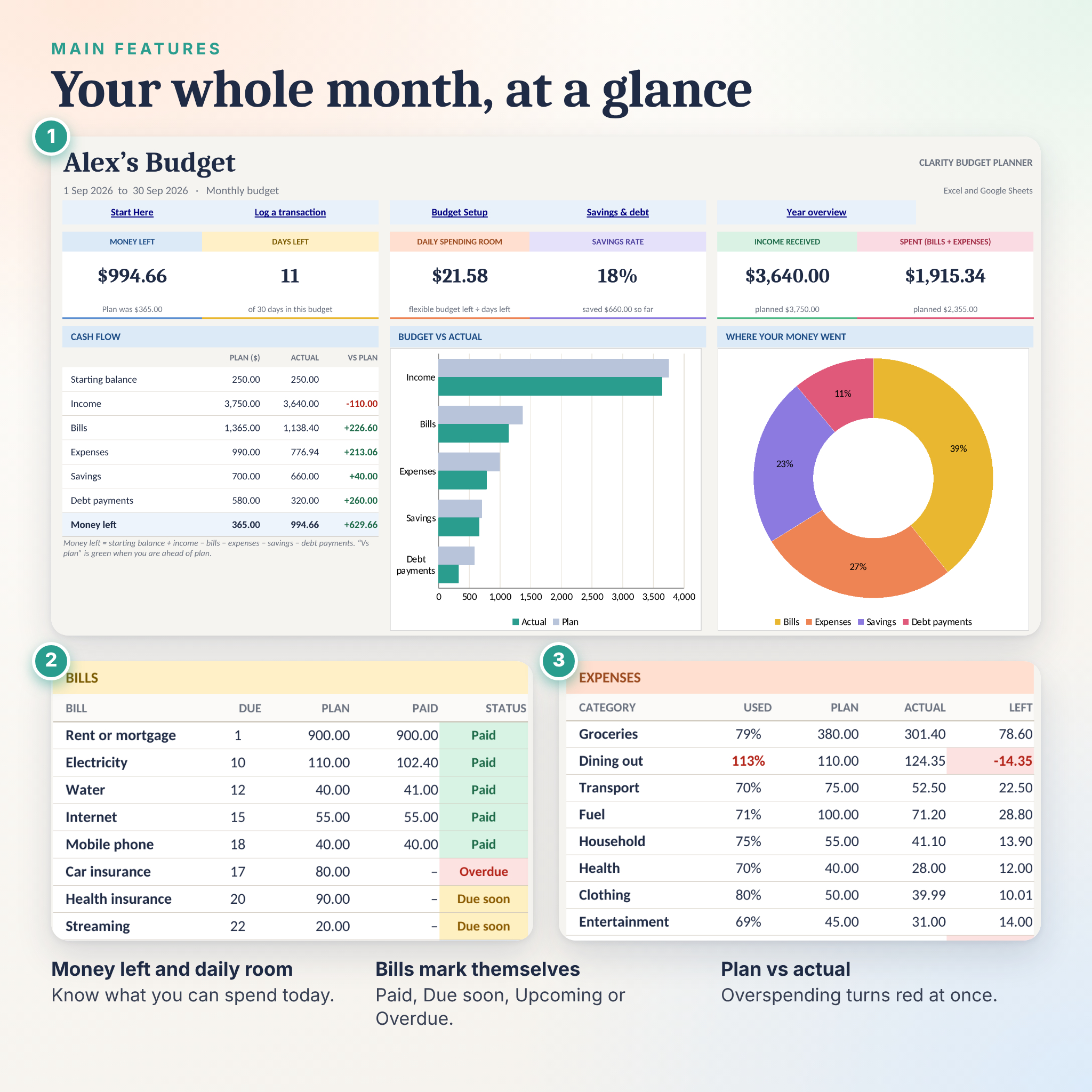
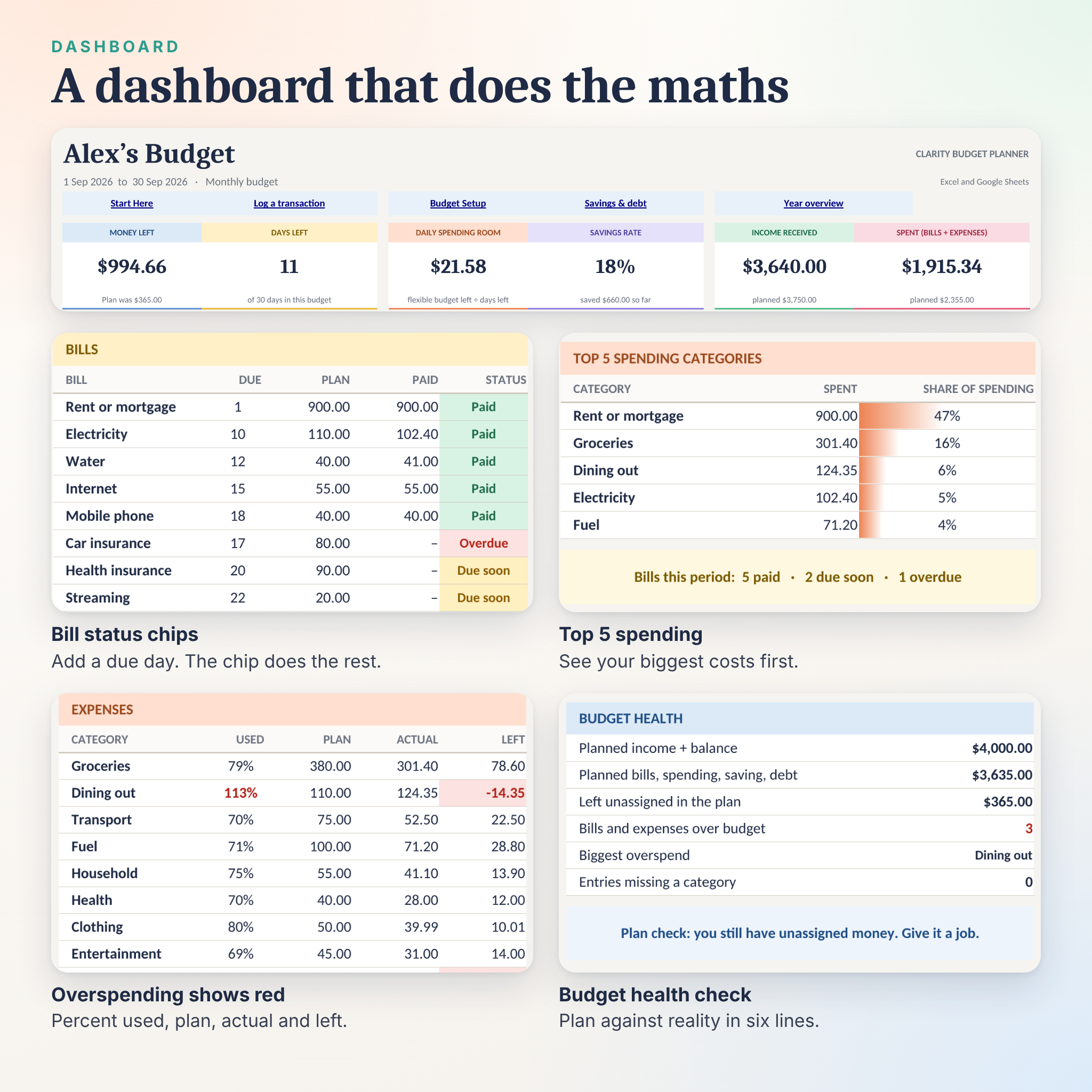
- Bills that check themselves. Give a bill a due day and it shows Paid, Due soon, Upcoming or Overdue.
- A daily spending number. Daily spending room tells you what you can spend today and still stay on plan.
- Overspending shows up in red the moment it happens.
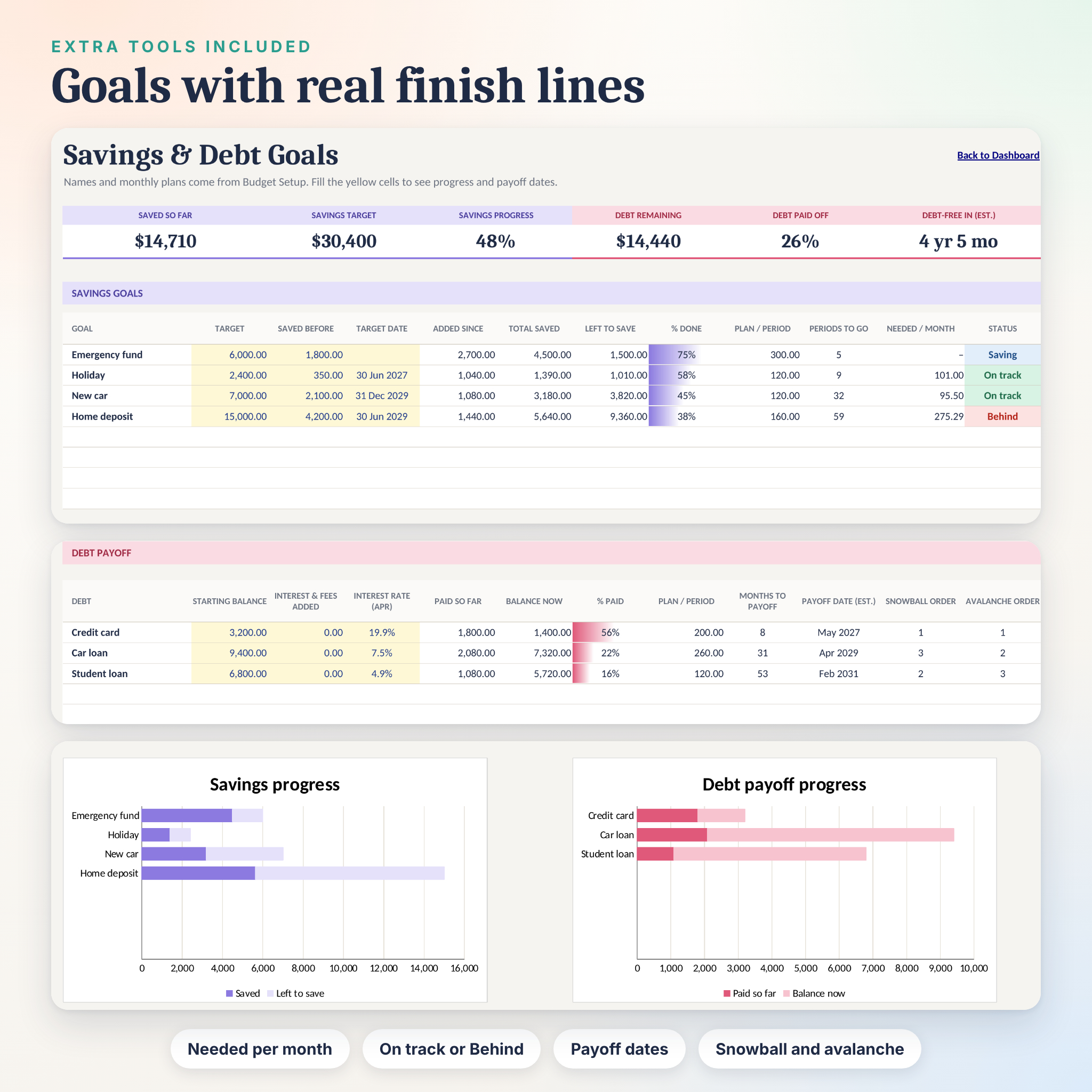
- Savings goals show how much to put away each month to hit a target date.
- Debts show an estimated payoff date, with snowball and avalanche order.
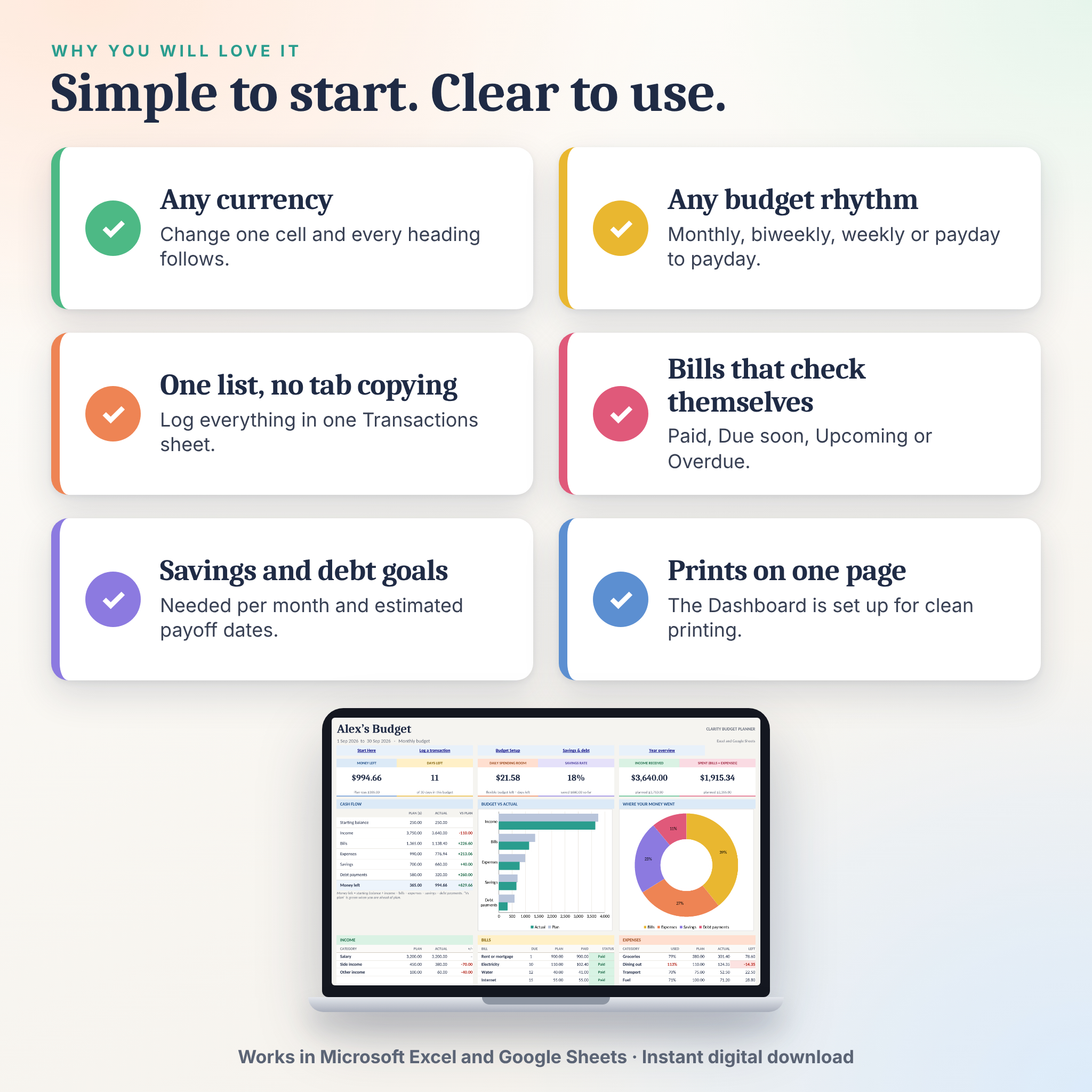
- Any currency. Type your symbol once and every heading follows.
Features
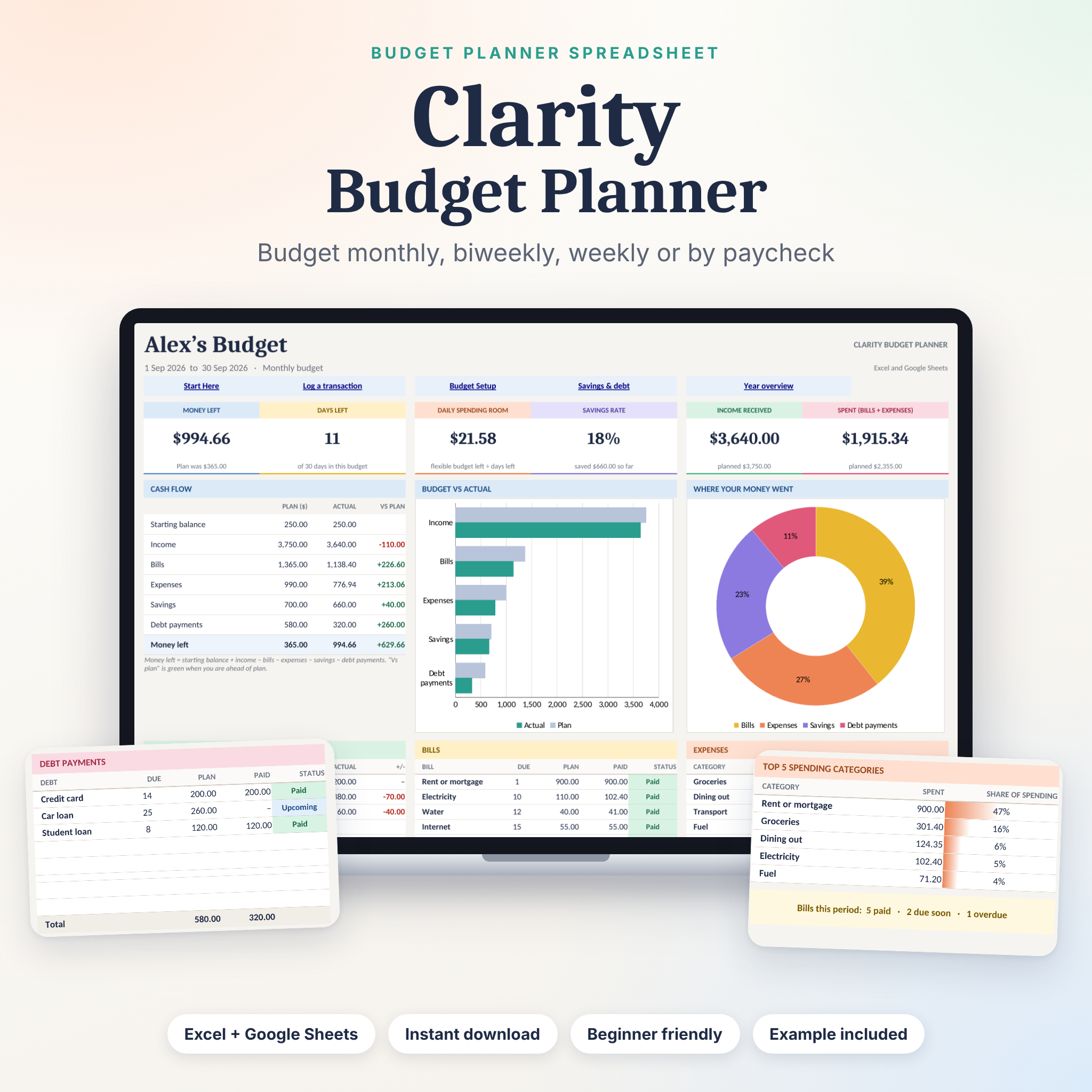
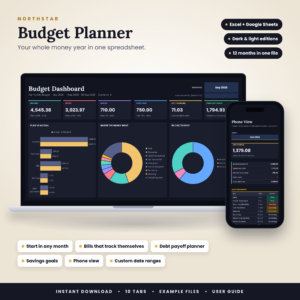
- Dashboard with six live cards: Money left, Days left, Daily spending room, Savings rate, Income received and Spent.
- Cash flow table with plan, actual and difference, a budget vs actual bar chart and a doughnut chart of where your money went.
- Five category tables: Income (8 rows), Bills (20), Expenses (20), Savings goals (8) and Debt payments (8). Rename them to suit your life.
- Top 5 spending categories and a budget health check that spots unassigned money and overspending.
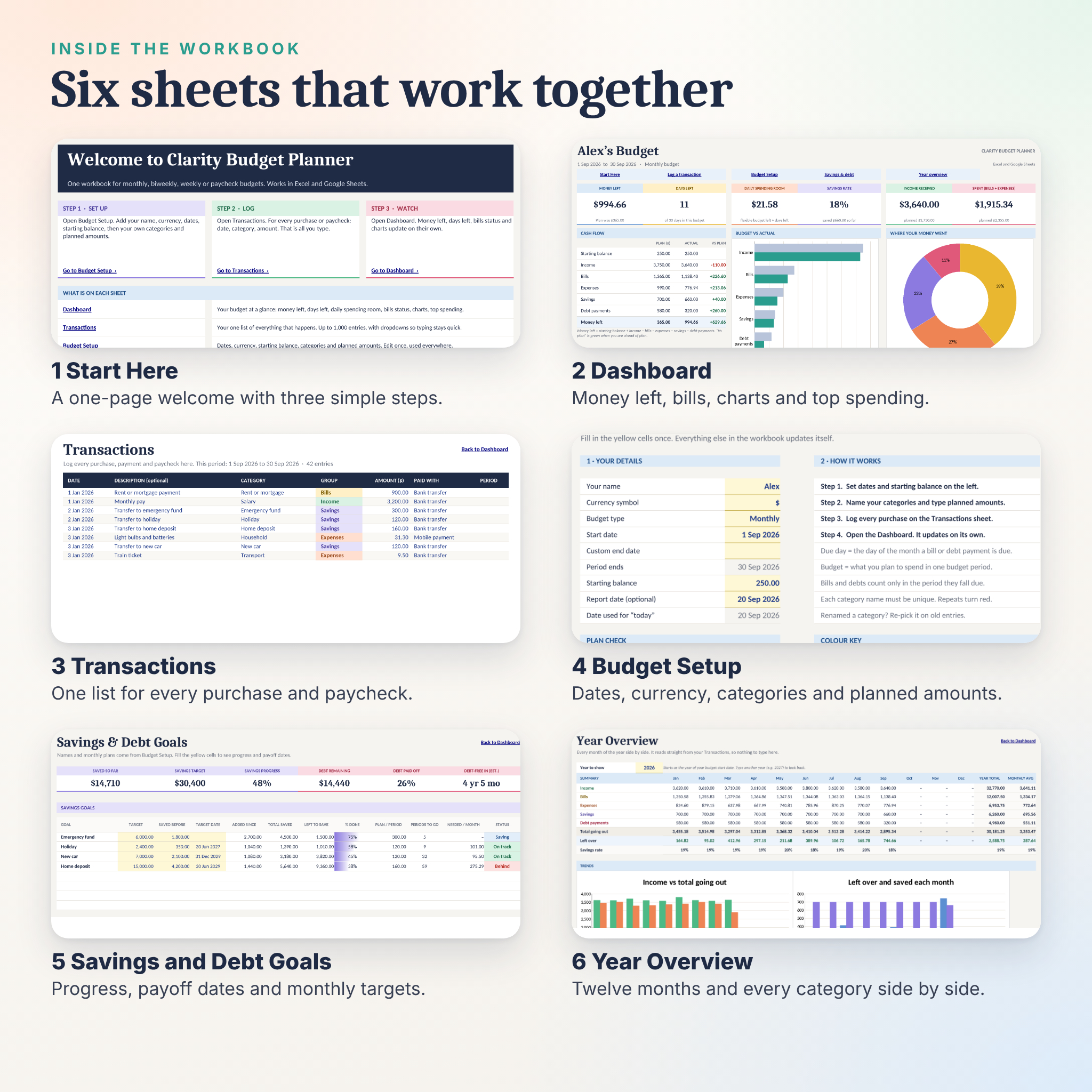
- Transactions sheet with room for 1,000 entries, dropdown categories, an optional payment method and automatic group and period columns.
- Savings and Debt Goals sheet with progress bars in Excel, targets, target dates, interest rates and estimated payoff dates.
- Year Overview with all twelve months side by side, two trend charts and every category month by month.
- Report date option so you can look back at any finished month.
- The Dashboard is set up to print on one page.
What is included
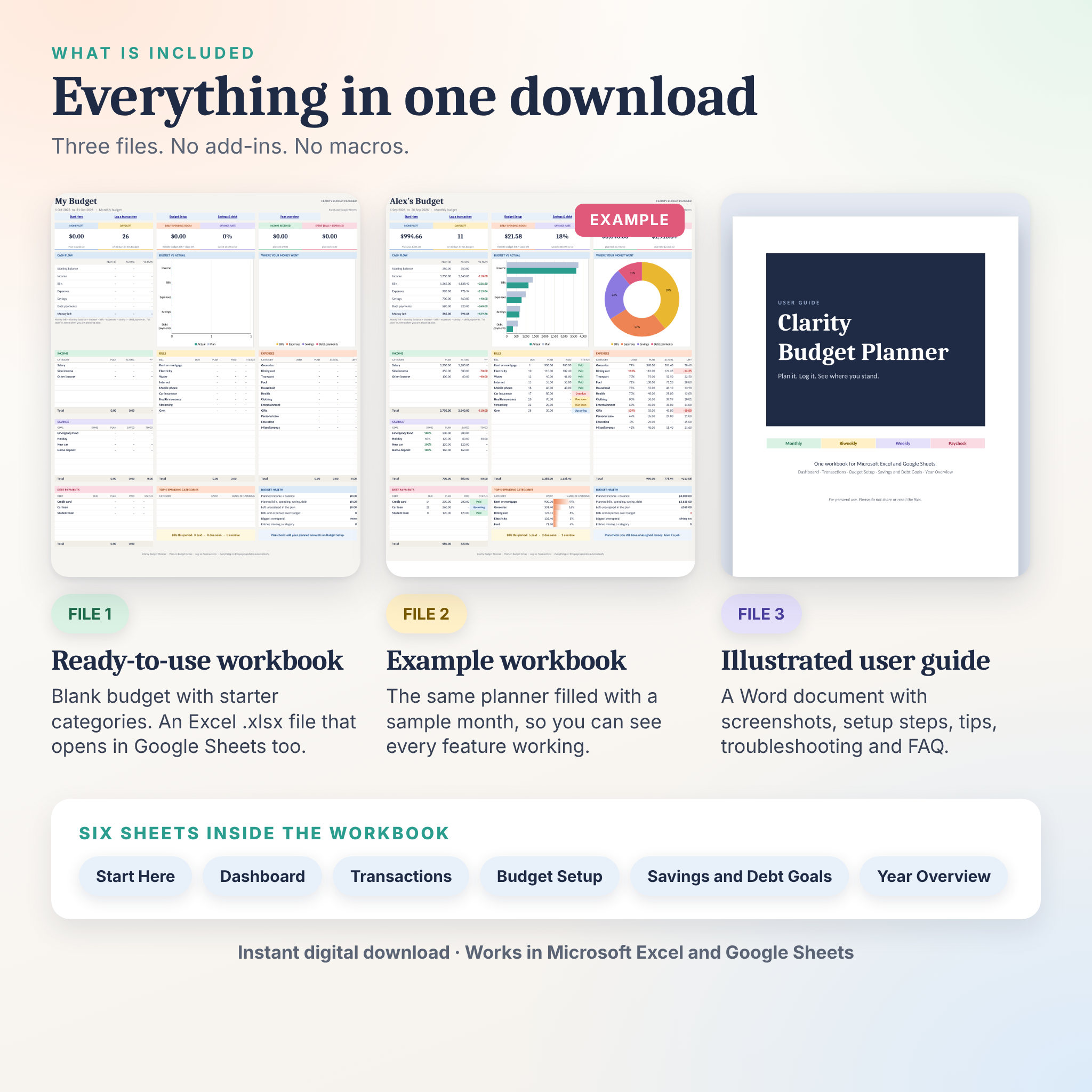
- Clarity-Budget-Planner.xlsx: the blank workbook with starter categories, ready for your numbers.
- Clarity-Budget-Planner-EXAMPLE.xlsx: the same workbook filled with a sample month so you can see every feature working.
- Clarity-Budget-Planner-User-Guide.docx: an illustrated Word guide with setup steps, a tour of every sheet, tips, troubleshooting and frequently asked questions.
How it works
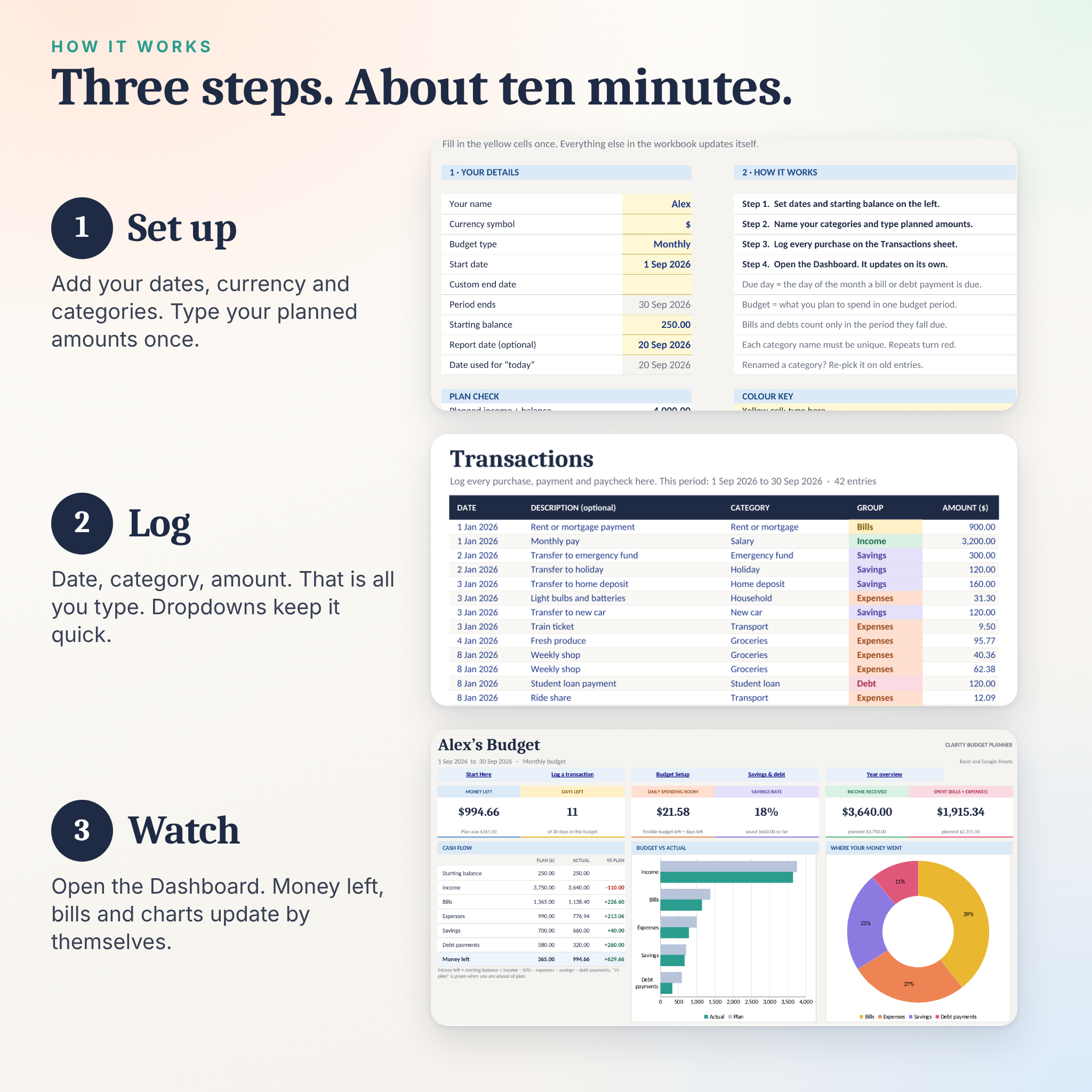
- Set up: add your name, currency, dates, starting balance, categories and planned amounts on Budget Setup.
- Log: add each purchase or paycheck on Transactions. Date, category, amount. That is all you type.
- Watch: open the Dashboard. Everything updates by itself.
File formats and software
You get Excel (.xlsx) workbooks and a Word (.docx) guide. The workbook works in Microsoft Excel 2010 or newer, Microsoft 365, Excel for Mac and the Excel mobile apps. You can also upload it to Google Drive and open it with Google Sheets. Google Sheets does not draw the small progress bars you see in Excel, so it shows the percentage instead, and the clickable shortcuts on the Dashboard may not jump between sheets there. Use the tabs along the bottom. There are no macros and no add-ins.
Customise it
Rename any category, change the planned amounts, pick your own currency symbol and recolour any heading. Delete a category name and its row disappears from the Dashboard. The guide shows you how.
Digital download
This is an instant digital download. Nothing is shipped. After you buy, you will be able to download the files straight away.
Please note
The files are for your personal use. Please do not share, resell or redistribute them. Clarity Budget Planner is a planning tool. It is not financial, tax or legal advice. Colours and fonts may look slightly different between Excel, Google Sheets and your screen.
Reviews
There are no reviews yet.