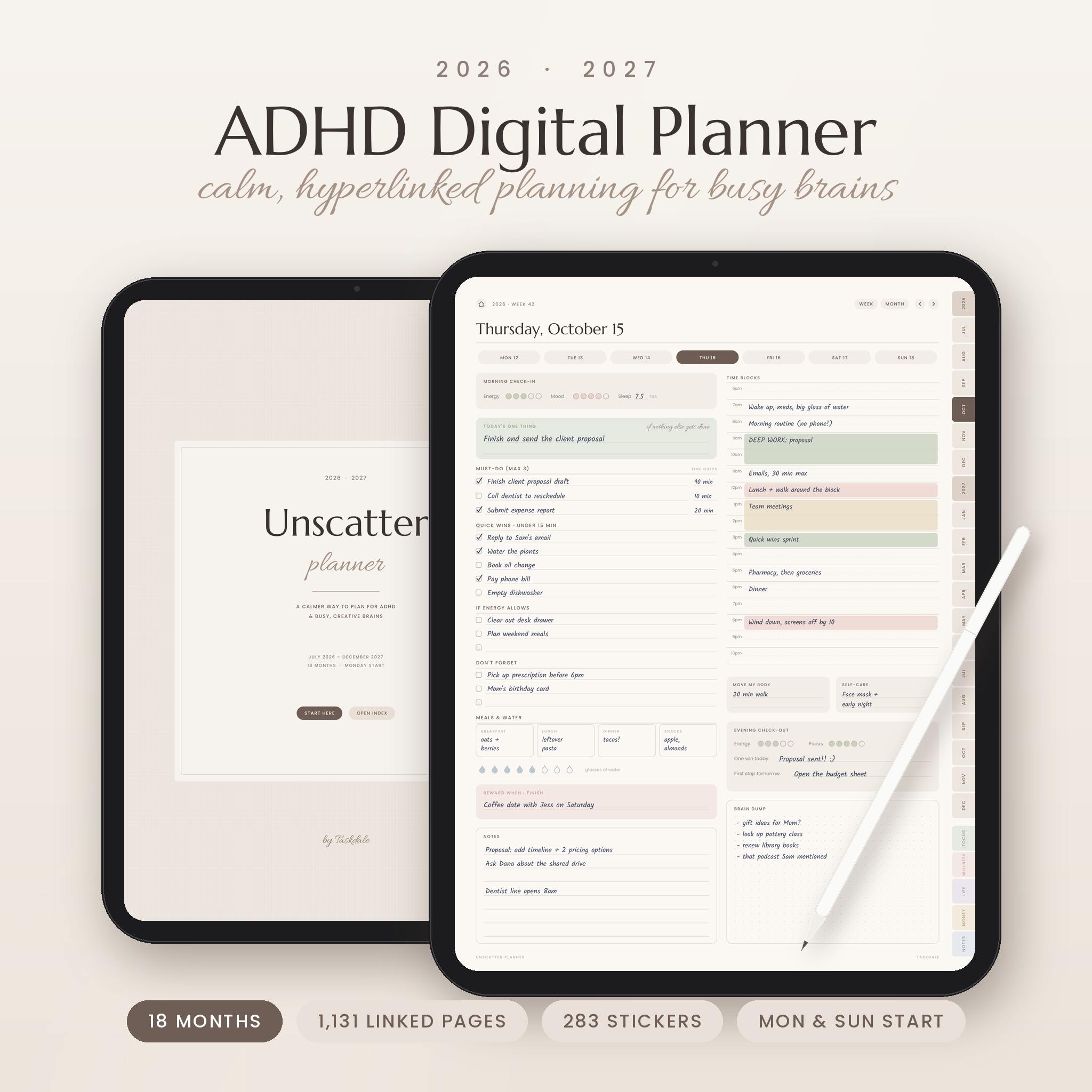
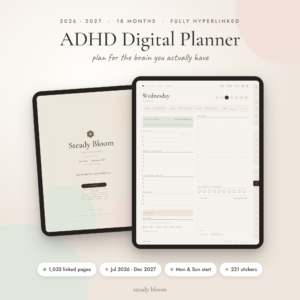
Ever bought a planner, loved it for nine days, then forgot it existed? That happens a lot with ADHD. The Unscatter ADHD digital planner was built for exactly that brain. It keeps each page short, puts the important stuff first, and links everything together so you never have to scroll through hundreds of pages to find today.
It covers 18 months, July 2026 to December 2027. So if you start in October, you still have more than a year of pages ahead of you.
What this ADHD digital planner does for you
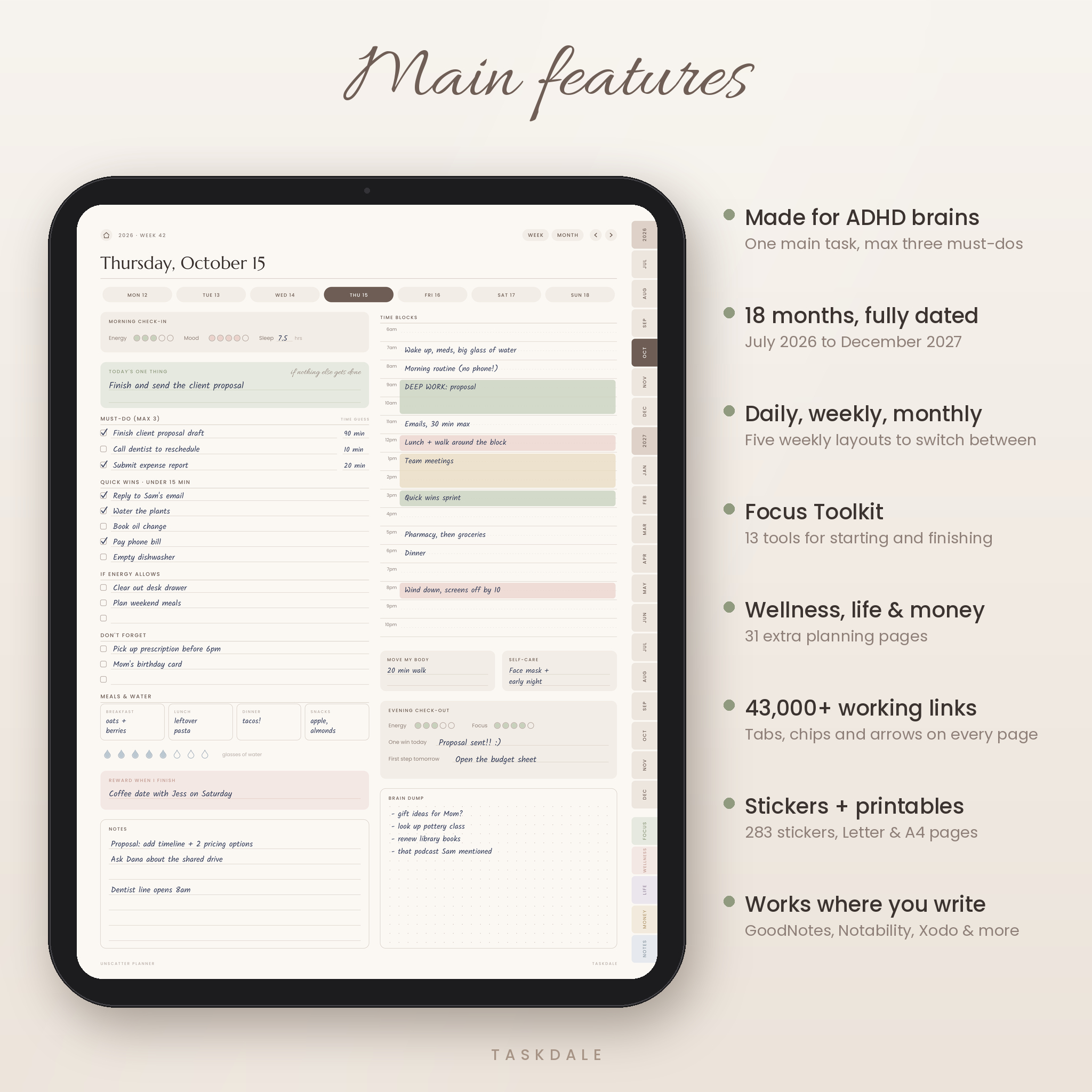
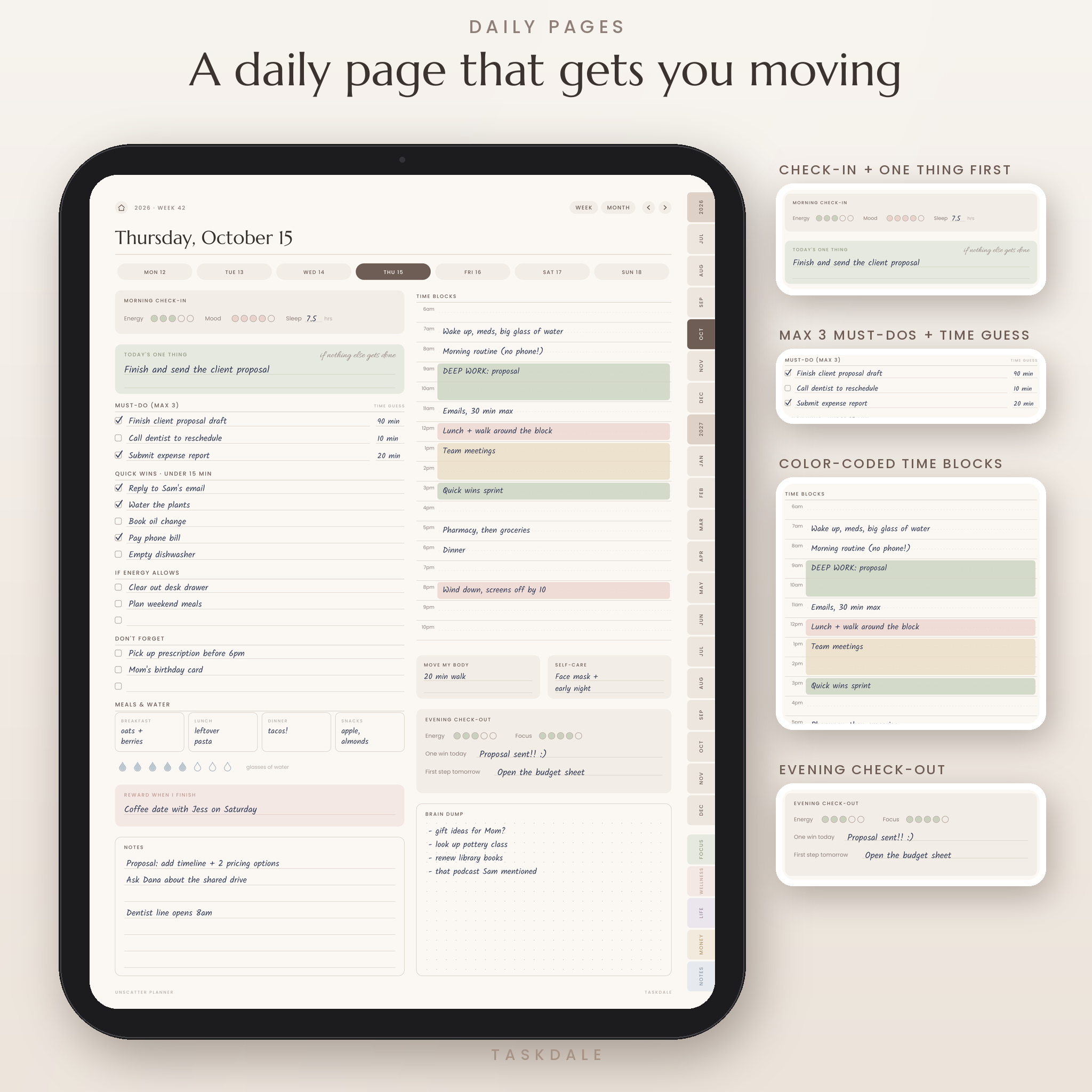
Every day starts with one question: what is the ONE thing that has to happen today? After that you get three must-do slots. Not ten. Three. Each one has a small box for how long you think it will take, which slowly trains your sense of time.
The rest of the page flows from top to bottom. A ten-second morning check-in for energy, mood and sleep. Quick wins under 15 minutes. A list for things you’ll do if energy allows. Time blocks from 6am to 10pm. And an evening check-out where you write one win and the first step for tomorrow. That last line alone makes mornings easier.
Who it’s for
- Adults with ADHD, diagnosed or not, who get overwhelmed by busy planners
- Students juggling classes, work and a social life
- Parents keeping track of everyone else’s schedule plus their own
- Freelancers and creatives who need structure without feeling boxed in
- Anyone who likes soft, neutral colors over loud, cluttered pages
Features
Daily, weekly and monthly pages
- 549 dated daily pages with a week strip at the top, so you can hop to any day in the same week
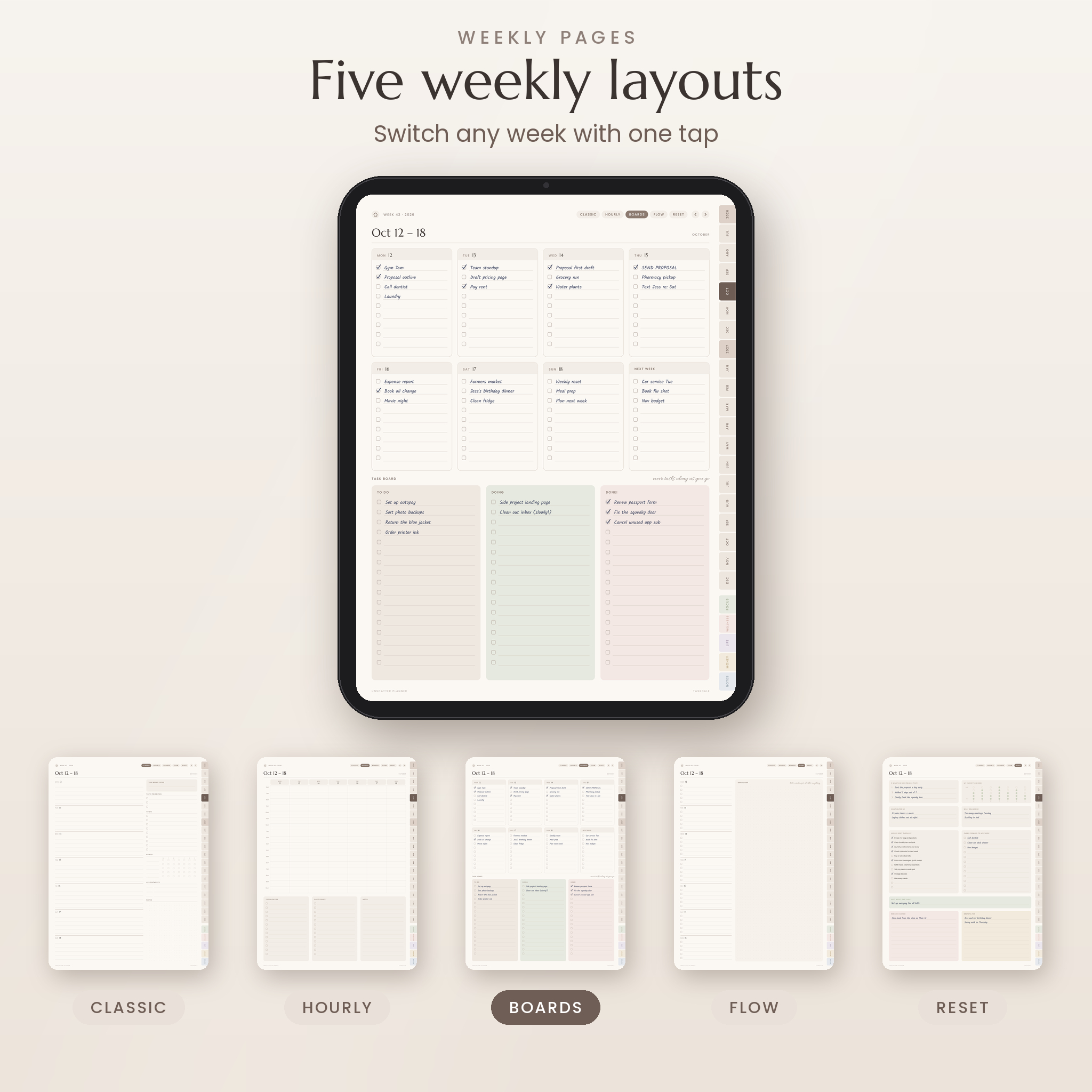
- Five weekly layouts for all 79 weeks: Classic, Hourly, Boards (with a To do / Doing / Done board), Flow and a weekly Reset page
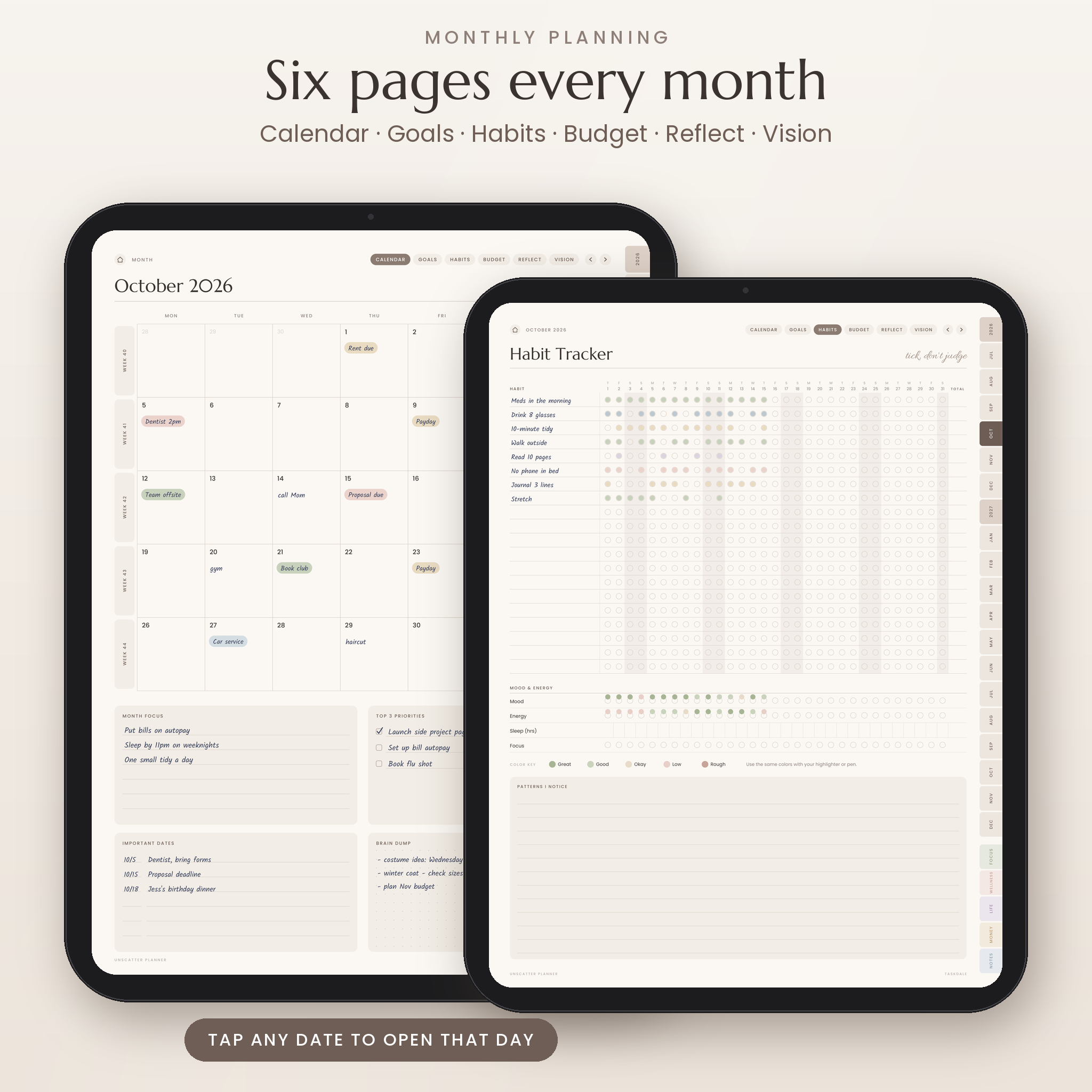
- Six pages every month: calendar, goals and intentions, habit tracker, money plan, reflection and vision board
- Big-picture pages: 18-month calendar, Year at a Glance, Key Dates, Big Picture Goals, Wheel of Life and six quarterly plans
A Focus Toolkit for real ADHD problems
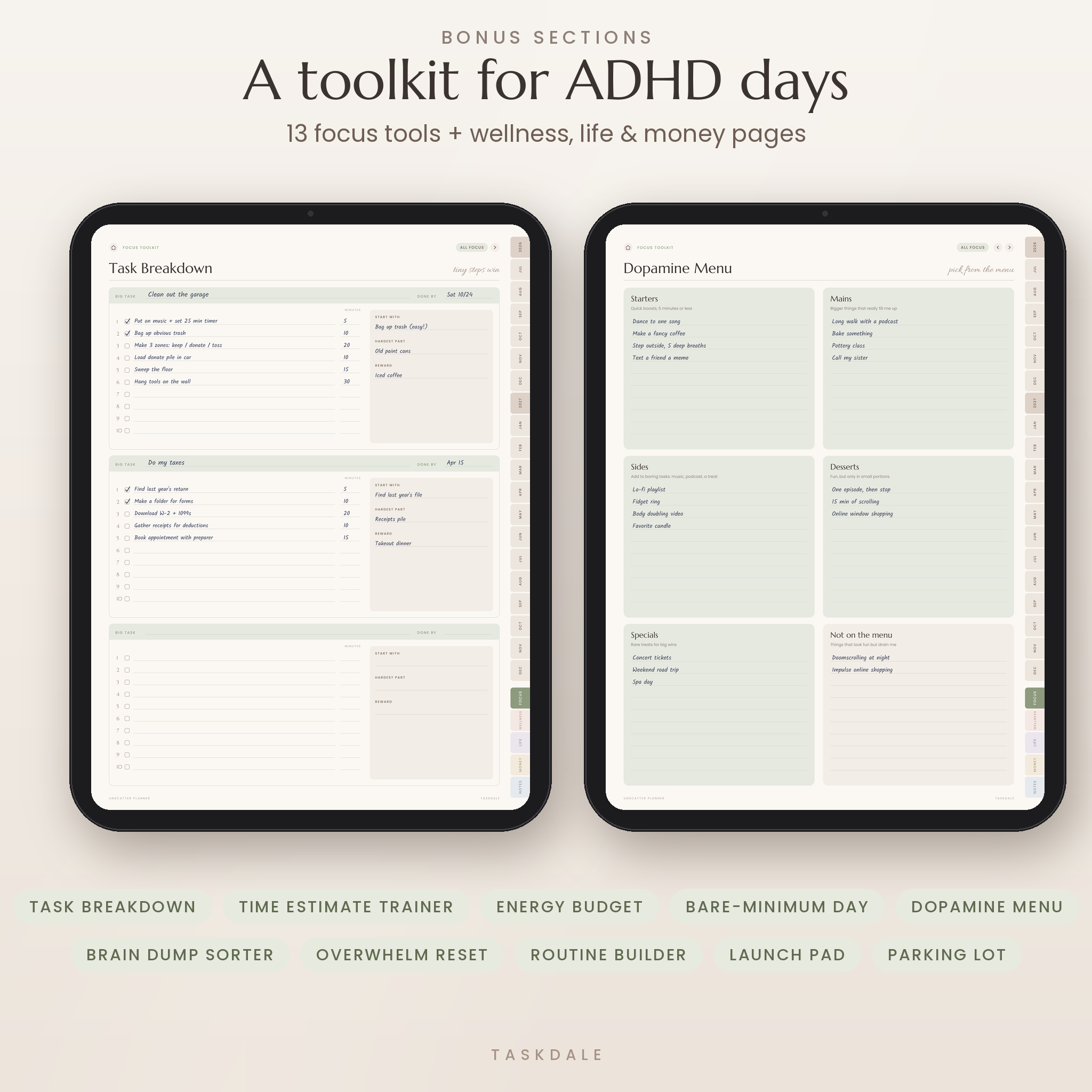
This is where Unscatter goes further than most planners. There are 13 tools, each made for a specific sticking point:
- Task Breakdown turns one scary task into small steps with minutes beside each
- Time Estimate Trainer compares your guess with how long things really took
- Energy Budget helps you plan around energy, not just time
- Bare-Minimum Day is for low days, when getting through is enough
- Dopamine Menu, Brain Dump Sorter, Hyperfocus Parking Lot, Routine Builder, Launch Pad, Overwhelm Reset, Waiting On, Focus Sessions and a Wins Jar
Wellness, life and money sections
Wellness has 12 pages, including an 18-month Mood Map, sleep tracker, meds and vitamins log, meal planner and gratitude journal. Life and Projects has 11, from a goal planner and project planner to a cleaning schedule, travel planner and bucket list. Money has 8, including a bill tracker, debt payoff, savings goals, a 52-week savings challenge and an Impulse Buy Pause list that asks you to wait 48 hours before you buy.
Money pages never print a currency symbol. You write your own in the Currency box, so the planner works in dollars, pounds, euros, rand or anything else.
What’s included
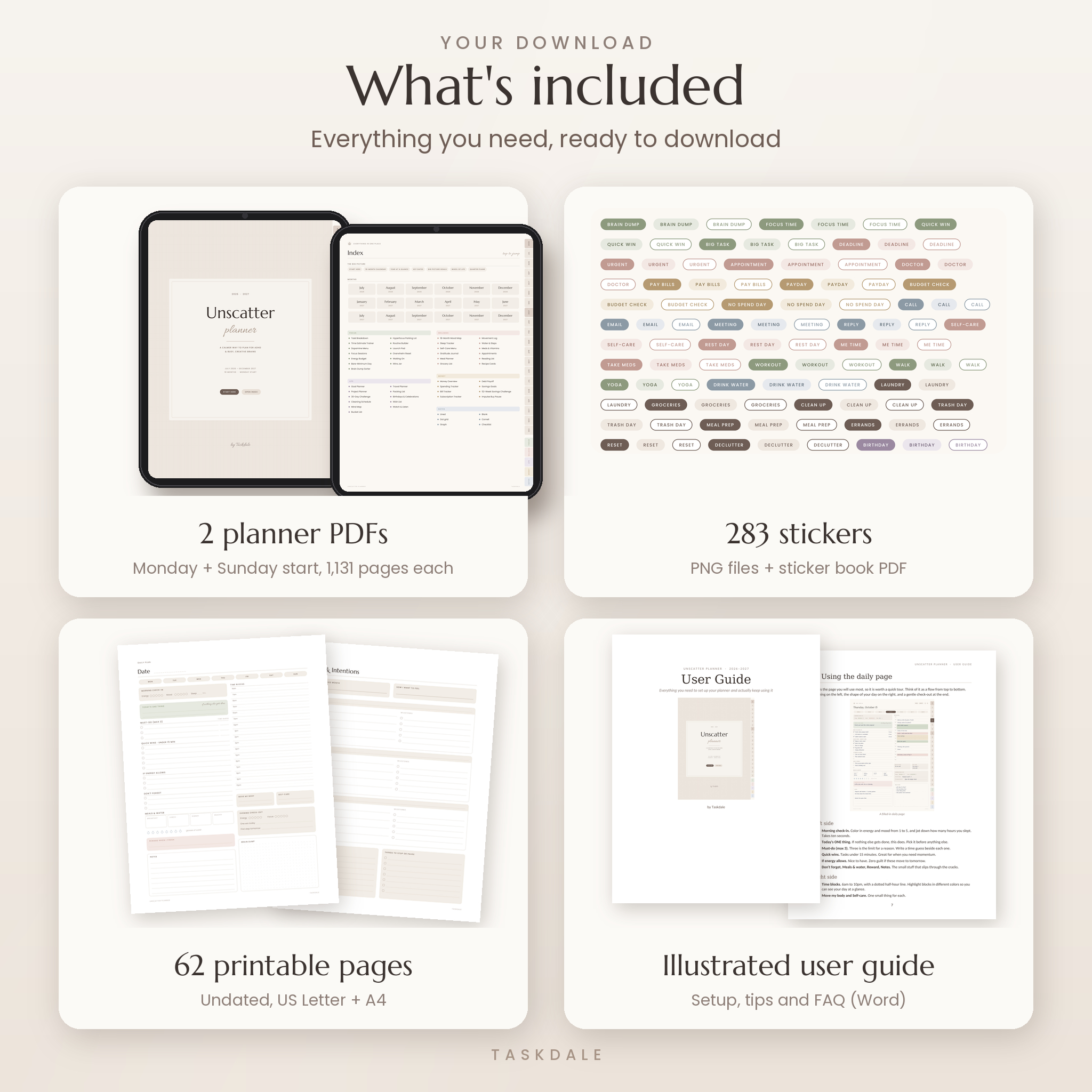
- Hyperlinked planner PDF, Monday start (1,131 pages)
- Hyperlinked planner PDF, Sunday start (1,131 pages)
- Sticker pack: 283 PNG stickers with see-through backgrounds, plus a 5-page sticker book PDF
- Printable pages: 62 undated pages in US Letter and A4
- Illustrated user guide (Word document)
How it works
- Buy and download the files right away.
- Import the planner PDF into your note-taking app.
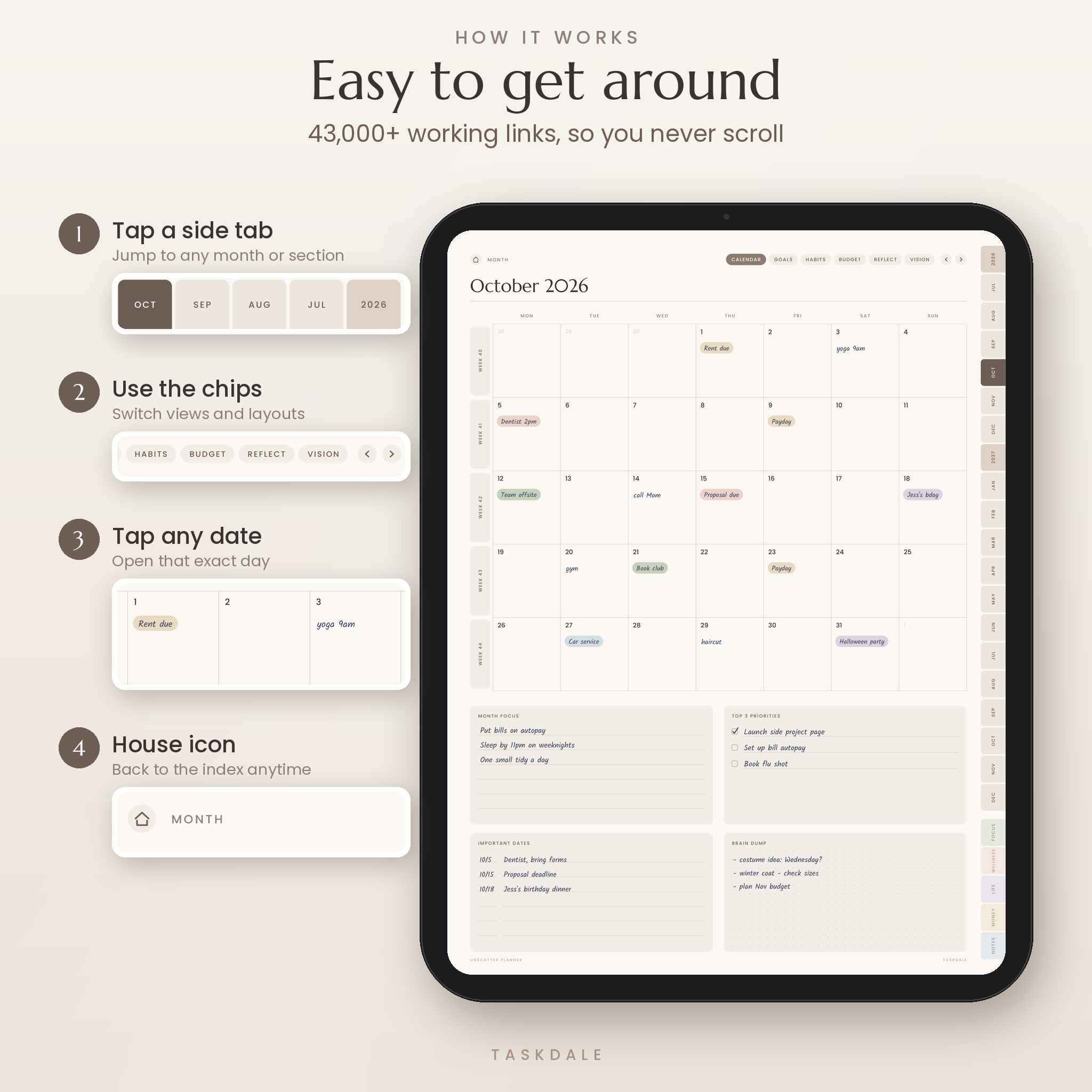
- Tap a month tab on the right edge, or the house icon at the top of any page, to get around.
- Write with your stylus, drag in stickers and plan your first week.
Every date on every calendar opens its daily page. Weeks link to their days. Each page has arrows for previous and next. In total there are more than 43,000 working links, and every one was checked before release.
File formats and software requirements
The planner is a PDF sized for tablets. It works in PDF note-taking apps that support hyperlinks, such as GoodNotes and Notability on iPad, and Noteshelf or Xodo on Android tablets and Windows. You’ll need a tablet or computer with one of these apps. A stylus helps but isn’t required. The planner isn’t designed for Kindle readers or basic PDF viewers that can’t write on pages.
Each planner file is about 8 MB, so it opens quickly and won’t slow your app down.
Customizing your planner
You can duplicate any page you love, add photos to the vision boards, and color time blocks or mood circles with your own highlighter shades. Labels, planning boxes, date bubbles, icons and washi strips in the sticker pack all match the planner colors. Prefer paper some days? Print the undated pages and slot them into a binder.
Digital download
This is a digital product. Nothing is shipped. You’ll get your download links as soon as payment goes through. Files are for personal use by the buyer only, so please don’t share or resell them.
Ways to use it
- Shift workers: map a messy rota in the Hourly layout, then lean on the Bare-Minimum Day page after a night shift.
- Students: break every essay into steps with Task Breakdown and park distracting ideas in the Hyperfocus Parking Lot.
- Parents: keep the family calendar on the monthly pages and run the Launch Pad checklist before school runs.
- Freelancers: log focus sprints, track bills and do a 15-minute weekly Reset every Friday afternoon.
FAQ
Is this ADHD planner dated?
Yes. The digital planner is dated from July 1, 2026 to December 31, 2027. The printable pages are undated.
Does it work with GoodNotes?
It’s a standard hyperlinked PDF, which is the format GoodNotes and Notability import. Just import the file and tap the tabs.
Can I use it on Android or Windows?
Yes, with a PDF app that supports links and handwriting, like Xodo or Noteshelf.
Do I need an Apple Pencil?
No. Any stylus works, and you can type into pages with your app’s text tool.
Can I print it?
Yes. The 62 printable pages come in US Letter and A4, and you can print any page from the digital planner too.
Is it only for people with ADHD?
Not at all. If regular planners feel cluttered or stressful, this one tends to fit.
What if I start partway through the year?
Open the current month and begin there. The earlier pages simply wait for you.
Reviews
There are no reviews yet.