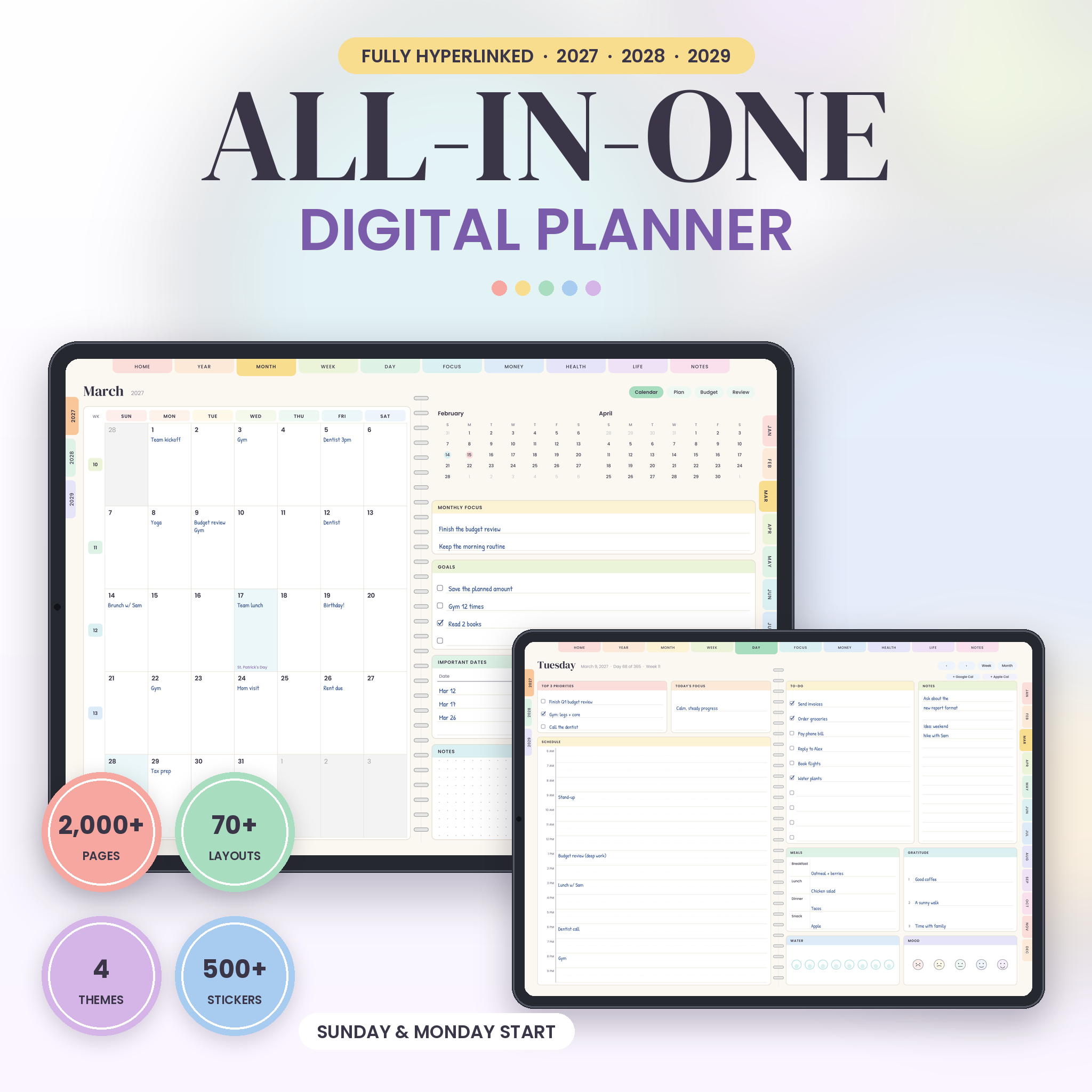
This digital planner for 2027, 2028 and 2029 puts three full years in one hyperlinked PDF. Every month, week and day is linked, so one tap takes you where you want to go. No scrolling through 1,996 pages. Pick your color theme, pick Sunday or Monday as the first day of the week, and start writing with a stylus or your finger.
Digital Planner 2027 2028 2029: What You Get
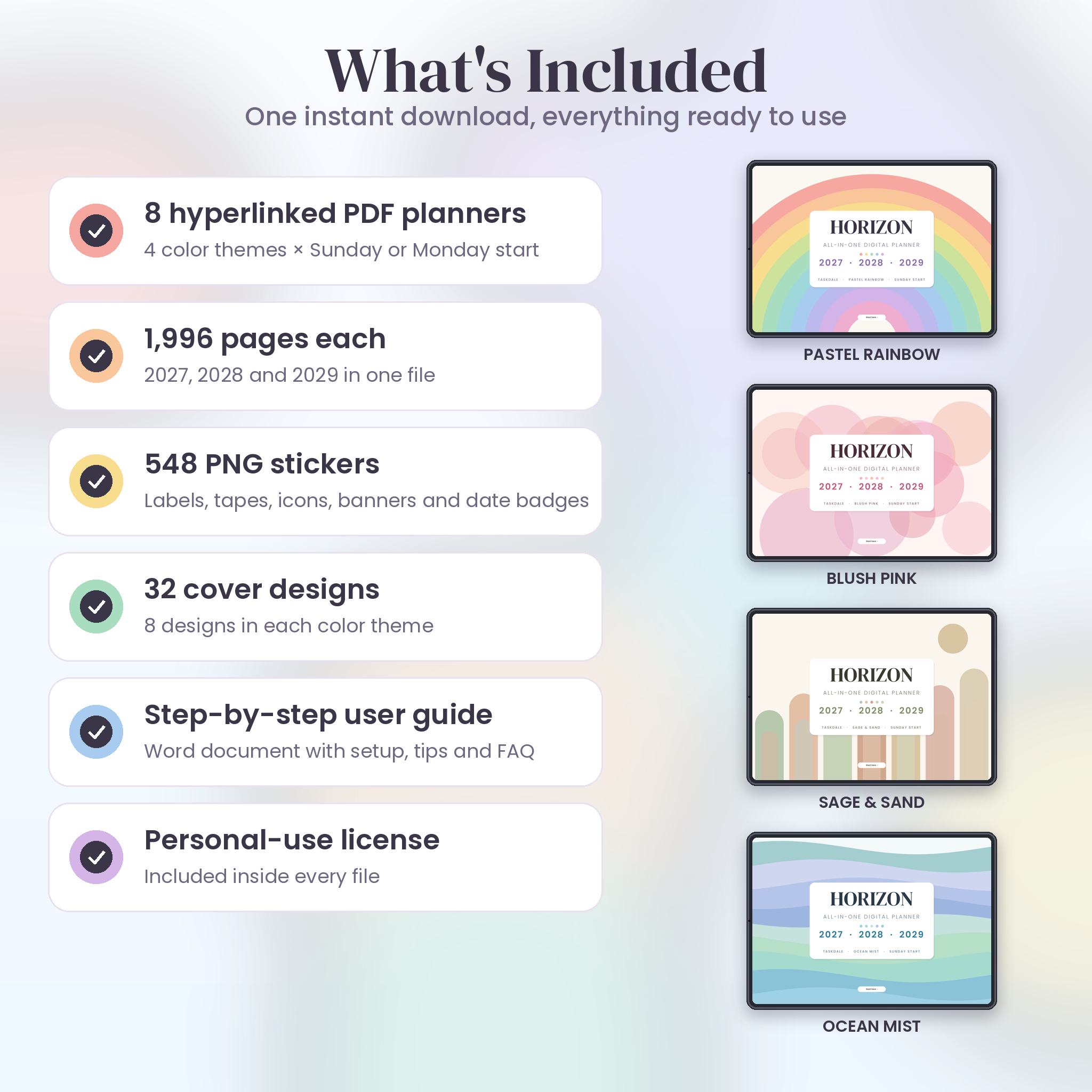
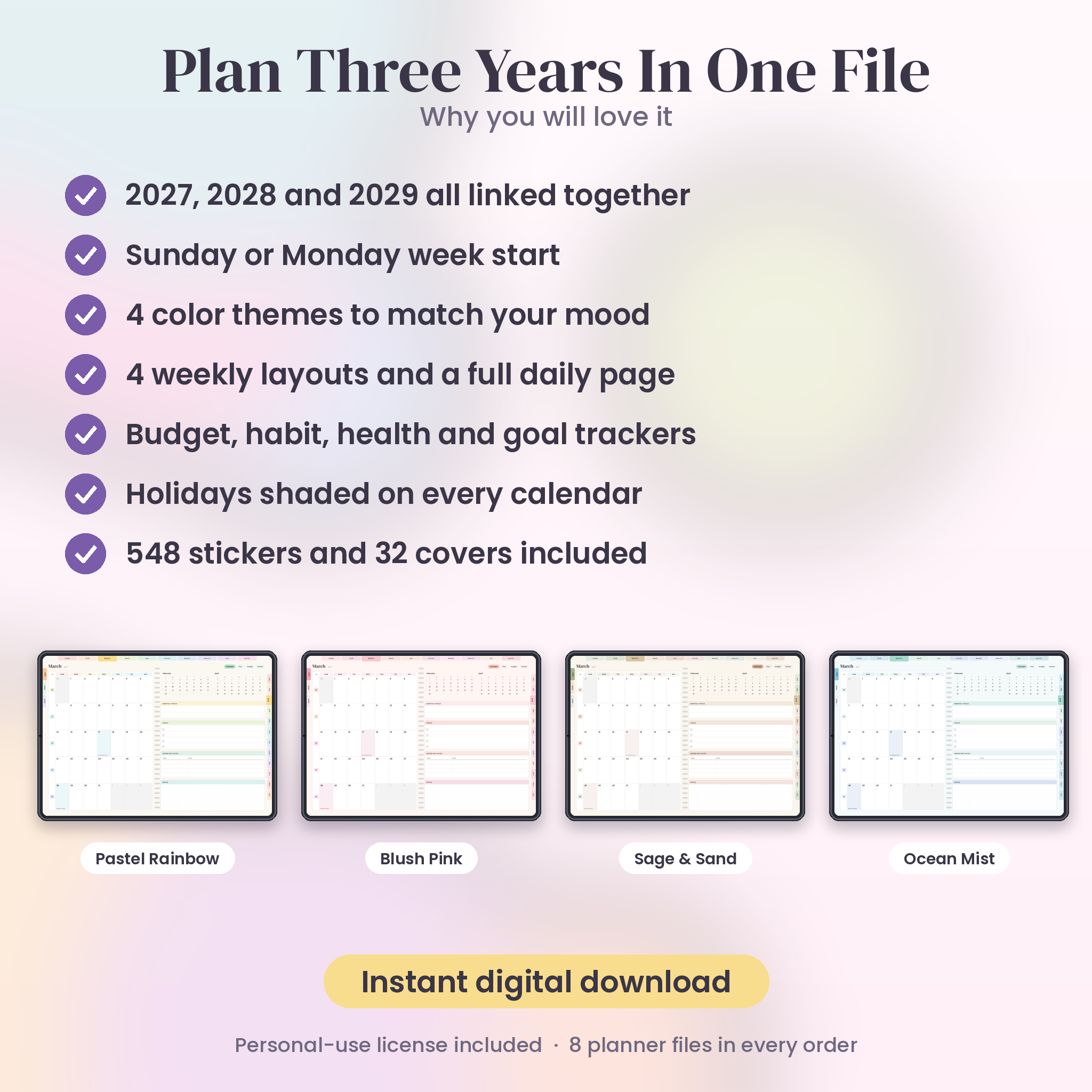
You get eight PDF planners in one download. Four color themes, each in a Sunday-start and a Monday-start version: Pastel Rainbow, Blush Pink, Sage and Sand, and Ocean Mist. They hold the same pages. Only the colors and the week start change.
On top of the planners you also get 548 PNG stickers, 32 cover designs and a Word user guide. Everything is clearly named, so you won’t hunt for the right file.
Inside every planner
- 1,996 pages covering January 2027 to December 2029
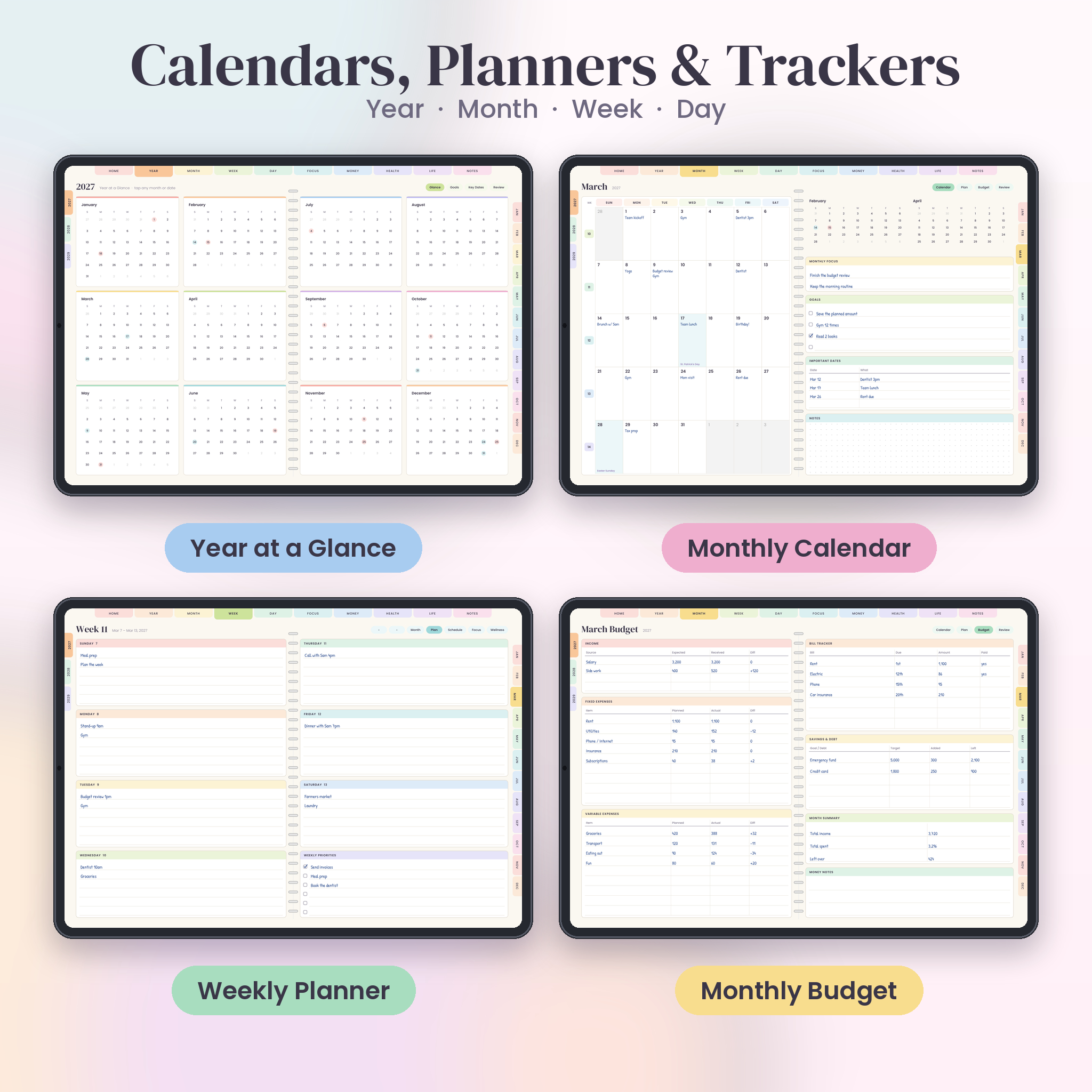
- 36 monthly spreads with a calendar, a plan page, a budget page and a review page
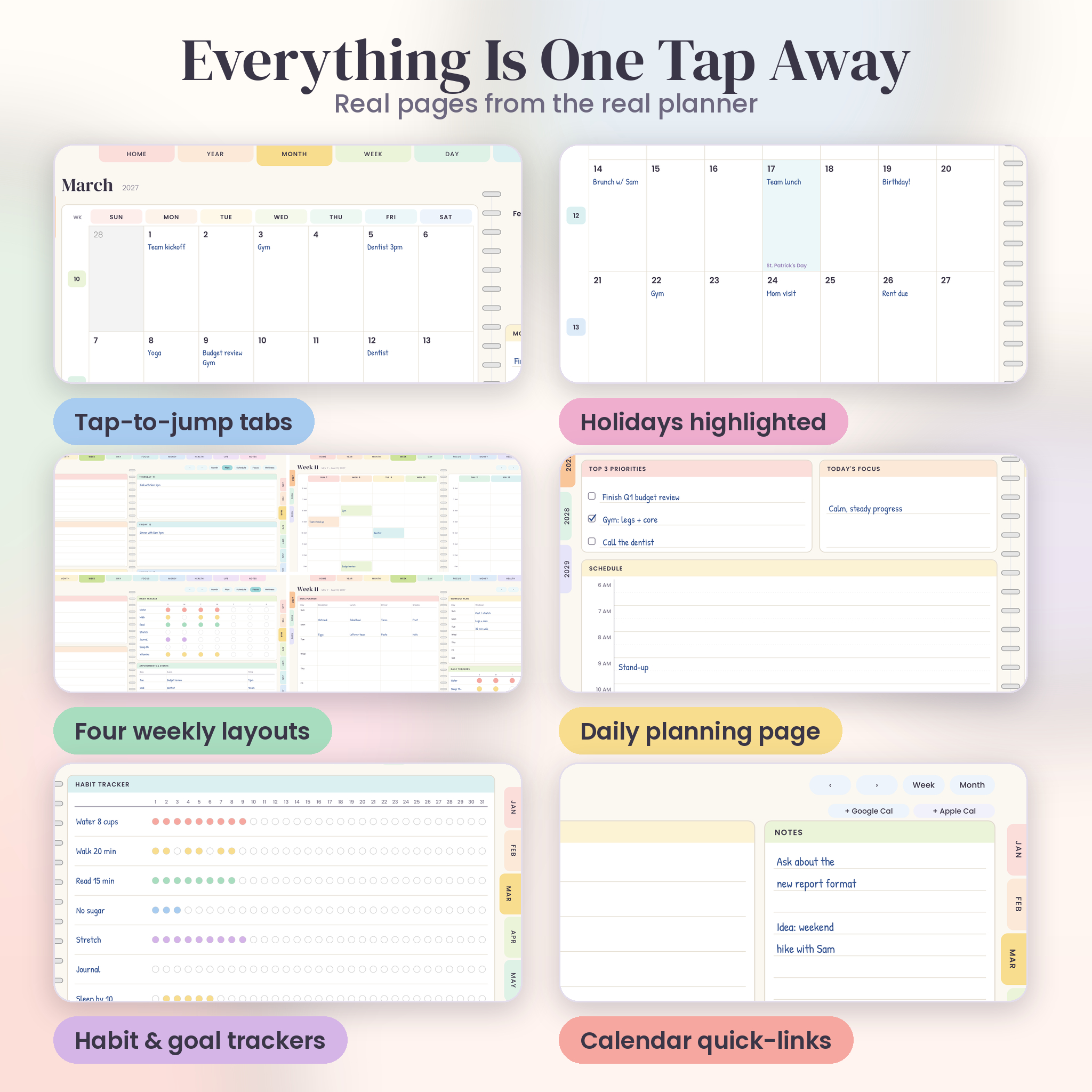
- 158 weekly spreads with four layouts to switch between: Plan, Schedule, Focus and Wellness
- 1,096 daily pages with top priorities, an hourly schedule from 6 AM to 9 PM, a to-do list, notes, meals, gratitude, water and mood
- Year pages with a full-year view, goals, key dates and a yearly review
- 57 ready-made templates for money, health, focus and life
- 6 notebook styles: lined, dotted, grid, Cornell, checklist and two column
- US federal holidays and common observances marked on the calendars
Tap Instead of Scroll
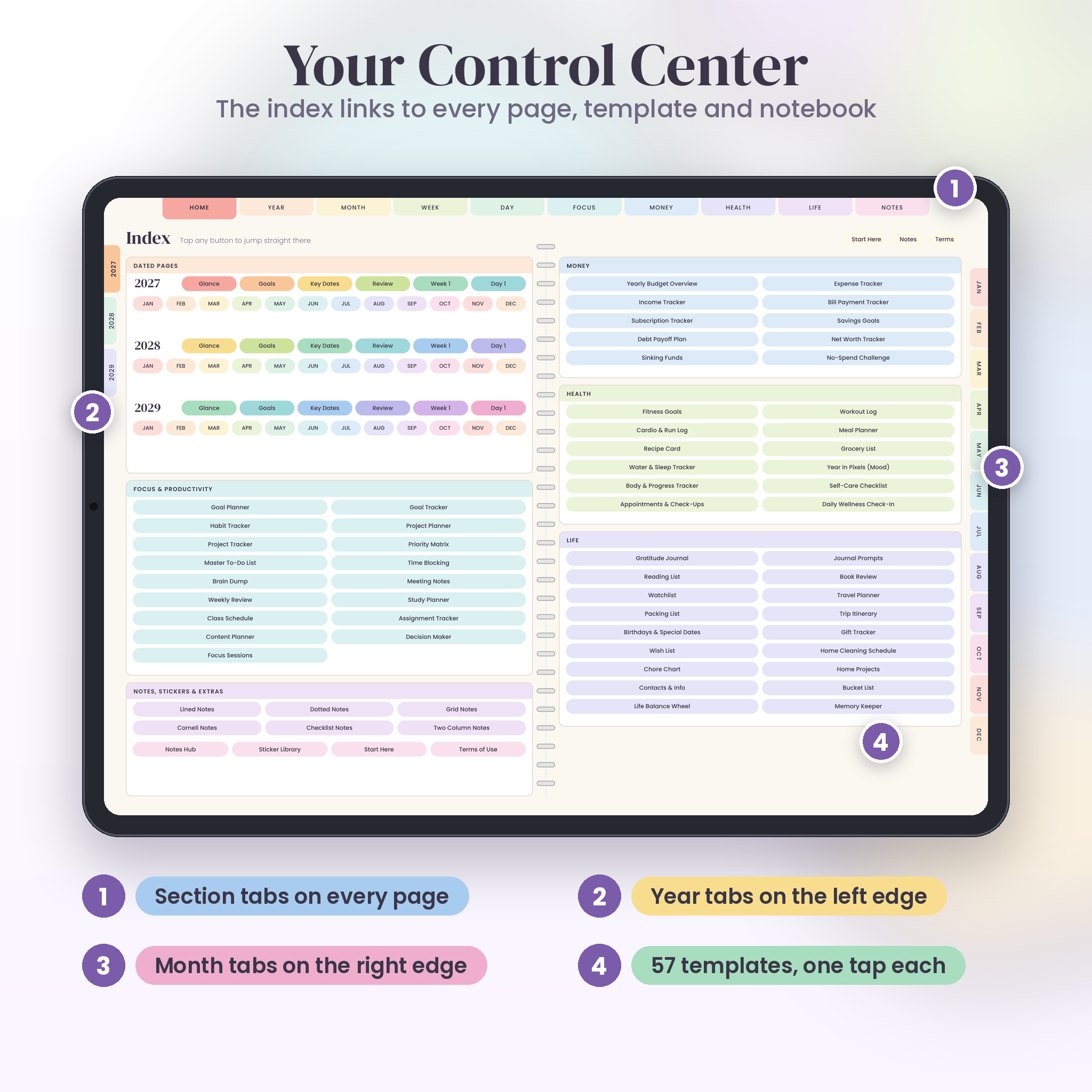
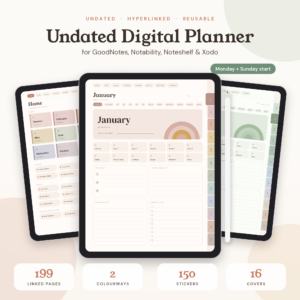
Most people quit a digital planner because it’s slow to use. This one is built around fast jumping. Tabs run across the top of every page, year tabs sit on the left edge and month tabs sit on the right. The tab for the page you’re on is highlighted, so you always know where you are.
The Index page lists every template, every notebook and every month of all three years. Tap a name and you’re there. Week numbers on the month page open that week. Dates open that day. The planner also has a bookmark outline, which many PDF apps show as a sidebar.
One day page, plenty of room
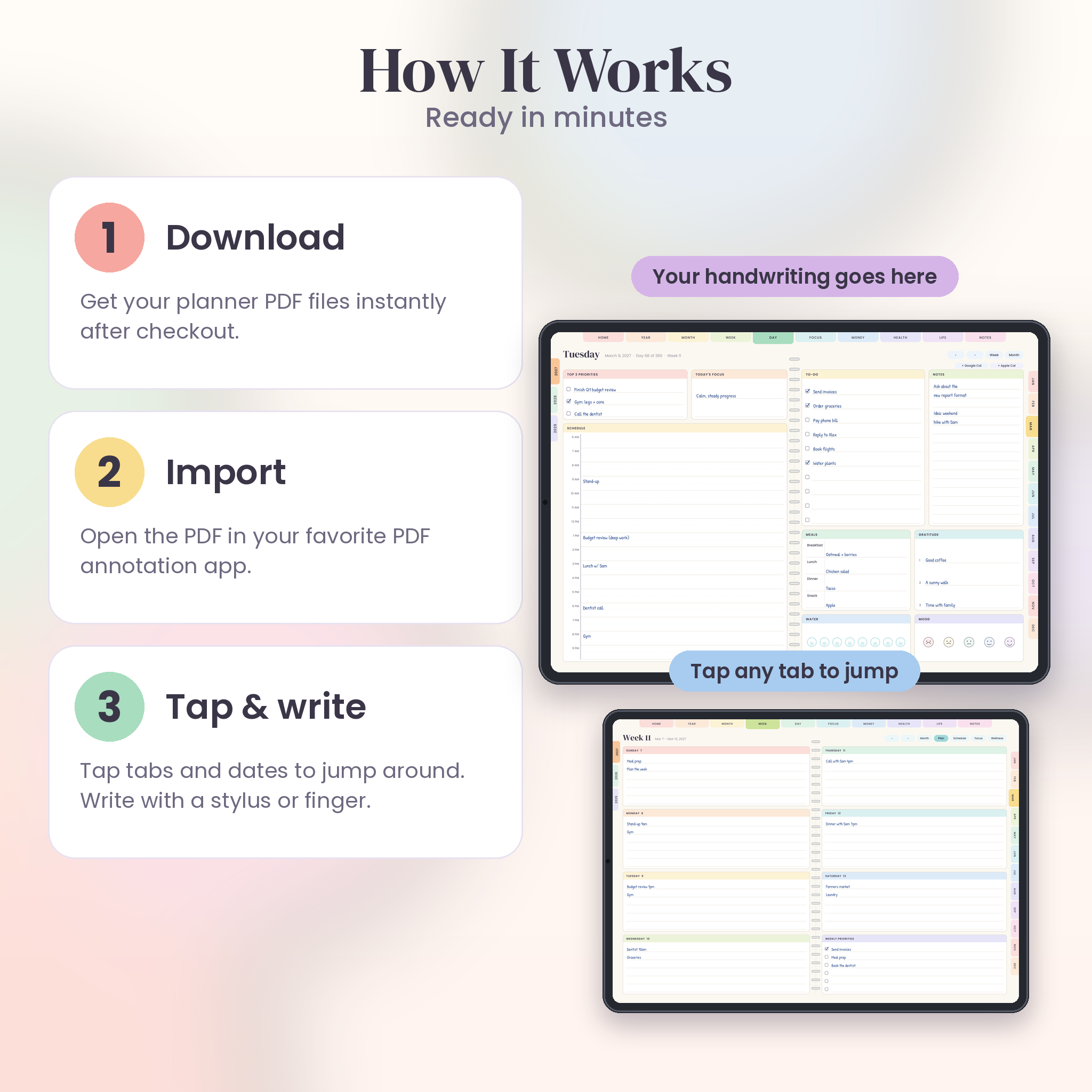
The daily page is the one you’ll open most. The left side holds your three top priorities, a daily focus and an hourly schedule. The right side has a to-do list with ten lines, a notes box, a meal log, three gratitude lines, a water tracker and a five-face mood row. Two small buttons at the top link to Google Calendar and Apple Calendar for the same date.
57 Templates You Can Reach in One Tap
The templates sit in four groups. You don’t have to use them all. Most people settle on six or seven and ignore the rest.
- Focus (17): goal planner, habit tracker, project planner, priority matrix, time blocking, brain dump, weekly review, study planner, class schedule and more
- Money (10): yearly budget, income tracker, bill payment tracker, subscription tracker, debt payoff plan, savings goals, net worth tracker and more
- Health (12): fitness goals, workout log, cardio log, meal planner, recipe card, grocery list, water and sleep tracker, mood tracker and more
- Life (18): gratitude journal, reading list, book review, travel planner, packing list, gift tracker, chore chart, home cleaning schedule, bucket list and more
The money pages have no currency symbols. You write your own amounts, so they work for any currency.
Stickers and Covers Included
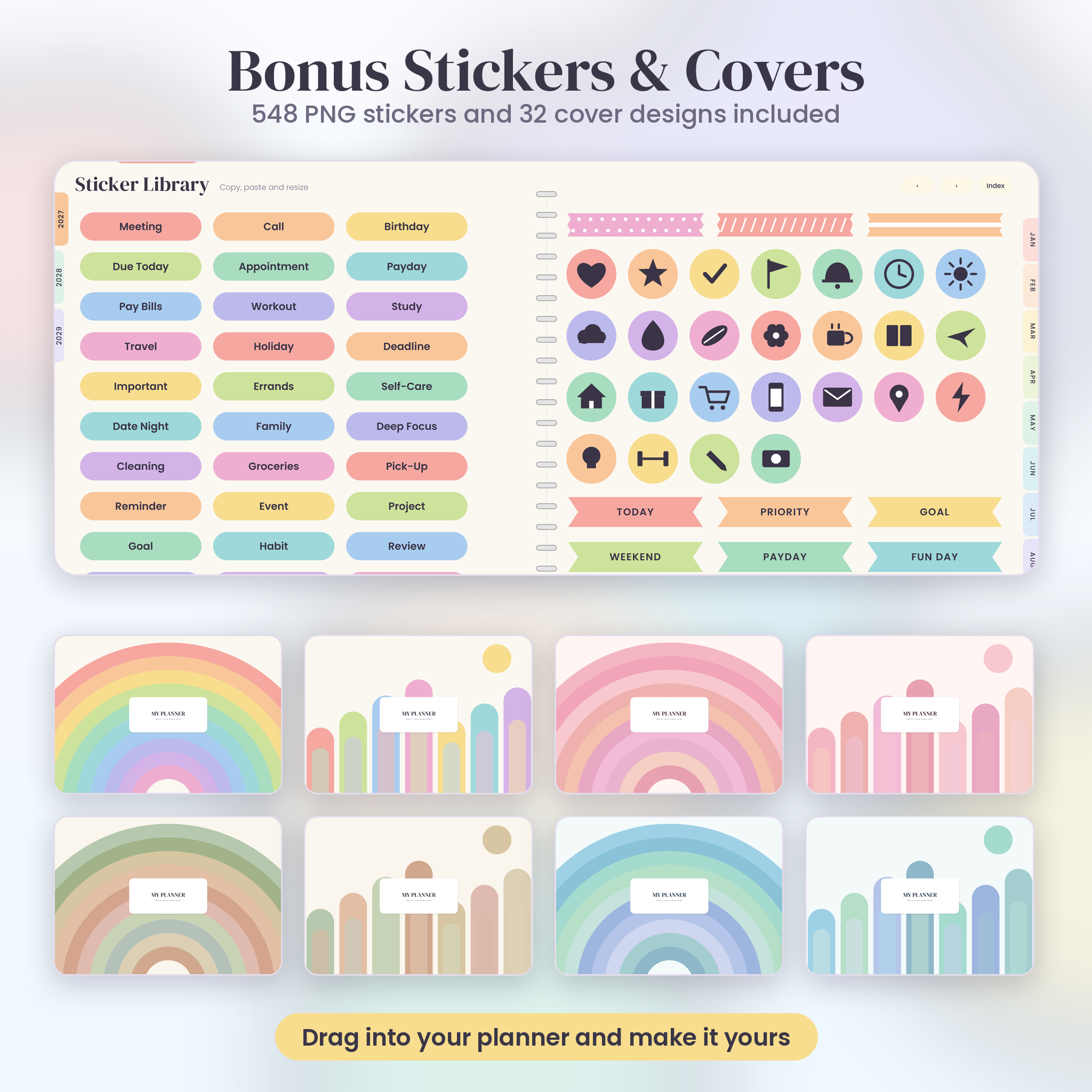
The planner has its own sticker library, and the download also includes 548 transparent PNG stickers: labels, washi tapes, icons, banners and date badges. They come in all four color themes. Use them to mark appointments, due dates, paydays and birthdays.
Want a different look? Choose from 32 cover designs, 8 in each color theme. Each has a blank label where you can write your name.
Who This Planner Is For
Students, parents, freelancers, small business owners and anyone who is tired of ten different apps. If you plan on paper today and want something lighter to carry, this is a good place to start. It’s also handy if you like to plan far ahead. Three years in one file means a dentist visit in 2029 has somewhere to live.
How It Works
- Buy and download the files. You’ll get them right after checkout.
- Unzip the Stickers and Covers folders if you want them.
- Choose the PDF in your favorite color and week start.
- Open it in a PDF app that lets you write on pages and follow links.
- Tap a tab and start planning.
Good to Know Before You Buy
- This is a digital download. Nothing is shipped.
- You need an app that can open and annotate PDFs. The planner doesn’t include an app.
- The pages are laid out for a tablet screen, and they’re meant to be used on screen, not printed.
- Each PDF is about 20 MB, so give it a few seconds to open the first time.
- The license is for personal use. You can’t resell, share or redistribute the files. The full terms are inside the planner and the user guide.
Frequently Asked Questions
Which years does the planner cover?
2027, 2028 and 2029, all in one file. January 2027 is the first month and December 2029 is the last.
What’s the difference between the eight PDFs?
Color and week start. There are four themes, and each comes in a Sunday-start and a Monday-start version. The pages inside are the same. You only need one, but you can keep several.
Do I need a special app?
You need a PDF app that can open links and let you write on a page. Different apps handle links in different ways, so check yours before you buy. If you’re unsure, the user guide explains what to look for.
Can I print it?
The planner is designed for screen use. Pages are landscape and the tabs and buttons only make sense on a screen, so we don’t recommend printing.
Are the money pages tied to a currency?
No. There are no currency symbols anywhere in the planner. Write amounts in whatever currency you use.
Can I use it on more than one device?
Yes, on your own devices. The personal license lets you keep a copy on each device you own and use yourself.
Can I share it with a friend or sell it?
No. The files are for your own use only. If a friend wants one, they can get their own copy.
What if I need help?
Start with the user guide in your download. It covers setup, navigation and fixes for the most common problems. If you’re still stuck, send a message through the shop and include your order number.
Reviews
There are no reviews yet.