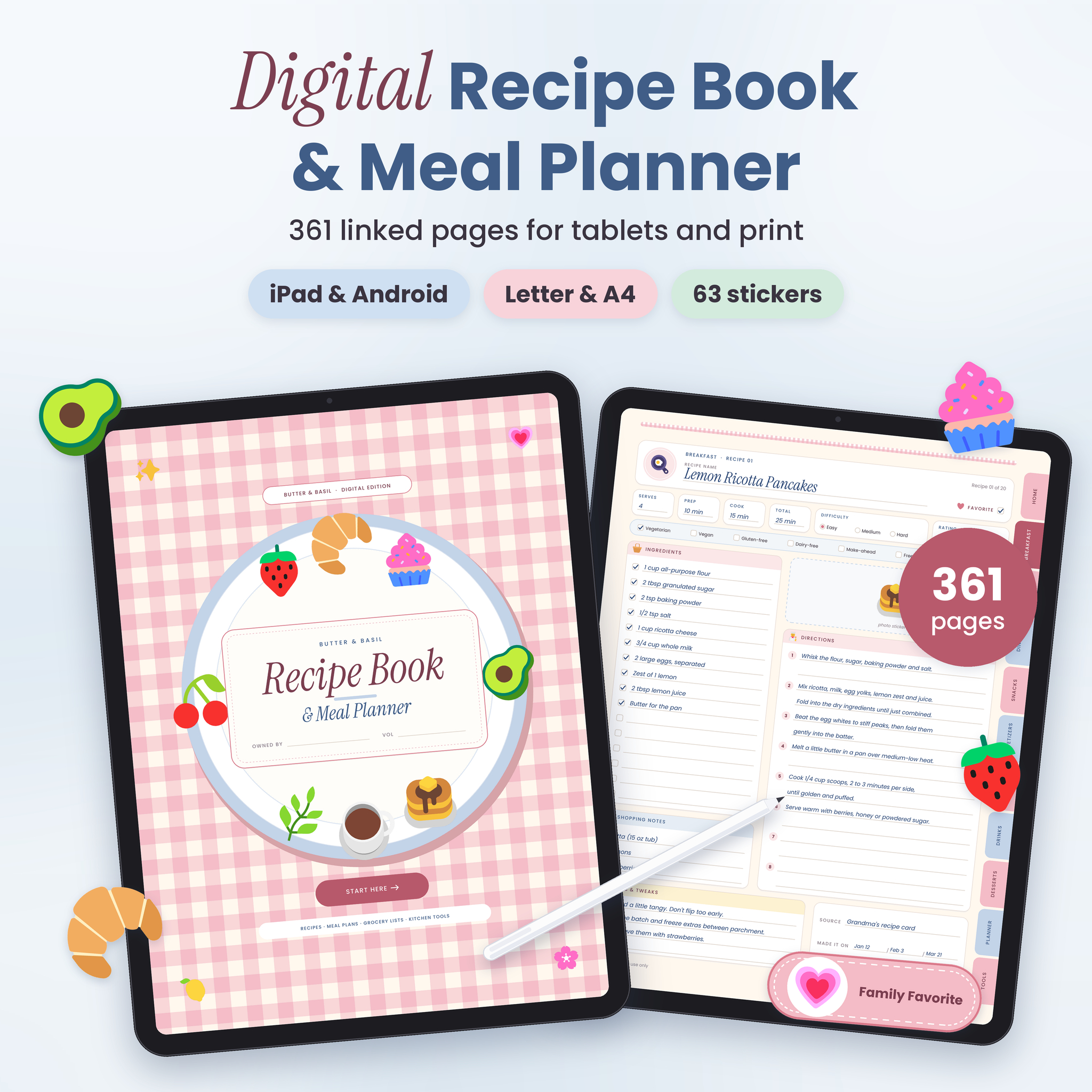
This digital recipe book and meal planner is a hyperlinked PDF for your tablet, with printable copies for a kitchen binder. Butter & Basil holds 160 blank recipe pages across 8 categories. It also has a full year of weekly meal plans, and a grocery list sits right behind every week. Tap a tab on the side and you land where you need to be.
There are 361 pages in soft blush pink, powder blue and cream. The look is cute. The pages are built for real cooking, though: clear write-in lines, roomy boxes and nothing crammed in.
What this digital recipe book does
Most recipe organizers stop at the recipe. This one keeps going. It covers deciding what to eat this week, writing the shopping list, checking what’s already in the pantry and keeping an eye on the food budget. Everything lives in one file and every part links to the others.
- Save family recipes, the ones you find online and the ones you invent on a Tuesday night.
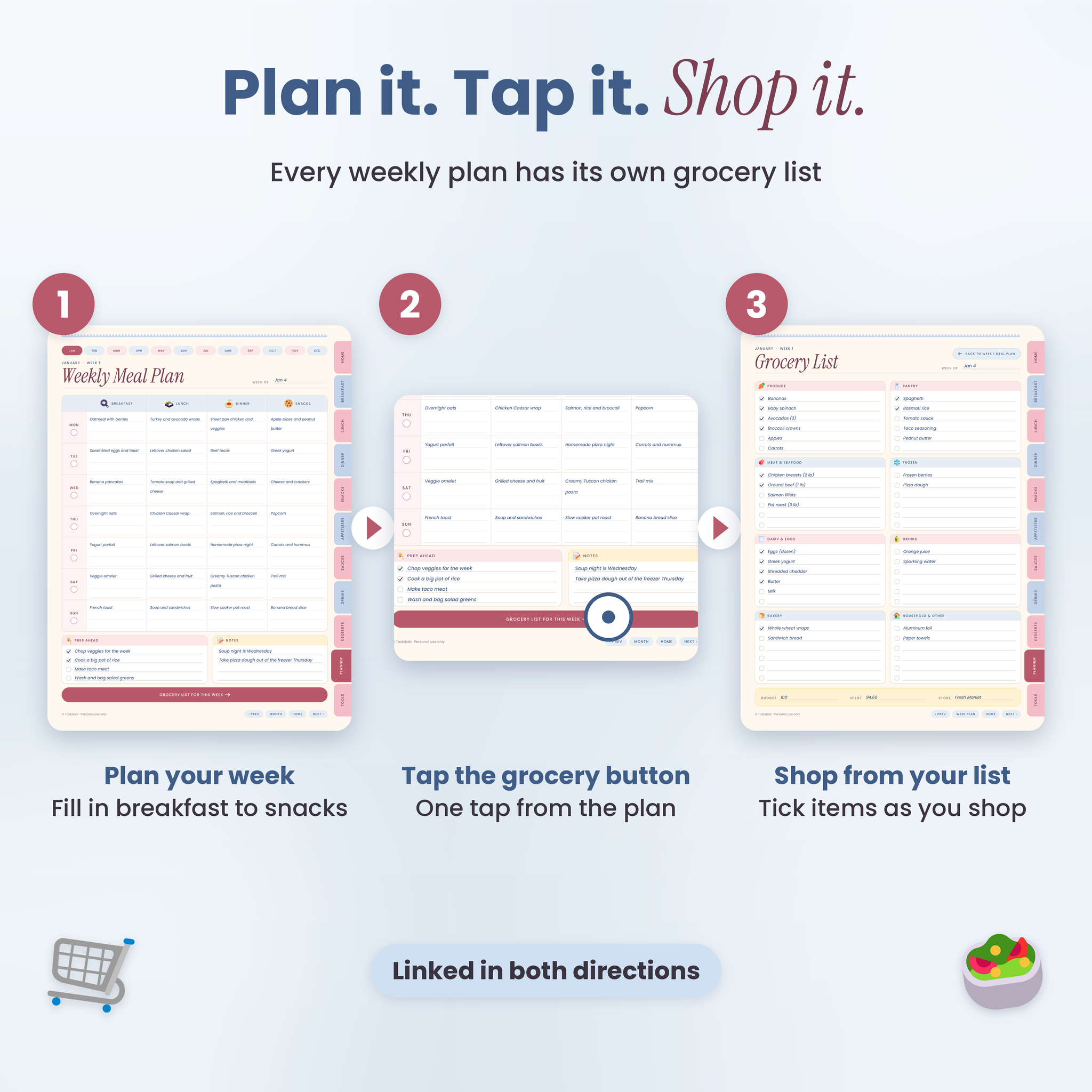
- Plan breakfast, lunch, dinner and snacks for the whole week.
- Tap “Grocery list for this week” and you’re on that week’s list.
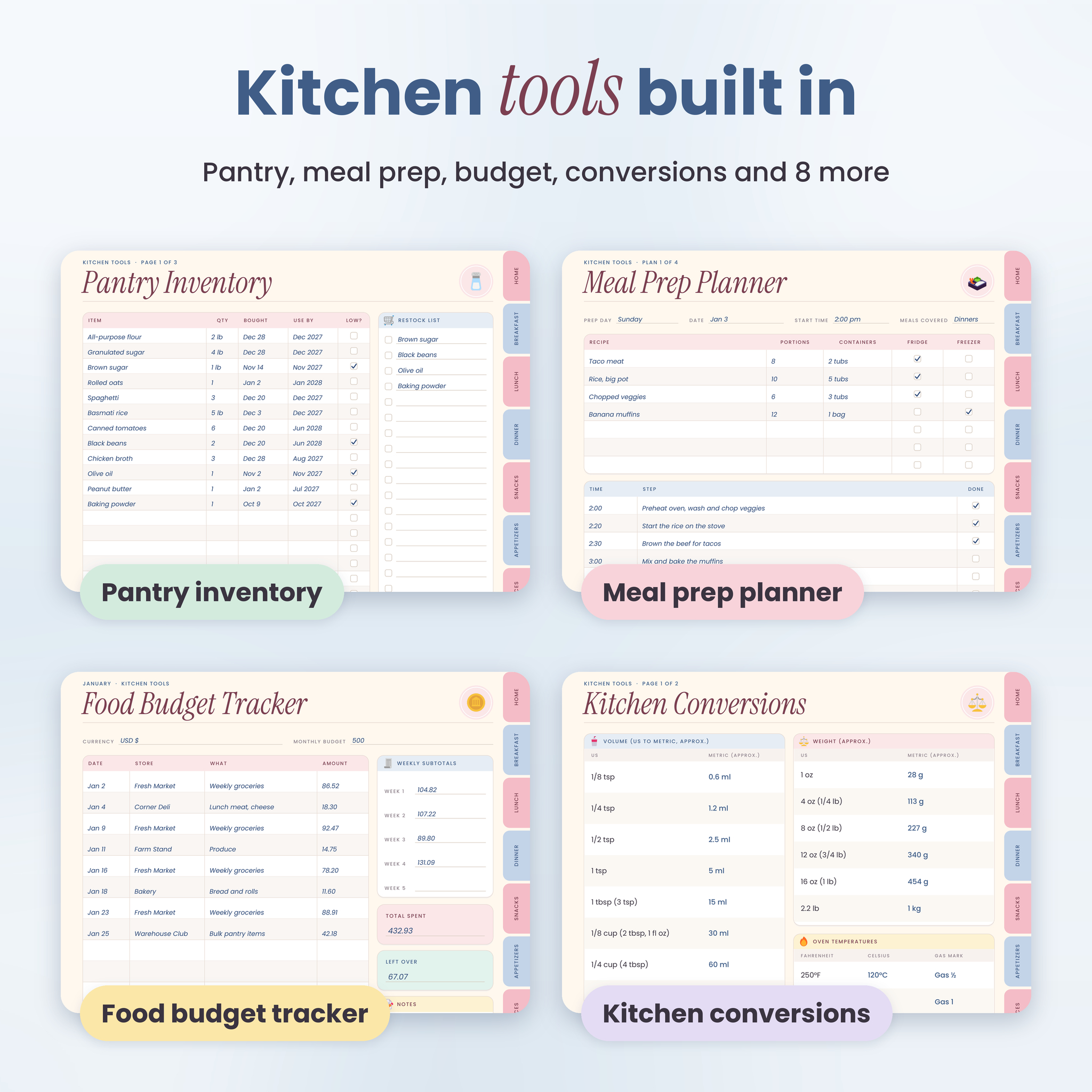
- Track the pantry, fridge and freezer so less food goes to waste.
Who it’s for
Home cooks with recipes scattered across screenshots, sticky notes and old cookbooks. Parents feeding a family on a busy schedule. Meal preppers who batch-cook on Sundays. Anyone trying to spend less at the grocery store. And people who simply love a pretty planner.
Features
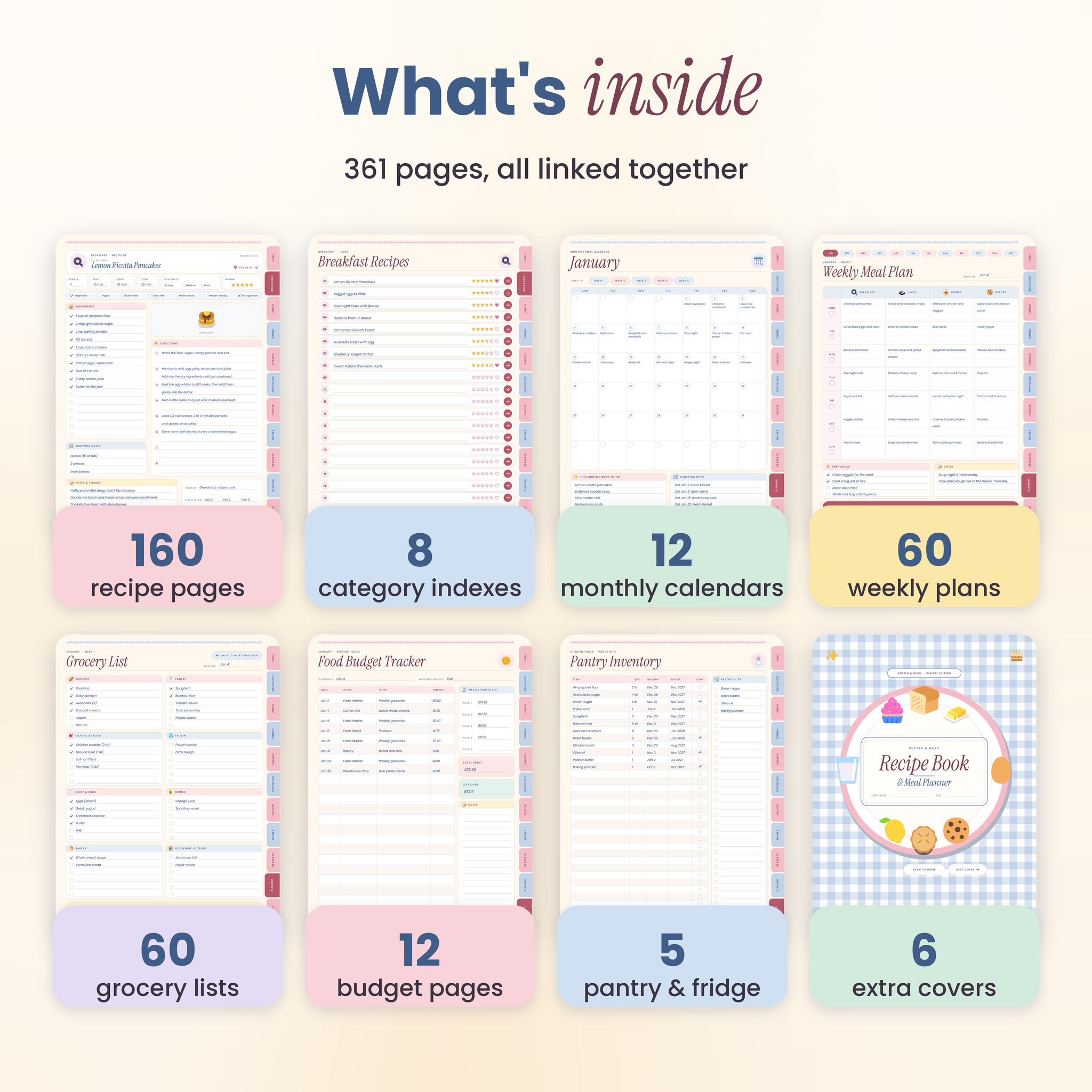
Recipe Book (176 pages)
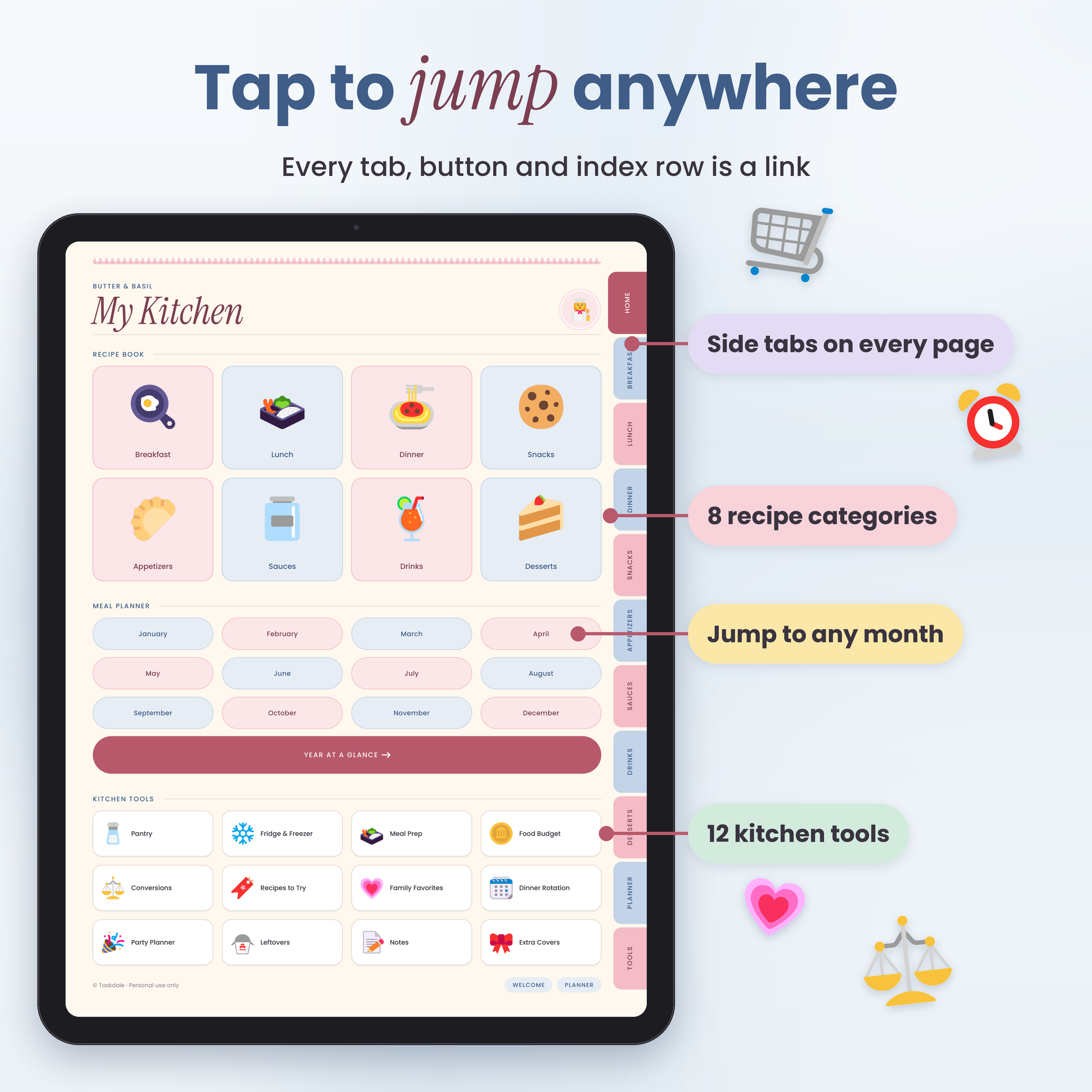
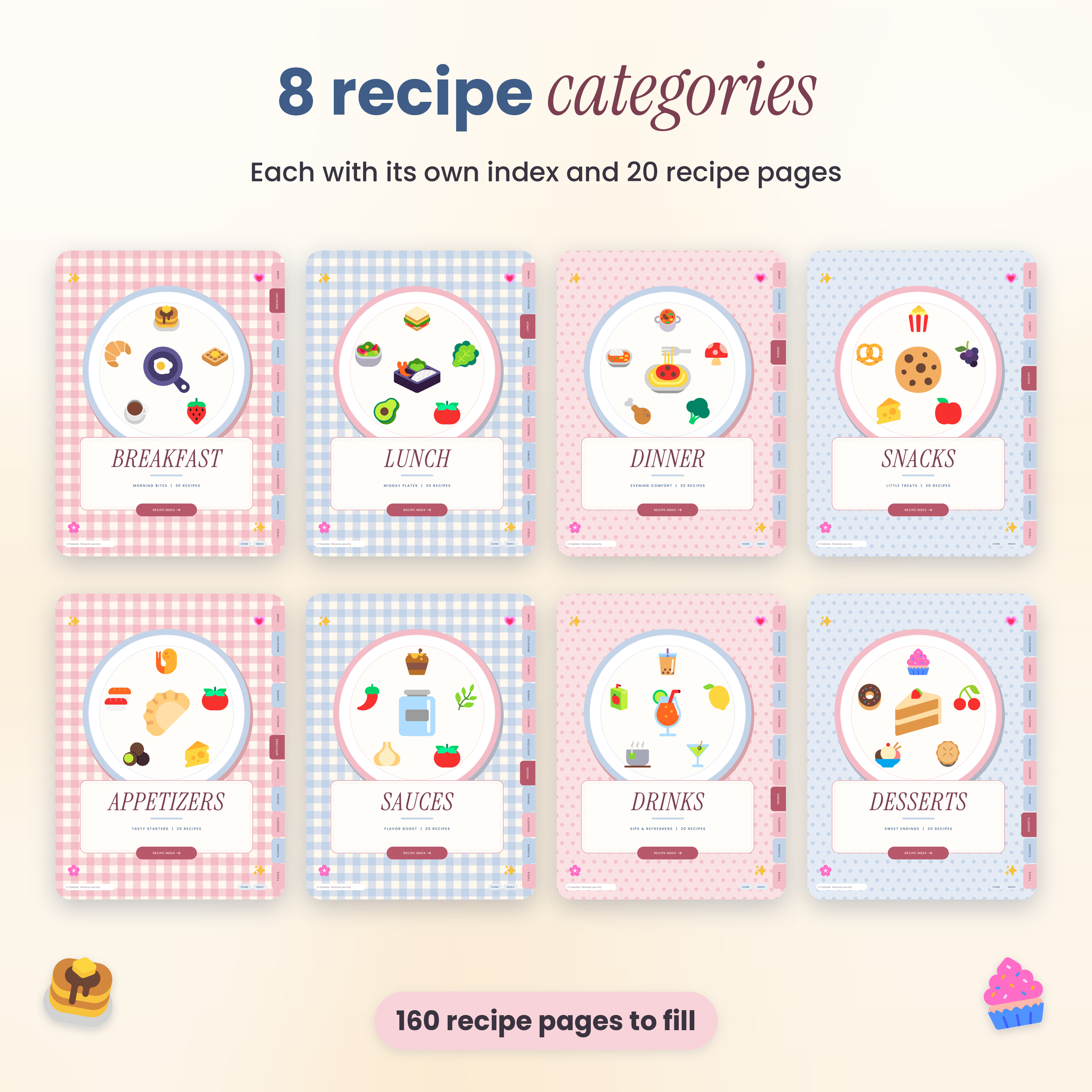
- 8 categories: Breakfast, Lunch, Dinner, Snacks, Appetizers, Sauces, Drinks and Desserts
- Each category gets an illustrated divider, an index with 20 linked rows and 20 recipe pages
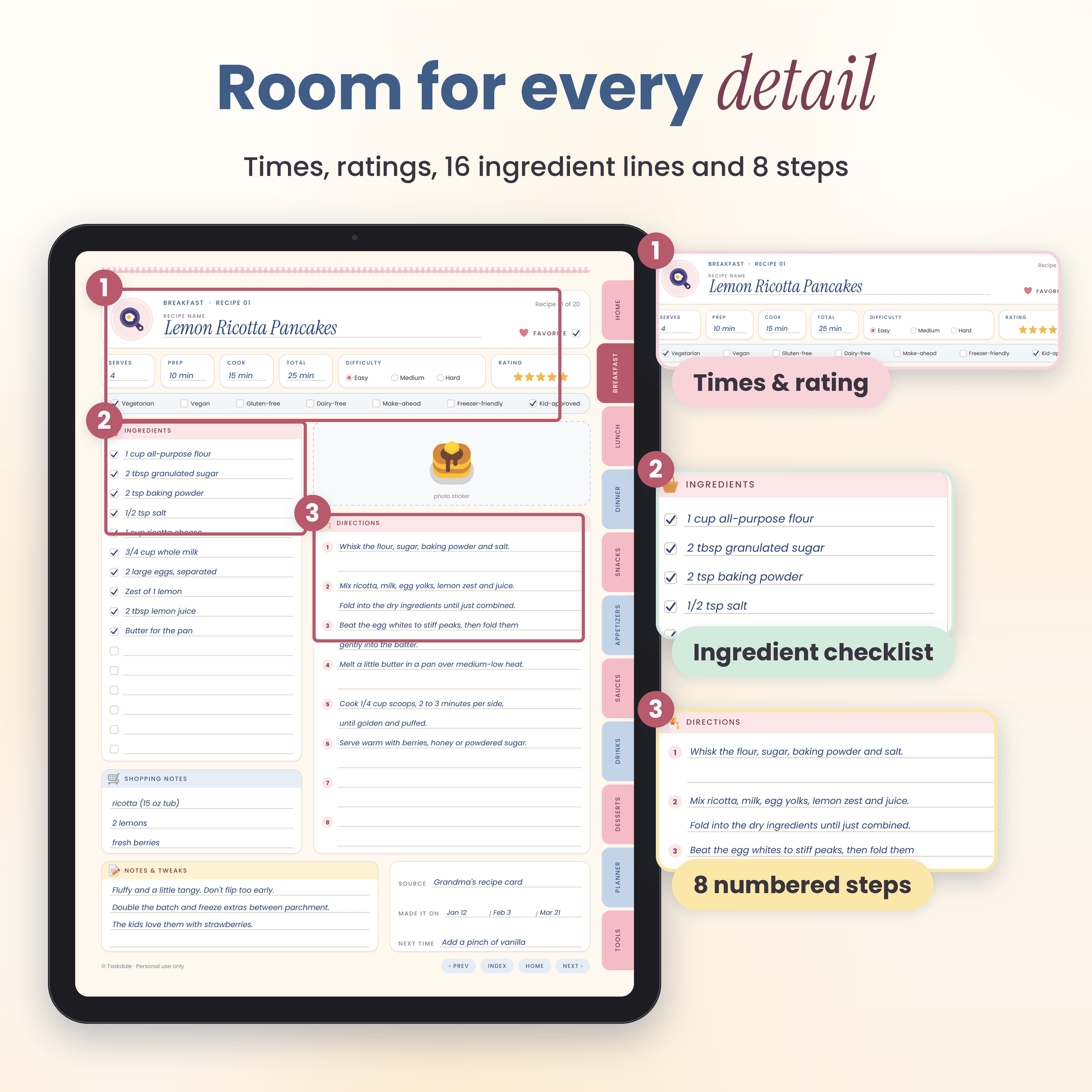
- Serves, prep, cook and total time, difficulty, a 5-star rating and a favorite box on every recipe
- Diet tags: vegetarian, vegan, gluten-free, dairy-free, make-ahead, freezer-friendly, kid-approved
- 16 ingredient checkboxes, 8 numbered steps, a photo or sticker space, shopping notes, notes and tweaks, source and “made it on” dates
Undated meal planner (133 pages)
- Year at a glance with a link to every month
- 12 monthly meal calendars
- 60 weekly meal plans (5 per month): Monday to Sunday, breakfast, lunch, dinner and snacks, plus prep-ahead and notes boxes
- 60 grocery lists, one paired with each week, sorted into 8 store sections
Kitchen tools
- Pantry inventory (3 pages) with a restock list
- Fridge and freezer inventory (2 pages)
- Meal prep planner (4 pages)
- Food budget tracker, one page for each month (12 pages)
- Kitchen conversion charts (2 pages): cups to ml, ounces to grams, oven temperatures, cup weights for common ingredients, handy swaps and safe cooking temperatures
- Recipes to try (2), family favorites, a 4-week dinner rotation, party and holiday planner (2), leftovers log, extra directions pages (4) and 8 notes pages
Extras
- 6 extra covers to swap in
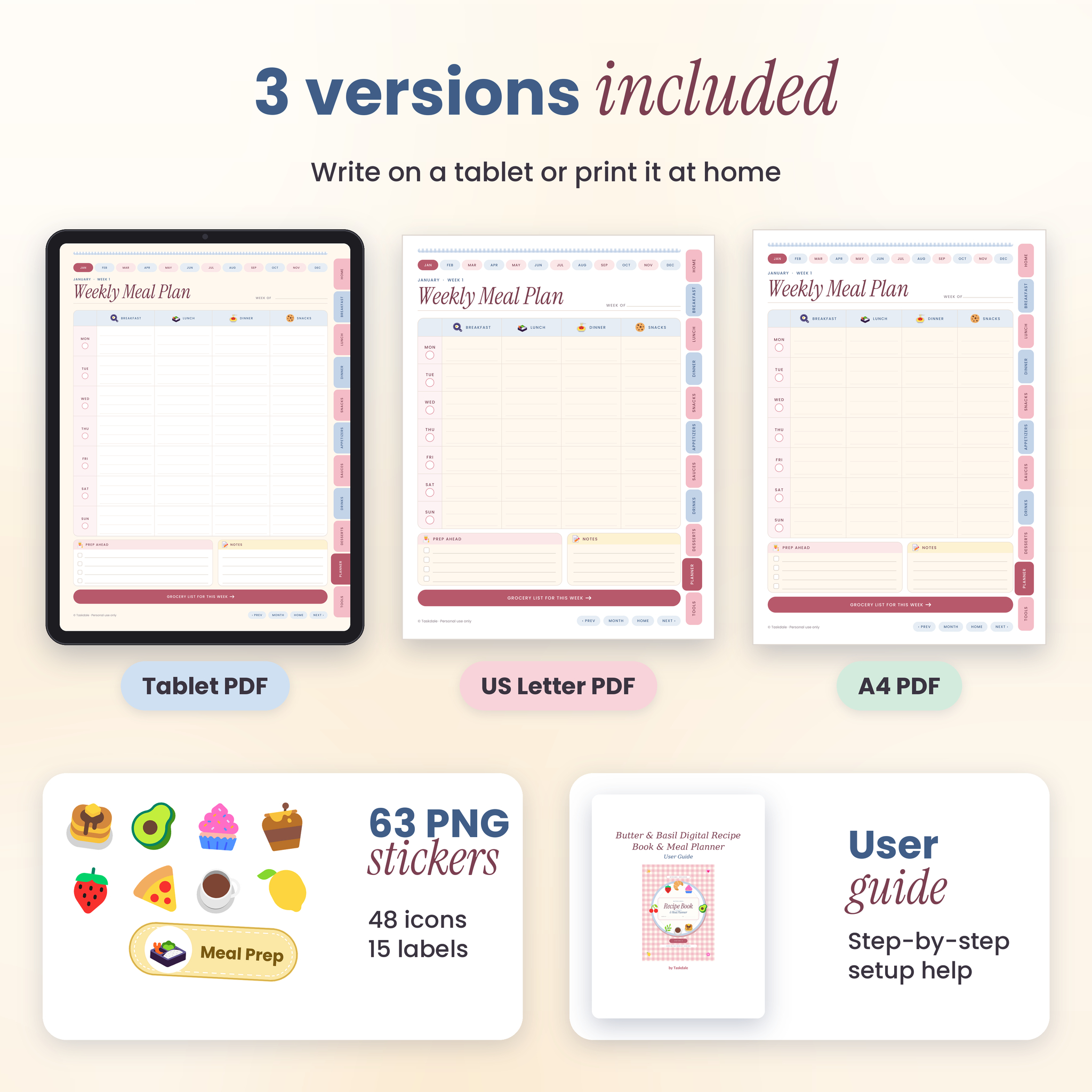
- 63 PNG stickers: 48 food icons and 15 labels such as “Family Favorite”, “Make Ahead” and “30 Minutes”
- A step-by-step user guide
What’s included in your download
- Tablet PDF, hyperlinked (3:4 portrait, sized for iPad and most Android tablets)
- Printable PDF, US Letter (8.5 x 11 in)
- Printable PDF, A4
- Sticker pack (ZIP of transparent PNG files)
- User guide (DOCX)
How it works
- Download your files right after checkout.
- Open the Tablet PDF in a note-taking app such as GoodNotes, Notability, Xodo or Noteshelf.
- Tap the side tabs, home buttons and index rows to move around. Write with a stylus or type with the text tool.
- Prefer paper? Print the Letter or A4 file at 100% and keep it in a binder.
File formats and software
All three planner files are standard PDFs of about 4.5 MB each. They open fast and won’t fill up your storage. To tap the links and write on the pages, you need an app that lets you annotate PDFs. Free apps such as Xodo work well. A stylus helps, but typing works too. The user guide opens in Word, Google Docs or Pages.
Customizing your recipe organizer
Pick one of the 6 extra covers and move it to the front. Duplicate any page you need more of, like a second pantry page or an extra grocery list. Add your own food photos or drop in the stickers. Money fields are kept neutral (“Amount”, “Budget”, “Spent”) with a blank currency line, so it works in dollars or any other currency.
Good to know: this is a write-in PDF, not a Canva template. The printed labels and layout stay fixed.
Digital download
This is an instant digital download. Nothing is shipped. Your download links appear right after checkout and in your order email.
Ways to use it
- Turning a box of handwritten family recipe cards into one tidy digital cookbook
- Sunday meal prep: plan the week, list the containers, shop once
- Spending less by planning meals around what’s already in the pantry
- Planning Thanksgiving dinner or a birthday menu with a cook-ahead timeline
- Keeping a printed binder of favorites on the kitchen counter
- Building a 4-week dinner rotation so “what’s for dinner?” finally has an answer
FAQ
Does this digital meal planner work in GoodNotes?
Yes. Import the Tablet PDF into GoodNotes, Notability, Xodo or Noteshelf and the tabs and buttons work as links.
Is the meal planner dated?
No. It’s undated, so you can start in any month of any year.
Can I use it on an Android tablet?
Yes. Use any PDF app that supports links and handwriting, such as Xodo.
Can I print the recipe book?
Yes. US Letter and A4 versions are included. Print at 100% (actual size).
Are there recipes already in it?
No. Every recipe page is blank, so the book fills up with your own food.
What if I run out of recipe pages?
Duplicate a blank recipe page in your app. The index links cover the first 20 in each category, and you can write extra page numbers by hand.
Can I edit the text on the pages?
You write or type on top of the pages. The printed labels and layout can’t be changed.
Can I share it with a friend?
Please don’t. The license covers personal use in your own household. Sharing, reselling or redistributing the files isn’t allowed.
Reviews
There are no reviews yet.