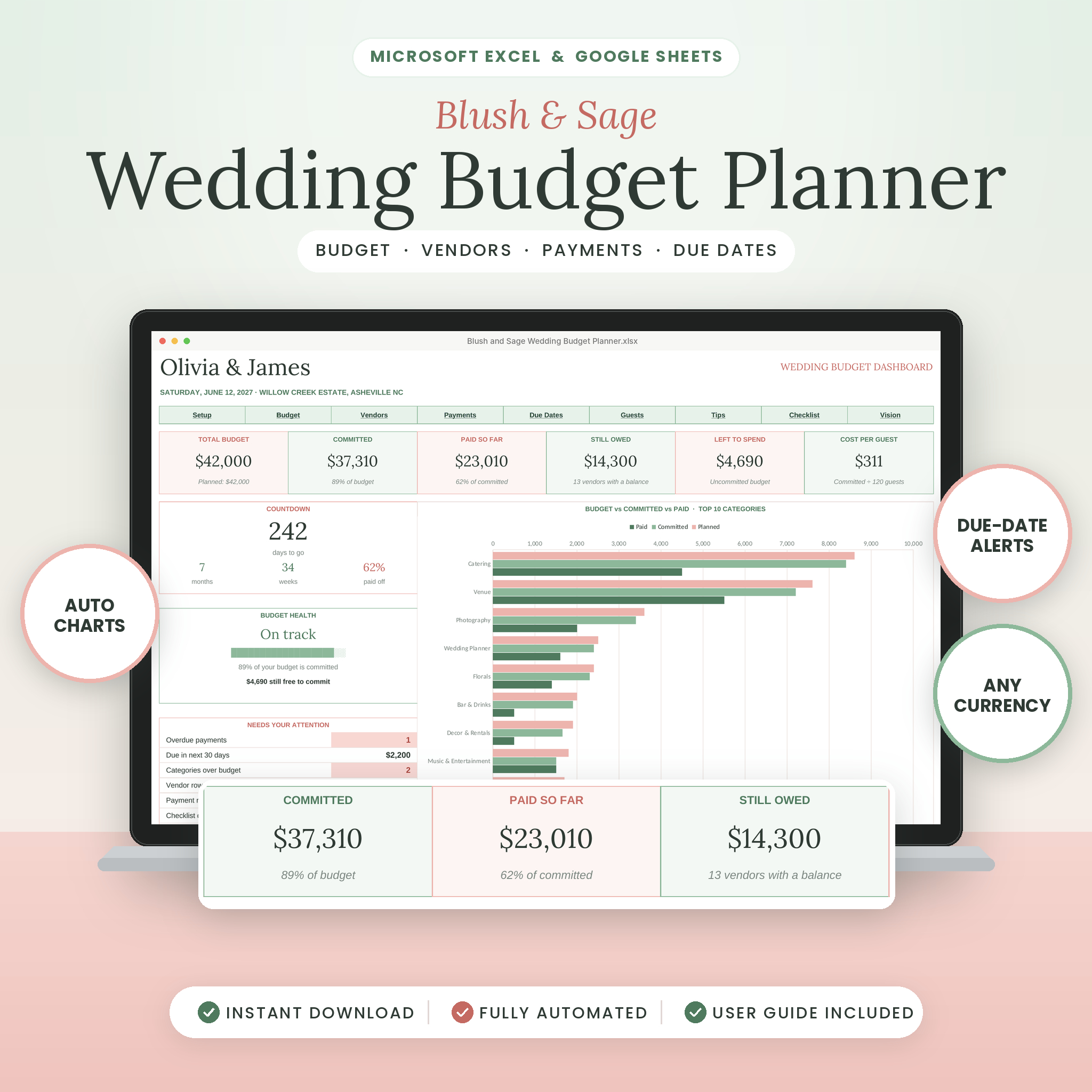
This wedding budget spreadsheet keeps every dollar of your wedding in one place. Set your total budget once. Add vendors as you book them, log each payment when it goes out, and the dashboard does the rest. It works in Microsoft Excel and Google Sheets, so you and your partner can check the numbers from any laptop.
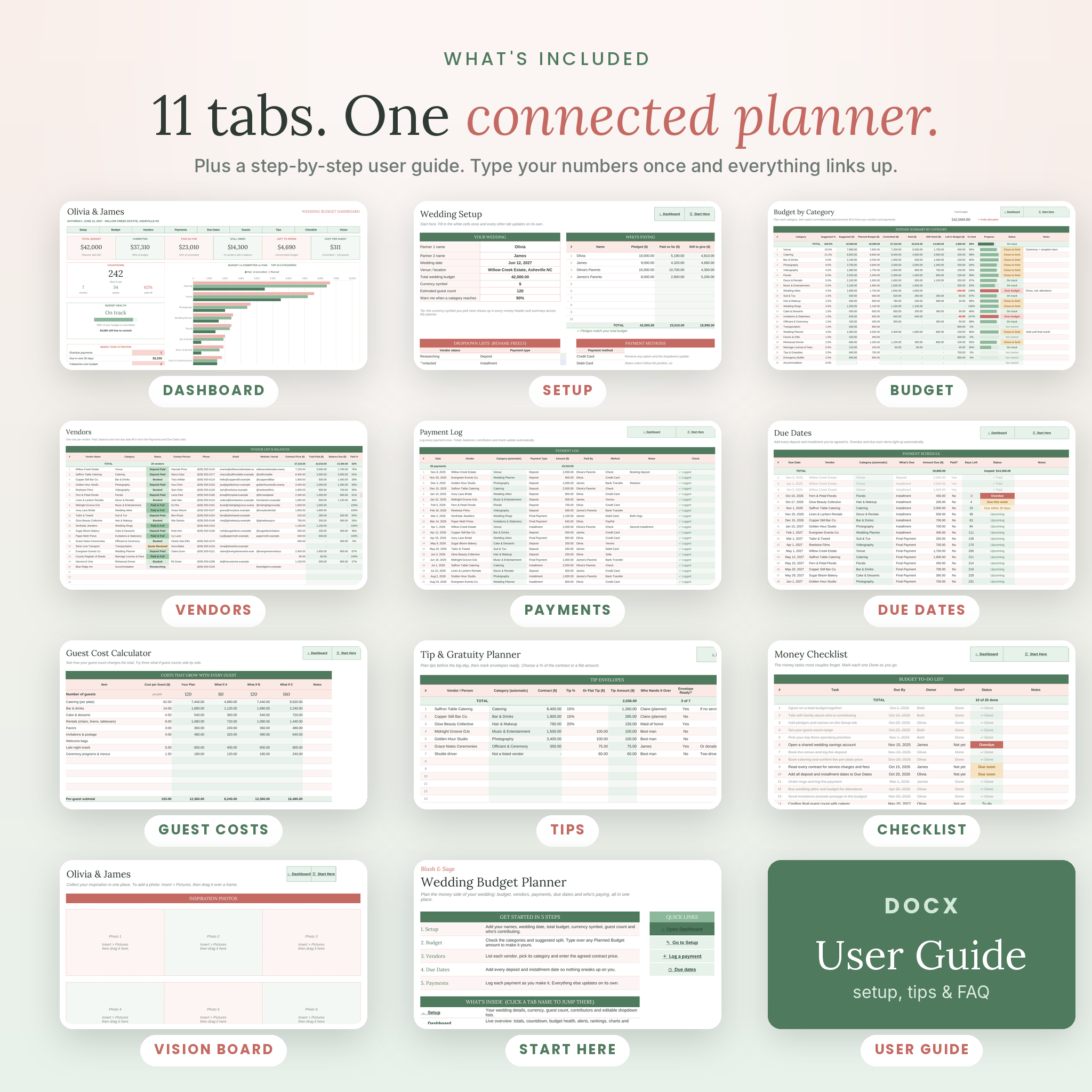
Blush & Sage comes in a soft blush and sage design with 11 linked tabs. No formulas to learn. If you can type a number into a box, you can use it.
Why this wedding budget planner helps
The hard part of a wedding budget isn’t one big bill. It’s twenty deposits, a few installments you forgot about, and nobody quite sure what the parents already paid. This planner answers the questions couples actually ask:
- How much have we committed so far, and how much is still free?
- What do we still owe, and to whom?
- What’s due this week? Did we miss anything?
- Who has paid what, and how much is still pledged?
- Which categories are close to the limit before they go over?
What’s inside the wedding budget tracker
Live dashboard
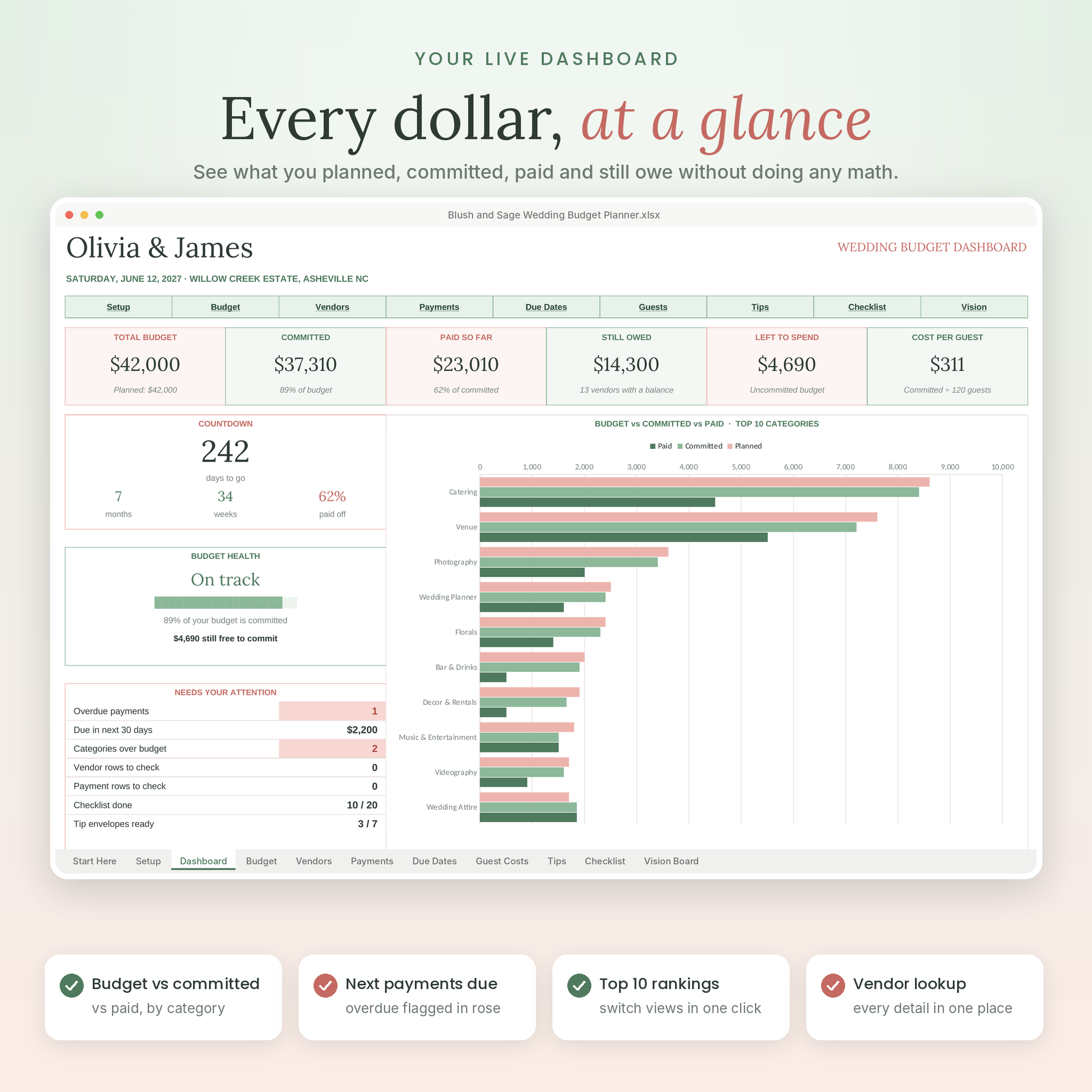
Six summary cards show your total budget, committed costs, paid so far, still owed, money left to spend and cost per guest. Below that you get a countdown to the big day, a budget health check (On track, Close to limit or Over budget) and a Needs Your Attention box that counts overdue payments and anything due in the next 30 days. Charts compare planned, committed and paid amounts for your top 10 categories, show where your money is committed, and track monthly cash flow so a heavy month never surprises you.
Budget by category with a suggested split
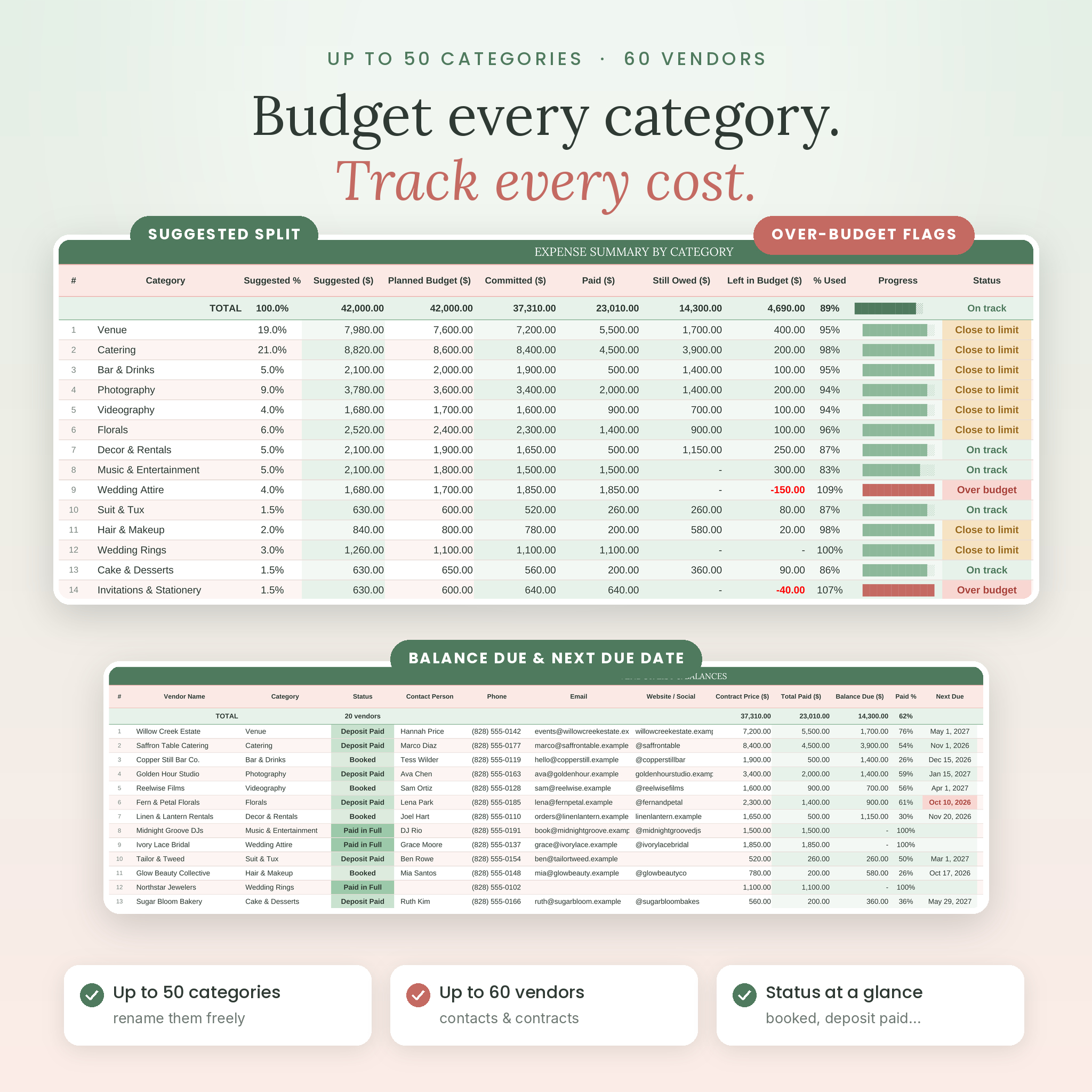
Type your total and 24 ready-made categories get a starting amount based on typical US wedding spending. Keep it, or type your own figure. There’s room for 50 categories in total. Each one shows planned, committed, paid, still owed, a progress bar and a status flag.
Vendor tracker
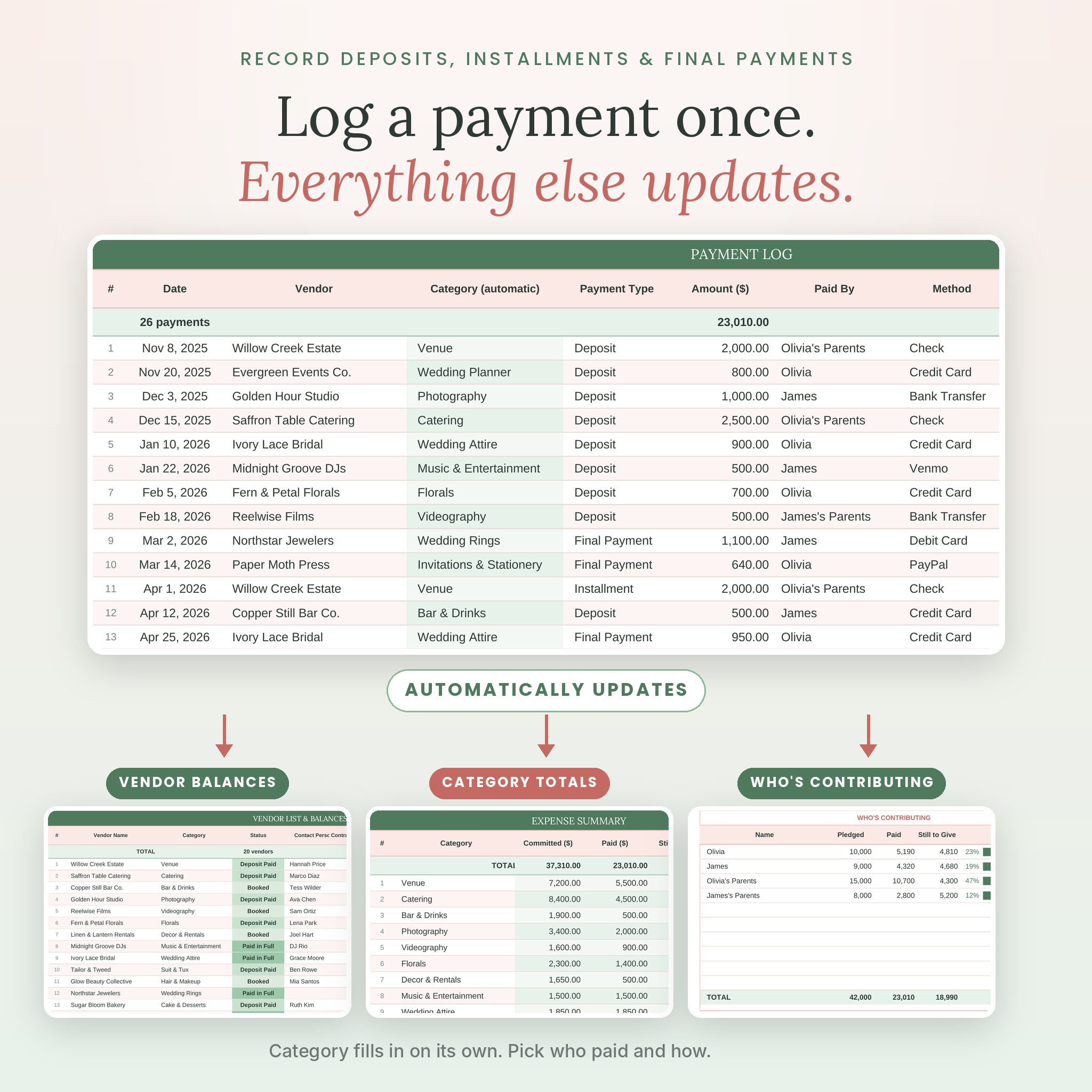
Keep up to 60 vendors with contact details, booking status, contract price, total paid, balance due and the next due date. A Check column catches common slips like a missing category, a duplicate name or paying more than the contract.
Payment log and due dates
Log up to 300 payments. Pick the vendor and the category fills in on its own. The Due Dates tab holds up to 150 deposits and installments, and each one changes color as it gets close: Upcoming, Due within 30 days, Due this week, then Overdue.
Who’s paying
Add up to 10 contributors with the amount each one has pledged. Choose who paid on every payment and the planner shows paid so far and still to give for each person. Handy when two families are splitting costs.
Bonus tools
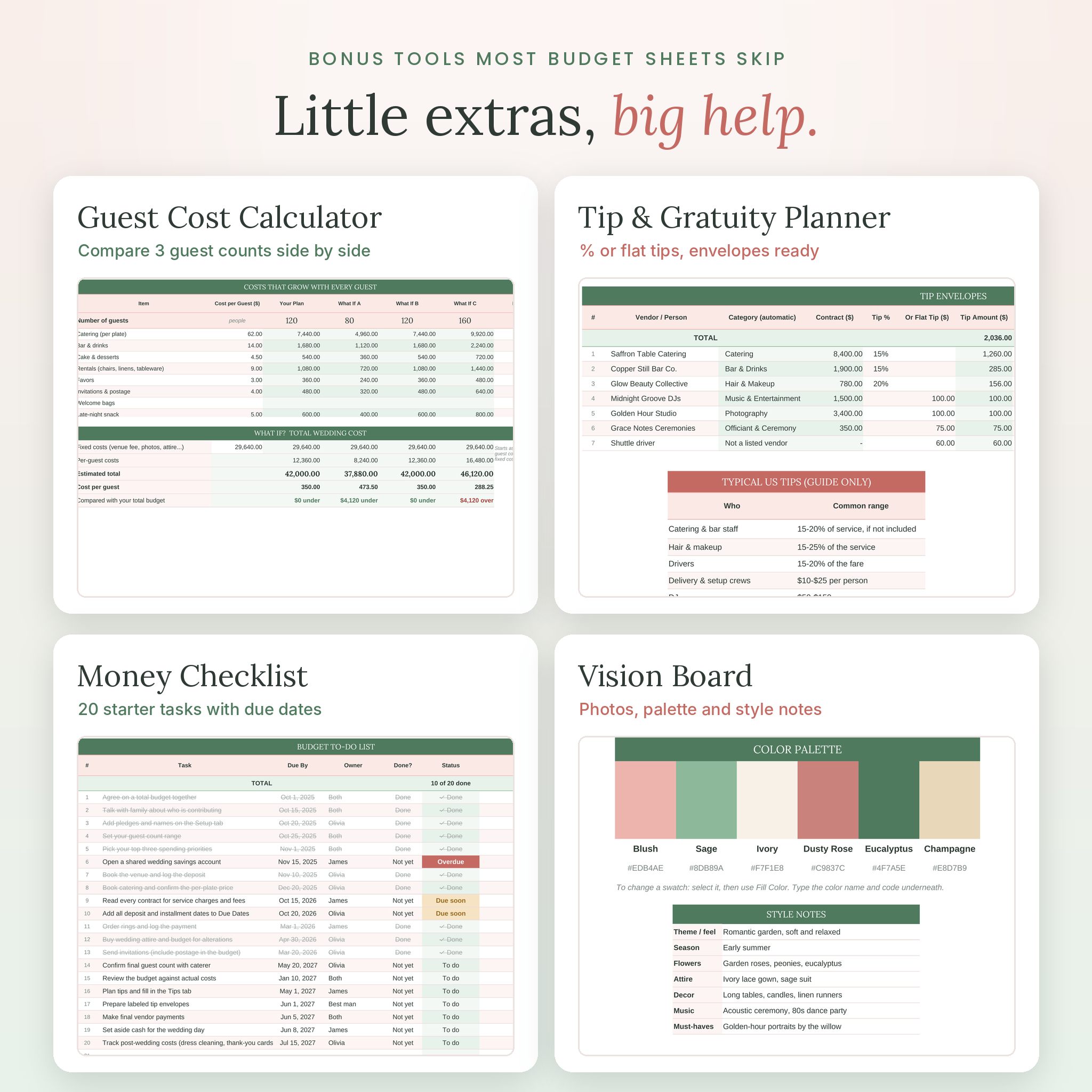
- Guest Cost Calculator. Enter per-guest costs and compare three what-if guest counts side by side.
- Tip and Gratuity Planner. Work out tips as a % of the contract or a flat amount, with a guide to common US tipping ranges.
- Money Checklist. 20 budget tasks most couples forget, plus room for 30 of your own.
- Vision Board. Six photo frames, a color palette and style notes for your florist and planner.
Who it’s for
It suits engaged couples planning a wedding of any size, parents helping with costs, maids of honor and friends who are handling the budget, and part-time planners who want a clean tracker to share with clients. It works for a $10,000 backyard wedding and a $100,000 ballroom wedding alike.
How it works
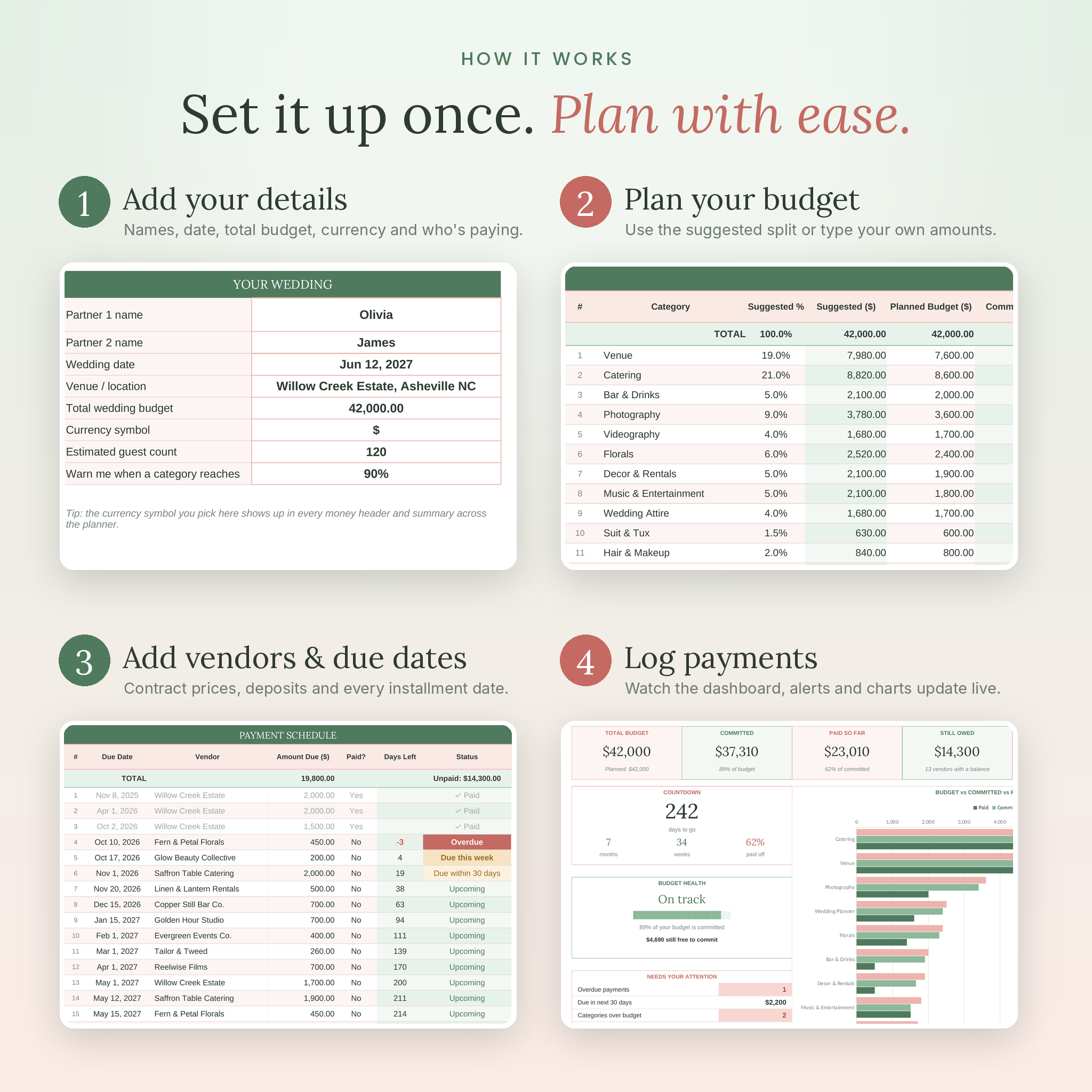
- Setup. Add your names, wedding date, total budget, currency symbol, guest count and contributors.
- Budget. Check the suggested split and adjust any category.
- Vendors. Add each vendor, pick a category and enter the agreed price.
- Due Dates. List every deposit and installment date.
- Payments. Log each payment as you make it. Totals, balances, charts and alerts update by themselves.
Customize it to fit your wedding
Rename any category, booking status, payment type or payment method and the dropdowns follow along. Pick your currency symbol once on the Setup tab and every money header and summary uses it. Dollars are the default, and you can switch to euros, pounds, rand or anything else. Formula cells are locked with no password, so you can’t delete one by accident, but you can unlock a sheet any time to change colors or fonts.
File formats and software
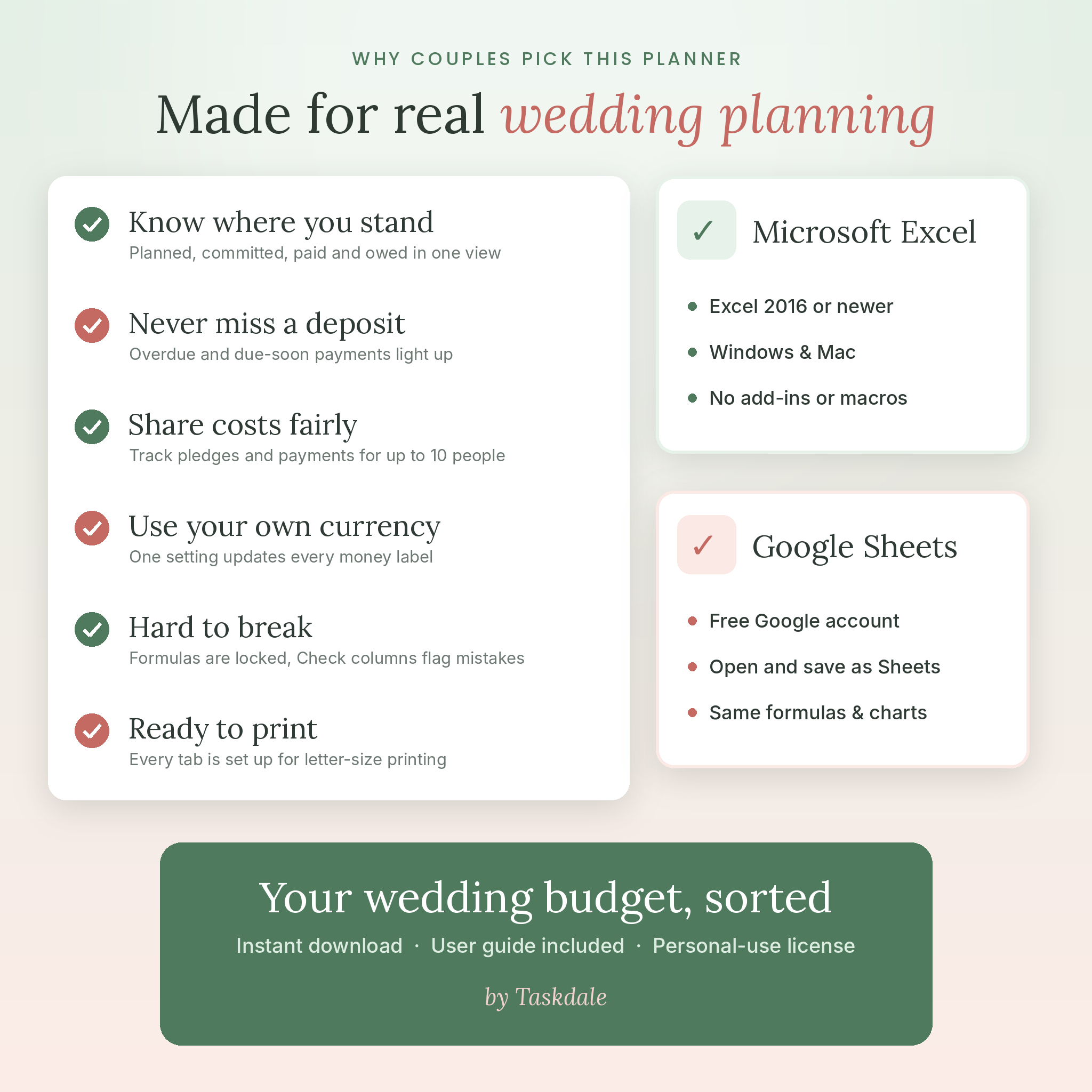
- 1 spreadsheet file (.xlsx) for Microsoft Excel and Google Sheets
- 1 user guide (.docx, 16 pages) with setup steps, tab-by-tab help, troubleshooting and FAQ
- Microsoft Excel 2016 or newer on Windows or Mac
- Google Sheets with a free Google account: upload the file to Google Drive, open it, then choose File > Save as Google Sheets
- Every tab is set up to print on US Letter, fitted to the page width
Digital download
This is a digital product. Nothing will be shipped. Your files are ready to download right after checkout, and you can find them again in your Taskdale account. Your purchase includes a personal license for one household. Please don’t share, resell or redistribute the files.
Wedding budget spreadsheet FAQ
Does this wedding budget spreadsheet work in Google Sheets?
Yes. Upload it to Google Drive, open it and save it as a Google Sheet. The formulas, dropdowns, alerts and charts all carry over.
Do I need Excel skills?
No. You only type in the white cells. The light green cells calculate on their own and are locked so they stay safe.
Can I use my own currency?
Yes. Pick or type any symbol on the Setup tab. Dollars are the default.
Can my partner and I both edit it?
Yes. Share your Google Sheets copy, or keep the Excel file in a shared OneDrive folder.
Does it connect to my bank?
No. You enter payments yourself, which keeps your banking details private and takes about a minute per payment.
Does it include a guest list or seating chart?
No. This planner focuses on money: budget, vendors, payments, due dates and contributors. Guest count is used for cost per guest and the guest cost calculator.
Can I print it?
Yes. Each tab is ready to print on US Letter paper. A4 works too if you change the paper size when printing.
Reviews
There are no reviews yet.