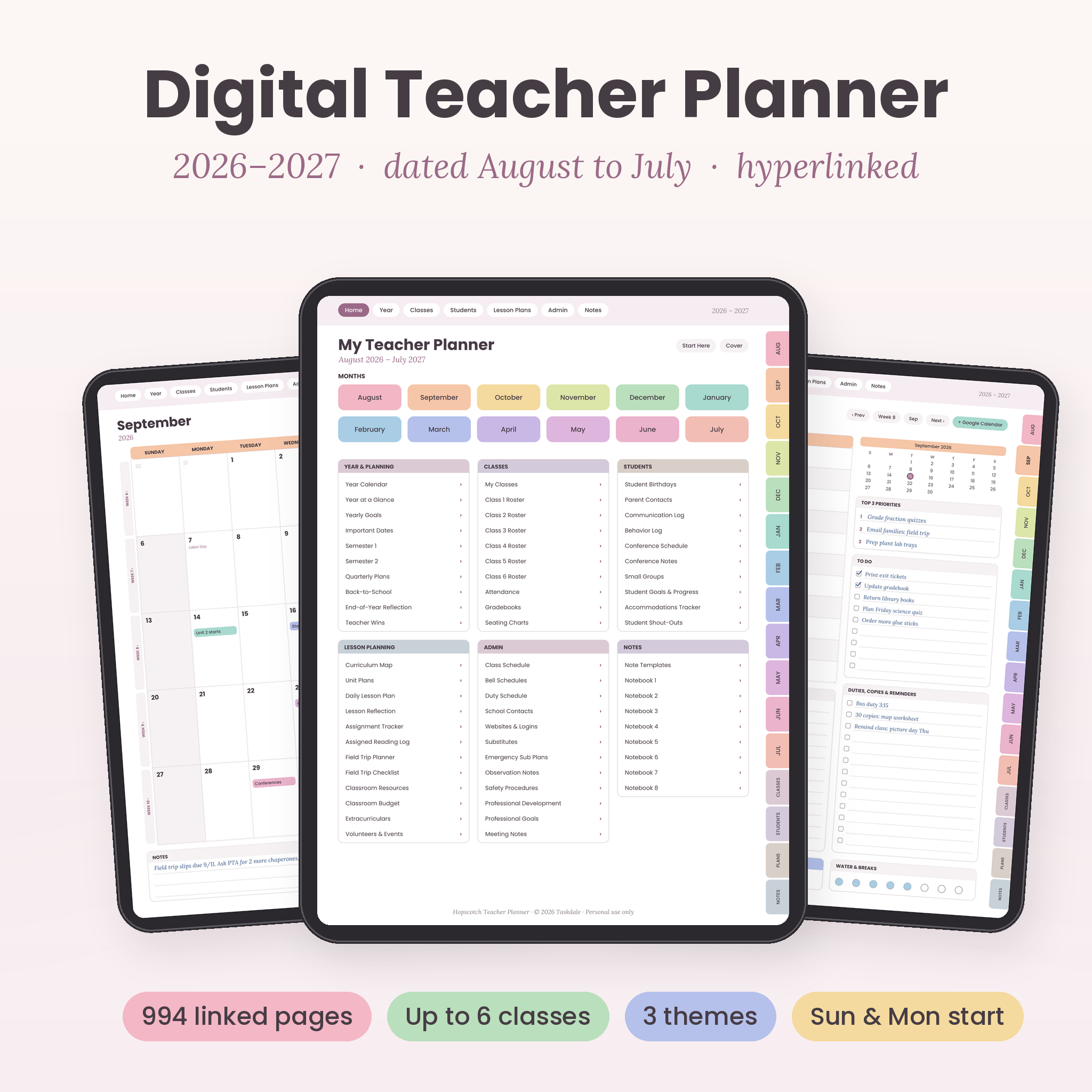
This digital teacher planner 2026-2027 is a dated, hyperlinked planner for teachers who plan on a tablet. It runs from August 2026 to July 2027 and puts lesson plans, class rosters, attendance, grades, parent contacts and sub plans in one place. Tap a tab, and you’re on the page you need. No scrolling through hundreds of pages to find next Tuesday.
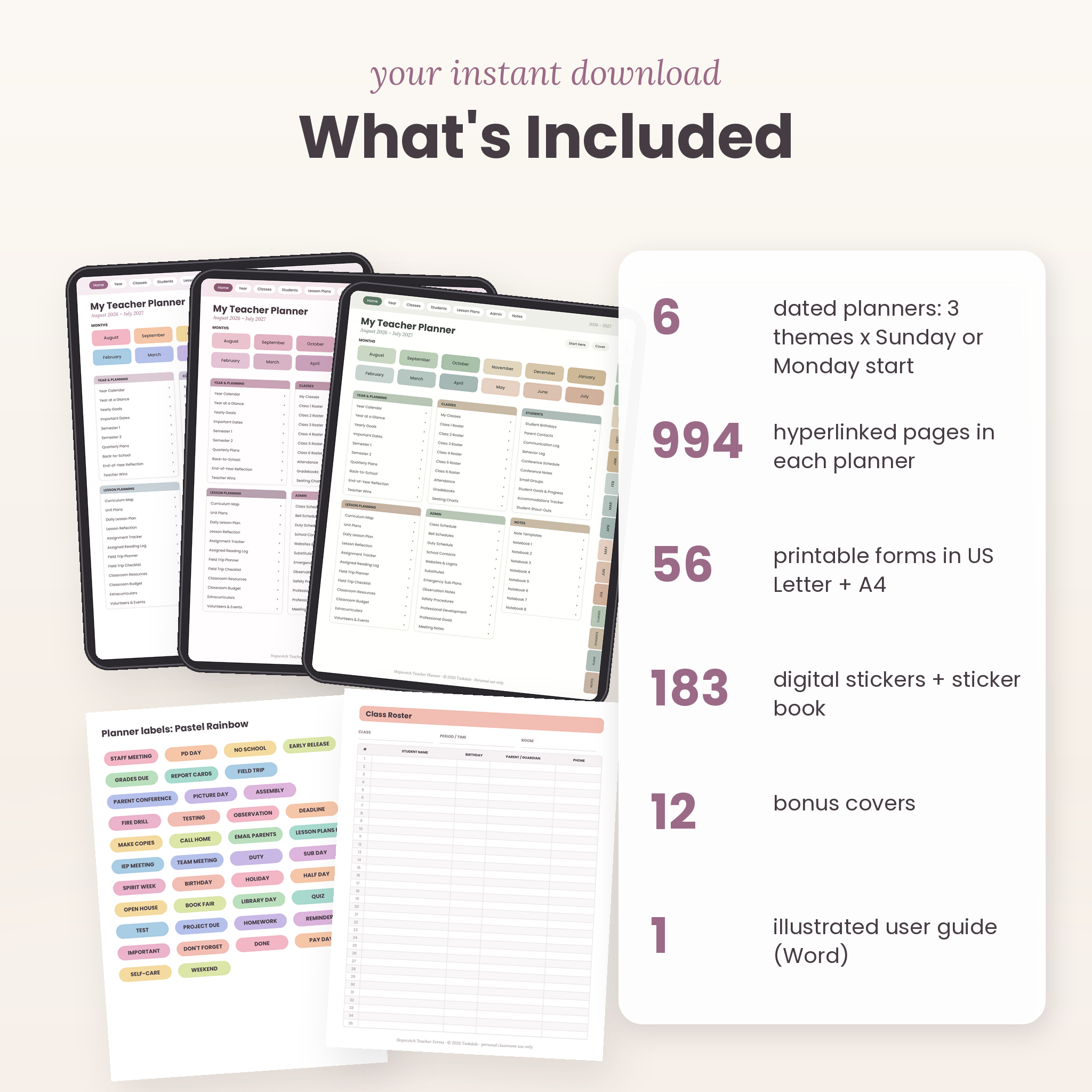
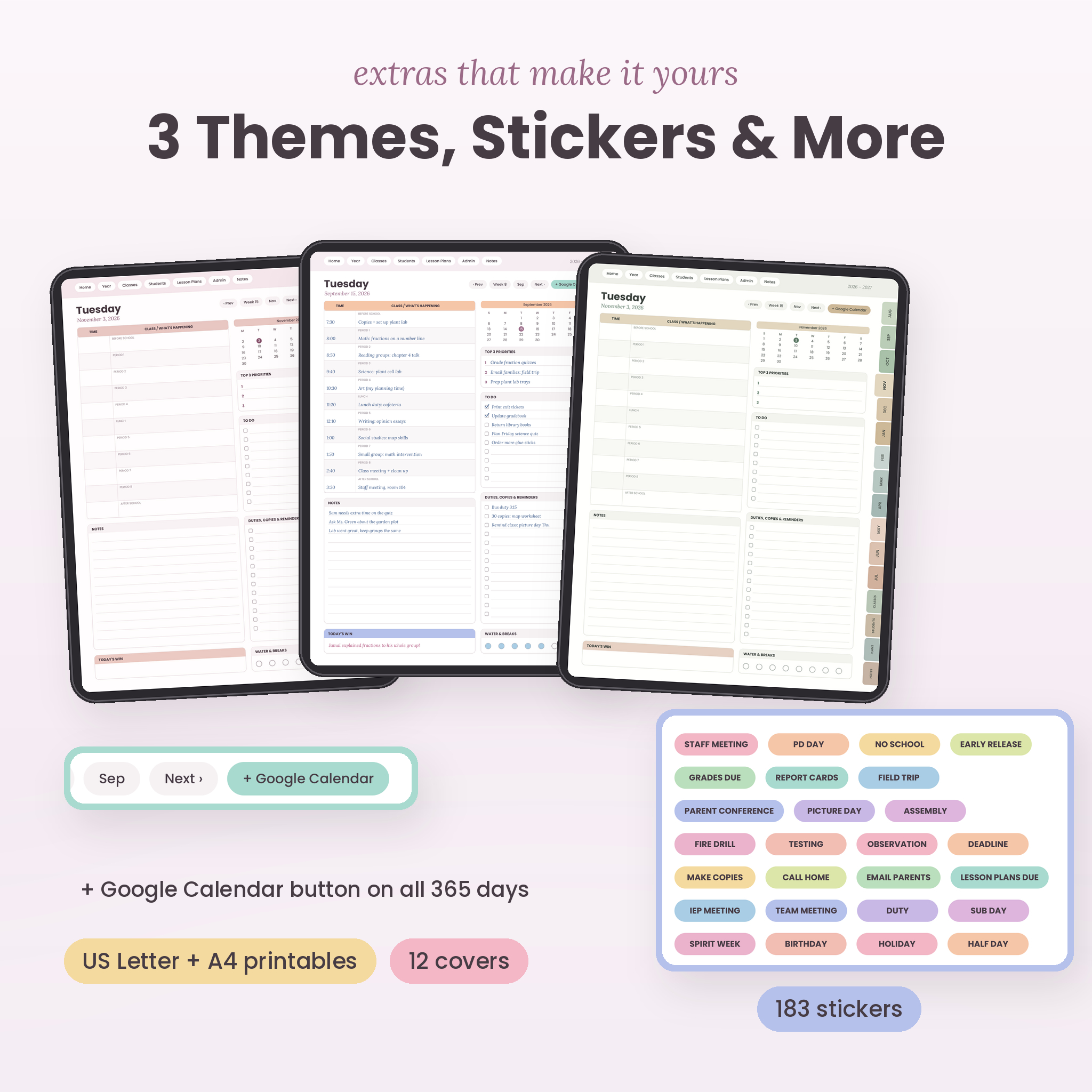
You get 994 linked pages in each planner, 3 color themes, Sunday or Monday start, 183 digital stickers, 12 covers and 56 printable forms in US Letter and A4. It’s built for a real school year, with room for one class or six.
What this digital lesson planner does
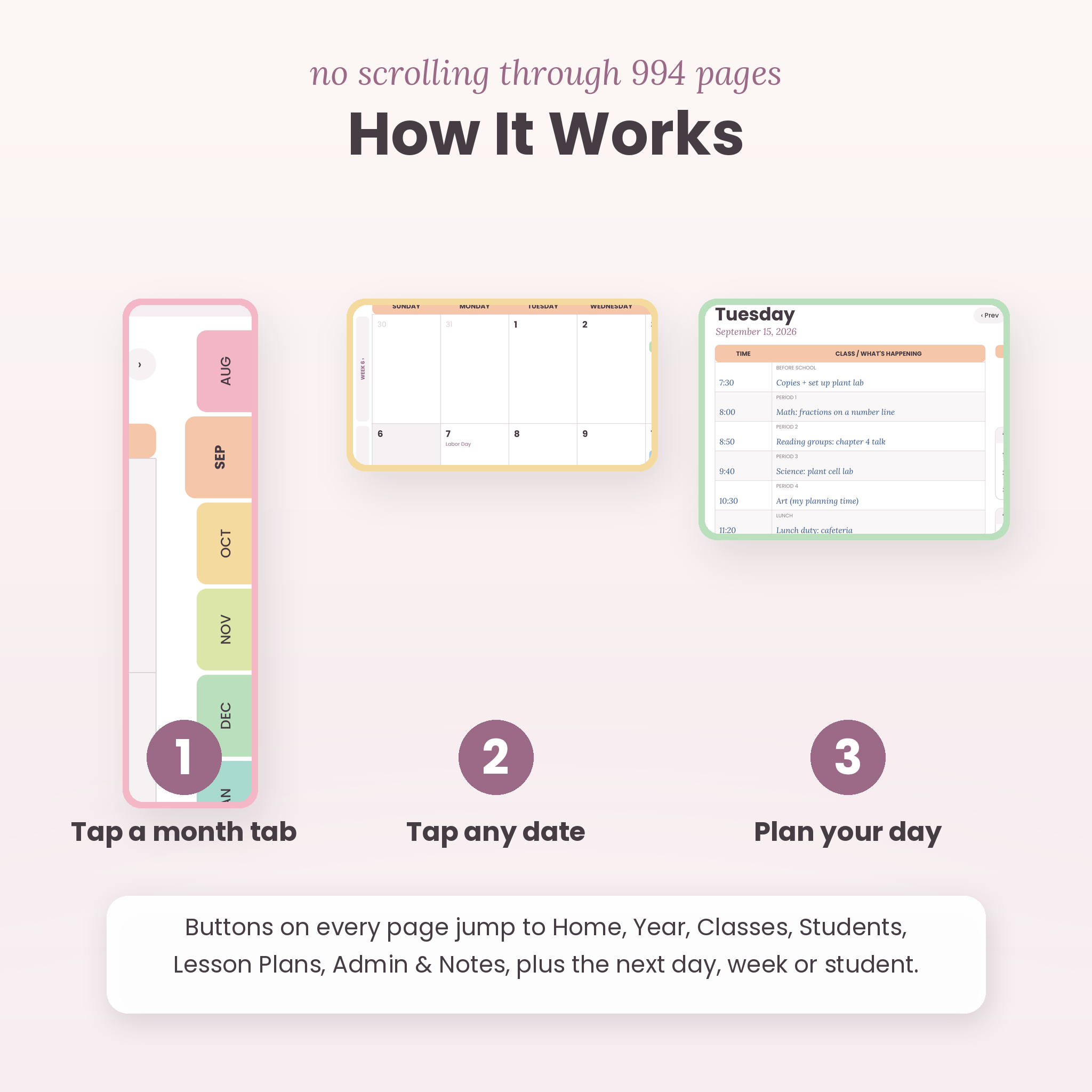
Most planners give you a calendar and leave the rest to you. This one is set up around how a school week actually runs. Each day has a period-by-period schedule. Each week has a lesson plan grid. Each class has its own roster, attendance and gradebook. Everything links to everything else, so you can jump from a September date to that day’s page, then to the week’s lesson plan, then to a student’s profile in 3 taps.
Who it’s for
- Elementary teachers with one class (use Class 1 and skip the rest)
- Middle and high school teachers with up to 6 classes of 35 students
- SPED teachers, specialists, coaches and homeschool parents
- New teachers who want structure, and veterans who want everything in one place
Main features
Dated planning pages
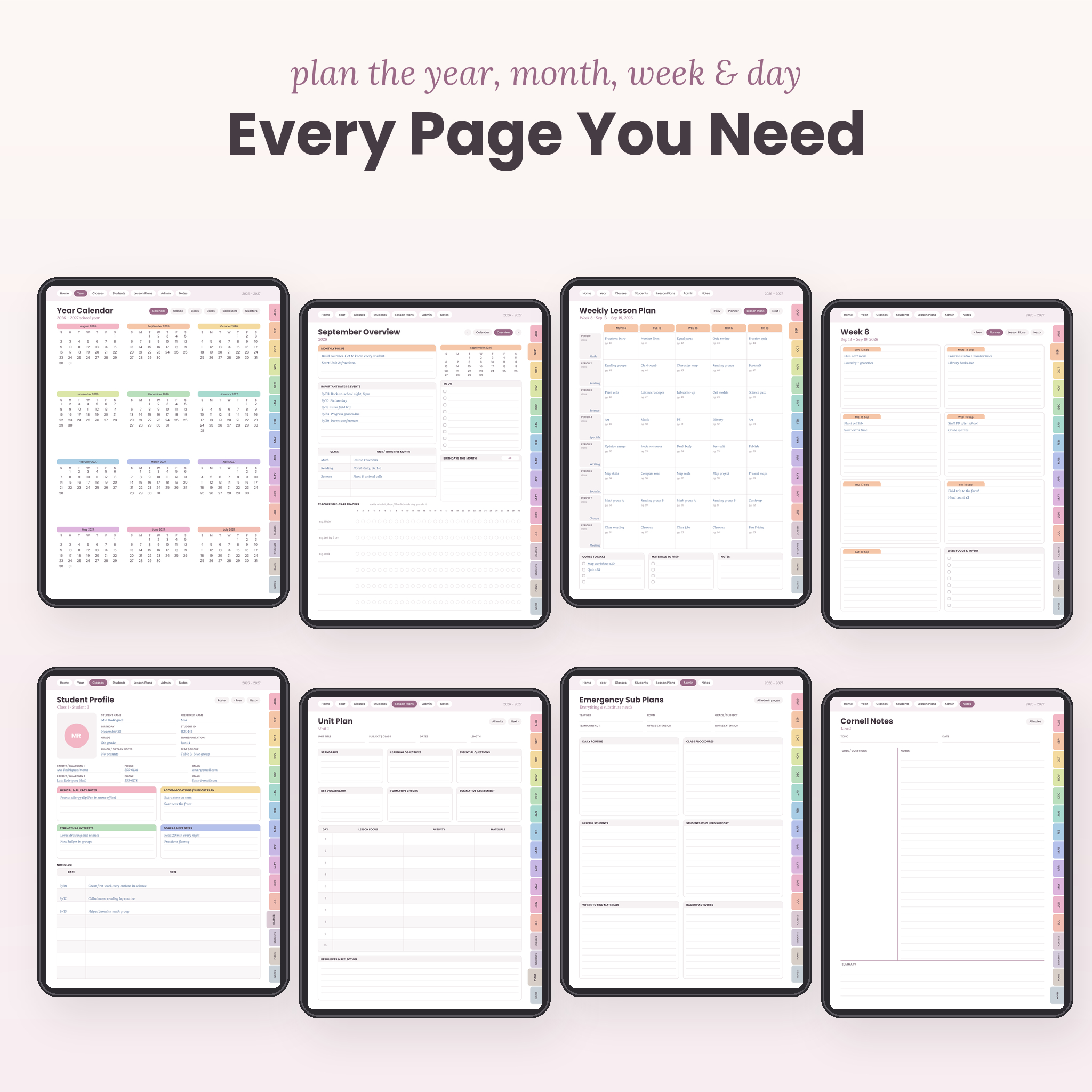
- Year calendar, year at a glance, yearly goals and important dates
- 2 semester pages and 4 quarterly plans
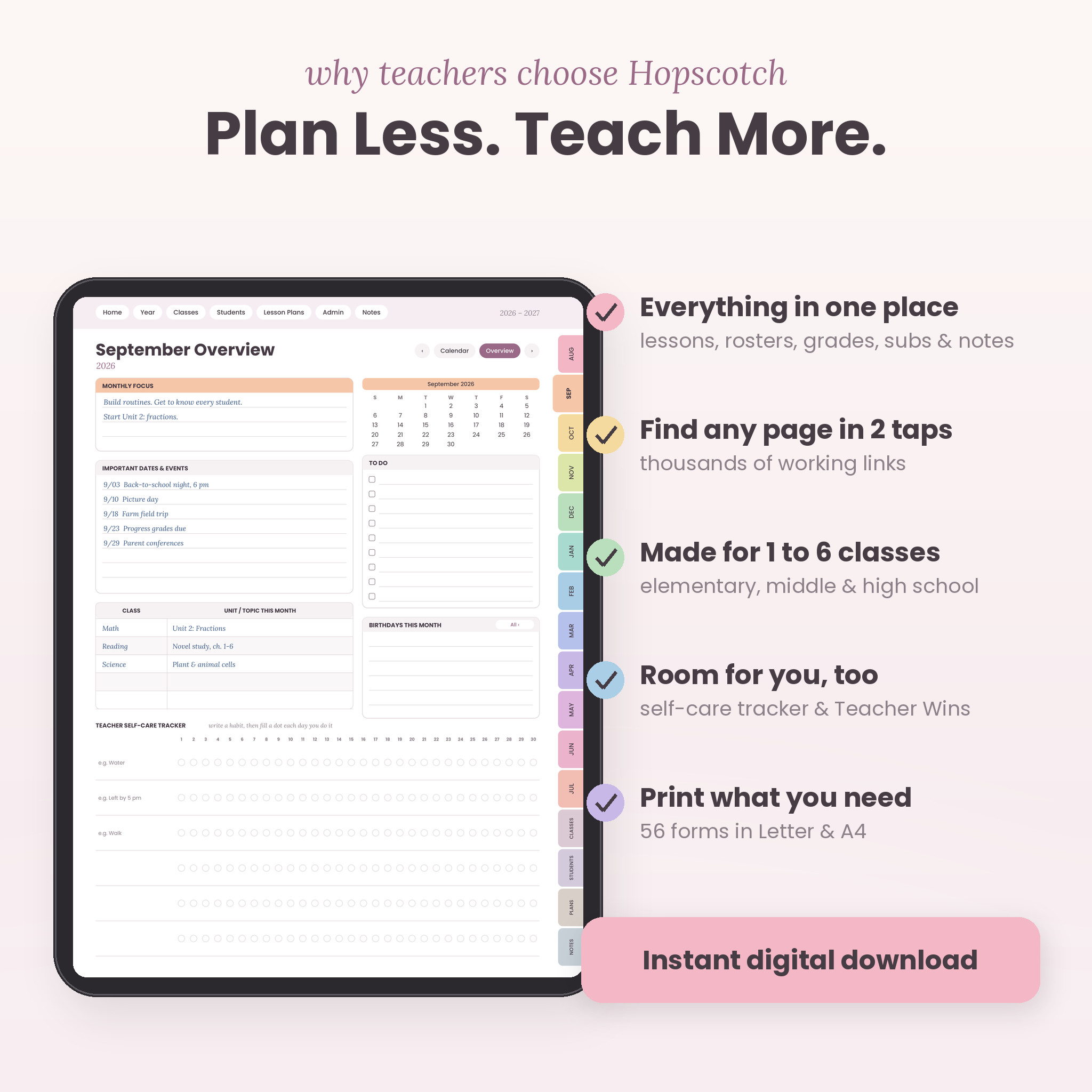
- 12 monthly calendars with US holidays marked, plus a monthly overview for each month
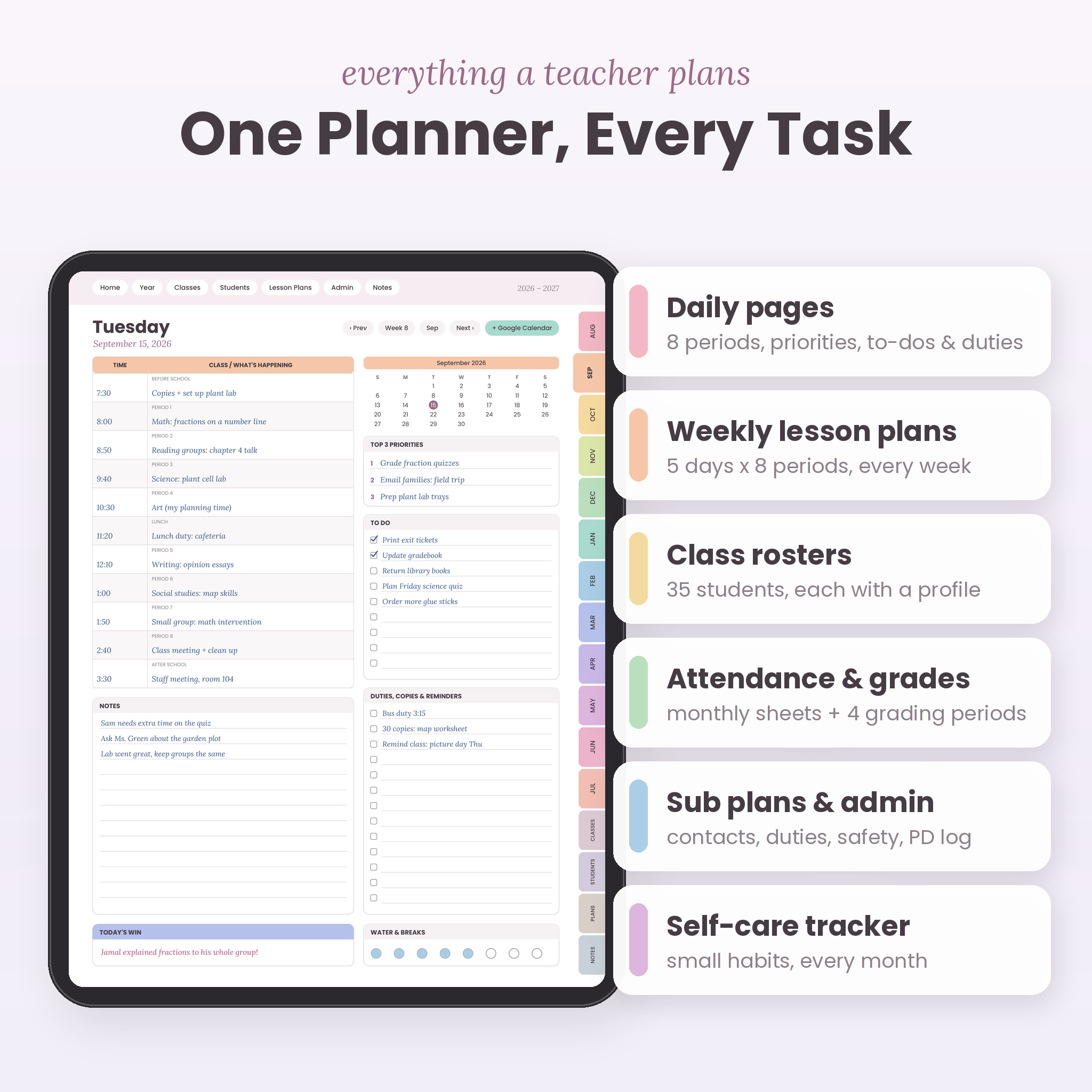
- 53 weekly planner pages, each paired with a weekly lesson plan grid (5 days, 8 periods)
- 365 daily pages with a period schedule, top 3 priorities, to-dos, duties and copies, notes and a Today’s Win box
Classes and students
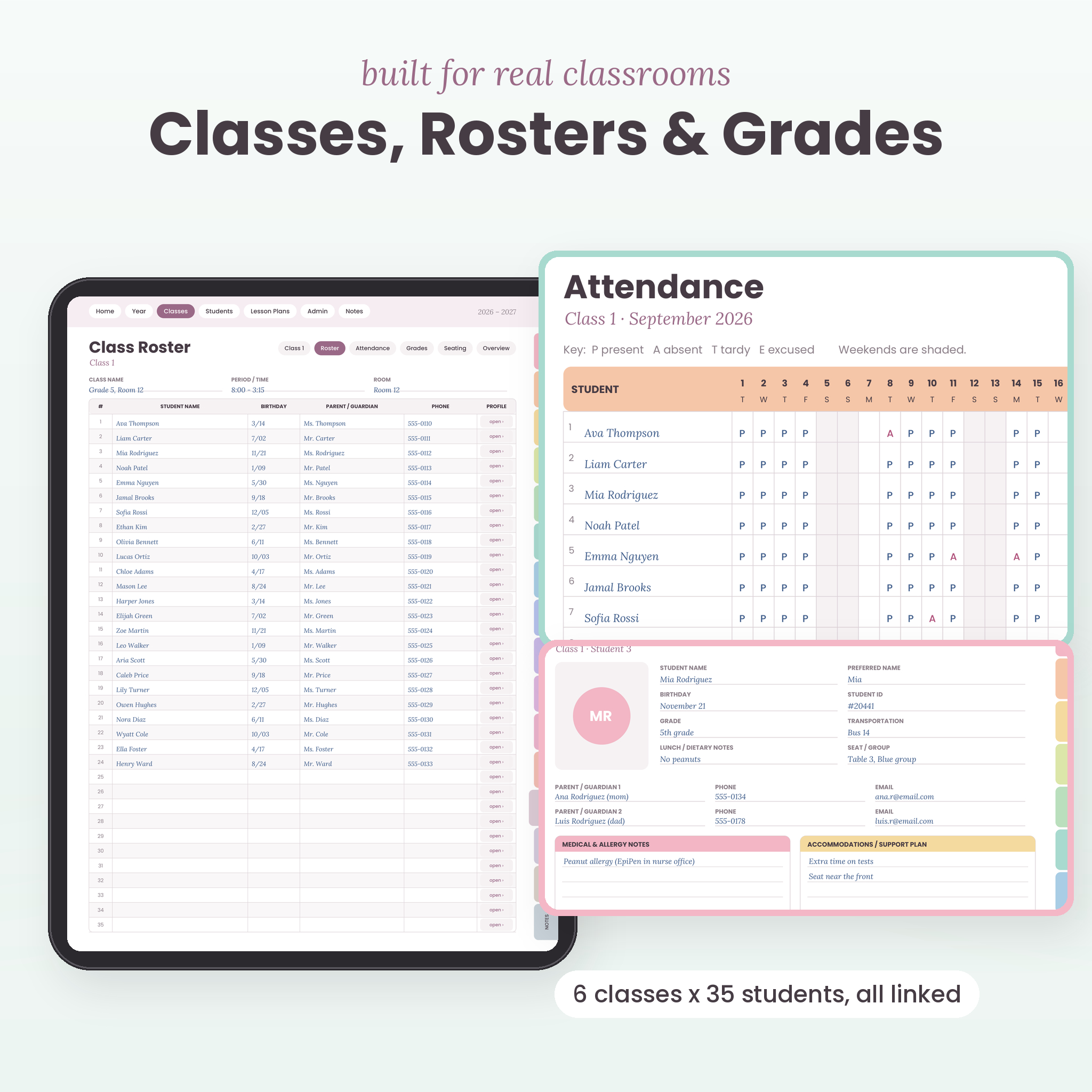
- 6 class rosters with 35 rows each, and every row links to its own student profile (210 profiles in total)
- Monthly attendance sheets for each class with real dates and shaded weekends
- Gradebook pages for 4 grading periods per class, with 15 assignment columns
- Seating chart and course overview for every class
- Birthdays, parent contacts, communication log, behavior log, conference schedule and notes, small groups, student goals, an accommodations tracker and student shout-outs
Lesson planning
- Curriculum map for the full year
- 12 unit plans with a linked index
- Daily lesson plan pages (warm-up, I do, we do, you do, exit ticket)
- Lesson and unit reflections, assignment tracker and reading log
- Field trip planner and a ready-made field trip checklist
- Classroom resources, classroom budget, extracurriculars, volunteers and events
Admin and professional pages
- Class schedule, bell schedules and duty schedule
- School contacts and a websites and logins page (for password hints)
- Substitute contacts and log, plus full emergency sub plans
- Observation notes, safety procedures, PD hours log, professional goals and meeting notes
Notes and notebooks
12 note templates (lined, graph, dotted, Cornell, checklists, priority matrix, brainstorm map and more) and 8 notebooks with 10 linked pages each.
What makes this teacher planner different
- A Google Calendar button on every day. Tap it and a new event opens for that exact date. No hunting for the right day in your calendar app.
- A weekly lesson plan for every week. Not one blank template you copy 40 times. Each week already has its own dated grid.
- Room for you. A monthly self-care habit tracker, a daily water tracker and a Teacher Wins page. Teaching is a lot. Small wins count.
- Printables included. 56 undated forms in both US Letter and A4, for the days you want paper.
- Light file size. About 6 MB per planner, so it opens fast even with nearly 1,000 pages.
What’s included
- 6 dated digital planners (PDF): Pastel Rainbow, Blush Mauve and Sage and Sand, each in Sunday start and Monday start
- Printable Teacher Forms, US Letter (PDF, 56 pages)
- Printable Teacher Forms, A4 (PDF, 56 pages)
- Sticker Book (PDF) plus 183 transparent PNG stickers
- 12 cover designs (PNG)
- User guide (Word DOCX) with setup steps for popular note apps, tips, troubleshooting and FAQ
How it works
- Buy and download your files.
- Pick your theme and start day.
- Import the PDF into your note app.
- Tap a month tab, tap a date and start planning.
File formats and software
The digital planners are hyperlinked PDF files sized for tablets (3:4 portrait, like an iPad). They’re made for PDF note apps that support links, such as GoodNotes, Notability, Noteshelf, Samsung Notes and Xodo. You’ll need a tablet and a stylus for the best experience. The planner is not made for phones or for Microsoft OneNote, which doesn’t support PDF links. The printable forms are standard PDFs for any printer. The user guide opens in Microsoft Word, Google Docs, Pages or LibreOffice. Stickers and covers come as ZIP files.
Customizing your planner
The page layouts and colors are fixed, like a printed planner. Everything you add is up to you: handwriting, typed text, stickers, photos and imported PDFs. Swap in one of 12 covers, color-code your classes with the highlight stickers, and duplicate any page you use a lot. The budget page has a blank currency box, so it works in dollars or any other currency.
Digital download
This is an instant digital download. No physical item will be shipped. You’ll get your files right after checkout. Prices are in US dollars.
Real ways teachers use it
- A 5th grade teacher plans her math and reading blocks on the weekly lesson grid every Sunday night.
- A high school science teacher tracks attendance and grades for 5 sections without a single paper gradebook.
- A new teacher fills in the emergency sub plans in August, then calls in sick in November with zero panic.
- A specialist logs parent calls and IEP meeting notes in one place before conference week.
FAQ
Does this digital teacher planner work with GoodNotes and Notability?
It’s built as a standard hyperlinked PDF for apps like GoodNotes, Notability and Noteshelf. Links work in read mode or with a finger tap.
Can I use it on an Android tablet or Windows?
Yes. Use a PDF app that supports links, such as Noteshelf, Samsung Notes or Xodo.
Does it sync with Google Calendar or Apple Calendar?
No PDF planner can sync. The Google Calendar button opens a new event for that date so you can add it yourself.
What dates does it cover?
August 1, 2026 to July 31, 2027, with Sunday start and Monday start versions.
Can I print it?
The dated planners are made for tablets. The 56 printable forms are included in US Letter and A4 for printing.
I have more than 6 classes. Will it work?
Yes. Duplicate a roster, attendance sheet and gradebook page in your app for each extra class.
Can I share it with my grade-level team?
Each purchase is for one teacher. Your teammates can buy their own copy.
Licence
For personal use by one teacher. You may not resell, share or redistribute the files, free or paid. © 2026 Taskdale.
Reviews
There are no reviews yet.