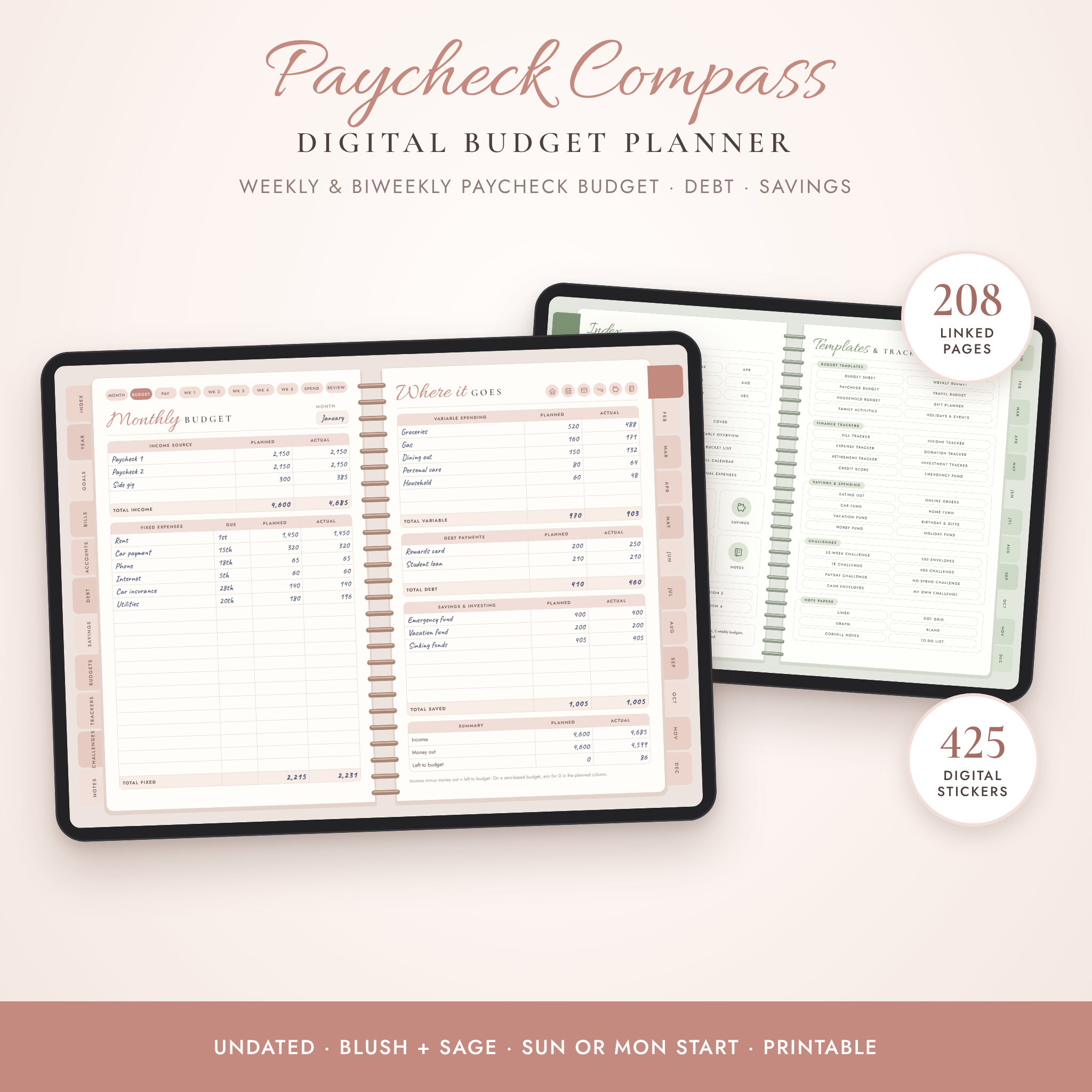
This digital budget planner is built for people who get paid weekly or every two weeks and are tired of budgets that only work on paper. Plan the month, split it across your paychecks, then check in once a week. That last part is what keeps a budget going past February.
Paycheck Compass is an undated, fully hyperlinked planner for GoodNotes, Notability and other PDF note apps on iPad and Android tablets. You write in it like a paper planner. Tap a tab and you’re on the page you need.
What this digital budget planner does
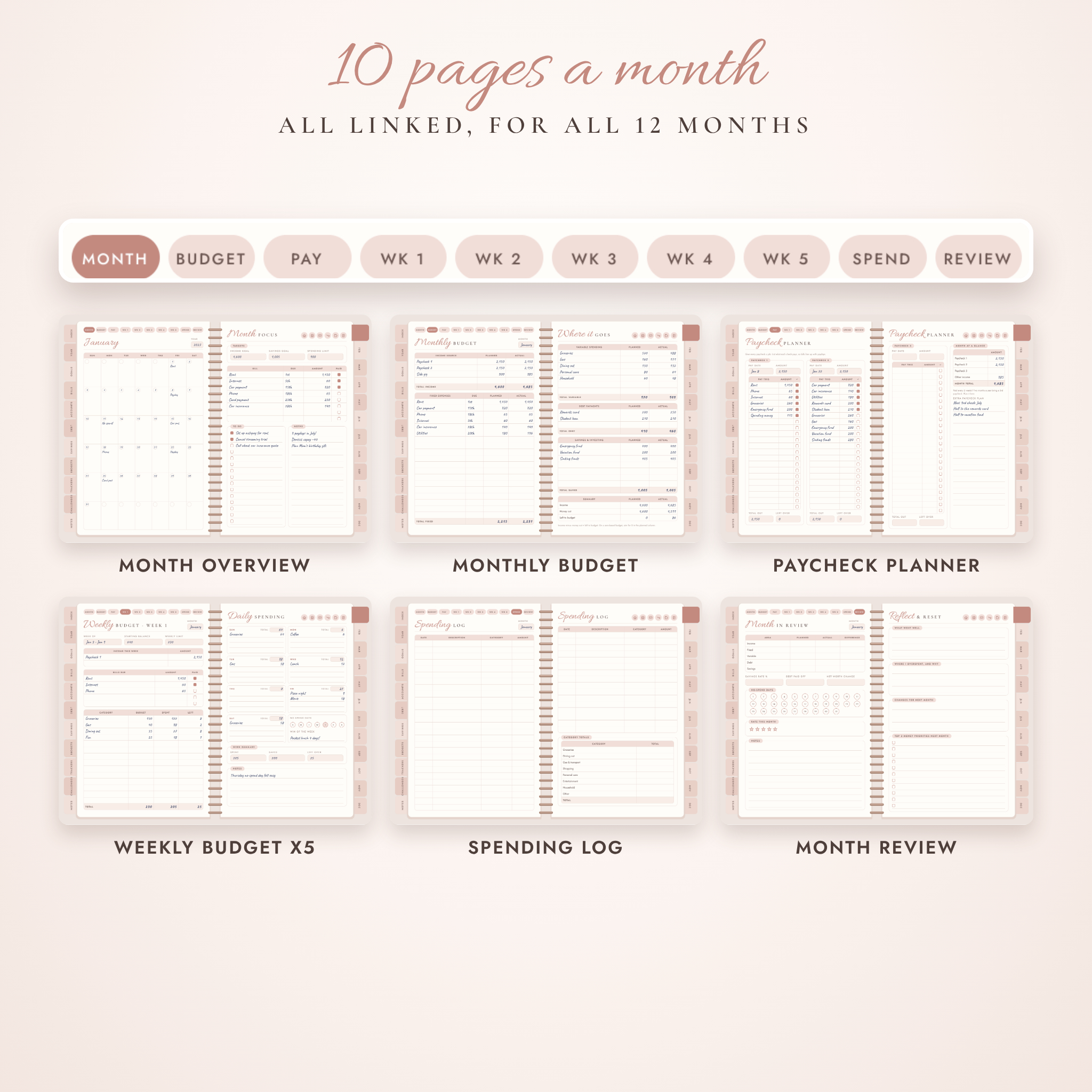
Every month gets ten linked pages: an overview calendar, a monthly budget, a paycheck planner, five weekly budgets, a spending log and a month review. Around that sit the pages for the bigger picture. Goals. Bills. Credit cards. Debt payoff. Savings. Net worth.
So instead of one monthly page and a lot of guessing, you get a simple loop. Plan it. Pay it. Track it. Review it.
Who it’s for
- Anyone paid weekly or biweekly who wants each paycheck to cover the right bills
- People paying off credit cards, car loans or student loans
- Savers building an emergency fund, a vacation fund or a down payment
- Beginners. You don’t need to know anything about budgeting to start
- Couples and families who want one clear place for household money
Main benefits
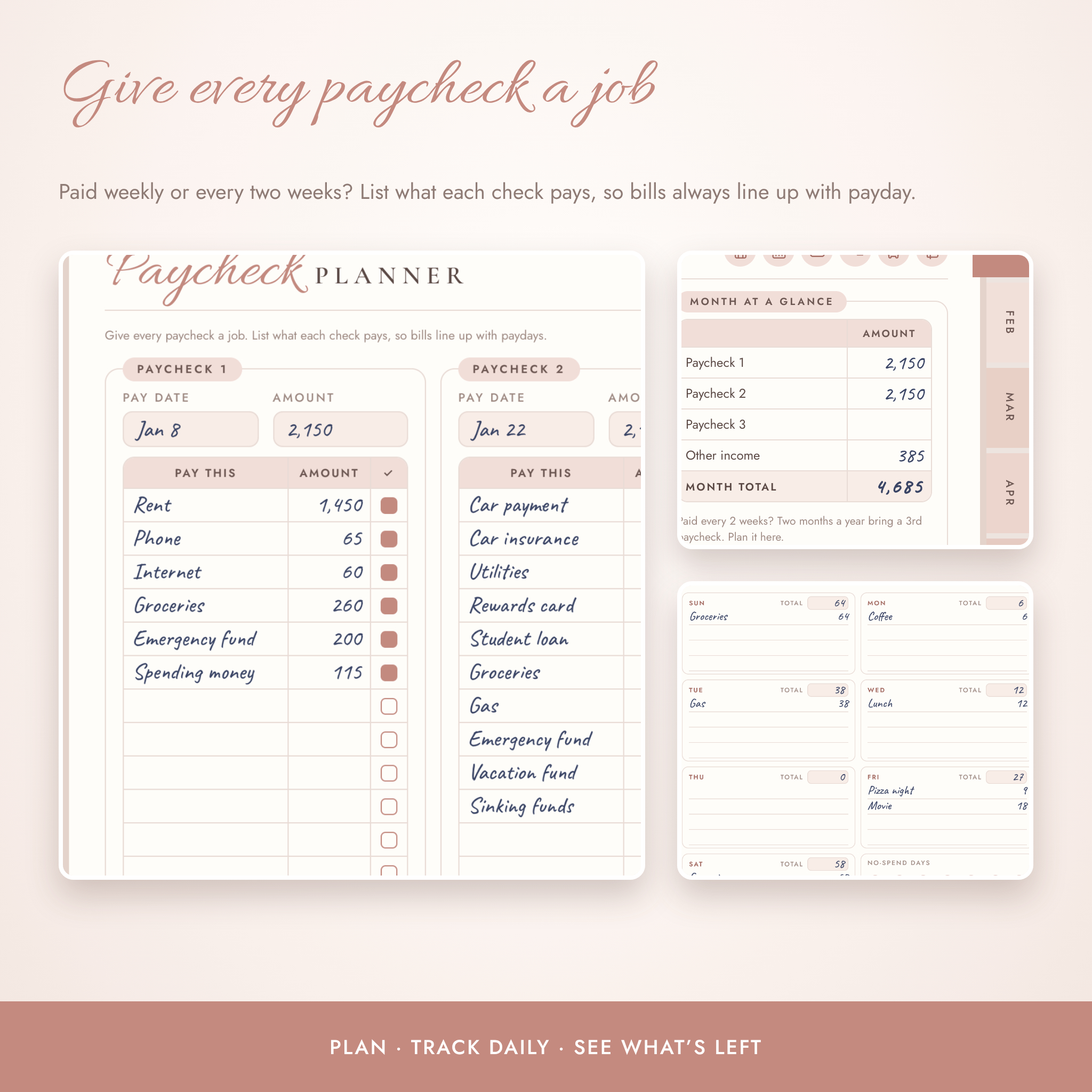
- Bills line up with payday. The paycheck planner lets you assign each bill to a specific check, with room for a third paycheck in those two extra months a year.
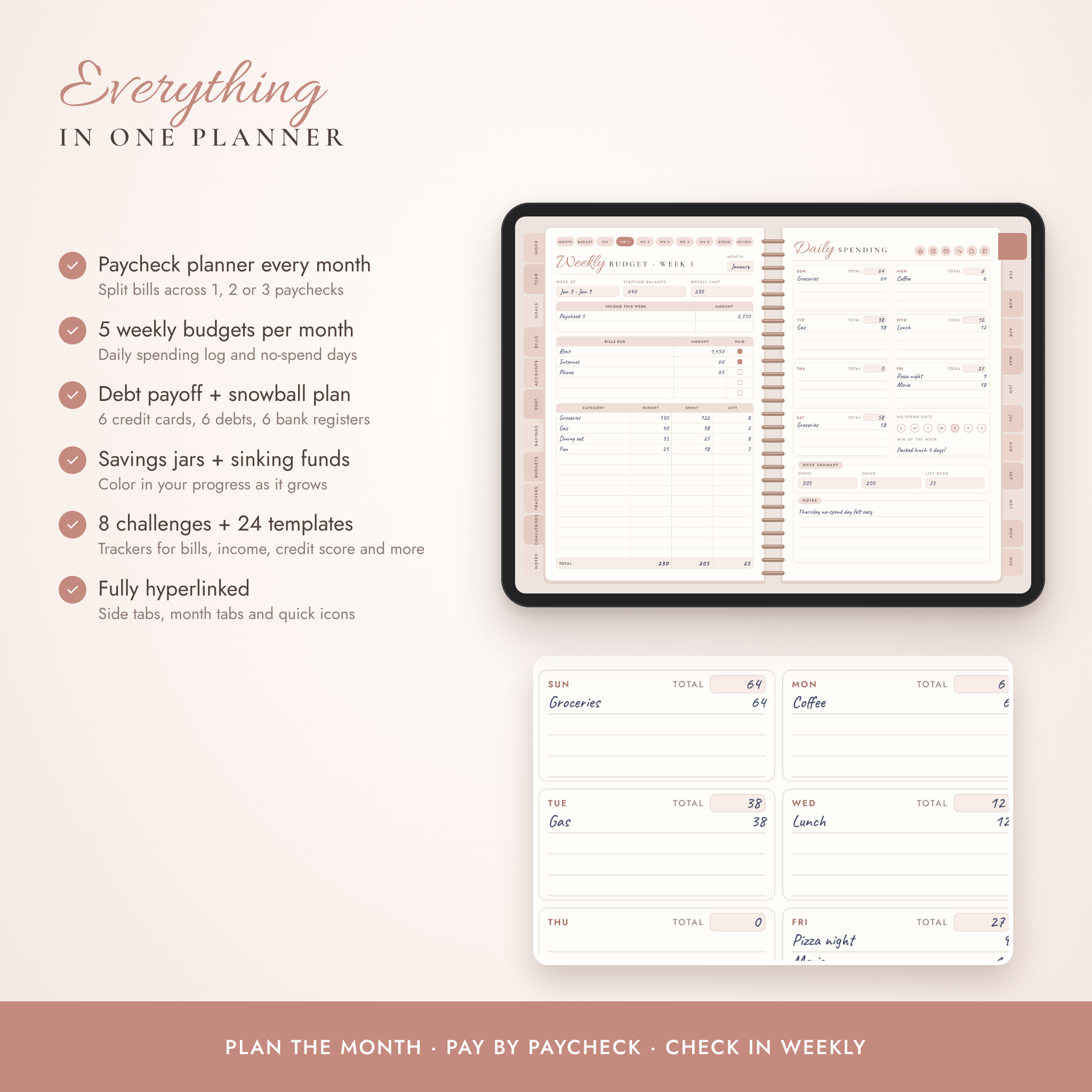
- Small weekly check-ins. Five weekly budget pages per month, each with a daily spending log, a weekly limit and no-spend day circles.
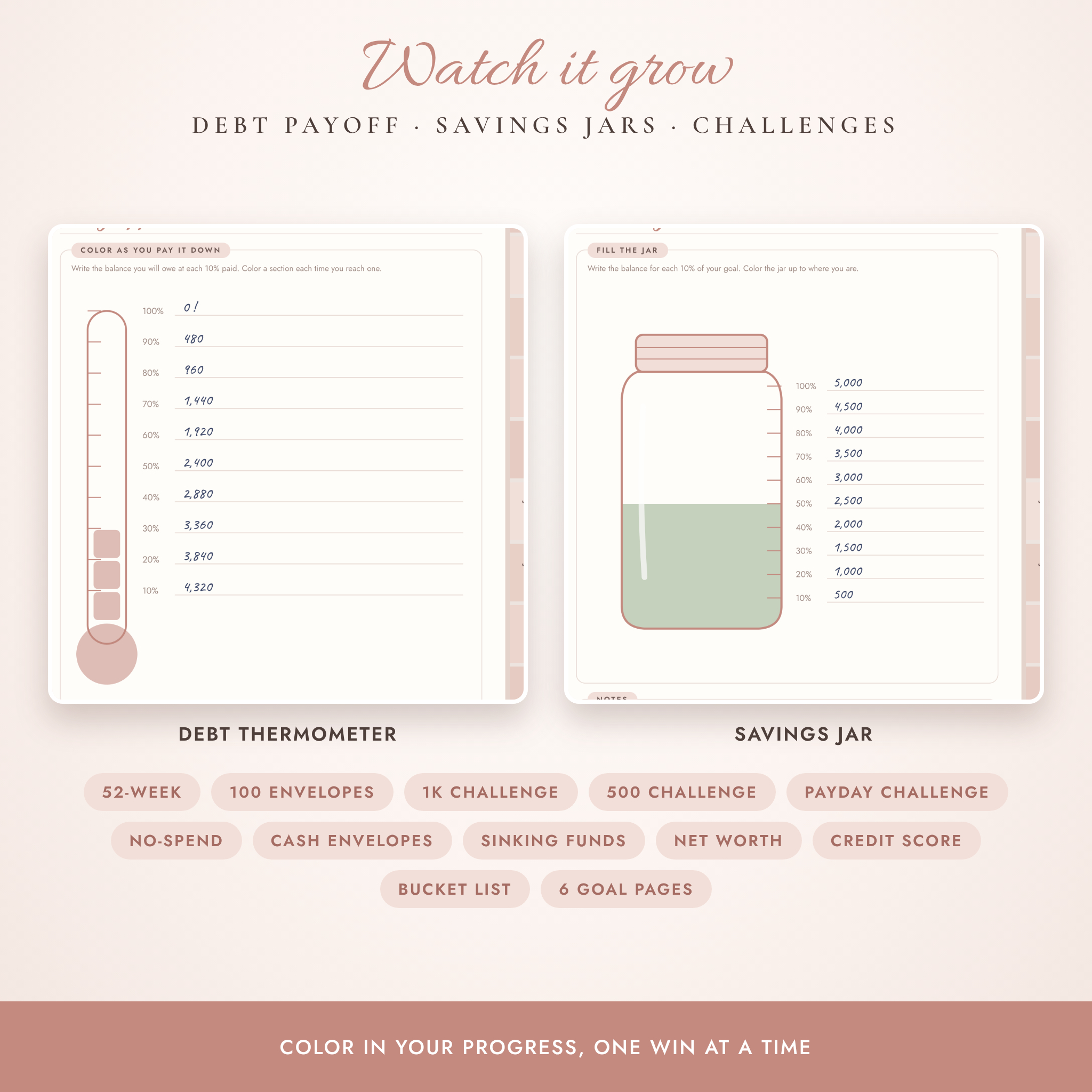
- You can see progress. Color in debt thermometers, savings jars, goal boxes and challenge grids as the numbers move.
- It never expires. It’s undated, so you can start in October and nothing goes to waste.
- Any currency. No symbols are printed on the pages. Columns say Amount, Planned and Actual, so it works in dollars or anything else.
Features
Monthly pages (x12)
- Month overview calendar with paydays, due dates and three monthly targets
- Monthly budget: income, fixed bills, variable spending, debt payments, savings and a zero-based summary
- Biweekly paycheck planner for up to 3 paychecks
- 5 weekly budget pages with a daily spending log
- Spending log with category totals
- Month review with planned vs actual, savings rate and no-spend days
Year, goals and bills
- Year at a glance, yearly overview and a savings rate chart you color in
- Quarterly net worth tracker and financial bucket list
- 6 financial goal pages with action steps and a 5% progress grid
- Yearly bill calendar, subscription tracker and audit, annual expense planner
Accounts, debt and savings
- 6 credit card pages with a utilization tracker and payment log
- 6 bank account registers
- Debt overview, snowball or avalanche payoff plan and 6 debt payoff thermometers
- 4 savings jar pages and 6 sinking funds
Templates, trackers and challenges
- 8 budget templates: budget sheet, weekly, paycheck, travel, household, gifts, family activities, holidays and events
- 16 trackers: bills, income, expenses, donations, retirement, investments, credit score, emergency fund, eating out, online orders and six savings funds
- 8 savings challenges: 52-week, 100 envelopes, 1K, 500, payday, no-spend, cash envelopes and a blank one you design
- 6 note papers and 4 sections you can name yourself
What’s included
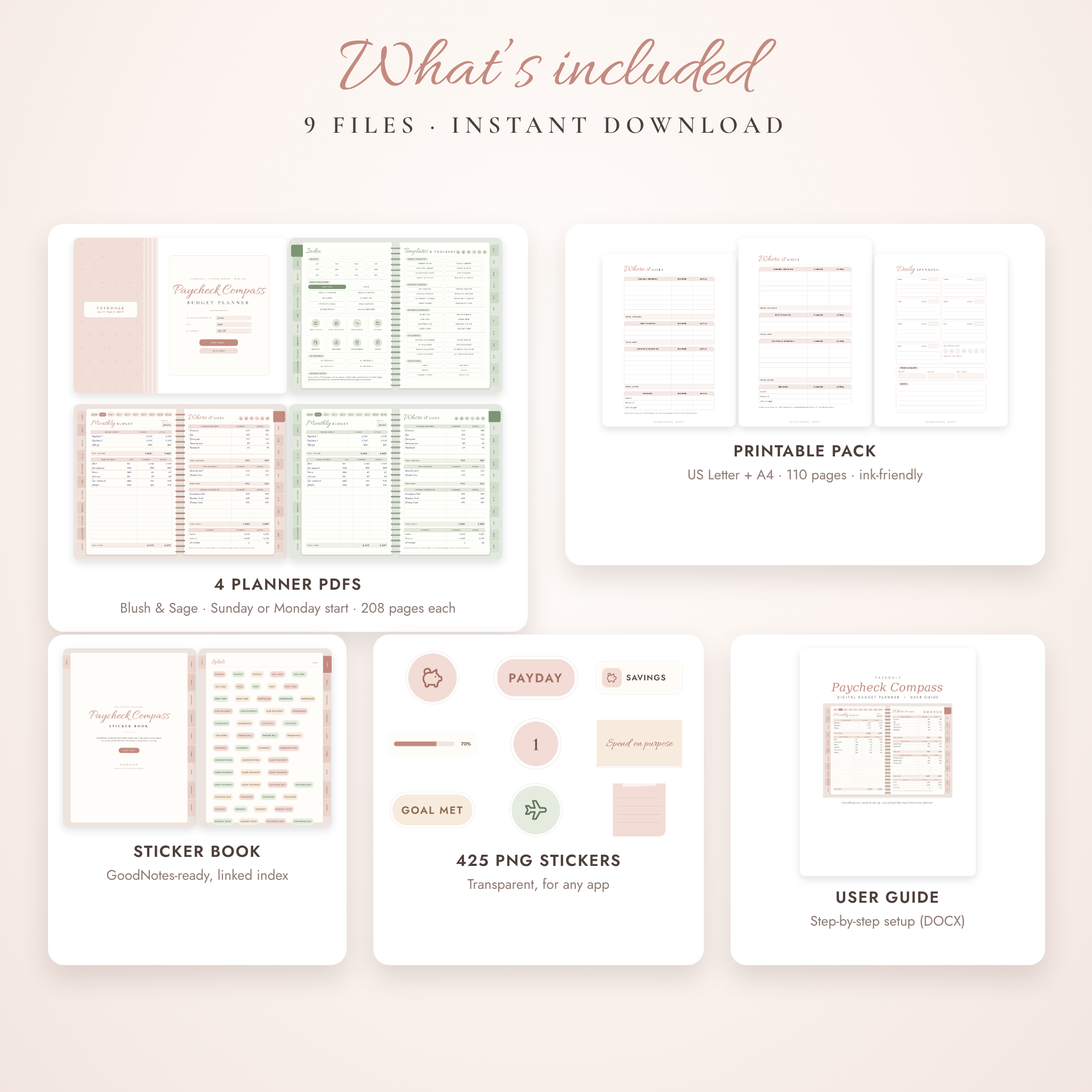
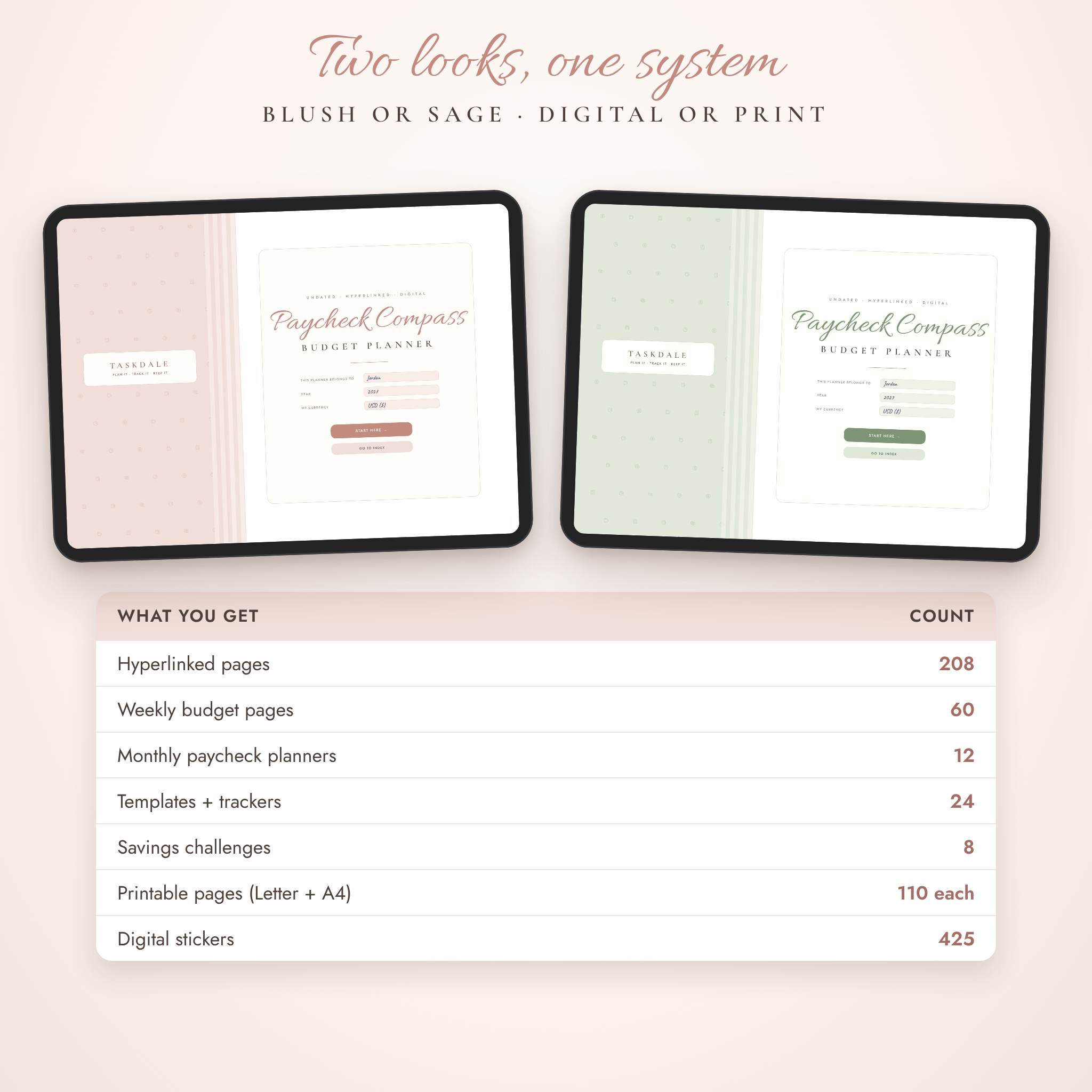
- 4 planner PDFs (208 pages each): Blush or Sage colors, Sunday or Monday start
- Printable pack, US Letter (110 pages)
- Printable pack, A4 (110 pages)
- GoodNotes-ready sticker book (PDF, linked index)
- 425 digital stickers as transparent PNG files (ZIP)
- User guide (DOCX) with setup steps, tips and troubleshooting
How it works
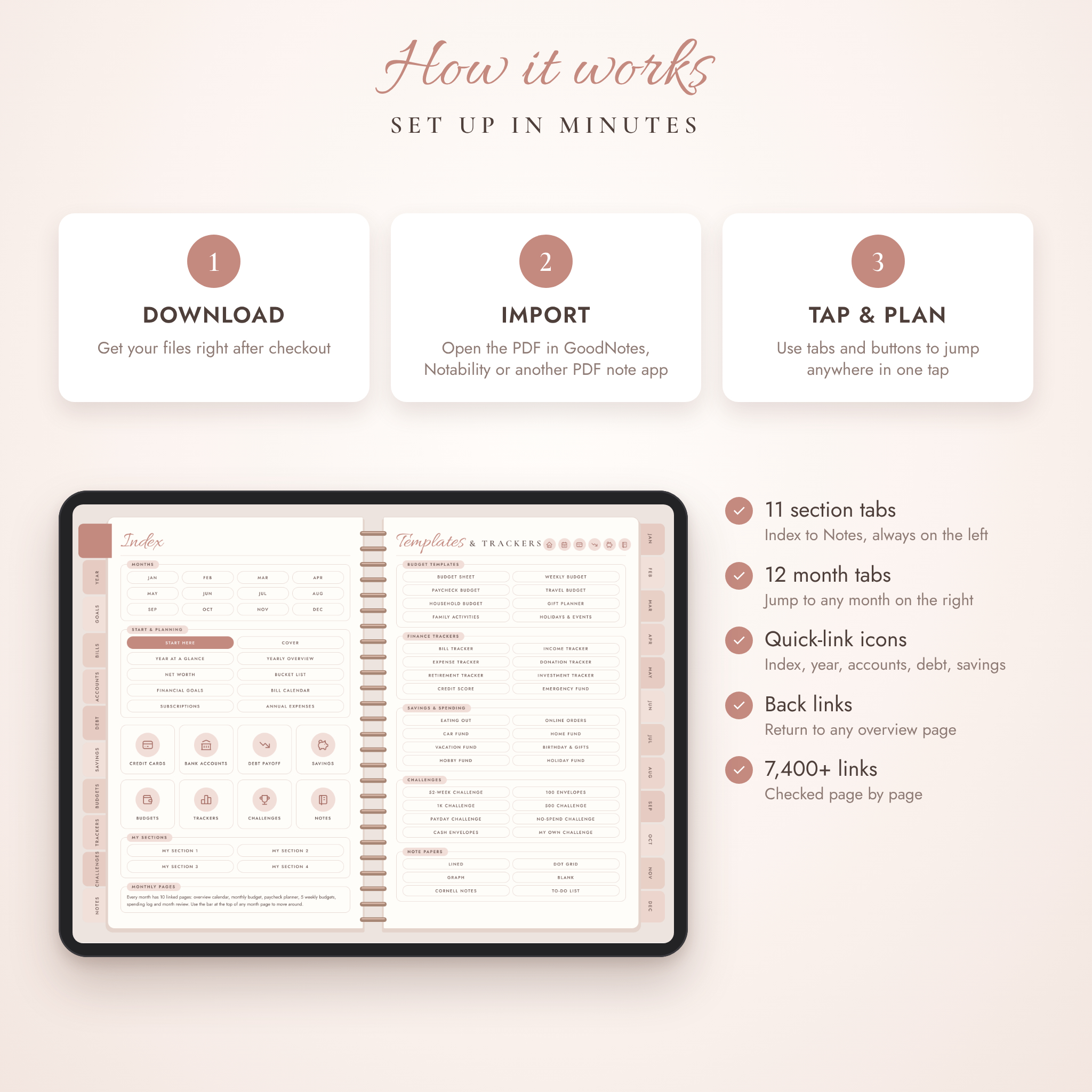
- Download your files right after checkout.
- Import one planner PDF into GoodNotes, Notability, Noteshelf, Noteful or Xodo.
- Fill in the Start Here page: your currency, how often you’re paid and your budget method.
- Use the side tabs, month tabs and quick icons to move around. Every page is one or two taps away.
The planner has 7,429 internal links, and each one was checked page by page before release.
File formats and software requirements
- Planner and sticker book: PDF, landscape, about 9 MB per planner so it opens quickly
- Stickers: PNG with transparent backgrounds
- Guide: DOCX (opens in Word, Pages or Google Docs)
- You need a PDF note app that supports links, such as GoodNotes, Notability, Noteshelf, Noteful or Xodo. The app is not included. Free versions of some apps limit how many notebooks you can keep.
- Not made for Kindle, Kobo, reMarkable, OneNote or Evernote.
Customization
Duplicate any page as often as you like. Name the four My Sections pages yourself. Write your own categories into any table, paste in receipts or screenshots, and use stickers to mark paydays and due dates. Pick Blush or Sage, and Sunday or Monday start, to suit how you plan.
Digital download
This is a digital product. Nothing will be shipped. Your files are ready to download as soon as payment is confirmed. For personal use only, so please don’t share or resell the files.
Real ways people use it
- A nurse paid every two weeks maps rent to the first check and the car payment to the second, then stops running short before payday.
- A couple paying off two credit cards uses the snowball plan and colors in a thermometer each month.
- A college student tracks eating out and online orders and runs the no-spend challenge for one month.
- A family saves for a summer trip with the travel budget and a vacation fund jar.
- A freelancer with uneven income uses the income tracker and weekly pages to smooth things out.
FAQ
Does this digital budget planner work with GoodNotes?
Yes. Import the PDF into GoodNotes and tap the tabs to move around. It also opens in Notability, Noteshelf, Noteful and Xodo.
Is it dated?
No. It’s undated, so you can start any month and reuse a fresh copy next year.
Can I use it on Android?
Yes, with an Android PDF note app that supports links, such as Noteshelf or Xodo.
Does it add up totals for me?
No. It’s a handwritten planner, like paper. Writing the totals yourself is part of what makes you notice where money goes.
Can I print it?
Yes. The printable pack comes in US Letter and A4 with one copy of every layout.
Does it work with my currency?
Yes. No currency symbols are printed, so it works in any currency.
Is there a Monday start version?
Yes. Both color schemes come in Sunday start and Monday start.
Reviews
There are no reviews yet.