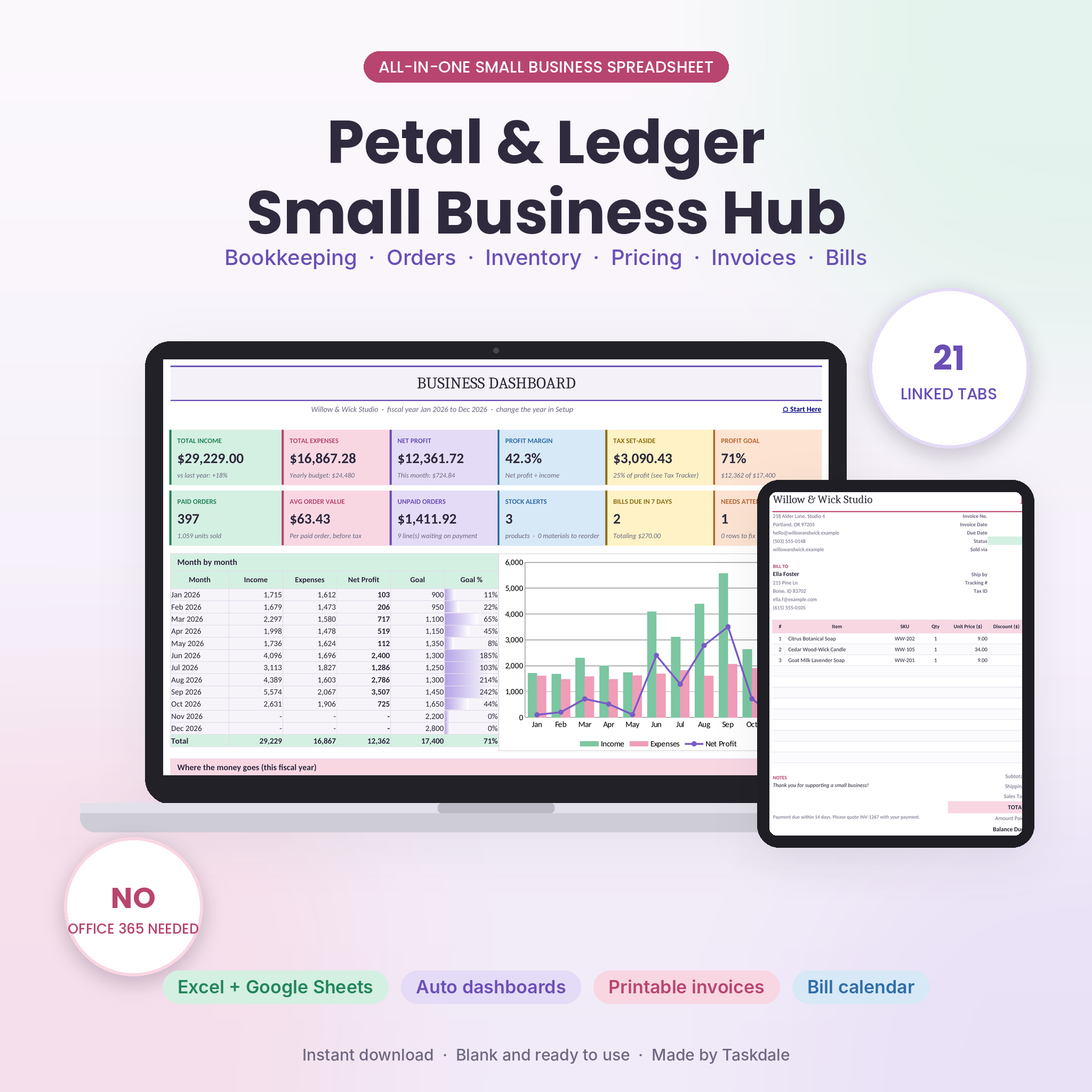
Running a small business means juggling a lot of numbers. Sales come in from three places, supplies run low at the worst moment, and tax time shows up with a shoebox of receipts. The Petal & Ledger Small Business Hub is a small business spreadsheet that pulls all of it into one tidy workbook for Excel and Google Sheets. Bookkeeping, orders, inventory, pricing, invoices and bills finally live in the same place, and they talk to each other.
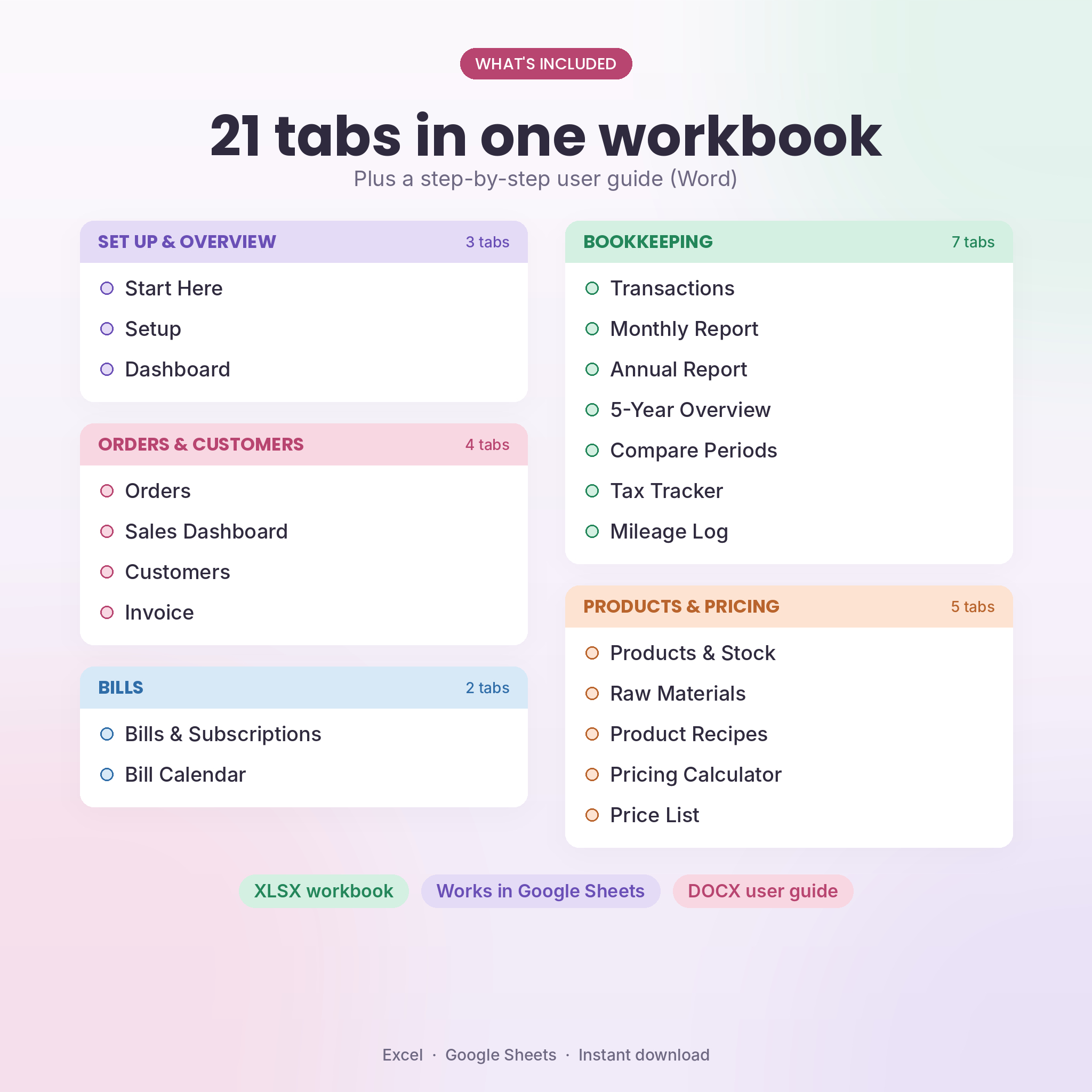
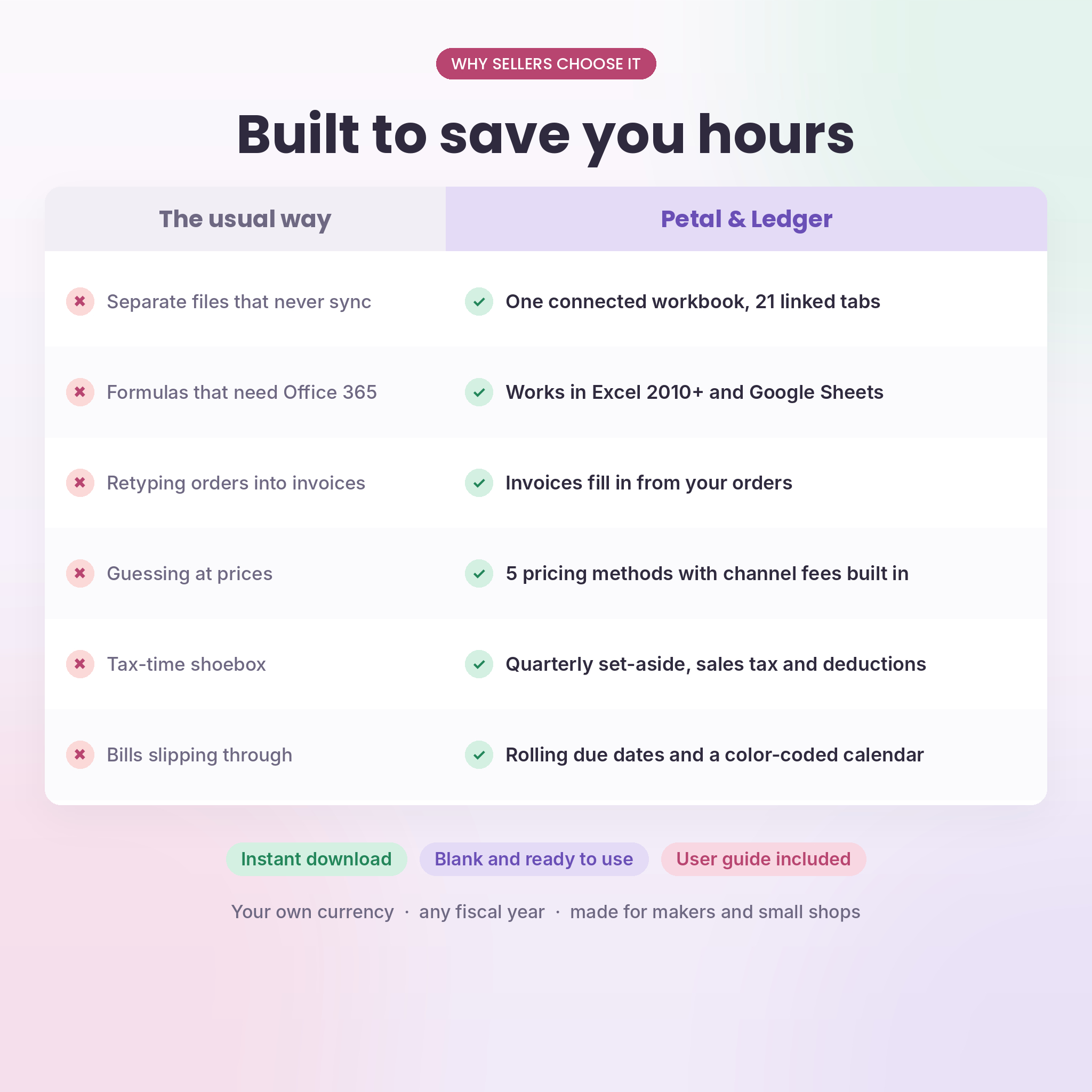
Most bundles hand you four separate files that never sync. This one is a single connected workbook with 21 linked tabs. Add a product once and it shows up in your orders, invoices, stock counts and price list. Mark an order as paid and your books, dashboards and tax tracker update on their own.
What this small business spreadsheet does
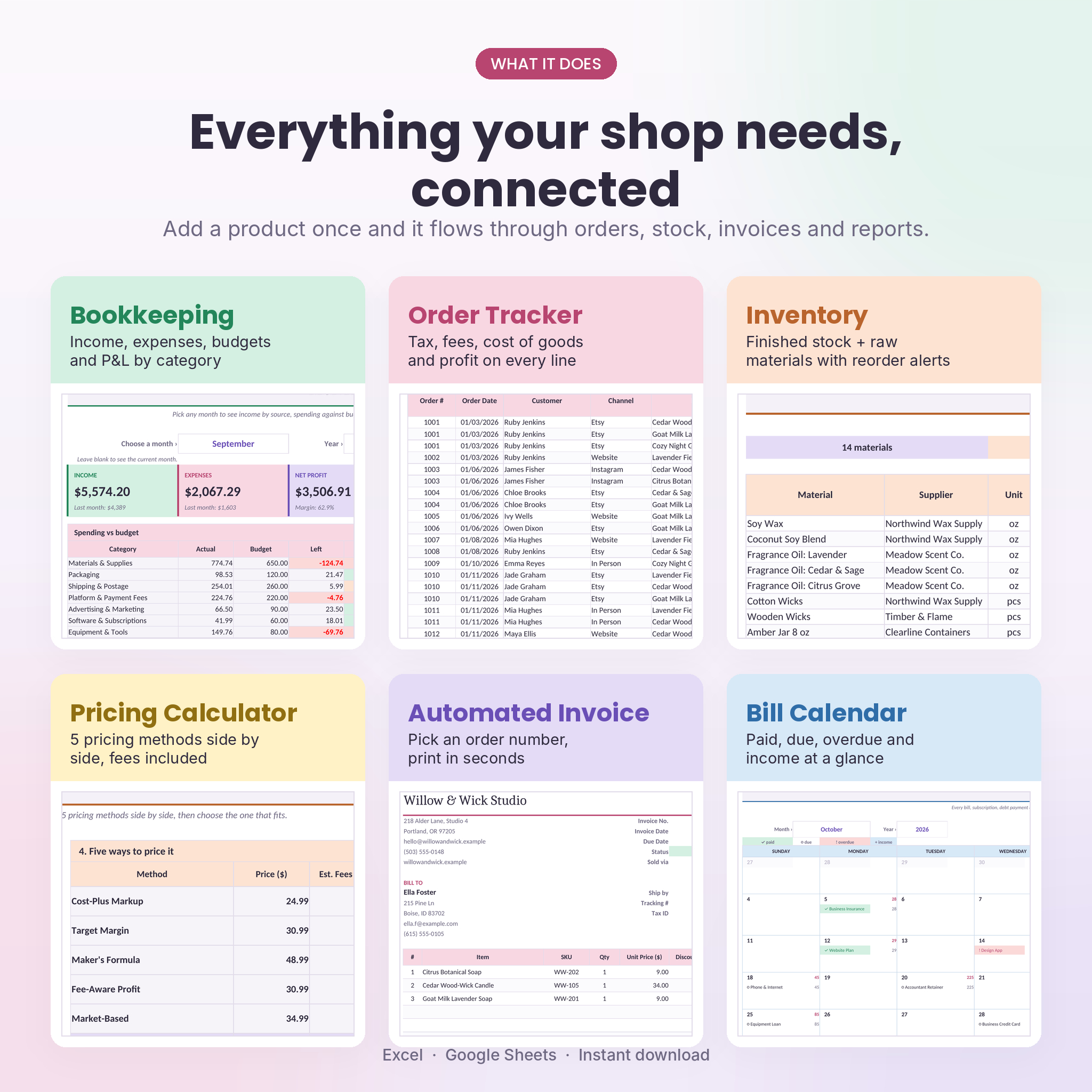
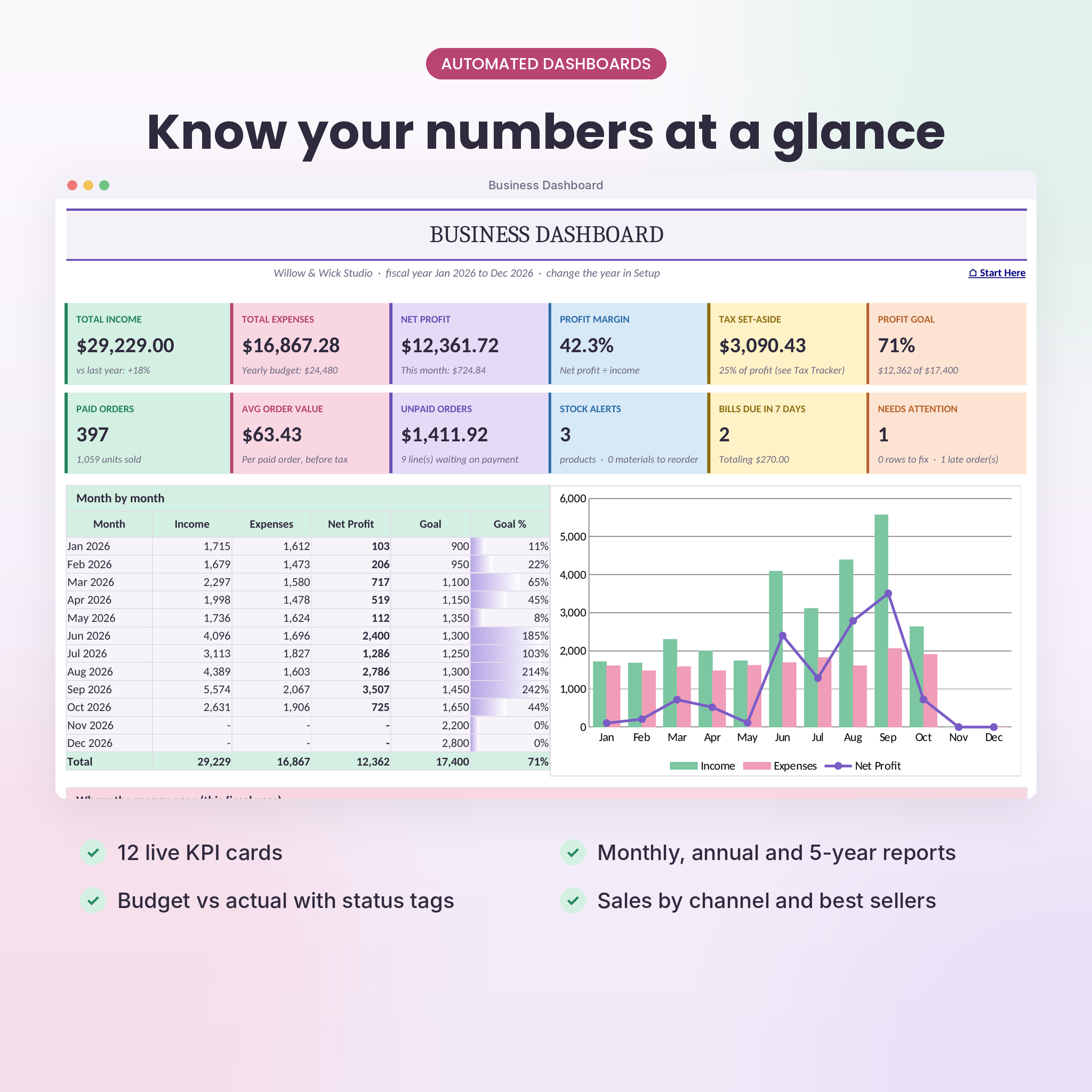
- Keeps your books. Log expenses and other income by category. Monthly, annual and five-year reports build themselves.
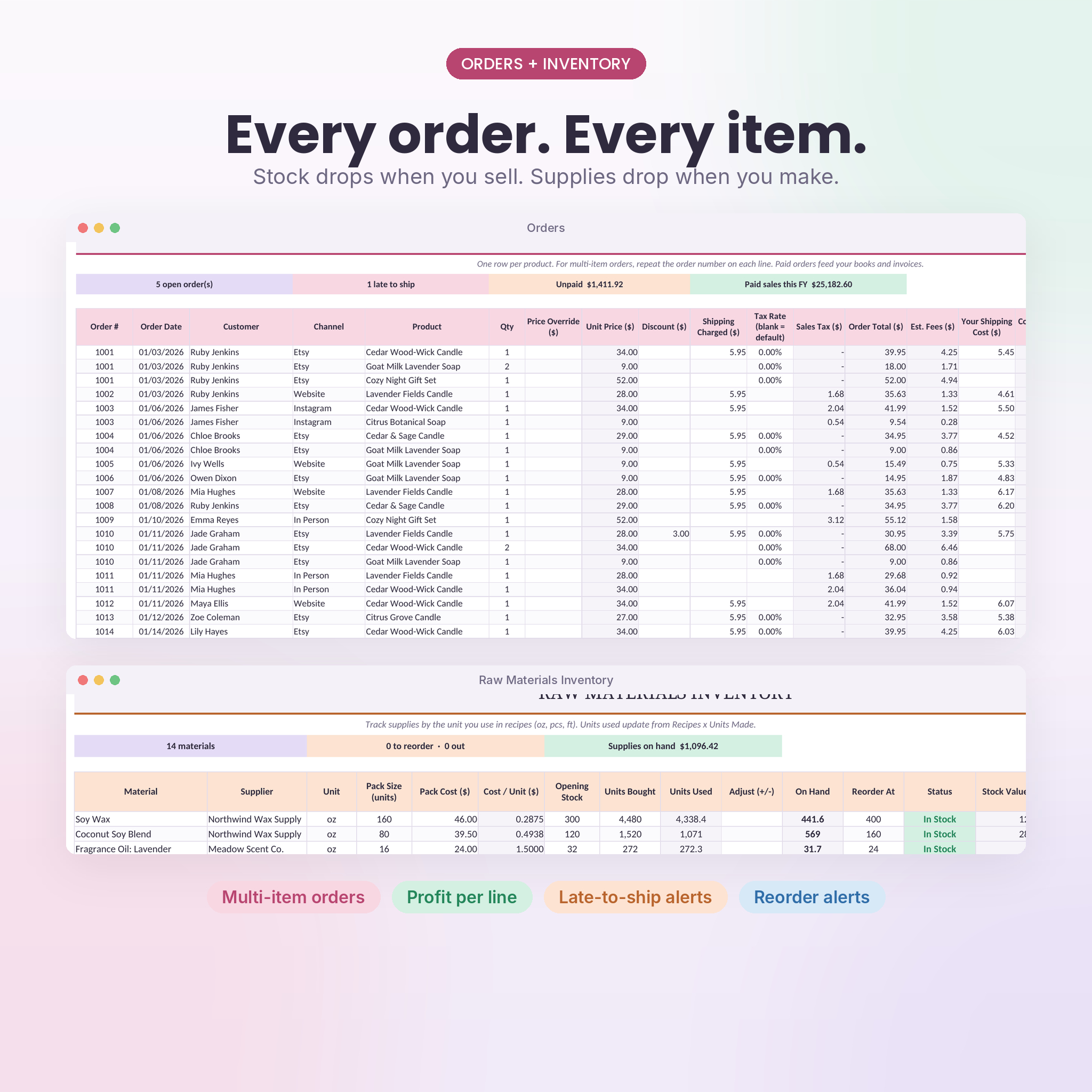
- Tracks every order. Unit price, sales tax, channel fees, cost of goods and profit fill in on each line.
- Watches your stock. Recipes link products to raw materials, so selling and making items updates both inventories.
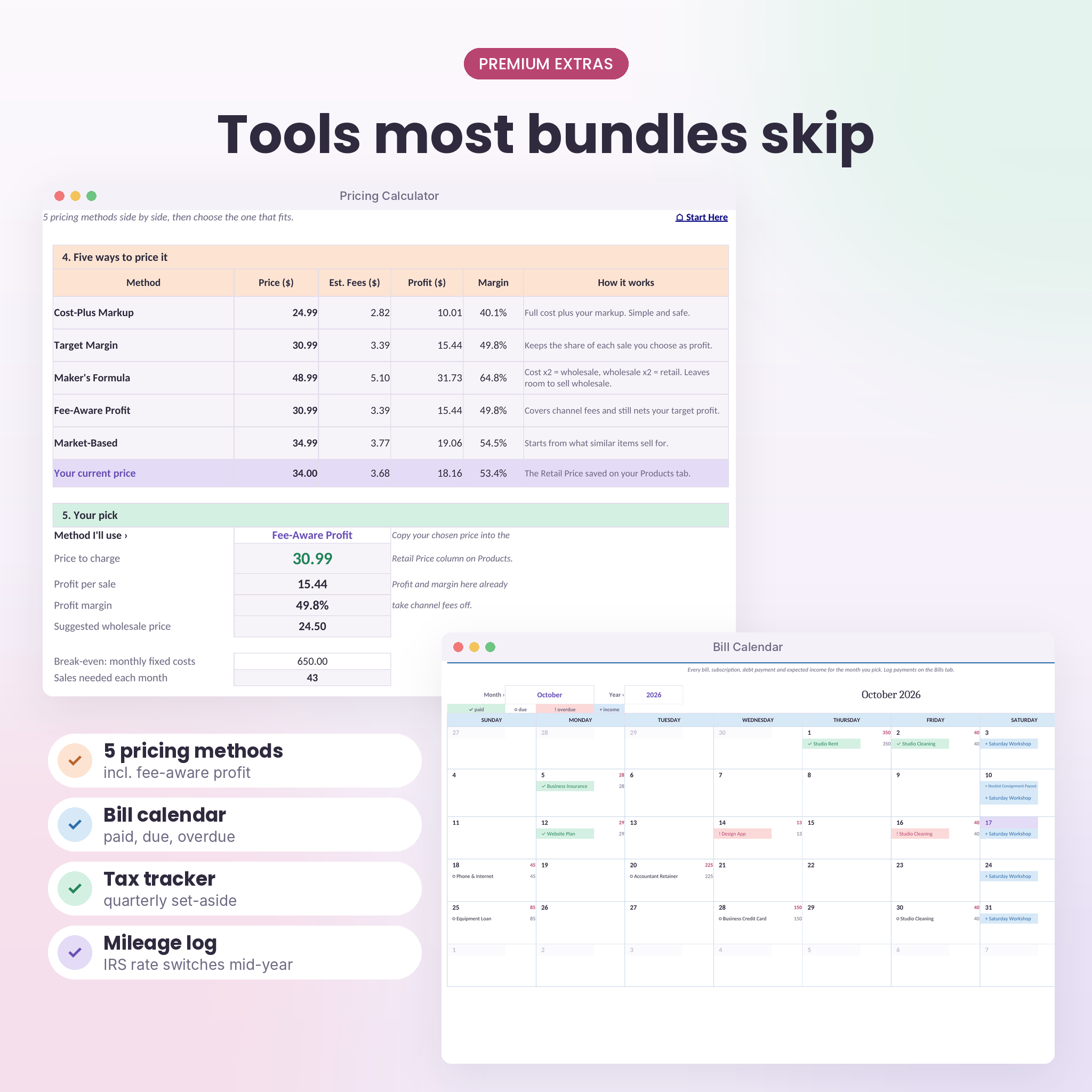
- Helps you price. Compare five pricing methods side by side, including one that covers marketplace fees.
- Prints invoices. Pick an order number and a branded invoice is ready in seconds.
- Plans for tax. See a quarterly set-aside estimate, sales tax owed and deductions by category.
- Stops missed bills. Due dates roll forward by themselves and a color-coded calendar shows the month.
Who it’s for
It was built with makers and handmade sellers in mind: candle makers, soap makers, jewelry designers, crocheters, printmakers and anyone selling on Etsy, Shopify, Amazon Handmade, Instagram or at craft fairs. Small product shops that buy supplies and sell to customers or stockists will feel at home. Service businesses can use the bookkeeping, bills, mileage and tax tabs on their own and skip the product side.
Features in detail
Bookkeeping and reports
- Transactions ledger with 1,500 rows, dropdown categories and a Check column that flags missing dates or old categories
- Monthly report with income by source, budget vs actual and Over, Close or On track tags
- Annual profit and loss by category for all 12 months, with goals and cumulative profit
- 5-year overview with growth rates, plus a Compare tab for any two date ranges
- Any fiscal year start month, so July to June works just as well as January to December
Orders, customers and invoices
- Order tracker with 1,000 lines, multi-item orders, status and payment colors, and late-to-ship alerts
- Customer list with order count, total spent, average order, last order and automatic Lead, New, Repeat and VIP tags
- Sales dashboard with best sellers, top customers, channel mix and order status counts
- Automated invoice with up to 12 lines per order, a PAID or UNPAID stamp and your own thank-you note
Products, inventory and pricing
- Products tab with full cost per unit (materials, packaging, labor), profit, margin and finished stock
- Raw materials inventory with cost per unit, units used, stock on hand and reorder alerts
- Recipes tab that links the two, so a candle that uses 7 oz of wax takes 7 oz out of your supplies
- Pricing calculator with cost-plus, target margin, maker’s formula, fee-aware profit and market-based pricing, plus .99 rounding and break-even
- Printable price list with retail, wholesale and availability
Bills, mileage and tax
- Bills and subscriptions list with weekly, every-2-weeks, monthly, quarterly, yearly and one-time options
- Payment log that marks each bill as paid on the calendar
- Monthly bill calendar showing paid, due, overdue and expected income, with a running list
- Mileage log loaded with the 2026 IRS business rates (72.5 cents, then 76 cents from July 1). Each trip uses the right rate for its date.
- Tax tracker with quarterly set-aside, estimated payments, sales tax collected and owed, and deductions by category
What’s included
- Petal & Ledger Small Business Hub workbook (.xlsx) with 21 tabs, delivered blank
- User guide (.docx, 20 pages) with setup steps, a walkthrough of every tab, troubleshooting and FAQ
How it works
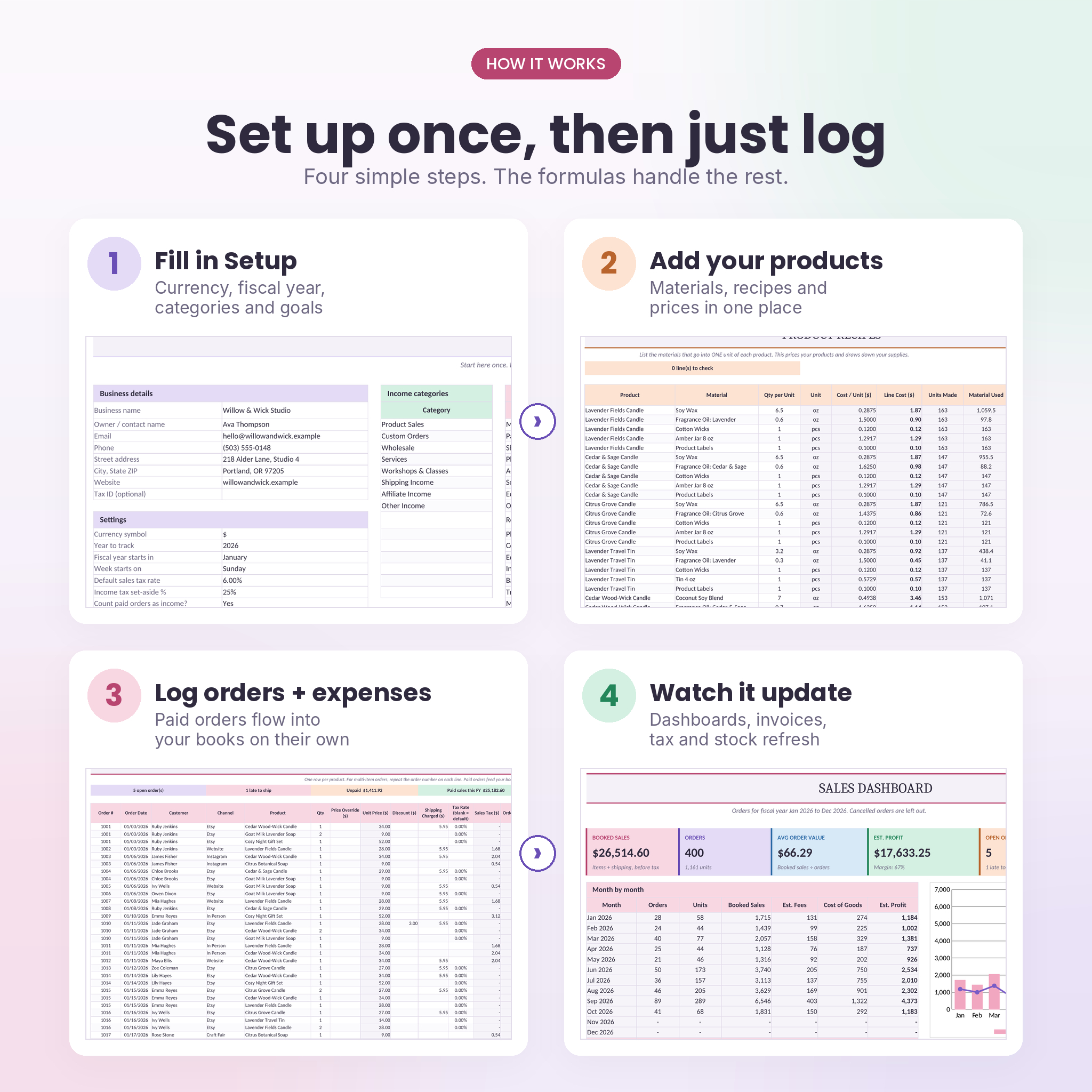
- Fill in Setup once: business details, currency, fiscal year, categories, budgets, sales channels and goals.
- Add your materials, products and recipes. Use the pricing calculator to settle on prices.
- Log orders, expenses, trips and bills as they happen. A few minutes a week is plenty.
- Open the dashboards whenever you want to know how you’re doing. They’re always current.
File format and software
- Format: Microsoft Excel workbook (.xlsx)
- Works in Excel 2010 or later on Windows and Mac, including Microsoft 365. No Office 365-only formulas, no macros.
- Tested in Google Sheets (free Google account) and LibreOffice Calc
- Best on a computer. The Excel and Google Sheets mobile apps are fine for quick entries.
- Apple Numbers isn’t supported
Make it yours
Pick your own currency symbol and every money total follows it, with $ as the default. Rename categories, set monthly budgets, choose Sunday or Monday as the first day of the week and add your own sales channels with their fees. Formula cells are locked with no password so nothing breaks by accident. Unlock any sheet in two clicks if you want to change the design.
Real ways sellers use it
- An Etsy candle shop checks whether a $28 candle still makes money after fees, then raises the price on two scents.
- A soap maker sends a wholesale invoice to a boutique and tracks it as unpaid until the money lands.
- A side-hustle seller hands their tax preparer one clean page of deductions and mileage in April.
Digital download
This is a digital product. No physical item will be shipped. After checkout you’ll get instant download links for the workbook and the user guide. The listing images show the workbook filled with a made-up candle shop so you can see it in action. Your copy arrives blank and ready for your own numbers.
License: for use in your own business only. Please don’t resell, share or redistribute the files. This workbook is a record-keeping tool and doesn’t give tax, legal or financial advice.
FAQ
Does it work in Google Sheets?
Yes. Upload the file to Google Drive, open it and choose File, then Save as Google Sheets. All formulas, dropdowns and charts work.
Do I need Microsoft 365?
No. It uses standard formulas that run in Excel 2010 and later, with no macros to enable.
Can I use my own currency?
Yes. Choose or type any symbol in Setup and the whole workbook switches over.
I don’t make products. Is it still useful?
Yes. Bookkeeping, bills, mileage, tax tracker, customers and invoices all work without the product tabs.
How many orders and transactions does it hold?
Up to 1,500 transactions, 1,000 order lines, 300 customers and 100 products, which covers a full year for most small shops.
Is the workbook editable?
Fully. Input cells are open, and formula cells are protected without a password so you can unlock them anytime.
Will it work outside the US?
Yes. Set your currency and fiscal year. The mileage rates and tax due dates are US defaults you can change or ignore.
Reviews
There are no reviews yet.