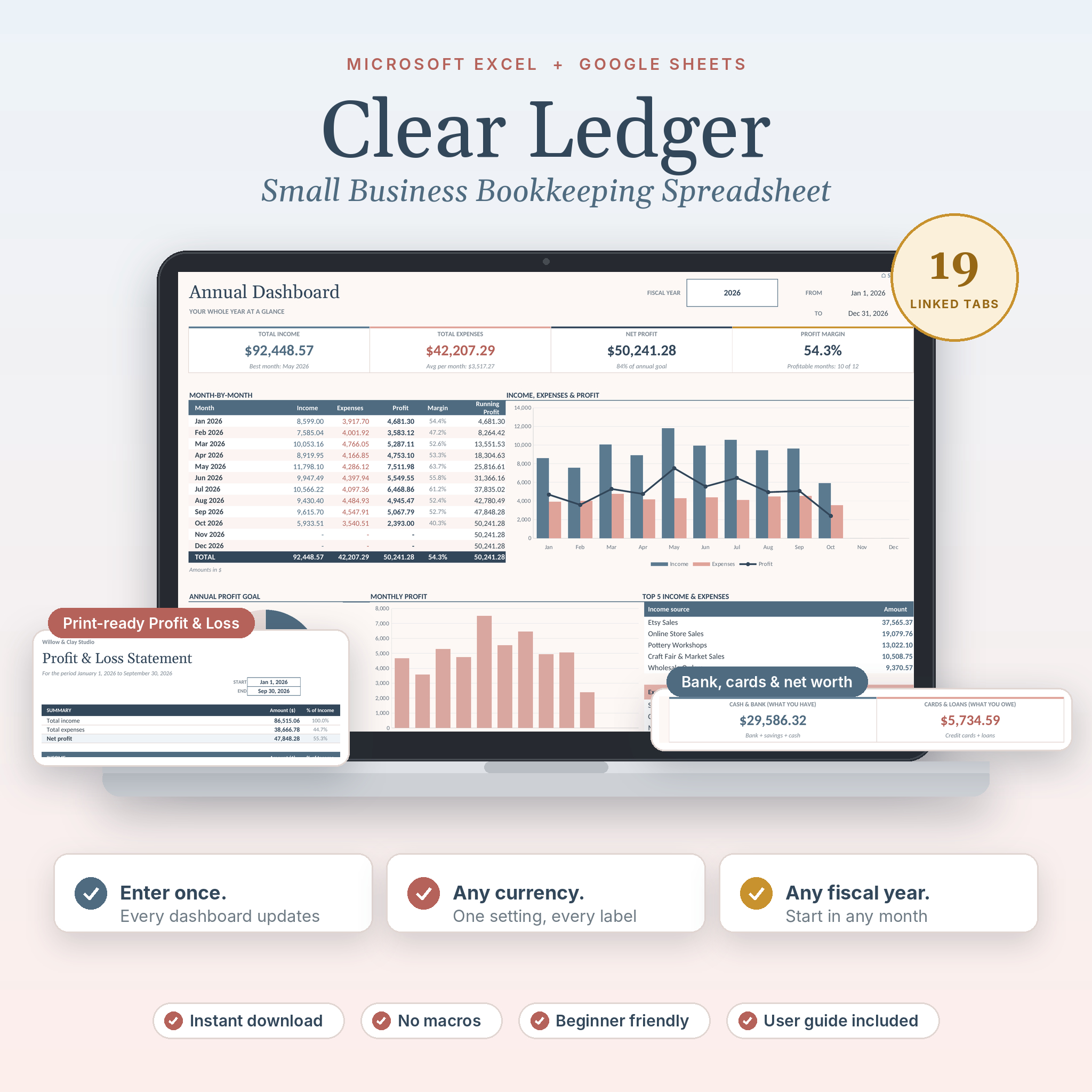
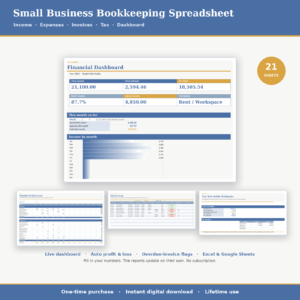
Clear Ledger is a small business bookkeeping spreadsheet for Microsoft Excel and Google Sheets. You type in your sales, bills and transfers. The workbook does the sorting, the math and the reports. In about ten minutes of setup you get a profit and loss statement, account balances, a budget, cash flow, invoice tracking, mileage and a tax center, all tied together in one file.
It was built for people who sell online, freelance, or run a small service business and want clear numbers without a monthly software bill.
What this bookkeeping spreadsheet does for you
Most templates give you a ledger and a P&L, then leave you to work out the rest. This one goes further. Here’s what changes once your entries are in:
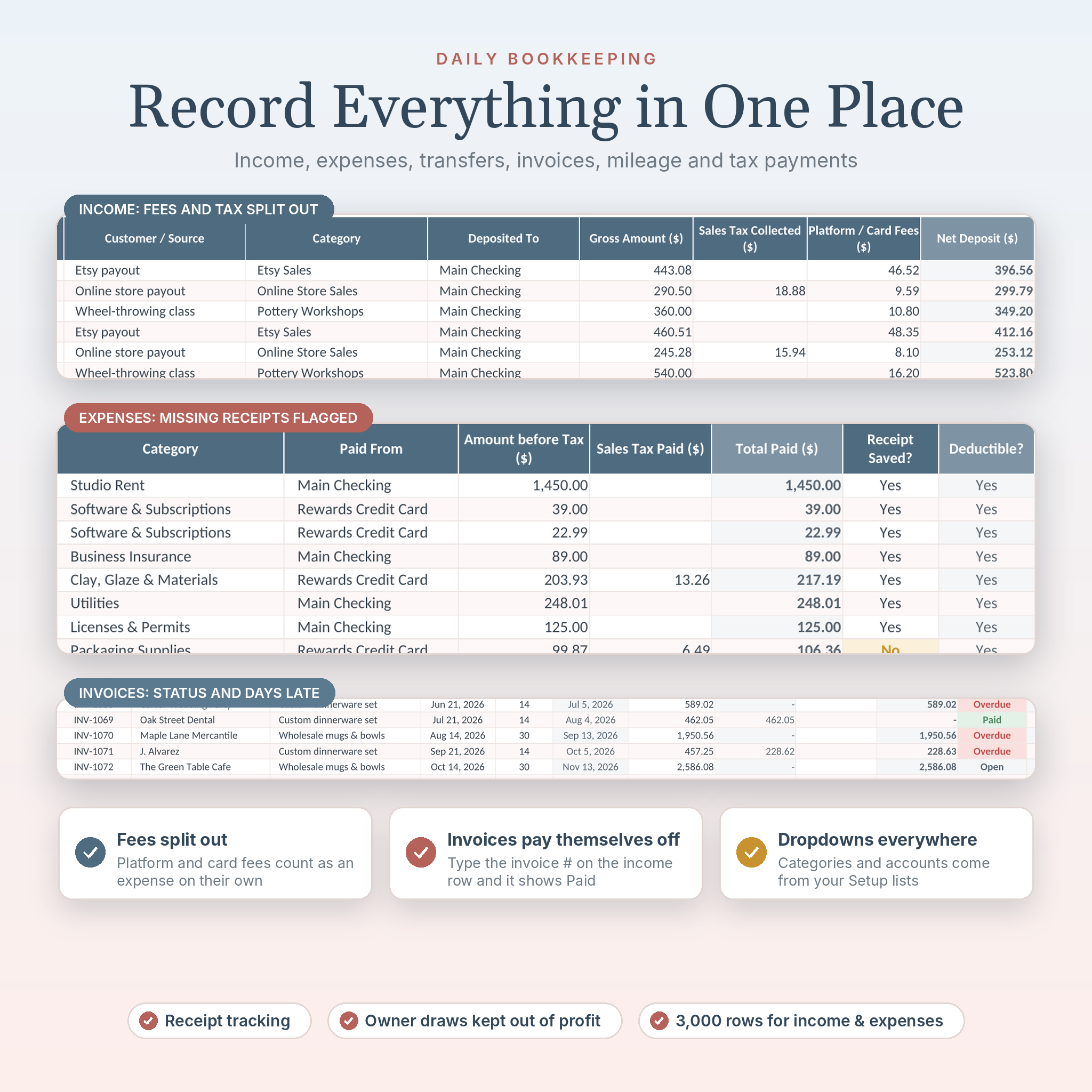
- Platform and card fees split out on their own. Enter an Etsy or Shopify payout with its fees and they land in your expenses. No double entry.
- Invoices mark themselves paid. Type the invoice number on the income row and the invoice switches to Paid, even for partial payments.
- Owner draws stay out of your profit. Paying yourself is recorded as a transfer, so your profit number stays honest.
- Your budget is checked against today, not December. Status updates month by month, so June looks fair.
- Mistakes get caught. A data health check counts unknown categories, missing dates and duplicate invoice numbers, and the cells turn red.
Who it’s for
- Etsy, Shopify and marketplace sellers who get paid after fees
- Freelancers, consultants and creatives who send invoices
- Service businesses: salons, cleaners, photographers, tutors, coaches
- Side hustles that need to look organized at tax time
- Anyone who wants to stop guessing where the money went
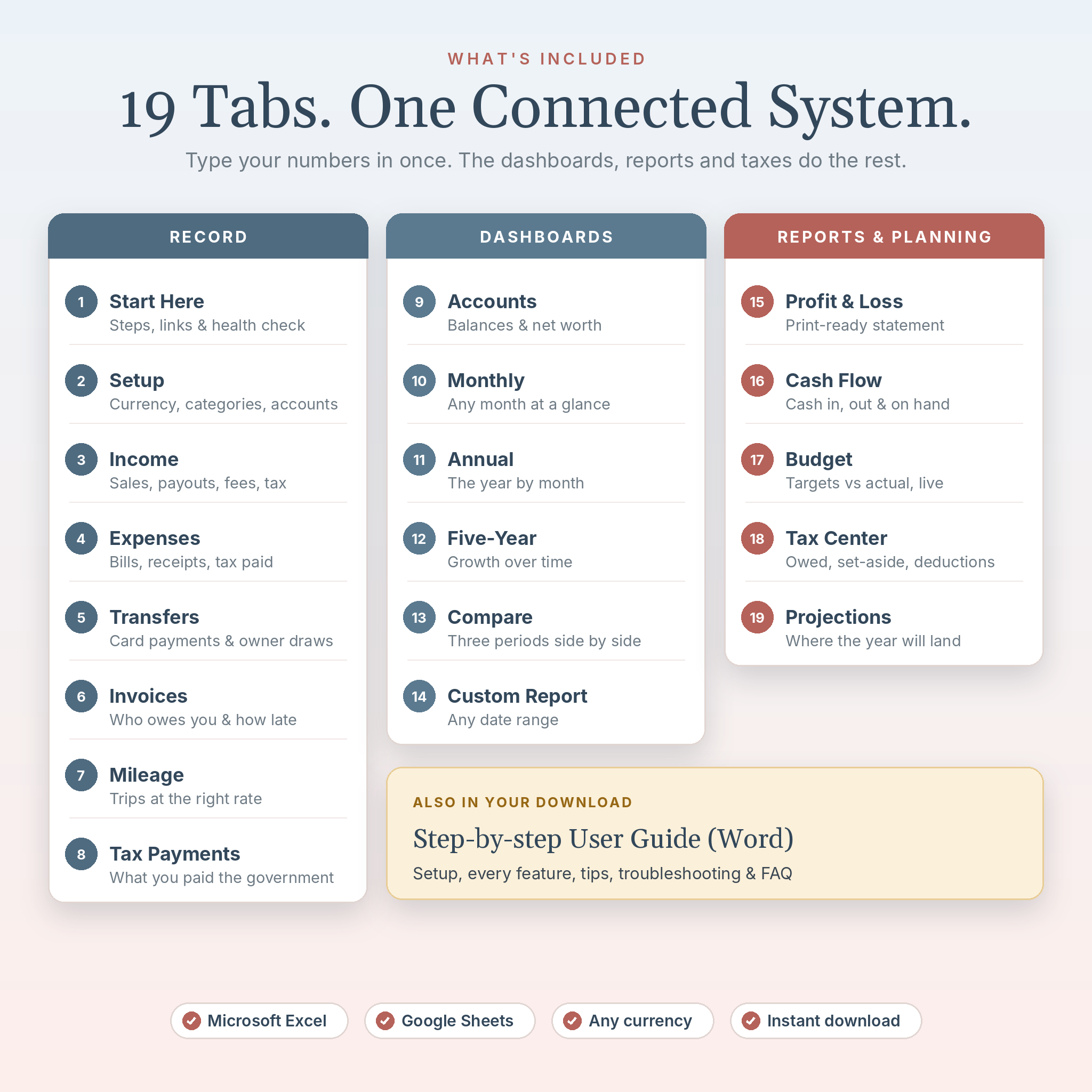
What’s included: 19 connected tabs
Record
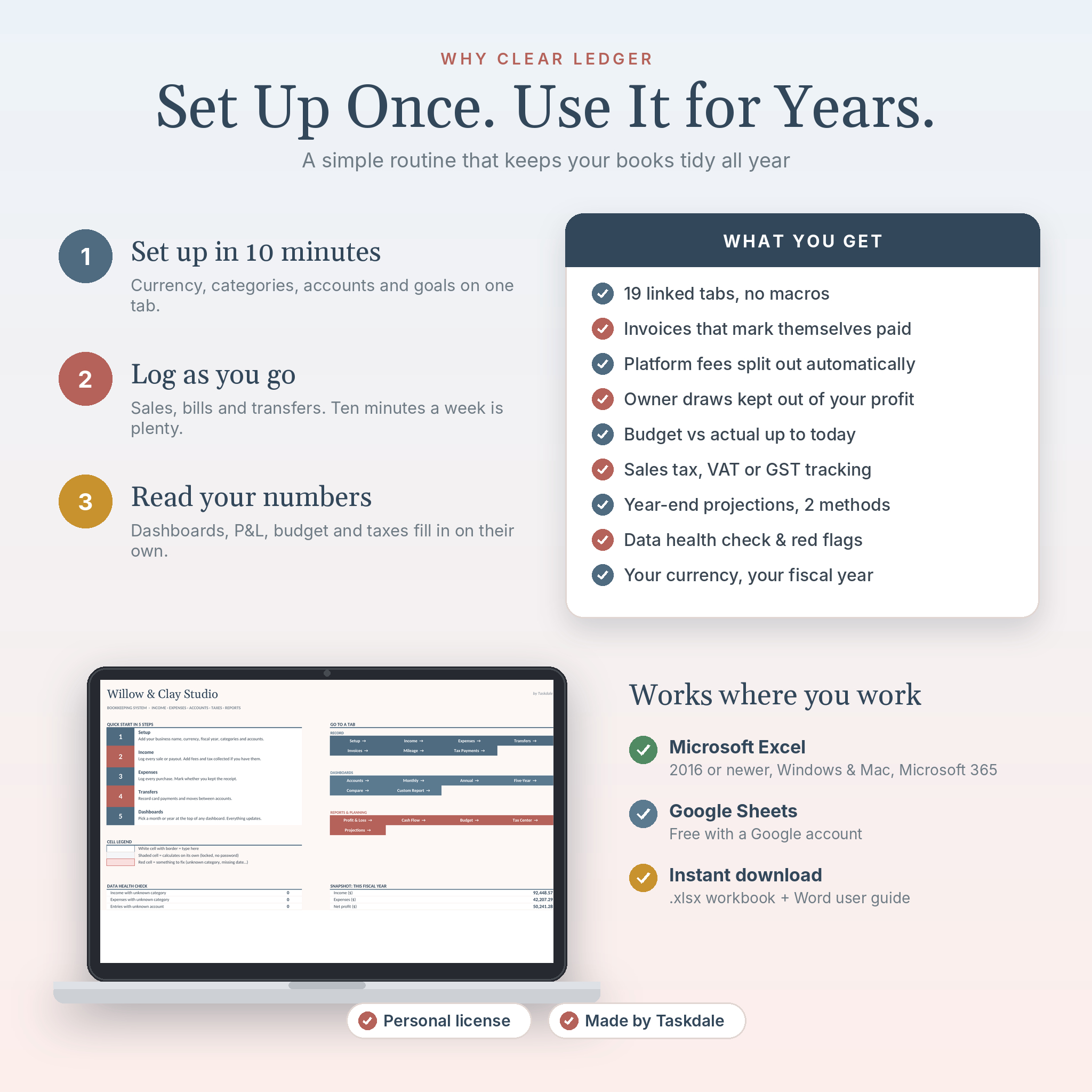
- Start Here: 5 quick steps, links to every tab, a data health check and a yearly snapshot
- Setup: business name, currency symbol, fiscal year start, tax name, goals, 25 income and 40 expense categories, 20 accounts and mileage rates
- Income: gross amount, tax collected, platform fees and net deposit
- Expenses: amount, tax paid, receipt saved yes or no, deductible flag
- Transfers: card payments, savings moves, loan payments and owner draws
- Invoices: due dates, status (Paid, Open, Due soon, Overdue) and 1 to 90+ day aging
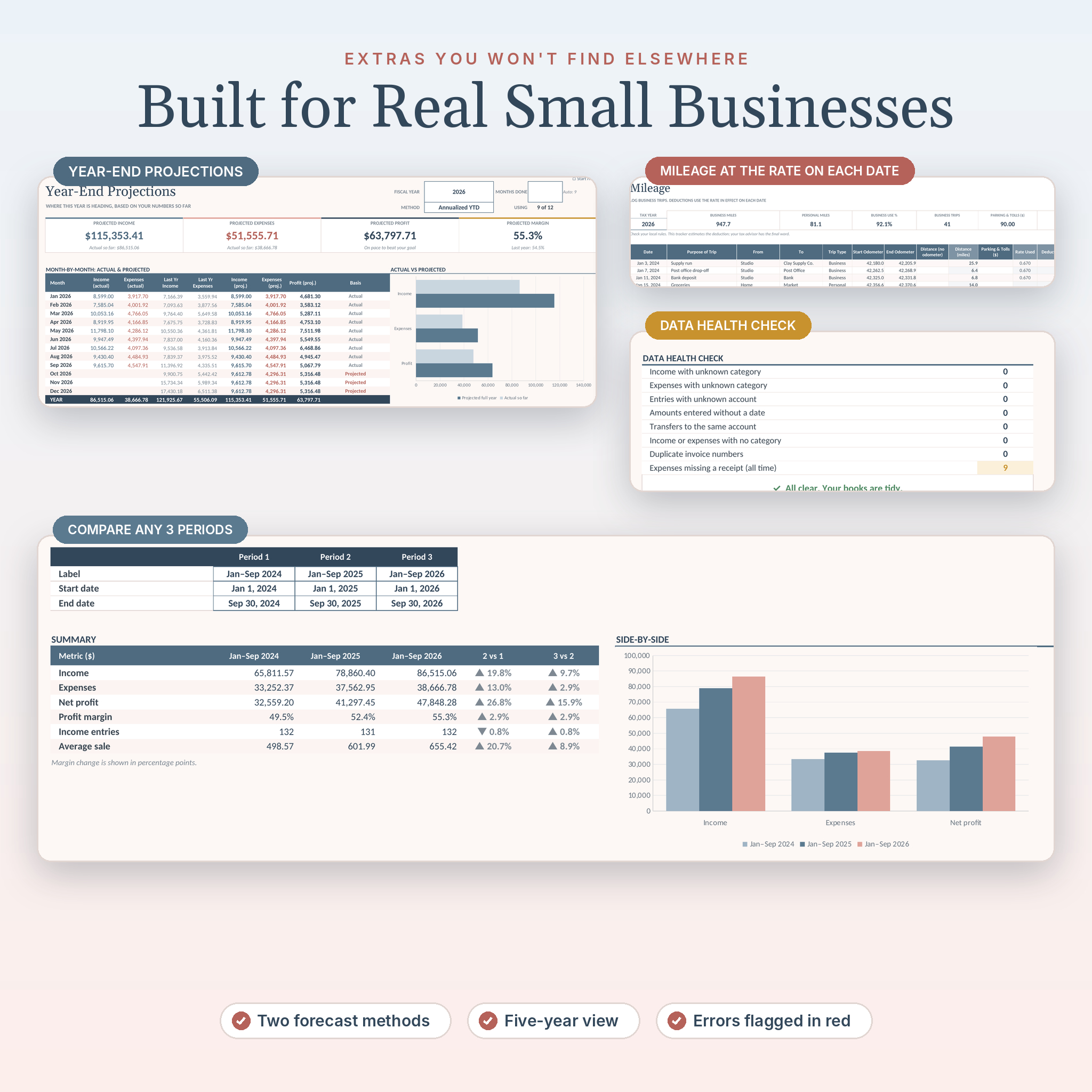
- Mileage: odometer or distance, parking and tolls, and the rate in effect on each trip date
- Tax Payments: sales tax, VAT, GST and income tax estimates you pay
Dashboards
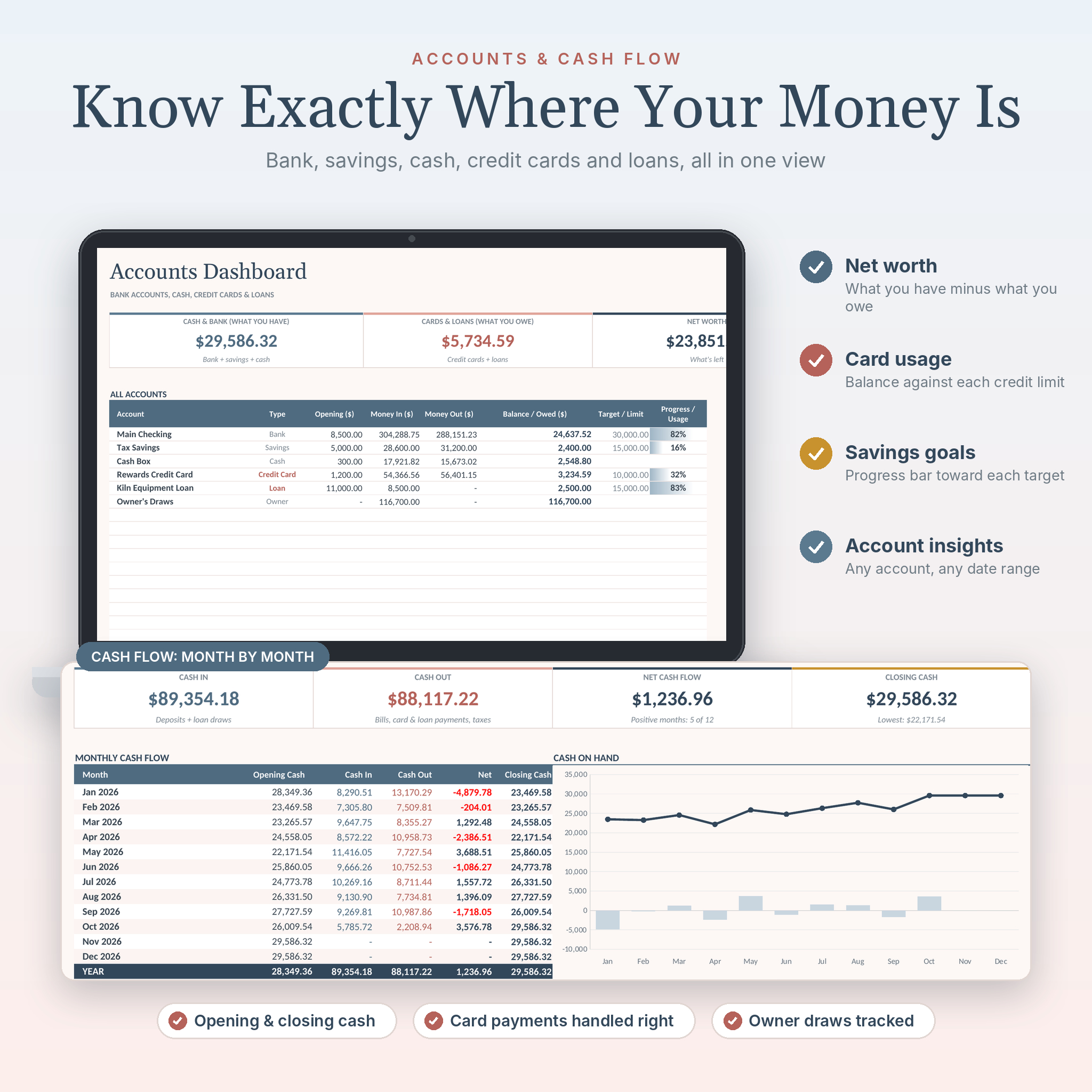
- Accounts: bank, savings, cash, credit cards and loans, net worth, card usage and savings progress
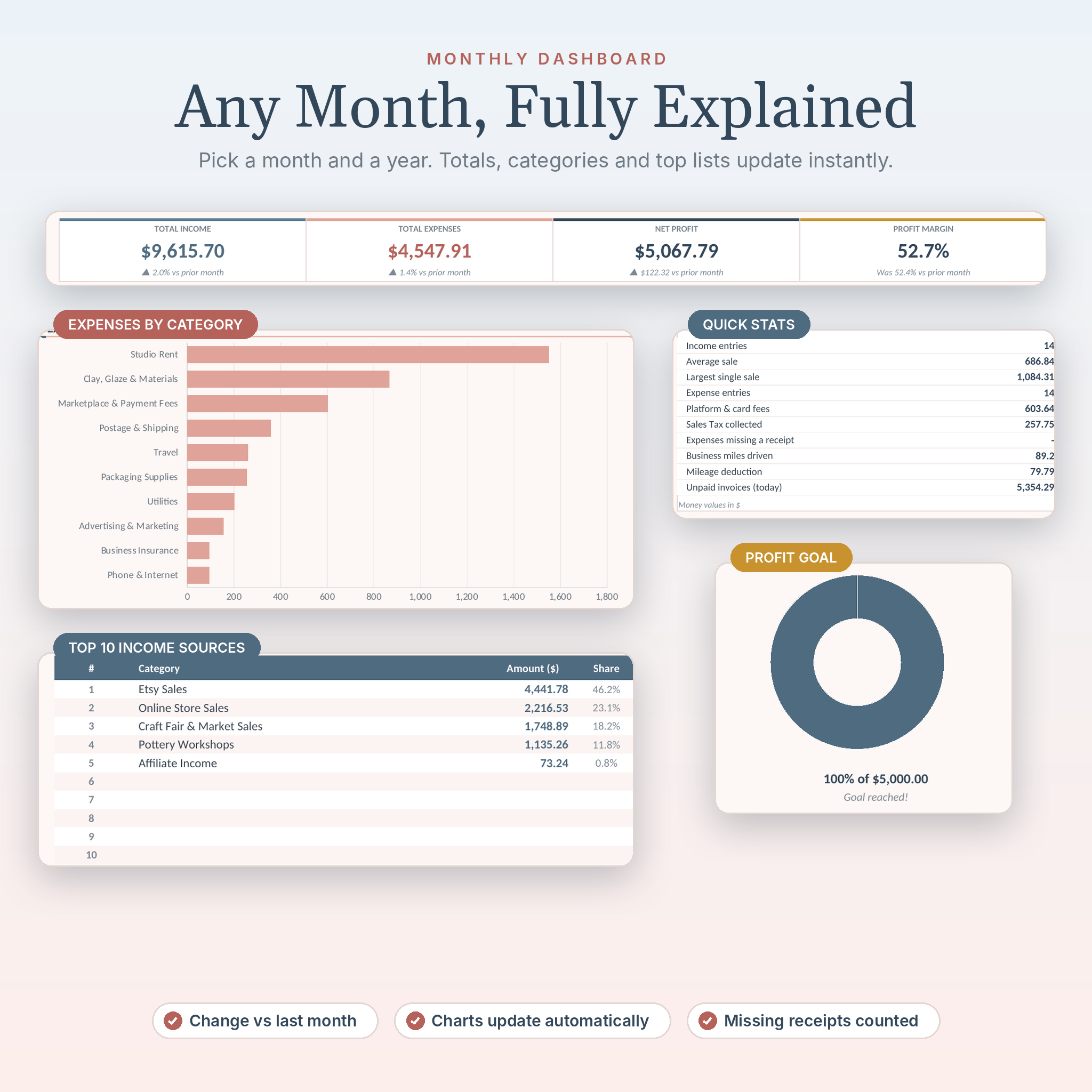
- Monthly: totals with change from last month, category charts, top 10 lists, profit goal and quick stats
- Annual: 12 months with a running profit line, goal ring and top categories
- Five-Year: five years side by side with year-over-year change
- Compare: any three date ranges compared, down to each category
- Custom Report: any date range, with daily averages
Reports and planning
- Profit & Loss: print-ready income statement for any dates
- Cash Flow: cash in, cash out and cash on hand by month
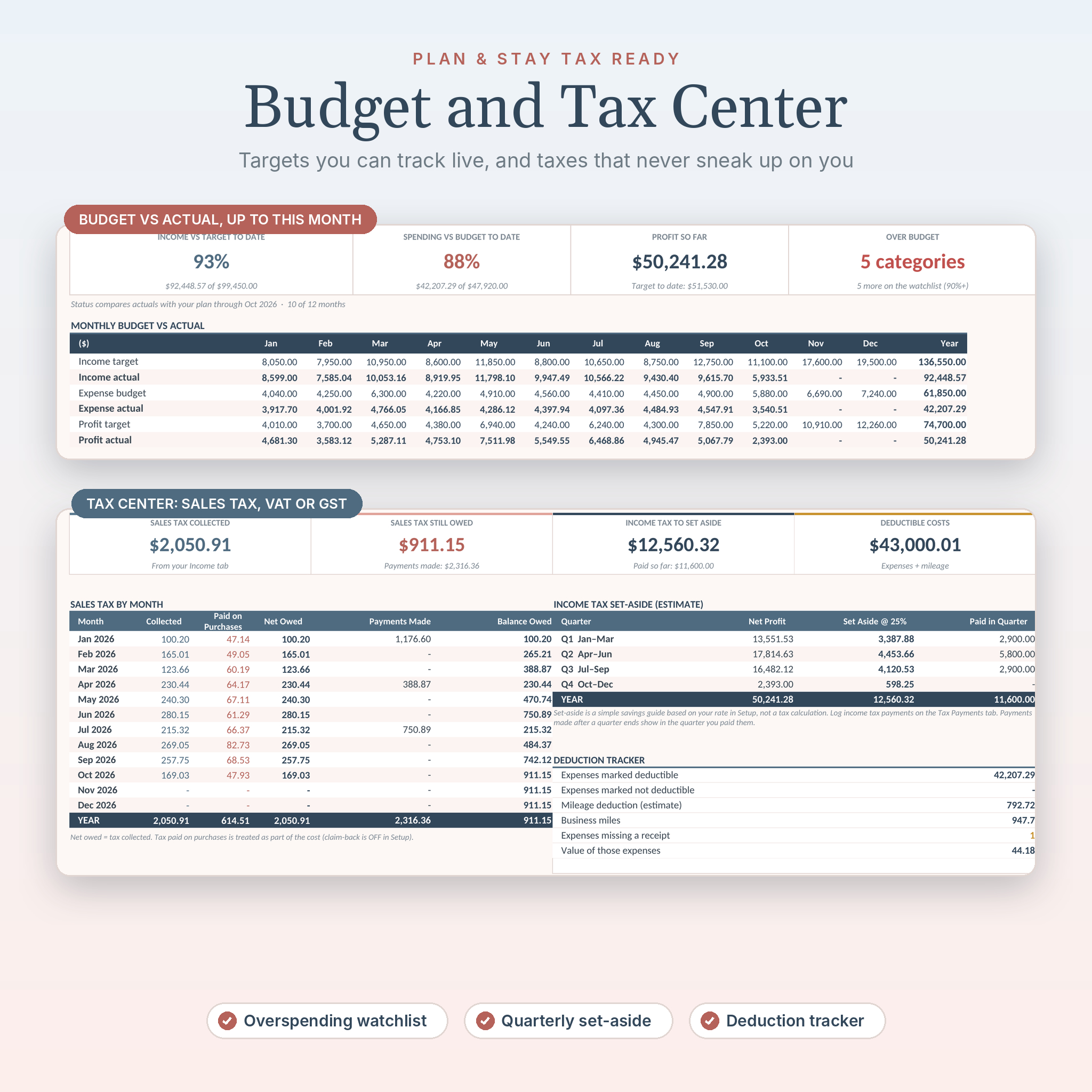
- Budget: monthly targets and limits with live status and a top overspending list
- Tax Center: tax collected, paid and still owed, quarterly income tax set-aside and a deduction tracker
- Year-End Projections: two methods, annualized or seasonal, to see where the year will land
How it works
- Download the files right after checkout.
- Open the workbook in Excel, or import it into Google Sheets.
- Fill in the Setup tab: currency, fiscal year, categories and accounts.
- Log your income, expenses and transfers as they happen. Ten minutes a week is usually enough.
- Pick a month or year at the top of any dashboard. Everything updates on its own.
Real situations where it helps
- Tax season: hand your accountant a clean P&L, deductible totals and a mileage log instead of a pile of receipts.
- A slow month: open Compare and see exactly which income stream dropped and which costs crept up.
- Chasing payments: the Invoices tab shows who owes you and how many days late they are.
- Holiday rush planning: use Seasonal projections and last year’s pattern to plan stock and cash.
- Paying yourself: see what you’ve drawn this year and what cash is left in the business.
Customization
Rename categories, add accounts, switch the currency symbol and set your fiscal year to start in any month. Change the tax name to Sales Tax, VAT or GST, and choose whether tax on purchases can be claimed back. Formula cells are locked without a password, so you can unlock a sheet whenever you want to make bigger changes.
File formats and requirements
- Clear-Ledger-Bookkeeping-Spreadsheet.xlsx (blank, ready for your numbers)
- Clear-Ledger-User-Guide.docx (step-by-step guide with screenshots, tips, troubleshooting and FAQ)
- Works with Microsoft Excel 2016 or newer on Windows and Mac, Microsoft 365, and Google Sheets with a free Google account
- No macros, no add-ins and no bank connection. Your data stays with you.
- Money values use your chosen currency symbol, with $ as the default
Digital download
This is a digital product. Nothing ships. Your files are available to download as soon as your payment goes through, and you can download them again from your account.
Frequently asked questions
Does this bookkeeping template work in Google Sheets?
Yes. Import the .xlsx into Google Sheets and the formulas, charts and dropdowns work there too.
Does it connect to my bank account?
No. You type or paste transactions in. That keeps it simple and private.
Can I use it for more than one year?
Yes. Keep adding entries and choose the year on each dashboard. Five-Year and Compare are made for that.
Can I track sales tax, VAT or GST?
Yes. Enter tax collected on sales and tax paid on purchases. The Tax Center shows what you still owe after payments.
Is it good for Etsy and Shopify sellers?
Very. Enter payouts with gross sales, tax and fees, and the fees count as an expense automatically.
What if my fiscal year starts in July?
Pick July on the Setup tab. Every yearly view follows it.
Do I need accounting experience?
No. If you can type a date and an amount, you can use it. The user guide walks you through each tab.
Can I share it with my business partner?
Yes, inside your own business. The license covers one business. Please don’t resell or share the file outside it.
License
Personal license for one business. You may edit the template for your own bookkeeping. You may not resell, share, give away or distribute it, in full or in part. This template is an organizing tool and not tax, legal or accounting advice.
Reviews
There are no reviews yet.