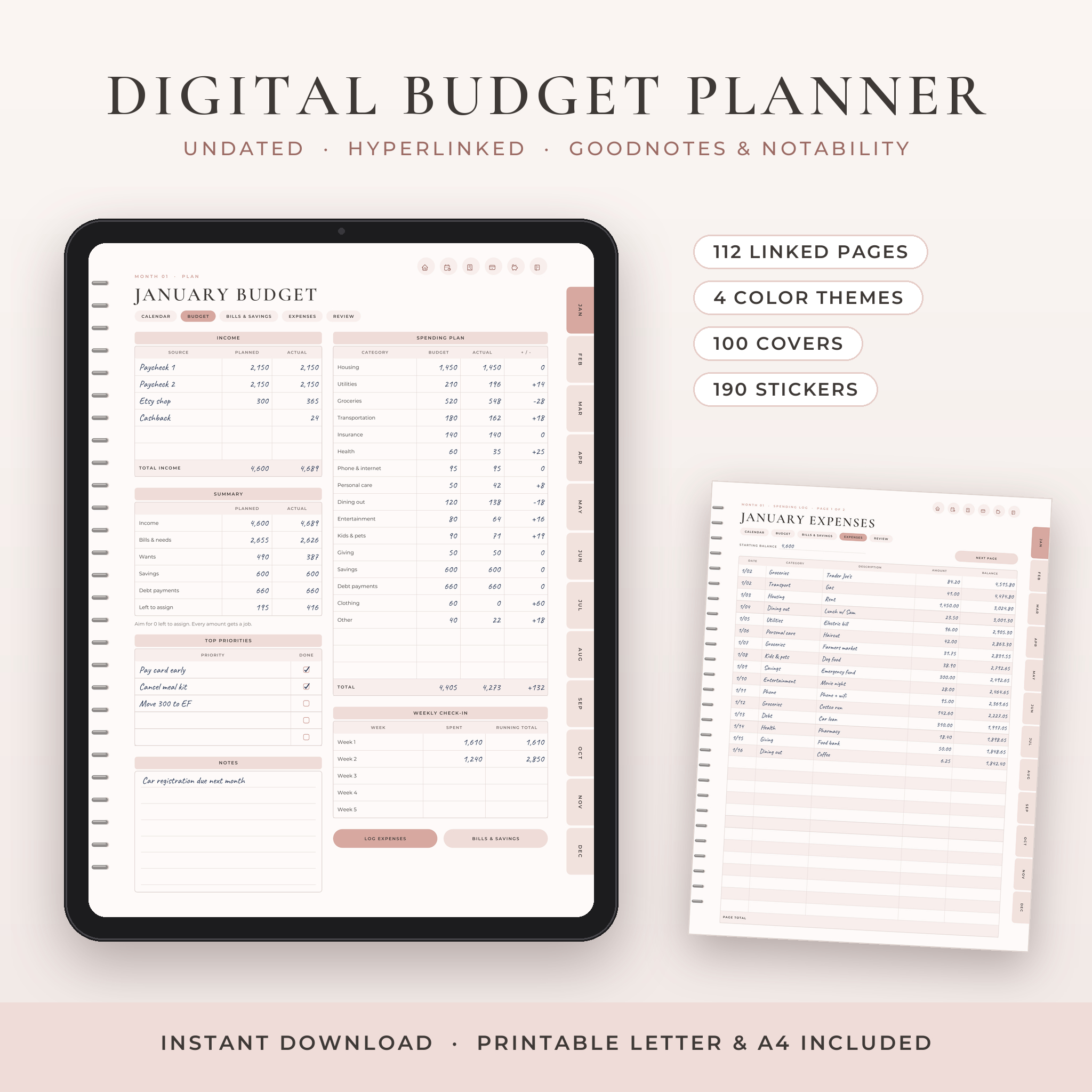
This digital budget planner puts your whole money life in one linked PDF. Budgets, bills, spending, debt and savings, all a tap apart. It’s made for GoodNotes, Notability, Noteshelf and Xodo on iPad and Android tablets. And it’s undated, so you can start this month, next month or next year.
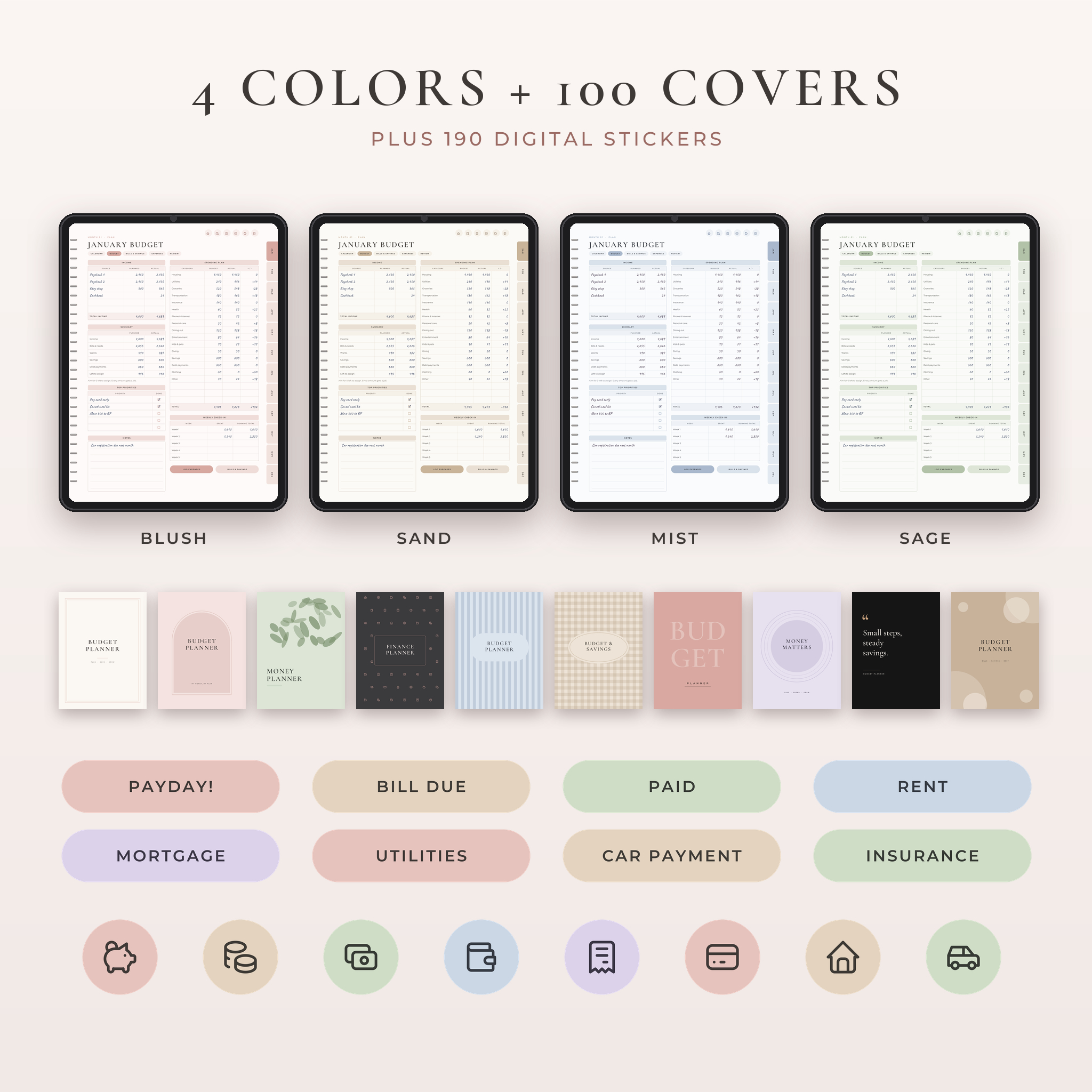
Most budget planners give you a monthly page and a bill list and call it done. Petalwise goes further. You get 112 hyperlinked pages, a six-page routine for every month, color-in progress grids for debt and savings, four color themes, 100 covers, 190 stickers and a printable edition in US Letter and A4.
Why this digital budget planner works
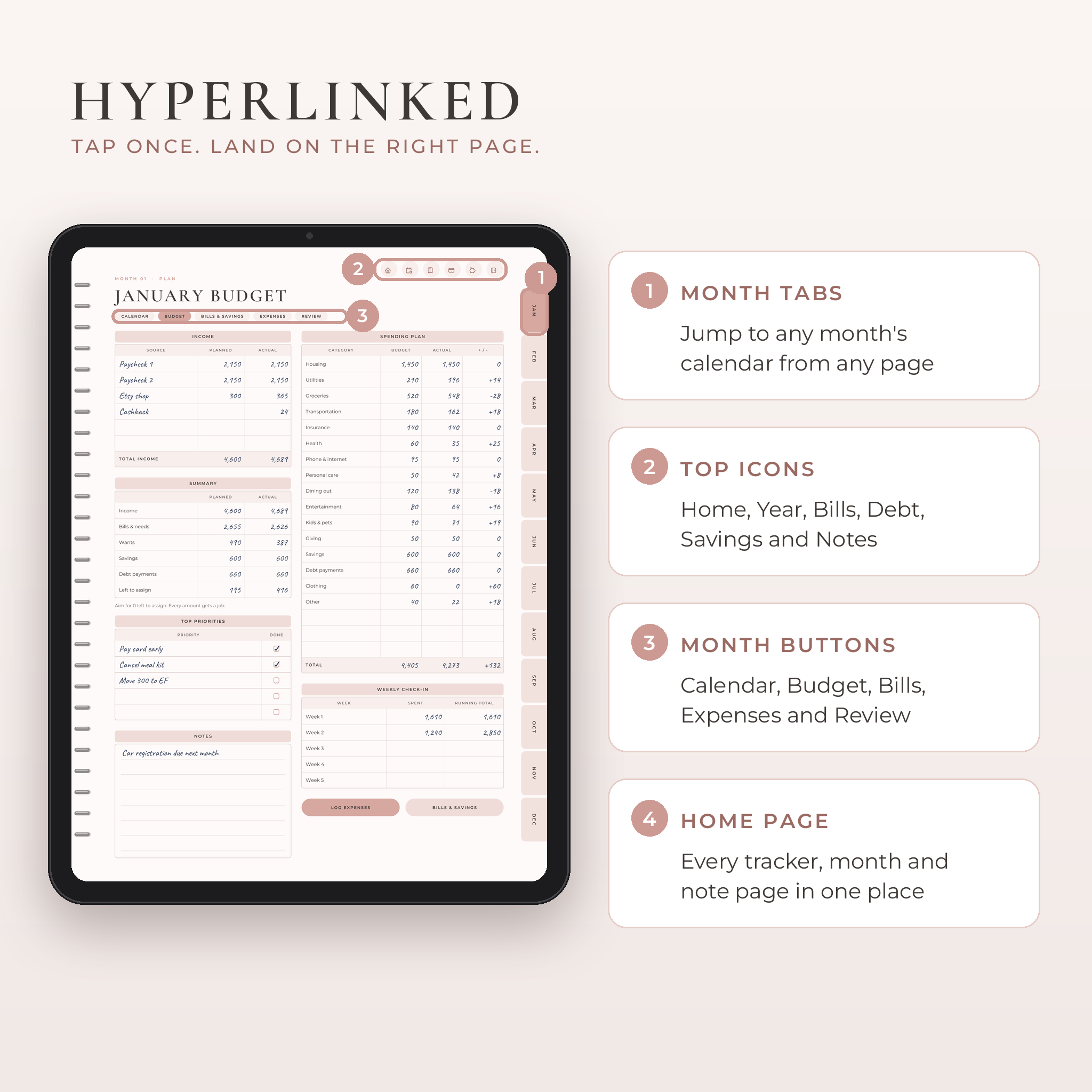
Budgeting usually falls apart for one reason. You can’t find the page you need, so you stop opening the planner. Here, every page has month tabs down the side and six icons across the top. Tap JAN and you’re on January’s calendar. Tap the piggy bank and you’re on your savings goals. Two taps, never more.
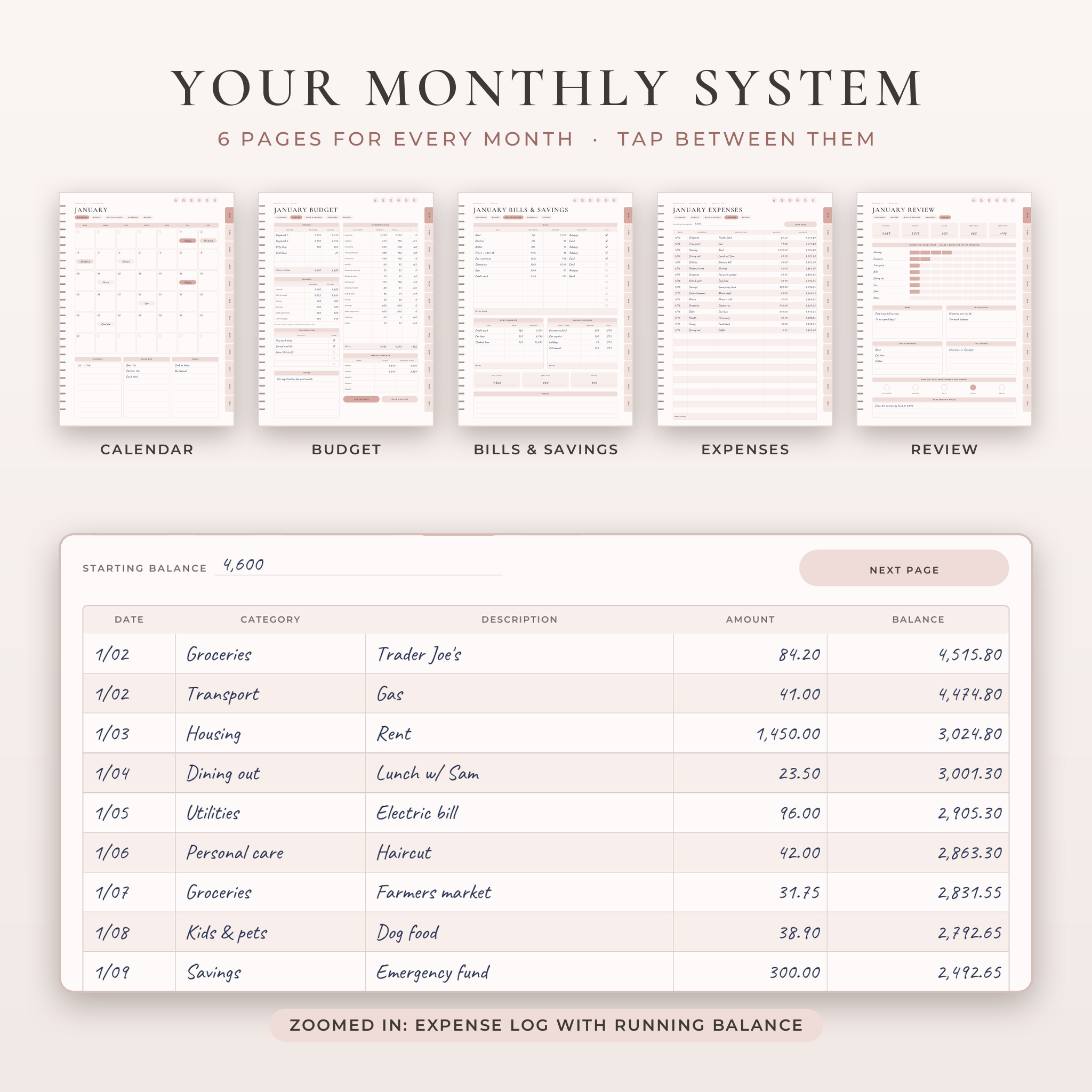
Inside each month, small buttons under the title move you between Calendar, Budget, Bills & Savings, Expenses and Review. So the monthly routine flows in order, the way you’d actually use it.
What’s included
- 4 hyperlinked planner PDFs (112 pages each) in Blush, Sand, Mist and Sage. Pick your favorite.
- Printable edition in US Letter and A4 (42 pages each), with one set of monthly pages to print as often as you like.
- 100 covers: 10 designs in 10 colors, PNG at 1620 × 2160 px.
- 190 digital stickers: 100 labels like Payday, Bill due and No spend day, 80 icon stickers and 10 washi strips, all PNG with clear backgrounds.
- 4 sticker sheets inside the planner, ready to lasso and copy.
- User guide (Word DOCX) with setup steps, tips, troubleshooting and FAQs.
Pages inside the planner
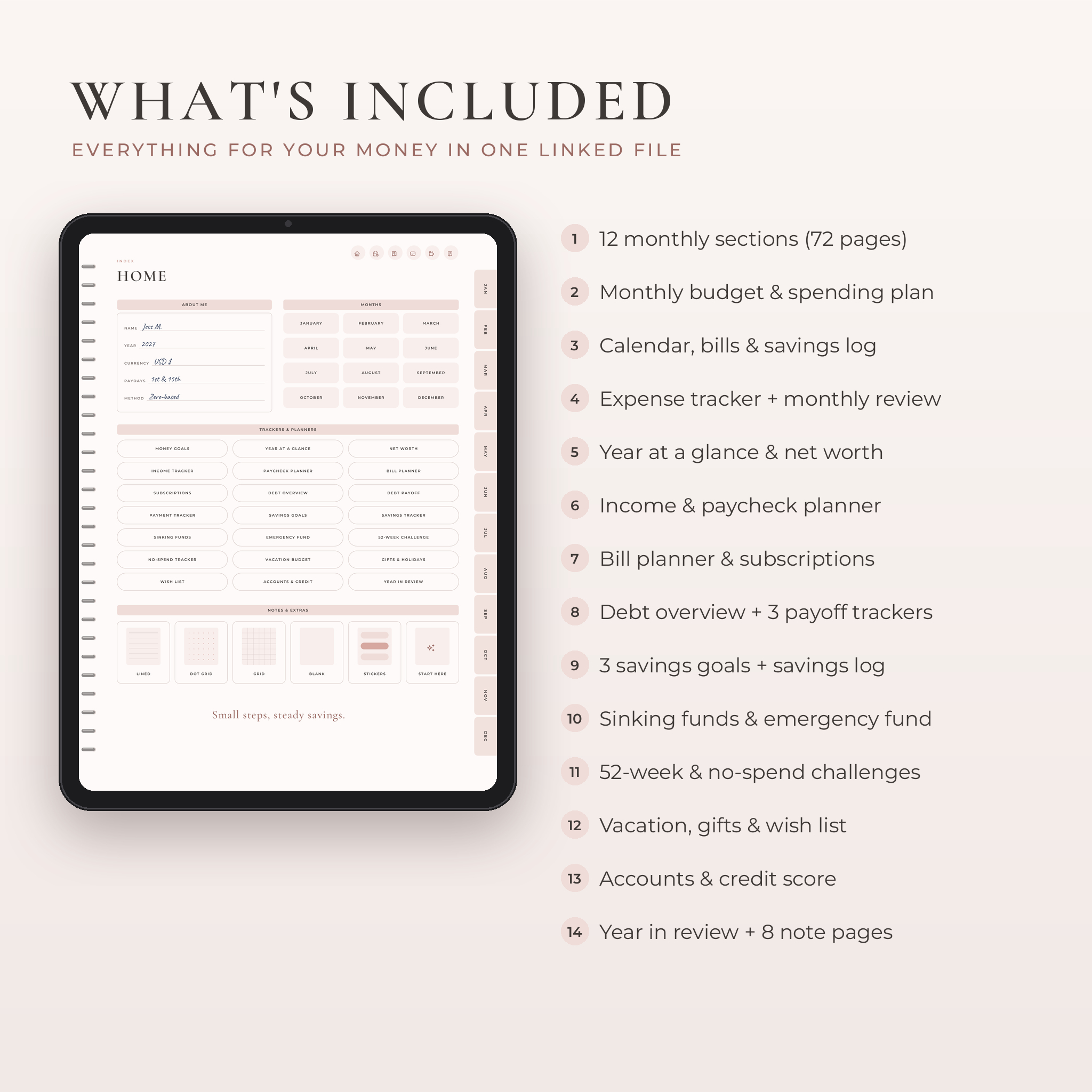
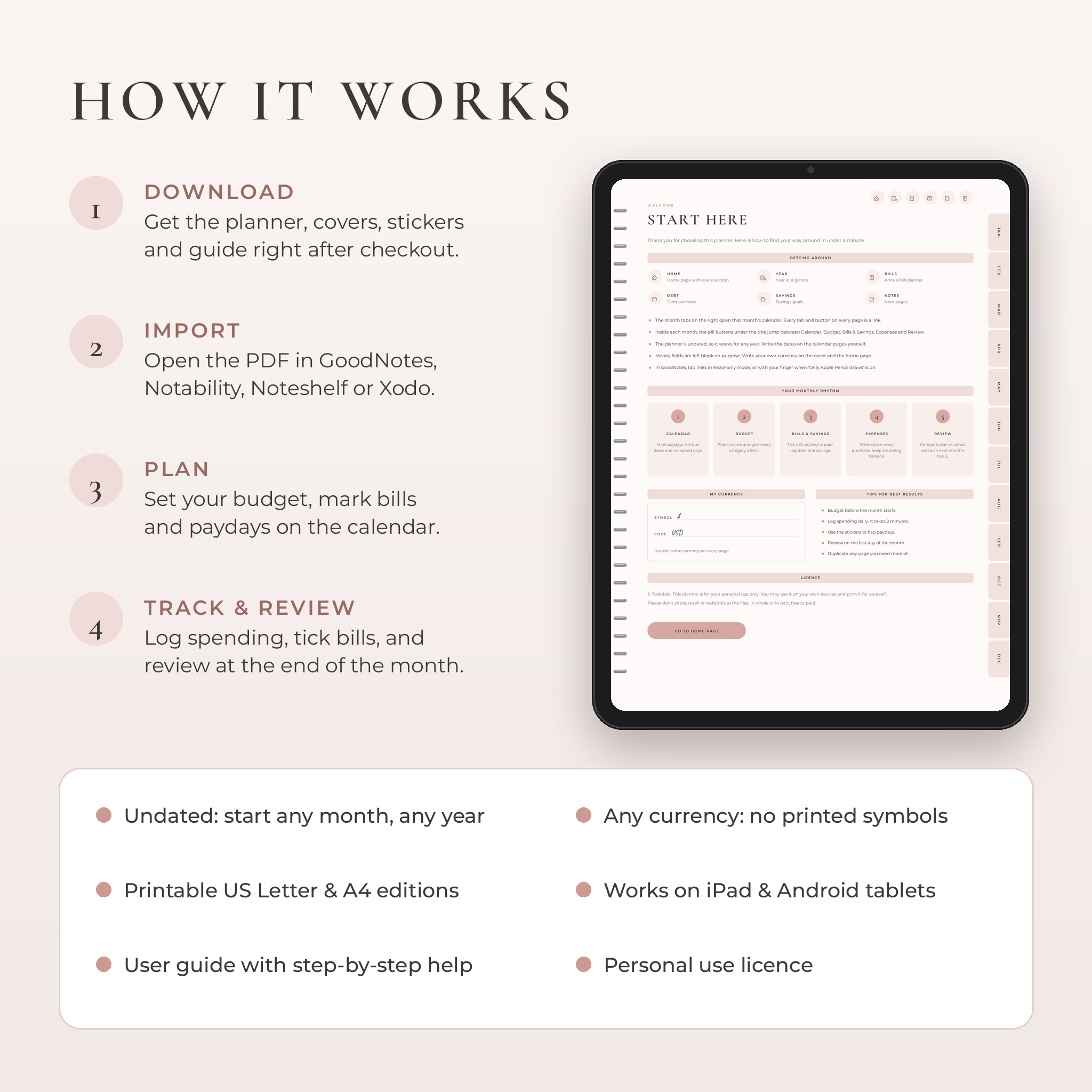
- Start Here and Home page with links to every section, month and note page
- Money Goals, Year at a Glance and Net Worth (quarterly)
- Income Tracker and Paycheck Planner to give every paycheck a job
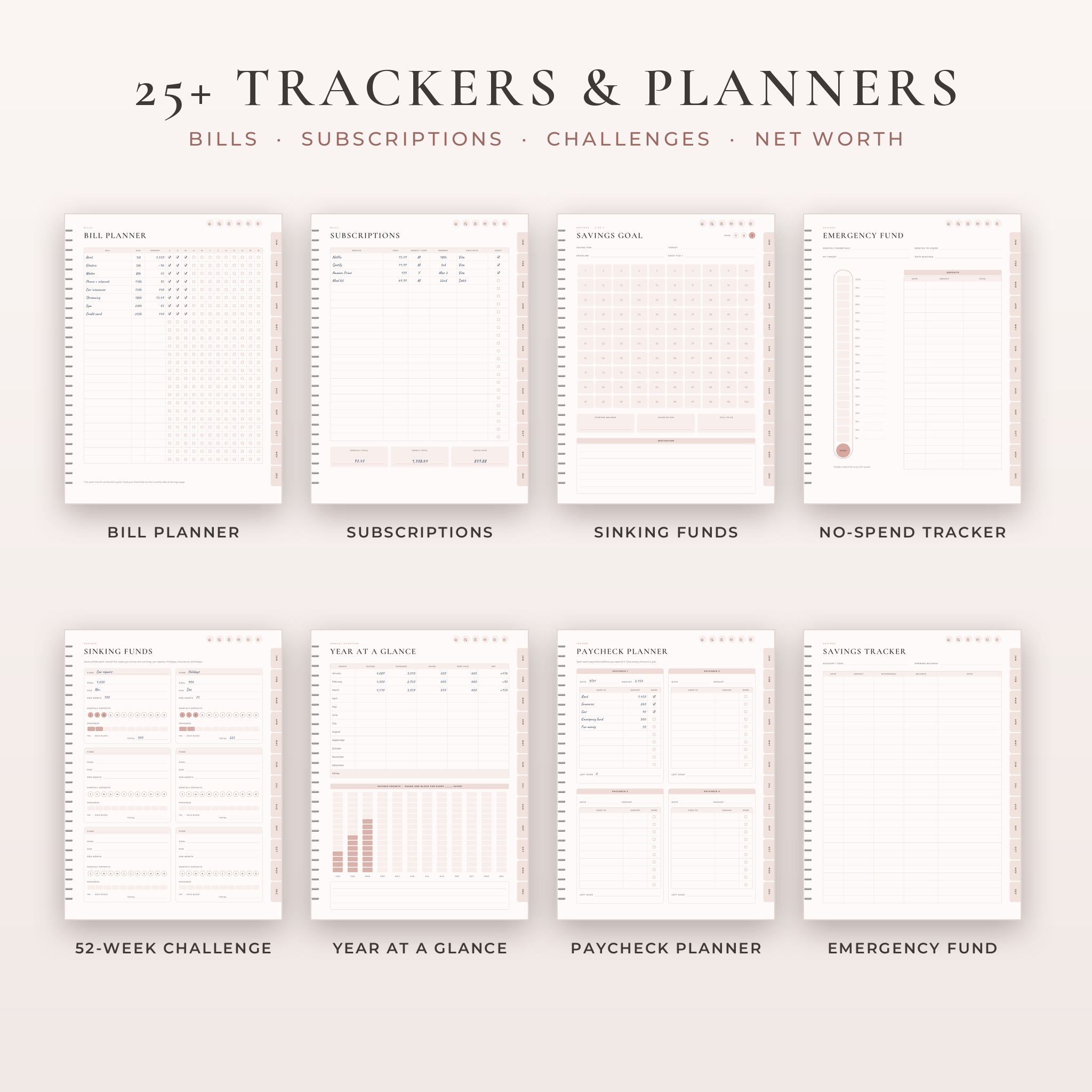
- Bill Planner with a tick box for all 12 months on one page
- Subscriptions tracker with monthly total, yearly total and a Keep? column
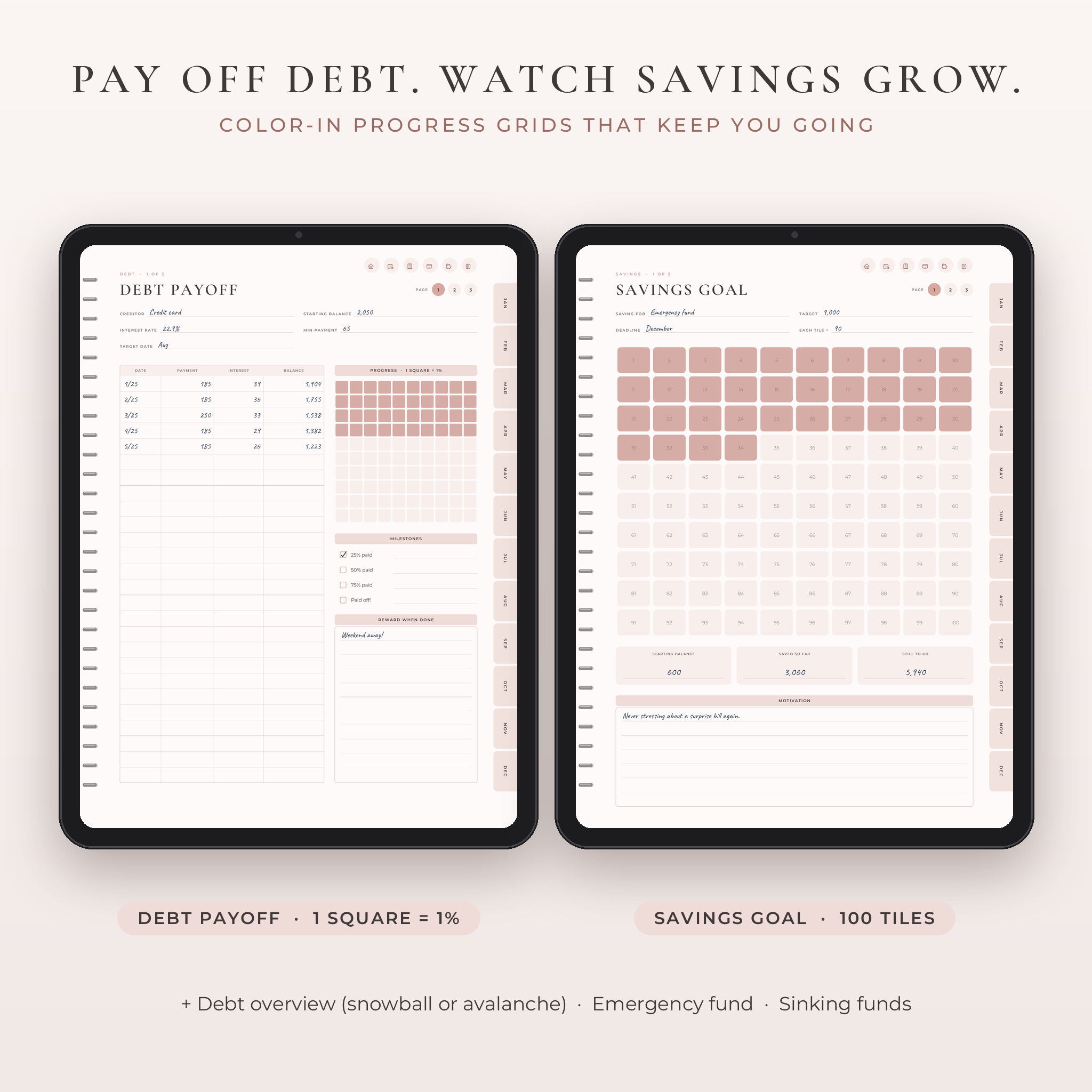
- Debt Overview with a snowball or avalanche choice, plus 3 Debt Payoff pages with a 100-square grid (1 square = 1% paid)
- Payment Tracker for loans, installment plans and buy now, pay later
- 3 Savings Goal pages with 100 color-in tiles, a Savings Tracker, Sinking Funds and an Emergency Fund thermometer
- 52-Week Savings Challenge and No-Spend Tracker for the whole year
- Vacation Budget, Gifts & Holidays, Wish List, Accounts & Credit
- 12 monthly sections: Calendar, Budget, Bills & Savings, 2 Expense pages and a Monthly Review (72 pages)
- Year in Review and 8 note pages (lined, dot grid, grid and blank)
How your month works
- Calendar. Write in the dates. Mark paydays, due dates and no-spend days.
- Budget. Plan your income and give each category a limit. The summary box shows what’s left to assign.
- Bills & Savings. Tick bills as you pay them. Log debt payments and savings deposits.
- Expenses. Record every purchase with a running balance. Two pages per month, so you won’t run out of rows.
- Review. Compare plan and actual, shade where the money went, and pick one focus for next month.
Setting up a month takes about ten minutes. After that, a couple of minutes a day keeps it current.
Who it’s for
- Anyone who wants to stop wondering where the paycheck went
- People paying off a credit card, car loan or student loan
- Savers building an emergency fund or saving for a trip
- Couples and families who plan money together once a month
- Beginners. Every box is labeled, and the guide walks you through it
Real ways people use it
Paying off a credit card. List your debts on the overview, choose snowball, and shade a square each time you pay. Watching 40 squares fill in does more for motivation than any spreadsheet.
Getting ready for the holidays. Set up a Holidays sinking fund in January. Put a little aside each month, tick the circle, and December stops being stressful.
Cutting subscriptions. Write every subscription down once. Most people find at least one they forgot about.
Monthly money date. Sit down with your partner on the last Sunday of the month. Do the Review page together, then plan next month’s budget.
File formats and requirements
- Planner: hyperlinked PDF, 810 × 1080 pt (3:4 portrait), about 1.4 MB per color
- Printables: PDF in US Letter and A4
- Covers and stickers: PNG files in ZIP folders
- User guide: DOCX
- Works with: GoodNotes, Notability, Noteshelf, Xodo and other PDF note apps on iPad and Android tablets. For the links, use an app that supports PDF hyperlinks.
Customize it
There are no printed currency symbols. Write yours once on the cover and use it everywhere, whether that’s dollars, pounds, euros or anything else. Swap the cover for any of the 100 designs, add stickers, and duplicate any page you need more of. Duplicated pages keep their working tabs.
Digital download
This is an instant digital download. Nothing ships to you. Your files are ready on the order page and in your email right after checkout. The licence covers personal use only, so please don’t share or resell the files.
FAQ
Does this budget planner work with GoodNotes?
Yes. Import the PDF into GoodNotes on iPad. Links work in Read-only mode, or with your finger when only Apple Pencil is set to draw.
Is it dated?
No. It’s undated, so you can start any month and reuse it every year.
Can I use it on an Android tablet?
Yes. Open it in an Android PDF note app that supports links, such as Xodo or Noteshelf.
Can I print it?
Yes. The printable edition comes in US Letter and A4. Print the monthly pages as many times as you need.
Does it work with my currency?
Yes. Money fields are blank, so it works with any currency.
Can I type instead of handwriting?
Yes. Use your app’s text tool in any box.
Do I need all four colors?
No. Every color has the same pages. Import the one you like best.
Reviews
There are no reviews yet.