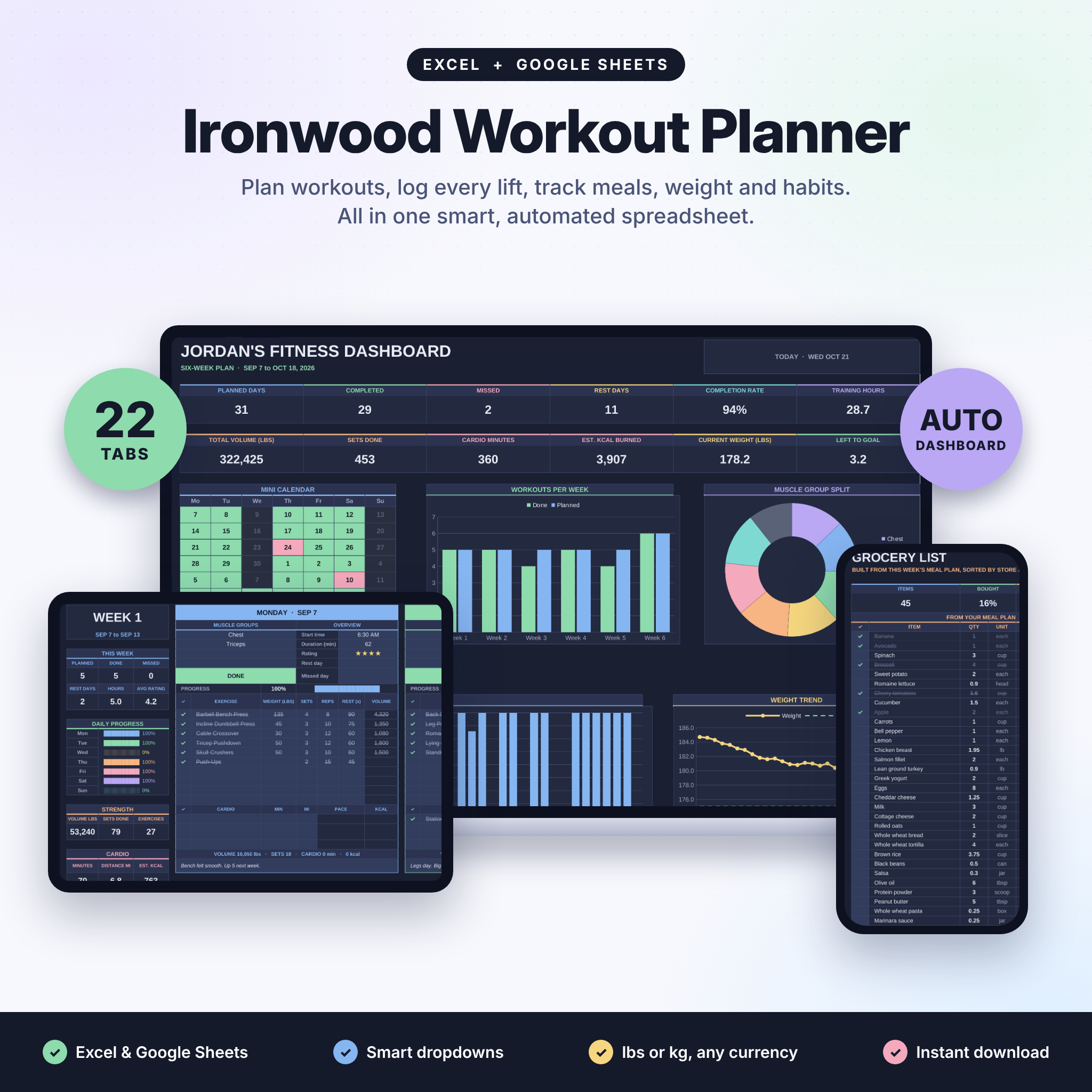

This workout planner spreadsheet plans your week, logs every lift and tracks your progress for you. Ironwood works in Microsoft Excel and Google Sheets, so you get one file that runs on your laptop, your tablet and your phone. Pick your muscle groups, choose exercises from a smart dropdown and tick them off as you train. The calendar, dashboard and personal records fill in on their own.
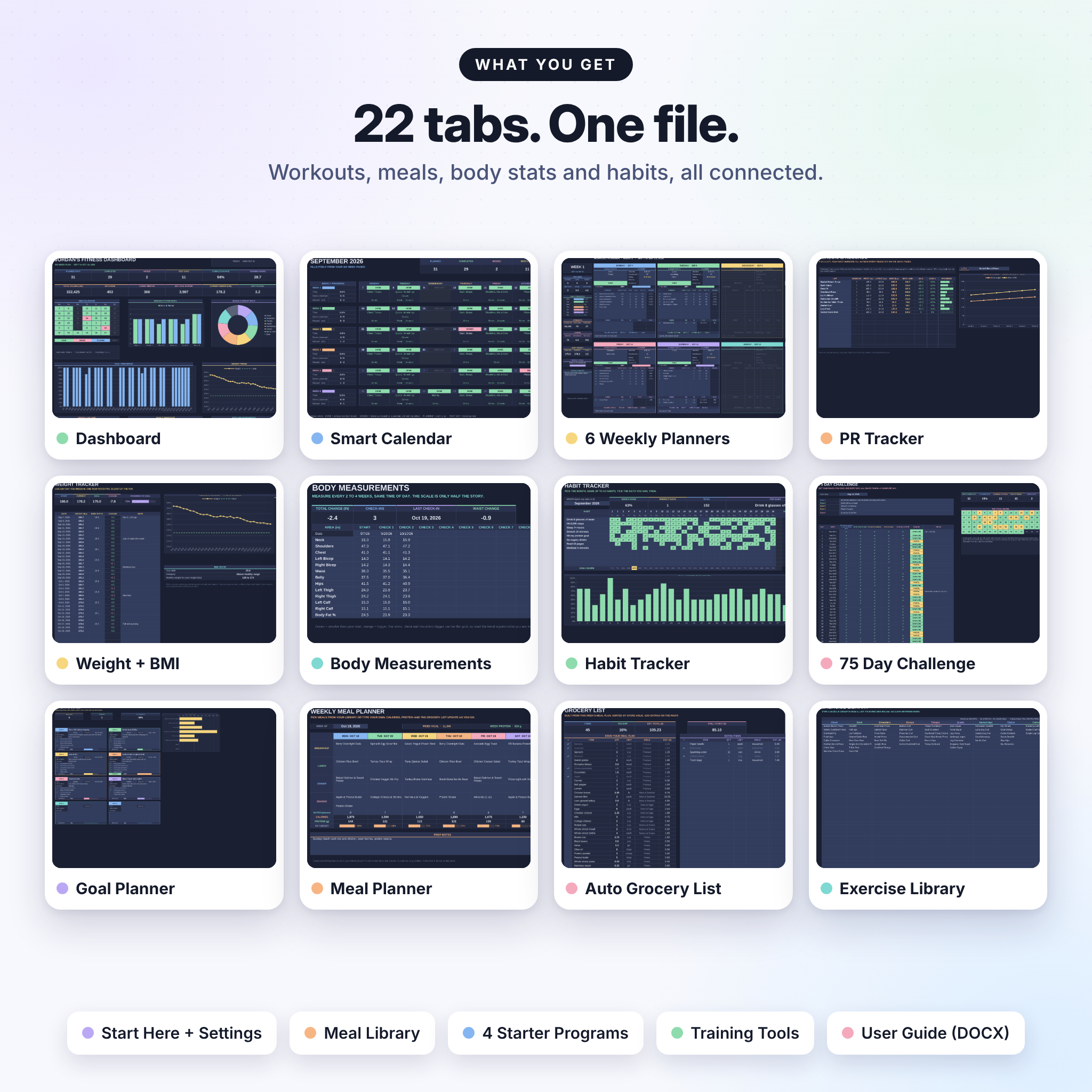
It goes past the gym, too. You also get a weight tracker, body measurements, a habit tracker, a 75 day challenge, a goal planner, a meal planner and a grocery list that builds itself. That’s 22 tabs, all connected.
What this workout planner spreadsheet does
Most workout trackers are a blank log. Ironwood is a plan and a log at the same time. You set up your week, train, tick, and the file does the counting: sets, volume, minutes, estimated calories, missed days, best lifts. Open the dashboard on a Sunday night and you can see exactly how the week went.
Who it’s for
- Beginners who want a clear plan. Four starter programs are included.
- Lifters who want numbers: total volume, best weight and estimated one-rep max per lift.
- Home, Pilates and cardio fans. Bodyweight moves and 20 cardio types are built in.
- Anyone losing weight or building muscle who wants food, weight and training in one place.
- Coaches and gym buddies who like to plan a few weeks ahead.
Main features
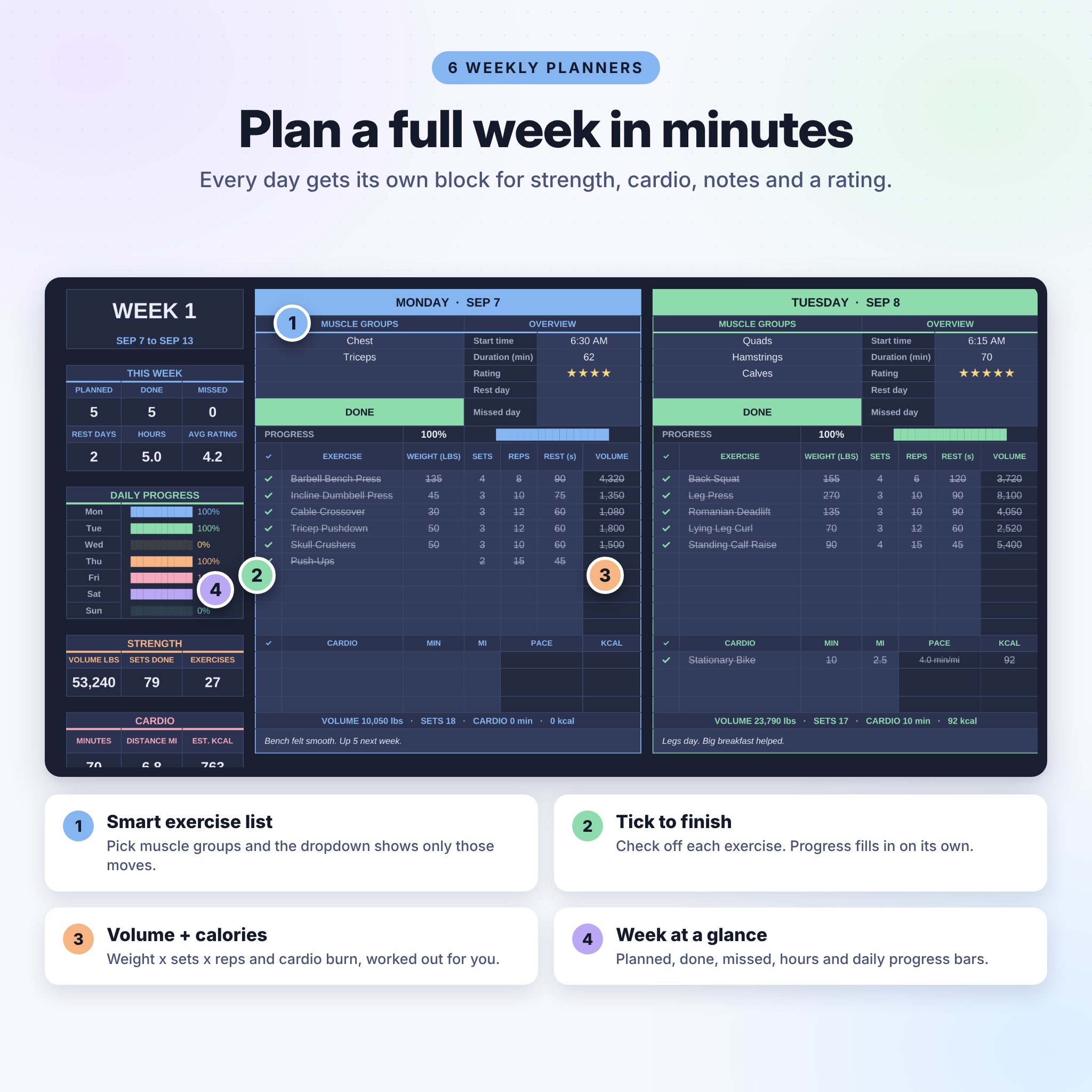
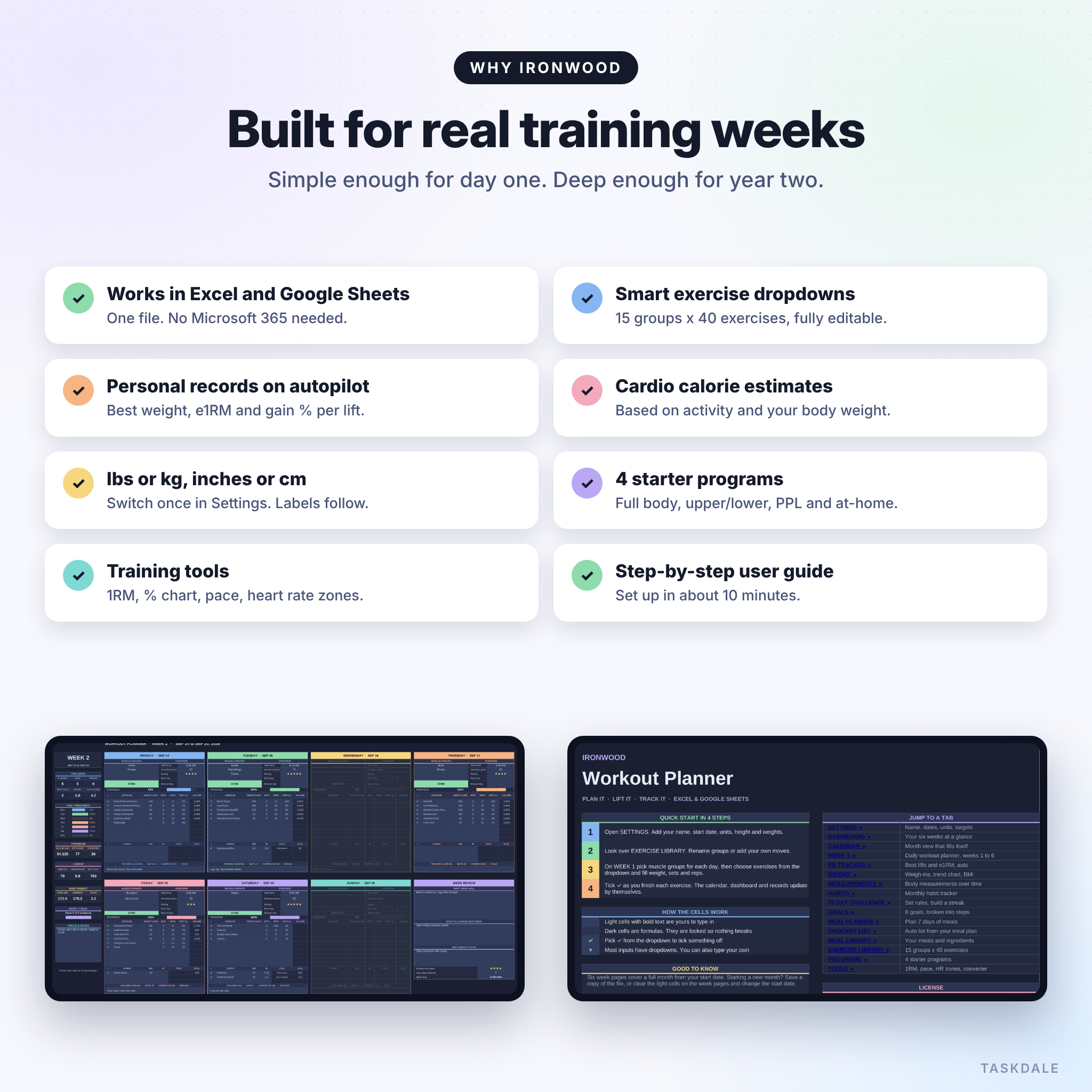
6 weekly workout planners
- A block for every day with up to 4 muscle groups, 10 exercises and 3 cardio sessions
- Smart dropdown: pick Chest and Triceps and you only see chest and triceps moves
- Weight, sets, reps and rest, with volume worked out per exercise
- Cardio pace and estimated calories based on your body weight
- Start time, duration, a 5 star rating, rest day and missed day switches
- Status that updates itself: Done, Missed, Planned or Rest Day
- Weekly sidebar with planned vs done, hours, daily progress bars and a weekly goal
- A week review for what went well, what to change and next week’s focus
Automated dashboard and calendar
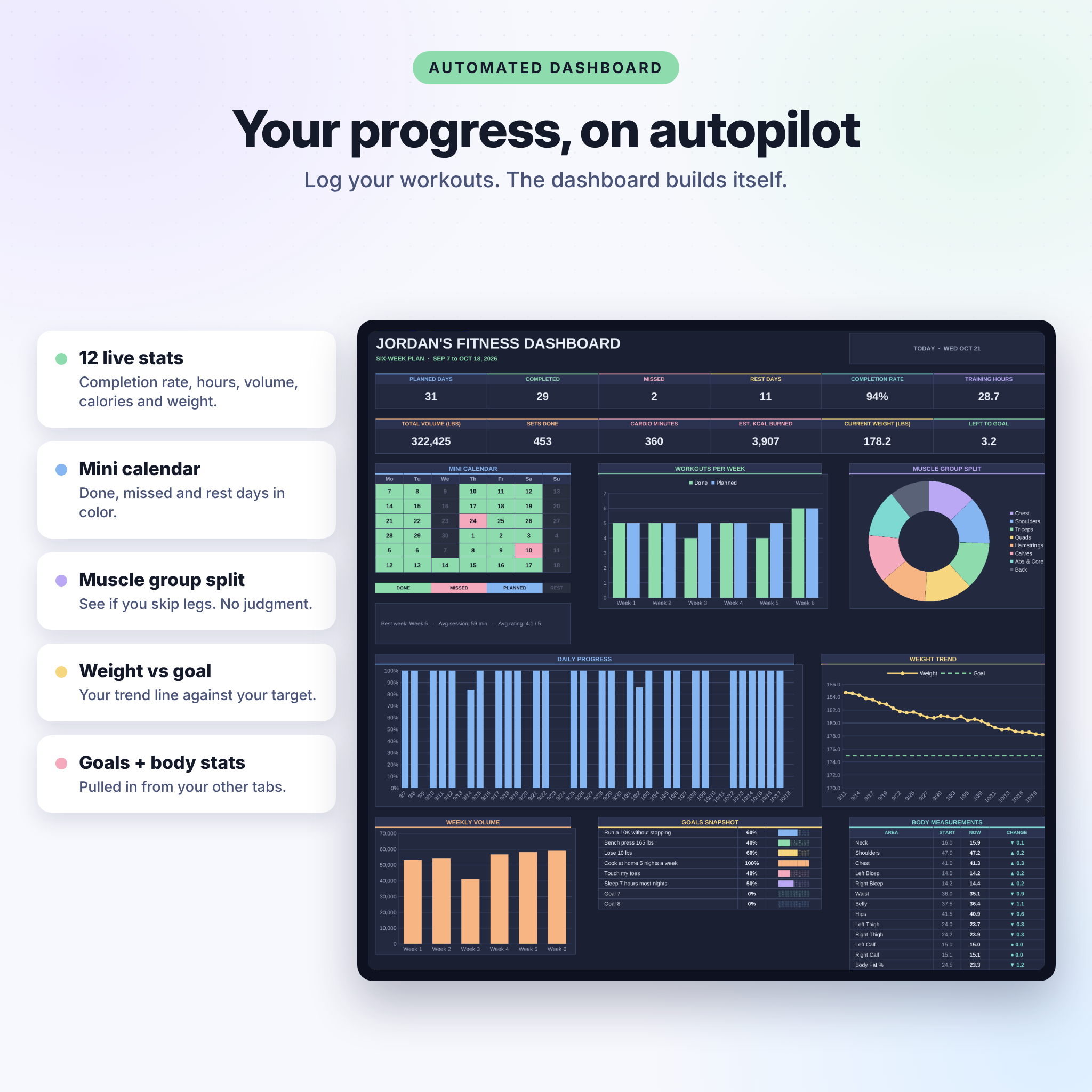
- 12 live stats including completion rate, training hours, volume and calories
- Charts for workouts per week, muscle group split, daily progress, weight trend and weekly volume
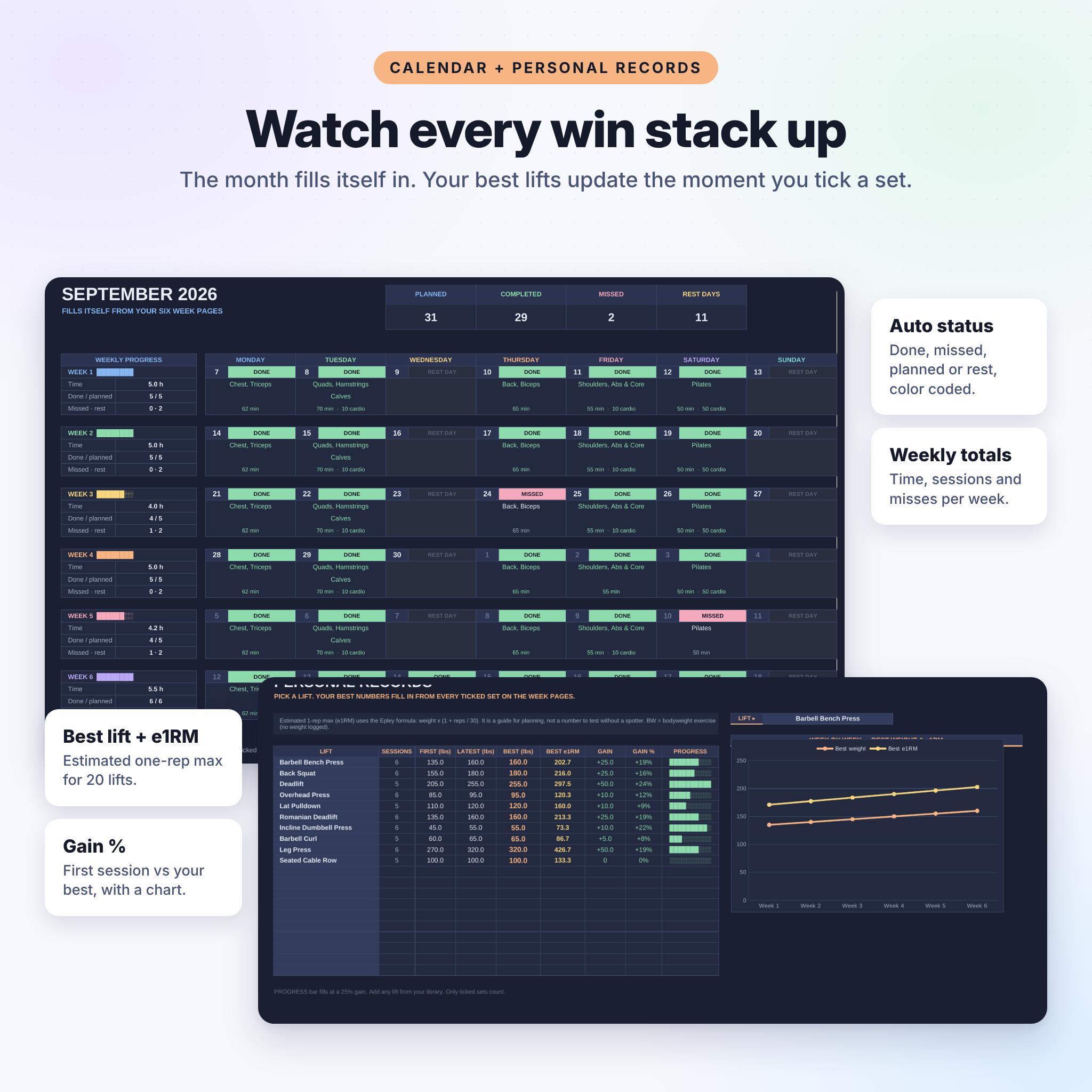
- Color-coded mini calendar plus a full month calendar that fills in from your week pages
Personal record tracker
- Track up to 20 lifts: sessions, first, latest and best weight
- Estimated one-rep max (e1RM) and gain % for each lift
- A week-by-week chart for any lift you choose
Body and habit tracking
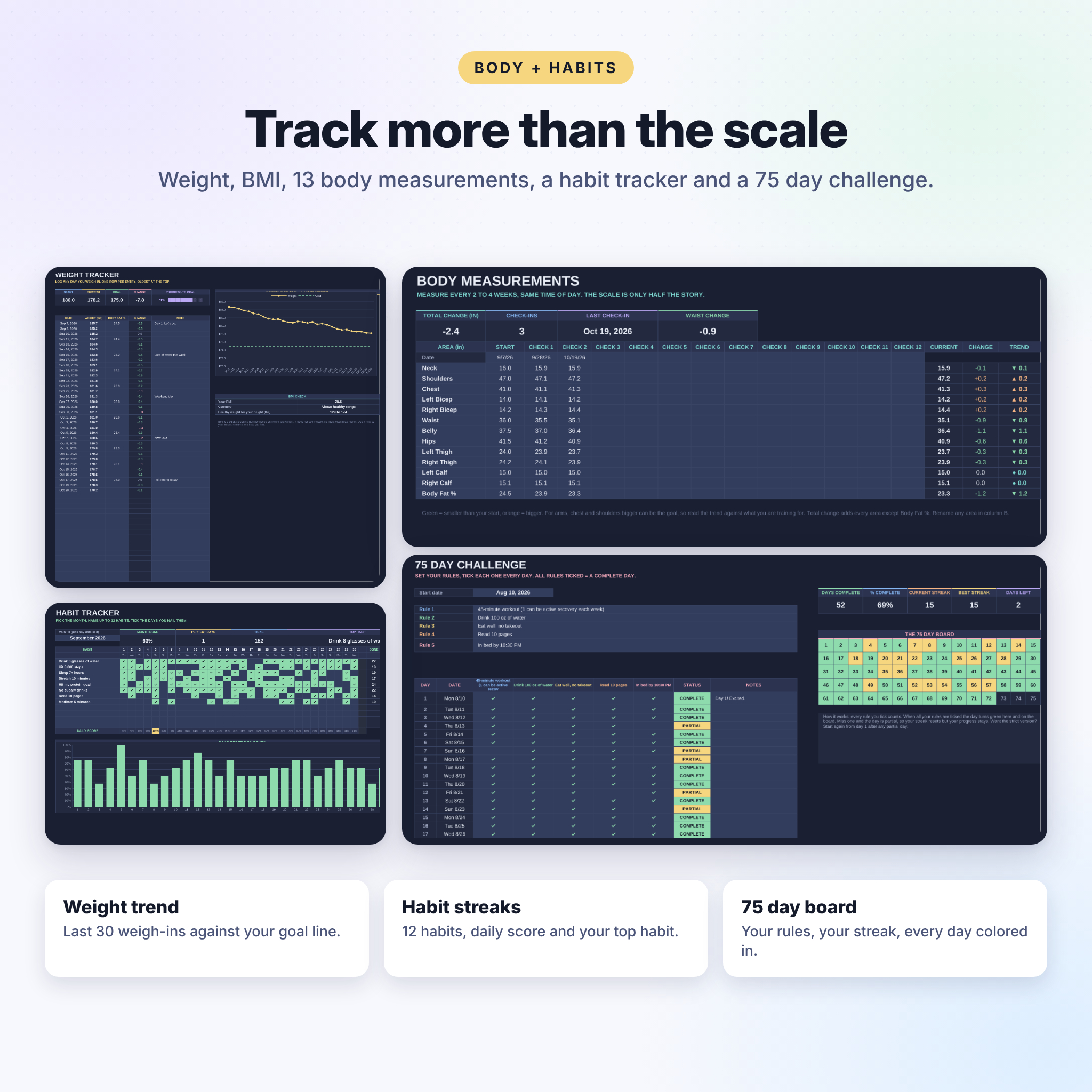
- Weight tracker with a year of entries, a trend chart, BMI and your healthy weight range
- 13 body measurements with 12 check-ins and change arrows
- Monthly habit tracker for 12 habits with daily scores and perfect days
- 75 day challenge tracker with your own rules, streaks and a visual board
- Goal planner with 8 goals, each with a reason, a reward and 5 steps
Meal planner and grocery list
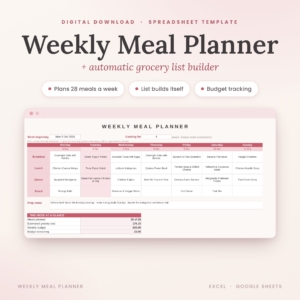
- Weekly meal planner with calories and protein per day, compared with your targets
- Meal library with 18 starter meals and 40 ingredients you can edit
- Grocery list built from your plan, totaled and sorted by store aisle
- Estimated grocery costs in your own currency, plus space for extra items
Extras
- Exercise library with 15 muscle groups and room for 40 exercises each
- 4 starter programs: 3-day full body, upper/lower, push pull legs and at-home
- Training tools: 1RM calculator, % chart, unit converter, pace calculator and heart rate zones
What’s included
- Ironwood Workout Planner (.xlsx), ready for your own data
- User guide (.docx) with setup steps for Excel and Google Sheets, every feature explained, tips and troubleshooting
How it works
- Download the file and open it in Excel, or upload it to Google Drive and save it as a Google Sheet.
- Fill in the Settings tab: name, start date, lbs or kg, height and goal weight.
- Plan Week 1 by picking muscle groups and exercises for each day.
- Tick each exercise as you finish it. Everything else updates for you.
File formats and software
- Format: .xlsx spreadsheet plus a .docx guide
- Works with Microsoft Excel 2010 or newer (Windows and Mac) and Google Sheets
- No Microsoft 365 subscription needed. A free Google account works fine.
- Use it on a computer, or on a phone and tablet with the Excel or Google Sheets app
- US Letter friendly print setup, landscape and fit to page width
Customization
Rename muscle groups, add your own exercises and cardio types, change the MET values, edit meals and ingredients, and switch between imperial and metric in one click. Any money value reads from one currency setting, with $ as the default. Formula cells are locked without a password so nothing breaks by accident, and you can unlock them whenever you want to change colors or layout.
Real ways people use it
- Running a 6 week strength block and watching bench and squat numbers climb
- Getting back into the gym after a break with the 3-day beginner program
- A weight loss plan that ties meals, weigh-ins and workouts together
- Sticking to a 75 day challenge with a daily checklist and a streak to protect
- Planning home and Pilates sessions around a busy work week
- Sunday meal prep with a grocery list sorted by aisle
Digital download
This is an instant digital download. No physical item is shipped. Your files are ready right after checkout. Instructions are included in the user guide.
FAQ
Does this workout planner work in Google Sheets?
Yes. Upload the .xlsx file to Google Drive, open it, then choose File, Save as Google Sheets. The guide walks you through it.
Do I need Microsoft 365?
No. Excel 2010 or newer works, and so does free Google Sheets.
Can I use kg instead of lbs?
Yes. Switch the unit system on the Settings tab and every label changes to kg, cm and km.
Can I reuse it every month?
Yes. Save a copy, clear the week pages and set a new start date. Long-term trackers like weight and goals keep going.
Can I add my own exercises?
Yes. Add them to the exercise library, or type any exercise straight into a week page.
Does it work on my phone?
Yes, with the Google Sheets or Excel app. Planning is easiest on a computer and ticking off sets works well on a phone.
How are calories estimated?
Cardio calories use the activity’s MET value, your weight and the minutes you log. Meal calories come from your meal library. Both are estimates for planning, not medical advice.
License: for personal use only. Please do not share, resell or redistribute the files. Fitness numbers in this planner are estimates and are not medical advice.
Reviews
There are no reviews yet.