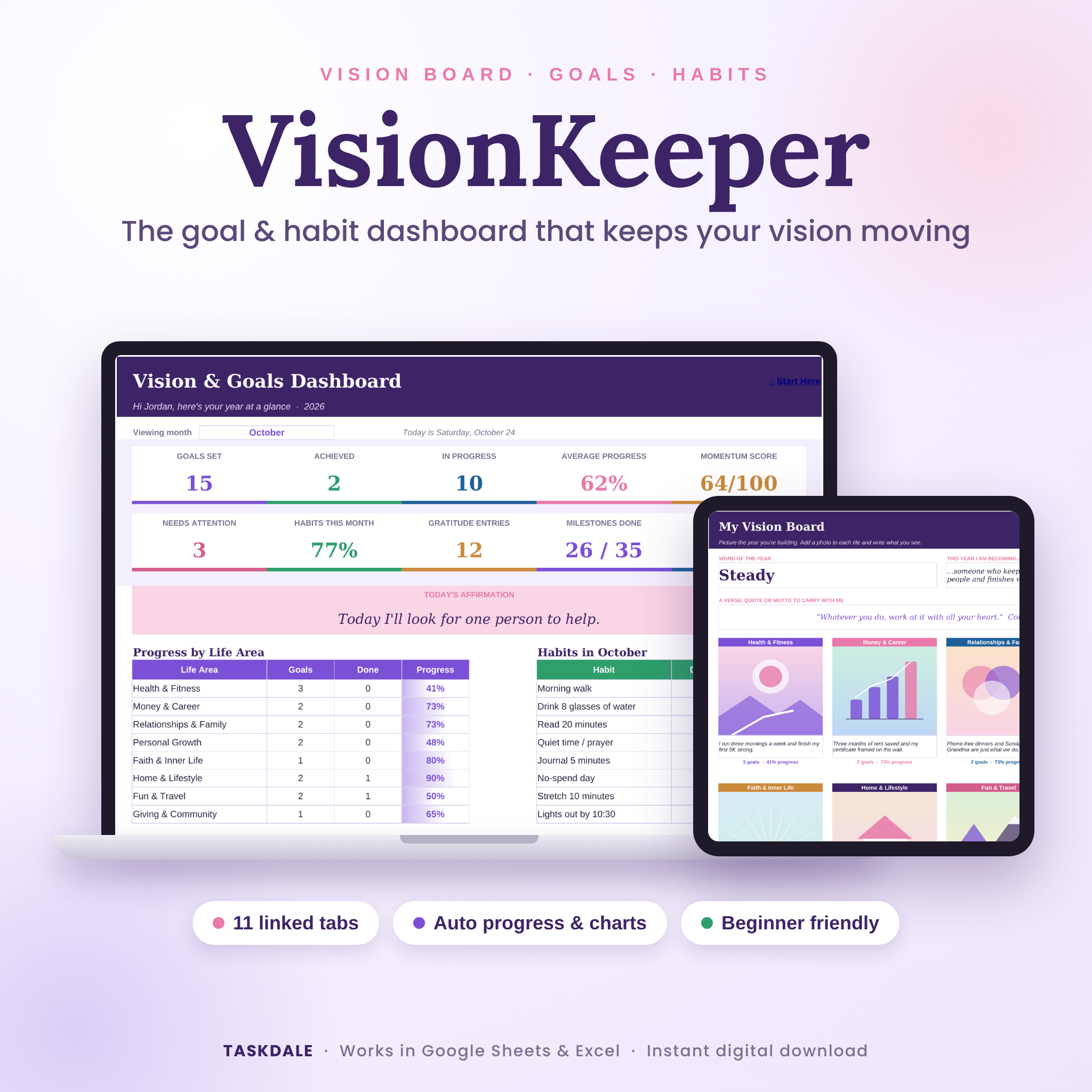
Most vision boards look great for about a week. Then life gets loud, the board fades into the background, and by spring nobody remembers what was on it. VisionKeeper is a vision board and goal tracker spreadsheet built to fix that. Your photos sit right next to real goals. Every goal shows how far along it is. And a live dashboard tells you, at a glance, what’s moving and what needs a nudge.
It’s one file with 11 linked tabs. Type in the white boxes, pick from dropdowns, and the sheet does the math. No formulas to write and no subscription.
What this goal tracker spreadsheet does for you
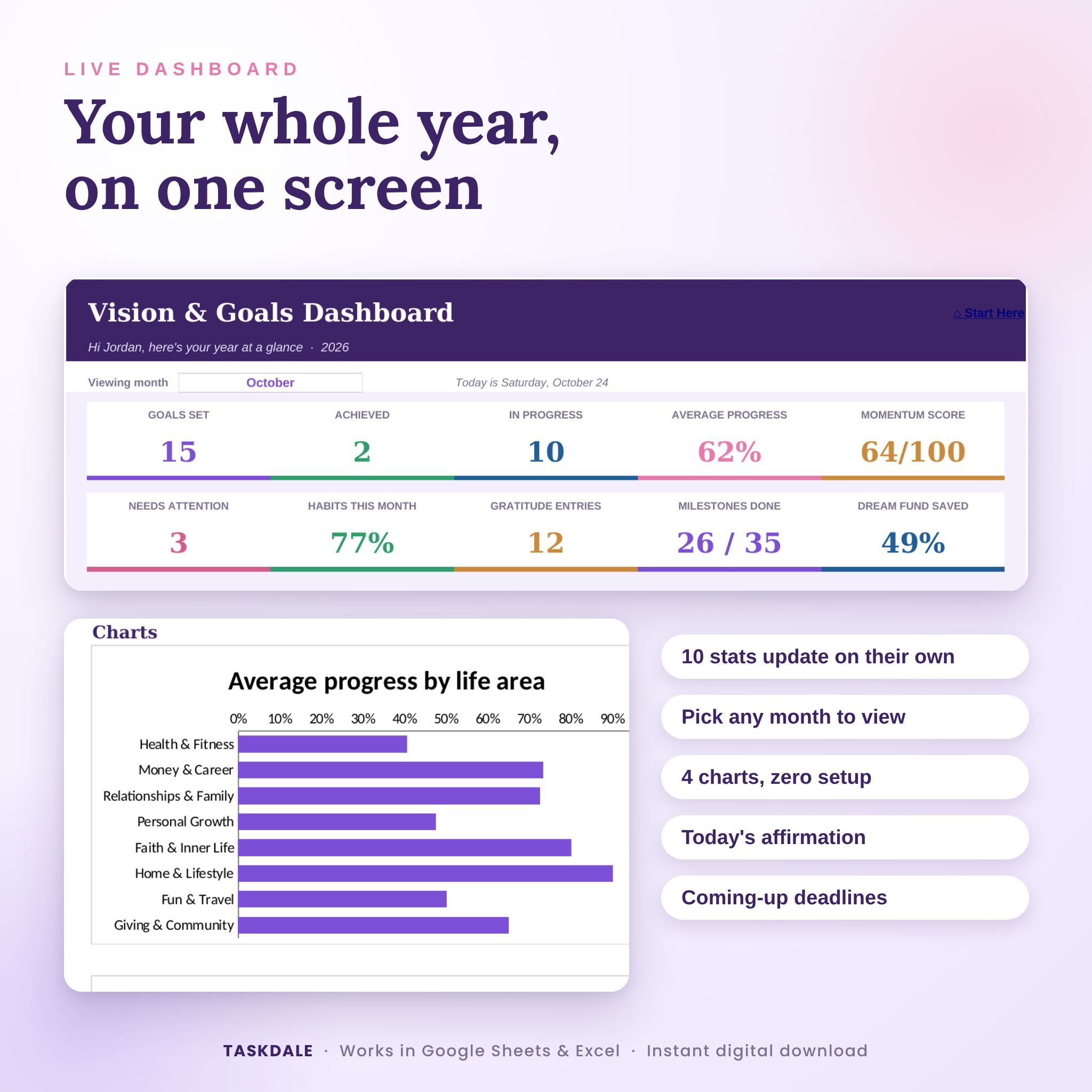
- Shows your whole year on one screen. Ten stat tiles, today’s affirmation, progress by life area, habits for any month you pick, your next six deadlines and four charts.
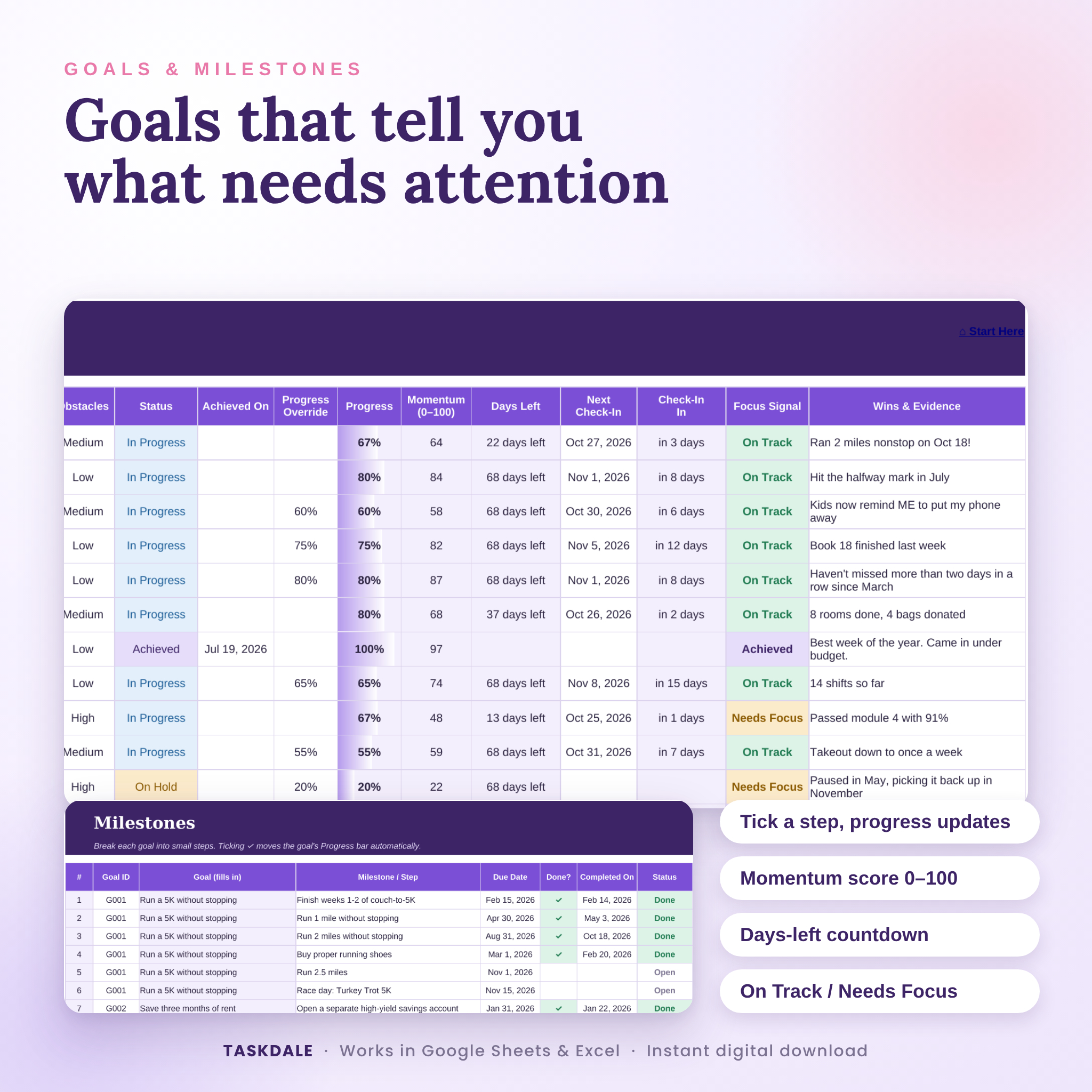
- Turns big goals into small steps. Add milestones under any goal. Tick one and the goal’s progress bar moves on its own.
- Flags what needs attention. Each goal gets a Focus Signal: On Track, Needs Focus or Overdue. It looks at your confidence, obstacles, deadline and check-in date, so you don’t have to.
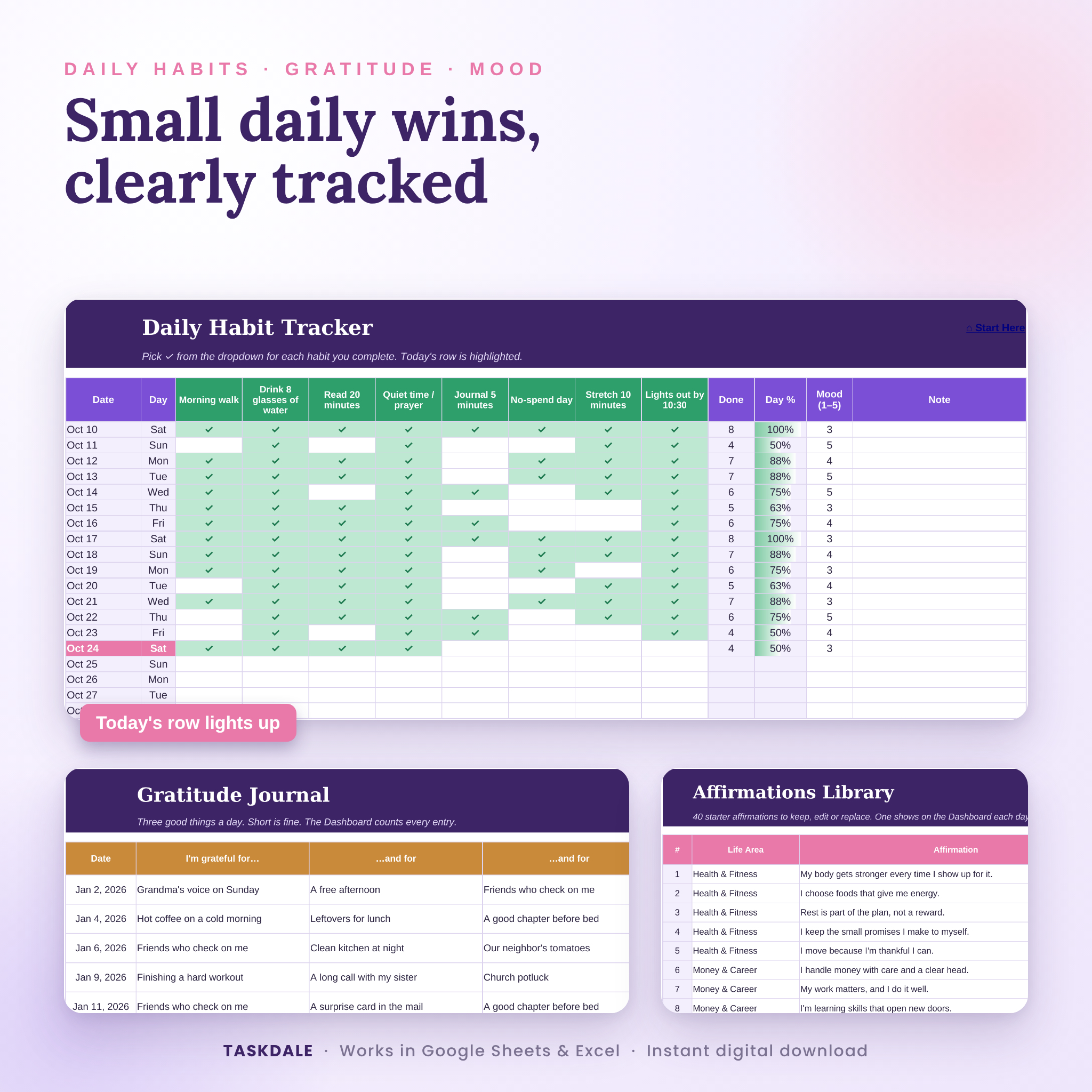
- Keeps daily habits honest. A full year of dates, today’s row lit up in pink, and a quick mood rating.
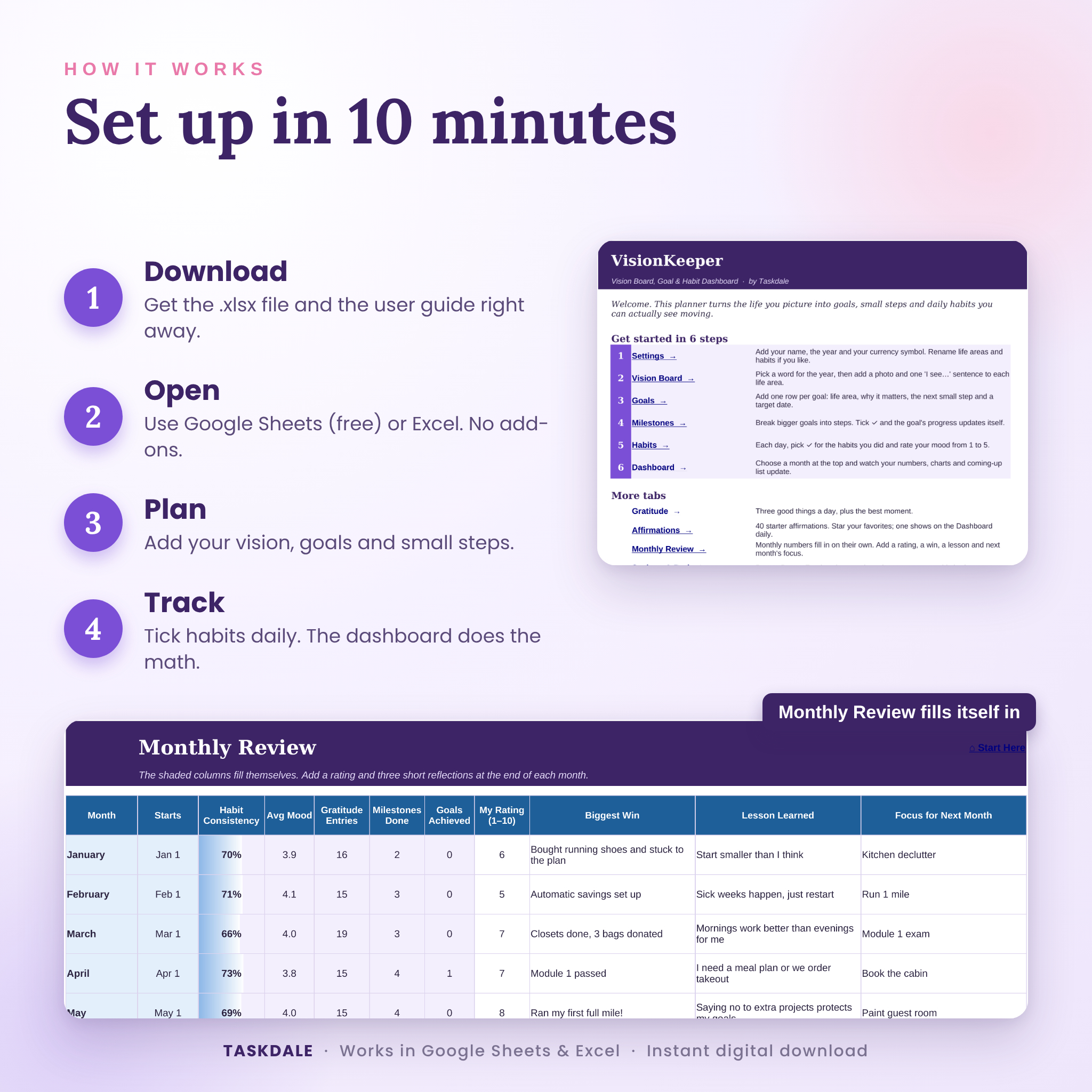
- Makes reflection easy. The Monthly Review fills in your habit %, mood, gratitude entries, milestones and goals reached for each month. You add a rating and three short notes.
Who it’s for
Anyone who sets goals in January and wants them still alive in October. It suits busy parents, students, people starting a new job or a fresh season, small business owners, and anyone who has bought a planner before and quit by February. Spreadsheet beginners are welcome. If you can pick from a dropdown, you can use this.
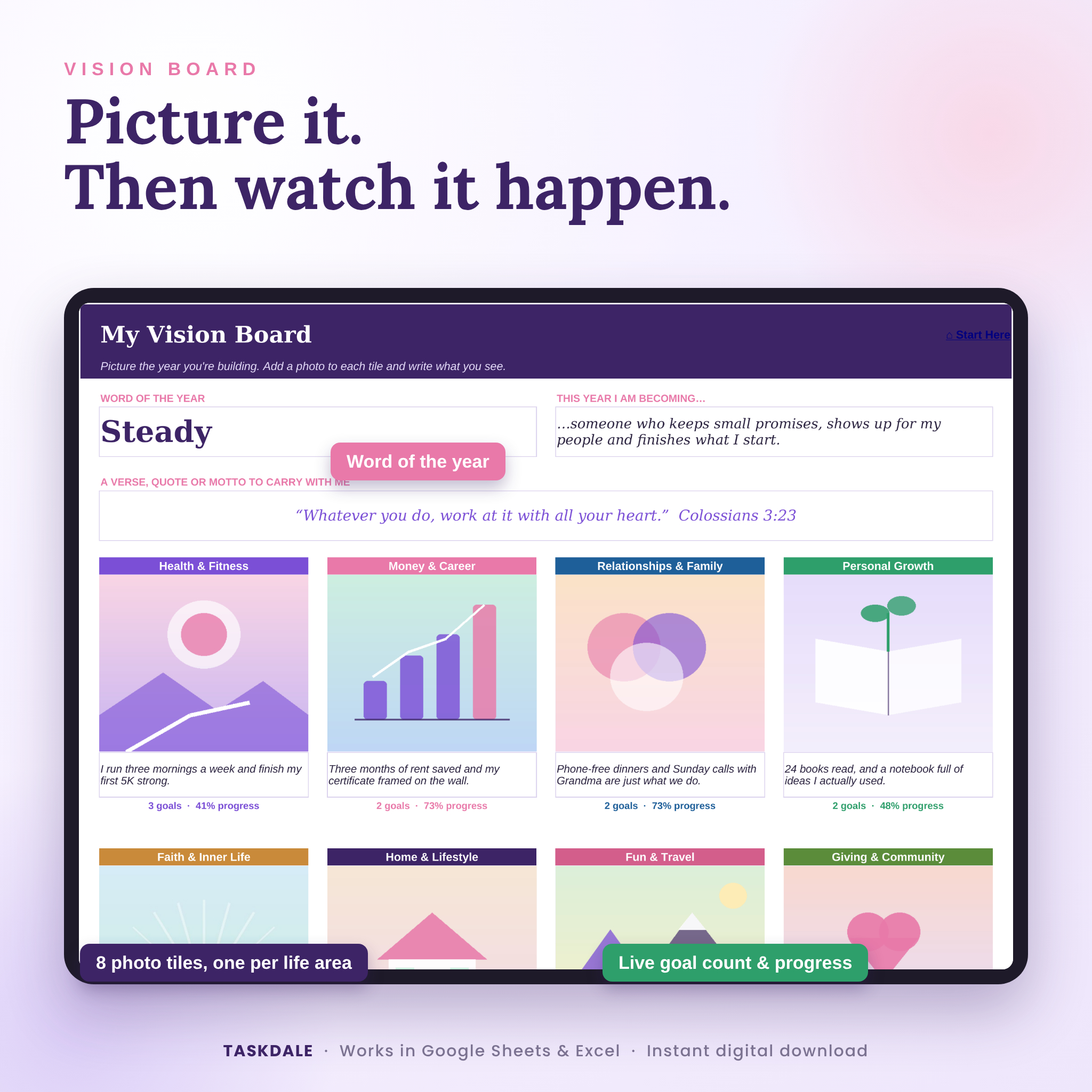
It covers eight life areas out of the box: Health & Fitness, Money & Career, Relationships & Family, Personal Growth, Faith & Inner Life, Home & Lifestyle, Fun & Travel and Giving & Community. Rename any of them in seconds.
What’s included
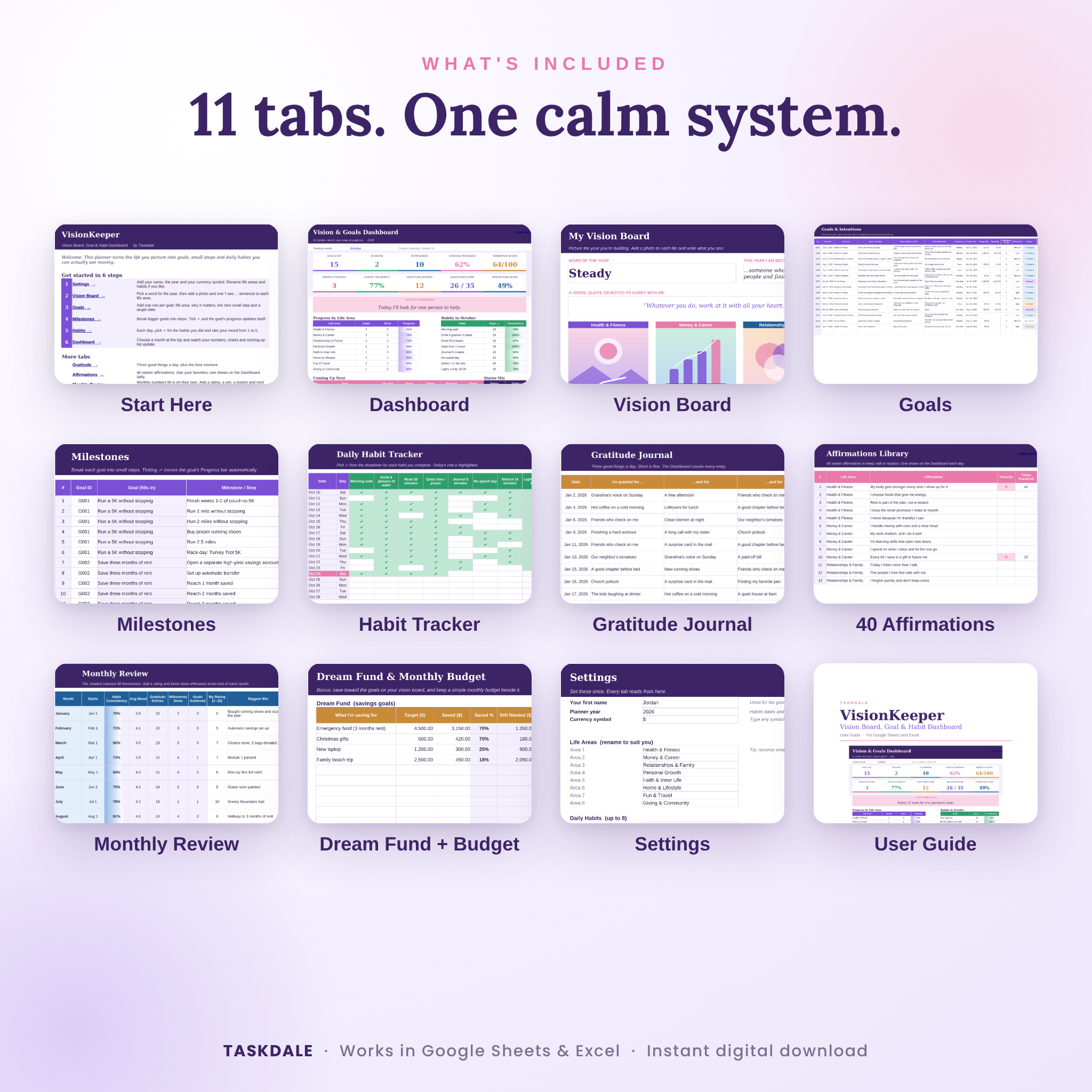
11 tabs in one workbook
- Start Here with six setup steps and clickable links to every tab
- Dashboard with 10 live stats, 3 summary tables and 4 charts
- Vision Board with word of the year, a verse or motto, and 8 photo tiles that show goal counts and progress
- Goals for up to 100 goals, with budget, confidence, obstacles, status, momentum score and countdowns
- Milestones for up to 300 steps linked to goals
- Habits for up to 8 daily habits across a full year, plus mood and notes
- Gratitude Journal with 400 rows for three good things a day
- Affirmations with 40 starter affirmations, favorites and a practice count
- Monthly Review that fills in its own numbers
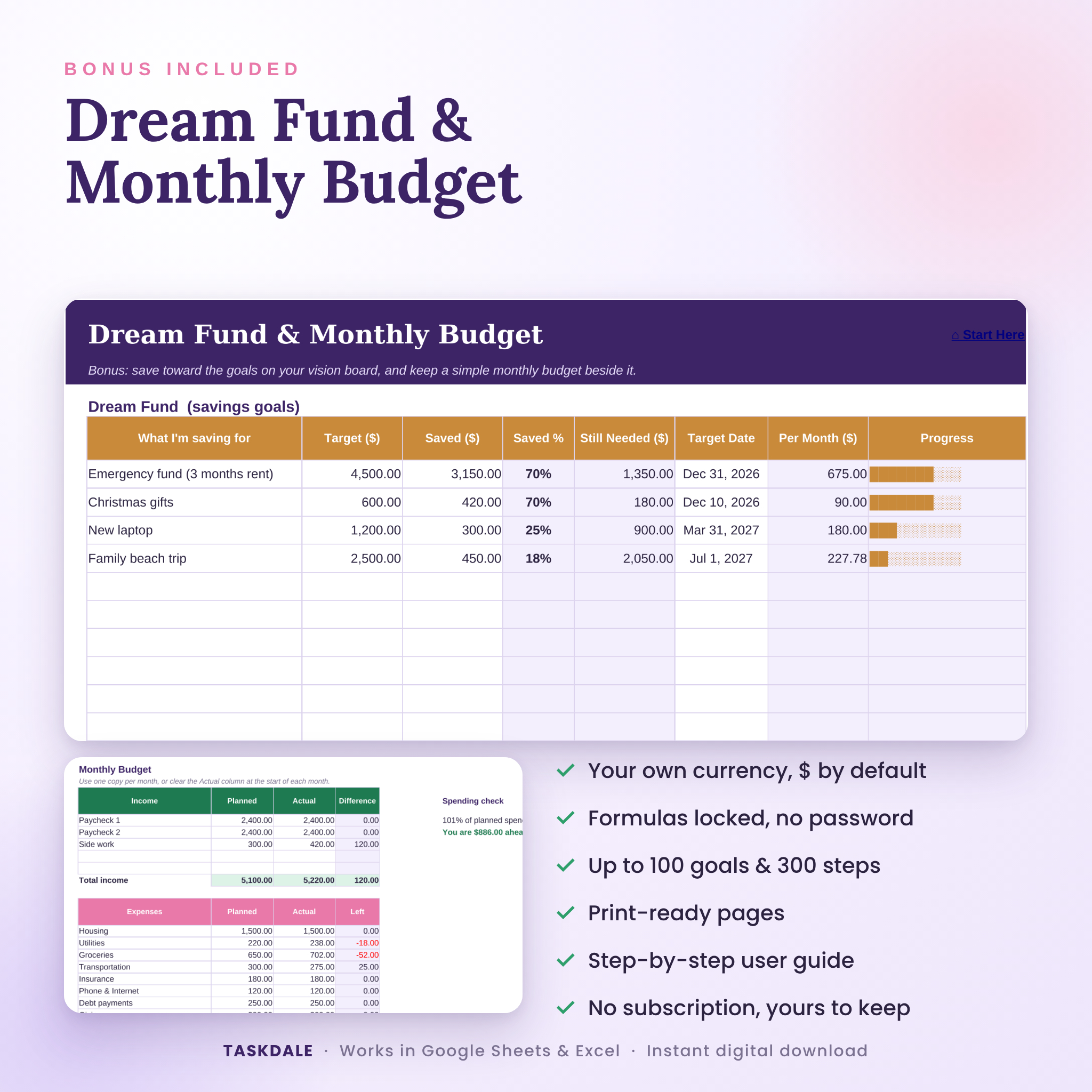
- Dream Fund & Monthly Budget (bonus) for up to 10 savings goals and a one-page budget
- Settings for your name, year, currency, life areas and habit names
Plus a step-by-step user guide
An 18-page Word guide with screenshots covers setup, every tab, customizing, tips, troubleshooting and FAQs.
Features you’ll actually use
- Progress fills in from your milestones, or type your own % for habit-style goals
- Momentum score from 0 to 100 for every goal
- Days-left and next check-in countdowns that switch to “days late” when a date passes
- Dropdowns for life area, frequency, status, obstacles, done ✓ and favorites ★
- Color-coded statuses and signals so problems jump out
- Life area names that don’t match Settings turn red, so nothing gets lost in the totals
- Pick any month on the Dashboard and the habit and gratitude numbers update
- One affirmation from your list shows on the Dashboard each day
- Savings goals show percent saved, amount left, how much to set aside each month and a progress bar
- Formula cells are locked without a password, so you can’t break anything by accident, and you can still unlock them if you want to tinker
- Every tab is set up to print in landscape and fit the page width
How it works
- Download the .xlsx file and the user guide right after checkout.
- Open it in Google Sheets (upload to Google Drive, then File, Save as Google Sheets) or open it straight in Excel.
- Set up your name, year and currency on Settings. About two minutes.
- Plan your word of the year, vision statements, goals and first milestones.
- Track habits and gratitude each day. Check the Dashboard on Sundays.
File formats and software
- 1 Excel workbook (.xlsx) that opens in Google Sheets and Microsoft Excel
- 1 user guide (.docx) that opens in Word or Google Docs
- Google Sheets needs a free Google account. Excel needs Excel on your computer or Excel for the web
- Best on a laptop or desktop, where the dashboard has room to breathe
Make it yours
Rename the eight life areas and eight habits. Change colors and fonts with the normal tools. Use any currency: type $, €, £, R, ₦ or a code like CAD on the Settings tab and every money header and summary follows it. The default is $. Money cells stay plain numbers, so switching never breaks a formula.
Real ways people use it
- A New Year reset: pick a word of the year, set five goals and track them all twelve months.
- A 90-day push toward one big thing, like a certificate, a race or a debt-free date.
- A family plan with goals for the house, a trip and time together, reviewed every month.
- A faith-centered year with a verse on the vision board, quiet time as a daily habit and a gratitude log.
Digital download details
This is a digital product. Nothing ships. Your files are ready to download as soon as payment goes through, and you’ll find them again in your account any time. The sample photos and sample entries in the listing images are only there to show the planner in use. Your copy arrives clean and ready to fill in, with the 40 starter affirmations included.
Licence: for personal use by the buyer. Please don’t resell, share or redistribute the files.
FAQ
Does this vision board spreadsheet work in Google Sheets?
Yes. Upload it to Google Drive and save it as a Google Sheet. Dropdowns, formulas, colors, links and charts all carry over.
Do I need Excel?
No. A free Google account is enough. If you already have Excel, it works there too.
Is it dated or undated?
You choose the year on the Settings tab and the habit tracker and monthly review follow it. Use it for 2027, or for the rest of 2026.
Can I add my own photos to the vision board?
Yes. Each tile has a photo space. The guide shows how to insert images in Google Sheets and Excel.
Is it beginner friendly?
Very. White boxes are for typing, shaded boxes calculate on their own, and the Start Here tab walks you through setup.
Can I use it every year?
Yes. Keep a blank copy, or change the year on Settings and clear last year’s entries.
Is it a religious planner?
It’s for anyone. There’s a Faith & Inner Life area and room for a verse or motto, and everything can be renamed to fit your life.

Reviews
There are no reviews yet.