Best Brain Dump Planners and Templates for a Busy Mind
A brain dump planner gives you one place to empty everything from your head, then helps you sort it into a short list for today. For most people, a Notion template or an app with a built-in brain dump inbox is the best fit. If you prefer paper, the Wrenweek printable has a dedicated brain dump page.
Choosing can feel like another task on an already crowded list. We'll keep this simple: what matters, how the options differ, and which one suits you. Browse all 10 options below once you know what you need.
Key facts at a glance
- A brain dump is a quick, unsorted list of everything on your mind, written down before you decide what matters.
- Six products here name a brain dump feature in their listings: Hummingday, Spark & Settle, Squirrel & Sage, Calm Chaos, Steady Bloom and Wrenweek.
- Both Notion templates work on the free Notion plan, so no paid Notion subscription is needed.
- The Steadyday, Hummingday and Spark & Settle apps work offline with no account and no subscription.
- Wrenweek and Clockberry are printable PDFs, so you can print fresh pages whenever you like.
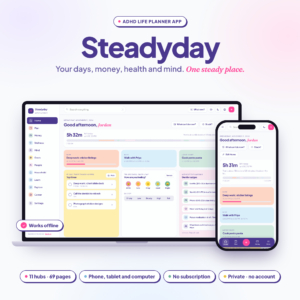 ADHD Life Planner App | Steadyday All-in-One Digital Planner for iPhone, Android & Computer with Daily Planner, Budget, Habit, Meal & Mood Tracker | Works Offline
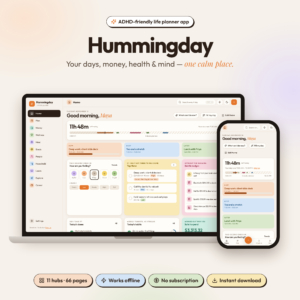 ADHD Life Planner App | Hummingday All-in-One Digital Planner with Daily, Weekly & Monthly Planner, Budget & Bill Tracker, Habit, Meal & Mood Tracker, Brain Dump & Focus Timer | Works Offline
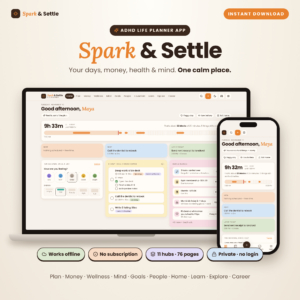 ADHD Life Planner App | Spark & Settle All-in-One Digital Planner with Daily, Weekly & Monthly Planner, Budget Tracker, Habit & Meal Tracker, Brain Dump & Focus Timer | Works Offline
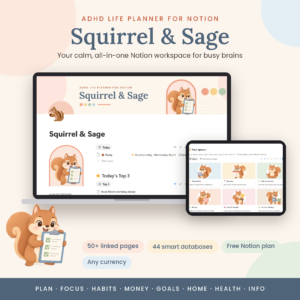 ADHD Notion Planner | Squirrel & Sage Notion Life Planner Template with Dashboard, Task Manager, Habit Tracker, Budget & 50+ Linked Pages
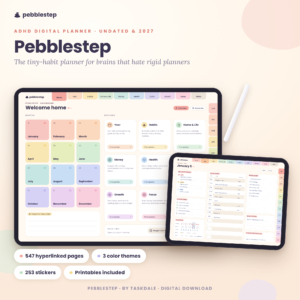 Pebblestep ADHD Digital Planner – Undated & 2027 Hyperlinked iPad Planner with Micro Habit Tracker
 Weekly To-Do List Printable & Fillable PDF | Wrenweek Undated Weekly Planner, Task Planner & Habit Tracker | Letter, A4, A5, Half, Classic Happy Planner
 ADHD Planner Spreadsheet for Excel | Task, Habit & Goal Tracker with Recurring Tasks, Daily Weekly Monthly Planner & Time Blocking
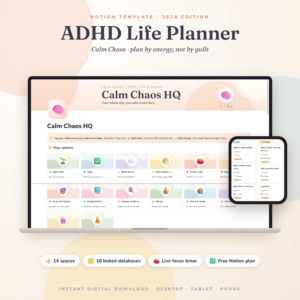
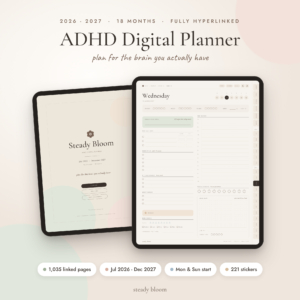
Table of Contents Toggle
- What should you look for in a brain dump planner?
- How do the best brain dump planners compare?
- Which brain dump planner suits which person?
- How do you do a brain dump that actually helps?
- What mistakes should you avoid with a brain dump planner?
- What affects the price of a brain dump planner?
- Common questions
- How to choose your best brain dump planner today
What should you look for in a brain dump planner?
The best brain dump planner is one where emptying your head takes seconds and sorting the result takes minutes. Five factors decide that: what happens after the dump, the device you use, privacy, paper versus screen, and how the tool copes with bad days.
Where the dump goes next
A brain dump is only useful if the list leads somewhere. Squirrel & Sage has a brain dump inbox alongside a Top 3 and energy-based tasks, so items can be moved into a plan. Calm Chaos stores its brain dump as one of 18 connected databases, which sit next to tasks and the daily check-in.
Wrenweek puts the brain dump on a page beside a priority matrix, so you sort on paper. Look for that second step, not only a blank box.
The device you actually carry
Match the product to the hardware you use daily. Steadyday works on iPhone, Android and computer. Hummingday is described for computer and Android. Spark & Settle runs in your browser.
Pebblestep and Steady Bloom are PDF planners for iPad and similar apps. Pebblestep lists iPad, Android and computer. Steady Bloom names GoodNotes, Notability, Noteshelf, Xodo and Samsung Notes. If you write with a stylus, these suit you. If you mostly tap on a phone, they'll feel awkward.
Privacy and offline use
Steadyday, Hummingday and Spark & Settle all say they work offline, with no account and no subscription. That matters if your dump includes money worries, health notes or things you'd rather not store with a company.
Notion templates run inside Notion, so your data lives in your Notion workspace under its terms. Printables keep everything on paper.
Paper or screen
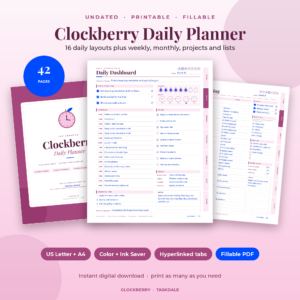
A printable suits people who think better with a pen and want to cross things out. Clockberry offers 3,000+ fillable fields if you'd rather type into the PDF, and you can print it as often as you like. Wrenweek comes in five sizes, including A5 and Classic Happy Planner.
Screen tools win on search, links and recurring tasks. The Excel spreadsheet repeats a routine for you once you add it.
How it handles hard days
Brain dumps often happen when you feel flooded, so the tool should not demand much. Spark & Settle has Foggy-day and Low-battery modes. Steadyday offers tiny steps and a "What can I do now?" prompt. Steady Bloom shows only 3 Must Dos on a daily page and includes a "Stuck? Start Here" tool.
How do the best brain dump planners compare?
The ten products on this page differ most in format, device and how directly they offer a brain dump space. The table below compares them using only what each listing states.
Which brain dump planner suits which person?
Each product suits a different habit. Pick by how you already capture thoughts, not by the longest feature list.
- You want a dump that feeds a plan on screen: Squirrel & Sage is the lighter Notion option, with 8 spaces and 50+ linked pages. Calm Chaos is bigger, with 14 spaces and 18 databases, and adds a live focus timer.
- You want an app without accounts: Spark & Settle has the most pages of the three apps at 76, plus 8 colour themes in light and dark. Hummingday has 66 pages and lists brain dump and focus timer in its title. Steadyday has 69 pages and leans on "what can I do now?" rather than a named dump.
- You write by hand on an iPad: Steady Bloom covers July 2026 to December 2027 and forgives missed days. Pebblestep offers undated or 2027 versions and 539+ pages per planner, with plan-versus-actual time blocks.
- You like paper: Wrenweek keeps the week on one page and has the dedicated brain dump page. Clockberry gives you more daily layouts, including hourly schedules and focus sessions, but you'd use its notes pages for dumping.
- You live in Excel: The spreadsheet fills Daily, Weekly and Monthly pages from routines you enter once. Dump in the task list, then sort by priority.
How do you do a brain dump that actually helps?
A brain dump works best as a timed, five-step routine: write everything down, sort it, pick three items and park the rest. Ten minutes is enough for most people.
- Set a timer for ten minutes. Open your inbox page, database or brain dump sheet.
- Write without sorting. Include chores, worries, bills and half-ideas. Short phrases are fine.
- Mark what has a deadline. Anything due this week gets a note beside it.
- Choose your top three. Most of these planners have a Top 3 or Must Dos area for exactly this.
- Park the rest. Leave remaining items in the inbox for a weekly review rather than scheduling them today.
What mistakes should you avoid with a brain dump planner?
The most common mistake is dumping and never sorting, so the list becomes another source of guilt. Other pitfalls are fixable with small changes.
- Choosing the biggest planner. With 1,035 pages or 539+ pages per planner, a tool can be harder to start than a single page. If you'll only use a dump and a top three, a smaller option may stick better.
- Ignoring your device. A hyperlinked iPad PDF is awkward on a phone. Check the listed apps first.
- Treating streaks as the goal. Steadyday and Spark & Settle use habits without streaks, while the Excel spreadsheet includes a habit tracker with streaks. Pick the style that motivates you rather than shames you.
- Dumping once a month. A short daily dump beats a long monthly one, because less piles up.
- Mixing too many systems. Keep one inbox. Splitting between a printable and a Notion page doubles the sorting.
What affects the price of a brain dump planner?
Price depends mainly on format, scope and how long the product covers. Live prices appear on the product cards, so we compare in words only.
Printables tend to cost less up front than large, multi-hub apps. Dated planners such as Steady Bloom cover a fixed period, while undated ones such as Clockberry and Wrenweek keep working indefinitely. Bundles with stickers, covers and printable inserts, like Pebblestep, add to the contents rather than the core brain dump feature.
Apps that say no subscription mean no repeat charge for the planner itself. Notion templates use the free Notion plan, though you'd pay Notion separately if you chose a paid tier.
Common questions
Is a brain dump the same as a to-do list?
No. A brain dump is unsorted and includes worries and ideas, while a to-do list holds actions you've chosen. Dump first, then pull a short to-do list from it. Squirrel & Sage and Calm Chaos keep the two in separate places.
Can I use a brain dump planner without ADHD?
Yes. Several listings are written for ADHD brains, but the features, such as a top three, visible time and a dump inbox, help anyone who feels overloaded. Wrenweek and Clockberry are general planners with no ADHD framing.
Do these planners need an internet connection?
Steadyday, Hummingday and Spark & Settle say they work offline. Printables need none once downloaded. Notion templates run in Notion, so check how you use Notion on your devices before relying on them away from a connection.
Is a printable or a digital brain dump better?
Printables suit people who think by hand and want to reprint pages. Digital tools suit people who want search, links and automatic updates. The deciding question is where you'll actually reach for the tool at the moment your head feels full.
How often should I review my brain dump?
Review it once a week for the leftovers and briefly each morning for your top three. Wrenweek includes a weekly reset, and Steady Bloom has a Reset weekly layout, which makes that routine easy to keep.
How to choose your best brain dump planner today
Pick the device first, then the format, then the planner. If you're on a phone and want no account, try Spark & Settle or Steadyday. If you already use Notion, choose Squirrel & Sage for simplicity or Calm Chaos for more depth.
If you want paper, start with Wrenweek. Whichever you choose, do one ten-minute brain dump today and judge the planner by how easy that felt.