Best Digital Journal: How to Choose the Right One
A digital journal is a downloadable file you write in on a tablet or computer, and the best one is the one whose prompts match why you want to write. For gratitude, choose Rise & Rest. For dreams, Somnara. For difficult feelings, Unknot. For journalling inside a full planner, Daybloom or Willowday.
Choosing can feel more complicated than it should, because the listings use words like "hyperlinked", "undated" and "PDF app" without explaining them. We'll go through each one in plain English, then match the options to the kind of writing you want to do.
Key facts at a glance
- The journals here fall into three groups: single-purpose journals (gratitude, dreams, emotions, manifestation), all-in-one planners with journal pages, and an offline life planner.
- Rise & Rest Digital Gratitude Journal covers 90 undated days with a morning and an evening page, each taking about five minutes.
- Unknot offers 670 guided questions across 16 emotions, which makes it the most prompt-heavy option.
- Most of these files work in GoodNotes, Notability and other PDF note apps, so you need one of those apps before you buy.
- Several include printable US Letter and A4 pages, so you can print the same journal if you tyre of the screen.
 Digital Dream Journal & Dream Log PDF | Somnara Hyperlinked Tablet Journal with 129 Dream Symbols
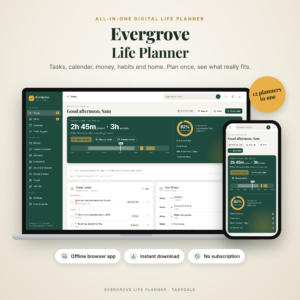 Evergrove All-in-One Digital Life Planner | Offline Budget, Habit Tracker & Calendar App
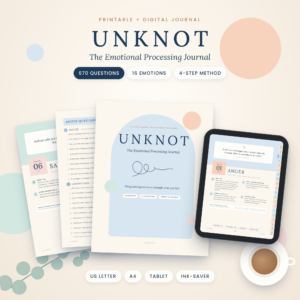 Emotional Processing Journal, Printable & Digital Feelings Journal with 670 Guided Questions, Feelings Wheel, Worksheets & Mood Tracker | Unknot
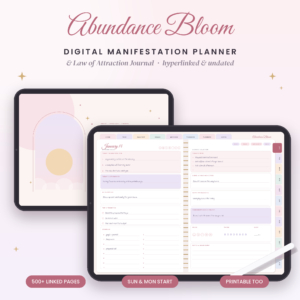 Abundance Bloom Digital Manifestation Planner | Hyperlinked Law of Attraction Journal for GoodNotes & Notability with 3-6-9 Method, 55×5, Scripting, Vision Board & 300+ Stickers | Undated, Printable US Letter & A4
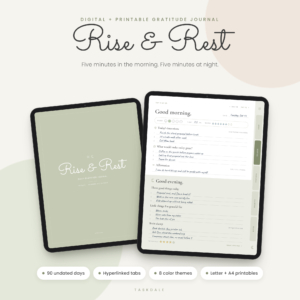 Rise & Rest Digital Gratitude Journal | Undated 90-Day Morning & Evening Reflection Journal for iPad & Android, Hyperlinked PDF + Printable
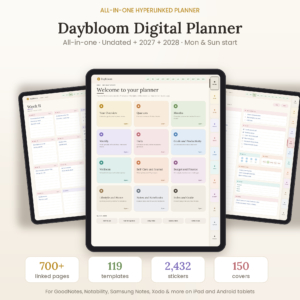 Daybloom All-in-One Digital Planner: Undated, 2027 & 2028 Hyperlinked Planner for GoodNotes, Notability & Android
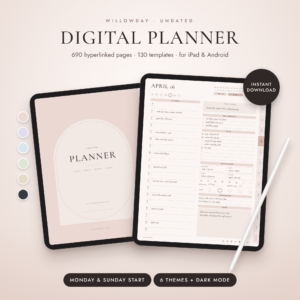 Willowday Undated Digital Planner for iPad & Android, Hyperlinked GoodNotes & Notability Planner, Daily Weekly Monthly Pages, 130 Templates & Stickers
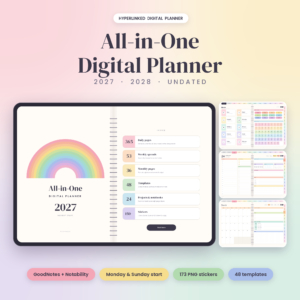
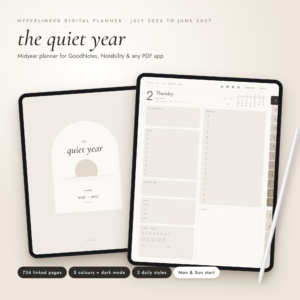 2026-2027 Digital Planner, Midyear Hyperlinked Planner for GoodNotes & Notability, July 2026 to June 2027, Daily Weekly Monthly iPad Planner with Dark Mode
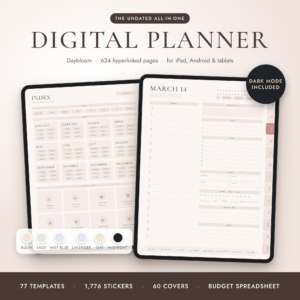
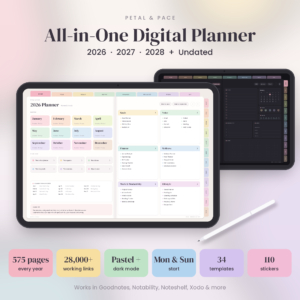
Table of Contents
Toggle
- What makes the best digital journal?
- How do the best digital journals compare?
- Which digital journal suits which person?
- How do you use a digital journal day to day?
- What mistakes should you avoid when choosing a digital journal?
- What affects the price of a digital journal?
- How do you choose the best digital journal with confidence?
- Common questions
What makes the best digital journal?
The best digital journal is one you will open on a tired Tuesday evening, which comes down to five things: the app it works in, how easily you can move around it, how much guidance it gives, whether it is dated, and how private it is. Each one is covered below.
The app and device it works in
A digital journal is usually a PDF, and a PDF only becomes writable inside a note-taking app. Rise & Rest is made for iPad and Android, while Daybloom lists GoodNotes, Notability, Samsung Notes and other PDF apps. Check that your app is named before you buy.
Evergrove is the exception. It is a single offline file that opens in your browser, so it suits a computer rather than a tablet and stylus.
Hyperlinks and how easily you can move around
A hyperlinked journal lets you tap a tab or an index entry and jump straight to a page. Without links, you swipe through hundreds of pages to find last Thursday.
Rise & Rest has side tabs and a tap-to-jump 90-day index across 124 pages. Somnara links each of its 60 dream logs to its own morning reflection page. Daybloom puts big tabs on every page across 700+ pages. For a file this size, good linking is the difference between using it and abandoning it.
Guided prompts or blank pages
Prompts help if you stare at an empty page. Unknot gives 670 questions and a four-step method (Notice, Understand, Release, Grow) in every chapter. Rise & Rest includes 60 prompts, and Daybloom adds 120 journal prompts inside a larger planner.
If you prefer to write freely, look at the planners with notebooks, such as Willowday with six notebooks.
Dated or undated pages
An undated journal starts whenever you do, so a missed week leaves no empty, guilt-inducing pages. Rise & Rest, Willowday and Abundance Bloom are undated.
Daybloom offers undated, 2027 and 2028 versions, each with Monday and Sunday starts. Choose a dated one only if you want the calendar built in.
Privacy and where the file lives
A journal can be very personal, so it matters where it is stored. Evergrove states that it needs no account and no subscription, and that your plans stay on your own computer.
The PDF journals are files you download and keep in your own notes app. Where you back them up is up to you.
How do the best digital journals compare?
The table sets six journals side by side on purpose, format and what each includes. It uses only the details supplied for each product.
Which digital journal suits which person?
Each journal suits a different reason for writing, so match the product to your purpose rather than to the longest feature list.
Rise & Rest suits anyone who wants a small, steady habit. Write your intentions over coffee, then note three good things before bed. It is the easiest to keep up because each half takes about five minutes.
Somnara suits people who wake with dreams they want to keep. Its 129-symbol guide is written as questions, not predictions, so it prompts reflection rather than telling you what a dream "means". The Year in Dreams grid and recurring dream tracker reward long-term use.
Unknot suits anyone who wants structure for hard emotions such as anger, grief, loneliness or rejection. Because it moves through a repeatable four-step method, you are never left wondering what to write. It is a self-help tool and does not replace professional support.
Abundance Bloom suits those who already practise the law of attraction and want the 3-6-9 method, 55×5 and scripting laid out alongside monthly, weekly and daily pages.
Evergrove suits people who would rather type on a computer and keep everything offline, with tasks, calendar, bills and journal together.
Daybloom and Willowday suit those who want one file for everything. Daybloom adds 120 journal prompts to its planning pages, and Willowday gives 690 undated pages and six notebooks for free writing.
The other planners here, such as Taskdale All-in-One Digital Planner 2027, 2028 and Undated, the 2026-2027 Digital Planner with its July 2026 to June 2027 run, and the Undated Digital Planner with 12 matching notebooks, work if your journalling is a side activity to daily planning.
How do you use a digital journal day to day?
A digital journal works best as a short, repeatable routine tied to something you already do. Here is a simple way to set one up.
- Import the PDF into your note app (GoodNotes or Notability, for example) and choose a colour theme or cover.
- Open the index and bookmark the page you will use most, so you can reach it in one tap.
- Pick a fixed moment, such as after breakfast or before you switch off the light.
- Write one short entry using a prompt rather than waiting for inspiration.
- At the end of each week, flip to the reflection or tracker page and note what changed.
- Back up your annotated file to cloud storage or your computer every few weeks.
Keep a clean copy of the original PDF. Duplicating it lets you start again later without paying twice.
What mistakes should you avoid when choosing a digital journal?
The most common mistakes are buying a file your app cannot open, choosing too many pages for your habit, and ignoring how you actually like to write.
- Skipping the app check. A PDF that does not suit your app will not link properly. Read the compatibility line first.
- Choosing the biggest file. A 700-page planner is excellent for planning, but a journal habit may survive better in a 124-page file with one calm page per half-day.
- Buying dated pages by accident. A dated journal leaves gaps if you start late.
- Forgetting a backup. Annotated files live on your device. Copy them somewhere safe.
- Expecting prompts to do the work. A guide, such as Somnara's symbols or Unknot's questions, only opens the door. You still need to write.
What affects the price of a digital journal?
The price of a digital journal mostly reflects how many pages and extras you get, the number of formats included, and whether it covers one purpose or many. We have left figures out because prices change, and the live product cards show the current ones.
A short single-purpose journal such as Rise & Rest generally costs less than a 700-page planner such as Daybloom with thousands of stickers. Extra formats, such as printable US Letter and A4 pages or a typeable edition, add value. Dated versions covering several years may also cost more than a single undated file, because you are getting more files.
Since a digital journal has no postage, paper or refills, any cost is paid once at download. Compare what you will use, not what is listed.
How do you choose the best digital journal with confidence?
Choose by purpose first, then by app, then by size. A rule of thumb that works for most people is below.
- If you want a quick daily habit, start with Rise & Rest.
- If you want help with feelings, choose Unknot.
- If dreams are your interest, choose Somnara.
- If you want a journal inside a full planner, choose Daybloom or Willowday.
- If you prefer a computer and offline privacy, choose Evergrove.
Before you check out, confirm that your note app is listed and that the page count feels manageable. Then browse all 11 options below and read each description for the format that fits you.
Common questions
Do I need a stylus to use a digital journal?
No. A stylus is helpful for handwriting on a tablet, but you can type into most PDF apps. Somnara includes a Typeable edition for that reason. Evergrove works in a browser, so a keyboard is enough.
Can I print a digital journal instead?
Often yes. Rise & Rest, Unknot, Abundance Bloom and Willowday list printable pages in US Letter and A4. Check each description first, as not every journal includes a printable version.
What does undated mean in a journal?
An undated journal has no fixed calendar dates, so you write the date yourself and begin whenever you like. Missing a week leaves no blank dated pages behind. It suits people who want to restart without feeling behind.
Is a digital journal private?
It is as private as the device and app it lives on. Evergrove states that it needs no account and keeps plans on your computer. For PDF journals, protect your tablet with a passcode and back files up somewhere secure.
Which app should I open the journal in?
GoodNotes and Notability are the most commonly named, and the listings also mention Samsung Notes, Noteshelf, Xodo and others. Pick an app you already know, because learning a new one makes the habit harder to start.