

A digital dream journal that helps you remember, reflect and spot patterns
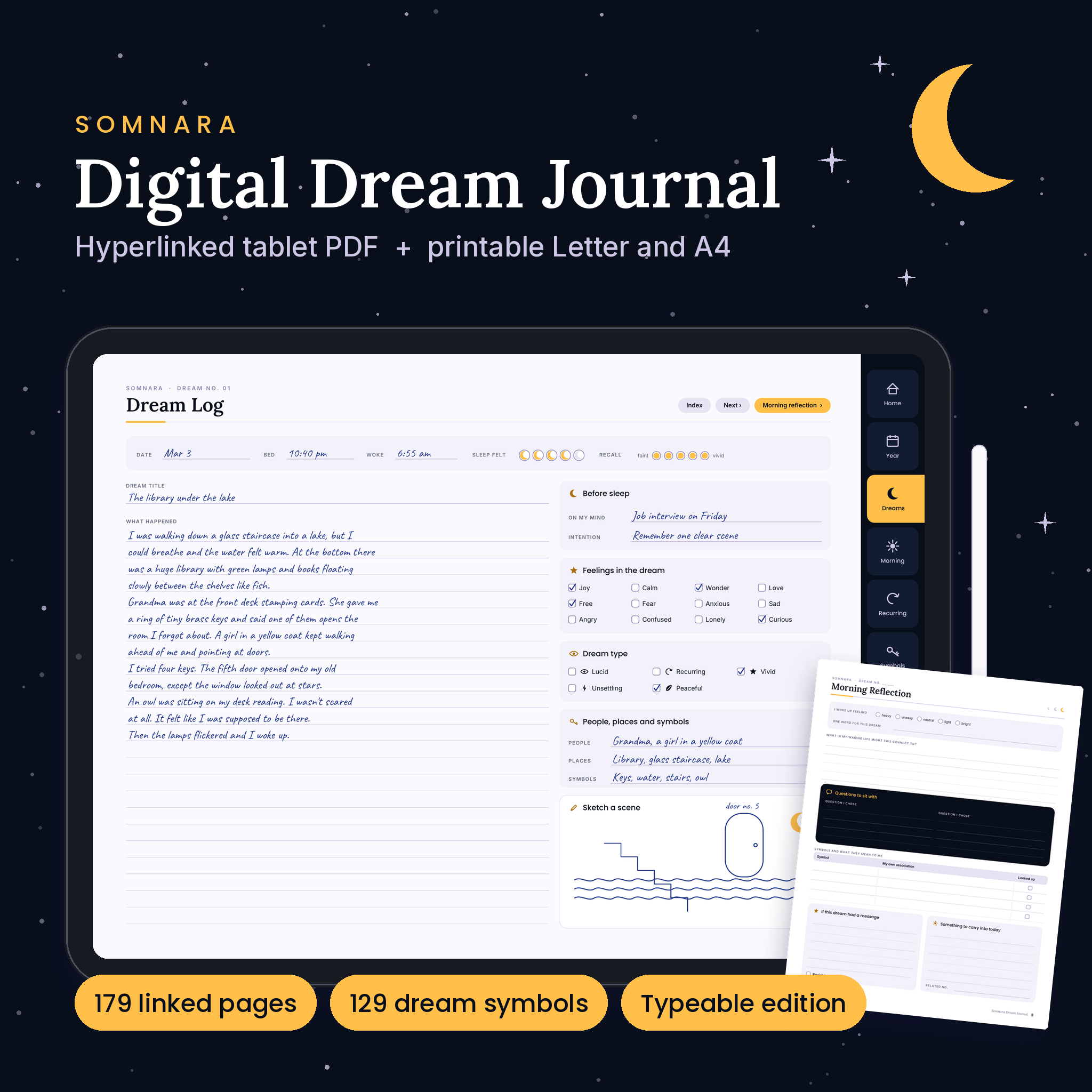
Somnara is a digital dream journal built for tablets. It is a landscape PDF with tabs down the right side and more than 2,700 internal links, so you can jump from tonight’s dream log to its morning reflection, to the symbol guide and back without scrolling through hundreds of pages. Dreams fade fast. Somnara is designed so you can catch them in a minute and come back to them later with fresh eyes.
It is undated and calm to look at: midnight blue, soft lavender and a warm mango yellow, with plenty of writing space and clear labels. Start any night of any year.
What you can do with it
- Log a dream in a minute. Date, bed and wake times, how your sleep felt, how clearly you recall it, a title, the story, twelve feelings to tick, five dream types (lucid, recurring, vivid, unsettling, peaceful), people, places, symbols and a sketch box.
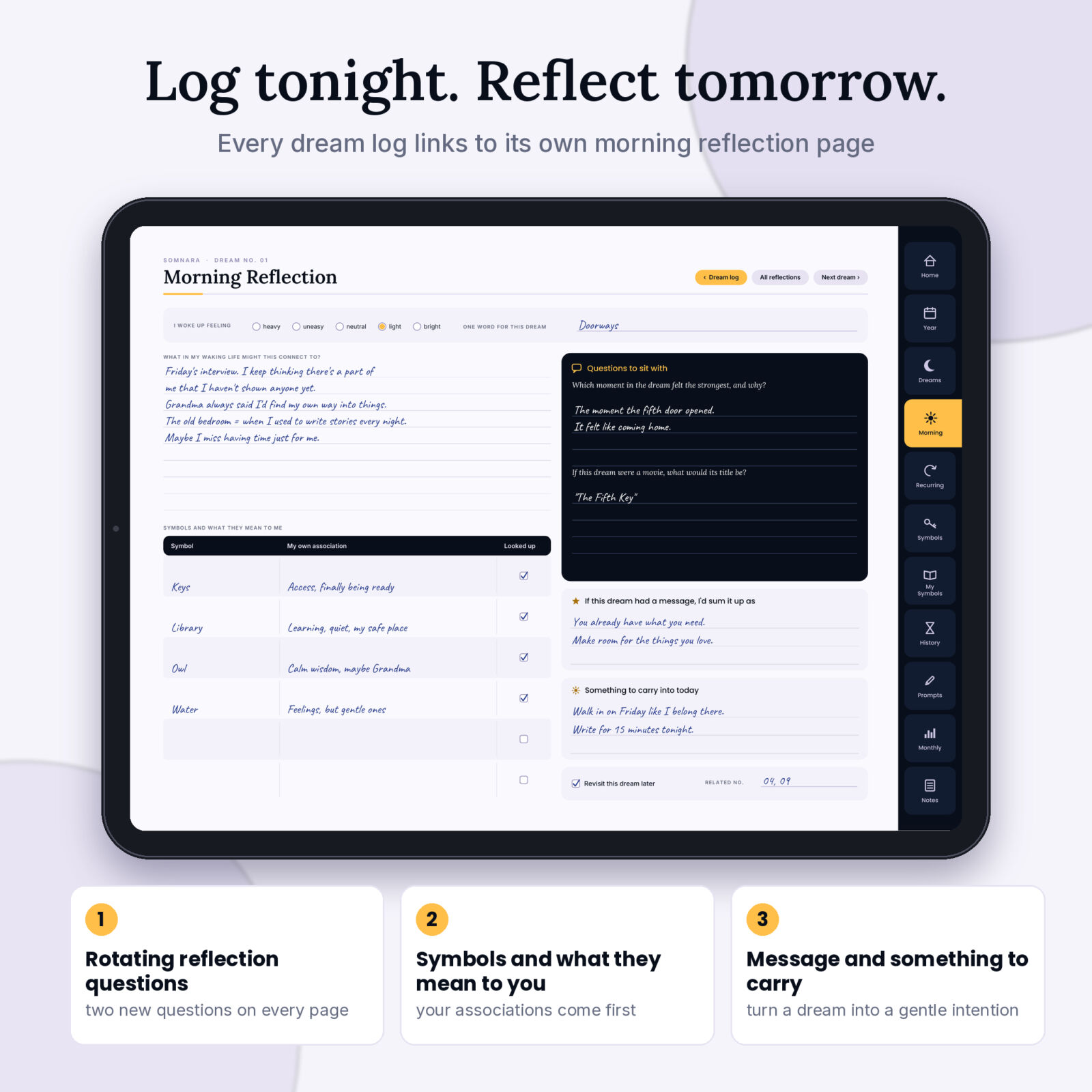
- Reflect the next morning. Each of the 60 dream logs links to its own Morning Reflection page with a waking mood scale, a waking-life connection section, a symbol table and two printed questions that change from page to page.
- See the bigger picture. Color one square per night on the Year in Dreams grid, tally recurring themes, and fill in a Monthly Review with counts, a night-by-night strip and a feelings chart you color in.
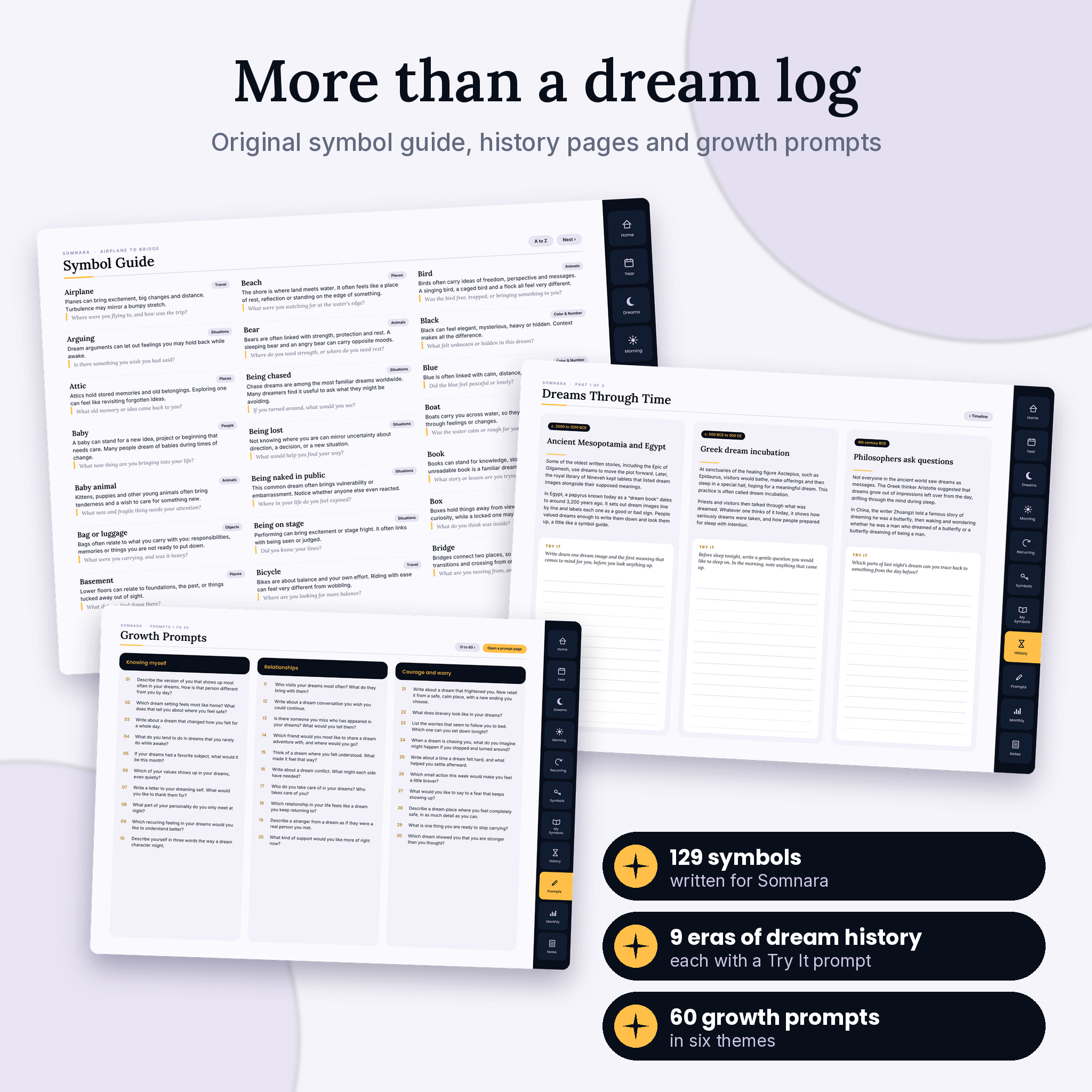
- Look things up without being told what to think. The Symbol Guide covers 129 dream images, each with a short note and an “ask yourself” question. Your own meanings go in My Symbol Dictionary.
Who it is for
Somnara suits curious dreamers, journalers who like structure, people exploring lucid or recurring dreams, and anyone who writes on a tablet with a stylus. If you prefer paper, the printable editions give you every template in portrait US Letter and A4.
It is a journal for reflection and curiosity only. It makes no medical, psychological or predictive claims.
Features inside the dream journal PDF
Navigation that works
- 11 side tabs on every page: Home, Year, Dreams, Morning, Recurring, Symbols, My Symbols, History, Prompts, Monthly and Notes
- Dream Index for all 60 dreams, with each number linked to its log
- Prev, Next and Index buttons on logs, symbol pages, prompt pages and reviews
- A to Z symbol index where every name jumps to its entry
Pages and sections
- Cover, Home page and Start Here guide with icon key
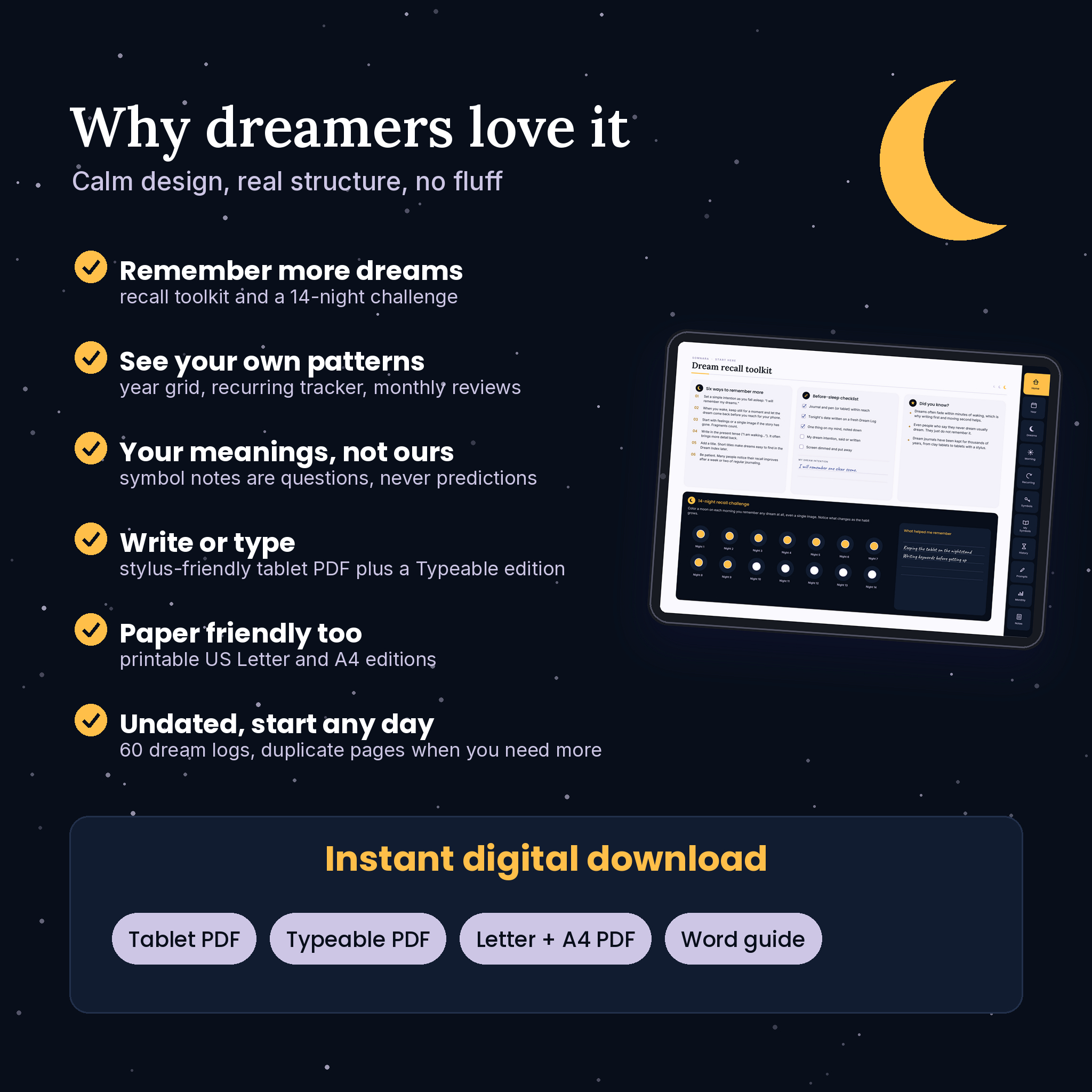
- Dream Recall Toolkit: six recall tips, a before-sleep checklist, a dream intention and a 14-night recall challenge
- Year in Dreams: 12 months by 31 days, with impossible dates shaded out
- 60 Dream Log pages and 60 linked Morning Reflection pages
- Recurring Dream Tracker with 4 Deep Dive pages, including space to imagine a new ending
- Symbol Guide with 129 entries across nature, animals, people, places, objects, travel, situations, the body, and colors and numbers
- My Symbol Dictionary (3 pages) and a My Top Symbols bar chart you color
- Dreams Through Time: a short history covering Egyptian dream books, Greek dream incubation, Artemidorus, Freud, Jung, sleep labs and lucid dreaming research, written in our own words, with a Try It prompt for each era
- 60 growth prompts in six themes and 10 Prompt Journal pages
- 12 Monthly Review pages and 6 notes pages (lined, dot grid and sketch)
What’s included
- Somnara Digital Dream Journal, Tablet edition (PDF, 179 pages, landscape, for handwriting)
- Somnara Digital Dream Journal, Typeable edition (PDF, 179 pages with type-in fields and click-to-tick boxes)
- Somnara Printable Dream Journal, US Letter (PDF, 34 portrait pages)
- Somnara Printable Dream Journal, A4 (PDF, 33 portrait pages)
- Somnara User Guide (Word .docx, 21 pages)
How it works
- Download the files after checkout.
- Open the Tablet PDF in a PDF reader, or import it into a note-taking app that accepts PDF files, for example GoodNotes or Notability.
- Each night or morning, open the next Dream Log, write first and tidy later, then tap Morning reflection when you have a moment.
- Once a month, color your Year in Dreams squares and fill in a Monthly Review.
File formats and software
All journals are standard PDF files with embedded design fonts. The internal links and form fields were tested with standard PDF tools. Any app that opens PDFs will display Somnara. To write by hand, use an app that lets you annotate PDFs. To type, use the Typeable edition in a PDF app that supports form fields. Note-taking apps differ in how they handle links, so the guide explains what to try if a tab does not respond. The user guide is a Word document (.docx) for Microsoft Word.
Customizing your dream log
Somnara is undated, so you write the month and year yourself. Use your own colors on the Year in Dreams grid or the letter codes provided. If your app can duplicate pages, copy a Dream Log and its Morning Reflection when you pass 60. On paper, the Print Guide lists the page number of every template so you can print as many as you want.
Ways people use it
- A bedside tablet journal for recording dreams before they fade
- A record of recurring dreams to notice when they show up and how they change
- A lucid dreaming log, simply tagging the nights you knew you were dreaming
- A gentle self-reflection habit, using the morning questions and growth prompts
- A thoughtful gift for a friend who always tells you about their dreams
Instant digital download
This is a digital product. No physical item is shipped. Your files are available to download right after purchase. The license covers personal use, including use inside your own small business for yourself. Please do not resell or share the files.
Dream journal FAQ
Is this dream journal dated?
No. It is undated, so you can start on any day of any year.
Can I use it in GoodNotes or Notability?
Both apps accept PDF files, so you can import Somnara into them. We tested the links with standard PDF tools rather than inside every app, so check your app’s link settings if a tab does not respond.
Does it work on Android tablets?
Yes, in any Android app that opens PDF files. To write on the pages, choose an app that supports PDF annotation.
Can I type instead of handwriting?
Yes. The Typeable edition has type-in fields for the writing areas and tick boxes you can click.
Can I print it?
Yes. The US Letter and A4 printable editions are laid out in portrait for home printing.
Does the symbol guide tell me what my dreams mean?
No. Each entry offers common associations and a question to think about. Your own meanings always come first, and nothing in Somnara predicts the future.
What if I need more than 60 dream logs?
Duplicate the pages in your app, or print more copies of the printable Dream Log.
Reviews
There are no reviews yet.