Best HTML Planner: Offline Picks for Home, Money, School
The best html planner is the one built for the job you actually need done. An html planner is a single file that opens in your web browser, with no account or subscription. For household life, Kinnest or Fernhaven fit. For money, Pennyloom. For study, Semester Pilot. For teaching, Classroom Compass.
Choosing can feel harder than it should, because the listings look alike and the feature lists run long. We'll keep it simple: what to check, how the options differ, and which one suits you.
- An html planner opens in a browser and, in most cases here, works offline, so your plans stay on your own device.
- Kinnest has 22 interactive pages, while Vivaloom and Evergrove each have 12 connected sections or areas.
- The two Classroom Compass teacher planners come in 31-page and 27-page versions.
- Pennyloom is the budget-first option, with paycheck budgeting and bank CSV import.
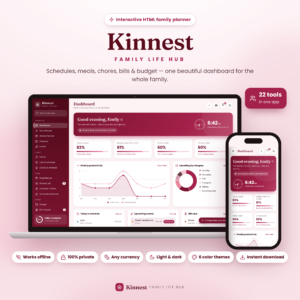 Family Planner Dashboard | Kinnest Interactive Mom Life Organizer with Budget, Bills, Meal Planner, Grocery List & Chore Chart | Offline HTML App
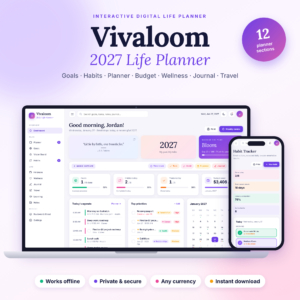 Vivaloom 2027 Digital Life Planner App | Goal Planner, Habit Tracker, Budget & Debt Payoff, Wellness Journal & Vision Board | Works Offline
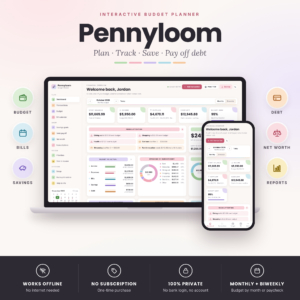 Monthly Budget Planner App | Pennyloom Paycheck Budget, Bill Calendar, Debt Payoff & Savings Tracker | Works Offline
 Student Academic Planner App | Semester Pilot Assignment Tracker, Calendar, Grade & GPA Calculator with Focus Timer | Offline HTML
 Social Media Content Planner | Feedwell Offline Content Calendar App with Pipeline, Caption Hooks & Analytics Tracker
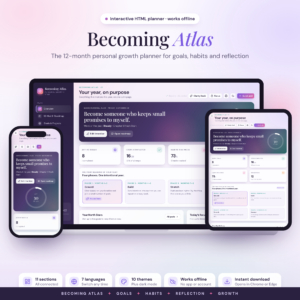 Goal Planner & Habit Tracker | Becoming Atlas 12-Month Personal Growth Digital Planner, Interactive HTML Life Planner with Journal, Weekly Review & Vision Board
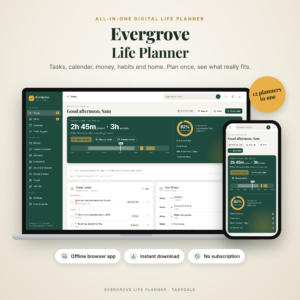 Evergrove All-in-One Digital Life Planner | Offline Budget, Habit Tracker & Calendar App
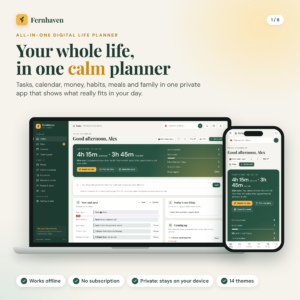
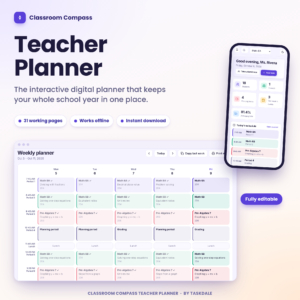
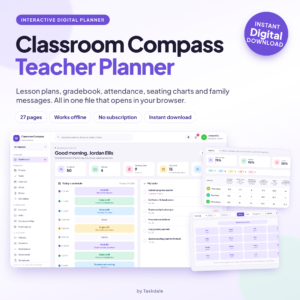
Table of Contents
Toggle
- What is an html planner and how does it differ from an app?
- What should you look for in the best html planner?
- How do the html planners on this page compare?
- Which html planner suits which person?
- How do you set up and look after an html planner?
- What mistakes should you avoid when choosing an html planner?
- What affects the price of an html planner?
- Which html planner should you choose?
- Common questions
What is an html planner and how does it differ from an app?
An html planner is a planner built as one web page file. You open it in a browser such as Chrome, Edge, Safari or Firefox, and it behaves like an app without being installed from a store.
The difference matters in three ways. There is usually no account to create, no monthly fee, and no company server holding your information. Several listings here say so directly: Pennyloom needs no bank login, and both Classroom Compass planners say nothing is installed and your data stays on your own device.
A common myth is that a single file must be basic. The reality is different. Pennyloom updates its dashboard as you enter figures, and Semester Pilot works out what grade you need on your next assessment. The file is small, but the logic inside it is not.
What should you look for in the best html planner?
The best html planner shows you what matters on day one and stays out of the way afterwards. Five factors separate the good fits from the rest.
Scope: one job or the whole household
Some planners cover everything. Evergrove, Fernhaven, Vivaloom and Becoming Atlas combine tasks, habits, budgets and journals. Others do one job well: Pennyloom for money, Semester Pilot for study, Feedwell for social media, Classroom Compass for teaching.
The trade-off is setup time. An all-in-one gives you more to fill in before it feels useful, and a single-purpose planner is quicker to start but cannot stretch to the rest of your life.
Privacy and where your data lives
Every planner on this page says your data stays on your device. Check for the same wording on any other html planner, and read the guide for how saving works.
Vivaloom adds one-click backup, which is worth having if the file holds a full year of budget and habit records.
Automatic calculations and live dashboards
A planner should do the sums so you don't. Kinnest includes automatic calculations, charts and alerts. Pennyloom shows safe-to-spend per day and budget versus actual.
Evergrove and Fernhaven take a different approach. They show how much free time you really have each day and, with one click or tap, move whatever doesn't fit. If your days regularly overflow, that is a more useful feature than another chart.
Debt and savings tools
If paying down debt is a goal, look for a named method. Pennyloom offers both the snowball and avalanche approaches. Vivaloom and Evergrove include a debt payoff planner or calculator. Fernhaven calculates a debt-free date.
Snowball clears the smallest balance first for momentum. Avalanche clears the highest interest first to cost less overall. Pennyloom is the one here that lets you compare the two.
Guides, themes and print options
A written guide shortens the learning curve. Evergrove includes a 31-page Word guide plus a quick start PDF. Vivaloom includes 20 pages in PDF and Word. Pennyloom and Fernhaven each include 23 pages.
For customisation, Evergrove has 14 colour themes, Feedwell 11, and Becoming Atlas 10 plus seven languages. If you want paper copies, Fernhaven provides 13 printable pages in US Letter and A4.
How do the html planners on this page compare?
The planners differ mainly in who they are built for and how many sections they carry. The table below compares them on those points.
Which html planner suits which person?
Each planner suits a different reader, and matching yourself to one takes about a minute.
- A parent running a household: Kinnest covers meals, groceries, chores, bills and budget in one place, and the chore chart with rewards is aimed at children. Fernhaven also covers chores and meals and adds birthdays and trips.
- Someone who wants control of their money: Pennyloom is the focused choice. You can plan by month or by paycheck, which helps if your income arrives in uneven amounts.
- Someone organising work, home and habits together: Evergrove and Fernhaven both show your real free time. Vivaloom leans more towards goals, wellness and journalling.
- A reader after a calmer yearly plan: Becoming Atlas sets out 12 monthly chapters with a weekly review and a Wheel of Life, which suits reflection more than task juggling.
- A student: Semester Pilot is the only student planner here, with a grade and GPA calculator, and its listing says one file works on computer, tablet and phone.
- A creator or small business posting online: Feedwell moves each post along a pipeline board and checks character and hashtag limits as you write.
- A teacher: Both Classroom Compass planners cover lessons, attendance, grades and seating. The 31-page version adds a lesson bank, family messages and 12 print-ready reports. The 27-page version is built around a bell schedule.
How do you set up and look after an html planner?
Setting up an html planner takes minutes, and looking after it is mostly about keeping one file safe. Follow these steps.
- Download the file and save it in a folder you will remember, such as Documents.
- Open the file in your usual browser and read the quick start or user guide first.
- Enter the basics only: your currency, your income or timetable, and the people or accounts involved.
- Add one week of real entries before you build anything elaborate.
- Save a backup copy regularly. Use Vivaloom's one-click backup if you have it, or copy the file to a second location.
Open the planner from the same place each time, as your guide will explain how saving works. If you change computer or browser, move your backup across first.
What mistakes should you avoid when choosing an html planner?
The commonest mistake is buying more planner than you will use. A 12-section life planner is a poor fit if you only want a bill calendar.
Other pitfalls are easy to avoid:
- Skipping the guide. The guides run from 20 to 31 pages for a reason, and ten minutes of reading saves hours of confusion.
- Never backing up. Your data lives on your device, so a lost file means lost records.
- Ignoring format. If you plan to print, check the listing says so. Fernhaven, Pennyloom, Semester Pilot and Classroom Compass all mention printable reports or pages.
- Mixing up the two Classroom Compass versions. They share a name but differ in page count and features, so compare them before choosing.
- Expecting bank syncing. Pennyloom imports bank CSV files and needs no bank login, which is a manual step you do yourself.
What affects the price of an html planner?
Price depends on scope, size and specialism rather than on any subscription, because none of these planners charges one. A planner that covers 22 pages or 12 connected areas usually costs more than a narrower tool, and extras raise the cost too.
Those extras include printable packs, long written guides and bonus tools such as net worth tracking or a year in review. Specialist professional planners, such as a gradebook with attendance for teachers, can sit higher than general planners. Classroom Compass Digital Teacher Planner describes a one-off payment, so you pay once and don't face renewals.
Check the live product cards for current prices. As a rule, pay for the sections you will open every week and ignore the rest.
Which html planner should you choose?
Choose by your main job. If you want to run a home, pick Kinnest or Fernhaven. If money is the worry, pick Pennyloom. If your calendar overflows, pick Evergrove. If you want a yearly reflection plan, pick Becoming Atlas or Vivaloom.
For study, take Semester Pilot. For posting online, take Feedwell. For teaching, take a Classroom Compass planner.
Browse all 10 options in the grid once you know your main job, and check the guide length and printing options before you decide.
Common questions
Do I need an internet connection to use an html planner?
Most of the planners here are described as working offline, including Kinnest, Vivaloom, Pennyloom, Semester Pilot, Feedwell and Evergrove. You open the file in your browser and it runs from your device. Check each listing for its exact wording before you buy.
Can I use my own currency?
Yes, for the money-based planners. Kinnest, Pennyloom and Evergrove say any currency, Becoming Atlas shows savings jars in your own currency, and Vivaloom lets you choose, with a dollar default. Teacher and content planners don't centre on money, so currency matters less there.
Is there a monthly subscription?
No. Every planner on this page says it has no subscription. Several also say there is no account to create. Classroom Compass Digital Teacher Planner adds that you pay once and download instantly, so you aren't tied to renewals.
Can I print pages from an html planner?
Some can. Fernhaven includes 13 printable pages in US Letter and A4. Pennyloom offers printable reports, Semester Pilot has eight printable reports, and Classroom Compass has 12 print-ready reports in the larger teacher version.
Will an html planner work on a phone or tablet?
Semester Pilot states that one file works on computer, tablet and phone. The other listings say the planner opens in a web browser but don't spell out phone support, so check the product details first if you plan to use a phone.