The Best Notion Dashboard for Your Life, Study or ADHD
A good Notion dashboard is a template where you enter something once and it appears everywhere it should. For ADHD brains, Brainloft, Squirrel & Sage and Calm Chaos are the strongest fits. Semester Studio suits students, and Hearth & Horizon or Everkept Life OS suit all-round life planning.
- Every template on this page is described as working on Notion's free plan, so you can start without paying Notion anything.
- The number of linked databases ranges from 14 (Blossom Life OS) to 65+ (Hearth & Horizon 2027).
- Brainloft, Everkept Life OS and Squirrel & Sage are built around a short daily routine, either a Top 3 or a 60-second check-in.
- Semester Studio is the only one with an automatic GPA calculator and assignment countdowns.
- Browse all 7 options below once you know which job your dashboard needs to do.
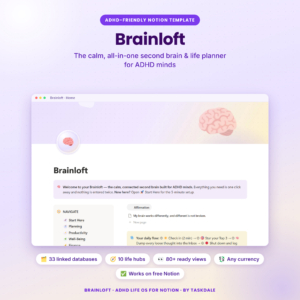 ADHD Notion Template | Brainloft Second Brain Life Planner with Budget, Habit & Study Tracker
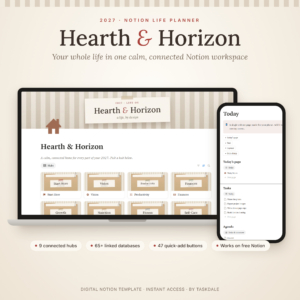
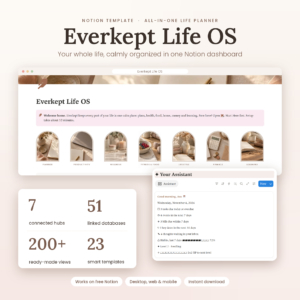 Notion Life Planner Template | Everkept Life OS All-in-One Second Brain Dashboard with Habit Tracker, Budget, Meal Planner, Wellness & Student Hub
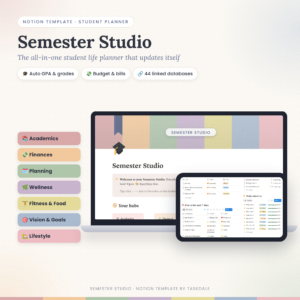 Student Notion Planner | Semester Studio All-in-One Student Life Template with Auto GPA Calculator, Assignment Tracker, Budget & 70+ Linked Pages
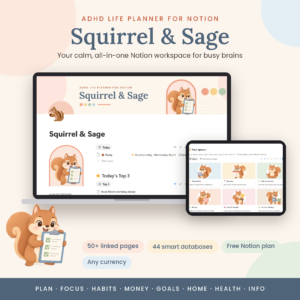 ADHD Notion Planner | Squirrel & Sage Notion Life Planner Template with Dashboard, Task Manager, Habit Tracker, Budget & 50+ Linked Pages
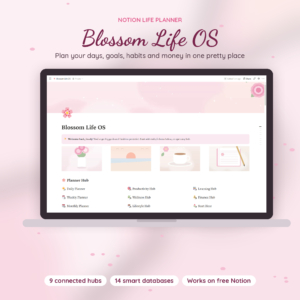
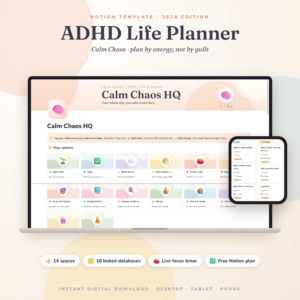
Table of Contents
Toggle
- What makes the best Notion dashboard?
- Which Notion dashboards compare best side by side?
- Which Notion dashboard suits which person?
- How do you set up a Notion dashboard so you keep using it?
- What mistakes should you avoid when choosing a Notion dashboard?
- What affects the price of a Notion dashboard template?
- How do you pick the best Notion dashboard for you?
- Common questions
What makes the best Notion dashboard?
The best Notion dashboard is one you open every day without effort. A Notion dashboard is a home page that pulls tasks, habits, money and health into one view, so you don't hunt through separate pages. Six factors separate the good ones from the merely pretty ones.
Linked data, not separate pages
A dashboard only saves effort if the pages share information. In Brainloft, a task or amount is entered once and shows up in every hub that needs it. Everkept Life OS works the same way, with 51 linked databases sharing your data. If a template is a set of unconnected pages, you are back to copying things by hand.
A daily routine short enough to survive a bad day
Look for a check-in that takes about a minute. Everkept Life OS and Squirrel & Sage both use a 60-second check-in that updates habits, mood and sleep across the workspace. Brainloft asks you to pick a Top 3. Hearth & Horizon offers 47 quick-add buttons for fast entry. A routine that takes ten minutes tends to be dropped within a fortnight.
Automatic maths for money and grades
Budget status lights, account balances, debt payoff dates and GPA figures should calculate themselves. Hearth & Horizon does this across its 65+ databases, and Semester Studio updates your course grade, letter grade and semester GPA when you add a score. Several templates also use a single currency setting, so you change it once and every amount follows.
A design that fits how your brain works
ADHD-focused dashboards plan around energy and attention rather than a rigid timetable. Calm Chaos plans by energy, and Squirrel & Sage includes energy-based tasks, quick wins and a brain dump inbox. Brainloft adds meds, pets and chores hubs. If you don't have ADHD, a simpler layout such as Blossom Life OS may feel less crowded.
Setup time and a written guide
A large template is only useful if you can get it running. Hearth & Horizon promises a 10-minute Start Here setup. Brainloft supplies a Quick Start PDF with your template link plus a full user guide. Most of the others include a user guide, either a DOCX file or a step-by-step document.
The year and the audience in the name
Some templates are dated. Hearth & Horizon is a 2027 planner and Calm Chaos is labelled 2026. Others, such as Brainloft or Everkept Life OS, carry no year. If you want a fresh start for a specific year, a dated template makes that clear. If you want something to run indefinitely, check with the seller how a dated one carries on.
Which Notion dashboards compare best side by side?
The table below compares the seven dashboards on structure and focus, using only the details each listing gives. Hubs and spaces are the top-level sections you move between.
Which Notion dashboard suits which person?
The right dashboard depends mostly on whether your priority is attention, study or a whole-year overview. Here is how the seven split.
If you have ADHD and want the most complete setup: Brainloft covers eleven areas of daily life, including meds, pets and fitness, and its due alerts and countdowns do the remembering. It suits someone whose days involve a lot of moving parts.
If you have ADHD and want the gentlest start: Squirrel & Sage opens on one Home page for today. Top 3, quick wins and a brain dump inbox keep the first screen short. Calm Chaos is the pick if you want a live focus timer and a dashboard that also works on a phone.
If you are a student: Semester Studio is built for it. You add a score and your grades update, and a "what I need" calculator tells you what a future mark must be. Everkept Life OS also includes student grades, so it suits a student who wants wellness and meals in the same place.
If you want to plan a whole year: Hearth & Horizon has the most databases and the widest range of hubs, from Vision and Finances to Self-Care and Reviews. Debt payoff dates and a Life Wheel chart make it the most analytical.
If you want something calm and compact: Blossom Life OS has the fewest databases, so there is less to learn. Its goal progress bars and habit scores cover the basics in a soft pink workspace.
How do you set up a Notion dashboard so you keep using it?
A Notion dashboard sticks when you set it up in stages and use one habit first. Follow these steps in order.
- Duplicate the template into your own free Notion workspace using the link supplied.
- Read the Quick Start or Start Here page before touching anything else.
- Set your currency once, if the template has that option.
- Delete or hide hubs you won't use in the first month.
- Pick one daily action, such as the Top 3 or the 60-second check-in, and do it for two weeks.
- Add money, meals and study only after that habit holds.
If you are on a phone, check the layout before relying on it. Calm Chaos states it works on desktop and phone; for the others, test one page before committing.
What mistakes should you avoid when choosing a Notion dashboard?
The most common mistake is picking the biggest template and then abandoning it. More databases do not mean better results if you never open half of them.
- Choosing for features you won't use. Cycle tracking, pets or student grades only help if they match your life.
- Skipping the guide. Even a well-built template has a logic you need to learn once.
- Filling in everything on day one. Start with the daily page and add hubs gradually.
- Ignoring the year in the name. A 2026 or 2027 label tells you what the seller built it for, so confirm it suits your timing.
- Expecting a template to create the habit. The dashboard reminds you, but you still have to open it.
What affects the price of a Notion dashboard template?
The price of a Notion dashboard template mostly reflects how much is built in and how much guidance comes with it. A larger template with many databases, buttons and page templates usually costs more than a compact one.
Included support matters too. A Quick Start PDF plus a full user guide, as Brainloft offers, adds value over a basic walkthrough. Specialist functions such as automatic GPA calculation, debt payoff dates or a focus timer also push a template towards the higher end. The live product cards show the current price for each, so compare them there rather than assuming size alone decides it.
Because every template here works on Notion's free plan, you don't need to budget for a Notion subscription to use them.
How do you pick the best Notion dashboard for you?
Pick the template whose main purpose matches your hardest problem. Use this rule:
- If remembering things is your hardest problem, choose Brainloft, Squirrel & Sage or Calm Chaos.
- If your problem is grades and deadlines, choose Semester Studio.
- If you want one place for the whole year, choose Hearth & Horizon.
- If you want a balanced life dashboard with wellness and meals, choose Everkept Life OS.
- If you want the simplest and prettiest option, choose Blossom Life OS.
Then open the cards below, check the price and the included guide, and commit to one daily action for two weeks.
Common questions
What is the difference between a Notion dashboard and a life planner?
A Notion dashboard is the home screen showing what matters today, while a life planner is the full set of pages behind it. Most templates here combine both, so the dashboard summarises tasks, habits and money from linked pages.
Do these templates come with instructions?
Most include a written guide. Brainloft supplies a Quick Start PDF and a full user guide, Hearth & Horizon, Semester Studio and Squirrel & Sage include a DOCX guide, and Blossom Life OS has a step-by-step guide. Calm Chaos does not state one.
Which Notion dashboard is best for budgeting?
Hearth & Horizon has the most detailed finance tools, including budget status lights, account balances and debt payoff dates. Everkept Life OS adds net worth tracking, and Semester Studio suits student budgets with bills that roll forward.
Can I change the currency?
Several listings mention a single currency setting. Brainloft, Hearth & Horizon, Everkept Life OS and Squirrel & Sage all update amounts from one choice. Check the listing for any template you are considering.
Is a dated template still useful after the year ends?
Hearth & Horizon is labelled 2027 and Calm Chaos 2026, so the seller built them with that year in mind. The listings don't say how they carry on afterwards, so ask the seller before relying on one beyond its year.