Best One Page Resume Templates for Word and Google Docs
A best one page resume is a single-column, plain-text-friendly layout in Word or Google Docs that fits your strongest experience on one sheet and survives applicant tracking software. For most people, a kit with a clean one-page file, a matching cover letter and a tracker is the safest starting point.
Choosing can feel more complicated than it should, because every kit on this page promises much the same thing. We'll separate the details that change your result from the ones that don't.
Key facts at a glance
- A one page resume suits most applicants with up to roughly ten years of relevant experience, and it forces you to cut weaker material.
- Single-column layouts are the safest choice for online job portals, because applicant tracking systems (ATS) read text in a straight line from top to bottom.
- Every kit here ships in US Letter and A4, so paper size is rarely the deciding factor.
- Northline Modern Resume Template Kit is the only two-column design on this page, and it includes a separate single-column ATS resume for portals.
- Alder Resume Template with Photo and the unbranded ATS Resume Template for Word & Google Docs are the two options that offer a photo version.
 Resume Template Bundle for Word | Bluecrest Resume Suite with Cover Letter, References, ATS Resume & Writing Guide | 1 & 2 Page, US Letter & A4
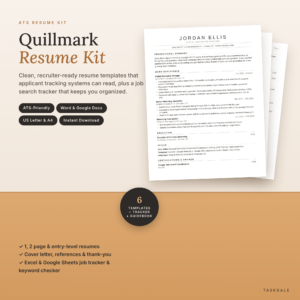 ATS Resume Template for Word & Google Docs | Quillmark Resume Kit with Cover Letter, References, Thank-You Letter & Job Tracker | 1 & 2 Page Resume, Entry-Level CV | US Letter & A4
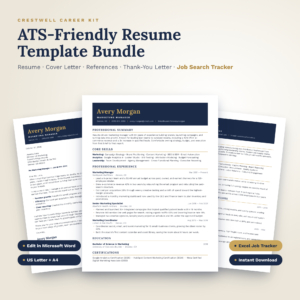 Crestwell ATS Resume Template Bundle | Editable Word Resume, Cover Letter, References & Thank-You Letter + Excel Job Search Tracker | US Letter & A4
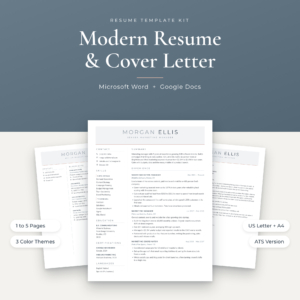
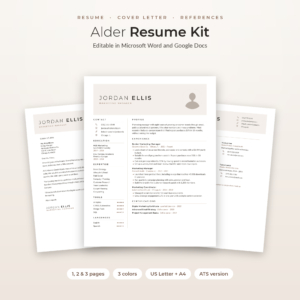 Alder Resume Template with Photo for Word & Google Docs | Minimalist Resume, Cover Letter & References | 1, 2 & 3 Page CV | ATS Resume | Job Tracker
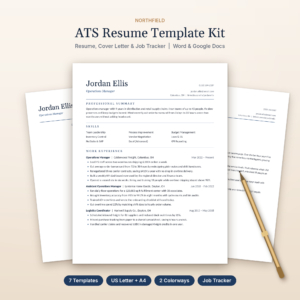 Northfield ATS Resume Kit | Resume Template for Word & Google Docs with Cover Letter, References, Thank-You Letter & Job Tracker | US Letter & A4
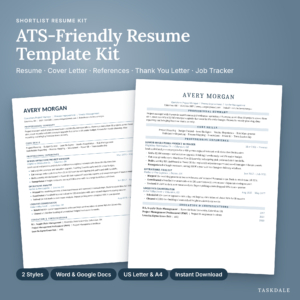 Shortlist ATS Resume Template Kit for Word and Google Docs | 1 & 2 Page Resume, Cover Letter, References, Thank You Letter + Job Search Tracker | US Letter & A4
Table of Contents
Toggle
- What should you look for in a one page resume template?
- How do the best one page resume kits compare?
- Which one page resume suits which job seeker?
- How do you fit your experience onto one page?
- What mistakes should you avoid with a one page resume?
- What affects the price of a resume template kit?
- How do you decide on the best one page resume for you?
- Common questions
What should you look for in a one page resume template?
The best one page resume template is easy to edit, readable by ATS software and backed by clear guidance on what to write. Layout matters most, followed by the software you use and what else comes in the download.
Does the layout suit applicant tracking systems?
An applicant tracking system is software that scans submitted resumes and sorts candidates before a person reads them. A single-column layout with standard headings is the safest design for it.
Quillmark, Crestwell, Northfield and Everett are all described as single-column. Bluecrest, Northline, Alder and the unbranded ATS Resume Template include a dedicated ATS version alongside their other designs. Shortlist is sold as an ATS kit in two styles.
Do you edit in Word, Google Docs or both?
Most kits here open in Microsoft Word and Google Docs. Bluecrest Resume Suite and Crestwell are described for Microsoft Word only, so pick another kit if you work mainly in Google Docs.
If you share drafts with a friend or careers adviser, Google Docs makes that simpler. If you plan to send a file by email, Word keeps formatting steadier.
Is the file available in your paper size?
Paper size decides whether your resume prints and previews properly. US Letter is standard in the United States and Canada, and A4 is used across the UK and most of the world. All the kits here include both, so you can simply choose the one that matches your target employers.
Does it tell you what to write?
A template with guided placeholder text shows you what belongs in each line, which saves more time than a prettier design. Bluecrest places an example inside every placeholder, Everett and Shortlist add writing tips and guided text, and Crestwell has prompts you type over.
Writing guides vary in length. Northfield's playbook is 9 pages, while Northline's guide runs to 22 pages. A longer guide helps if you find the blank page daunting.
What comes with the resume itself?
A cover letter, references page and thank-you letter are in every kit. A job tracker is in all but two: Bluecrest offers a printable job search toolkit instead, and Everett offers an ATS checklist in its guide. Trackers matter once you have a dozen applications open and need to remember who to chase.
How do the best one page resume kits compare?
The kits differ mainly in layout, number of resume versions, software and extras. The table below sets out what each one supplies, using only the details given for each product.
Which one page resume suits which job seeker?
Each kit suits a different type of applicant, and the right choice depends on your experience level and how you plan to apply. These are the pairings that make sense from what each kit contains.
- First job or career change: Quillmark and Northfield both include an entry-level resume, which puts education and skills higher up the page. Quillmark's 60 bullet examples help if you have little work history to describe.
- Heavy portal applications: Everett, Crestwell and Northfield use a single column throughout. Everett's ATS checklist lets you test your finished file.
- Applying to many roles at once: Shortlist and Quillmark have trackers with dashboards and reminders. Crestwell adds offer comparison, useful if interviews overlap.
- Roles where a photo is normal: Alder offers a photo version, a no-photo version and a round photo maker. The unbranded ATS Resume Template also supplies both versions.
- A designed look for creative or client-facing work: Northline's two-column layout and icons give more visual personality, with its ATS version kept for portals.
- Word users who want a simple set: Bluecrest gives you the resume, letters and a guide with five filled examples, with nothing to install.
How do you fit your experience onto one page?
Fitting a resume onto one page means keeping only the roles and results that match the job. Work through these steps in order.
- Read the job advert and underline the five skills it mentions most.
- List your roles from the last ten years or so, and drop anything older unless it directly fits.
- Write two to four bullets per role, starting each with an action verb and ending with a result where you have one.
- Place your strongest points in the top half of the page.
- Reduce spacing slightly before you reduce the font. Keep body text readable.
- Save a copy as a PDF unless the employer asks for Word, and check it still fits one page.
The action verb lists inside kits such as Crestwell (180 verbs) and Quillmark (300+) save you from starting every bullet with "Responsible for".
What mistakes should you avoid with a one page resume?
The most common mistake is cramming. A one page resume that shrinks the text to fit everything is harder to read than a clean two page version. Other pitfalls are easy to avoid once you know them.
- Keeping every job you have ever had. Cut older or unrelated roles to make room for relevant ones.
- Using a decorative layout on a job portal. Columns, icons and graphics can scramble the text. Use the ATS version for online forms.
- Leaving placeholder text in. Check headers and footers too.
- Sending one version to every employer. Change the top few bullets and skills to echo each advert's wording.
- Forgetting the matching documents. A cover letter or thank-you note in a different style looks careless next to your resume.
What affects the price of a resume template kit?
The price of a resume template kit depends on how many files and extras come in the download. Kits with more resume versions, colour themes, icon packs and trackers generally cost more up front than a simple set.
Software support can also play a part, since a kit working in both Word and Google Docs takes more to prepare. Live prices appear on the product cards beside this guide, so compare them there. As a rule, pay for extras you will actually open. A tracker is worth it if you will apply widely, while 127 icons add little if you plan a plain design.
How do you decide on the best one page resume for you?
Choose the best one page resume by matching three things: your software, your layout need and your extras. Make the decision in this order.
- If you use only Google Docs, remove Bluecrest and Crestwell.
- If you apply mostly through online portals, pick a single-column kit such as Everett, Northfield or Quillmark.
- If you need a photo, shortlist Alder or the unbranded ATS Resume Template.
- If you are applying widely, choose a kit with a tracker, such as Shortlist.
- If you are unsure what to write, choose the kit with the longest guide, Northline at 22 pages, or the most examples.
Browse all 9 options below and apply this checklist before you buy.
Common questions
Is a one page resume always enough?
A one page resume is enough for most early and mid-career applicants. If you have a long history of directly relevant roles, a two page version may suit better. Most kits here include both, so you can compare the two with your own content.
Should I include a photo on my resume?
It depends on the country and the employer. Photos are common in some regions and discouraged in others, partly to reduce bias. Alder and the unbranded ATS Resume Template include both versions, so you can choose after checking local norms.
Can I use a Word-only kit in Google Docs?
Bluecrest and Crestwell are described for Microsoft Word only. Google Docs can open Word files, but spacing and fonts may shift. If you mainly work in Google Docs, choose a kit stated to support it.
What is an ATS keyword checker?
An ATS keyword checker compares your resume wording with the terms in a job advert, so you can spot missing skills. Quillmark includes one inside its job tracker. Everett offers an ATS checklist in its guide, which serves a similar purpose by hand.
Do I need a cover letter with every application?
Not always, but many employers ask for one, and a short, tailored letter can help when your resume does not explain a career change. Every kit on this page includes a matching cover letter, so the style stays consistent.