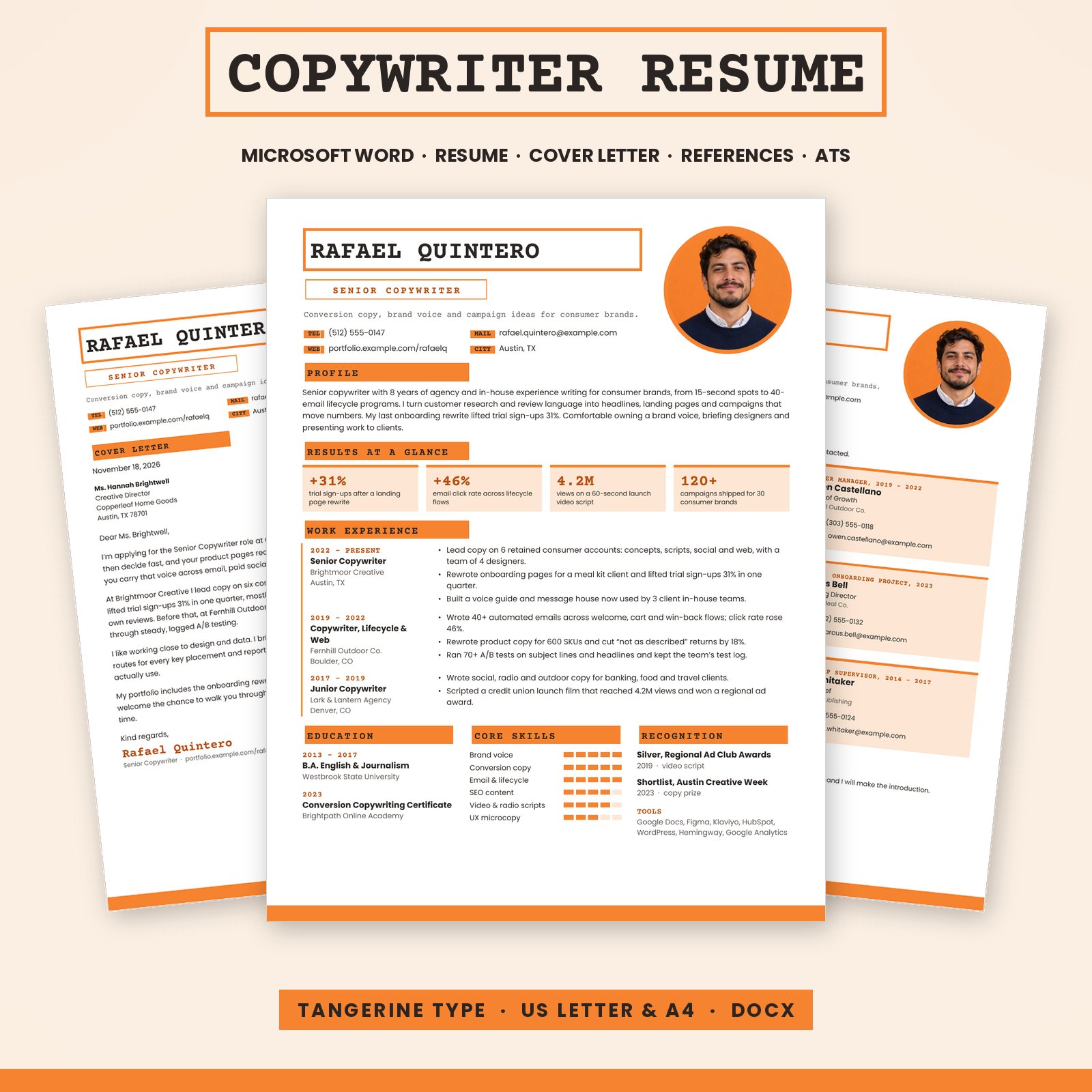


This copywriter resume template for Word is made for writers who want their resume to read as well as their copy. Tangerine Type pairs Courier Prime, a classic typewriter font, with clean Poppins body text, tangerine heading boxes, a round photo with an orange ring and an orange stripe along the bottom of the page. You get a 1-page and a 2-page resume, a matching cover letter, a references page and an ATS plain version, every file in US Letter and A4.
The sample wording is written for a senior copywriter, with real-sounding results like “+31% trial sign-ups” and “+46% email click rate”, so you can see what strong copywriter bullets look like before you write your own.
Why this copywriter resume template for Word stands out
Most writer resume templates are built for designers to look at, not for writers to edit. Tangerine Type is built the other way round. Every line is normal Word text, with no floating text boxes, so nothing jumps around when you type. The fonts are embedded in each file, so the typewriter look shows up on a recruiter’s computer without them installing anything.
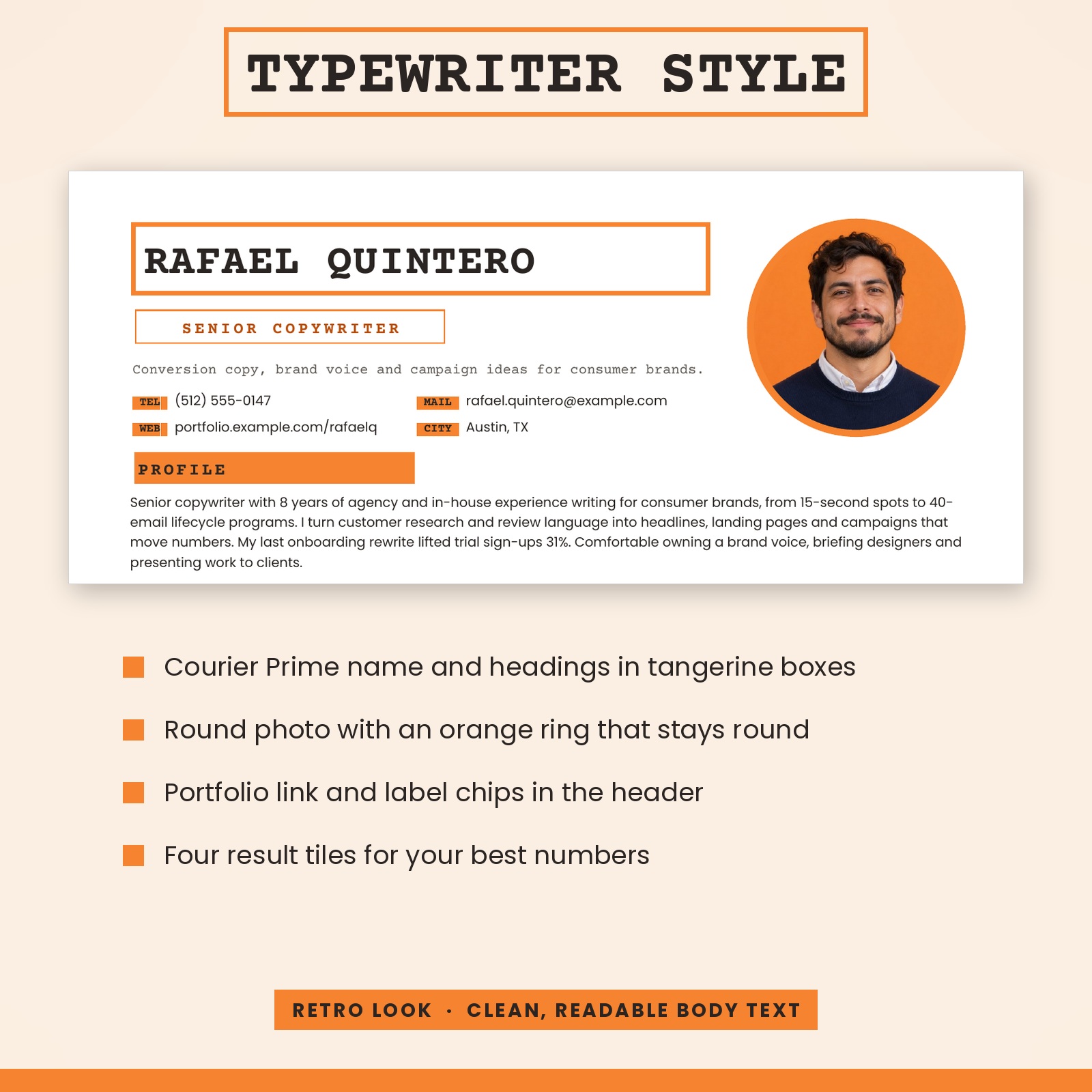
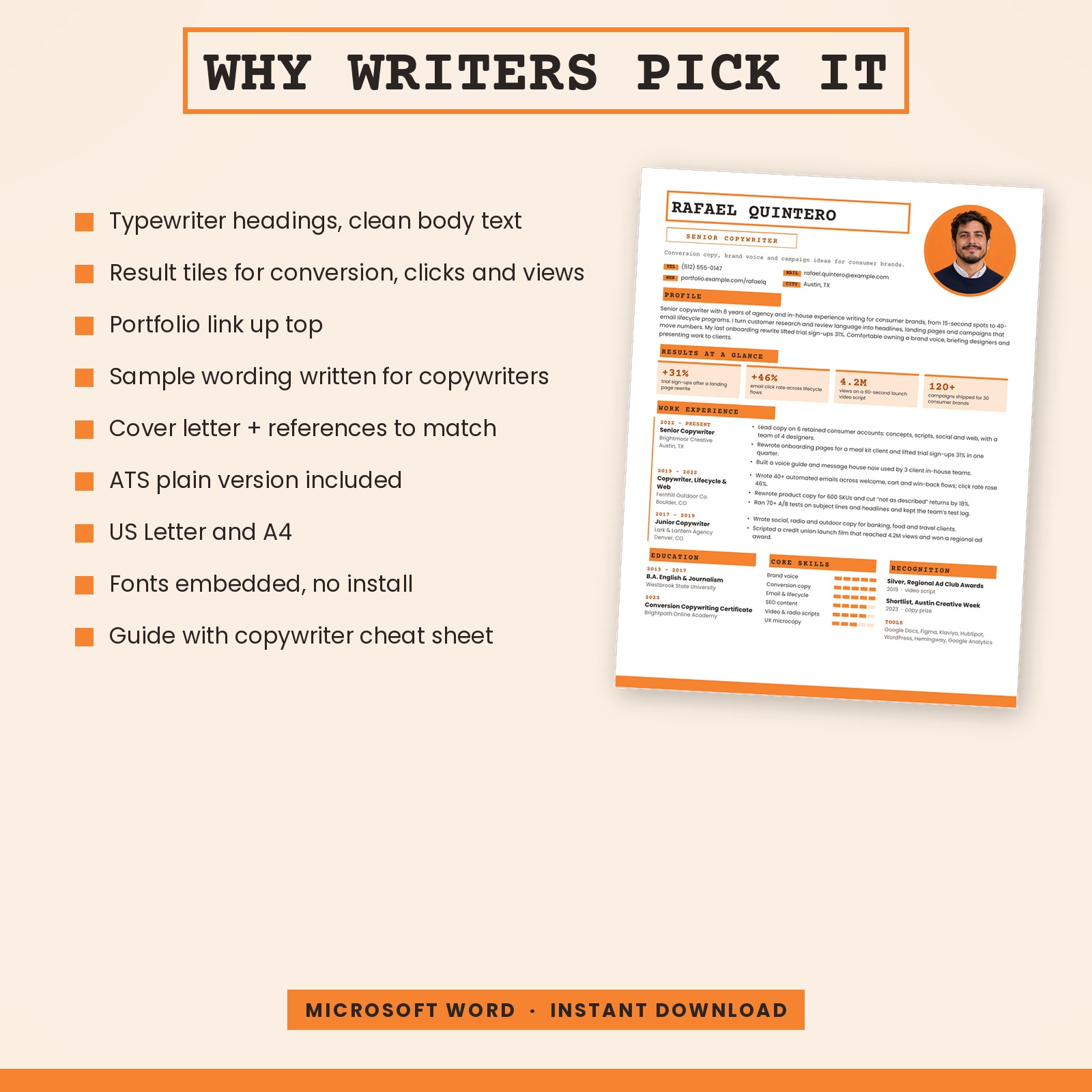
- Typewriter name and headings: your name sits in an orange outlined box and each section starts with a tangerine heading box in Courier Prime.
- Results at a Glance: four tiles for your best numbers, such as conversion lift, click rate, views or campaigns shipped.
- Portfolio link up top: the header has label chips for phone, email, portfolio and city, so hiring managers find your work in one glance.
- Timeline experience section: dates, job title and company on the left with a thin orange line, achievement bullets on the right.
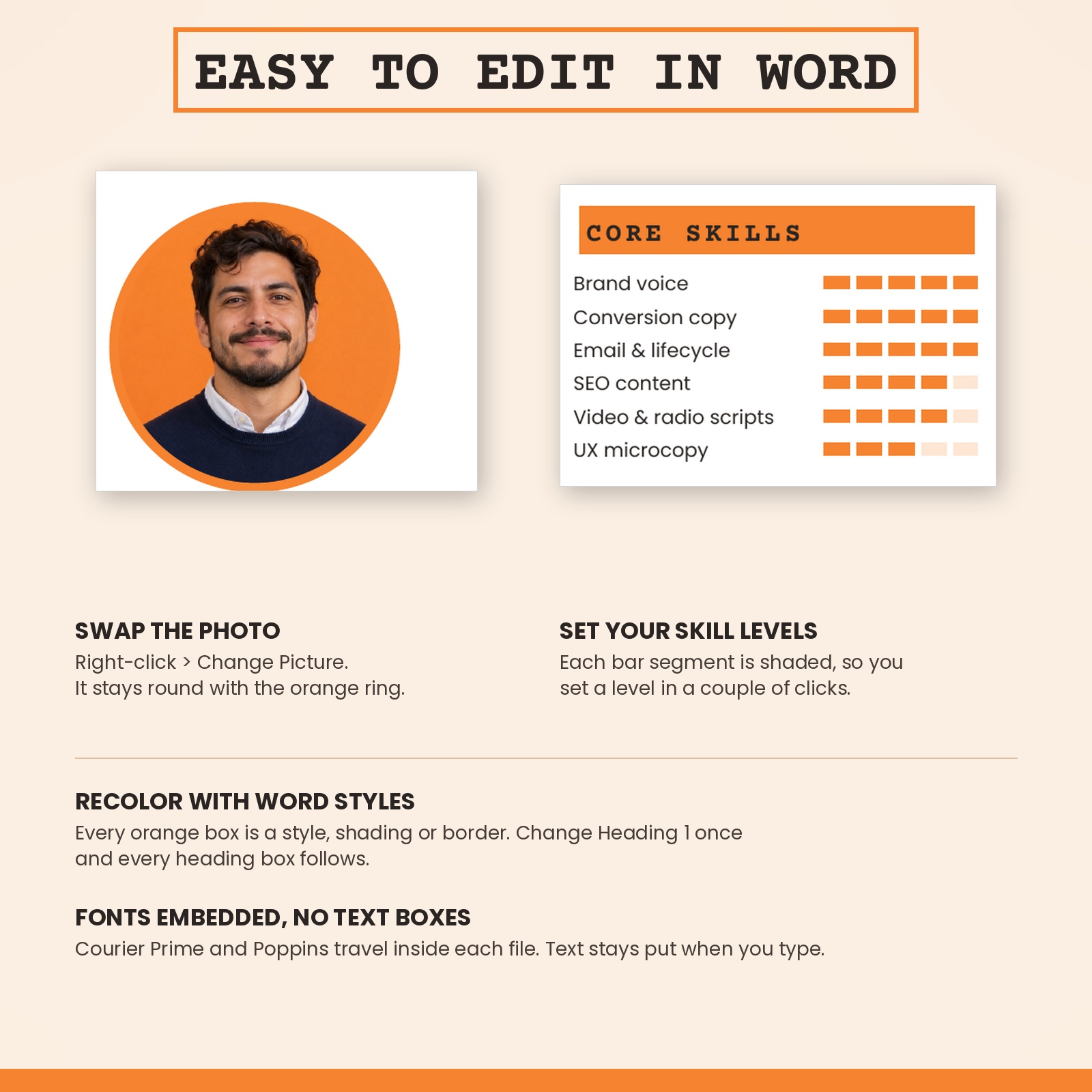
- Skill bars you can set: six skills with five-step level bars made from shaded Word paragraphs, so you change a level in a couple of clicks.
- Education, skills and recognition side by side in three neat columns, plus a Tools line for the software you use.
What’s included in the writer resume kit
- 1-page copywriter resume (main layout)
- 2-page resume with Selected Work, earlier experience, certifications and an Additional section
- Matching cover letter with sample paragraphs written for a copywriter role
- References page with six reference cards and a Please Note section
- ATS resume: single column, no photo, no tables, same content and fonts
- All 5 files in US Letter and A4 (10 Word .docx files)
- Fonts folder with Courier Prime and Poppins (SIL Open Font License) as a backup install
- 8-page DOCX user guide with a copywriter resume cheat sheet
Who it is for
Tangerine Type suits copywriters at agencies and in-house brand teams, from junior writers to creative leads. It also works well as a content writer, UX writer, email marketer, editor or content marketing resume template. The warm orange and retro type give personality without looking like a poster, which matters when the person reading it also hires for clarity.
Real situations where buyers use it
- A junior copywriter applying to their first agency job, using the 1-page file and the portfolio link.
- A senior in-house writer moving to a creative lead role, using the 2-page file to show Selected Work and mentoring.
- A journalist moving into marketing, swapping the result tiles for readership and audience growth numbers.
- A freelance writer applying for a staff role through an online form, uploading the ATS version.
How it works
- Download the zip and unzip it.
- Open the US-Letter or A4 folder and open the resume in Microsoft Word.
- Type over the sample text, from your name down to the last skill.
- Right-click the photo and choose Change Picture. Your photo drops into the same circle with the orange ring.
- Save as PDF and send it.
The user guide walks through every step, including how to add or remove a role, set skill levels, recolor the orange, keep the 1-page resume on one page and export a clean PDF.
Easy to customize in Microsoft Word
Every heading, job title, bullet and date uses a real Word style. Change the Heading 1 style once and every tangerine box changes with it. The result tiles, reference cards, timeline line and bottom stripe are table shading and borders, so you can pick a new color from the Table Design menu. Prefer no photo? Delete it and the header keeps its shape.
We tested the 1-page copywriter resume with three extra bullets, a two-line job title and a 30-letter name in both paper sizes, and it stayed on one page.
File formats and software
- Format: Microsoft Word .docx (10 files) plus a DOCX user guide
- Works in: Microsoft Word 2016 or newer on Windows and Mac, and Word for the web
- Google Docs and Apple Pages open the files with minor layout differences; export your final PDF from Word if you can
- Paper sizes: US Letter (8.5 x 11 in) and A4 (210 x 297 mm)
- Fonts: Courier Prime and Poppins, embedded in every file
Digital download
This is an instant digital download. Nothing is shipped. After checkout you’ll get two downloads: the resume kit zip and the user guide. All names, companies and contact details in the samples are fictional, and the sample portrait is an AI-generated image of a fictional person. License: personal use only; please don’t resell or share the files.
FAQ
Is this copywriter resume template editable in Word?
Yes. Every file is an editable Microsoft Word .docx. Click any sample text and type over it.
Do I need to install the fonts?
No. Courier Prime and Poppins are embedded in each file. The font files are included in case an older Word for Mac ignores embedded fonts.
Is the resume ATS friendly?
The designed resumes use normal text with no text boxes. For online application forms, use the ATS version: one column, no photo and no tables.
Can I use it without a photo?
Yes. Delete the photo or use the ATS resume. Many US employers prefer resumes without a photo.
Can I change the orange color?
Yes. The color comes from Word styles, shading and borders, and the guide shows how to change each one.
Will it work for other writing jobs?
Yes. It works as a writer resume template for content writers, UX writers, editors and marketers. Only the sample wording is copywriter-specific.
Can I open it in Google Docs or Canva?
It opens in Google Docs and Apple Pages with minor layout differences. It is not a Canva template.
Reviews
There are no reviews yet.