
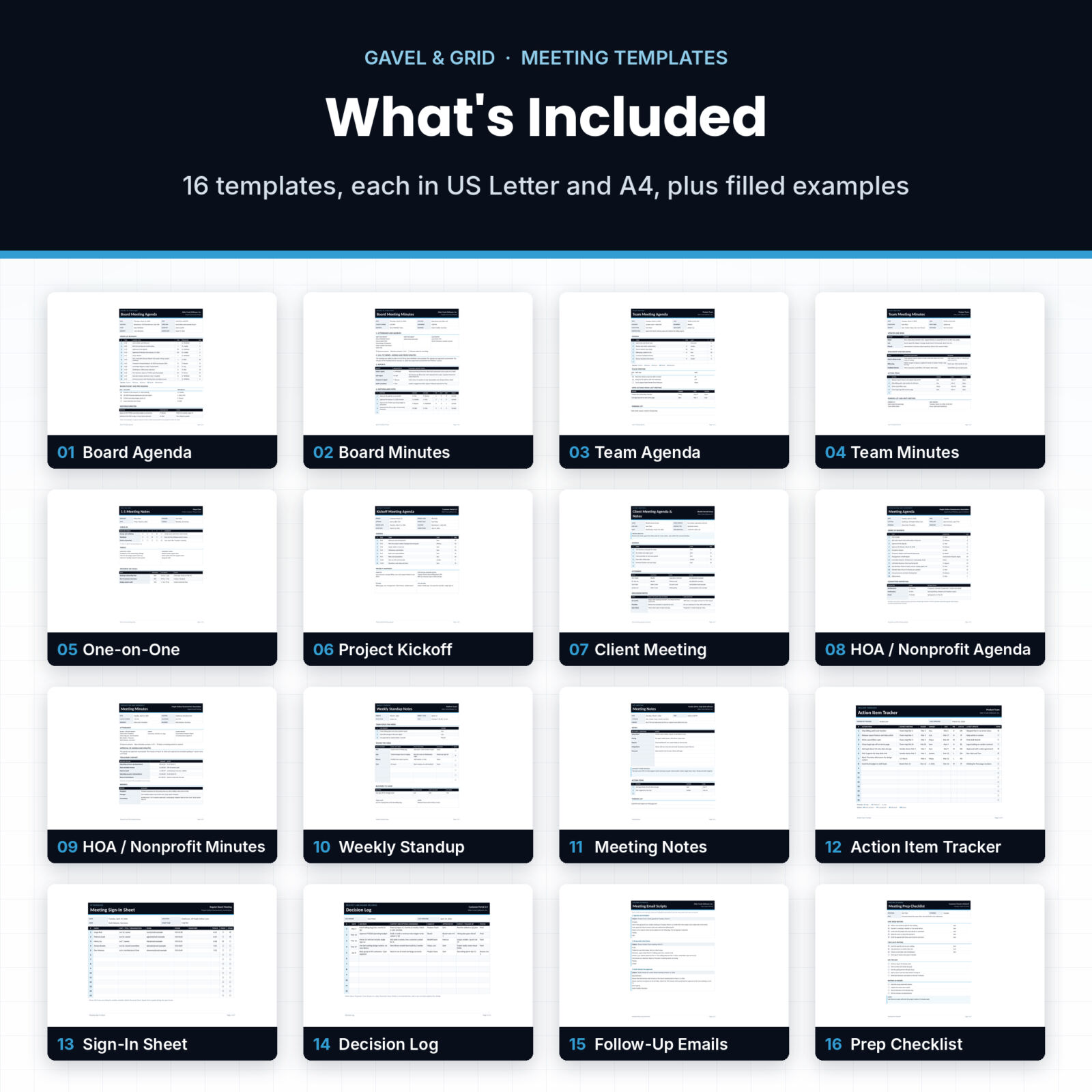
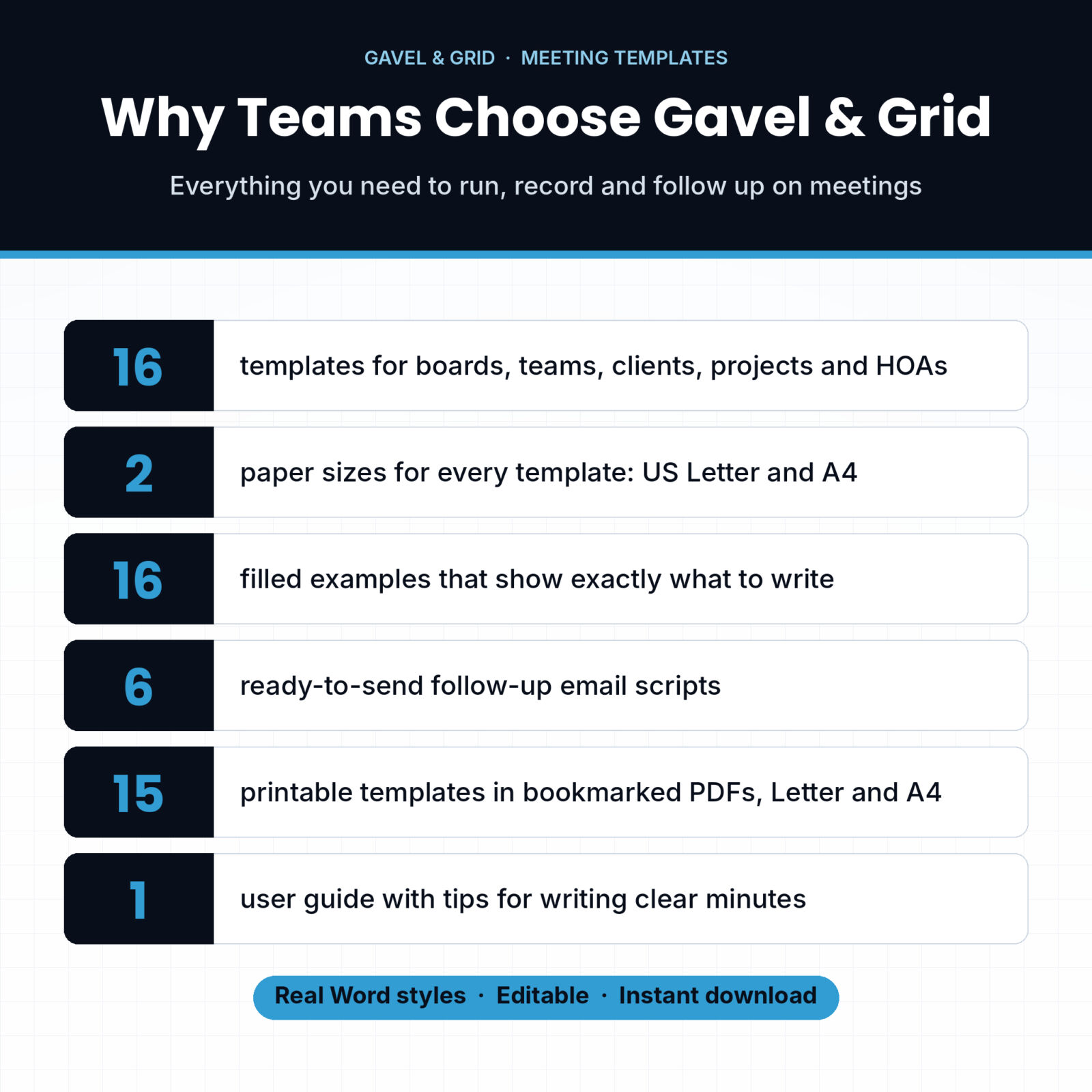
The Gavel & Grid Meeting Agenda and Minutes Templates kit gives you 16 editable Microsoft Word templates for every kind of meeting: board meetings, team meetings, one-on-ones, project kickoffs, client meetings, nonprofit and HOA meetings, and weekly standups. Each template comes in US Letter and A4, and each one has a filled example so you can see exactly what to write.
Most meeting minutes template packs stop at an agenda and a minutes page. This kit also covers what happens after the meeting, with an action item tracker, a decision log, a sign-in sheet, six follow-up email scripts and a prep checklist. One download, and every meeting on your calendar has a template.
What’s Included in the Meeting Minutes Template Kit
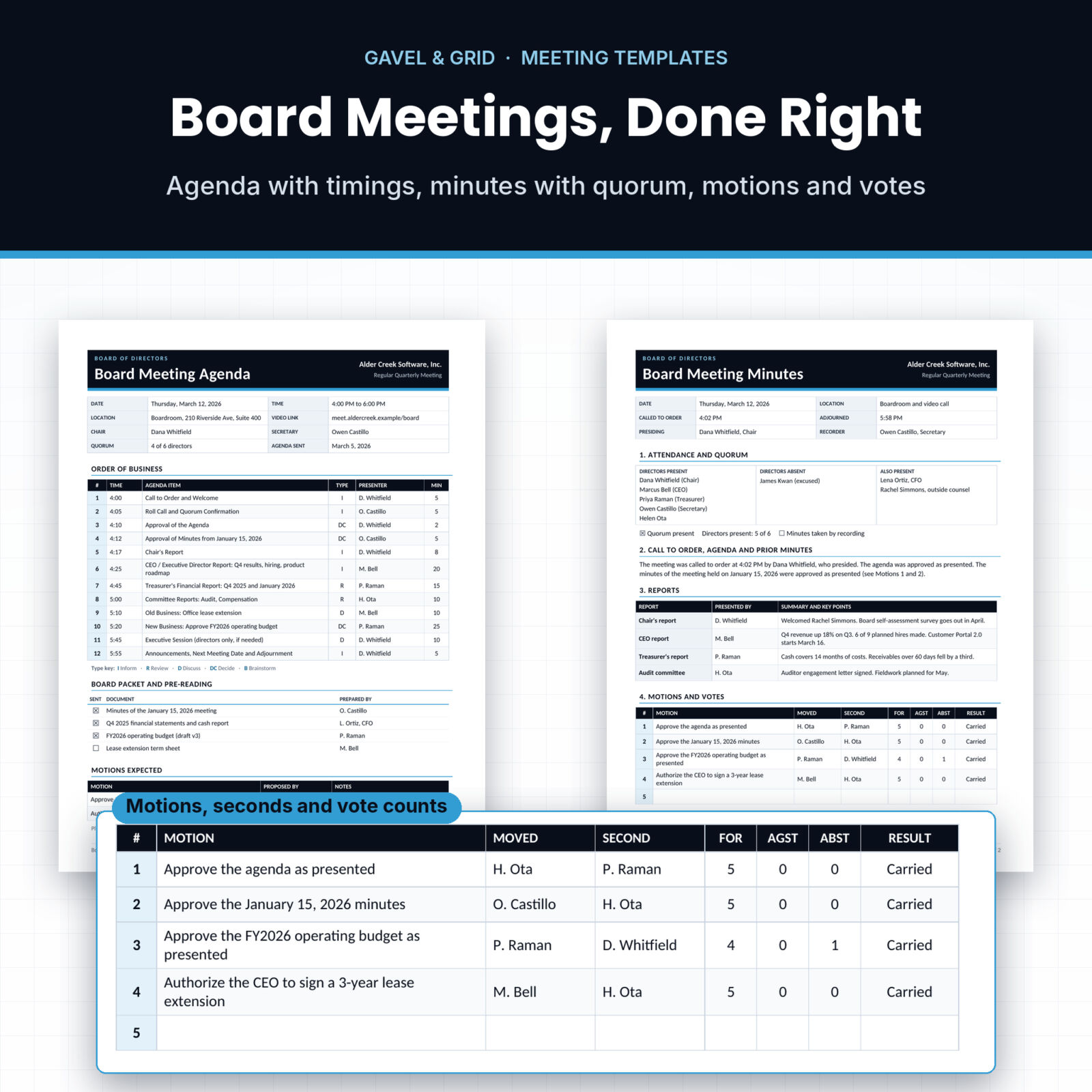
- Board Meeting Agenda with times, presenters, a type key (Inform, Review, Discuss, Decide), a board packet checklist and expected motions
- Board Meeting Minutes with attendance and quorum, reports, a motions table (mover, seconder, votes for, against and abstaining, result), action items and signature lines
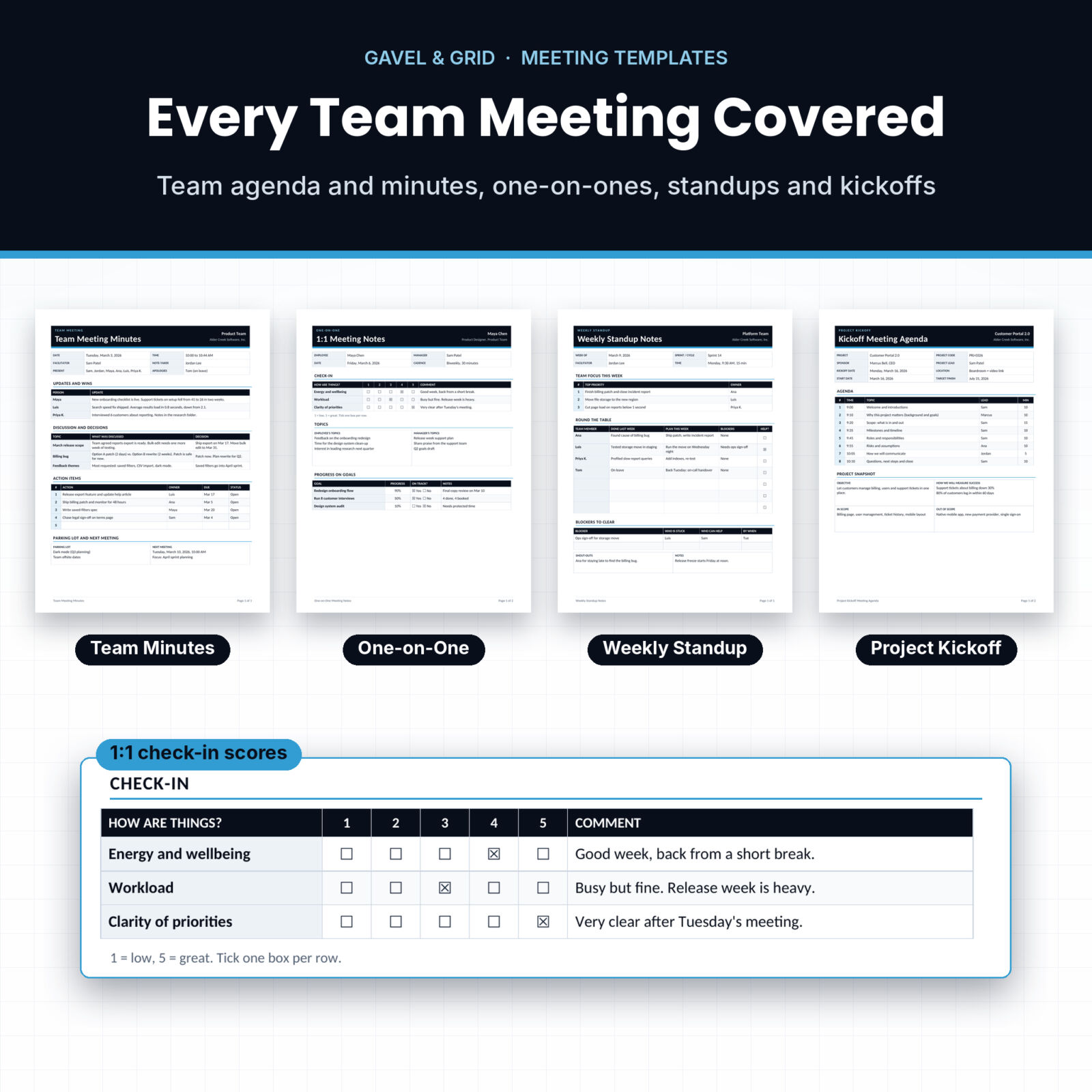
- Team Meeting Agenda and Team Meeting Minutes with a meeting goal, timed topics, decisions, actions and a parking lot
- One-on-One Meeting Notes with 1 to 5 check-in scores, both people’s topics, goal progress, two-way feedback and growth
- Project Kickoff Meeting Agenda with a project snapshot, milestones, roles, risks and a communication plan
- Client Meeting Agenda and Notes with change requests (scope, time, cost) and next steps for both sides
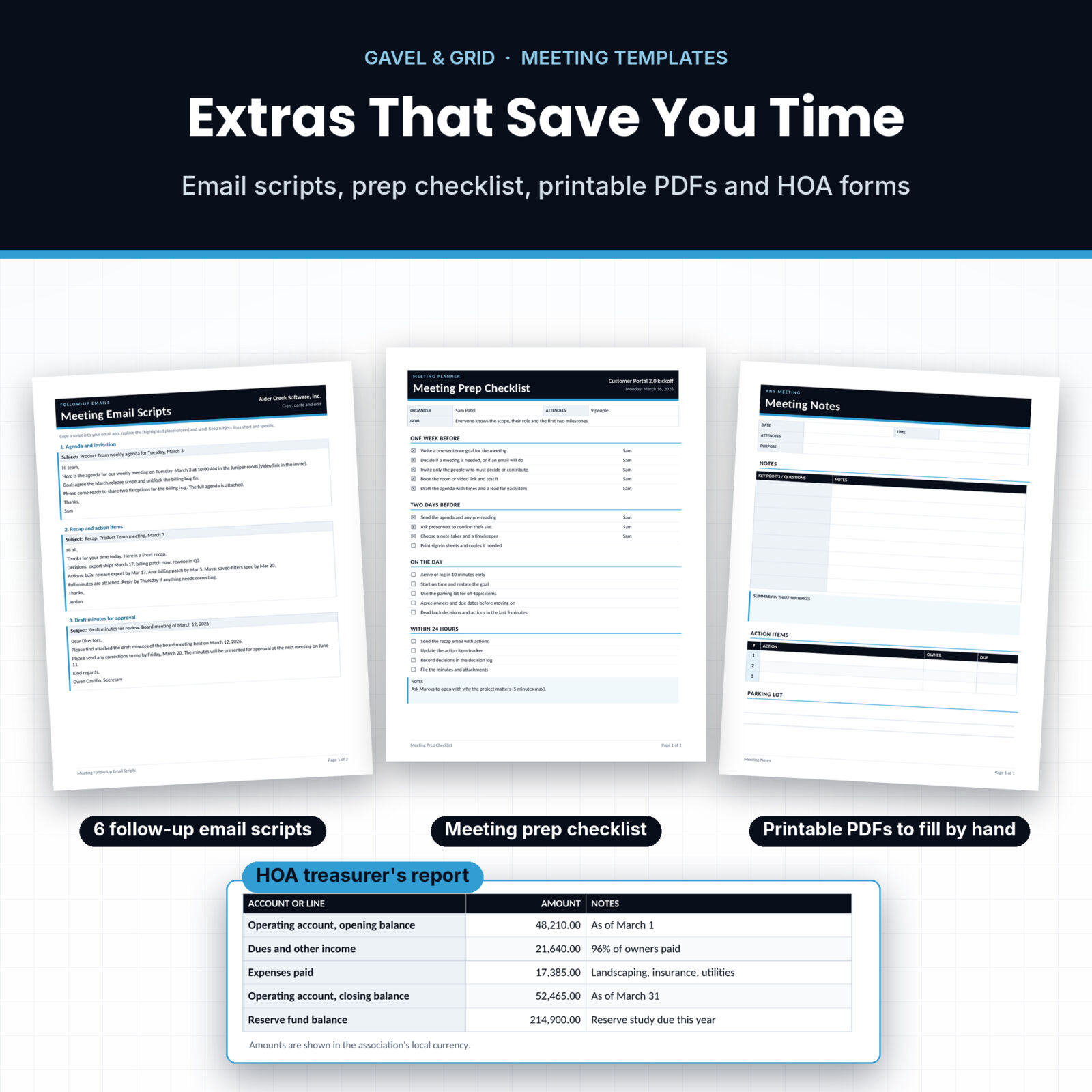
- Nonprofit and HOA Meeting Agenda and Minutes with committee reports, a treasurer’s report, a member open forum and votes
- Weekly Standup Notes: priorities, done, next, blockers and who can help
- Meeting Notes page with a cue column and a three-sentence summary box
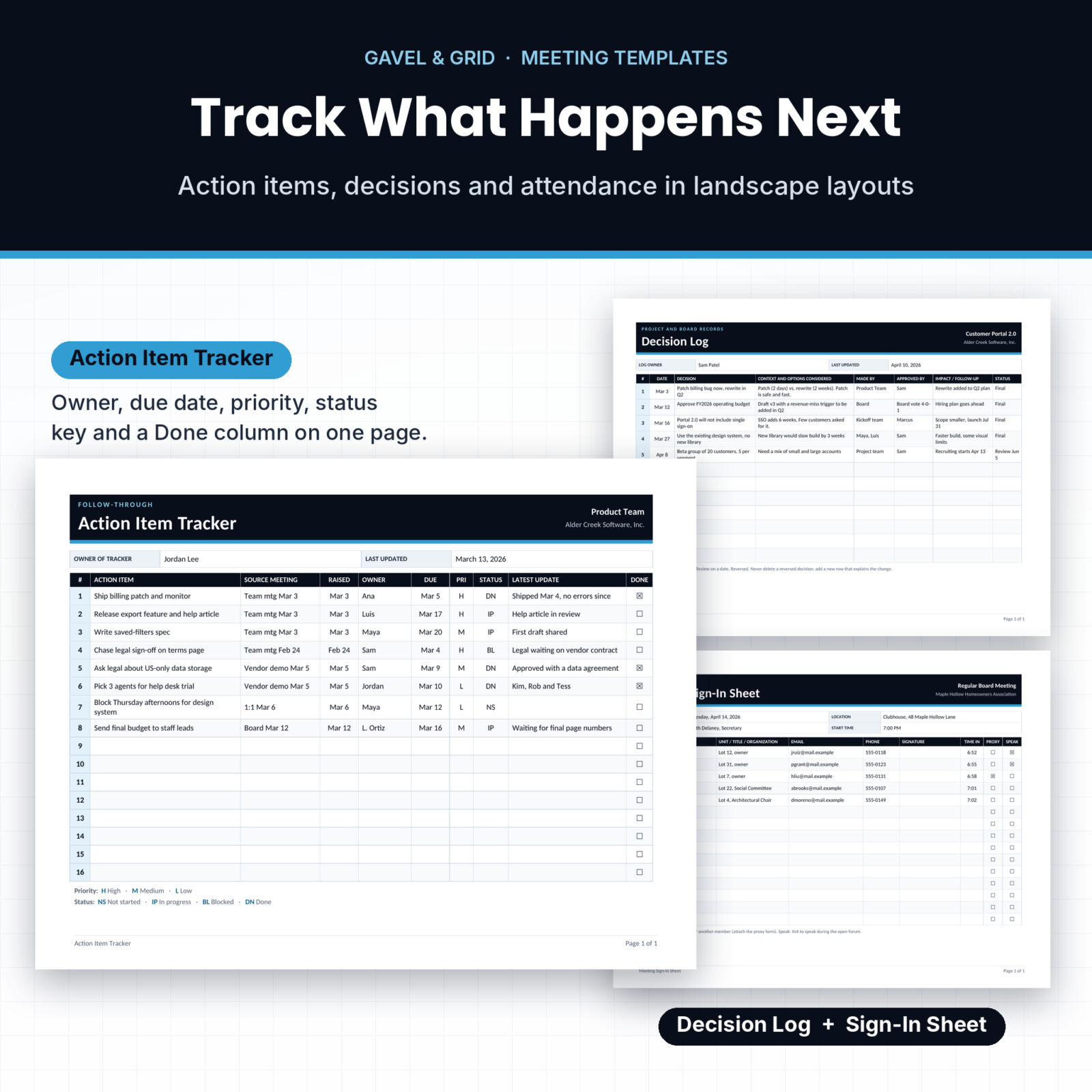
- Action Item Tracker, Decision Log and Meeting Sign-In Sheet in landscape layouts
- Follow-Up Email Scripts: agenda, recap, minutes for approval, reminder, reschedule and client follow-up
- Meeting Prep Checklist from one week before to 24 hours after
You also get 16 filled examples, two bookmarked printable PDFs (US Letter and A4) with 15 blank templates for writing by hand, a Start Here page, and a 16-page user guide.
Who It’s For
Board secretaries and chairs. HOA, condo and PTA boards. Nonprofit and church committees. Managers who run weekly team meetings and one-on-ones. Project managers, account managers, and the executive assistants who prepare agendas for everyone else. If you take minutes, run a meeting or chase action items, this kit saves you from starting with a blank page.
Main Benefits
- Shorter meetings. Every agenda starts with a goal and gives each topic a lead and a time, so people arrive prepared.
- Minutes in half the time. Copy the agenda into the minutes before the meeting and you only fill in outcomes.
- Nothing falls through the cracks. Actions from every meeting go into one tracker with an owner, a due date and a status.
- A clear record. Motions, vote counts and decisions are written down the same way every time.
- Looks professional. A clean midnight and azure design that prints well in color or black and white.
Features
Real Word styles and clear placeholders
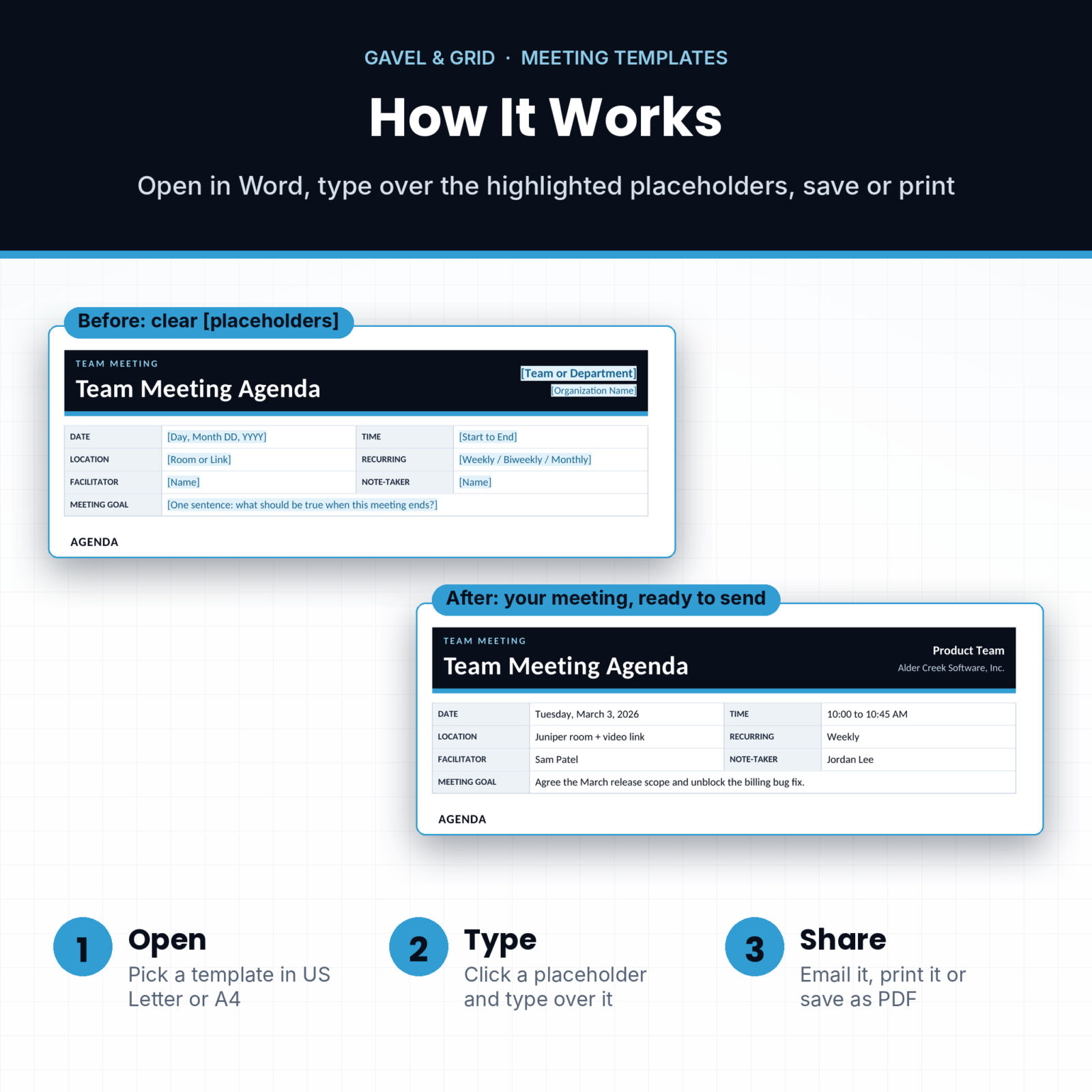
Headings use Word’s built-in Heading 1 and Heading 2 styles, so you can change fonts and colors for a whole document in seconds. Everything you need to replace sits in [square brackets] with a light blue highlight. When you’re done, delete the Placeholder style once and every highlight disappears.
Tables that grow with your text
Rows expand as you type and header rows repeat on each new page. Press Tab in the last cell to add a row. We tested each template with entries three times longer than normal, and the layout held.
Filled examples for every template
See a complete board meeting for a fictional software company, a homeowners association meeting with a treasurer’s report and member comments, a client quarterly review, and more. They show the level of detail that makes minutes useful.
Printable PDFs for pen and paper
Prefer a clipboard? Print blank pages from the bookmarked PDFs. Lines and boxes are sized for handwriting, and the sign-in sheet has room for 15 attendees per page.
How It Works
- Download and unzip the file.
- Open a template in US Letter or A4 and save a copy with your meeting date.
- Replace the highlighted placeholders. Use Replace All to add your organization name everywhere at once.
- Email it, print it or save it as a PDF.
File Formats and Software Requirements
- 48 Word documents (.docx): 16 templates in US Letter, 16 in A4 and 16 filled examples
- 2 printable PDFs (US Letter and A4)
- Start Here page and a user guide (.docx)
- Built for Microsoft Word 2010 or newer on Windows and Mac. Tested in LibreOffice Writer.
Customization
Add your logo to the title band, change heading colors through the Styles gallery, rename any section, and save your version as a Word template (.dotx) so every new agenda starts with your setup. Money fields use a neutral Amount heading, so the treasurer’s report works in any currency.
Use Cases
- A new HOA secretary preparing the first monthly board agenda and minutes
- A startup founder running quarterly board meetings with outside directors
- A team lead who wants a 45-minute weekly meeting with clear owners
- A manager starting regular one-on-ones with a new hire
- A project manager running a kickoff for a 4-month project
- A nonprofit board tracking motions and votes for its records
Digital Download
This is an instant digital download. No physical product will be shipped. You will receive a ZIP file with all templates and a separate user guide. Your purchase includes a personal use license: use the templates for your own meetings, business, employer or community group, and share the agendas and minutes you create. Please don’t resell, share or upload the template files.
Frequently Asked Questions
Do I need Microsoft Word?
The templates are .docx files built for Word 2010 or newer and tested in LibreOffice Writer. Other apps may open them, but we have not tested them.
Can I use these for HOA or nonprofit board meetings?
Yes. Two templates are made for associations and nonprofits, with committee reports, a treasurer’s report and a member open forum.
Are the minutes templates legally compliant?
They follow common practice for board and association minutes. Always check your bylaws for any special rules.
Can I add my logo and change the colors?
Yes. Insert your logo in the title band and change colors through Word’s Styles gallery. The guide shows each step.
Do I get US Letter and A4 sizes?
Yes. Every template comes in both sizes, and the printable PDFs do too.
Can I print blank templates to fill in by hand?
Yes. Two bookmarked PDFs hold 15 blank templates with lines and boxes for handwriting.
Is there a filled example of each template?
Yes. All 16 templates have a filled example you can learn from.
Reviews
There are no reviews yet.