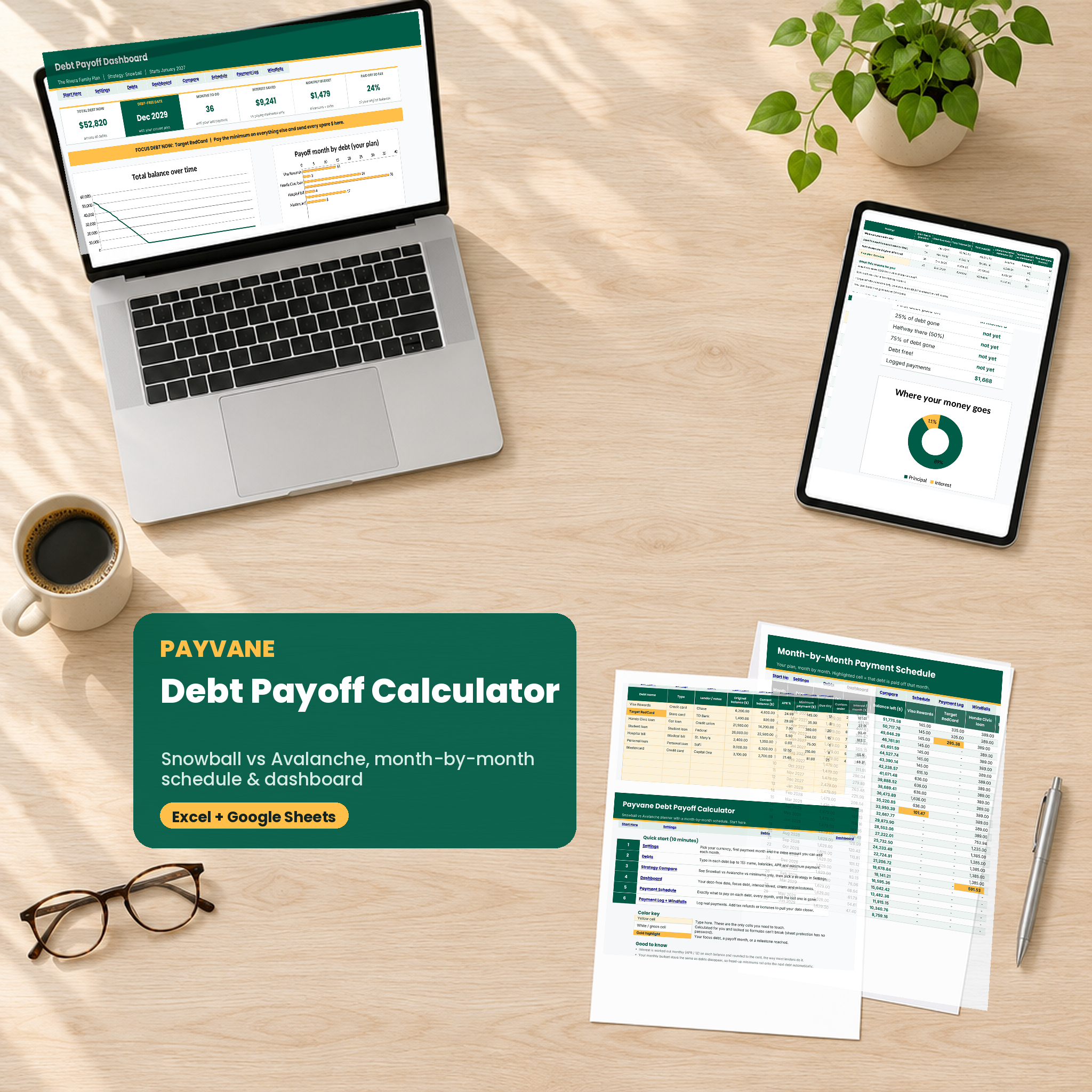


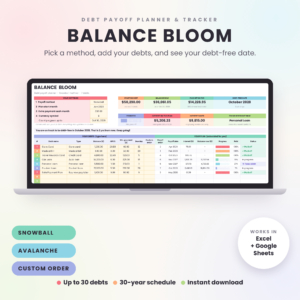
The Payvane debt snowball vs avalanche calculator spreadsheet answers the three questions that keep people stuck: which debt do I pay first, how much do I pay on each one, and when will I finally be done? Type in your debts once. Payvane runs Snowball, Avalanche and your own custom order side by side, compares them with paying minimums only, and hands you a month-by-month plan with a real debt-free date.
No guessing, no macros, no app subscription. Just a clean, locked-down workbook that works in Excel and Google Sheets.
What this debt payoff calculator does
Most debt snowball spreadsheets give you one method and a single payoff date. Payvane goes further. It calculates every month for up to 30 years, rolls each freed-up minimum onto the next debt, and shows you the cost of every choice in dollars and months.
- Three plans at once: Debt Snowball (smallest balance first), Debt Avalanche (highest APR first) and a custom order you choose.
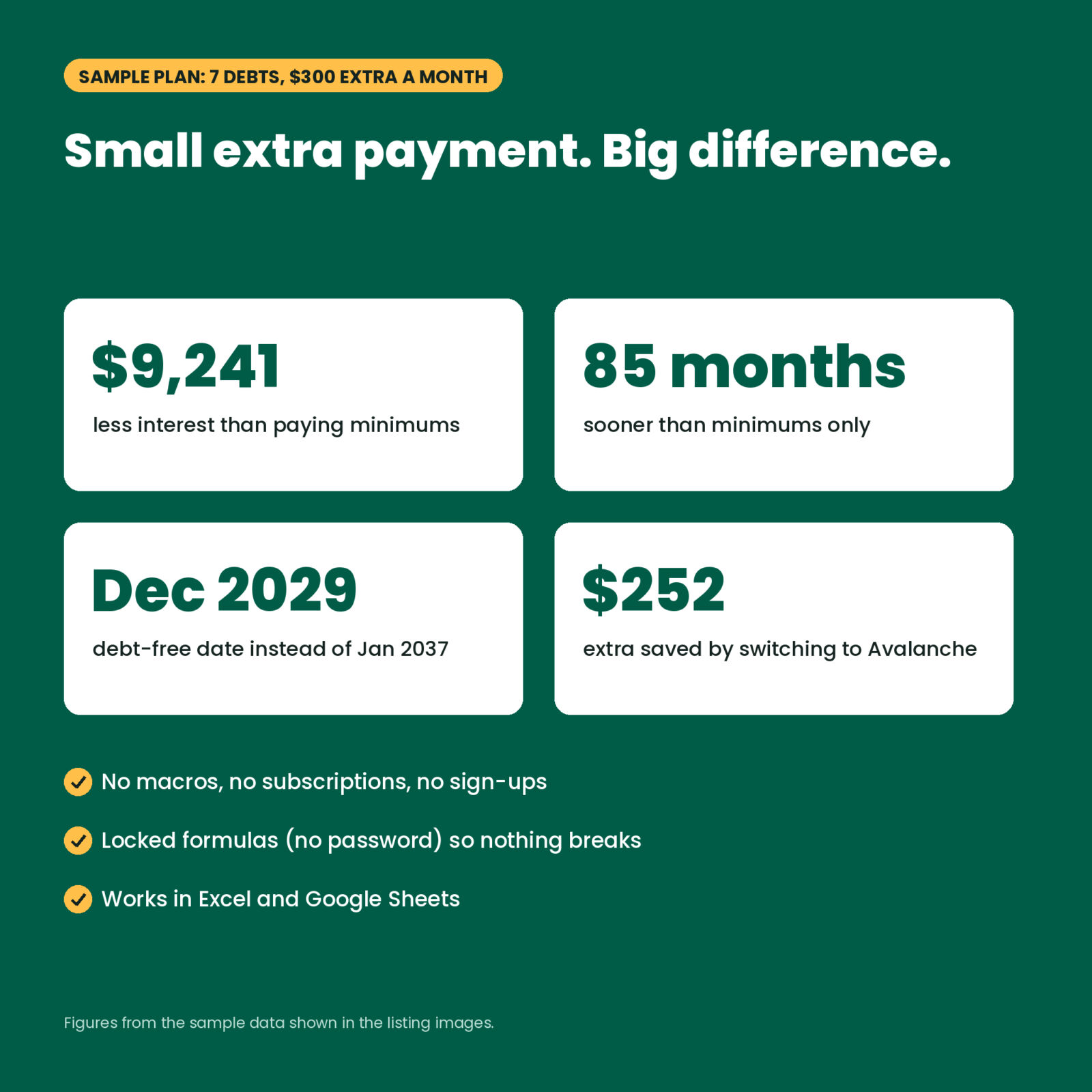
- Minimums-only baseline: see how long you would be paying, and how much interest you would hand over, if you only paid the minimum.
- Plain-English insights: “Avalanche saves $252 more than Snowball.” “Snowball clears your first debt 4 months sooner.” Written out for you.
- Focus debt: a gold bar on the Dashboard names the one debt that gets every spare dollar right now.
Who it is for
- Anyone juggling credit cards, store cards, a car loan, student loans, medical bills or a personal loan.
- Couples who want one shared plan and one debt-free date to aim at.
- Snowball fans who also want to know what Avalanche would save.
- Beginners. You only type in yellow cells. Formulas are locked (no password) so nothing breaks.
Features inside the spreadsheet
Debts tab
List up to 15 debts with original balance, current balance, APR, minimum payment, due day and lender. Payvane ranks each debt for Snowball, Avalanche and your custom order, then shows its payoff month, payoff date, interest in your plan, a progress bar and a minimum check that flags any minimum that does not even cover the monthly interest.
Dashboard
Six headline tiles: total debt, debt-free date, months to go, interest saved compared with minimums, monthly budget and percent paid off. Below them: a total balance chart for all three methods, a payoff timeline by debt, a debt-at-a-glance table, milestones (first debt gone, 25%, 50%, 75%, debt free) and a principal vs interest donut.
Strategy Compare
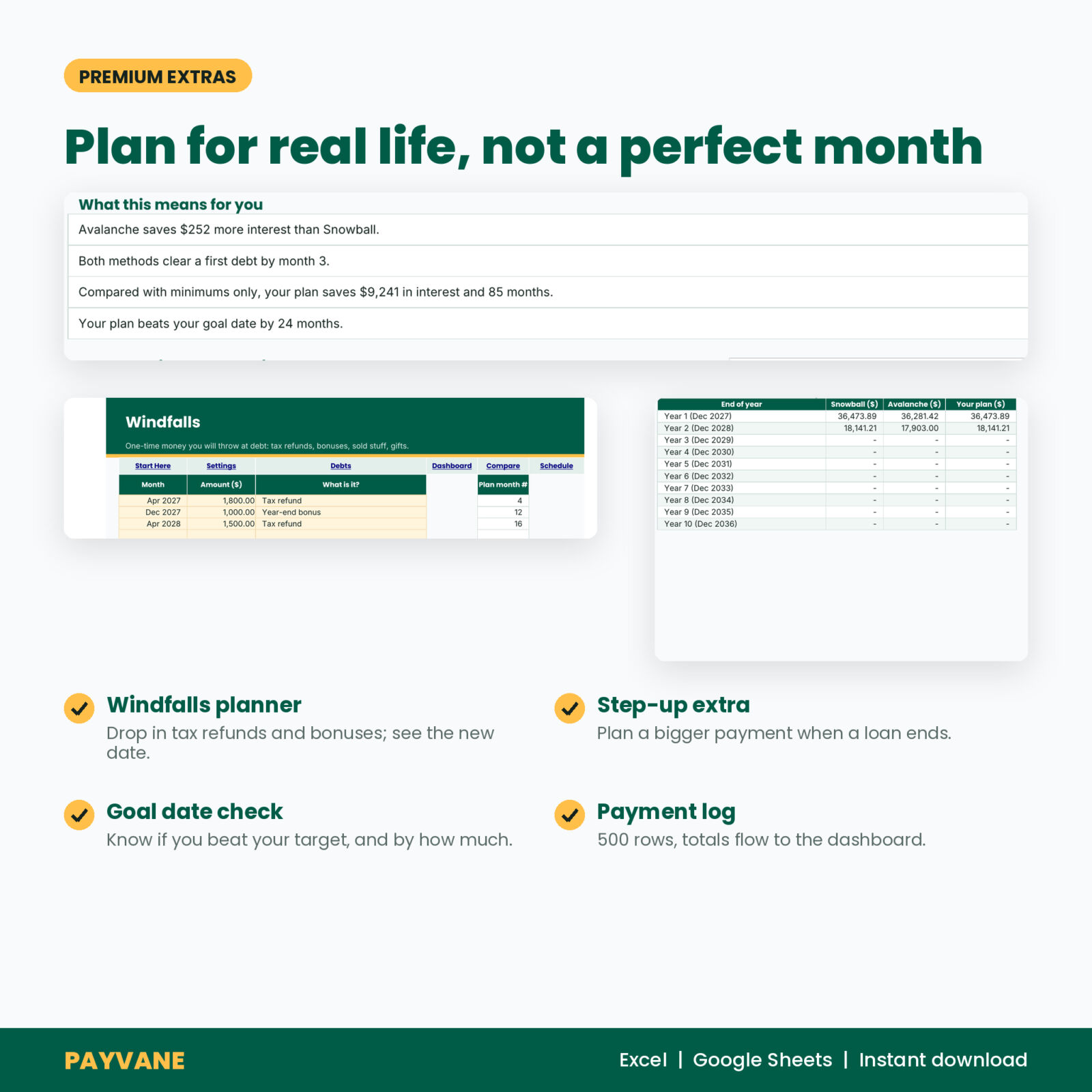
Minimums only, Snowball, Avalanche and your plan in one table: months to debt free, debt-free date, total interest, total paid, interest saved, months saved and the month your first debt disappears. A year-by-year table shows the balance left at the end of each of the first 10 years.
Month-by-Month Payment Schedule
360 rows, one per month. Each debt gets its own column so you know exactly what to pay. The month a debt is paid off lights up in gold. Totals for payment, interest and balance left sit on every row.
Windfalls, step-up and payment log
- Windfalls: add up to 24 one-time payments (tax refund, bonus, side hustle) in the month they land. The plan updates instantly.
- Step-up extra: plan a bigger extra payment from a future month, for example when your car loan is gone or you get a raise.
- Goal date check: set a target and see if your plan beats it, and by how many months.
- Payment log: 500 rows to record real payments, with totals that flow to the Debts tab and Dashboard.
How it works
- Open Settings. Pick your currency symbol, first payment month and the extra amount you can add each month.
- Add your debts on the Debts tab.
- Read Strategy Compare, then choose Snowball, Avalanche or Custom order.
- Follow the Payment Schedule and update your balances every month or two.
Each month Payvane charges interest at APR divided by 12, pays every minimum, then sends the rest of your budget to the top-ranked debt. If that debt is cleared mid-month, the leftover spills to the next debt. We tested the math against a standard loan: a 10,000 loan at 6% with a 193.33 payment is paid off in month 60 with 1,599.68 in interest, exactly as it should be.
What is included
- Payvane-Debt-Payoff-Calculator.xlsx: Start Here, Settings, Debts, Dashboard, Strategy Compare, Payment Schedule, Payment Log, Windfalls and three locked calculation tabs.
- Payvane User Guide (DOCX): setup for Excel and Google Sheets, every feature explained, troubleshooting and FAQ.
File format and software
- .xlsx file for Microsoft Excel 2016 or newer (Windows, Mac, Excel on the web).
- Google Sheets: upload to Google Drive and save as a Google Sheet. All formulas are standard functions with no macros or scripts.
- Any currency: one setting changes every money label. Default is $.
Customizing
Rename debts, change colors and fonts, or add notes. Sheets are protected without a password, so you can unprotect them in one click if you want to edit a formula. The guide shows how.
Digital download
This is a digital product. No physical item ships. Your files are ready to download right after checkout and stay in your Taskdale account.
Real ways people use it
- Deciding between Snowball and Avalanche with real numbers instead of opinions.
- Seeing what a $1,800 tax refund does to the debt-free date before spending it.
- Planning the month the car loan ends so its payment rolls straight into the credit cards.
- Showing a partner the plan on one Dashboard so you both know the next target.
FAQ
Is debt snowball or avalanche better?
Avalanche usually saves more interest. Snowball usually gives you a paid-off debt sooner. Payvane shows both for your exact debts so you can see whether the difference is $20 or $2,000.
Does it work in Google Sheets?
Yes. Upload the .xlsx to Google Drive and save it as a Google Sheet. Sheet protection does not carry over, so type only in the yellow cells.
How many debts can I add?
Up to 15, which covers most households.
Can I use pounds, euros or another currency?
Yes. Change the currency symbol in Settings and every money label updates.
Will the numbers match my lender exactly?
Very closely. Payvane uses APR divided by 12 each month. Lenders that charge daily interest can differ by a few dollars.
Does it include my mortgage?
You can add it, but most people pay off consumer debt first and leave the mortgage out.
Is there a free version?
Yes, Payvane LITE handles 5 debts with the Snowball method. The full version adds Avalanche, custom order, the Dashboard, Strategy Compare, windfalls and 15 debts.
License
Personal use only. You may not resell, share or distribute the files. Payvane is a planning tool and does not give financial advice.
Reviews
There are no reviews yet.