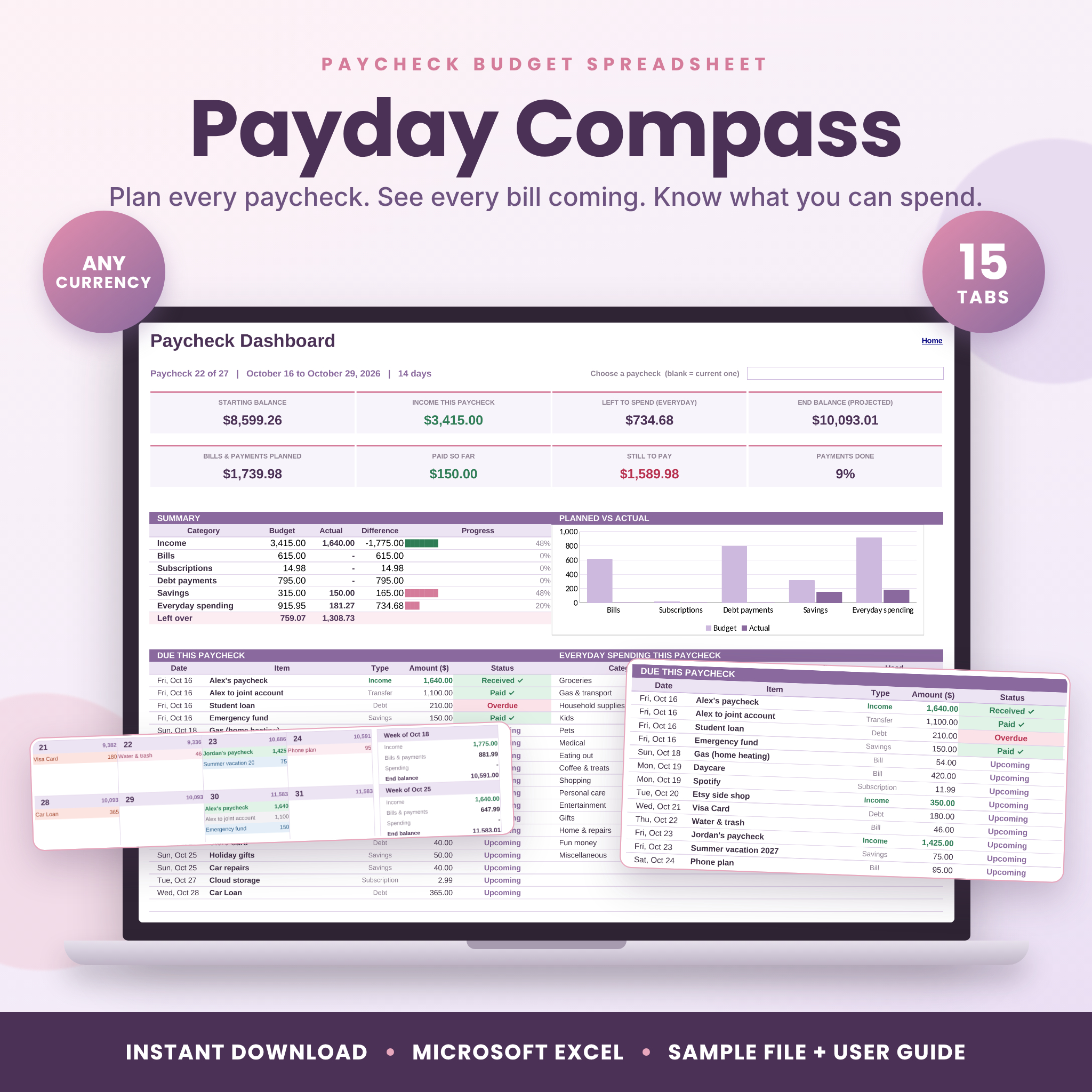
Payday Compass is a paycheck budget spreadsheet for Microsoft Excel that plans your money one paycheck at a time. Add your bills and paychecks once, and it schedules the whole year for you. Then it shows what is due before your next payday, what is already paid, and how much you can safely spend.
Most budget templates work in calendar months. Your rent doesn’t care about months, though. It cares whether your paycheck lands before the 1st. That gap is where people come up short, and it’s exactly the gap this planner was built to close.
What this paycheck budget spreadsheet does
You list every paycheck, bill, subscription, debt payment and savings transfer on one tab. Pick how often each one happens (weekly, every 2 weeks, monthly, yearly and more) and the date it’s next due. The planner works out every due date for 12 months and drops each one into the right pay period.
As bills go out, you type an x in that pay period on the Paid Tracker. Paid a little more or less? Type the real amount instead. Everything else updates on its own: dashboards, calendar, account balances, savings goals and charts.
Who it’s for
- Anyone paid weekly, every two weeks, twice a month, monthly or every four weeks
- People living paycheck to paycheck who want to stop guessing
- Couples who share some costs and want a fair way to split them
- Families juggling daycare, car payments and the odd yearly bill
- Beginners. If you can type a number into a box, you can run this
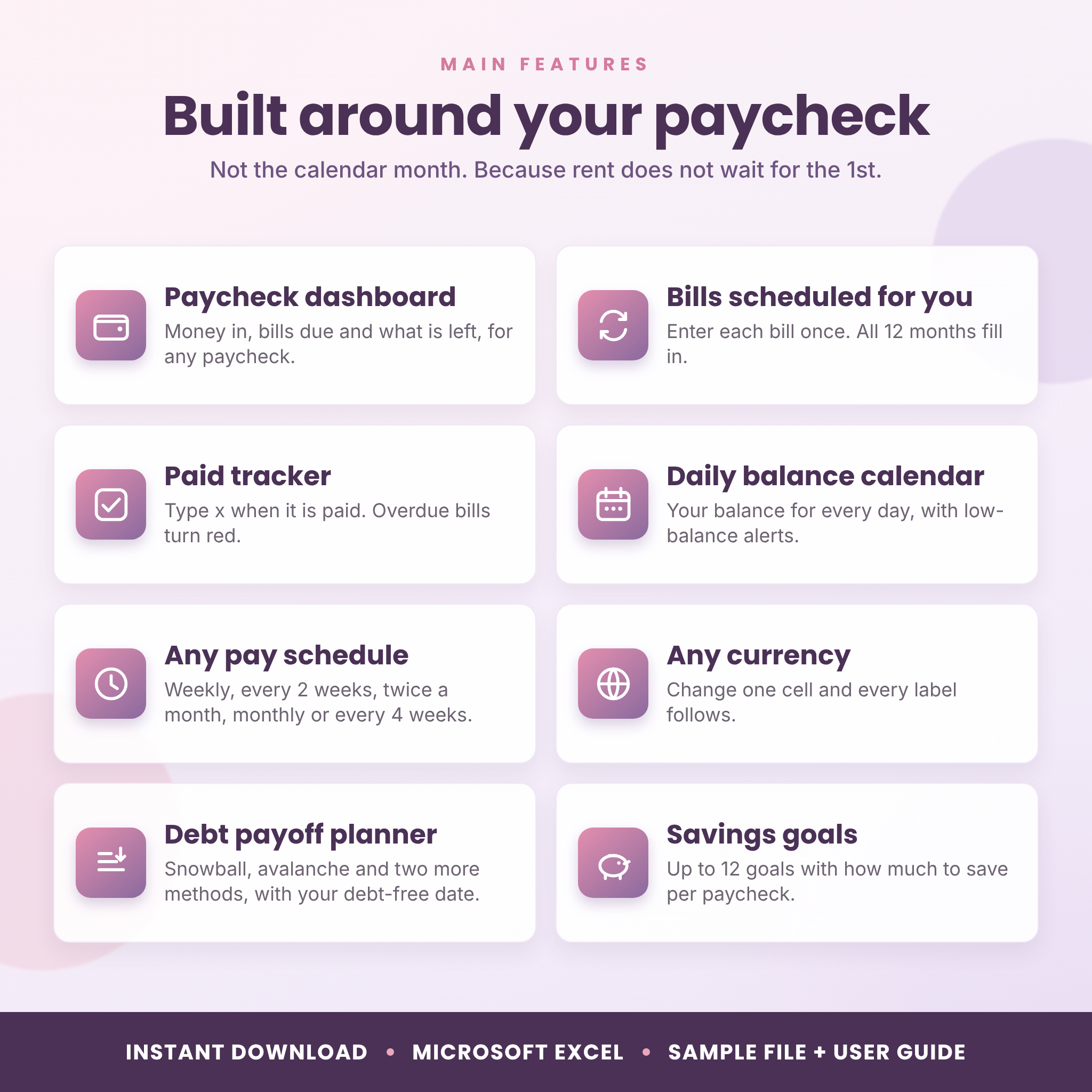
Main features
Paycheck dashboard
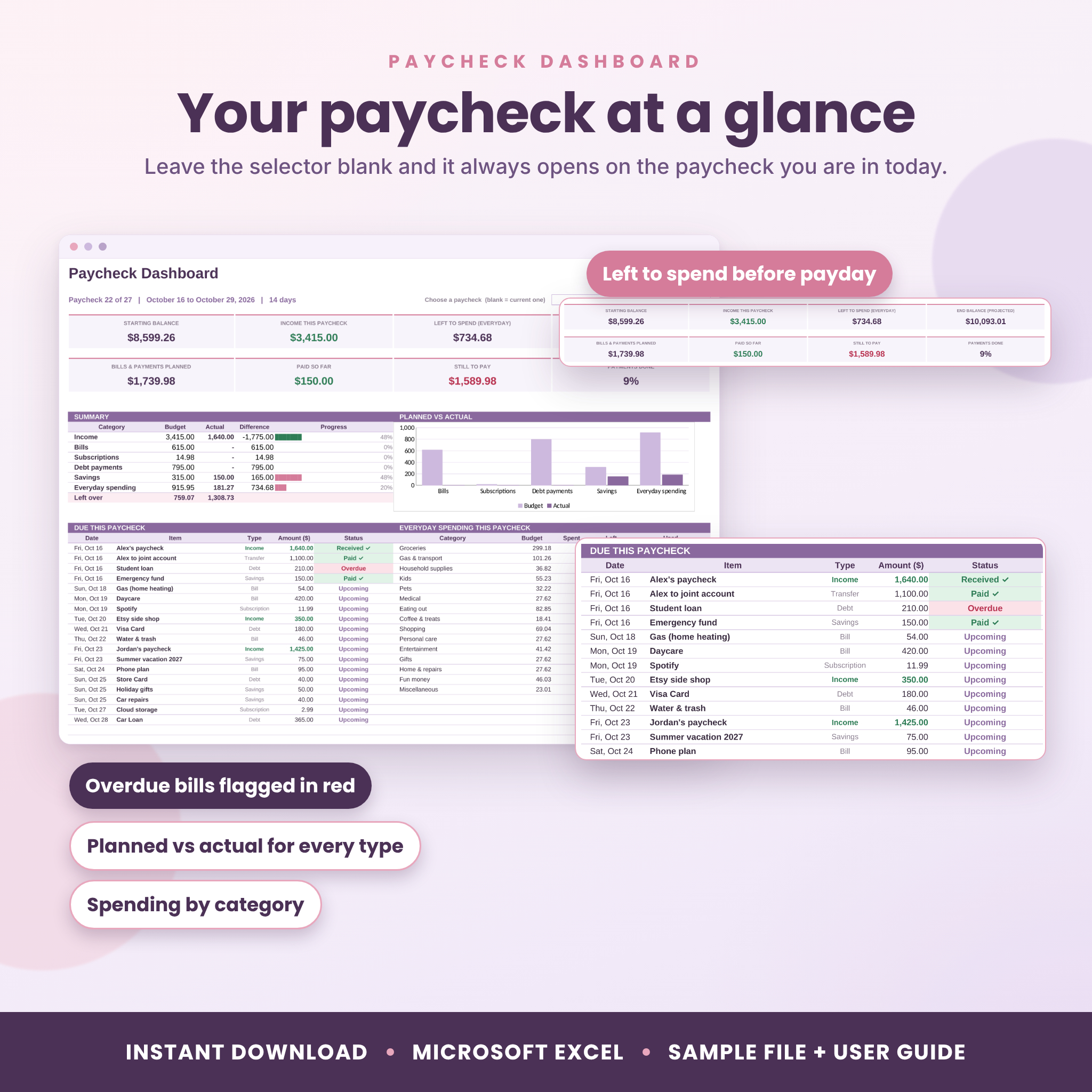
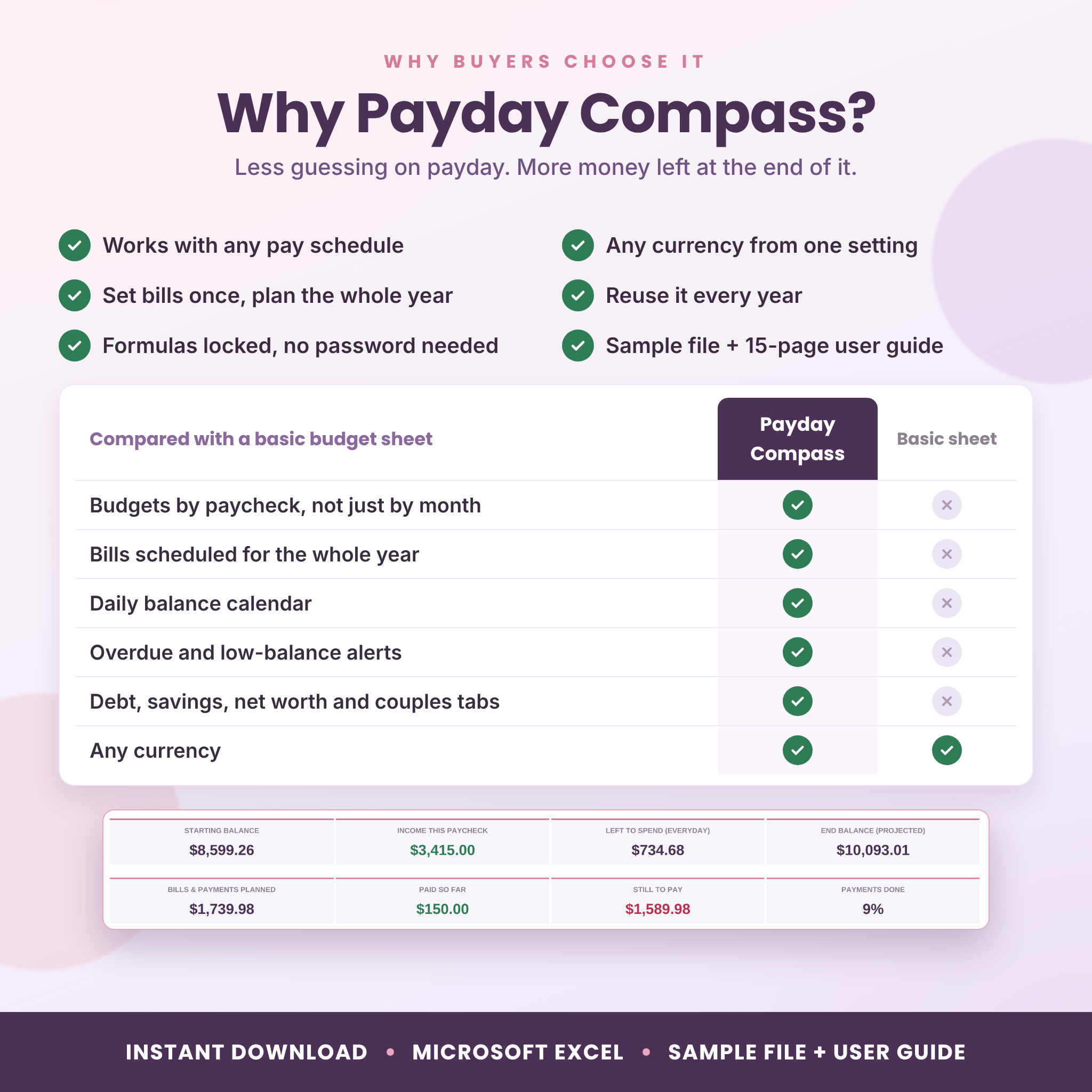
Pick any paycheck, or leave it blank to always see the current one. You get your starting balance, income, bills still to pay, what’s left to spend and your projected end balance. Below that sits a dated list of everything due, marked Paid, Upcoming or Overdue.
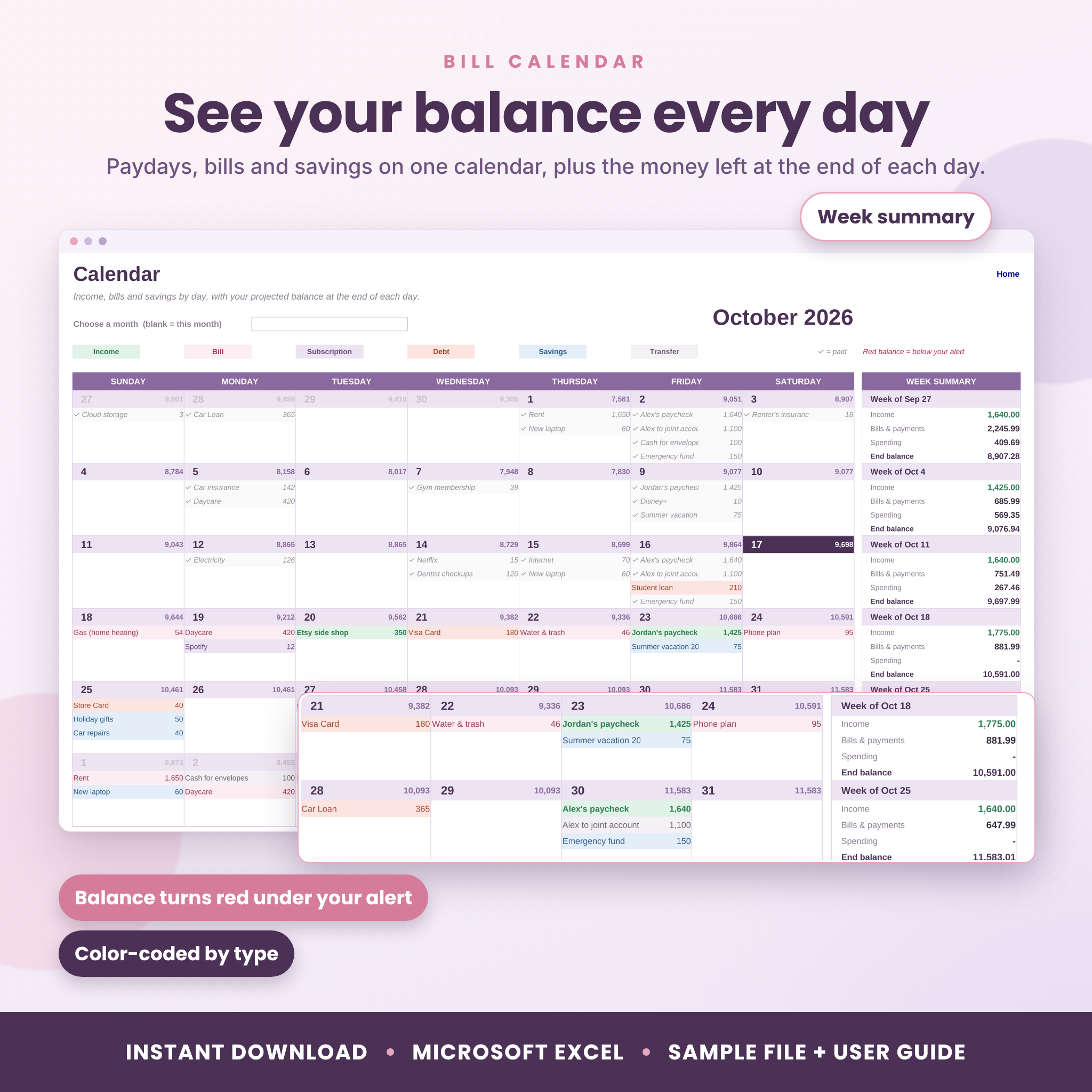
Bill calendar with a daily balance
Paydays and bills appear on a month calendar, color-coded by type. Each day shows the balance you’ll have at the end of it. If that number drops below the safety amount you set, it turns red, so you can move money before it becomes a problem.
Paid Tracker
One column per pay period, one row per bill. Pink means due, green means paid, red means overdue. Because each bill keeps its own row, adding a new bill mid-year never shifts the ticks you already made.
Monthly and annual views
The Monthly tab gives the same picture by calendar month, plus daily spending and your ten biggest costs. The Annual tab lines up all 12 months with two charts, spending by category for the year and every recurring bill by month.
Everyday spending
Log groceries, gas and eating out on the Transactions tab (1,000 rows). Set a monthly budget for up to 30 categories, and the planner splits it across each paycheck so you know your limit before you shop.
Bonus tools included
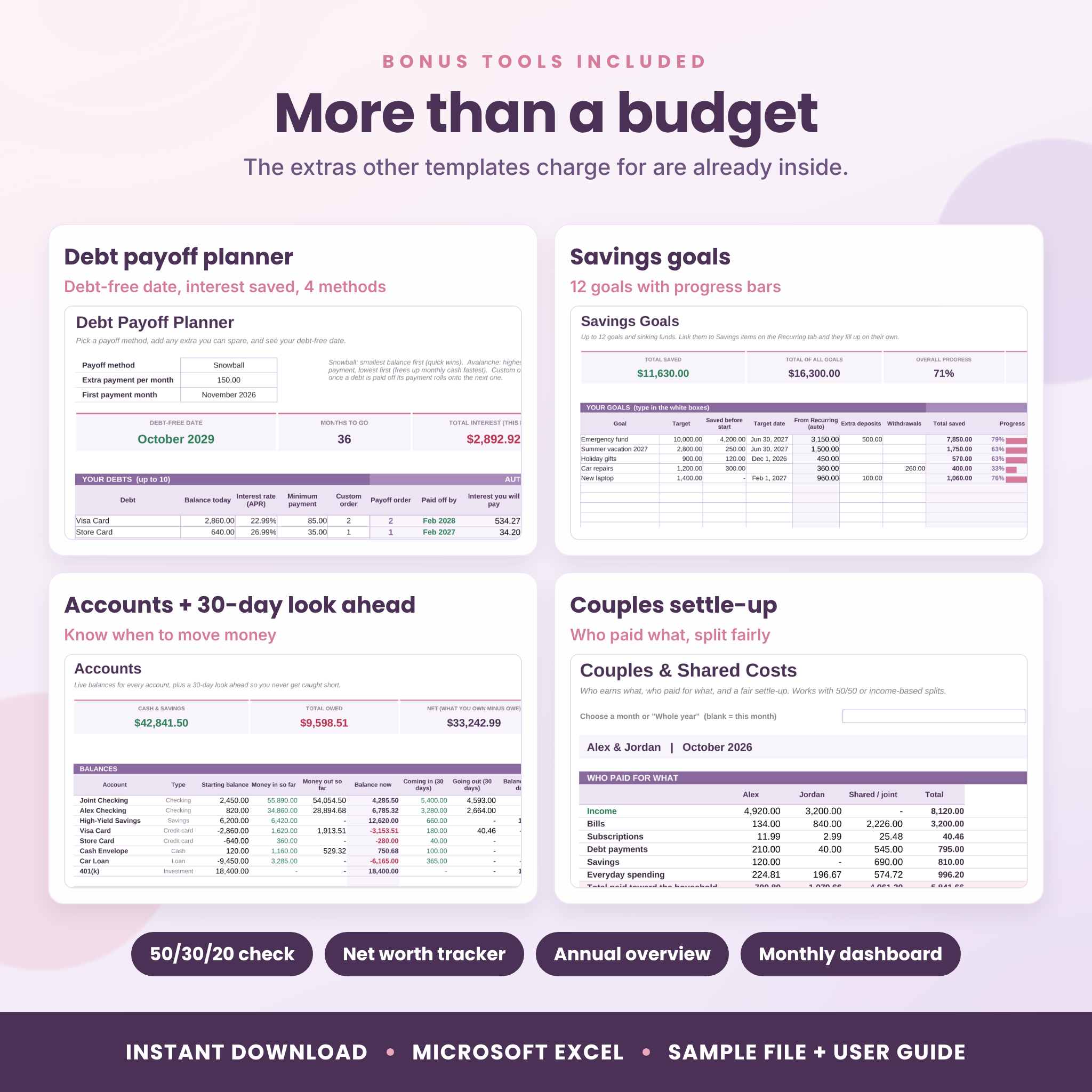
- Debt payoff planner with snowball, avalanche, cash-flow index or your own order. Shows your debt-free date, total interest and interest saved compared with paying only minimums
- Savings goals and sinking funds: up to 12, with progress bars and how much to save per paycheck
- Accounts: a live balance for up to 12 accounts and a 30-day look ahead that tells you when to move money
- Net worth tracker with a monthly chart
- 50/30/20 check against targets you can change
- Couples tab that shows who paid what and gives a fair settle-up, 50/50 or by income
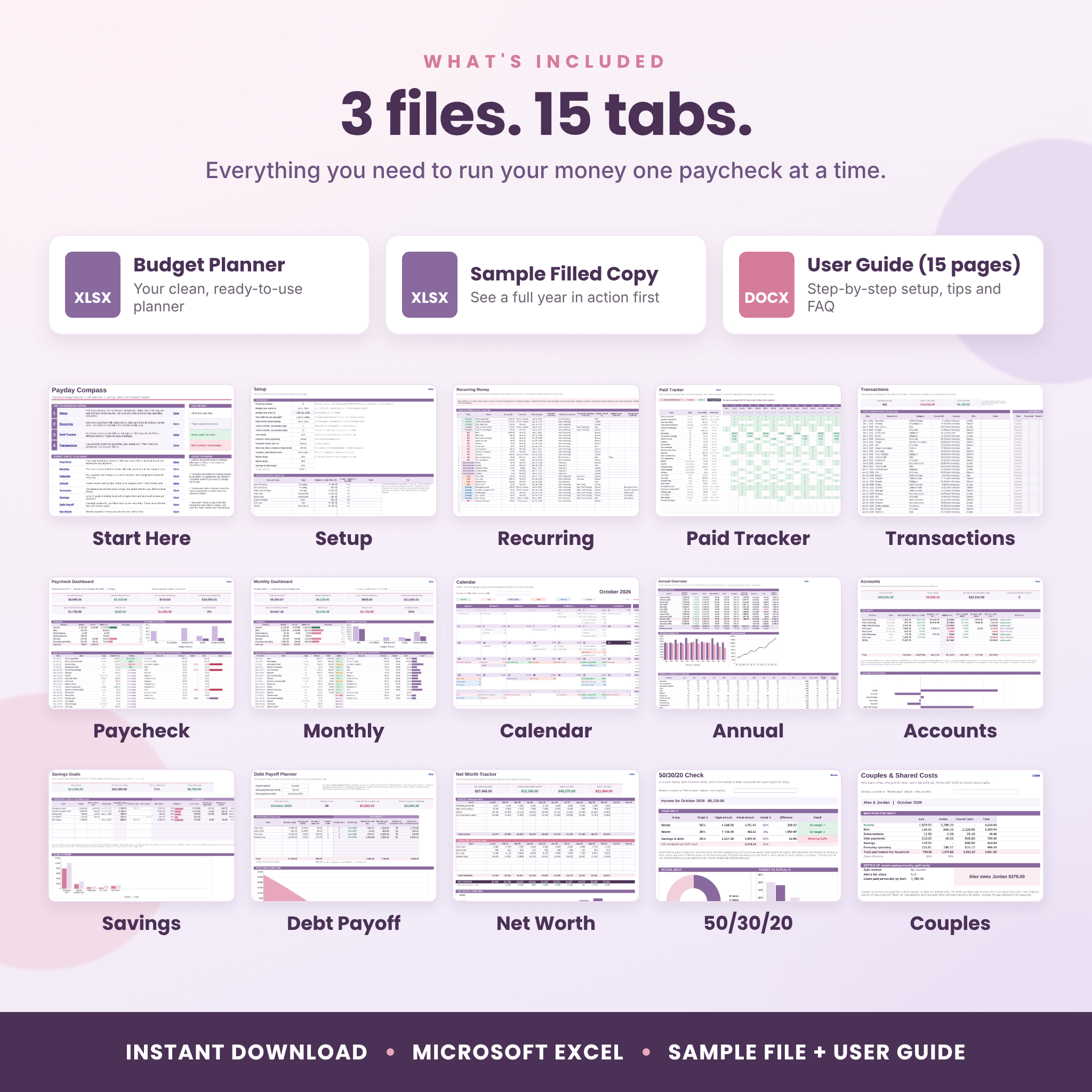
What’s included
- Payday Compass Budget Planner (.xlsx): your clean planner with 15 tabs
- Sample Filled Copy (.xlsx): the same planner with a full made-up year, so you can see it working first
- User Guide (.docx, 15 pages): setup steps, every tab explained, tips, troubleshooting and FAQ
How it works
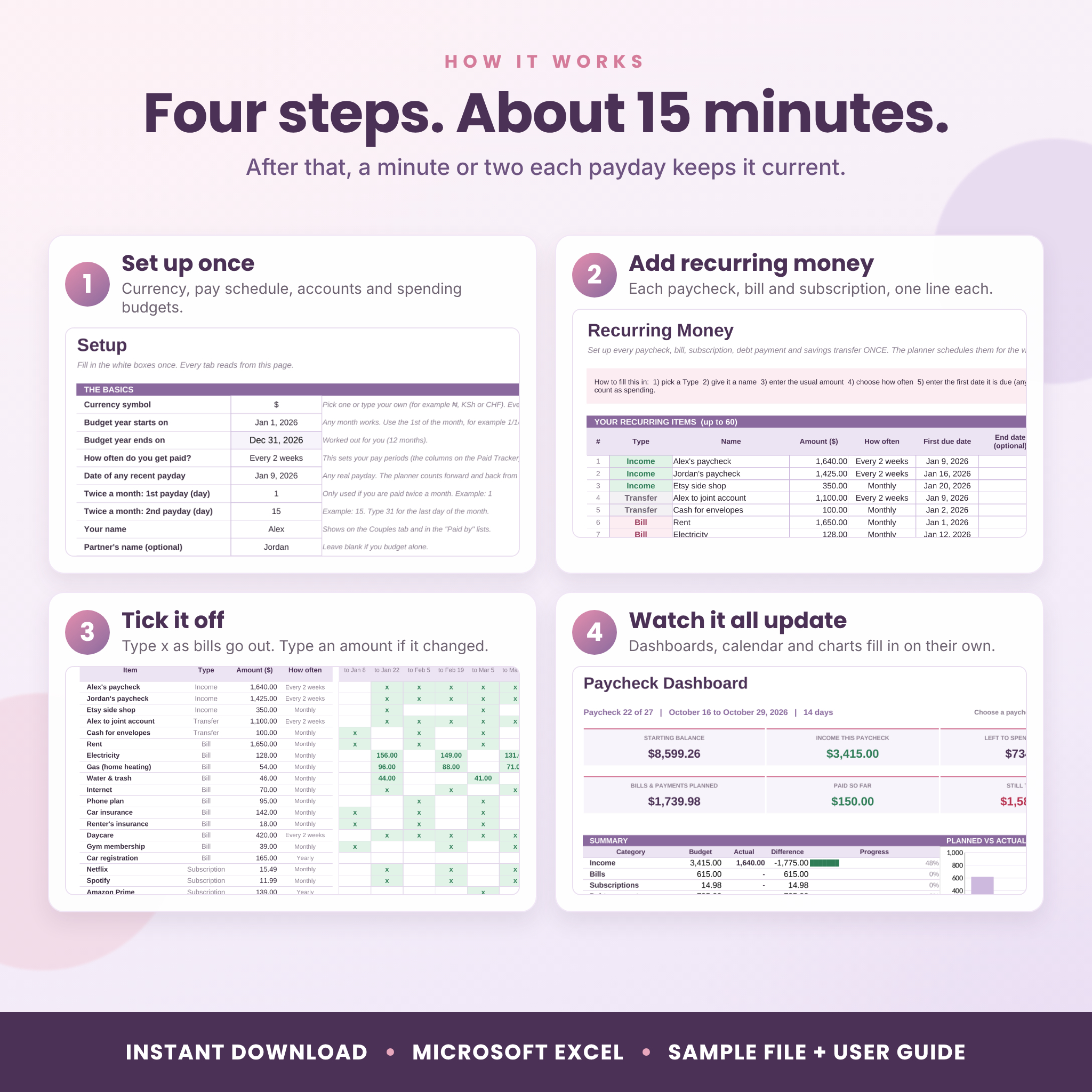
- Setup: choose your currency, budget year start month, pay schedule and any recent payday. List your accounts and spending budgets.
- Recurring: add each paycheck, bill, subscription, debt payment and savings transfer. One line each.
- Paid Tracker: type x as money comes in and bills go out.
- Dashboards: open any tab. It’s already filled in.
First setup takes about 15 minutes. After that, a minute or two each payday keeps it current.
File format and software
- Format: Microsoft Excel workbook (.xlsx)
- Built for Excel 2010 or newer on Windows or Mac, including Microsoft 365. It uses standard Excel functions only, and we test every file in LibreOffice Calc, which also opens it for free
- Built for a computer. Google Sheets, phones and tablets are not supported
- No macros and no add-ins
Make it yours
Use any currency: type the symbol once on Setup and every label follows, so it works for dollars, pounds, euros, rand, naira or anything else. Rename categories, accounts and goals freely. Your budget year can start in any month. Formulas are locked so nothing breaks by accident, but there’s no password, so you can unprotect a sheet and change colors or layout whenever you like. To start a new year, save a copy, change the start date and clear last year’s ticks.
Real ways people use it
- Checking on payday which bills must come out of this check and which can wait for the next one
- Spotting a low-balance day two weeks ahead and moving money from savings in time
- Paying off a credit card faster with the snowball method and watching the debt-free date move closer
- Saving for holidays, car repairs or a vacation with sinking funds that fill up each paycheck
- Splitting rent and groceries fairly between partners who earn different amounts
Digital download
This is an instant digital download. No physical item will be shipped. Your files are available to download right after payment.
FAQ
Does it work if I’m paid biweekly?
Yes. Every 2 weeks is built in, along with weekly, twice a month, monthly and every 4 weeks. It handles the months with three paychecks on its own.
What if my paycheck amount changes?
Enter your usual amount once. When the real paycheck lands, type the actual amount on the Paid Tracker. Side money goes on Transactions as extra income.
Can I use my own currency?
Yes. Type any symbol on the Setup tab and every money label switches.
Does it work in Google Sheets?
No. It’s built for Microsoft Excel on a computer. It also opens in LibreOffice Calc.
Can I use it next year?
Yes. Save a copy, change the start date and clear the old ticks and transactions. Your bills and categories carry over.
Does it connect to my bank?
No. You enter your own numbers, and nothing leaves your computer.
Is it beginner friendly?
Yes. White boxes are where you type, everything else fills in, and the 15-page guide walks you through setup with screenshots.
License: personal use only. Please don’t resell, share or redistribute the files. Payday Compass is a budgeting tool, not financial advice.
Reviews
There are no reviews yet.