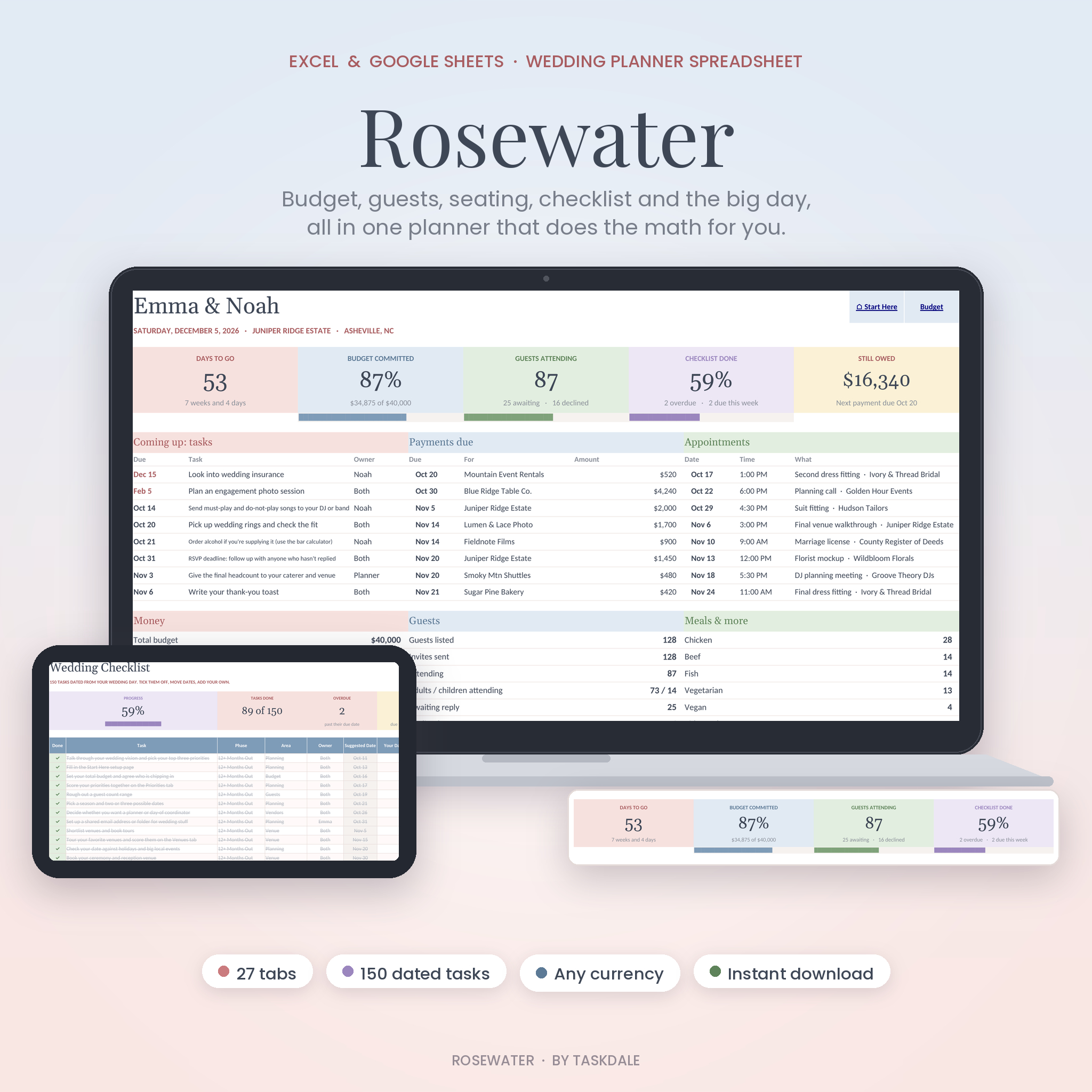
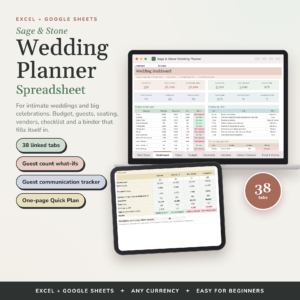
This wedding planner spreadsheet keeps your budget, guest list, seating chart, checklist, vendors and wedding day timeline in one file that works in Microsoft Excel and Google Sheets. Type your wedding date and budget once. The planner dates 150 tasks, sets a target for every budget category and counts your RSVPs and meal choices for you.
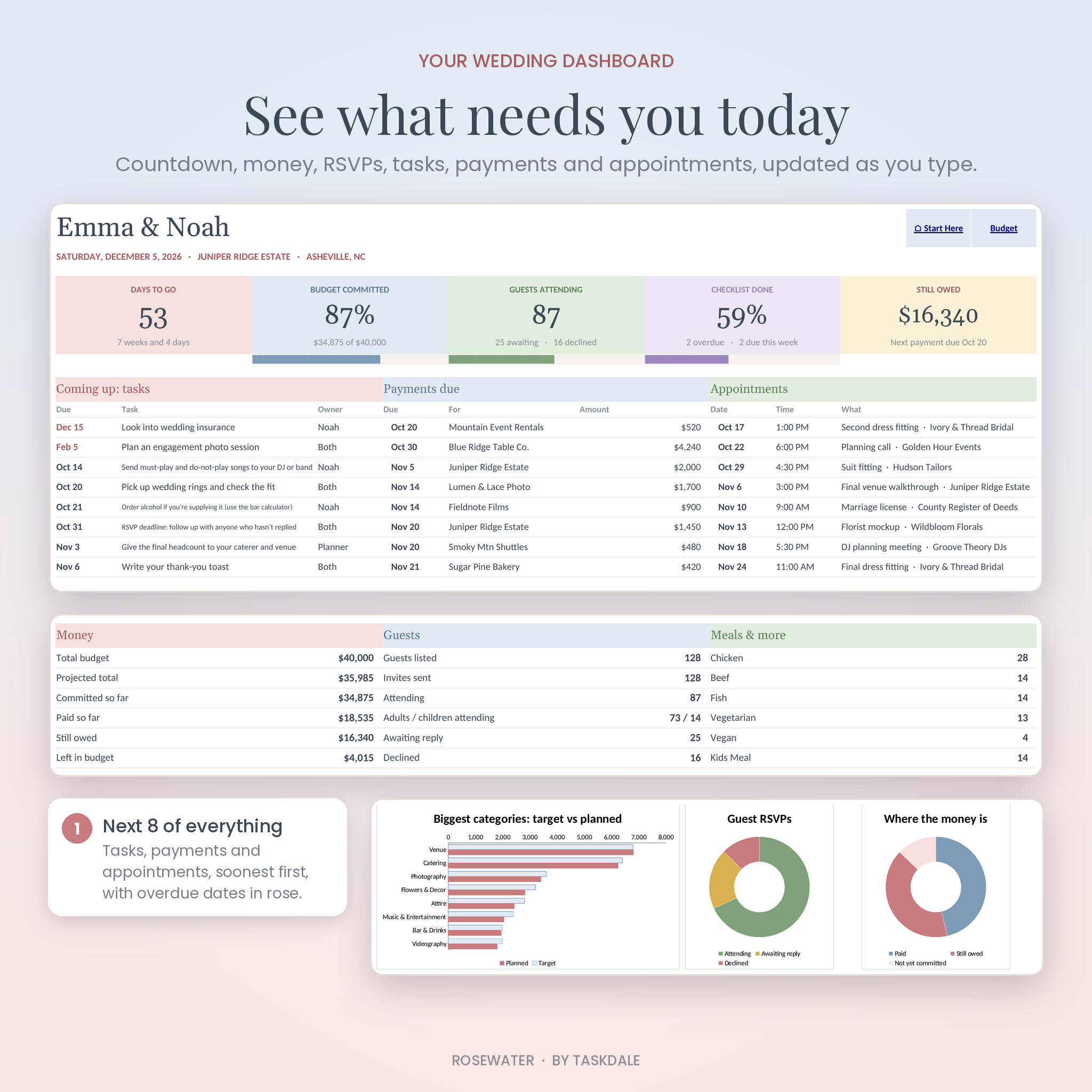
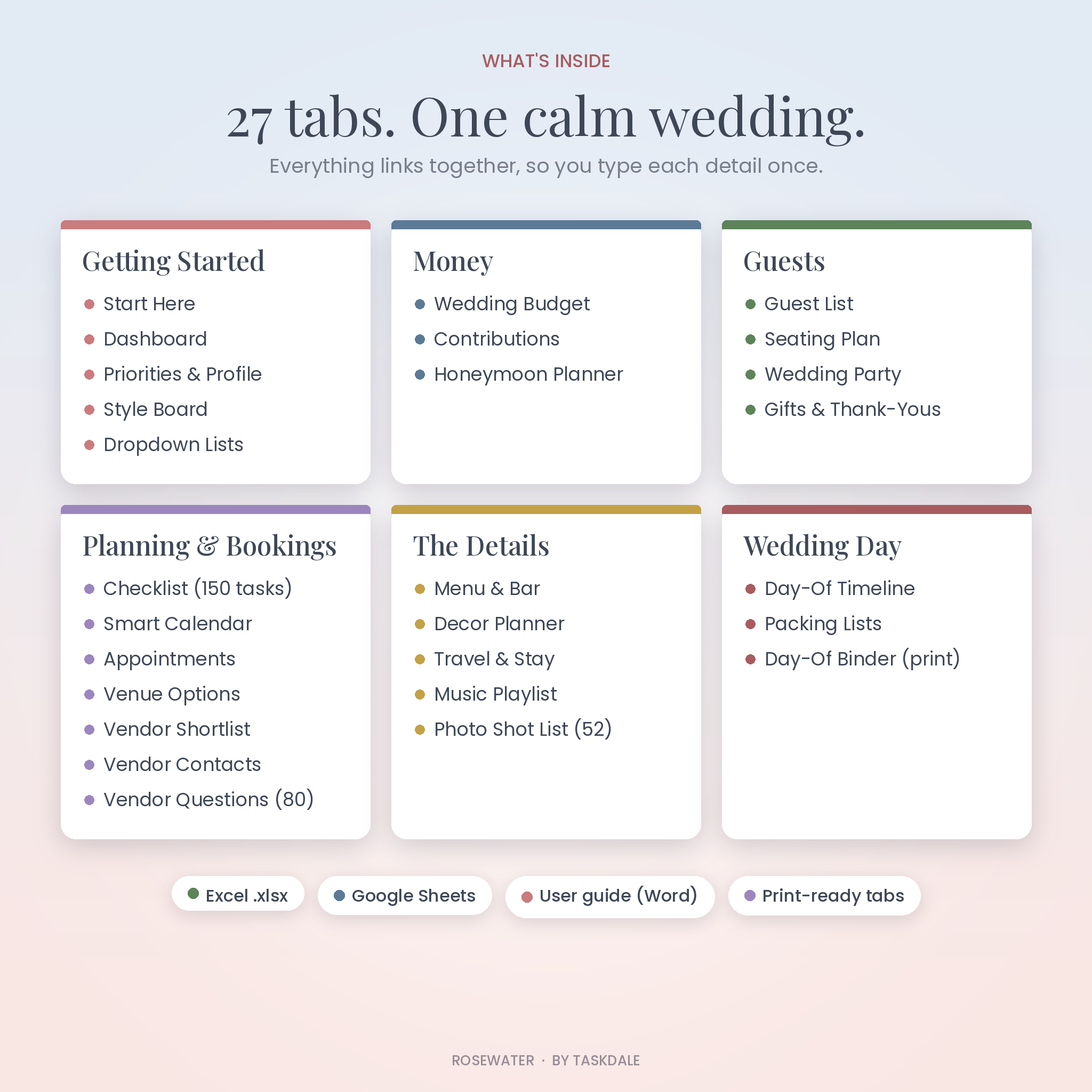
It has 27 linked tabs in soft blush, powder blue and sage, with a dashboard that shows what needs you today.
What this wedding planner spreadsheet does
Most wedding templates are a stack of separate lists. This one is connected. Mark a vendor as Booked and they land on your contact list. Pick a table for a guest and the seating chart updates. Add a payment date and it shows up on the dashboard and the calendar. Change your wedding date and all 150 checklist tasks move with it.
Who it’s for
- Couples planning their own wedding who want everything in one place
- Parents or family members helping to pay for or organize the day
- Friends acting as a part-time planner or day-of coordinator
- Anyone who has tried a free template and found it stopped short
Features
Dashboard
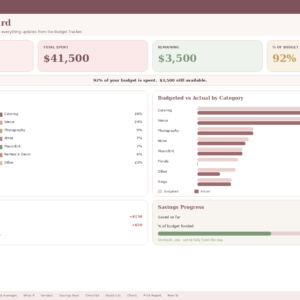
A countdown, the share of your budget committed, guests attending, checklist progress and the amount you still owe. Below that are the next 8 tasks, the next 8 payments and the next 8 appointments, plus charts for your biggest categories, RSVPs and spending.
Wedding budget tracker
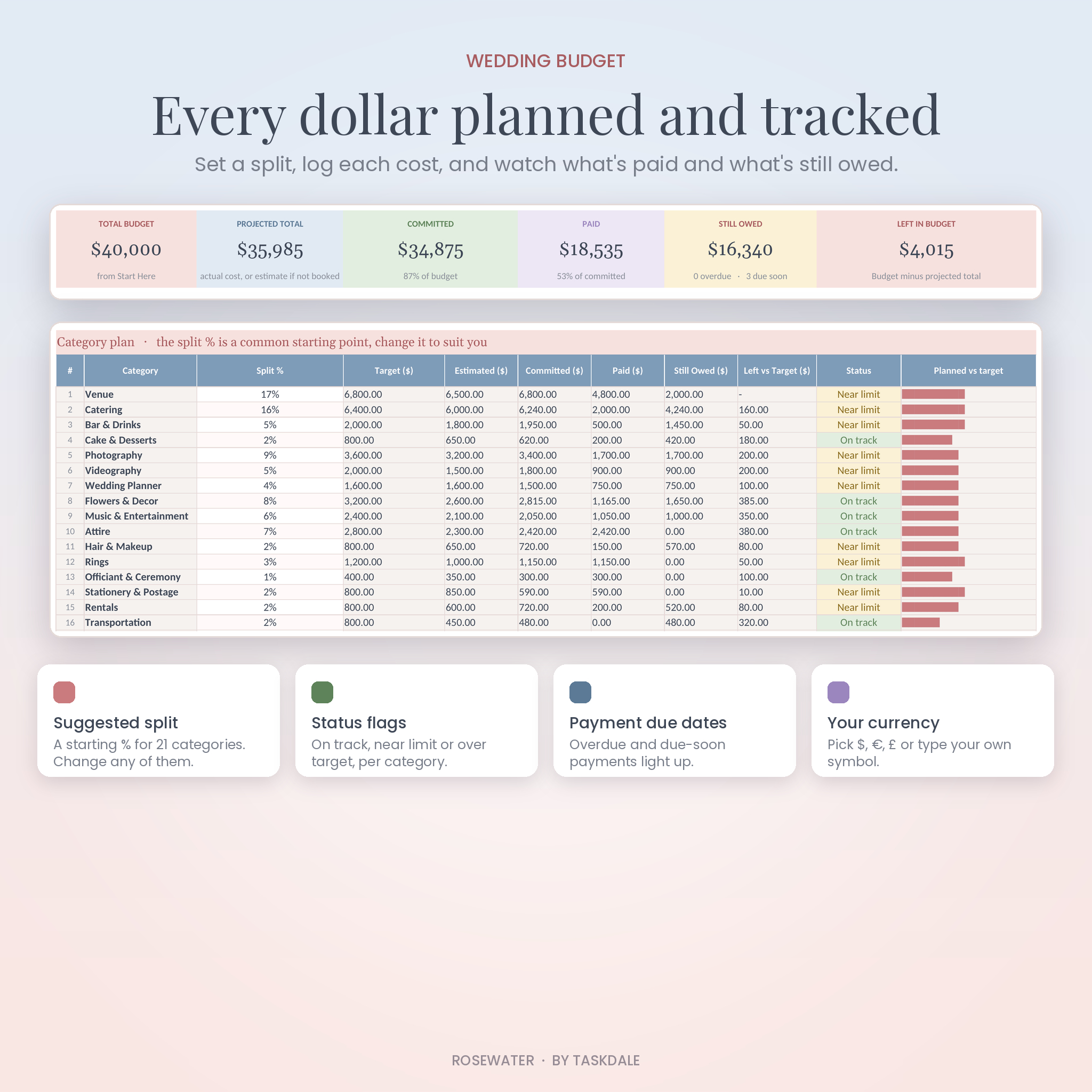
- 21 categories with a suggested split you can change
- 100 line items with estimated cost, actual cost, paid so far and still owed
- Status flags: Estimate, Booked, Due soon, Overdue and Paid in full
- Each category marked On track, Near limit or Over target
- A Contributions tab for money from family
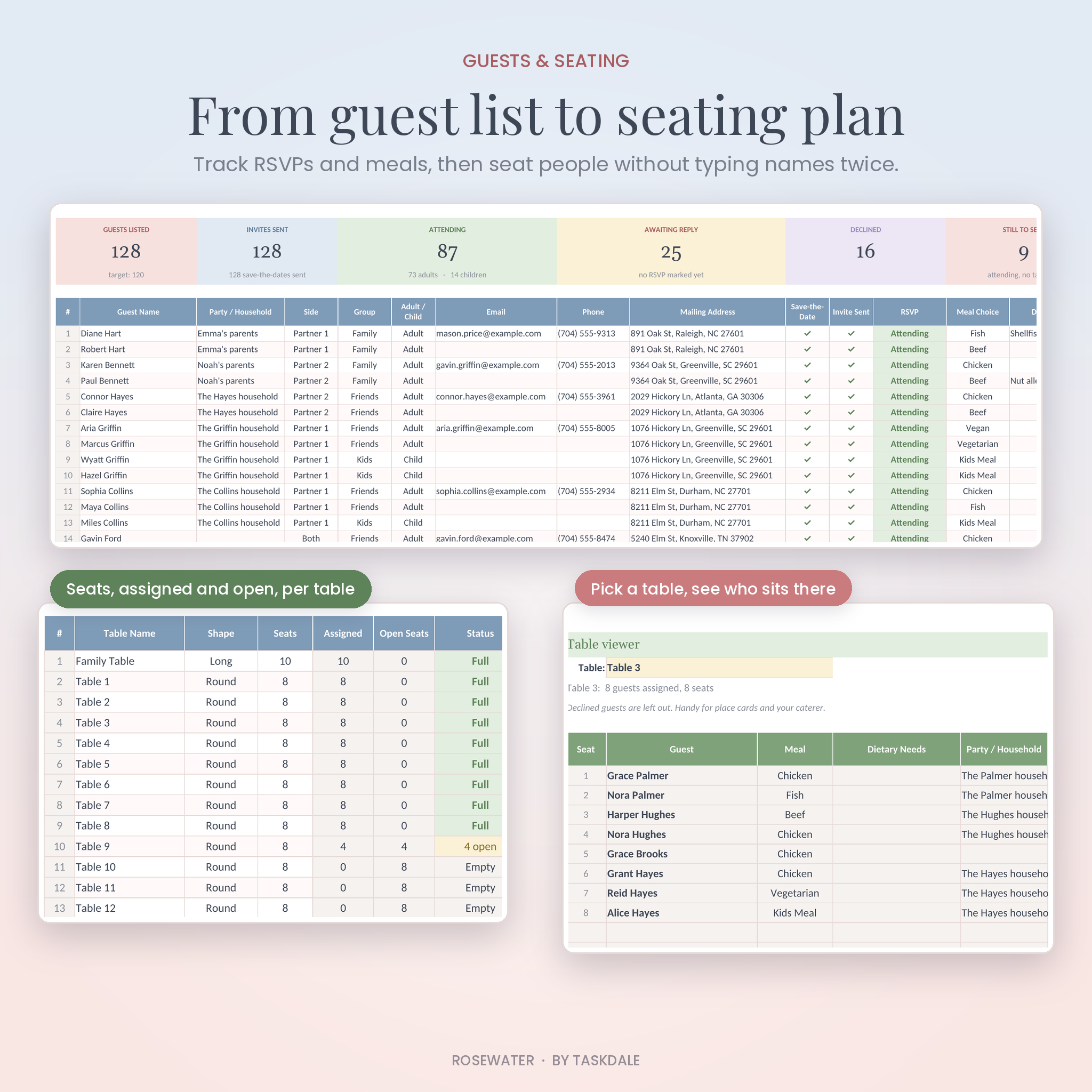
Guest list and seating chart
- Room for 300 guests with households, sides, groups, addresses and adult or child
- Save-the-date and invite tracking, RSVPs, meal choices and dietary needs
- Up to 40 tables with seats, assigned and open counts
- A table viewer that lists who sits at any table with their meal
- A list of attending guests who don’t have a seat yet
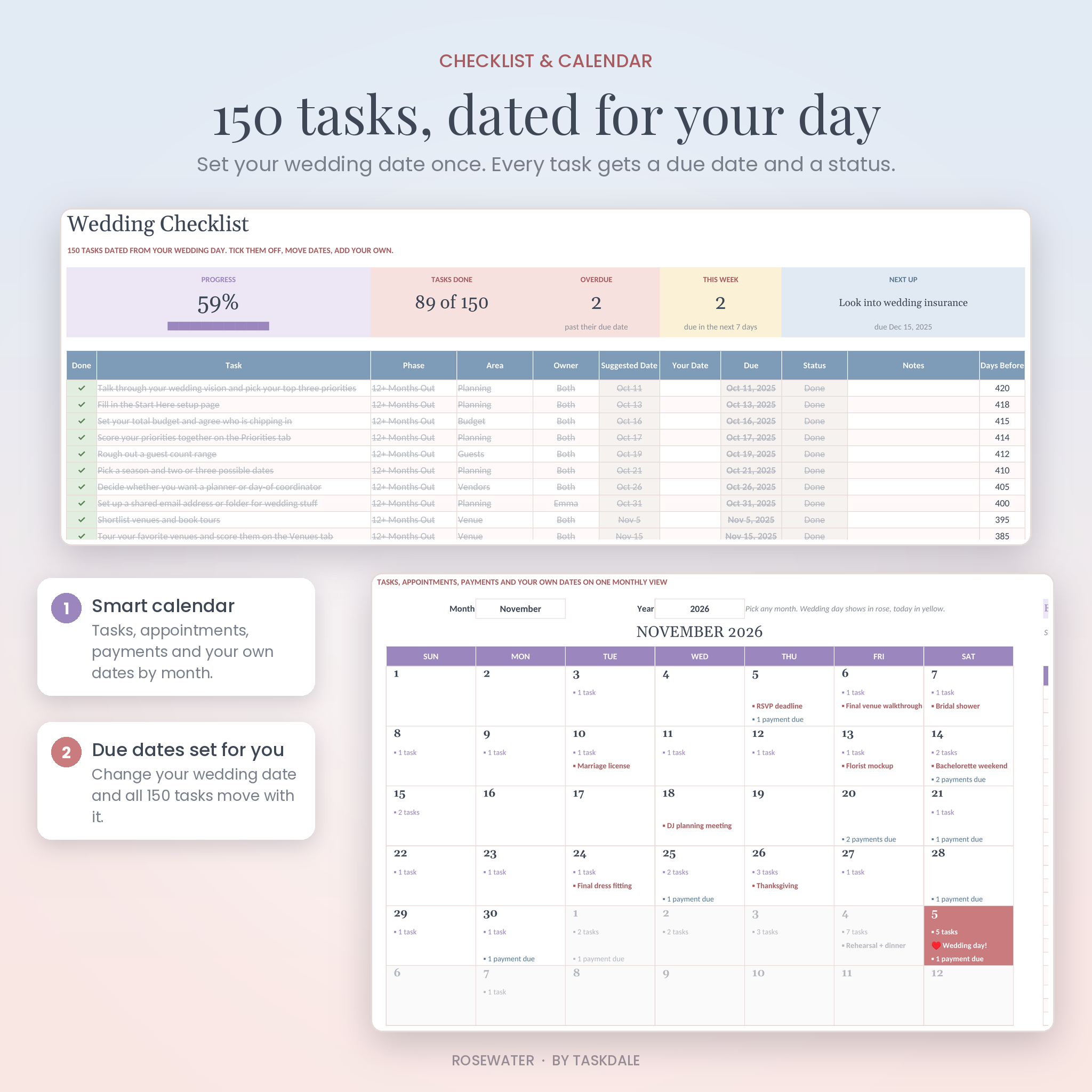
Wedding checklist and calendar
150 tasks from 12 months out to after the wedding, each with a date worked out from your wedding day. Override any date, add your own tasks and track progress by phase. The Smart Calendar shows tasks, appointments, payments and your own dates month by month.
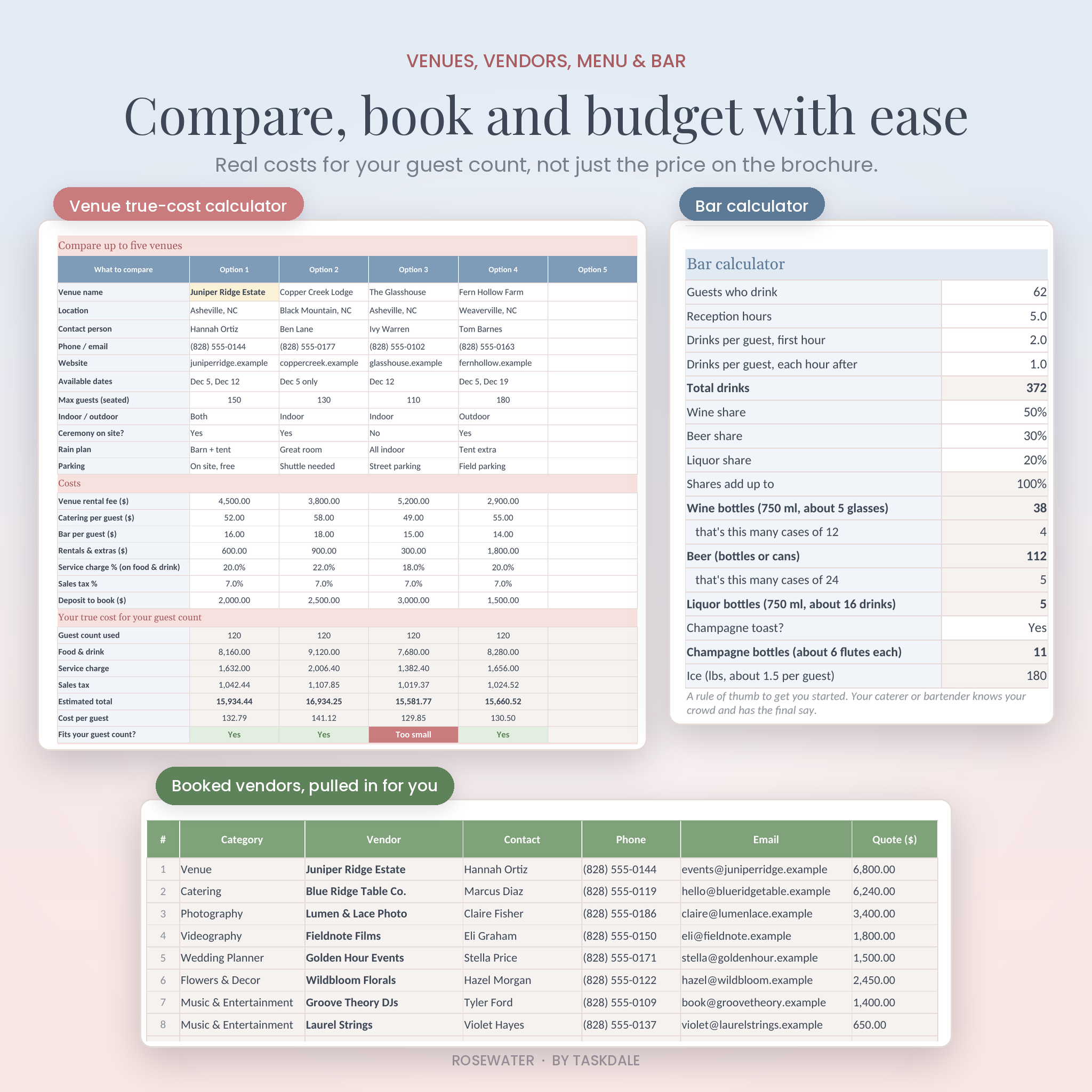
Venues, vendors, menu and bar
- Compare 5 venues on true cost for your guest count, including service charge and tax
- Score venues on 5 points and see your top three
- Vendor shortlist with quotes, star ratings and status
- 80 questions to ask vendors before you sign
- Menu planner with meal counts from your guest list
- Bar calculator for wine, beer, liquor, champagne and ice
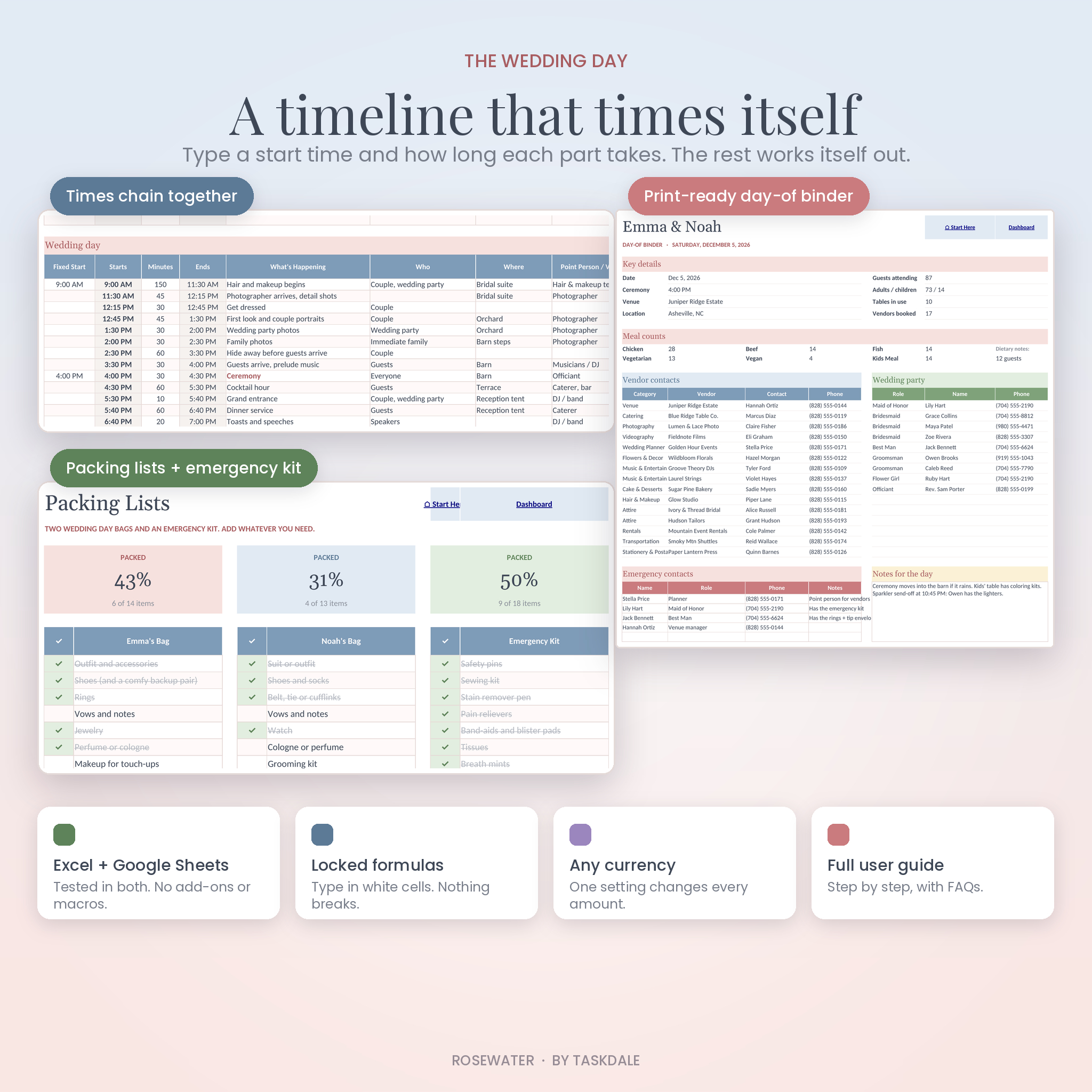
Wedding day timeline and day-of binder
Type a start time and how many minutes each part takes. Every row starts when the one before it ends, and the planner warns you if something runs into a fixed time like the ceremony. The Day-Of Binder pulls your vendor contacts, wedding party, meal counts and timeline into a print-ready summary for your coordinator.
Even more tabs
Priorities and couple profile, style board, wedding party, appointments, decor planner, hotel blocks and transportation, music playlist, 52-shot photo list, packing lists with an emergency kit, gifts and thank-you tracker, and a honeymoon budget with a day-by-day plan.
What’s included
- Rosewater wedding planner (.xlsx, 27 tabs)
- User guide (.docx, 18 pages) with setup steps, tab-by-tab help, troubleshooting and FAQs
How it works
- Download the files right after checkout.
- Open the planner in Excel, or upload it to Google Drive and save it as a Google Sheet.
- Fill in the Start Here tab: names, date, budget, guest count and currency.
- Start adding guests, costs and vendors. The dashboard fills in as you go.
File formats and software
- File format: .xlsx
- Works in Microsoft Excel on desktop, including Microsoft 365. It uses classic formulas only, so no Microsoft 365 subscription is needed.
- Works in Google Sheets with a free Google account
- Prints on US Letter or A4
Customization
Pick your own currency symbol and every money label changes. Rename budget categories, meal options, guest groups and wedding party roles on the Lists tab. Rename tables, adjust the budget split, add your own checklist tasks and recolor anything you like. Formulas sit in locked cells (no password), so typing in the wrong place can’t break a total.
Digital download
This is a digital product. Nothing is shipped. Your download links appear as soon as payment goes through and are also sent to your email.
Real ways people use it
- A couple 14 months out sets their date and budget, then works through the checklist one phase at a time.
- A mom paying for the reception tracks her contribution and checks the payment dates on the dashboard.
- A maid of honor prints the Day-Of Binder so vendors know who to call on the day.
- A couple with 180 guests uses the table viewer to make place cards and send meal counts to the caterer.
FAQ
Does it work in Google Sheets?
Yes. Upload the file to Google Drive, open it, and choose File > Save as Google Sheets.
Do I need Microsoft 365?
No. The planner uses classic Excel formulas, so it doesn’t need newer Microsoft 365 functions.
Can I change the currency?
Yes. Change one symbol on the Start Here tab and every money value updates. It starts as $.
How many guests can I add?
Up to 300 guests and 40 tables.
Can my partner and I both edit it?
Yes. Share it from Google Sheets, or save it to OneDrive and share it from Excel.
Can I use it on my phone?
Yes, in the Excel or Google Sheets app. Setup is easiest on a computer.
Is it a printable PDF?
No. It’s an editable spreadsheet. Every tab is set up to print neatly if you want paper copies.
Licence
Personal use for one household. Please don’t share, resell or give away the file. If you have any trouble opening or using it, contact us and we’ll help.
Reviews
There are no reviews yet.