A wedding budget spreadsheet that answers the guest-list question
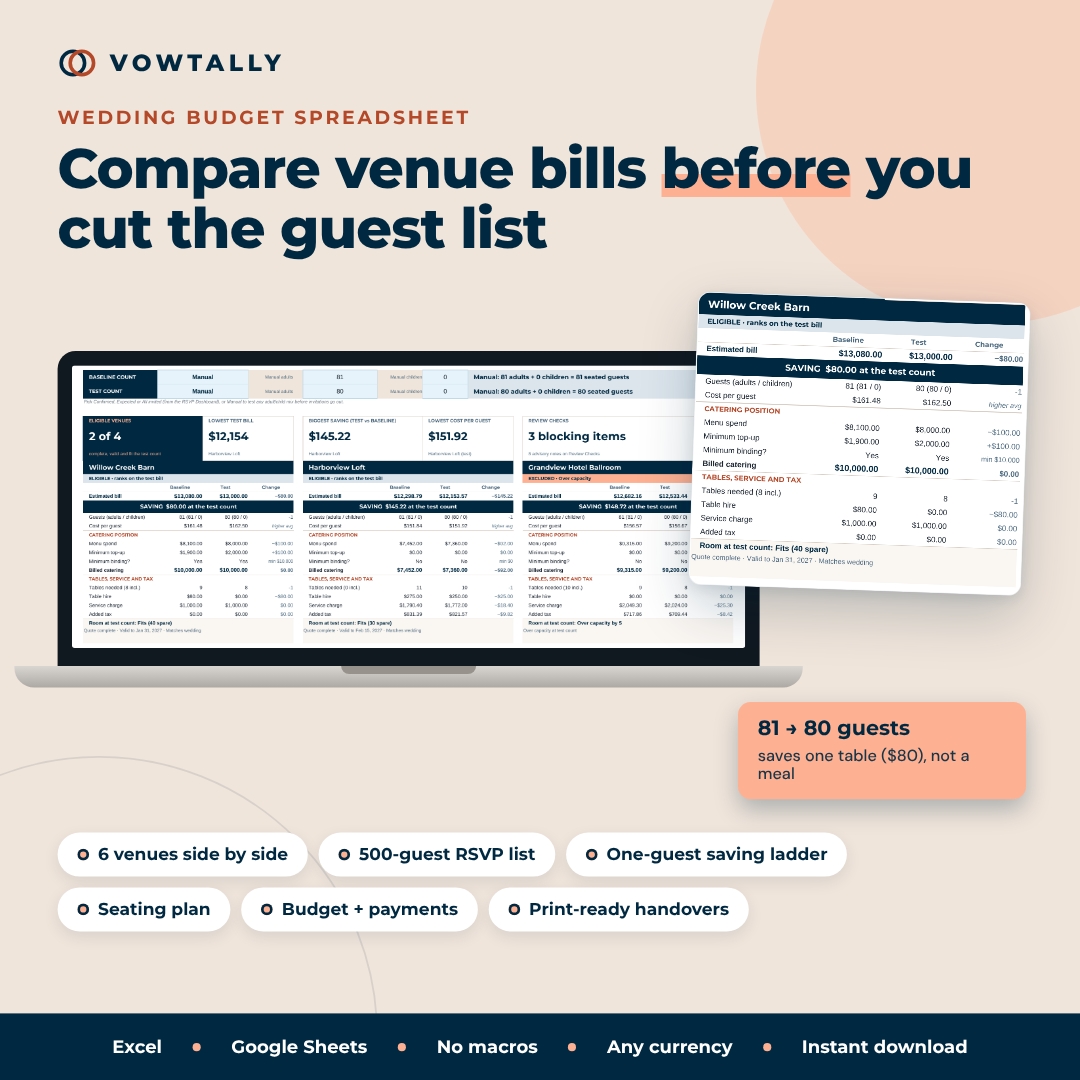
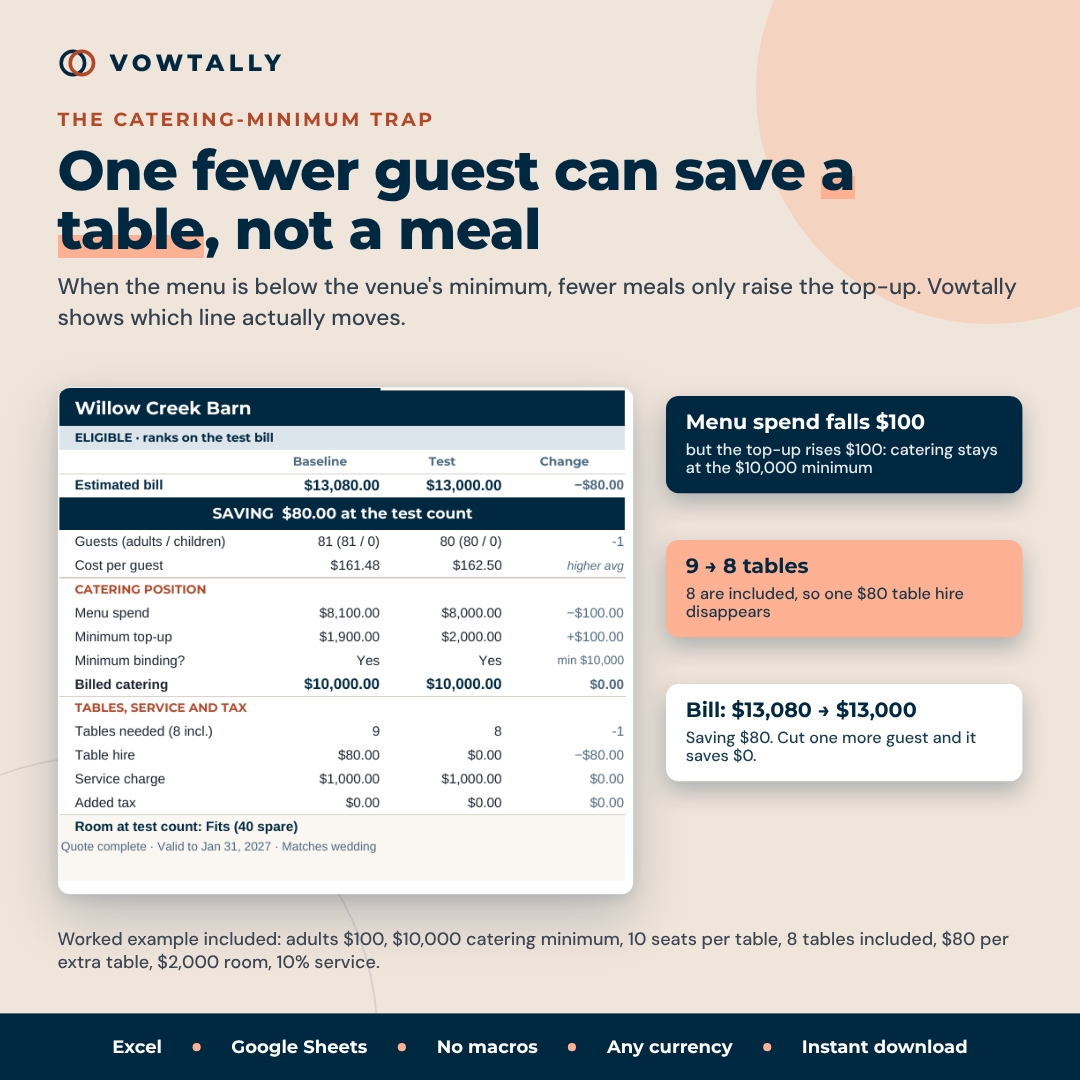
Cutting the guest list is supposed to cut the bill, but venues rarely price per head alone. If a venue has a $10,000 catering minimum, removing six meals can save nothing. If those same six guests free up a hired table, you may save the table fee instead. Vowtally is a wedding budget spreadsheet and guest count dashboard that puts both effects on the same venue card, so you can test a smaller headcount without touching a single RSVP and see exactly which charges move.
It then carries your chosen venue, real seating plan and payment dates into one wedding budget, with clear labels for what is confirmed, what is an estimate and what is still unpriced.
What you can do with it
Compare six venues at two headcounts
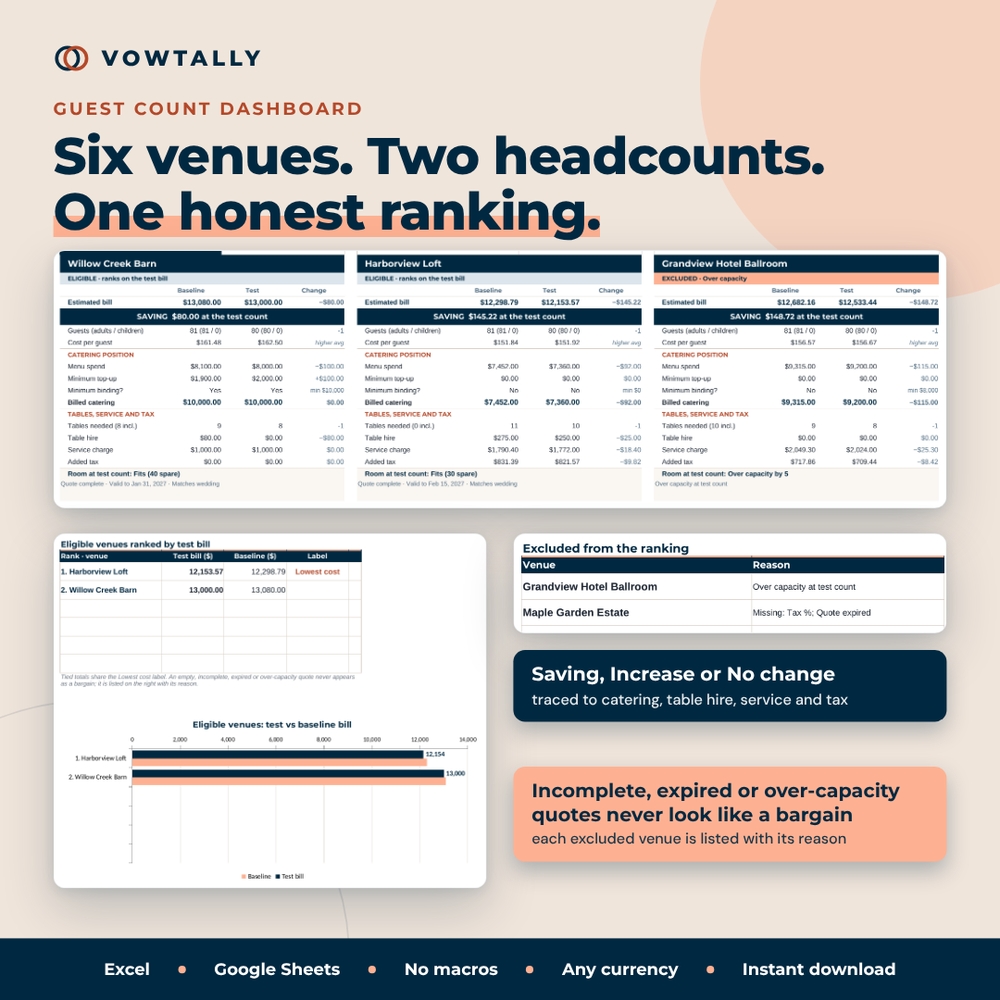
Enter each venue’s terms once: room capacity, seats per table, tables included, price per extra table, adult and child meal rates, minimum catering spend, room hire, up to four mandatory extras, and separate Yes/No switches for where the service charge and tax apply. The Guest Count Dashboard then shows six venue cards side by side at a baseline count and a test count. Each card labels the result as Saving, Increase or No change and traces it to catering, table hire, service or tax.
- Minimum binding? tells you when fewer meals only raise the top-up
- Room check shows spare seats or how many guests are over capacity
- Eligible venues are ranked by test bill with a chart; ties share the Lowest cost label
- Incomplete, expired, wrong-date or over-capacity quotes are listed separately with their reason, so an empty quote never looks like a bargain
Find the next real saving
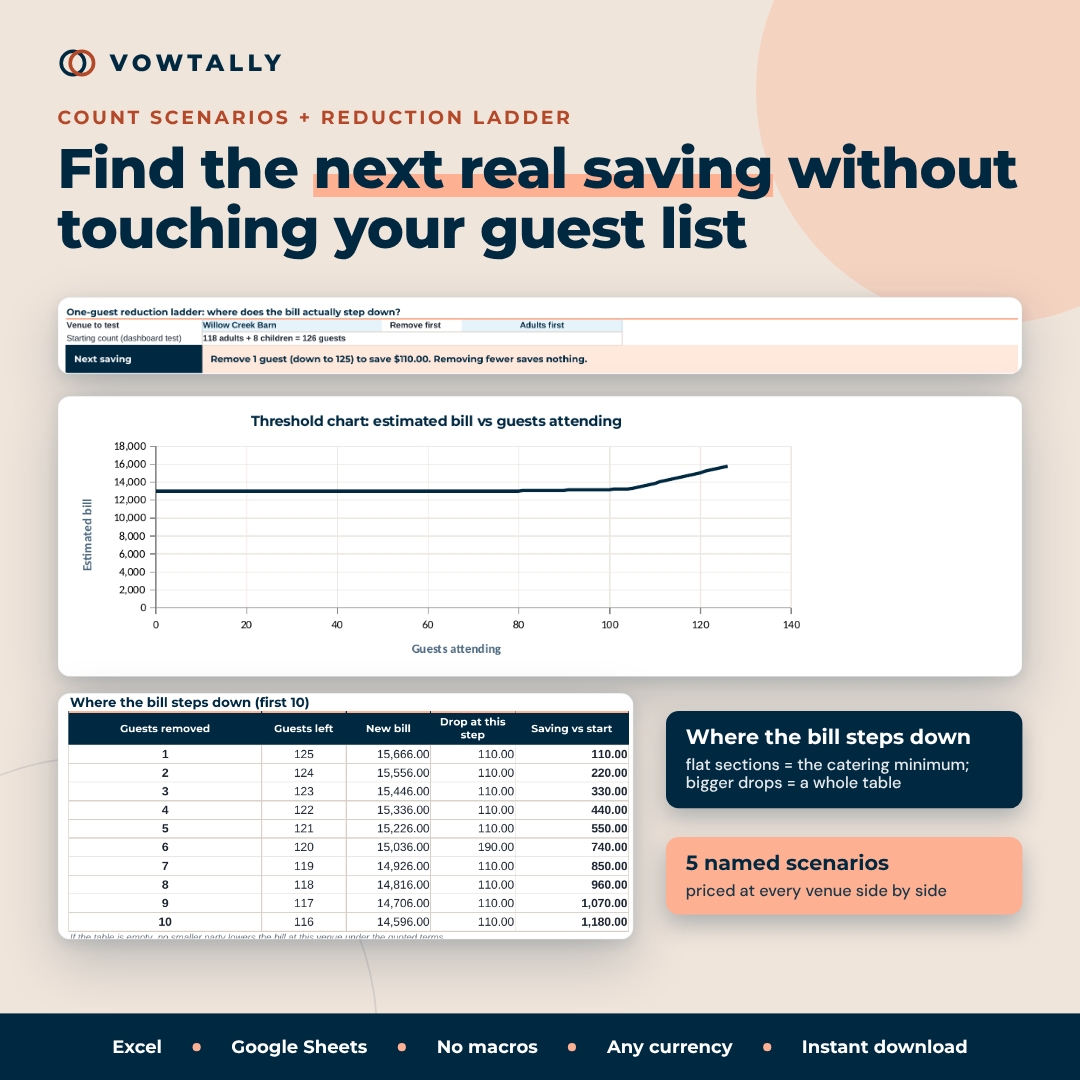
Count Scenarios stores five named headcounts (for example Immediate family or Full invitation list) and prices each at every venue. The one-guest reduction ladder steps down from your test count one guest at a time and tells you how many guests must be removed before the bill actually falls, or says plainly that no smaller party saves money. A threshold chart shows the flat sections where the bill does not move.
Keep confirmed numbers apart from estimates
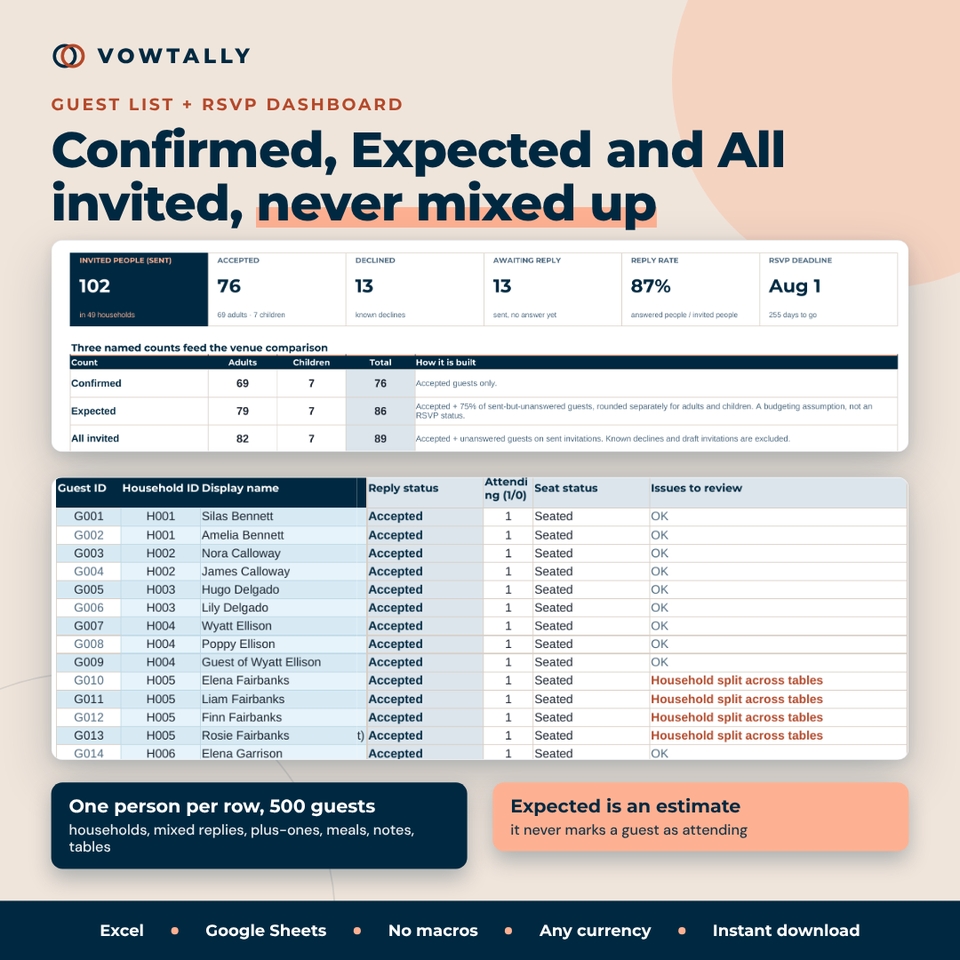
The Guest List holds 500 people, one per row, with households kept together, mixed replies, plus-one places, meal choices, dietary and accessibility notes and table IDs. The RSVP Dashboard builds three counts: Confirmed (accepted only), Expected (accepted plus your chosen percentage of unanswered invitations) and All invited. Draft invitations are never treated as late replies, and the Expected percentage never marks anyone as attending.
Seat guests and reconcile the layout cost
The Seating Plan is a 100-table register with occupied and spare seats, meals per table and an assignment review (unseated guests, stale assignments, unknown table IDs, split households). A layout cost check compares table hire for efficiently filled tables with your actual occupied tables.
Budget, vendor quotes and payments
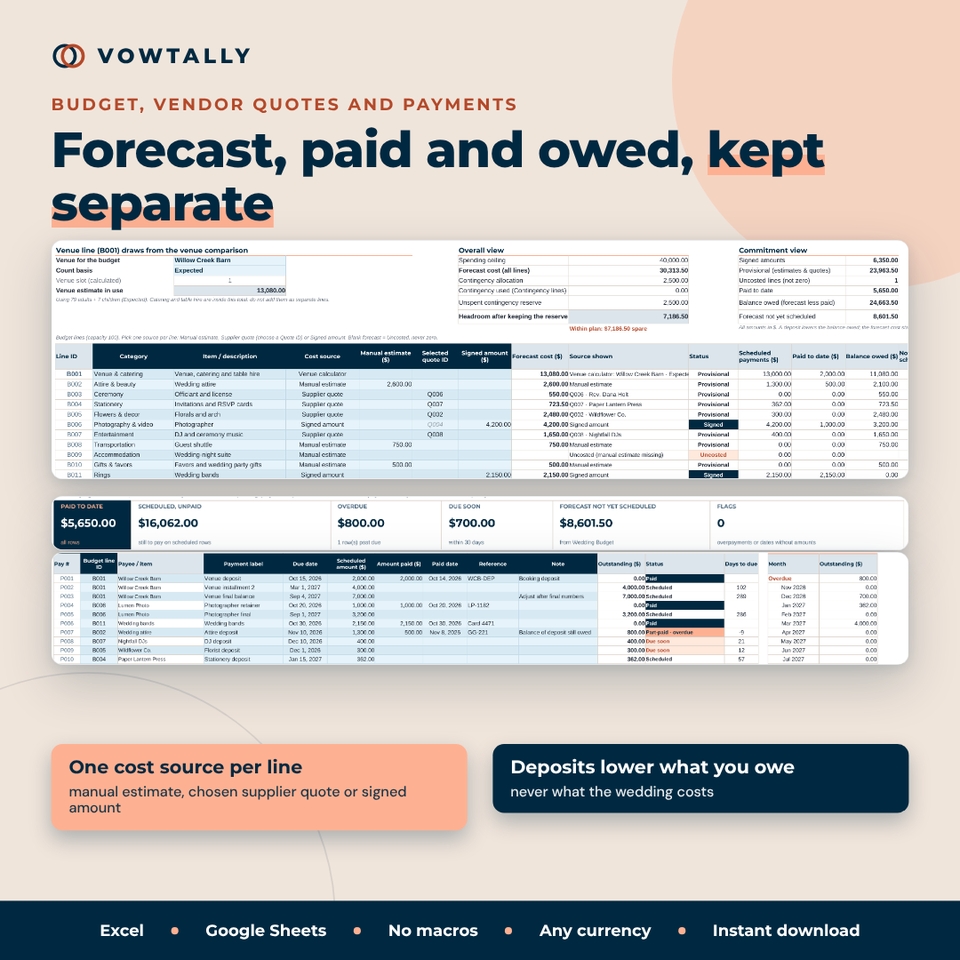
Compare up to 150 supplier quotes on the all-in price of the scope you selected, beside what is excluded. The Wedding Budget has 100 lines, each with one cost source (manual estimate, chosen quote or signed amount), and the venue line comes straight from the venue comparison. Payments tracks 300 deposits, installments and final balances with Paid, Part-paid, Due soon and Overdue status. Payments lower what you owe, never what the wedding costs.
Wedding budget spreadsheet features at a glance
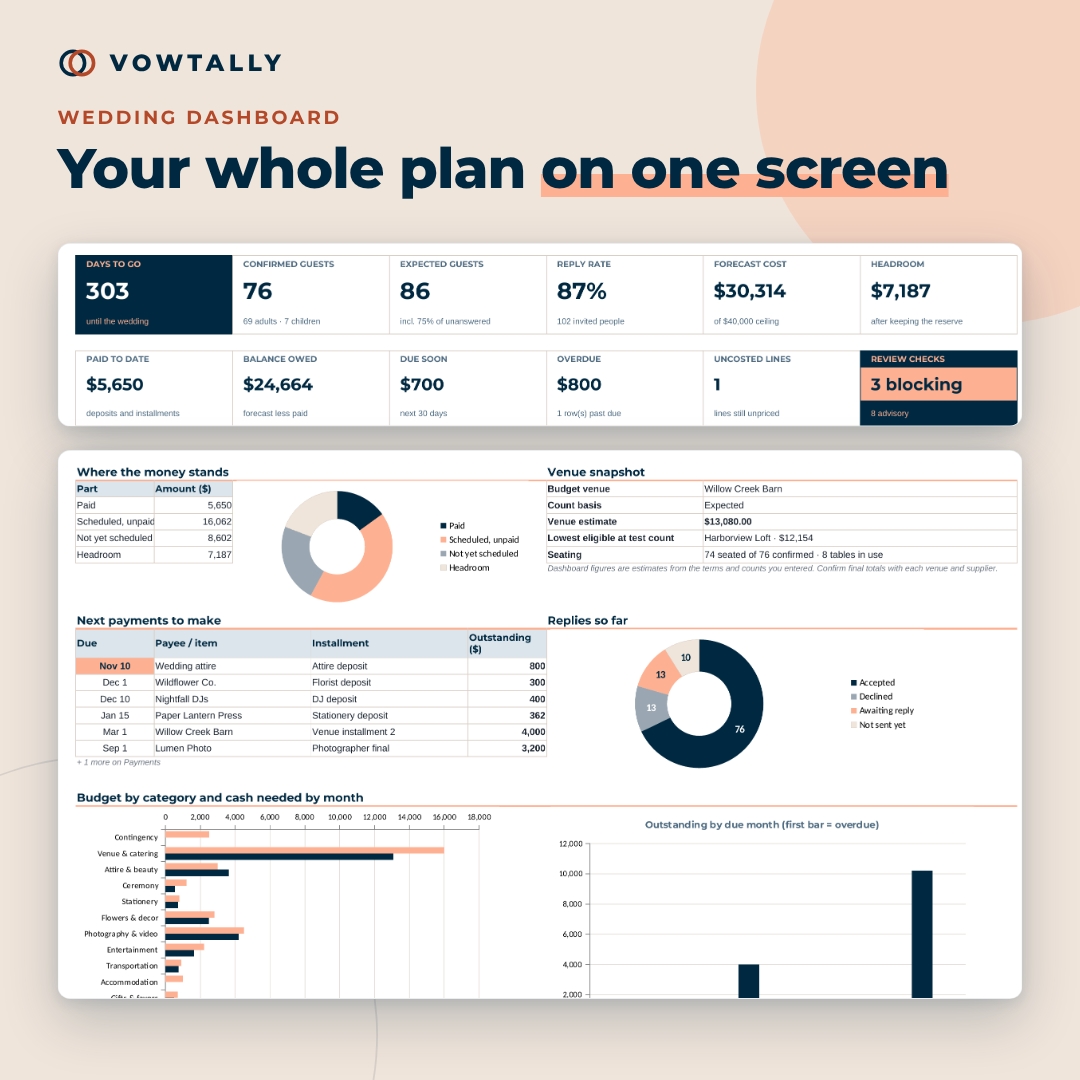
- Wedding Dashboard: days to go, guests, reply rate, forecast vs ceiling, headroom, paid, owed, due soon and charts
- Venue Calculator: a visible, line-by-line audit of every estimated bill
- Contingency reserve and category allocations with Over / Within status
- 36 Review Checks with the first affected record and a suggested fix
- Decision Page with live figures, a dated decision record and a before-you-book checklist
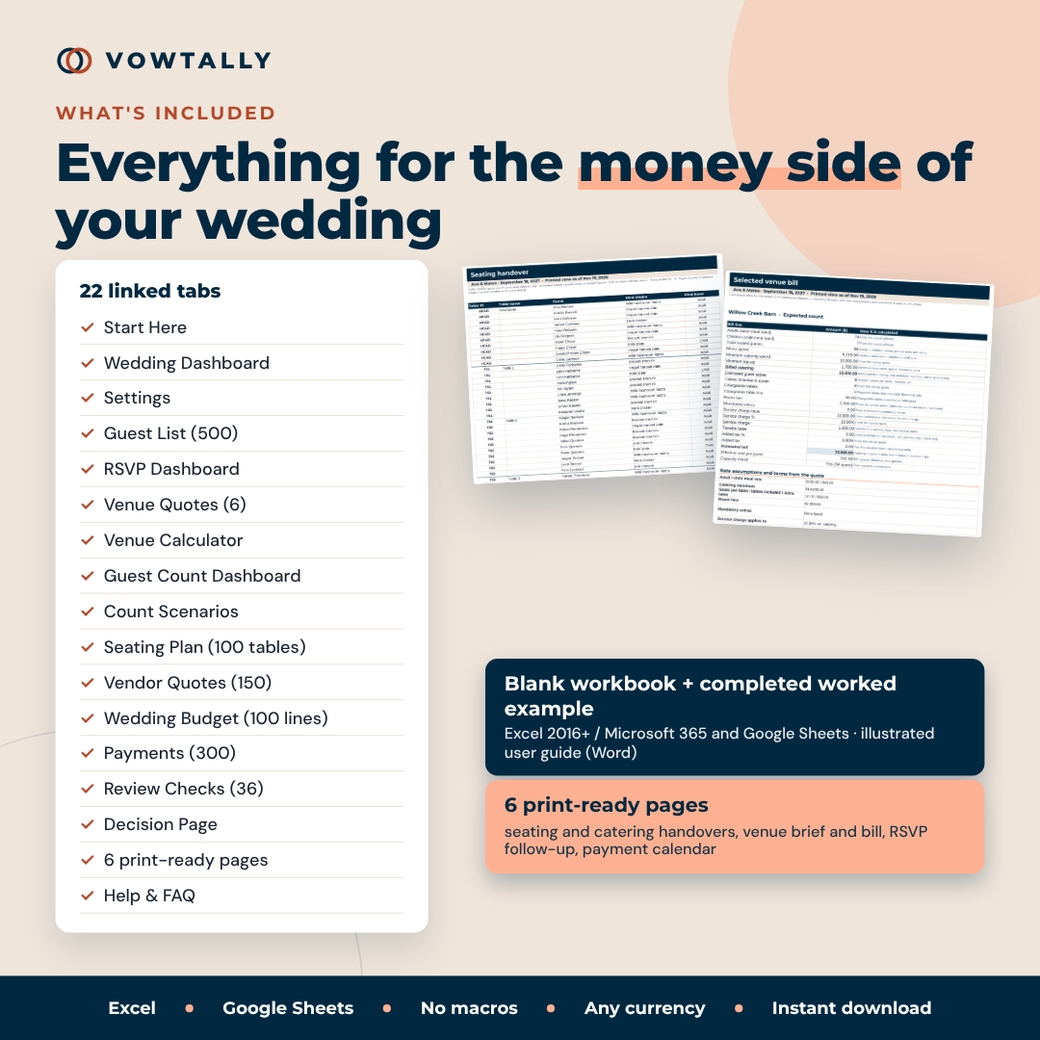
- Six print-ready pages: venue brief, venue bill, RSVP follow-up, seating handover, catering handover and payment calendar
- One currency setting for every money label ($ by default)
What is included
- Vowtally-01 Wedding Budget & Guest Count Workbook (.xlsx, blank, 22 tabs)
- Vowtally-02 Worked Example (.xlsx, the same workbook completed with fictional names and prices)
- Vowtally-00 User Guide (.docx, 12 illustrated pages)
How it works
- Enter your wedding date, currency symbol and spending ceiling on Settings.
- Add each venue’s quote on Venue Quotes. Enter 0 for a confirmed nil charge and leave unknown amounts blank.
- Choose two counts on the Guest Count Dashboard: Confirmed, Expected, All invited or any manual adult and child mix.
- Use Count Scenarios and the ladder to see where the bill steps down.
- As replies arrive, fill the Guest List, seat guests and move the chosen venue into the budget and payments.
File formats and software requirements
The workbooks are macro-free .xlsx files for Microsoft Excel 2016 or later (Windows and Mac) and Microsoft 365. They also work in Google Sheets: upload the file to Google Drive and open it with Google Sheets. No add-ins, scripts or online account. The user guide is a Word (.docx) file.
Customization
Rename budget categories, invitation groups, meal choices and table areas on Settings, and every dropdown updates. Change the currency symbol once. Formula cells are locked without a password so they are not overwritten by accident, while pale blue input cells stay open.
Use cases
- Deciding between a barn with a catering minimum and a loft priced per head
- Testing whether trimming the list from 120 to 100 actually lowers the bill
- Budgeting on expected numbers while RSVPs are still coming in
- Giving the caterer meal totals by table without sharing your budget
- Tracking deposits and final balances so nothing is paid late
Digital download
This is a digital product. You receive the files instantly after purchase; nothing is shipped. Personal use only. You may not resell, share, or redistribute the files. For planning and education only; not financial, tax, legal or contract advice. Always confirm totals, service charges and tax with each venue in writing.
FAQ
Does this work in Google Sheets?
Yes. It uses only functions available in Excel 2016+ and Google Sheets. Upload the .xlsx to Google Drive and open it with Google Sheets.
How many guests and venues can I track?
500 guests, 6 venues, 5 scenarios, 100 tables, 150 supplier quotes, 100 budget lines and 300 payments.
Why would removing a guest save nothing?
If your menu spend is below the venue’s catering minimum, fewer meals only increase the top-up. Savings come when a whole table drops off or when spend is back above the minimum. The ladder finds that point for you.
Can I compare venues before sending invitations?
Yes. Set the counts to Manual and type any adult and child mix.
Does it handle service charges and tax?
Yes. Each venue has its own service and tax percentages with switches for catering, room hire, table hire, each extra and tax on the service charge.
Will changing a test count change my guest list?
No. Dashboard and scenario counts are assumptions; only the Guest List changes attendance.
Can I use a currency other than dollars?
Yes. Type your symbol (for example € or £) in one Settings cell and every label updates. It does not convert amounts.
Reviews
There are no reviews yet.