If you only look at one financial report for your business, make it the profit and loss. It answers the question every owner actually cares about: after paying for everything, did we make money? A profit and loss template gives you the structure, so you can fill it in every month without reinventing the layout.
The report looks intimidating the first time. It isn’t. Strip it down and there are really five lines that matter. Here’s how to read one, fill one in and use it to make better decisions.
What a profit and loss statement is
A profit and loss statement (P&L, or income statement) lists your income and expenses for a period, usually a month, quarter or year, and shows what’s left. It’s different from your bank balance. The bank tells you how much cash you have. The P&L tells you whether the business is earning more than it costs to run.
The 5 lines that tell you everything
1. Revenue
Total sales for the period. Some businesses split it by product or service so they can see which earns the most.
2. Cost of goods sold
The direct cost of what you sold: materials, stock, packaging, production. Service businesses may have little or none, or count subcontractors here.
3. Gross profit
Revenue minus cost of goods sold. This shows whether your pricing works before overheads. Divide it by revenue for your gross margin.
4. Operating expenses
The costs of running the business regardless of sales volume: rent, software, marketing, wages, insurance, phone, professional fees.
5. Net profit
Gross profit minus operating expenses (and then interest and tax, if you include them). The bottom line. Divide by revenue for your net margin.
A worked example
| Line | Amount |
|---|---|
| Revenue | $15,000 |
| Cost of goods sold | $4,500 |
| Gross profit | $10,500 (70%) |
| Rent | $1,200 |
| Wages | $3,000 |
| Marketing | $900 |
| Software and subscriptions | $300 |
| Other overheads | $600 |
| Net profit | $4,500 (30%) |
This business keeps 30 cents of every dollar of sales. If next month’s revenue drops to $12,000 but overheads stay at $6,000, net profit falls to $2,400. Revenue fell 20%, profit fell almost 47%. That’s what fixed costs do, and the P&L makes it visible.
How to fill in your profit and loss template
- Log every sale and expense with a category. The P&L is just those categories added up for a period.
- Separate cost of goods from overheads. Otherwise you can’t see your gross margin.
- Use the same categories every month. Changing “Advertising” to “Marketing” halfway through the year breaks comparisons.
- Close each month. Reconcile to the bank, then treat the month as done.
- Compare. This month vs last month, and this month vs the same month last year.
Mistakes that make a P&L lie
- Owner drawings as expenses. For sole traders, money you take out for yourself isn’t a business expense. It comes out of profit.
- Loan repayments as expenses. Only the interest is an expense. The capital repayment isn’t.
- Big equipment purchases expensed in one month. A $4,000 machine can make one month look like a disaster. Your accountant may treat it as an asset.
- Transfers between your own accounts. Moving money to savings isn’t spending. Keep transfers out.
- Personal spending in business accounts. It inflates expenses and muddles your real profit.
Templates that build the P&L for you
You can build a P&L by hand with SUMIFS formulas, but it’s much easier when your bookkeeping produces it automatically.
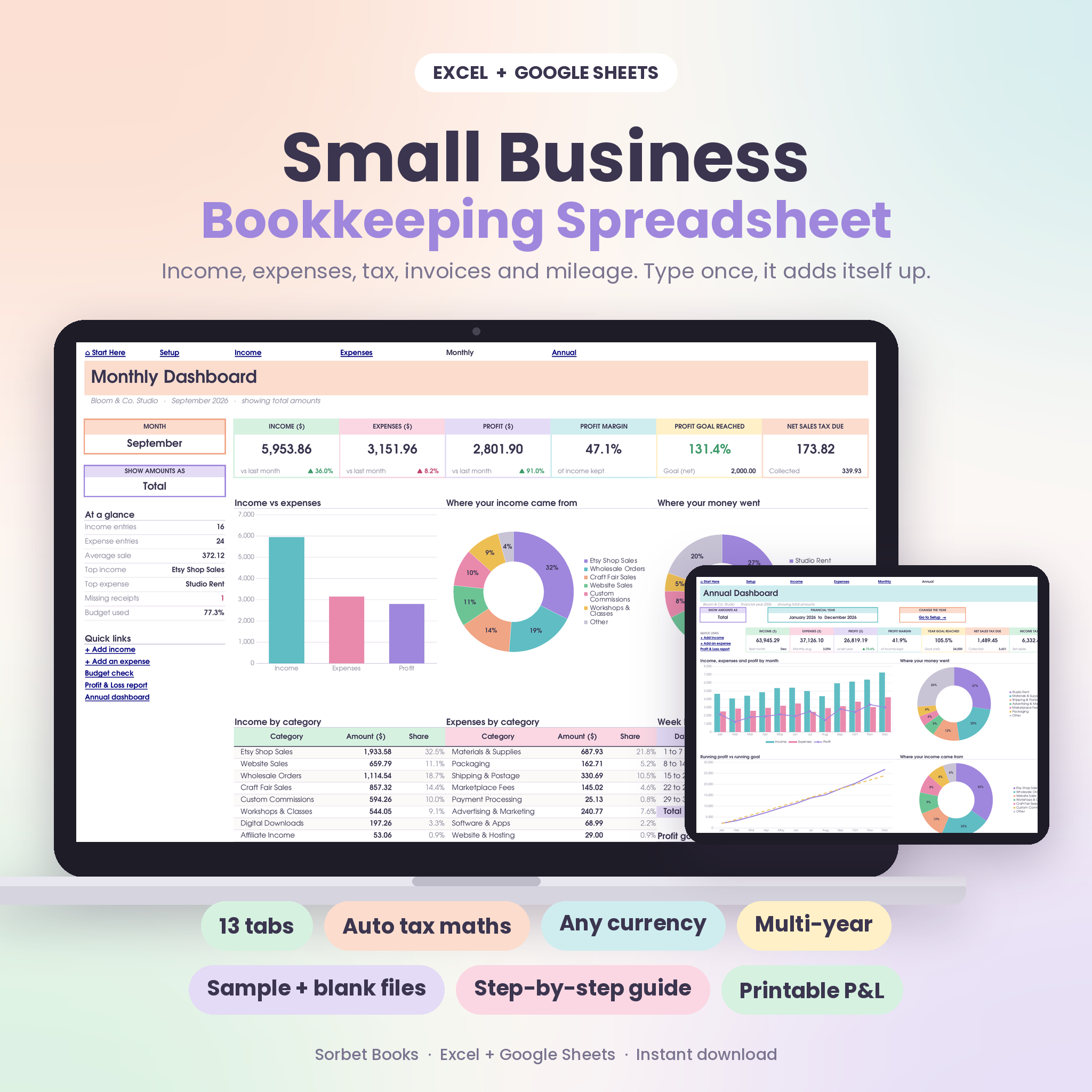
Sorbet Books does exactly that. You log income and expenses (1,500 rows each), and its Profit & Loss tab produces a print-ready statement for the full year, any quarter or any single month. A Year Compare tab shows five financial years side by side with growth and a trend chart, and the monthly dashboard tracks a profit goal you set for each month. It handles tax-inclusive or tax-added amounts and works in Excel 2010 or newer and Google Sheets.
If you’d like monthly P&L summaries alongside a cash flow dashboard and a bill tracker, the Bookkeeping Spreadsheet Dashboard Bundle covers income and expense trackers, monthly profit and loss summaries, an invoice log, bill tracking and tax estimate tabs, with setup instructions. It suits solo owners who want one tidy file for everyday bookkeeping and monthly reviews.
Three ratios worth working out
Raw numbers are hard to compare when sales go up and down. Ratios fix that. Work these out from your P&L each month and jot them in a small table:
- Gross margin: gross profit divided by revenue. If it drops from 70% to 62%, your costs per sale have crept up, or you’ve been discounting more than you realised.
- Net margin: net profit divided by revenue. This is the share of every sale you actually keep.
- Overheads as a share of revenue: operating expenses divided by revenue. When this climbs month after month, the business is getting heavier to run.
None of these have a single “right” number. A consultancy and a bakery will look completely different. What matters is your own trend over six or twelve months, because that’s where problems show up long before they reach the bank balance.
Reading your P&L each month
Once a month, ask four questions:
- Is revenue up or down, and why?
- Is gross margin holding steady? (A slipping margin often means supplier prices went up and yours didn’t.)
- Which overhead grew the most?
- Is net profit enough to pay yourself, set aside tax and still leave a buffer?
Ten minutes with those questions will teach you more about your business than any dashboard tile.
Profit and loss template FAQ
What’s the difference between a P&L and a cash flow statement?
A P&L shows profit for a period, including sales you’ve invoiced but not been paid for. A cash flow statement shows actual cash in and out. You can be profitable and short of cash at the same time.
How often should I prepare a profit and loss statement?
Monthly is ideal for small businesses. It’s frequent enough to spot problems early. Quarterly and annual versions are useful for tax and for seeing longer trends.
Can I make a P&L in Excel or Google Sheets?
Yes. List categories down the side, months across the top, and use SUMIFS to total your income and expense logs. Or use a bookkeeping template that builds it automatically.
Do sole traders need a profit and loss statement?
You need to know your profit to report income for tax, so in practice, yes. A simple monthly P&L makes your tax return much easier.