Best Simple Resume Template: Word and Google Docs Kits
A simple resume template is a single-column layout that you can edit in Word or Google Docs, with clear placeholder text and a matching cover letter and references page. Most applicants need a one-page and a two-page version in their own paper size, plus a plain file that applicant tracking systems read cleanly.
Key facts at a glance
- Applicant tracking systems (ATS) are the software many employers use to store and search applications, and they read single-column layouts most reliably.
- Every kit on this page comes in US Letter and A4, so you can match the paper size to where you're applying.
- Most kits include a cover letter, references page and thank-you letter in the same design as the resume.
- Most also add a job search tracker for Excel or Google Sheets, which is useful once you have more than a handful of applications open.
- The real differences are page lengths, photo options, colour choices and how much writing help comes with each kit.
Choosing a resume template can feel more complicated than it should. There are dozens of layouts, and it's hard to tell which ones will help and which will cause trouble. We'll keep this practical: what to check, how the kits compare, and which one fits your situation. 11 options are shown below the text, so use this guide to narrow them down first.
 Resume Template Bundle for Word | Bluecrest Resume Suite with Cover Letter, References, ATS Resume & Writing Guide | 1 & 2 Page, US Letter & A4
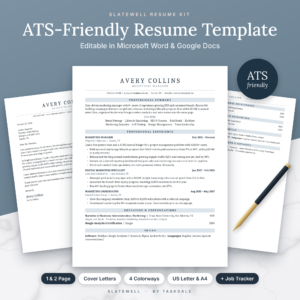 Slatewell ATS Resume Template for Word & Google Docs | 1 & 2 Page Resume, Cover Letter, References & Thank-You Letter | Executive & Student Resume | Job Search Tracker | US Letter & A4
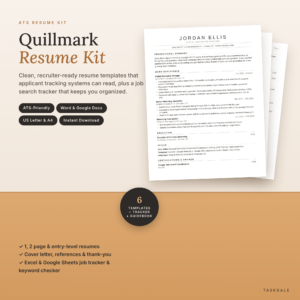 ATS Resume Template for Word & Google Docs | Quillmark Resume Kit with Cover Letter, References, Thank-You Letter & Job Tracker | 1 & 2 Page Resume, Entry-Level CV | US Letter & A4
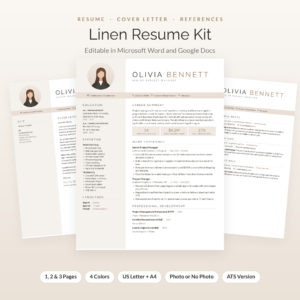 Linen Resume Kit: Resume Template with Photo for Word & Google Docs | Cover Letter, References & Thank-You Letter | 1, 2 & 3 Page CV | ATS Resume + Job Tracker
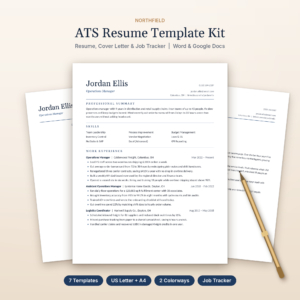 Northfield ATS Resume Kit | Resume Template for Word & Google Docs with Cover Letter, References, Thank-You Letter & Job Tracker | US Letter & A4
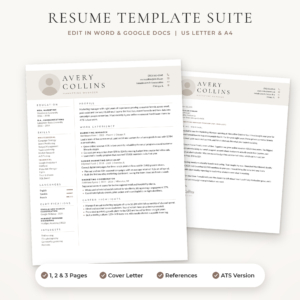 Sloane Resume Template for Word & Google Docs | Modern Resume with Photo, Cover Letter & References | 1, 2 & 3 Page CV | ATS Resume | US Letter & A4
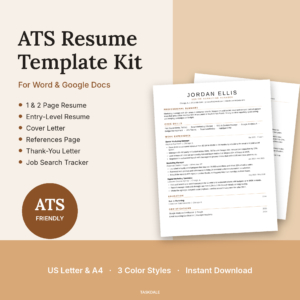 Essential ATS Resume Kit for Word & Google Docs | Cover Letter, References & Job Tracker | US Letter & A4
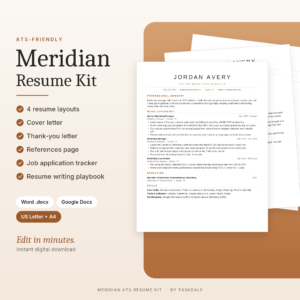 Meridian ATS Resume Template Kit | Word & Google Docs Resume, Cover Letter, References + Job Tracker
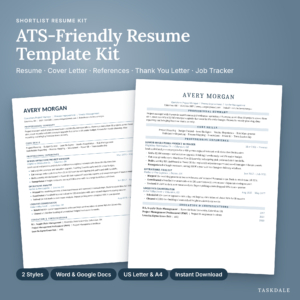 Shortlist ATS Resume Template Kit for Word and Google Docs | 1 & 2 Page Resume, Cover Letter, References, Thank You Letter + Job Search Tracker | US Letter & A4
Table of Contents
Toggle
- What should you look for in a simple resume template?
- How do the simple resume templates on this page compare?
- Which simple resume template suits which job seeker?
- How do you use a simple resume template step by step?
- What mistakes should you avoid with a simple resume template?
- What affects the price of a simple resume template kit?
- Which simple resume template should you choose?
- Common questions
What should you look for in a simple resume template?
A good simple resume template has a single-column layout, the file format you already use, sensible page lengths and guidance on what to write. Everything else, such as icons and extra colours, is a bonus. Check these factors in order.
Single-column layout
A single-column layout puts every line in one reading order from top to bottom. That matters because ATS software can scramble text that sits in side panels or tables. Northfield, Essential, Meridian, Everett and Quillmark all describe themselves as single-column or one-column designs, and Bluecrest and Slatewell each include a separate plain ATS version.
Word, Google Docs or both
Most kits here open in both Microsoft Word and Google Docs. The exception is the Bluecrest bundle, which is built for Word only. If you don't own Word, choose a kit that lists Google Docs, since Google Docs is free to use.
Page lengths
One page suits early careers and short work histories. Two pages suit a decade or more of relevant experience. Three-page versions appear only in Linen and Sloane, and they're mainly for academic or technical CVs. Slatewell adds Executive and Entry-Level layouts on top of the Classic 1 and 2 page designs.
Photo or no photo
A photo header is a regional choice, not a quality marker. Linen and Sloane offer photo and no-photo headers, and the plain ATS ATS Resume Template for Word & Google Docs kit also comes with or without a photo. If you're applying in the US or UK, the safer default is no photo.
Paper size
US Letter and A4 are different shapes. A4 is taller and narrower, and a US Letter file printed on A4 paper can shift your margins. Every kit here supplies both, so pick the one for your country and keep it consistent across all your documents.
Guided placeholder text
Placeholder text that tells you what to write is the feature that saves the most time. Bluecrest gives an example in every placeholder. Everett and Meridian include guided text or writing prompts, and Shortlist puts writing tips inside every section so you never start from a blank page.
Bonus extras
Extras add value only if you'll use them. A job tracker helps once you're sending several applications a week. A writing guide helps if you're unsure how to phrase achievements. Icon packs matter little for a simple resume, because plain text is what you want.
How do the simple resume templates on this page compare?
The ten kits below differ mainly in layout count, photo options and the bonus material. Core contents are very similar: resume, cover letter, references page and thank-you letter. Sloane does not list a thank-you letter in its description.
| Product | Works in | Resume versions | Photo option | Standout extras |
|---|---|---|---|---|
| Resume Template Bundle for Word | Word | 1-page, 2-page, plain ATS resume | Not stated | 12-page guide, 120 action verbs, 5 filled examples, printable toolkit |
| Slatewell ATS Resume Template for Word & Google Docs | Word, Google Docs | Classic 1 and 2 page, Executive, Entry-Level | Not stated | 4 colourways, 64 files, job tracker with offer compare, 17-page guide |
| ATS Resume Template for Word & Google Docs | Quillmark Resume Kit | Word, Google Docs | 1-page, 2-page, entry-level | Not stated | Tracker with ATS keyword checker, 15-page guidebook, 60 bullet examples |
| Linen Resume Kit: Resume Template with Photo | Word, Google Docs | 1, 2 and 3 page | Photo or monogram | 4 colours, ATS resume, 21-page playbook, 104 icons |
| Northfield ATS Resume Kit | Word, Google Docs | 1-page, 2-page, entry-level | Not stated | Charcoal or Navy, tracker, 9-page playbook |
| Sloane Resume Template for Word & Google Docs | Word, Google Docs | 1, 2 and 3 page, ATS-friendly resume | Photo and no-photo | 42 .docx files, Stone, Sage and Navy, toolkit |
| Essential ATS Resume Kit for Word & Google Docs | Word, Google Docs | 1-page, 2-page, entry-level | Not stated | 3 colour styles, tracker with keyword match score |
| Meridian ATS Resume Template Kit | Word, Google Docs | Four single-column layouts | Not stated | Built-in writing prompts, tracker, 11-page playbook |
| Shortlist ATS Resume Template Kit for Word and Google Docs | Word, Google Docs | 1-page and 2-page in two styles | Not stated | Writing tips in every section, tracker with follow-up alerts, 20-page guide |
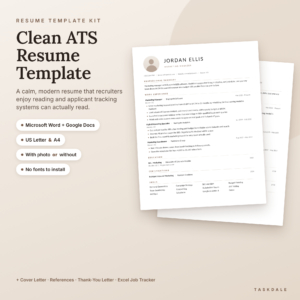 ATS Resume Template for Word & Google Docs | 1 & 2 Page Resume, Cover Letter, References + Job Tracker | Word, Google Docs | 1-page, 2-page | With or without | No font downloads, tracker with reminders, 12-page toolkit |
| Everett ATS Resume Template for Word and Google Docs | Word, Google Docs | 1-page, 2-page | Not stated | 10 .docx files, ATS checklist, 18-page guide with AI prompts |
Which simple resume template suits which job seeker?
The right kit depends on your career stage and how much writing help you want. Here's how the options split in practise.
- First job or graduate: Quillmark, Northfield and Essential each include an entry-level resume. Slatewell has an Entry-Level layout too, and the largest set of files.
- Experienced professional: Slatewell's Executive layout is the clearest match. Everett and Shortlist keep to one and two pages, which suits most mid-career histories.
- Unsure what to write: Bluecrest puts an example in every placeholder and adds five filled examples. Shortlist builds tips into each section, and Meridian uses writing prompts.
- Heavy applicant: Slatewell, Quillmark and Shortlist have the most developed trackers, with offer compare, a keyword checker and follow-up alerts respectively.
- Photo header wanted: Linen and Sloane are built around it, and both include no-photo versions.
- Word-only user: Bluecrest is designed for Word, and its fonts come with Word, so nothing needs installing.
How do you use a simple resume template step by step?
Using a simple resume template well means filling it in once, then adjusting it for each job. Follow these steps.
- Pick the paper size for your country and open that file in Word or Google Docs.
- Replace the placeholder text line by line, starting with your most recent role.
- Write each bullet as an action verb plus a result, such as "reduced" or "organised", with a figure only where you have a real one.
- Save a plain ATS version with no photo for job portals, and keep the designed version for emailing or printing.
- Copy two or three key phrases from each job advert into your summary and skills where they truthfully apply.
- Export to PDF unless the advert asks for Word, then open the PDF to check nothing has moved.
- Log the application in the tracker so you know when to follow up.
What mistakes should you avoid with a simple resume template?
The most common mistakes are keeping placeholder text, over-styling a plain layout and sending one version to every employer. They're easy to avoid once you know them.
- Leaving sample text behind. Search the finished file for words from the template before you send it.
- Mixing paper sizes. A resume in A4 and a cover letter in US Letter looks careless when printed together.
- Adding columns and text boxes. A plain template works because it's plain. Extra tables can break ATS reading order.
- Padding to fill two pages. If your experience fits on one page, one page is better.
- Using one version for everything. Tailor the summary and skills for each role, since that's where the keyword match happens.
- Skipping the follow-up. The thank-you letter and tracker in these kits exist for a reason, so use them.
What affects the price of a simple resume template kit?
The price of a resume template kit mostly reflects how many files and extras you receive, not how good the resume layout is. A plain two-layout kit costs less than a kit with colourways, executive layouts and a full tracker.
Larger file counts raise the price, as in Slatewell, which has 64 files, and Sloane, which has 42 .docx files. Trackers with dashboards add value, as do long writing guides. Icon packs add little for a simple resume. Check the live product cards for current prices, and decide whether you'll use the extras before paying for them.
Which simple resume template should you choose?
Choose by your single biggest need, then check the paper size and software. Pick Bluecrest if you use Word and want the most hand-holding. Pick Shortlist or Meridian if you want writing prompts in the document itself. Pick Slatewell for the widest range of career levels.
Choose Quillmark, Northfield or Essential for a clean entry-level resume with a tracker. Choose Linen or Sloane only if a photo header suits your market. If you're still unsure, take Everett for its plain layout, ATS checklist and guided placeholders.
Common questions
Do I need Microsoft Word to use these resume templates?
No. Every kit except the Bluecrest bundle opens in Google Docs as well as Word, and Google Docs is free with a Google account. Bluecrest is built for Word only, so skip it if you don't have a copy.
How long should a simple resume be?
One page suits most people with under about ten years of experience, and two pages suit longer histories. Three pages only make sense for academic, technical or senior roles, and only Linen and Sloane include them.
Should I put a photo on my resume?
In the US and UK, photos are generally left off to keep hiring decisions focused on experience. Linen, Sloane and the plain ATS Resume Template for Word & Google Docs kit offer no-photo versions, so you can choose based on the country and employer.
What is an ATS resume?
An ATS resume is a plainly formatted resume that applicant tracking software can read in order. It uses one column, standard headings and no text boxes. Bluecrest and Slatewell each include a plain ATS file, and the other kits are designed with that format in mind.
Is a job search tracker worth having?
It's worth having if you're applying to more than a few roles. A tracker records dates, contacts and follow-ups so nothing slips. Quillmark and Essential add keyword checking, and Shortlist adds follow-up alerts. If you're sending only a few applications, a tracker is optional.