Best Schedule C Spreadsheet: How to Choose the Right One
The best Schedule C spreadsheet sorts every expense onto its Schedule C line automatically, logs mileage at the right IRS rate and plans your quarterly estimated tax. If you are self-employed in the US, the dedicated tax deduction trackers do this most directly. Bookkeeping templates suit you better if you also need invoices and profit reports.
Tax season can feel like a lot to hold in your head, but most of the stress comes from one problem: receipts and miles recorded late, or not at all. We'll walk through what separates these templates, so you can pick one and get on with your year.
Key facts at a glance
- Schedule C is the IRS form on which sole proprietors and single-member LLC owners report business income and expenses.
- Claimwell, Claimbright, WriteOff Vault and WriteOff Ready are tax deduction trackers that assign a Schedule C line as you log each expense.
- Tallybloom, TallyBloom, Ledgerlume and ProfitPetal are wider bookkeeping templates with a Schedule C summary or tax lines.
- TheraTally and CalmCounts are built for therapists in private practise and are Google Sheets only.
- Most templates here work in both Excel and Google Sheets, but ProfitPetal is for Excel only.
Table of Contents Toggle
- What to look for in a Schedule C spreadsheet
- How the options compare
- Which one suits which person
- How to use one through the year
- Mistakes to avoid
- What affects the price
- How to decide
- Common questions
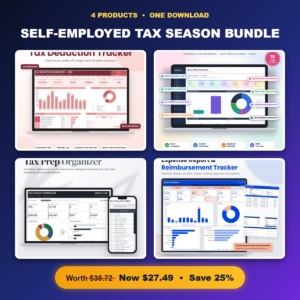 Self-Employed Tax Season Bundle | Tax Deduction Tracker, Home Office Deduction Calculator, Tax Prep Checklist & Expense Report Template
 Tax Deduction Tracker Spreadsheet | Rosy Returns Write-Off Tracker for Excel & Google Sheets with Live Dashboard, Mileage Log, Quarterly Tax Planner, Home Office Calculator & Schedule C Report
 Tax Write-Off Tracker Spreadsheet | Deductory Freelance Write-Off Organizer for Google Sheets & Excel with Tax Dashboard, Quarterly Tax Planner, Mileage Log & Schedule C Summary
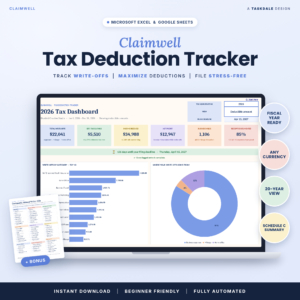 Tax Deduction Tracker Spreadsheet | Claimwell Write-Off Tracker for Excel & Google Sheets with Tax Dashboard, Schedule C Summary, Mileage Log, Quarterly Tax Planner & Home Office Calculator
 Small Business Bookkeeping Spreadsheet | Ledgerlume Income & Expense Tracker with Profit and Loss, 9 Dashboards, Sales Tax Center, Invoice & Mileage Tracker | Excel & Google Sheets
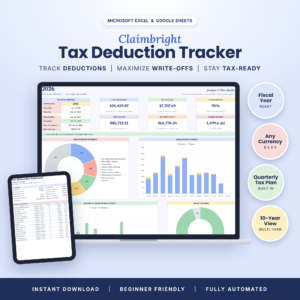 Self-Employed Tax Deduction Tracker for Excel & Google Sheets | Claimbright Write-Off Spreadsheet with Mileage Log, Quarterly Tax Planner, Home Office Calculator & Schedule C Summary
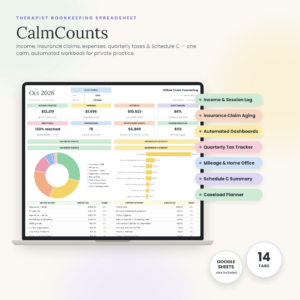 Therapist Bookkeeping Spreadsheet | CalmCounts Private Practice Finance Tracker with Insurance Claims, Quarterly Tax Tracker, Mileage & Schedule C | Google Sheets
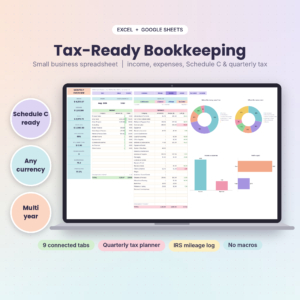
 Small Business Bookkeeping Spreadsheet | Tallybloom Income & Expense Tracker with Profit Dashboard, Quarterly Tax Center, Mileage Log, Invoice Tracker & Budget | Excel & Google Sheets
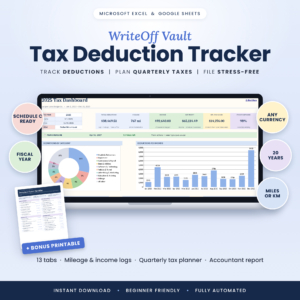 Tax Deduction Tracker Spreadsheet for Excel & Google Sheets | WriteOff Vault Self-Employed Tax Organizer with Mileage Log, Schedule C Summary & Quarterly Estimated Tax Planner
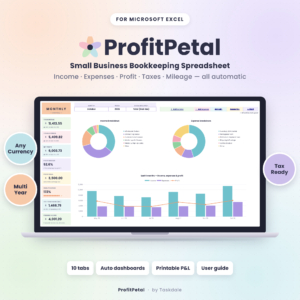 Small Business Bookkeeping Spreadsheet for Excel – Income & Expense Tracker, Profit and Loss, Tax Planner & Mileage Log | ProfitPetal
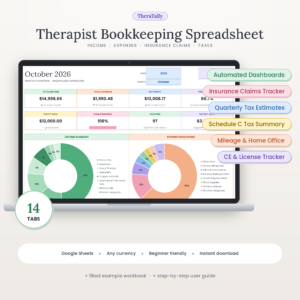 Therapist Bookkeeping Spreadsheet for Google Sheets | TheraTally Private Practice Income & Expense Tracker with Insurance Claims, Mileage, Quarterly Tax & Schedule C Summary
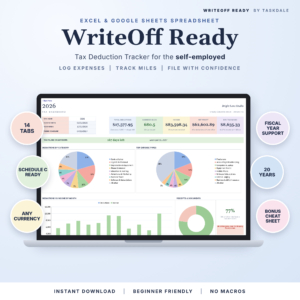
What should you look for in a Schedule C spreadsheet?
A good Schedule C spreadsheet records your income, expenses and miles once, then does the sorting and arithmetic for you. Six features separate the strong templates from the thin ones, and the sections below take them in turn.
Automatic Schedule C line sorting
A Schedule C line is the numbered box on the form where a particular type of expense goes, such as advertising, supplies or car and truck costs. The most useful templates let you pick an expense type from a dropdown and fill in the category, the line and the deductible percentage themselves. Claimwell, Claimbright, WriteOff Vault and WriteOff Ready all work this way. Claimwell and Claimbright also apply the 50% meal limit and your business-use percentage for you.
Mileage logging with the correct IRS rate
The IRS standard mileage rate changes, and a template with one fixed rate will be wrong for some trips. Look for a log that applies the rate by trip date. Claimbright and WriteOff Vault do this, Deductory switches to the 2026 rate automatically, and TallyBloom has the July 2026 rate built in.
A quarterly estimated tax planner
Quarterly estimated tax means paying tax on your self-employed income four times a year instead of in one lump. A planner turns that into a manageable habit. Deductory shows how much to set aside from every payment you receive, which is helpful if your income is irregular. Tallybloom's Tax Centre shows what to put aside each quarter, and TallyBloom includes due dates and payments.
A home office calculator
If you work from a dedicated space at home, you may be able to claim part of your housing costs. A built-in calculator saves you doing that by hand. Most trackers here include one, and CalmCounts lets you compare home office methods side by side. Your accountant should still confirm which method applies to you.
Your platform: Excel, Google Sheets or both
Check the platform before anything else. Most of these templates run in both Excel and Google Sheets. TheraTally and CalmCounts are for Google Sheets, ProfitPetal is for Excel, and TallyBloom works in Excel 2010 and later. WriteOff Ready is built without macros, which means fewer things to break when you move between programmes.
A user guide, a sample file and an accountant report
A sample file shows you what a finished year looks like before you commit your own data. A printable accountant report means you hand over one tidy document at filing time. Claimbright includes a 17-page guide, Claimwell a 15-page guide and Tallybloom a 16-page illustrated one. Claimwell and Deductory also add a cheat sheet, and WriteOff Vault includes a 65-idea Deduction Finder.
How do the Schedule C spreadsheets on this page compare?
The table below compares seven of the 13 options on what actually differs: platform, how Schedule C is handled and the buyer each suits. The first column gives the product name exactly as listed.
| Product | Platform | Schedule C handling | Best for |
|---|---|---|---|
| Tax Deduction Tracker Spreadsheet | Claimwell Write-Off Tracker for Excel & Google Sheets with Tax Dashboard, Schedule C Summary, Mileage Log, Quarterly Tax Planner & Home Office Calculator | Excel and Google Sheets | Every entry sorted by Schedule C line, with business-use % and the 50% meal limit applied | Freelancers who want maximum automation and a missed write-offs cheat sheet |
| Self-Employed Tax Deduction Tracker for Excel & Google Sheets | Claimbright Write-Off Spreadsheet with Mileage Log, Quarterly Tax Planner, Home Office Calculator & Schedule C Summary | Excel and Google Sheets | Line, meal rule and business-use % applied automatically | Anyone who wants a filing countdown, four charts and a 10-year view |
| Tax Deduction Tracker Spreadsheet for Excel & Google Sheets | WriteOff Vault Self-Employed Tax Organiser with Mileage Log, Schedule C Summary & Quarterly Estimated Tax Planner | Excel and Google Sheets | Category, line and deductible % fill in from one expense type | People who forget deductions and want the Deduction Finder prompts |
| Tax Write-Off Tracker Spreadsheet | Deductory Freelance Write-Off Organiser for Google Sheets & Excel with Tax Dashboard, Quarterly Tax Planner, Mileage Log & Schedule C Summary | Google Sheets and Excel | Schedule C summary from logged income, expenses and miles | 1099 contractors with uneven income who need a set-aside figure |
| Small Business Bookkeeping Spreadsheet | Tallybloom Income & Expense Tracker with Profit Dashboard, Quarterly Tax Centre, Mileage Log, Invoice Tracker & Budget | Excel & Google Sheets | Excel and Google Sheets | Ready-to-share Schedule C summary | Owners who also track invoices, budgets and profit |
| Therapist Bookkeeping Spreadsheet for Google Sheets | TheraTally Private Practise Income & Expense Tracker with Insurance Claims, Mileage, Quarterly Tax & Schedule C Summary | Google Sheets | Schedule C-style summary | Therapists billing insurers |
| Self-Employed Tax Season Bundle | Tax Deduction Tracker, Home Office Deduction Calculator, Tax Prep Checklist & Expense Report Template | Spreadsheet templates | Schedule C style report in the tracker | Buyers who want a checklist and separate tools |
Which Schedule C spreadsheet suits which person?
The right choice depends on whether you need a tax tool or a full set of books.
Freelancers and 1099 contractors who mainly want deductions captured should start with Claimwell, Claimbright or Deductory. Deductory's set-aside calculation helps when payments arrive in lumps.
Side-hustle earners with a pile of loose receipts may prefer the Self-Employed Tax Season Bundle. It gives you four separate files, including a tax prep checklist, and the Rosy Returns Tax Deduction Tracker flags missing receipts.
Shop or service owners who charge sales tax and send invoices need more than a deduction log. Tallybloom, Ledgerlume and ProfitPetal add profit and loss reporting and sales tax tracking. Ledgerlume offers nine dashboards, and ProfitPetal suits you if you only use Excel.
Therapists in private practise get the most from TheraTally or CalmCounts. Both track insurance claims by payer, and TheraTally adds a CE and licence tracker.
How do you use a Schedule C spreadsheet through the year?
You use a Schedule C spreadsheet by entering each transaction soon after it happens and reviewing the totals every quarter. A few minutes a week beats a weekend of catching up in March.
- Open your template and save a copy, keeping the original blank.
- Set your currency and fiscal year start if the template allows it.
- Fill in the sample file first to see how the dashboard reacts.
- Log each expense with its type, date and receipt status.
- Log business trips in the mileage log on the day, with date, purpose and distance.
- Check the quarterly planner before each estimated tax deadline.
- At year end, print the Schedule C report and give it to your accountant.
What mistakes should you avoid with a Schedule C spreadsheet?
The most common mistake is trusting the template's tax rules without checking they match your situation. A spreadsheet applies rules; it does not know your circumstances.
- Mixing personal and business spending in one log. Use a separate account where you can.
- Skipping the mileage log until the end of the year, when you cannot rebuild trips from memory.
- Overwriting formulas. TheraTally locks its formulas for this reason, and a copy of the original file protects you elsewhere.
- Assuming the template replaces advice. Home office claims and vehicle deductions are worth a quick check with a tax professional.
- Buying a bookkeeping suite when you need a tracker. Extra dashboards you never open add clutter without adding value.
What affects the price of a Schedule C spreadsheet?
The price of a Schedule C spreadsheet mostly reflects scope: how many tabs, dashboards and extras are included. A single-purpose tracker generally costs less up front than a bookkeeping template with invoices, budgets and profit reports. A multi-file bundle sits in between.
Other factors include the length of the user guide, bonus files such as cheat sheets, and niche tailoring like the therapist templates. Tallybloom is a one-time purchase with instant download. Check the live product card for the current price rather than relying on a figure in the text.
How do you decide which one to buy?
Choose a tax deduction tracker if your goal is a clean Schedule C and fewer missed write-offs. Choose a bookkeeping template if you also need invoices, sales tax or a profit and loss statement.
A short checklist settles most cases:
- Confirm it runs in the programme you use.
- Confirm it applies the IRS mileage rate by date.
- Confirm it includes a quarterly planner and a home office calculator.
- Look for a sample file, so you can test before entering real data.
- Pick the simplest template that covers your actual needs.
Common questions
Can a spreadsheet replace tax software?
No. A Schedule C spreadsheet organises your figures and produces a summary, but you still file through tax software or a preparer. It makes that step faster because your totals are already sorted onto the correct lines.
Do these templates work offline?
Excel versions work offline on your computer. Google Sheets versions need an internet connection unless you enable offline access in Google's settings. If you travel without reliable signal, choose a template that supports Excel.
Are the IRS mileage rates updated automatically?
It depends on the template. Claimbright and WriteOff Vault apply rates by trip date, Deductory switches to the 2026 rate automatically, and TallyBloom has the July 2026 rate built in. Check the product details for the others.
Can I use one template across several years?
Yes, with some. WriteOff Ready covers 20 tax years, WriteOff Vault offers a 20-year dashboard and Claimbright a 10-year view. Several others support any fiscal year start. Save a fresh copy each year to keep records clean.
Which should I pick if I'm unsure?
Start with a tax deduction tracker such as Claimwell or Claimbright. They cover the core Schedule C tasks, and you can move to a fuller bookkeeping template later if your business grows.