Best Self Employed Tax Tracker for Write-Offs and Mileage
Self-employed people in the US who file Schedule C need a tracker that records income, expenses and miles once, then works out deductible totals and quarterly tax set-asides. For write-offs alone, Deductory, Fernpenny and Gildleaf are the most focused picks. For full bookkeeping, choose a ledger spreadsheet such as Tallybloom.
Key facts at a glance
- A self employed tax tracker is a spreadsheet or offline app that sorts your income, expenses and business miles into the categories a US tax return uses.
- Three listings here are built around write-offs: Deductory (Google Sheets and Excel), Fernpenny and Gildleaf (both offline apps that need no account).
- Four listings are wider bookkeeping systems with tax tools added: Ledgerlume, Tallybloom, Sandstone Ledger and Petal & Profit.
- TheraTally is made for therapists in private practise and adds insurance claims tracking.
- Everything on this page refers to US tax concepts such as Schedule C, 1099 income and IRS mileage rates.
Table of Contents Toggle
- What makes a good self employed tax tracker?
- How do the trackers compare?
- Which tracker suits which kind of self-employed person?
- How do you use a tax tracker through the year?
- What mistakes should you avoid?
- What affects the price of a tax tracker?
- Which self employed tax tracker should you choose?
- Common questions
Self-employed tax can feel like a pile of small jobs that all land at once: receipts in a shoebox, miles half-remembered, a quarterly payment you're not sure you can afford. A good tracker takes that pile and sorts it as you go, so tax time becomes a check rather than a rescue. We'll explain what to look for and where each option fits.
 Tax Write-Off Tracker Spreadsheet | Deductory Freelance Write-Off Organizer for Google Sheets & Excel with Tax Dashboard, Quarterly Tax Planner, Mileage Log & Schedule C Summary
 Tax Deduction Tracker App | Fernpenny Self-Employed Write-Off Tracker with Mileage Log, Receipt Photos, Quarterly Tax Planner, Home Office & Schedule C Summary | Works Offline
 Tax Deduction Tracker App | Gildleaf Side Hustle Write-Off Tracker & Mileage Log with Schedule C Summary, Quarterly Tax Planner, Receipt Tracker & 1099 Match-Up | Works Offline
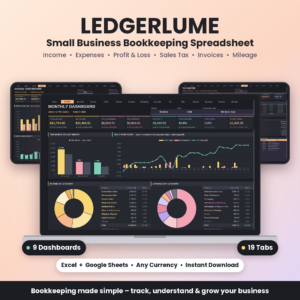 Small Business Bookkeeping Spreadsheet | Ledgerlume Income & Expense Tracker with Profit and Loss, 9 Dashboards, Sales Tax Center, Invoice & Mileage Tracker | Excel & Google Sheets
 Small Business Bookkeeping Spreadsheet | Tallybloom Income & Expense Tracker with Profit Dashboard, Quarterly Tax Center, Mileage Log, Invoice Tracker & Budget | Excel & Google Sheets
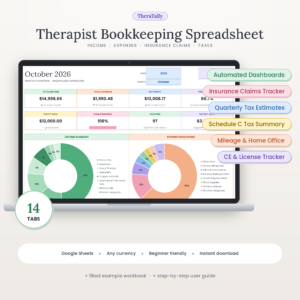 Therapist Bookkeeping Spreadsheet for Google Sheets | TheraTally Private Practice Income & Expense Tracker with Insurance Claims, Mileage, Quarterly Tax & Schedule C Summary
What makes a good self employed tax tracker?
A good self employed tax tracker files each cost on the right Schedule C line, logs mileage at the correct IRS rate, and tells you how much to set aside from every payment. Everything beyond that is a bonus, and it can add clutter if you don't need it.
Does it file costs on Schedule C lines?
Schedule C is the form where sole traders and freelancers report business profit or loss in the US. Fernpenny and Gildleaf both file every cost on its Schedule C line as you enter it. Gildleaf also applies business-use percentages and the meals limit automatically. Deductory, Tallybloom and Petal & Profit produce a Schedule C summary or similar rollup, which is enough if you're happy to hand it to a preparer.
Does it estimate quarterly tax?
Quarterly estimated tax is the advance payment you make during the year when no employer is withholding for you. Deductory calculates how much to set aside from every payment received. Tallybloom's Tax Centre shows the amount to put aside each quarter, and Sandstone Ledger and Petal & Profit include quarterly planners too. This is the feature that prevents the nastiest surprise, so treat it as non-negotiable.
Does the mileage log use the right IRS rate?
A mileage log records business trips so you can claim the IRS standard mileage rate. Deductory switches to the 2026 IRS rate automatically. Gildleaf applies the 2026 mid-year rate change by trip date, which matters if you drive a lot and some trips fall either side of the change. The bookkeeping spreadsheets include mileage logs as well, though their listings don't describe rate handling in the same detail.
Does it handle home office and business-use claims?
The home office deduction can be calculated by a simplified method or a actual-expenses method. Fernpenny compares both methods so you can see which gives the larger claim. Deductory has a home office calculator, and TheraTally includes a home office tab. If you work from a spare room, check this feature before anything else.
Does it help with receipts and your preparer?
A preparer summary is a one-page printout of your totals for whoever files your return. Fernpenny offers receipt photos, a missing-receipt list and a one-page preparer summary. Gildleaf prints a clean preparer summary at tax time and includes a 1099 match-up tool, which helps you check that the income clients reported matches your own records.
Which format and privacy setup do you prefer?
Fernpenny and Gildleaf work offline with no bank login and no subscription. Fernpenny runs in your browser, while Gildleaf is a single HTML file for Chrome or Edge. The rest are spreadsheets for Excel and Google Sheets, apart from TheraTally and Sandstone Ledger, which are built for Google Sheets. If you live in spreadsheets already, those will feel familiar.
How much bookkeeping do you need?
Tax tracking is a narrower job than bookkeeping. Ledgerlume offers nine dashboards, a profit and loss statement and invoice tracking. Sandstone Ledger spreads across 17 tabs and Petal & Profit across 13. They suit people who want to see profit month by month, not only deductions.
How do the trackers compare?
The table sets out what each listing is built for, so you can narrow the choice before reading the product cards. Details come from each listing's description.
| Product | Format | Best for | Tax tools |
|---|---|---|---|
| Tax Write-Off Tracker Spreadsheet | Deductory Freelance Write-Off Organiser for Google Sheets & Excel with Tax Dashboard, Quarterly Tax Planner, Mileage Log & Schedule C Summary | Google Sheets and Excel, 12 tabs | Freelancers and 1099 contractors | Schedule C summary, quarterly planner, home office calculator, auto 2026 mileage rate |
| Tax Deduction Tracker App | Fernpenny Self-Employed Write-Off Tracker with Mileage Log, Receipt Photos, Quarterly Tax Planner, Home Office & Schedule C Summary | Works Offline | Offline browser app | Privacy-minded freelancers wanting receipts handled | Schedule C lines, both home office methods, missing-receipt list, preparer summary |
| Tax Deduction Tracker App | Gildleaf Side Hustle Write-Off Tracker & Mileage Log with Schedule C Summary, Quarterly Tax Planner, Receipt Tracker & 1099 Match-Up | Works Offline | Offline HTML file for Chrome or Edge | Side hustlers with mixed income | Business-use %, meals limit, 1099 match-up, mid-year mileage rate by trip date |
| Small Business Bookkeeping Spreadsheet | Ledgerlume Income & Expense Tracker with Profit and Loss, 9 Dashboards, Sales Tax Centre, Invoice & Mileage Tracker | Excel & Google Sheets | Excel and Google Sheets | Small businesses charging sales tax | Deductible amounts, sales tax centre, profit and loss |
| Small Business Bookkeeping Spreadsheet | Tallybloom Income & Expense Tracker with Profit Dashboard, Quarterly Tax Centre, Mileage Log, Invoice Tracker & Budget | Excel & Google Sheets | Excel and Google Sheets, 11 tabs | Freelancers wanting profit and tax together | Quarterly set-aside, Schedule C summary |
| Therapist Bookkeeping Spreadsheet for Google Sheets | TheraTally Private Practise Income & Expense Tracker with Insurance Claims, Mileage, Quarterly Tax & Schedule C Summary | Google Sheets, 14 tabs | Therapists in private practise | Quarterly estimates, Schedule C-style summary, home office |
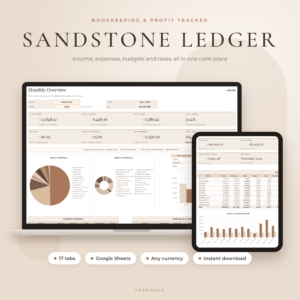 Bookkeeping Spreadsheet for Google Sheets | Sandstone Ledger Small Business Income & Expense Tracker, Budget, Profit & Loss, Sales Tax & Mileage Log | Google Sheets, 17 tabs | Freelancers who want a calm all-in-one | Quarterly set-aside planner, sales tax centre |
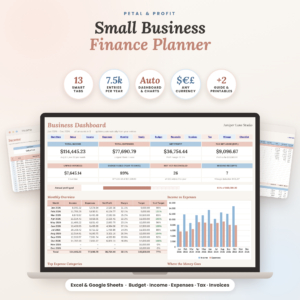 Small Business Finance Planner Spreadsheet for Excel & Google Sheets | Petal & Profit Bookkeeping, Budget, Income & Expense Tracker and Tax Planner | Excel and Google Sheets, 13 tabs | Owners who want reconciliation and budgeting | Quarterly tax planner, invoice tracker |
Which tracker suits which kind of self-employed person?
The right tracker depends mostly on whether you want a write-off tool or a full set of books. Here's how the main options split.
Freelancers who mainly want deductions. Deductory suits people who like spreadsheets and want a dashboard of eight live figures. Fernpenny suits those who'd rather not use a spreadsheet at all and want receipt photos and a list of write-offs people often miss across 12 kinds of work.
Side hustlers with a day job. Gildleaf fits here because it applies business-use percentages and offers a 1099 match-up. It also runs offline, so nothing is connected to a bank.
Owners who need profit, not only tax. Tallybloom and Sandstone Ledger both pair a profit view with quarterly set-aside planning. Tallybloom adds a Schedule C summary and a 16-page guide. Sandstone Ledger promises setup in about 10 minutes with its step-by-step guide.
Sellers charging sales tax. Ledgerlume has a sales tax centre and separate deductible amounts, and it handles any currency and fiscal-year start.
Therapists. TheraTally tracks session payments and insurance claims ageing, and adds a rate planner. Nothing else on this page does that.
People who want everything in one place. Petal & Profit adds reconciliation, budget versus actual and printable logs in US Letter and A4, with no macros.
How do you use a tax tracker through the year?
Using a tax tracker means entering each transaction soon after it happens and reviewing totals every quarter. Steps for any option here:
- Open the example file or sample data first, if one is included, to see how entries should look.
- Enter your business income as it arrives, including 1099 payments.
- Log each expense with a category, and photograph or file the receipt the same week.
- Record every business trip with date and distance.
- Check the quarterly figure and move that amount into a separate savings account.
- At year end, print the summary and compare your income total with the 1099 forms you receive.
What mistakes should you avoid?
The common mistakes are all about timing and mixing. Avoiding them matters more than which tracker you pick.
- Logging in bulk at year end. Miles and meals are the first things forgotten.
- Mixing personal and business spending. Business-use percentages exist for shared costs, such as a phone, but they only help if you set them honestly.
- Treating the set-aside figure as optional. It's an estimate. Check it against your own tax position or ask a preparer.
- Choosing a bookkeeping system you won't open. Seventeen tabs are no use if you stop at tab one.
- Skipping the 1099 comparison. A client's reported figure can differ from yours.
What affects the price of a tax tracker?
Price varies with the amount of built-in structure, the format and how specialised the product is. We don't quote figures here because they change, and the live product cards show current amounts.
Narrow write-off tools generally cost less up front than wide bookkeeping systems with many tabs. A niche product such as TheraTally carries extra tabs for one profession. Tallybloom and Petal & Profit are described as one-time purchases with no subscriptions, while Fernpenny and Gildleaf state there is no subscription. A subscription-free tool costs less over several years, even if its initial cost is similar to a monthly plan.
Which self employed tax tracker should you choose?
Choose by the job you need done, then by the tool you'll actually open. A simple rule helps:
- If you want deductions and a preparer summary with no account, pick Fernpenny or Gildleaf.
- If you like spreadsheets and want a tax dashboard, pick Deductory.
- If you want profit and tax together, pick Tallybloom or Sandstone Ledger.
- If you charge sales tax, pick Ledgerlume.
- If you run a therapy practise, pick TheraTally.
- If you need budgeting and reconciliation as well, pick Petal & Profit.
Browse all 8 options on this page and check each listing's tab count and format before you buy.
Common questions
Can a spreadsheet replace tax software? A spreadsheet tracks and totals your figures, but it doesn't file your return. Trackers such as Deductory and Tallybloom produce a Schedule C summary you can enter into filing software or hand to a preparer.
Do I need a bank connection? No. Fernpenny and Gildleaf state there's no bank login. Fernpenny also offers bank CSV import, so you can bring in transactions from a downloaded file without linking an account.
Is a tracker useful if I only have a small side income? Yes, particularly for mileage and shared costs. Gildleaf is described as a side hustle write-off tracker, and its business-use percentage helps you claim only the business share of mixed expenses.
Will a tracker work with Excel and Google Sheets? Several do. Deductory, Ledgerlume, Tallybloom and Petal & Profit list both. Sandstone Ledger and TheraTally are built for Google Sheets, so choose those only if you're happy using that platform.
How much should I set aside for tax? The tracker estimates it, but your own rate depends on income and circumstances. Use the quarterly figure as a working number, move it into a separate account each time you're paid, and confirm it with a tax professional.