Sinking funds are the reason some people seem calm when the car needs new tires and everyone else reaches for a credit card. They aren’t richer. They just saw the tires coming and put $40 a month aside for them.
A sinking fund is money you save, a little at a time, for a cost you know is on its way. Not an emergency. A planned expense with a rough date and a rough price. Christmas. The annual car insurance. A new laptop when the old one gives up. Your kid’s school trip in May.
Here’s how to set them up, how many to have, and how to track them without a mess of bank accounts.
Sinking funds vs an emergency fund
People mix these up, and it causes trouble.
An emergency fund is for things you can’t predict: a job loss, a medical bill, a burst pipe. You hope never to touch it.
A sinking fund is for things you can predict. You fully expect to spend it. That’s the point.
Without sinking funds, predictable costs raid the emergency fund. Then a real emergency arrives and the cupboard is bare. Keeping them apart protects both.
How to set up sinking funds in five steps
1. List every irregular expense from the last year
Scroll through 12 months of bank statements. Write down everything that isn’t monthly: insurance renewals, car services, gifts, holidays, vet bills, school fees, annual subscriptions, glasses, home repairs. Most people find 8 to 15 items and at least one they’d forgotten.
2. Put a price and a date on each
Rough is fine. Car insurance, $720, due in September. Christmas, $600, December. Car service, $350, sometime around March.
3. Divide by the months until it’s due
This is the whole trick. If Christmas is 10 months away and you want $600, that’s $60 a month. Car insurance in 8 months for $720 is $90 a month.
For ongoing costs without a fixed date (car repairs, home maintenance) pick a yearly figure and divide by 12.
4. Add them to your monthly budget as bills
Treat each sinking fund contribution like rent: a line in the budget that gets paid every month. Automate the transfer on payday if you can.
5. Spend from them without guilt
When the insurance bill comes, pay it from the fund. That’s not a failure. That’s the plan working.
Common sinking funds to start with
- Car maintenance and tires
- Car insurance and registration
- Christmas and holiday gifts
- Birthdays
- Annual subscriptions (software, memberships, Amazon Prime)
- Medical and dental not covered by insurance
- Home repairs
- Vacation
- Back to school
- Pet costs (vet, boarding)
- Replacing electronics
Don’t start with all eleven. Pick the three that hurt most last year. Add more once those feel normal.
A real example: a year of sinking funds
Here’s what it can look like for a family of four. Christmas $50 a month. Car service and tires $45. Car insurance $60. Birthdays $25. Back to school $30. Vacation $100. Total: $310 a month.
That number can feel big. But those costs were always there. Before, they arrived as $720 and $600 shocks that went on the credit card and cost interest for months. Now they’re smaller, planned and paid in cash.
Where to keep the money
You’ve got two options.
Separate savings accounts. Some banks let you open several free sub-accounts or “pots” and name them. Clear and visual, but it can get cluttered.
One savings account plus a tracker. All the sinking fund money sits in a single account, and a spreadsheet tells you how much of it belongs to each fund. Simpler banking, and the spreadsheet does the bookkeeping. Most people end up here.
If you go the one-account route, the tracker matters. Without it, you look at $2,400 in savings and forget that $1,900 of it is already promised to Christmas and the car.
Tracking sinking funds in a spreadsheet
A good sinking fund tracker shows, for each fund: the target, the date, what you’ve saved so far, the monthly amount needed, and whether you’re on track. Here are two budget spreadsheets on Taskdale that include one.
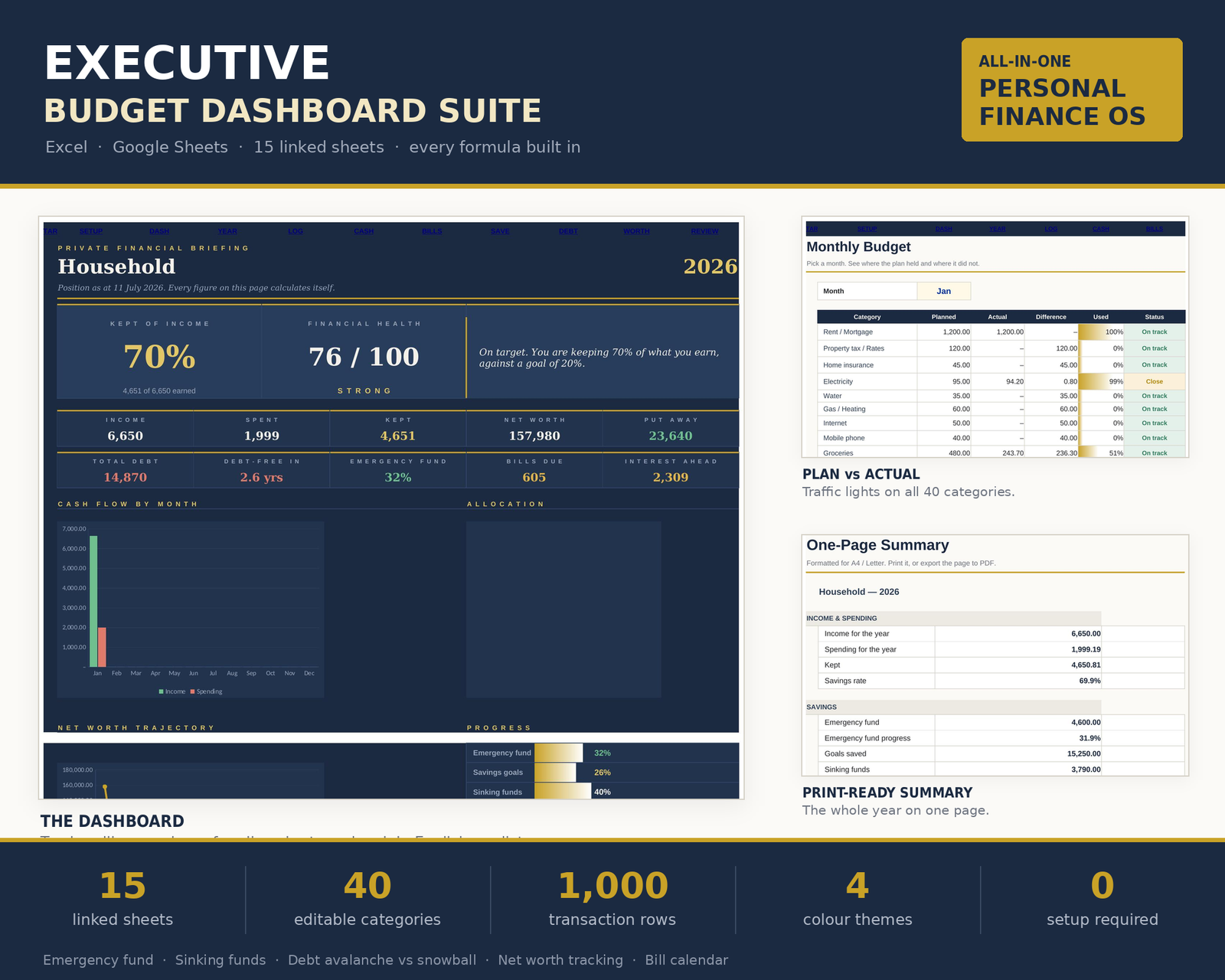
Executive Budget Dashboard Spreadsheet Suite
The Executive Budget Dashboard has a Savings sheet with an emergency fund, 12 goals with deadlines and 14 sinking funds. That’s room for almost every irregular expense on the list above. Everything you spend goes on one Transactions sheet, and the other 14 sheets read from it, including bills, cash flow, debt (avalanche vs snowball) and net worth.
It works in Excel 2016 or newer and Google Sheets, and also opens in Apple Numbers and LibreOffice. You only type in the cream cells, and there are four color themes and a 14-page illustrated guide. If sinking funds are the main reason you’re shopping for a spreadsheet, this is the one with the most room for them.
Ultimate Annual Budget Spreadsheet
The Ultimate Annual Budget includes a Sinking Funds Tracker alongside an annual dashboard, 12 monthly dashboards, a 50/30/20 dashboard, net worth and debt payoff. You fill only the gold cells and it calculates the rest. It works in Excel 2016 or newer, Google Sheets and LibreOffice, and comes in three themes (Midnight, Rose and Sage) with sample data.
Choose the Executive suite if you want many funds and a very detailed budget. Choose the Ultimate Annual Budget if you want sinking funds as one part of a simpler yearly overview.
Sinking funds FAQ
How many sinking funds should I have?
Start with three to five for the expenses that caused the most stress last year. Most households settle at around 8 to 12 once the habit sticks.
How much should I put in each sinking fund?
Divide the expected cost by the number of months until you need it. A $600 expense in 10 months needs $60 a month.
Should sinking funds be in a separate bank account?
They can be, but they don’t have to. Many people keep one savings account and use a spreadsheet to track how much belongs to each fund.
What if a sinking fund falls short?
Cover the gap from your regular budget that month, then raise the monthly amount next year. Each year your estimates get better.