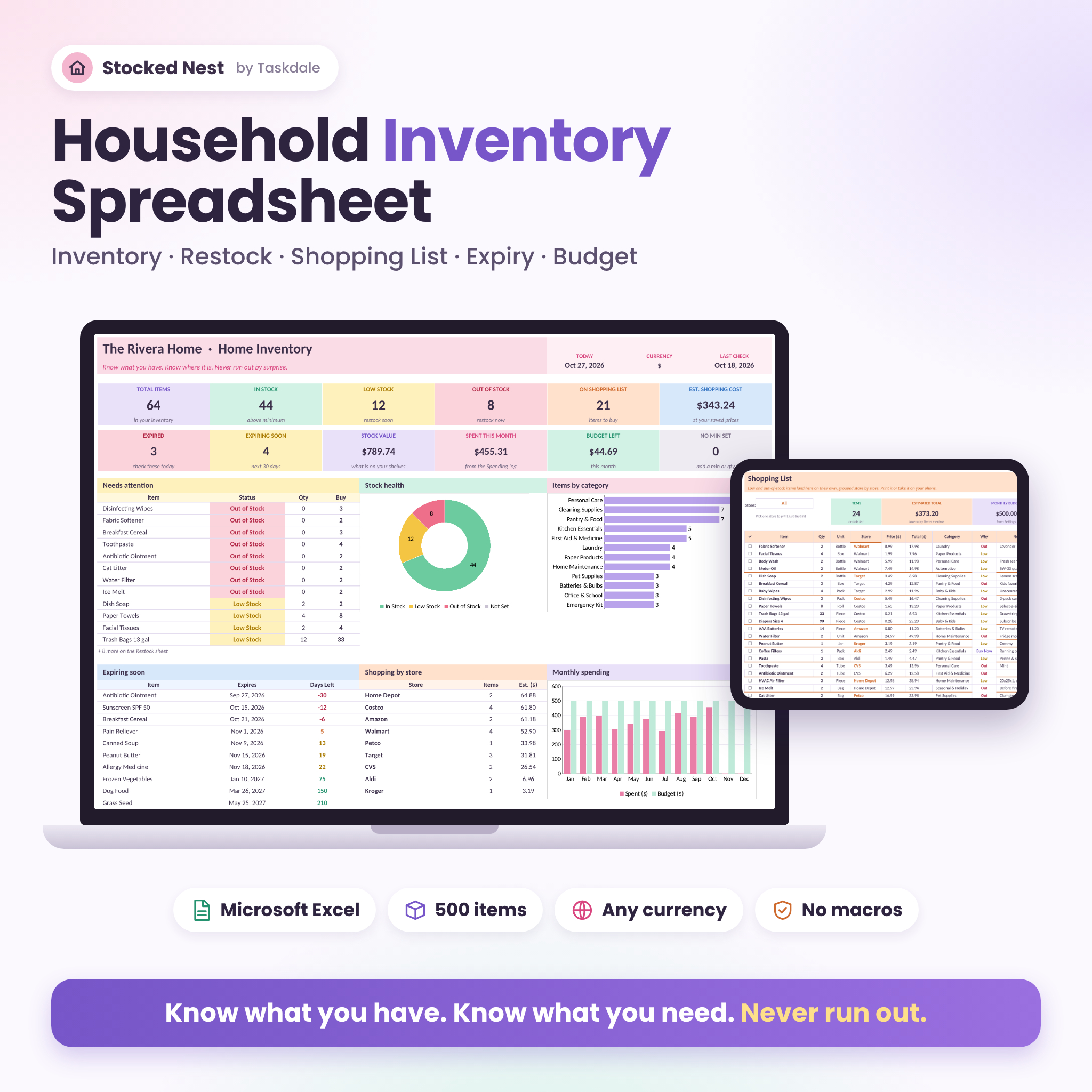

Stocked Nest is a household inventory spreadsheet for Excel that keeps track of what you own, where it lives, how much is left and when it expires. You type each item once. The workbook then builds your restock list, a shopping list grouped store by store, expiry alerts, a spending log and a dashboard. No more three bottles of dish soap under the sink. No more 10 p.m. toilet paper emergencies.
What this household inventory spreadsheet does
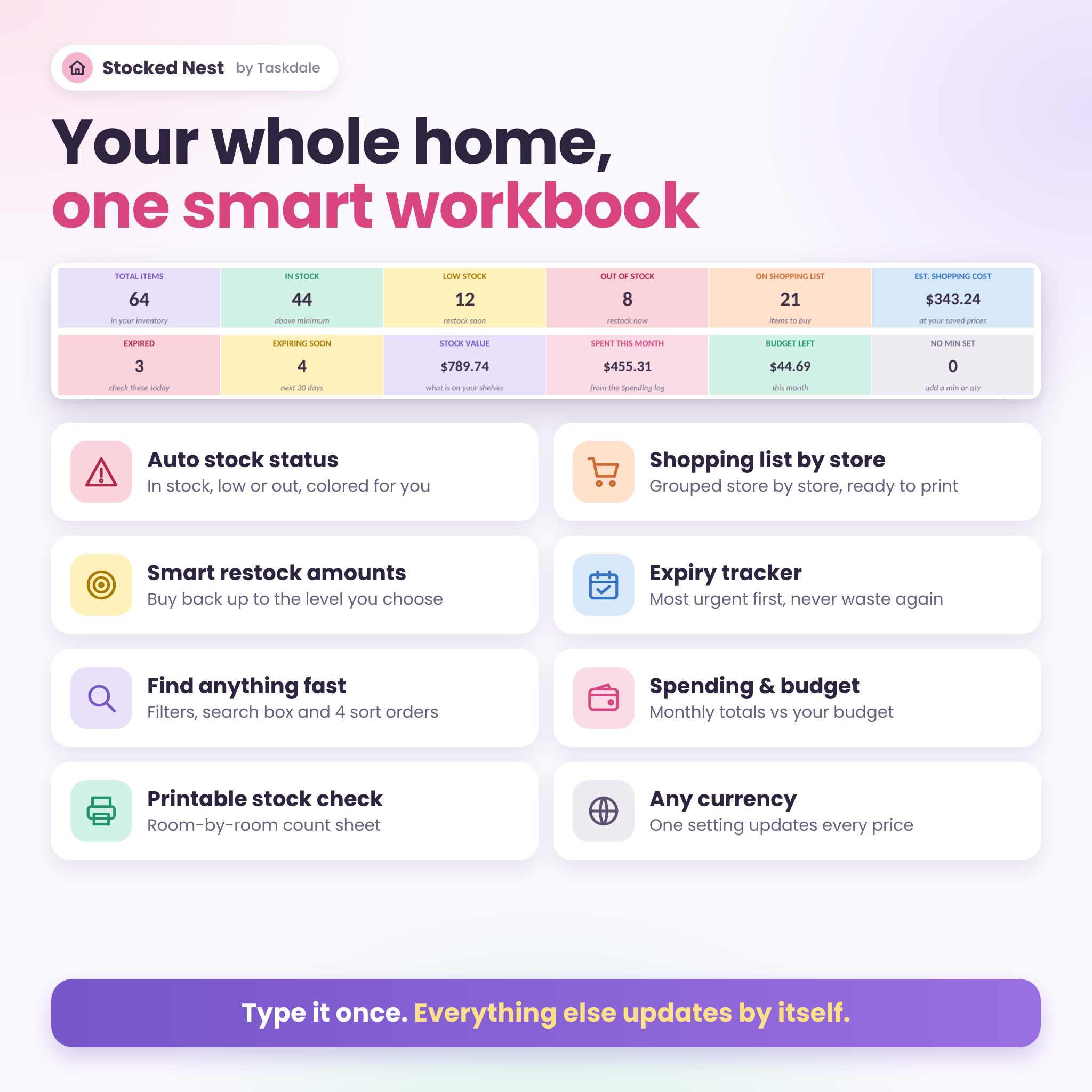
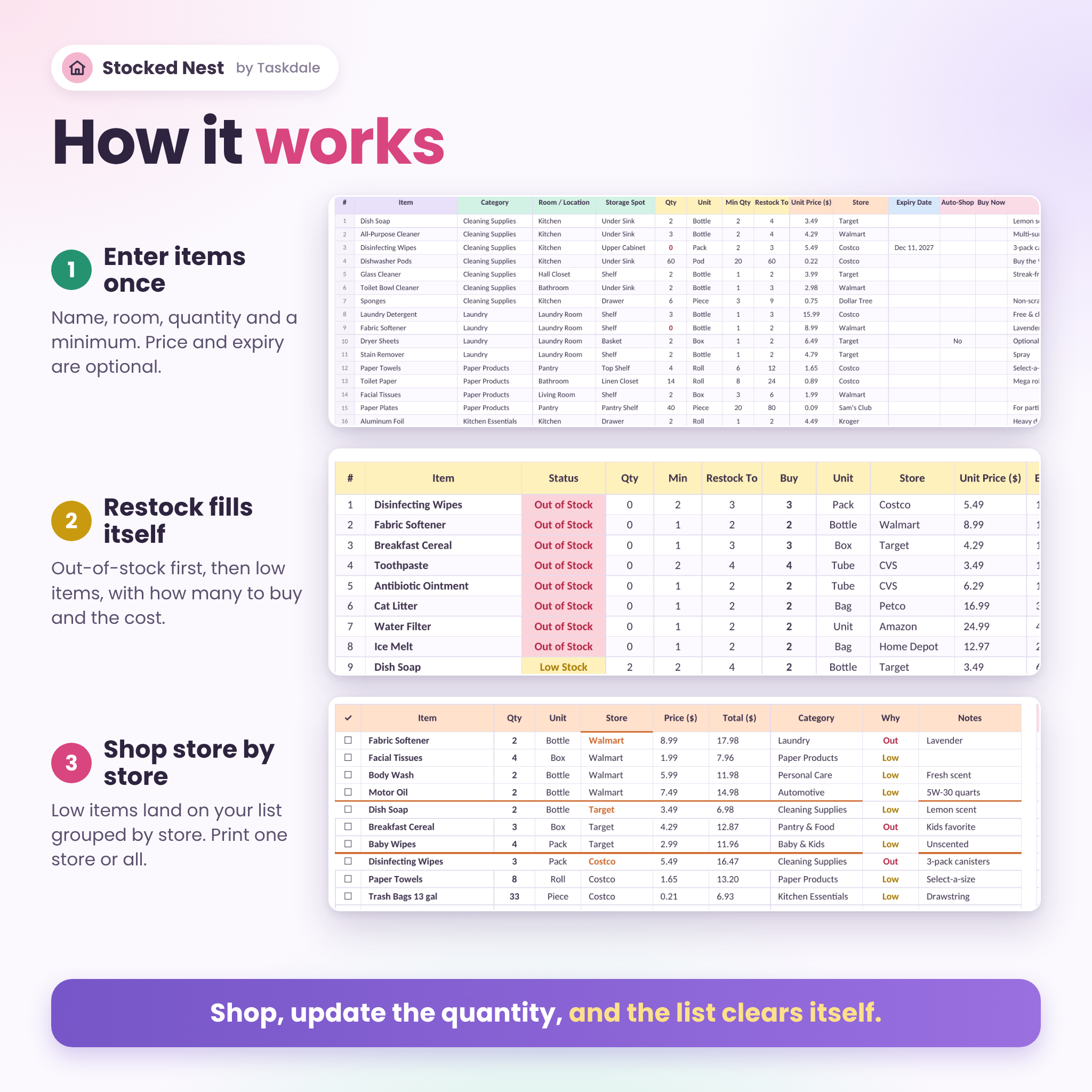
Every item gets a quantity and a minimum. Drop to the minimum and the item turns yellow. Hit zero and it turns red. Both jump onto your Restock sheet with the exact number to buy and what it will cost at your saved prices.
From there, low items flow onto the Shopping List, sorted store by store. Costco items sit together, Target items sit together. Pick one store from the dropdown and you get a clean printable list for that trip. Back home, update the quantities and the list clears itself.
Add expiry dates and the Expiry Tracker sorts everything from most urgent to least, so the sunscreen, the cold medicine and the emergency water get used or replaced in time.
Who it is for
- Families tired of double-buying and running out of the basics
- Costco and Sam’s Club shoppers who need to know what is already in the garage
- Anyone building a pantry stockpile or emergency kit and rotating it
- Busy parents, roommates and home organizers
- People on a monthly grocery or household budget
Features of the home inventory tracker
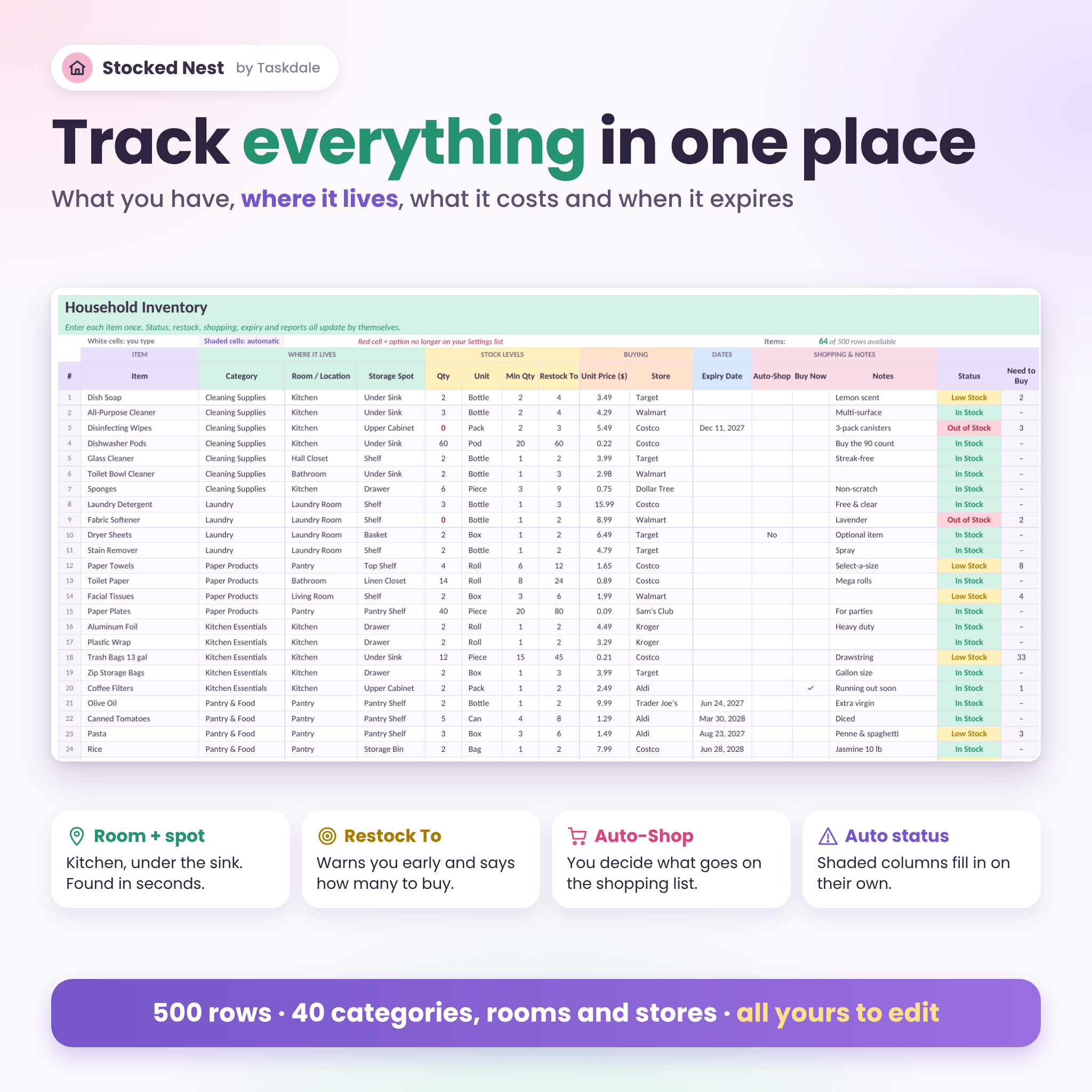
Inventory (500 items)
- Item, category, room, storage spot, quantity, unit, minimum and an optional Restock To level
- Unit price, store, expiry date and notes
- Automatic status: In Stock, Low Stock, Out of Stock, No Min Set
- Need to Buy, Est. Cost, Stock Value and Days Left calculate on their own
- Auto-Shop switch keeps occasional items off the shopping list
- Buy Now check mark adds any item to the list, even when it isn’t low
Dashboard
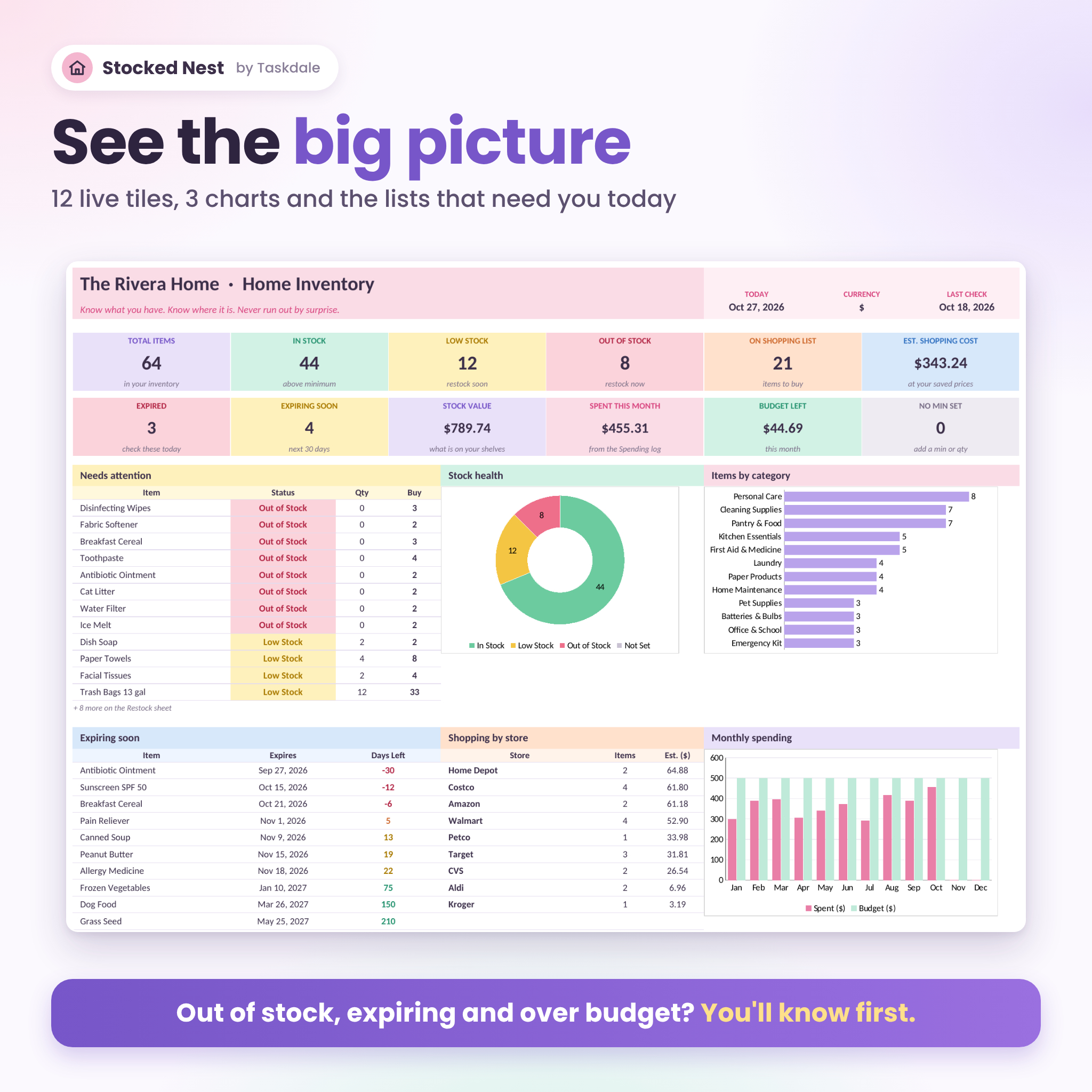
- 12 live tiles: total items, in stock, low, out, items on the list, shopping cost, expired, expiring soon, stock value, spent this month, budget left and items missing a minimum
- Stock health donut chart, items by category chart and a 12-month spending chart
- Needs Attention list, Expiring Soon list and shopping cost per store
- One-click buttons to every sheet
Restock and shopping list
- Out-of-stock items first, then low items
- Buys back up to your chosen level, not just one unit
- Shopping list grouped by store, with a store filter for printing
- Extras box for one-off things like birthday candles
- Budget and money left this month right at the top
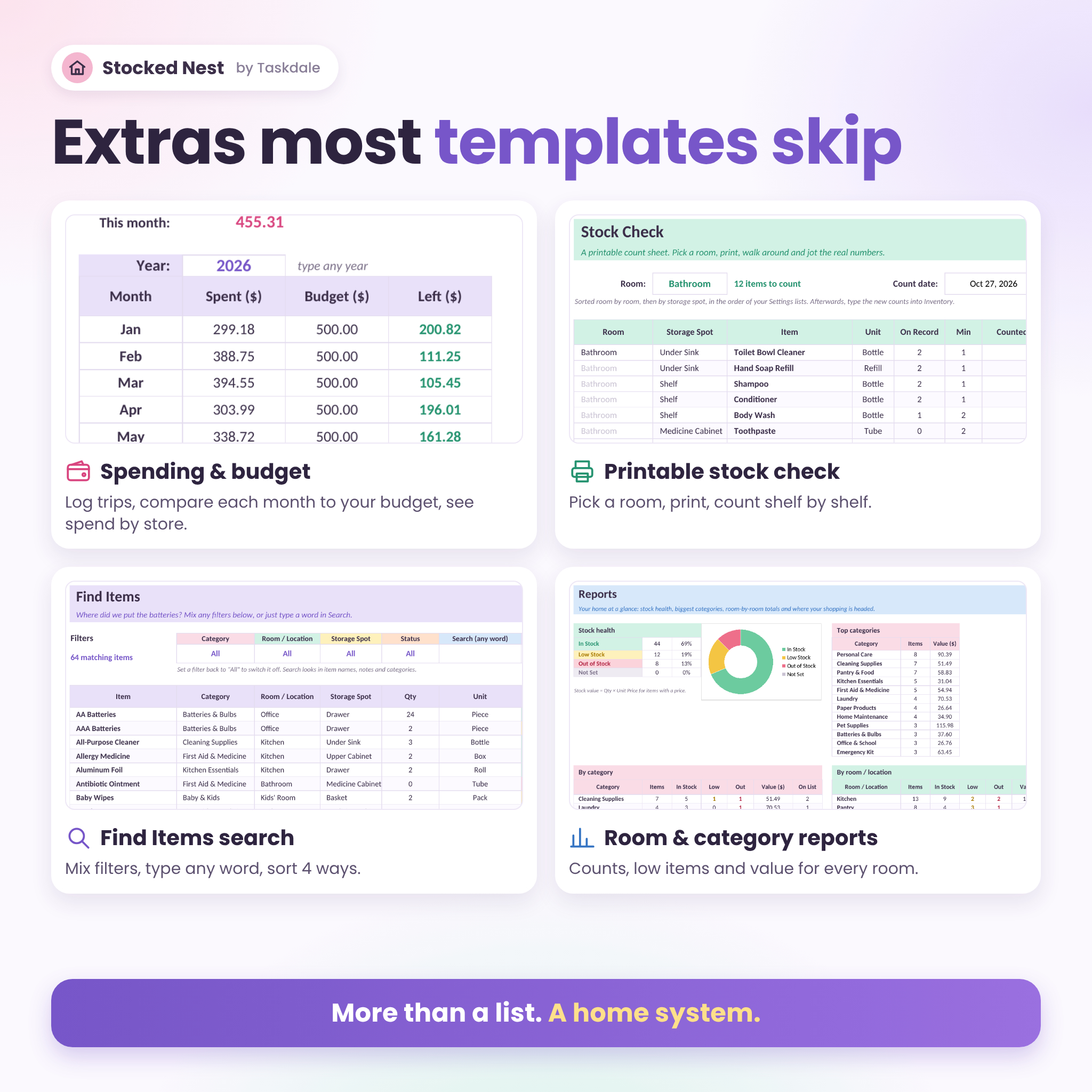
Extras you won’t find in most inventory templates
- Find Items: mix category, room, storage spot and status filters, search any word, sort four ways
- Stock Check: a printable count sheet, room by room and shelf by shelf
- Spending log: 400 entries, monthly totals against your budget, spend by store
- Reports: counts, low items and stock value for every category and every room
- Red flags: rename a category or store and any item still using the old name turns red, so nothing slips out of your totals
What is included
- Stocked Nest Household Inventory workbook (.xlsx) with 10 linked sheets plus a Start Here page
- 17-page user guide in Word (.docx) with pictures, tips, troubleshooting and FAQs
How it works
- Open Settings. Type your currency symbol and look over the ready-made lists of categories, rooms, storage spots, units and stores.
- Add your items on Inventory. Start with one room. The kitchen takes about ten minutes.
- Check Restock and the Shopping List. They are already filled in.
- Shop, then update the quantities. Bought items drop off the list.
- Glance at the Dashboard once a week.
File formats and software
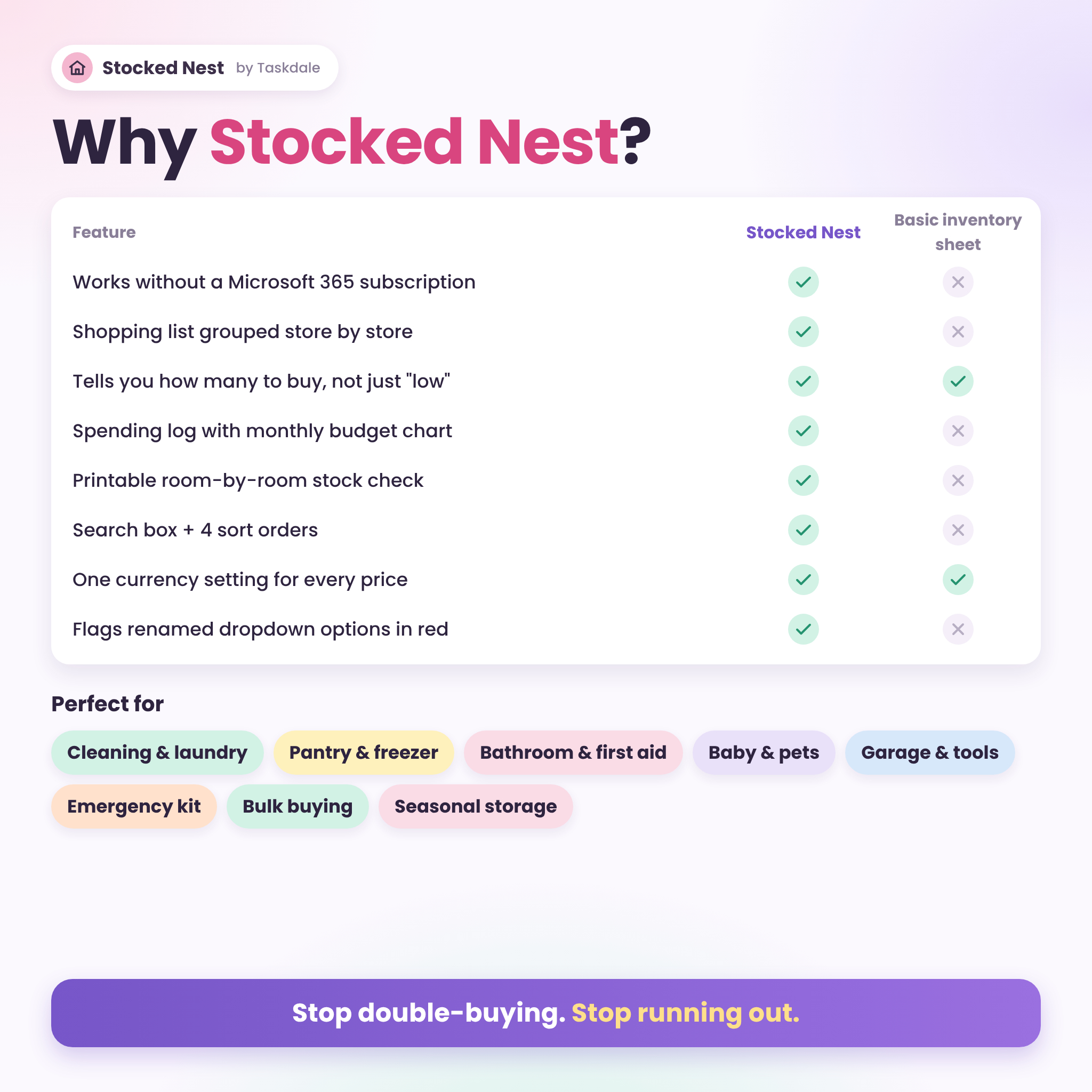
- Excel workbook (.xlsx) for Microsoft Excel 2013 or newer on Windows or Mac, including Microsoft 365. No 365 subscription needed.
- Also opens in LibreOffice Calc, which is free.
- User guide in Word (.docx).
- No macros, no add-ons and no internet connection needed.
- Best on a laptop or desktop.
Customize your inventory spreadsheet
Everything is editable. Each list on Settings holds up to 40 options, and new ones show up in every dropdown straight away. Type any currency symbol once ($ is the default) and every price heading and total updates. Set your own expiry warning window and monthly budget. Formulas sit in shaded, locked cells so they can’t be wiped by accident, and the sheets unlock with no password if you want to change the layout.
Real-life ways to use it
- Sunday reset: update quantities in five minutes and print the Costco list for Monday
- Pantry and freezer rotation: sort by soonest expiry and plan meals around it
- Emergency kit: track water, batteries, flashlights and canned food with dates
- Medicine cabinet: see expired pain relievers and ointments at a glance
- Baby and pet supplies: set Restock To levels so you buy full boxes of diapers and full bags of food
- Moving house: count room by room with the printable Stock Check
- Home insurance notes: add a Valuables category and let Stock Value total it by room
Digital download
This is an instant digital download. Nothing ships. You get the files right after checkout and keep them forever.
FAQ
Do I need Microsoft 365?
No. Any version of Excel from 2013 on works, on Windows or Mac. LibreOffice Calc works too.
Does it work in Google Sheets?
It is built and tested for Excel and LibreOffice. We don’t list Google Sheets as supported.
How many items can I track?
500 items on the Inventory sheet. Restock, Expiry and Find show up to 200 at a time and the Shopping List up to 150.
Can I use my own currency?
Yes. Type any symbol on Settings, like €, £ or R, and every money label updates.
Can I change the categories and rooms?
Yes. Rename, add or remove anything on Settings. Up to 40 options per list.
Is it beginner friendly?
Yes. You type in white cells and pick from dropdowns. The guide walks you through setup step by step.
Can I print my shopping list?
Yes. Every sheet has a print layout, and you can print one store’s list at a time.
License
For personal use in your own household. Please don’t resell, share or redistribute the files. © 2026 Taskdale.
Reviews
There are no reviews yet.