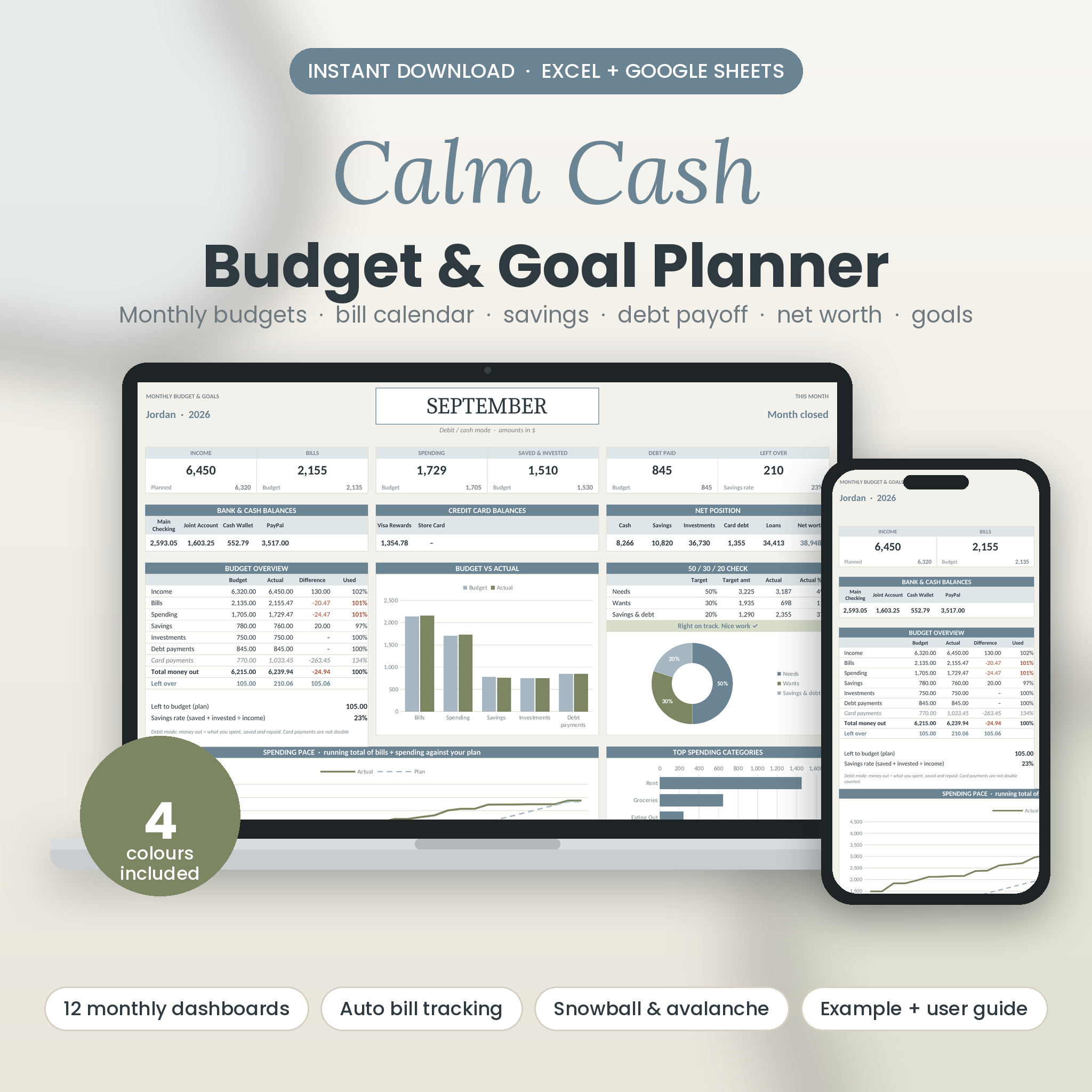


Know where every dollar went, and where the next one is going
Most budget spreadsheets ask you to do the maths. Calm Cash does it for you. Fill in one Setup page, log your spending in a single list, and the planner turns it into twelve monthly dashboards, a year in review, a bill calendar, savings and debt trackers, net worth and goals.
It’s built for real life. Paid on the 1st and the 15th? Use a credit card for groceries and pay it off each month? Starting in October instead of January? All handled.
Who it’s for
- First-time budgeters who want clear numbers without a wall of cells
- Couples and families with shared bills, a joint account and a few savings goals
- Credit card users who pay in full and want a budget that reflects it
- Anyone paying off debt who wants a real date to aim for
What makes it different
- Excel and Google Sheets. Many budget templates only run in Google Sheets. This one works in Excel 2016 and later, Microsoft 365, Excel for Mac and Google Sheets.
- Every colourway, one price. Sage & Slate, Blush & Mocha, Coastal Navy and Warm Neutral are all in the download.
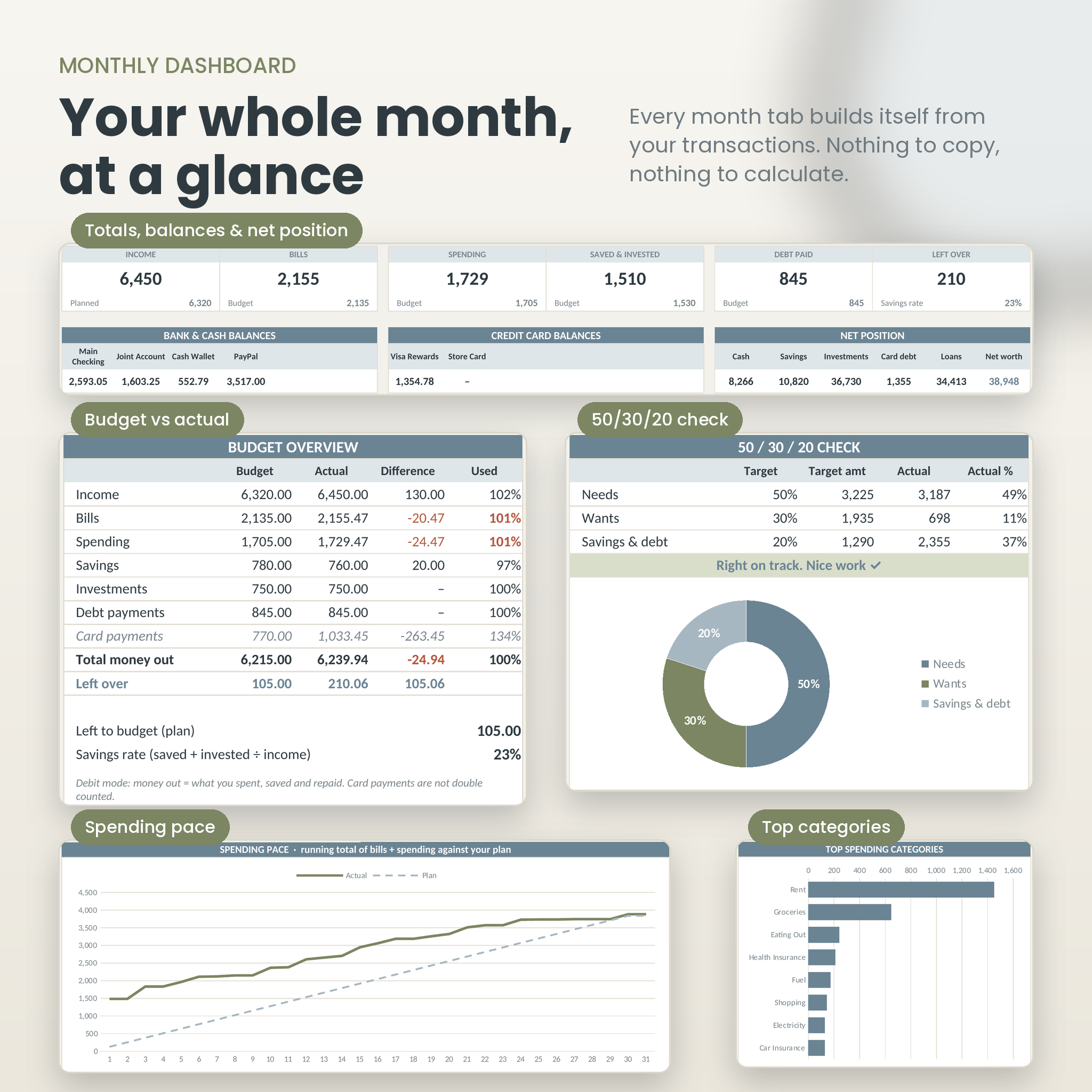
- One log, not twelve. Every transaction goes in one list. Each month pulls its own numbers automatically.
- Debit or credit mode. Pick how you spend and the totals count money the right way, with no double counting of card payments.
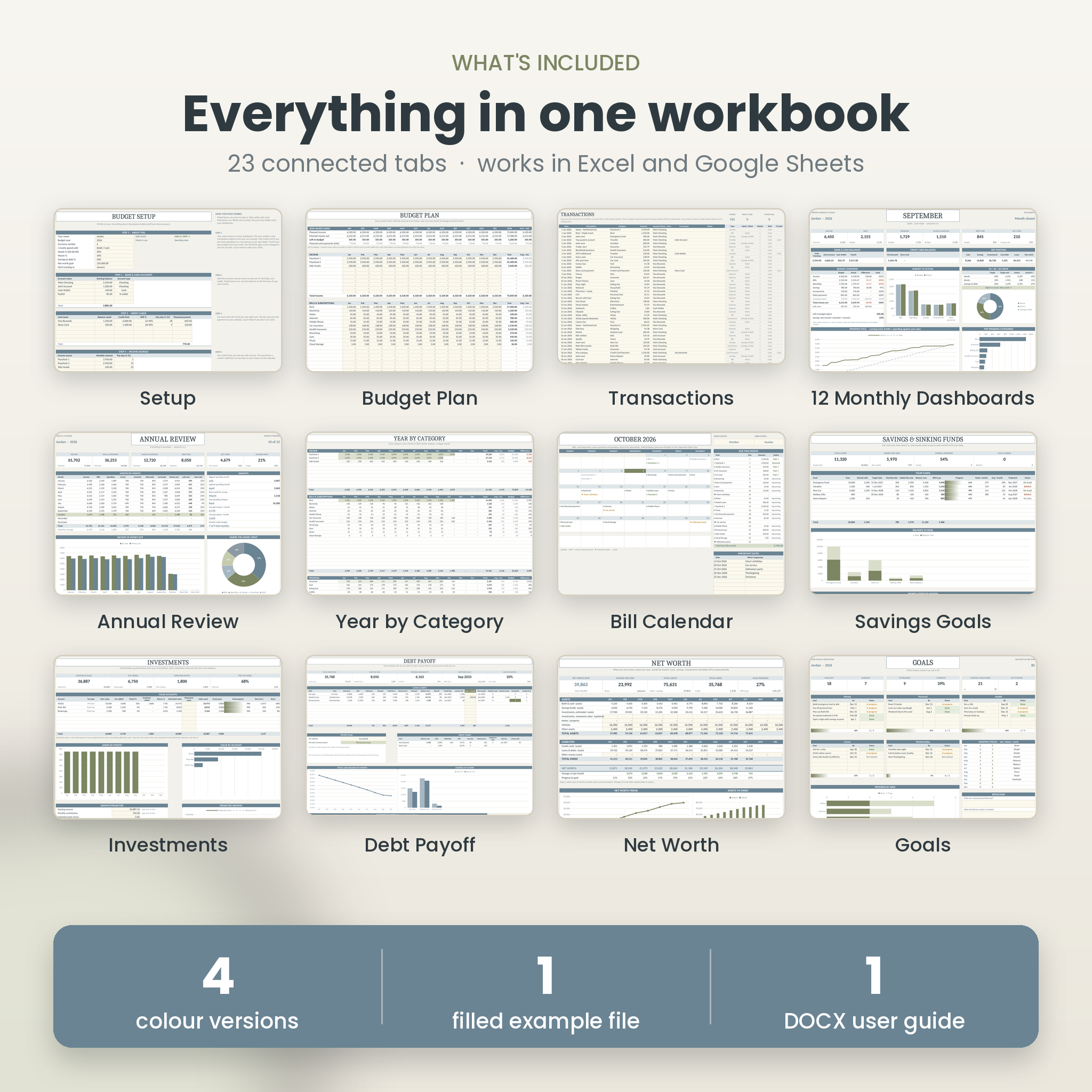
What’s inside (23 connected tabs)
- Start Here: four-step quick start, colour key and links to every tab
- Setup: name, year, currency, accounts, cards, income, bills, spending budgets, savings funds, investments and debts
- Budget Plan: all 12 months in one grid with a zero-based ‘left to budget’ check
- Transactions: one log for the year (2,000 rows) with dropdowns and automatic type, Need/Want and month
- 12 monthly dashboards: income, bills, spending, saved and invested, debt paid, left over, account and card balances, net position, budget vs actual chart, 50/30/20 check, spending pace chart, top categories, bill status, savings, investments, debts, monthly goals and notes
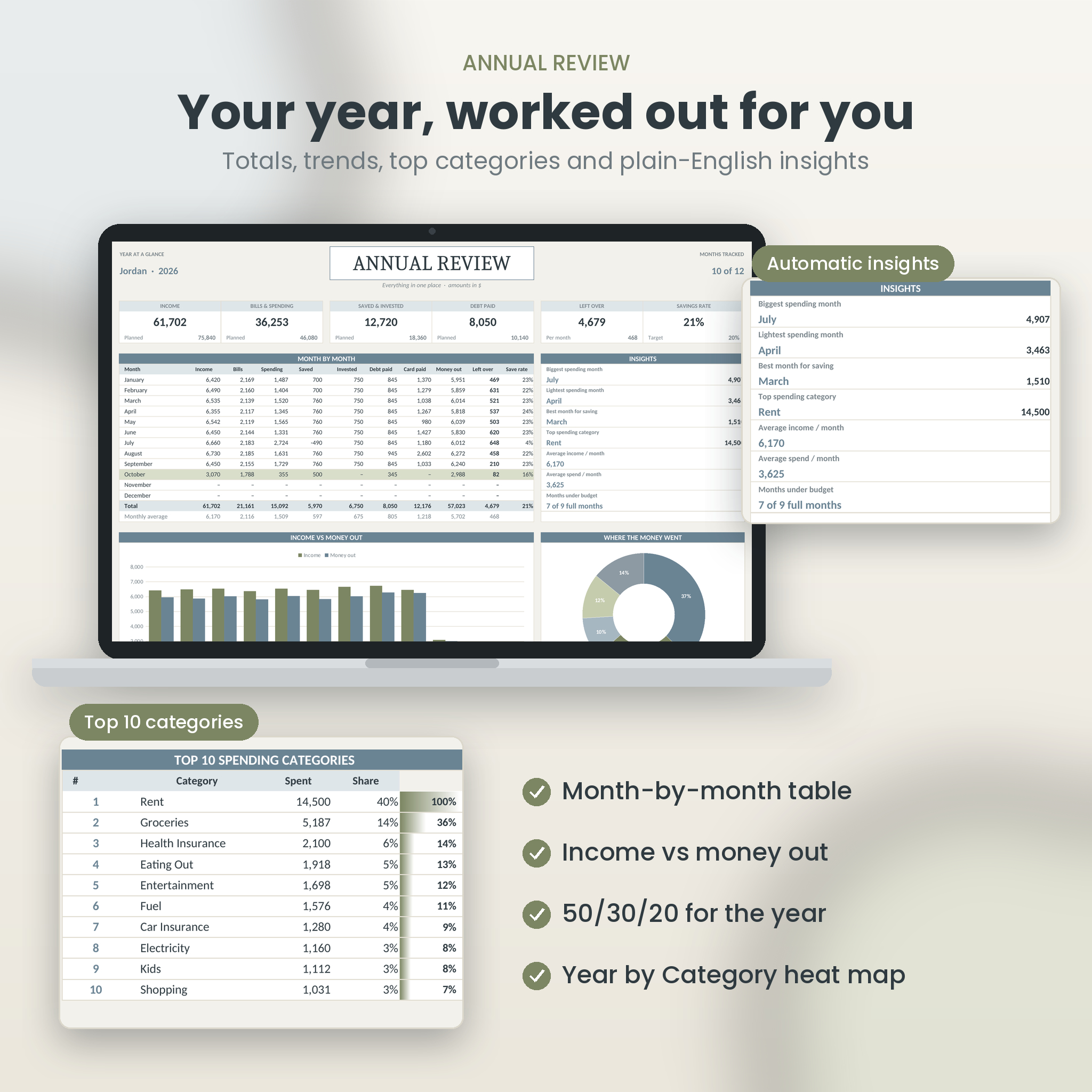
- Annual review: month-by-month table, income vs money out, where the money went, top 10 categories, 50/30/20 for the year and automatic insights
- Year by Category: every category for every month with heat-map shading and budget comparison
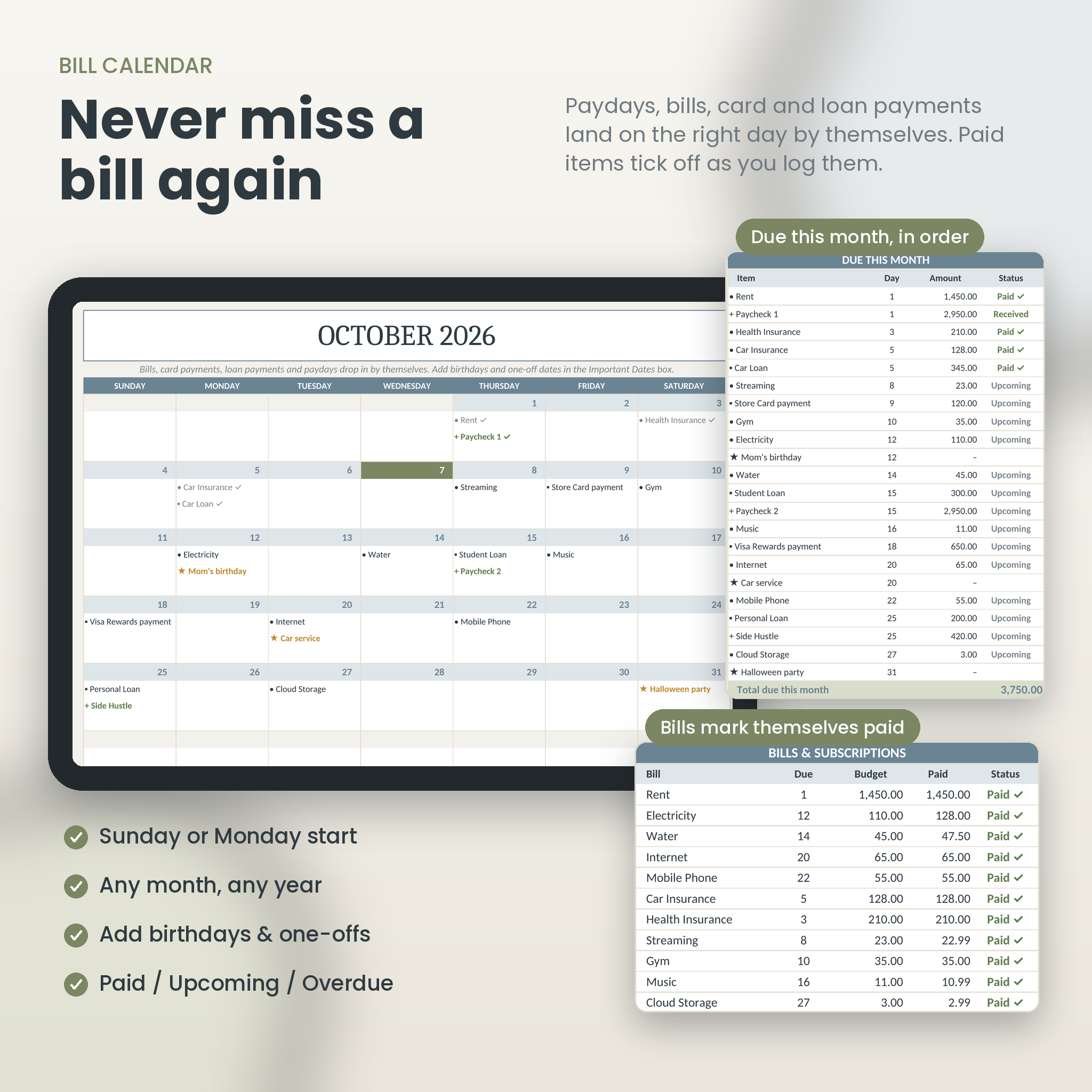
- Bill calendar: paydays, bills, card and loan payments and your own dates on the right day, with paid ticks and a due-this-month list
- Savings & sinking funds: progress, amount needed per month to hit your date, projected finish and status
- Investments: contributions, employer match, estimated and statement values, plus a 1 to 30 year growth projector
- Debt payoff: interest paid, balance now, payoff date, interest left, extra-payment savings, snowball and avalanche order and credit card utilisation
- Net worth: assets minus debts for every month with trend chart and goal
- Goals: five life areas, monthly focus scorecard and reflection prompts
How it works
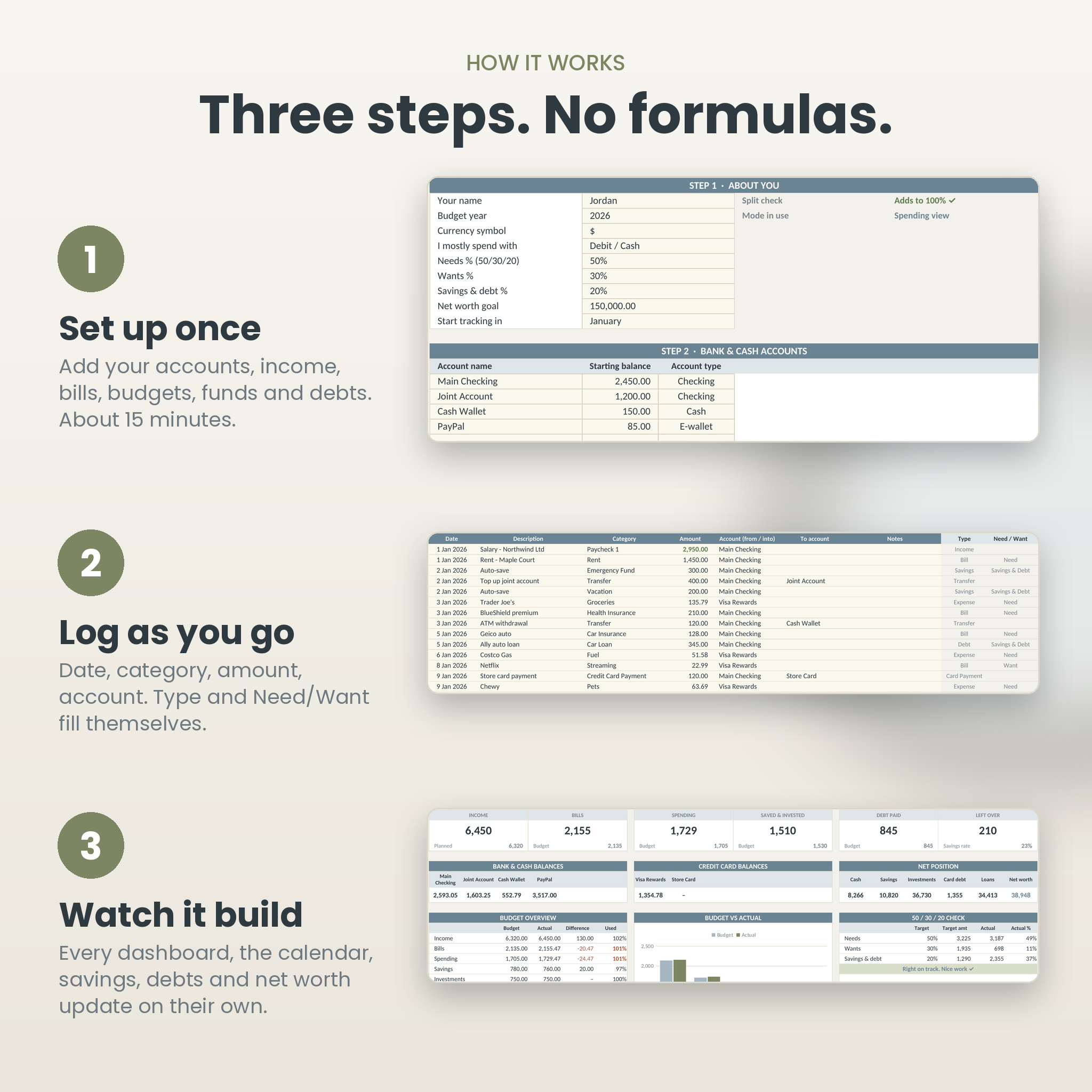
- Set up once. About 15 minutes on the Setup tab.
- Log as you go. Date, category, amount, account. The rest fills in.
- Watch it build. Open any month, the calendar or the annual review. It’s already up to date.
What you get
- 4 blank planners (.xlsx), one in each colourway
- 1 example planner filled with nine months of sample data so you can see every feature working
- 27-page illustrated user guide (.docx) with setup steps, examples, troubleshooting and FAQ
Customising
Rename any category and it updates everywhere, dropdowns included. Set your own Needs/Wants/Savings split instead of 50/30/20. Type any currency symbol. Room for 6 bank accounts, 6 cards, 10 income sources, 20 bills, 20 spending categories, 10 savings funds, 8 investment accounts and 10 debts.
File format and requirements
- Microsoft Excel .xlsx files. Open in Excel 2016 or newer, Microsoft 365, Excel for Mac 2019 or newer, or upload to Google Drive and open with Google Sheets
- No macros, add-ons or subscriptions
- Progress bars show as data bars in Excel and as percentages in Google Sheets
- Not designed for Apple Numbers
Digital download
This is a digital product. Nothing will be posted to you. After checkout you’ll get a download link for one ZIP file containing all five planners and the user guide, plus the guide as a separate download. Use it year after year by saving a fresh copy.
For personal use. This planner is an organising tool, not financial advice.
Reviews
There are no reviews yet.