An ADHD life planner spreadsheet that does the remembering for you
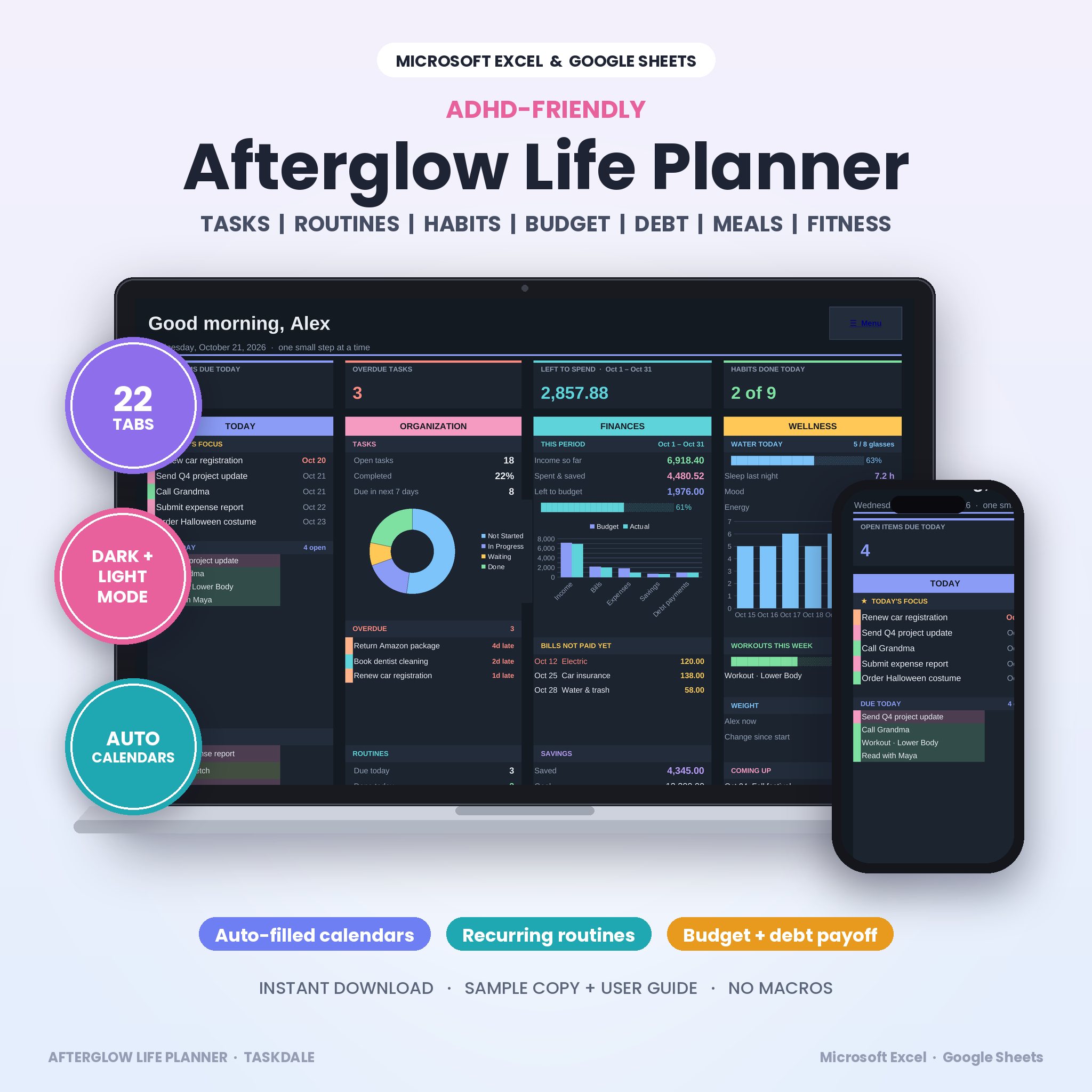
The Afterglow Life Planner is an all-in-one ADHD life planner spreadsheet for Microsoft Excel and Google Sheets. Tasks, routines, habits, your budget, debt, savings, meals, workouts and how you’re feeling all live in one calm, color-coded workbook. You type things in once. The planner puts them everywhere they need to be.
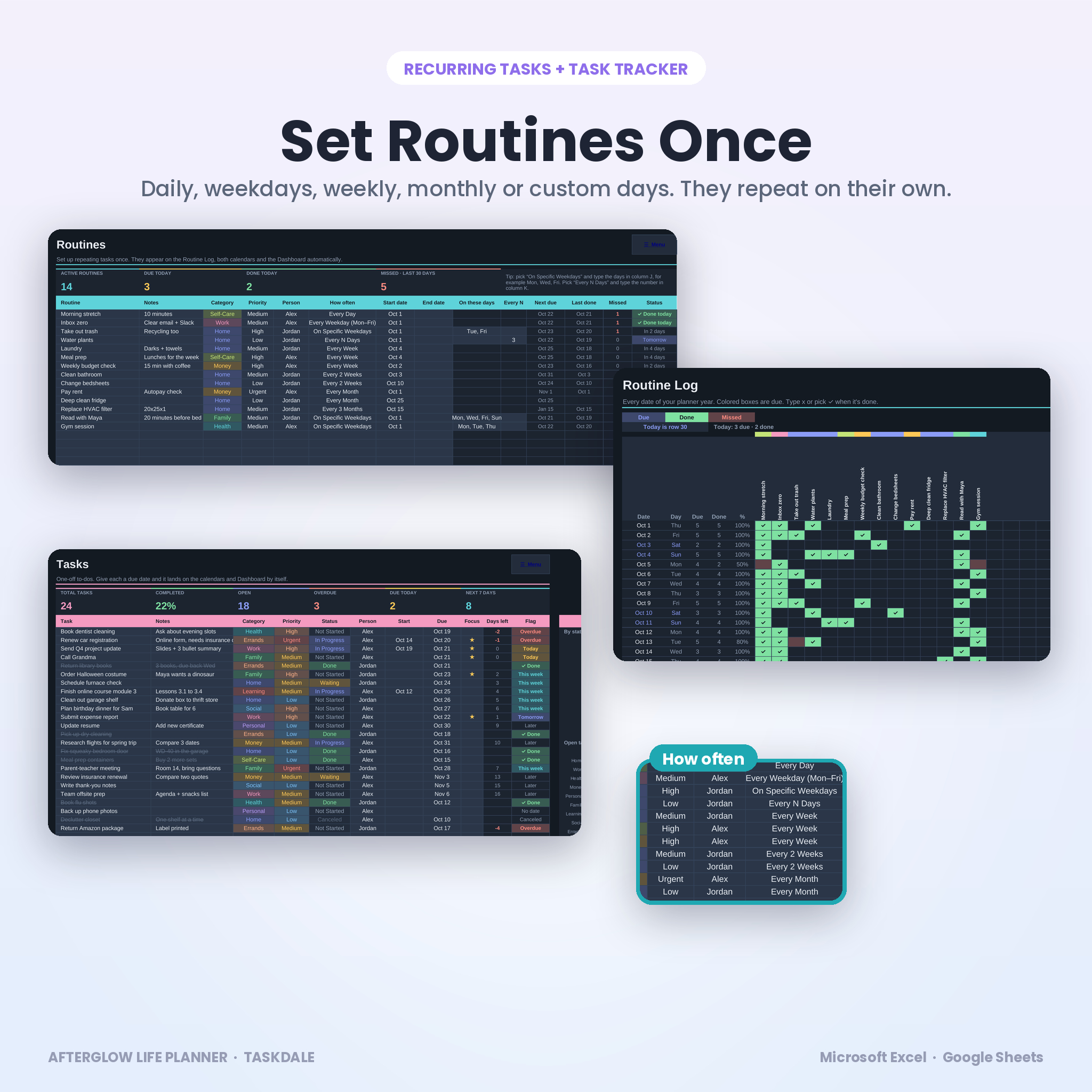
Add a routine like “take out the trash every Tuesday and Friday” and it shows up on the Routine Log, the Monthly Calendar, the Weekly Planner and the Dashboard. Log a grocery run on Transactions and your budget updates. Plan dinner for the week and the grocery list writes itself, sorted by aisle.
Who it’s for
- Adults with ADHD, or anyone who keeps losing track of what’s due
- Busy parents sharing chores between up to 8 people
- Anyone tired of juggling a to-do app, a budget app and a habit app
- Spreadsheet beginners. If you can pick from a dropdown, you can run this
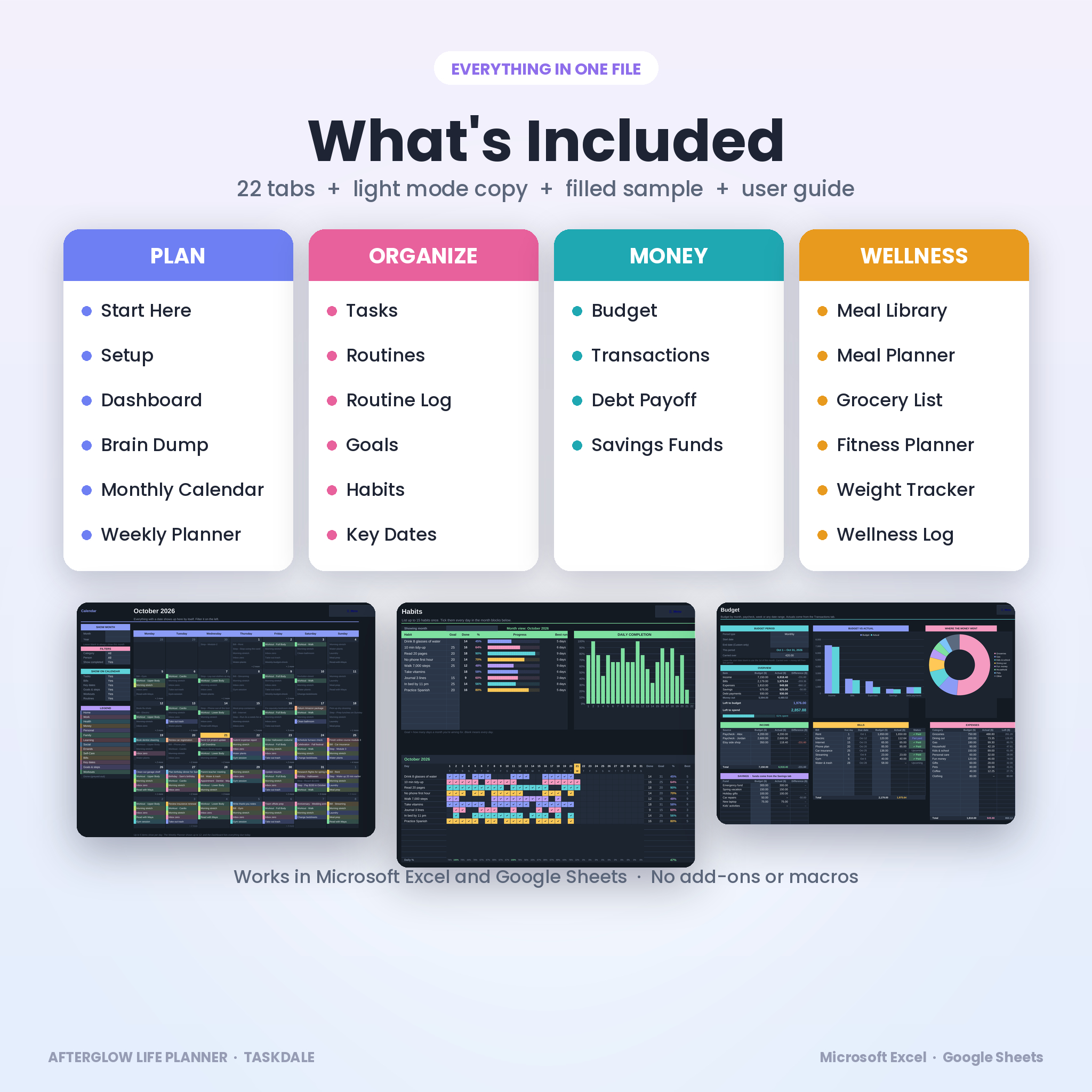
What’s inside: 22 tabs
Plan
- Start Here: 5-minute quick start, a clickable tab directory and a color key
- Setup: name, start month, week start, currency, units, 10 categories, 8 people and grocery aisles
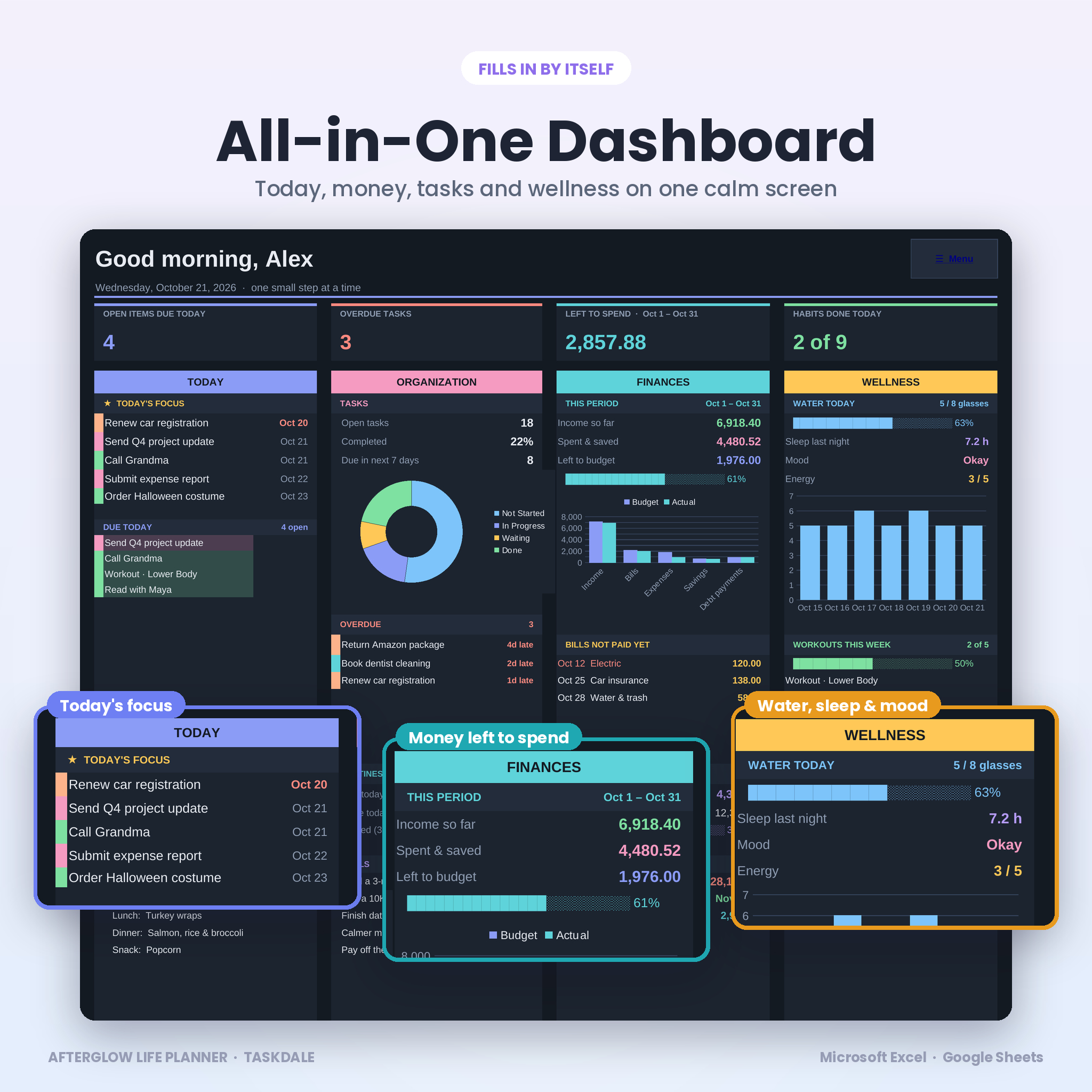
- Dashboard: today’s focus, everything due today and tomorrow, overdue tasks, money left to spend, bills not paid yet, water, sleep, mood, workouts and upcoming birthdays
- Brain Dump: empty your head fast, sort it later, and keep a running wins list
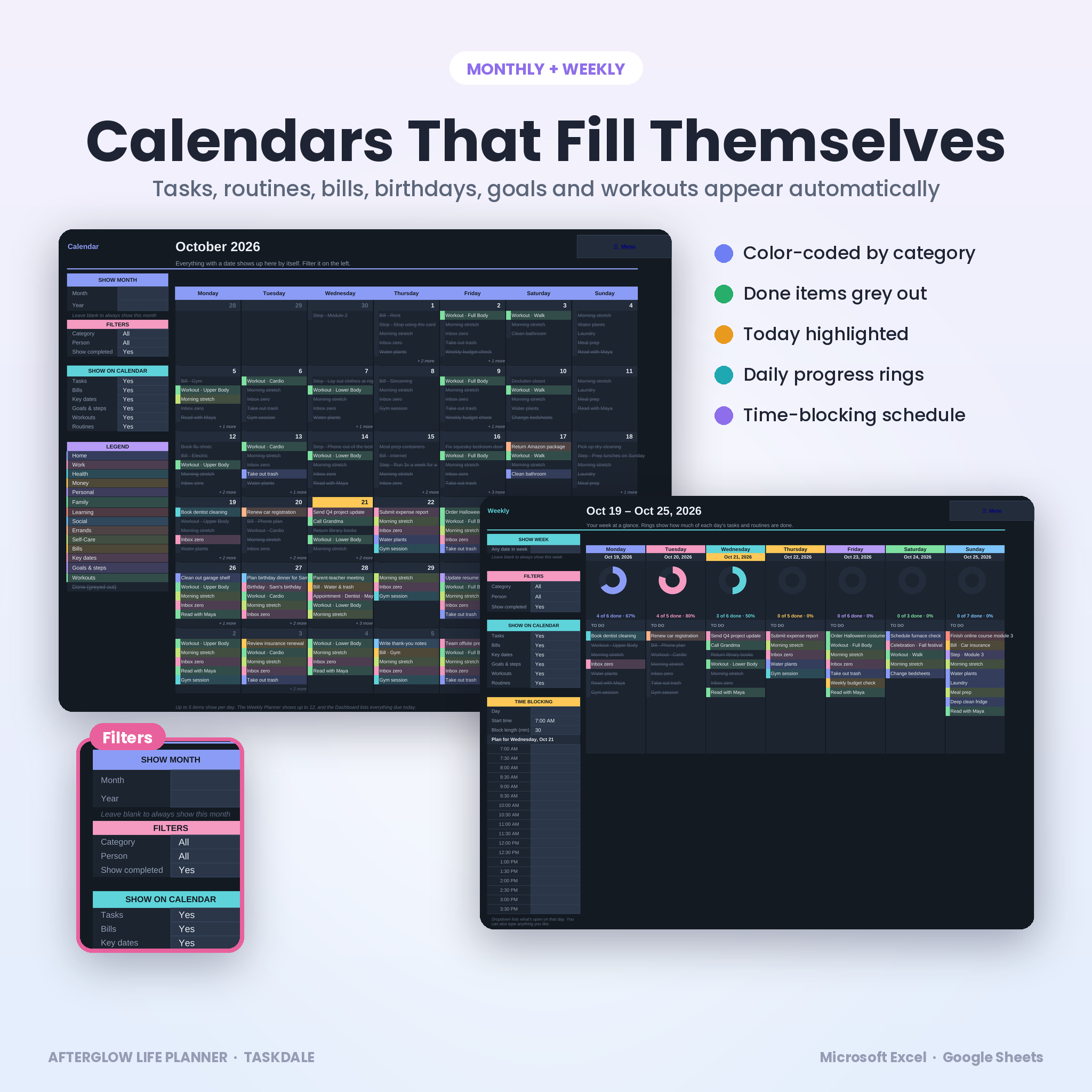
- Monthly Calendar: fills itself with tasks, routines, bills, key dates, goals and workouts. Filter by category or person
- Weekly Planner: seven days with a progress ring for each one, plus a time-blocking schedule
Organize
- Tasks: 300 rows with category, priority, status, person, due date, a ★ focus pick, automatic flags and three charts
- Routines: 25 recurring tasks. Daily, weekdays, weekly, every 2, 3 or 4 weeks, monthly, every 2, 3 or 6 months, yearly, specific weekdays or every N days
- Routine Log: a full year of dates. Due days light up, done days turn green, skipped days turn coral
- Goals: 8 goal cards with your why, how you’ll measure it, a reward, 6 milestones and a live progress bar
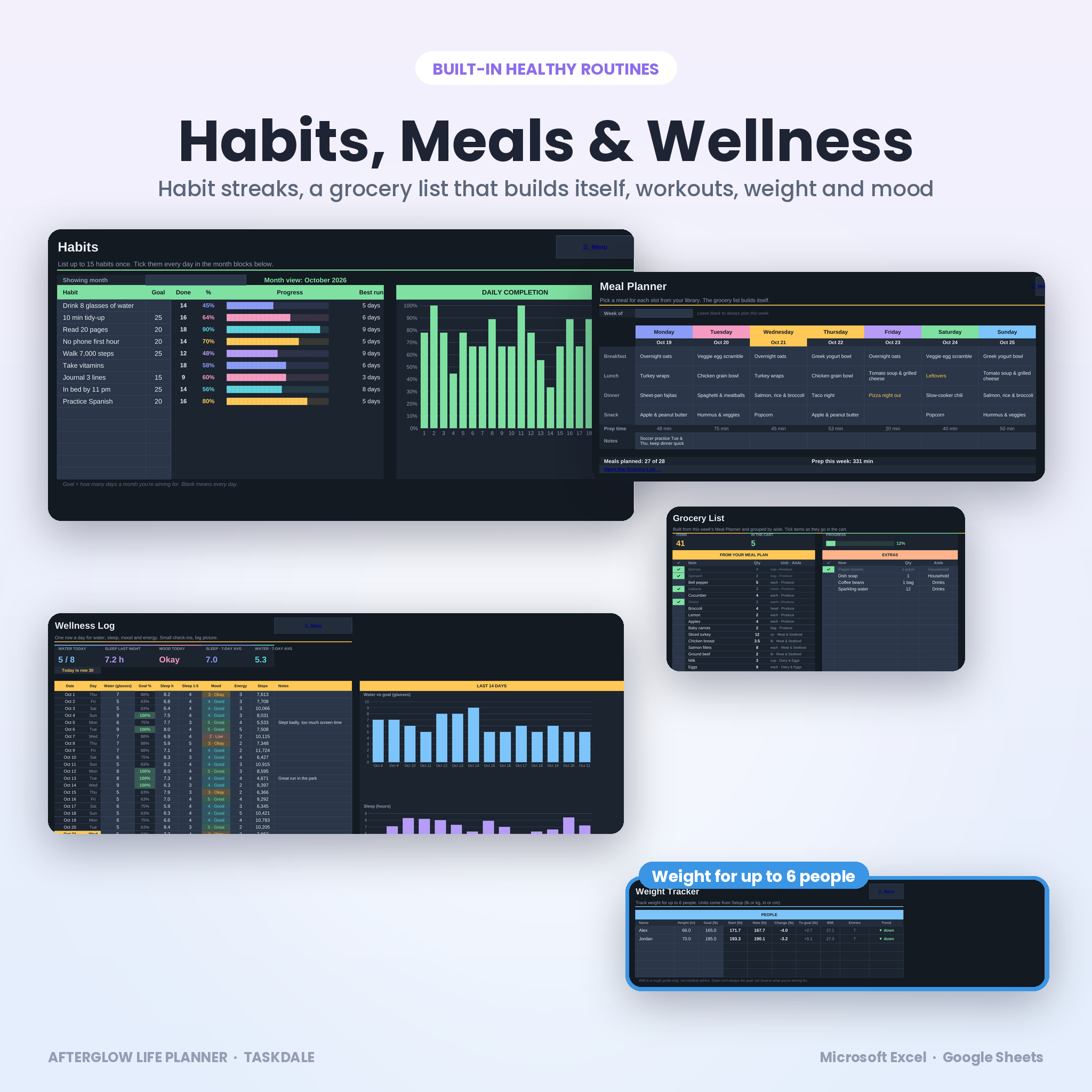
- Habits: 15 habits across 12 months with monthly goals, completion %, best streak and a daily chart
- Key Dates: birthdays, anniversaries and appointments that repeat every year on the calendars
Money
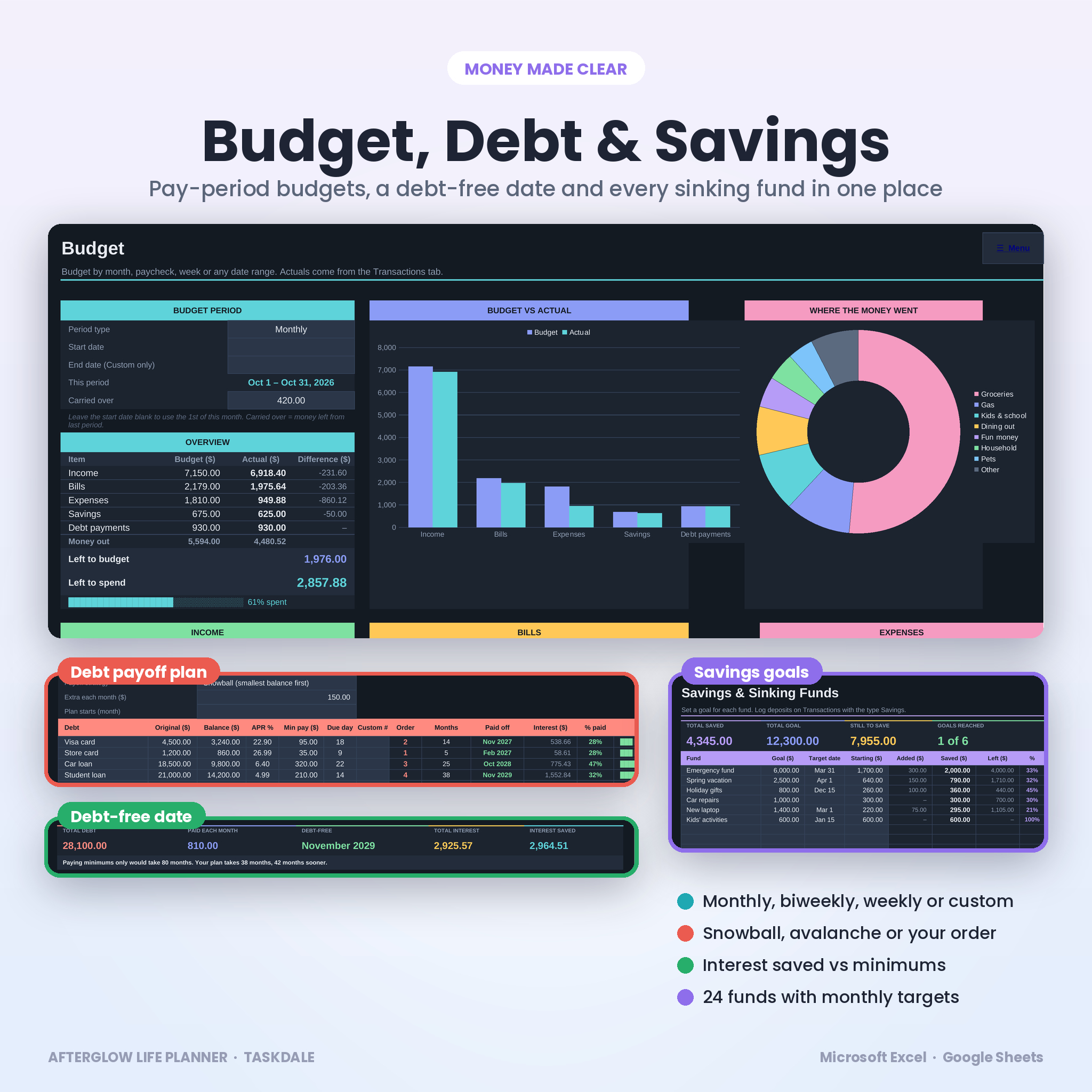
- Budget: monthly, biweekly, weekly or custom pay-period budget with income, bills, expenses, savings and debt, budget vs actual and a spending breakdown
- Transactions: 1,000 rows. A check column flags any entry that doesn’t match a budget line
- Debt Payoff: 20 debts with snowball, avalanche or your own order, one-off extra payments, a month-by-month plan, your debt-free date and the interest you save compared with paying minimums only
- Savings: 24 savings goals and sinking funds with progress bars and the monthly amount needed to hit each target date
Wellness
- Meal Library: 60 meals and 400 ingredient rows, saved once and reused every week
- Meal Planner: breakfast, lunch, dinner and a snack for each day, with prep time totals
- Grocery List: builds itself from the week’s meals, combines matching items and groups them by aisle. Room for extras too
- Fitness: plan each day as a workout or a rest day, pick exercises from an editable library and tick them off
- Weight: up to 6 people with change, distance to goal, BMI and a trend chart, in lb or kg
- Wellness Log: one row a day for water, sleep, mood, energy and steps, with 14-day charts
Why buyers pick Afterglow
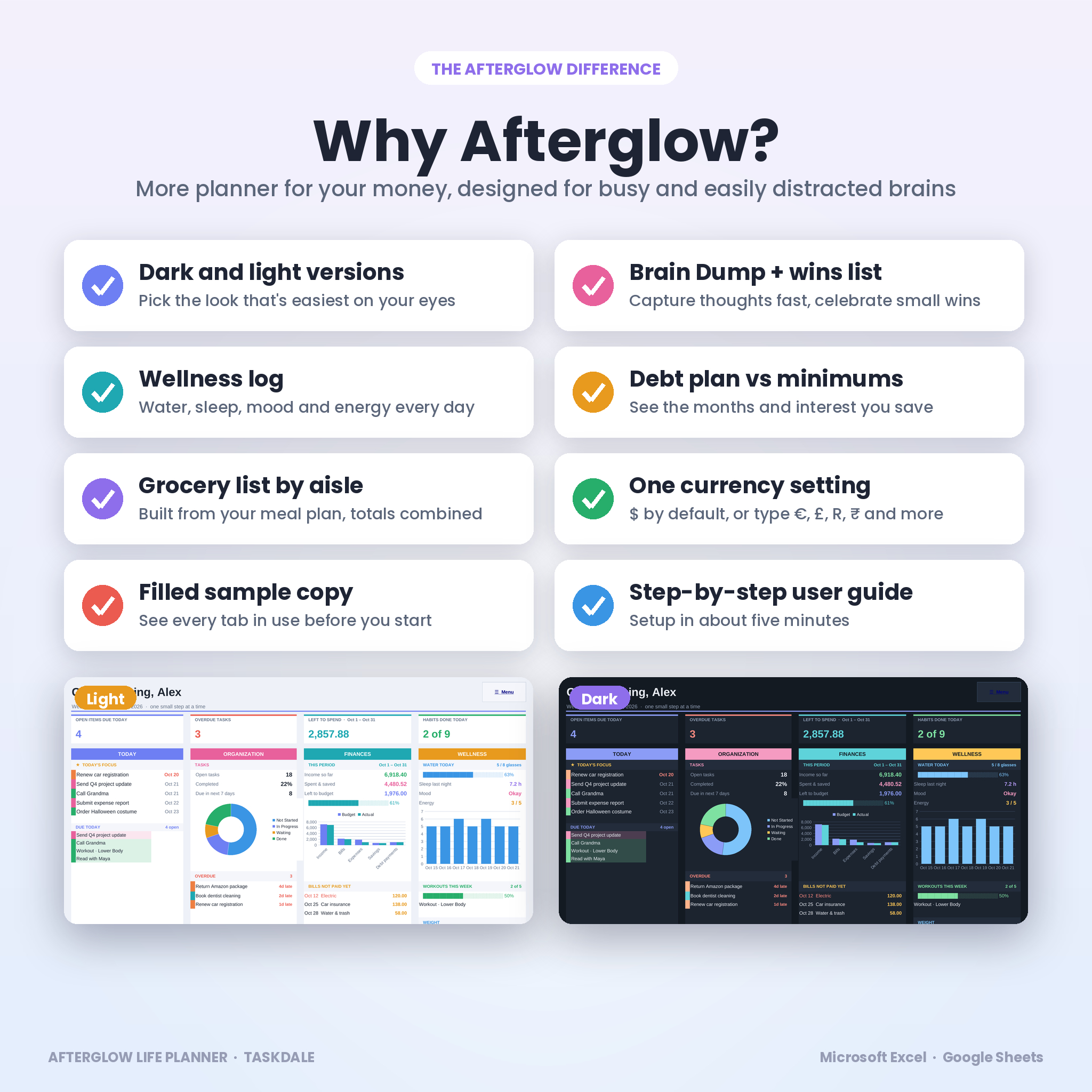
- Dark and light versions included. Same features, two looks
- Brain Dump and wins list, made for brains that think in bursts
- A daily wellness log for water, sleep and mood, not just a hydration tracker
- Debt plan vs minimums, so you can see the months and dollars you save
- One currency setting. $ by default. Type €, £, R, ₹ or any symbol and every money heading follows
- No macros, no add-ons. Formulas are locked with no password so you can’t break them by accident
- A filled sample copy so you can see every tab in use before you start
How it works
- Download the files right after checkout.
- Open the planner in Excel, or upload it to Google Drive and choose File > Save as Google Sheets.
- Fill in the Setup tab: your start month, currency and categories.
- Add your routines, tasks and budget lines.
- Open the Dashboard each morning and tick things off as you go.
Real ways people use it
- A parent splits bins, laundry and school pickups between two adults and filters the calendar by person.
- Someone paying off two credit cards tests snowball vs avalanche and adds a tax refund as a one-off payment to see the new debt-free date.
- A student tracks study habits, sleep and water, and uses the Brain Dump before bed to quiet the mind.
- A household plans dinners on Sunday and shops from the grocery list on Monday.
File formats and requirements
- Afterglow-Life-Planner.xlsx (dark mode, blank)
- Afterglow-Life-Planner-Light.xlsx (light mode, blank)
- Afterglow-Life-Planner-Sample.xlsx (filled example)
- User guide (.docx, 24 pages)
- Works with Microsoft Excel on Windows or Mac and with Google Sheets (free Google account). Built for a laptop or desktop screen
- English, US spelling. Undated, so you can start any month
Customizing
Rename the 10 categories, add up to 8 people, pick lb or kg and inches or cm, set your water and sleep goals, choose a Sunday or Monday week start, edit grocery aisles and the exercise library, and hide any tab you don’t need.
Digital download
This is a digital product. Nothing is shipped. Your files are ready to download as soon as payment is confirmed.
FAQ
Does this ADHD planner work in Google Sheets?
Yes. Upload the .xlsx to Google Drive, open it and choose File > Save as Google Sheets. Formulas, colors and charts carry over.
Do I need Microsoft 365?
No. It uses standard formulas with no macros or add-ons, so it isn’t tied to a Microsoft 365 subscription.
Is it dated?
No. Pick any start month and the dated tabs run 12 months from there.
Can I use my own currency?
Yes. Type your symbol on the Setup tab and every money heading updates.
Can my partner or kids use it too?
Yes. Add up to 8 people and filter the calendars by person.
Can I reuse it next year?
Yes. Save a copy, clear it and set a new start month.
Will it work on my phone?
It’s built for a laptop or desktop screen. Phone apps can open spreadsheets, but the planner is easiest to use on a computer.
Personal use licence for one household. Please don’t resell, share or redistribute the files. This planner is a planning tool and not financial or medical advice.
Reviews
There are no reviews yet.