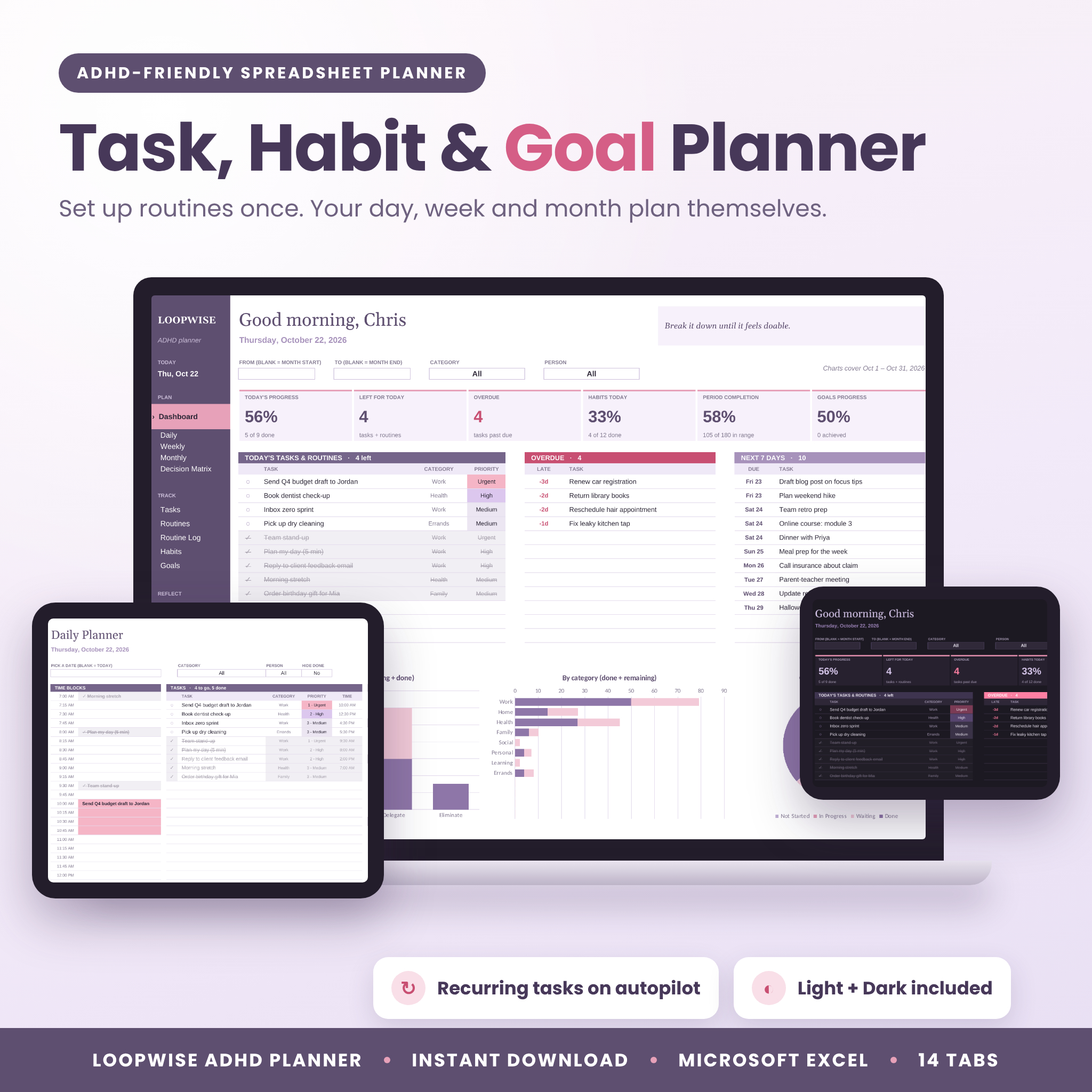
The Loopwise ADHD planner spreadsheet puts your tasks, routines, habits and goals in one Excel file, and it handles the boring part for you. You add a routine once. It shows up on every planner on the right days, sorted by priority and time, without copying a thing. Click any task and you land right on it, ready to tick.
Most planners make you rewrite the same chores every week. For an ADHD brain, that’s usually the moment the planner gets abandoned. Loopwise was built around that problem.
What this ADHD planner spreadsheet does
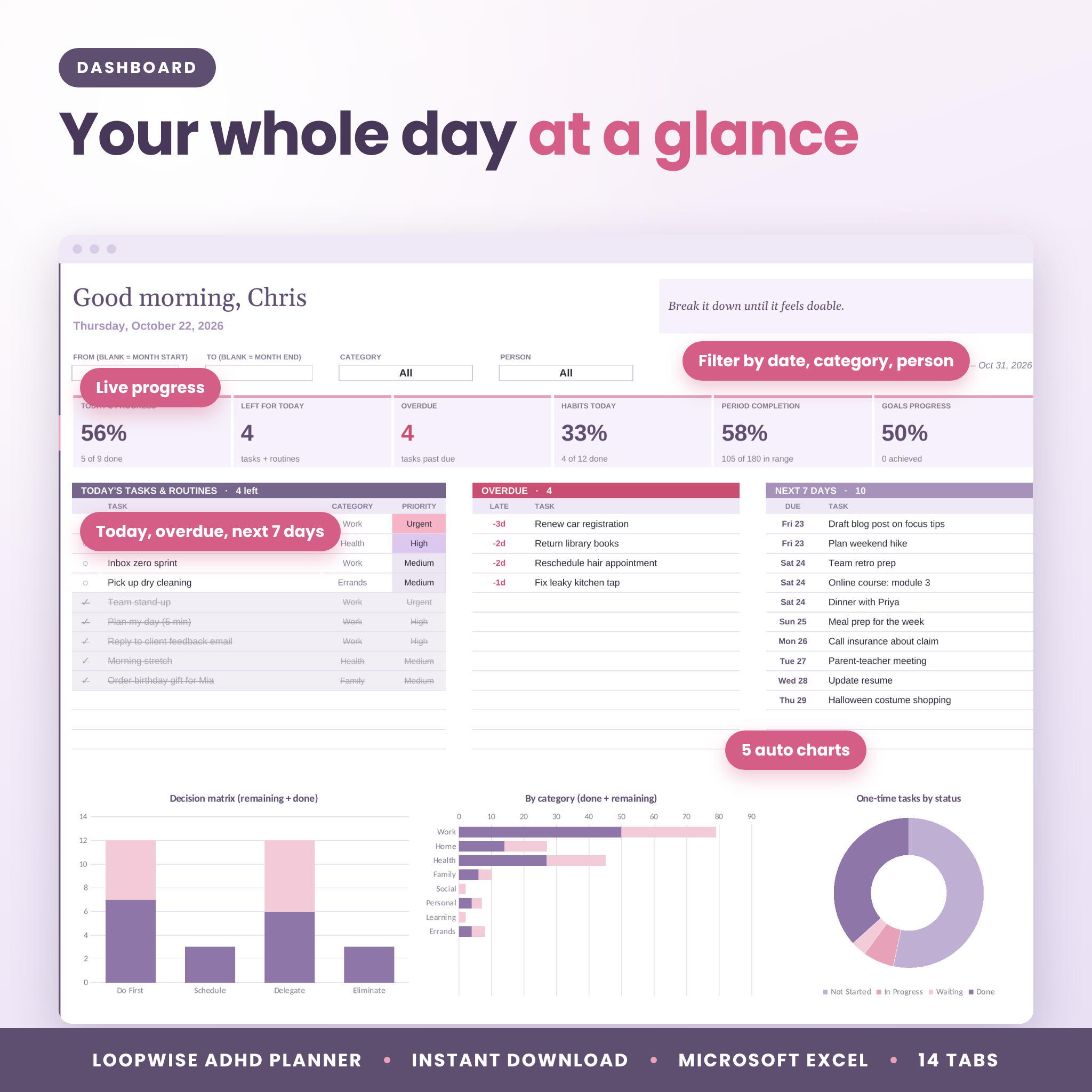
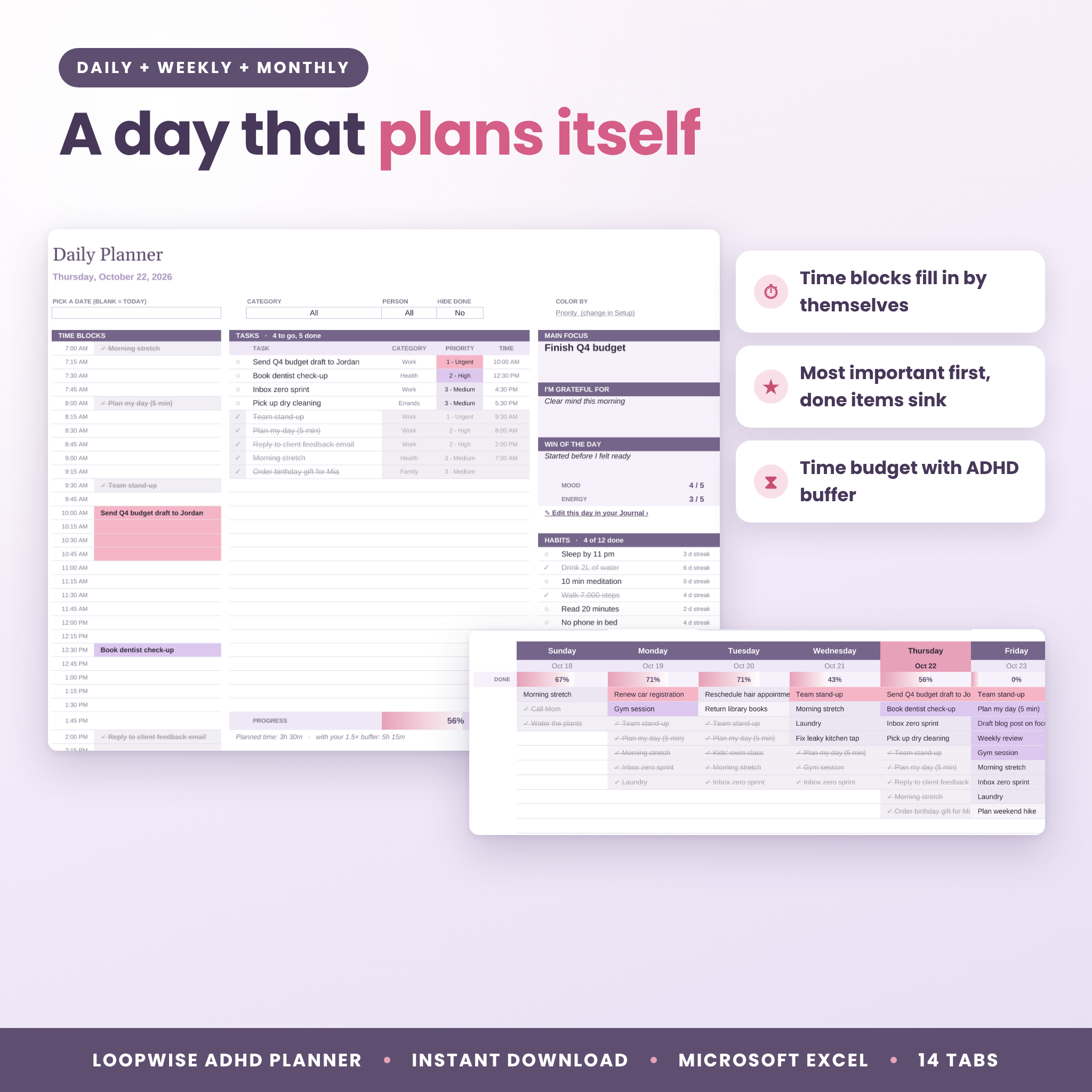
Open the Dashboard in the morning and you’ll see today’s progress, what’s left, anything overdue, the next 7 days and today’s habits. Five charts update on their own.
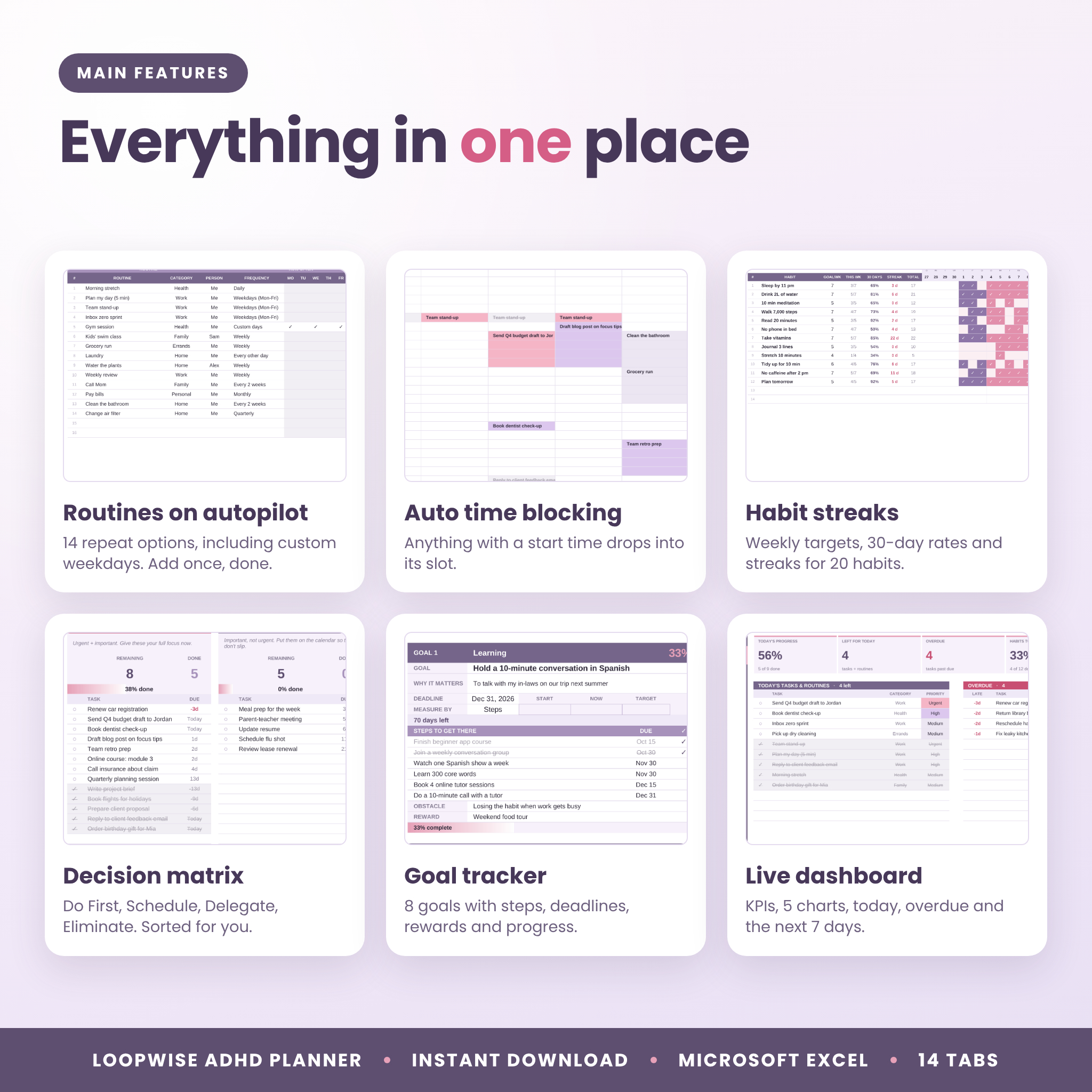
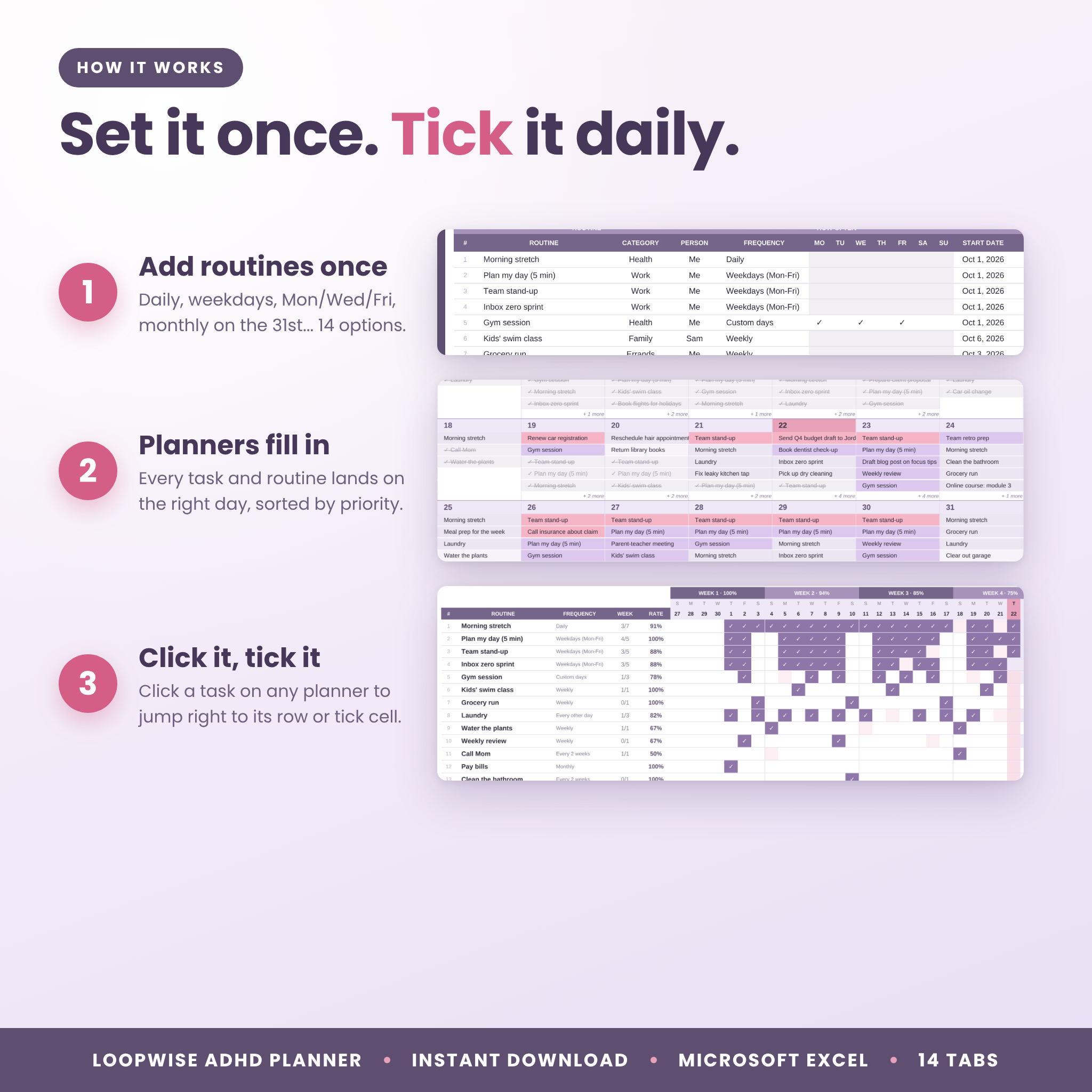
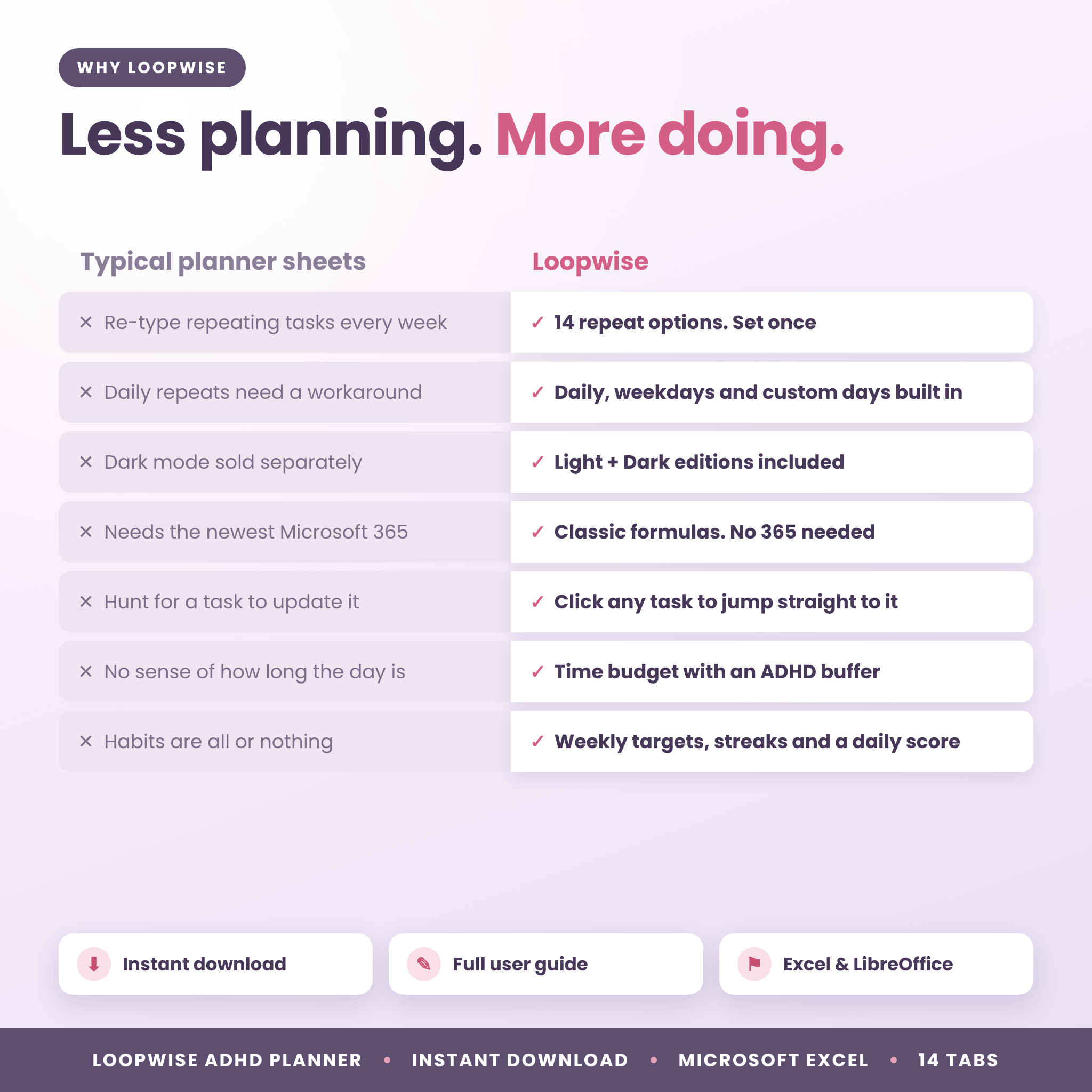
- Recurring tasks on autopilot. 14 repeat options: daily, every other day, weekdays, weekends, custom days (say Mon, Wed and Fri), weekly, every 2, 3 or 4 weeks, monthly, every 2 months, quarterly, every 6 months and yearly.
- Planners that fill themselves. Daily, Weekly and Monthly views list your tasks and routines for each day, most important first, with finished items sinking to the bottom.
- Automatic time blocking. Give a task a start time and it drops into its slot on the Daily and Weekly pages. Pick 15, 30 or 60 minute slots.
- Click to jump. Every task on every planner is a link. One click takes you to its row, or to the exact cell where you tick a routine or habit.
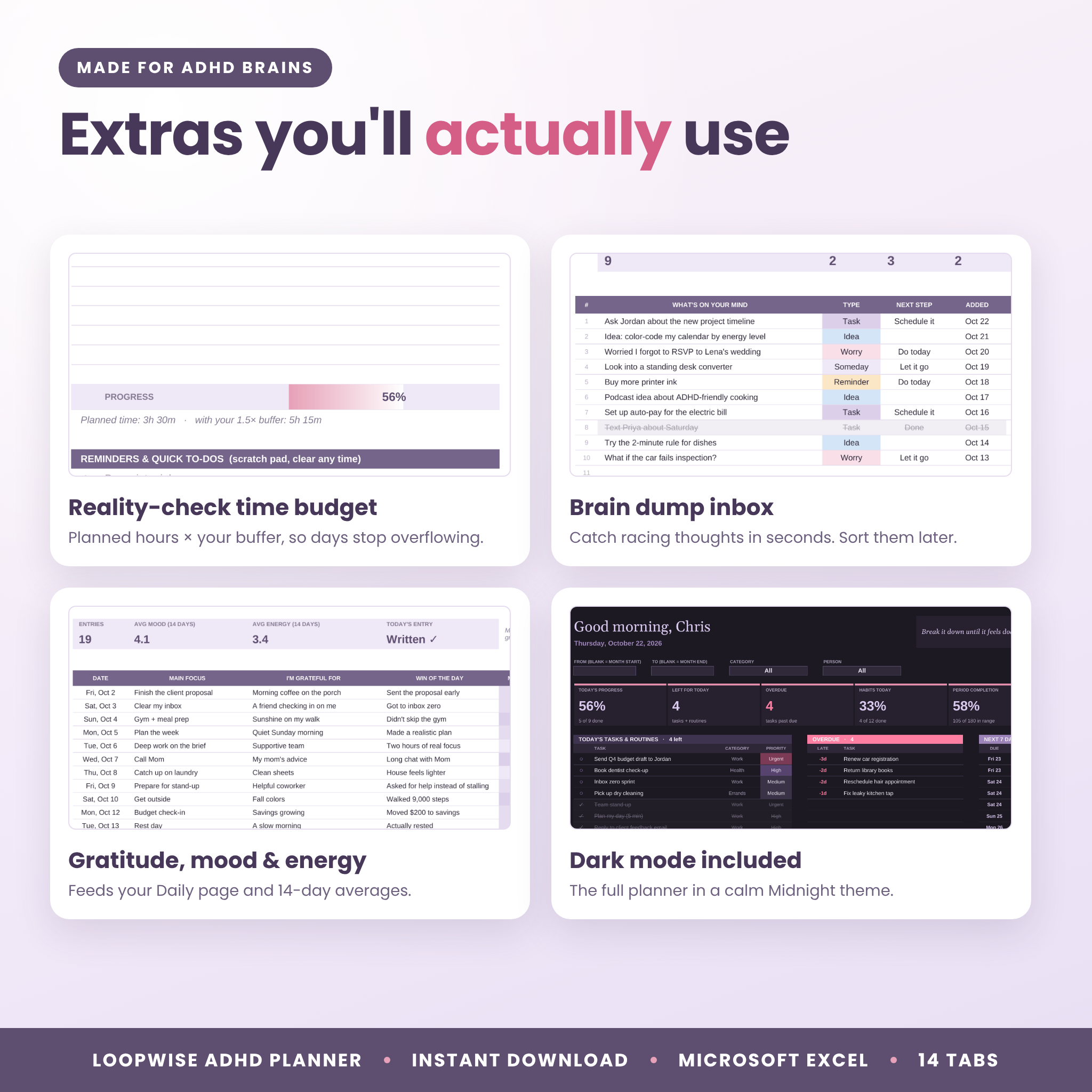
- A time budget with a reality check. The Daily page adds up your planned hours, then shows the total with a buffer (1.5× by default) for transitions and surprises.
Who it’s for
It suits anyone with ADHD, or anyone with too much to hold in their head. Parents can hand tasks to a partner or kids. Students and remote workers keep work and life in one place.
What’s included
- Loopwise ADHD Planner, Lilac edition (.xlsx): soft lilac and blush.
- Loopwise ADHD Planner, Midnight dark edition (.xlsx): the same planner in a calm dark theme.
- User guide (.docx): setup steps, every tab explained, tips, troubleshooting and FAQs.
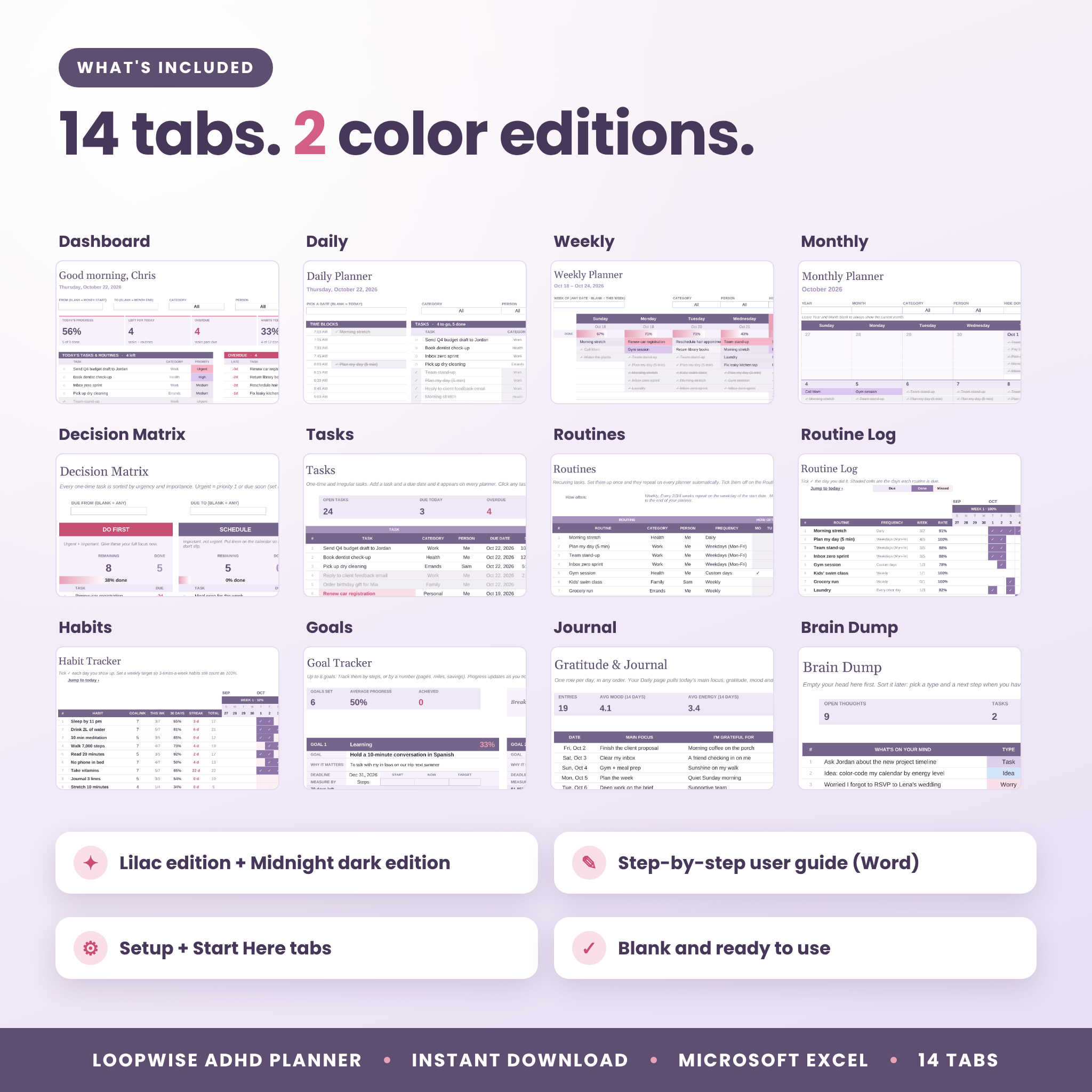
The 14 tabs
- Start Here with quick start steps and links to every tab
- Setup for your name, start date, week start, time slots, colors, 12 categories and 12 people
- Dashboard with 6 progress tiles, today, overdue and next-7-days lists, today’s habits and 5 charts
- Daily planner with time blocks, up to 25 tasks, main focus, gratitude, mood, energy and habits
- Weekly planner with daily progress bars, 15 items a day and a time-blocking grid
- Monthly calendar for any month
- Decision Matrix (Eisenhower): Do First, Schedule, Delegate, Eliminate
- Tasks: up to 300 one-time tasks
- Routines: up to 30 recurring tasks
- Routine Log: a 53-week tick grid with due, done and missed days
- Habits: up to 20 habits over 53 weeks with targets and streaks
- Goals: 8 goal cards with steps, deadlines, rewards and progress
- Journal: main focus, gratitude, daily win, mood and energy
- Brain Dump: a fast inbox for racing thoughts
How it works
- Type your name and a start date on Setup. Rename the categories if you like.
- Add your routines once and pick how often they repeat.
- Add one-time tasks with a due date. Tick Important for the ones that matter.
- Add habits and a weekly target for each one.
- Open Daily, Weekly or Monthly. It’s already filled in.
- Click a task to jump to it, then change its status or tick it off. Every tab updates right away.
Features that make the difference
Habit tracker with flexible targets
Set a habit to 3 days a week and three ticks count as 100%. You also get a 30-day rate, a current streak, a total, and a daily score row that shades in as you go.
Decision matrix that sorts itself
A task counts as urgent when it’s priority 1 or due within a few days (you choose how many). Tick Important and it moves to Do First or Schedule. Each box shows what’s left, what’s done and a progress bar.
Goal tracker
Track goals by steps, or by a number such as miles run, books read or money saved. Goals that go down, like a race time, work too.
Gratitude, mood and energy
Write a line a day in the Journal. The Daily page shows it for that date, and the tab shows your 14-day mood and energy averages.
Filters everywhere
Every planner has its own category, person and hide-done filters, so you can see just work, just the kids, or just what’s left.
Real ways people use it
- A parent who sets swim class, bin night and bill day once, then hands chores to the kids from the People list.
- A freelancer who time-blocks client work on the Weekly page and checks the Matrix every Monday.
- A student who tracks study habits with a 5-day target and keeps assignment due dates on the Tasks tab.
- Anyone who wants a gentle daily check-in that isn’t another phone app.
File formats and requirements
- Format: Microsoft Excel workbook (.xlsx) in two color editions, plus a Word user guide (.docx).
- Works with Microsoft Excel on Windows and Mac, including Microsoft 365, and with free LibreOffice Calc. It uses classic Excel formulas, so you don’t need the newest version of Microsoft 365.
- Not built for Google Sheets or Apple Numbers.
- No macros and no internet connection needed.
- A computer or laptop is best for editing.
Customizing your planner
Rename up to 12 categories and add up to 12 people. Choose Sunday or Monday weeks, your day start time and slot length, the time buffer, how urgent “due soon” is, and whether planners are colored by priority, category or not at all. Any goal measured in money uses your own currency symbol, with $ as the default. Calculated cells are locked so nothing breaks, and you can unlock them with no password if you want to tinker.
Digital download
This is an instant digital download. Nothing is shipped. Your files are ready right after checkout. The license is for personal use only, so please don’t share, resell or upload the files.
FAQ
Is this ADHD planner spreadsheet for Google Sheets?
No. It’s made for Microsoft Excel and LibreOffice Calc.
Do I need Microsoft 365?
No. It uses classic formulas, so it isn’t limited to the newest Excel.
How do recurring tasks work?
Add a routine once on the Routines tab and choose how often it repeats. It then appears on every planner on the right days, and you tick it off on the Routine Log.
Does it include a dark mode?
Yes. You get a Lilac edition and a Midnight dark edition with the same features.
How long does it last?
Each file covers 53 weeks from the start date you pick. Save a fresh copy for the next year.
Can I print it?
Yes. The Daily, Weekly, Monthly, Matrix and Dashboard pages are set up to fit on a page.
Is there a guide?
Yes. A step-by-step user guide comes with the download, and the Start Here tab walks you through setup.
Reviews
There are no reviews yet.