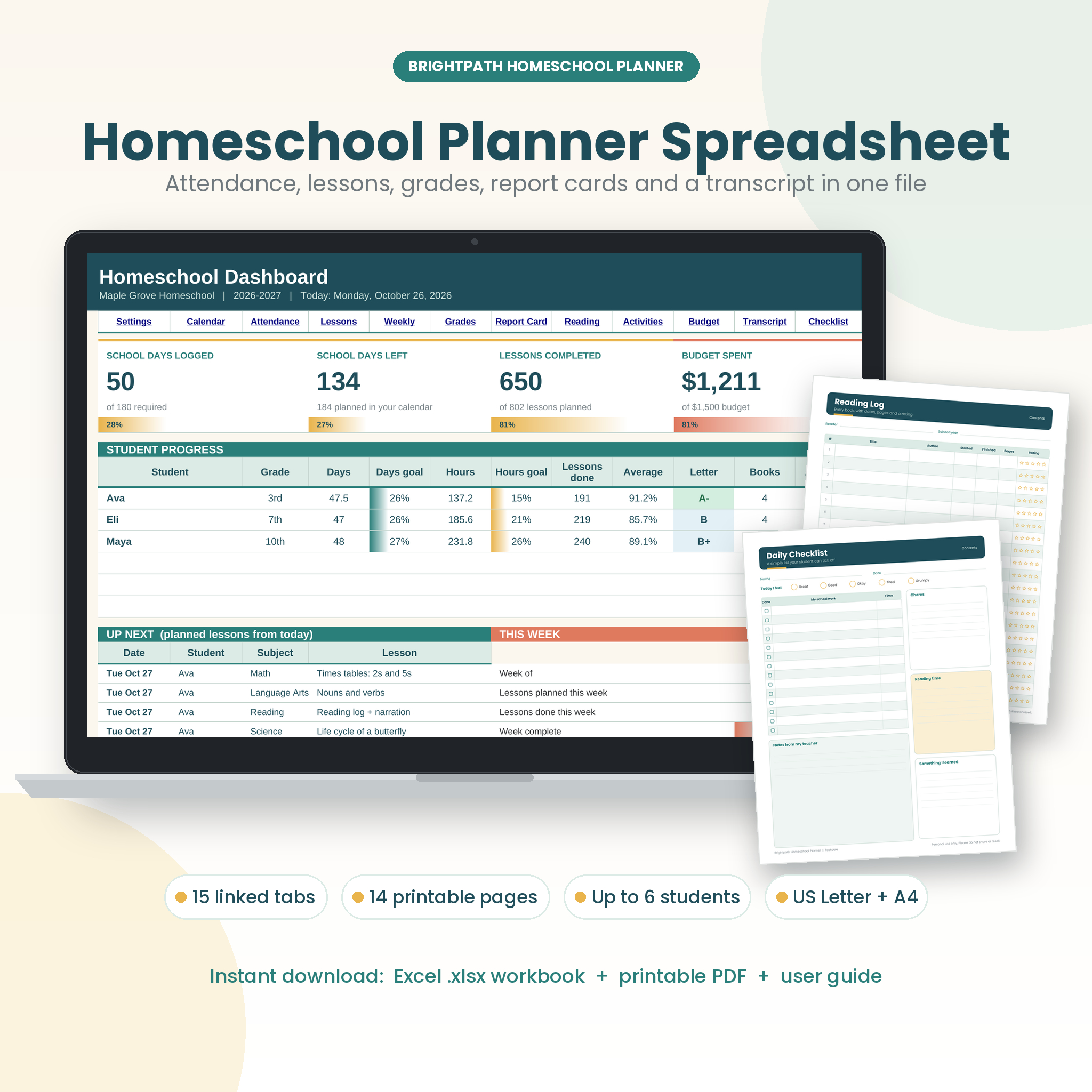
The Brightpath homeschool planner spreadsheet is one workbook for the whole school year. You type in attendance, lessons, grades and purchases once, and it works out the rest: school days, hours by subject, averages, letter grades, GPA, credits and money spent. It suits families teaching one child or six, from preschool through high school, and it comes with 14 printable pages for anyone who likes paper too.
What this homeschool planner spreadsheet does
Most homeschool planners are either pretty pages with no math or plain spreadsheets that are hard to read. Brightpath gives you both. Every tab is linked, so a lesson you mark Done on Tuesday shows up in the hours total, the Weekly View, the report card and the dashboard straight away. You spend less time adding things up and more time teaching.
Who it is for
- Homeschool parents who need clear records for their state, an evaluator or an umbrella school
- Families with several children in different grades
- Parents of high schoolers who need a proper transcript with credits and GPA
- Co-op leaders, tutors and microschool teachers planning for a small group
Main benefits
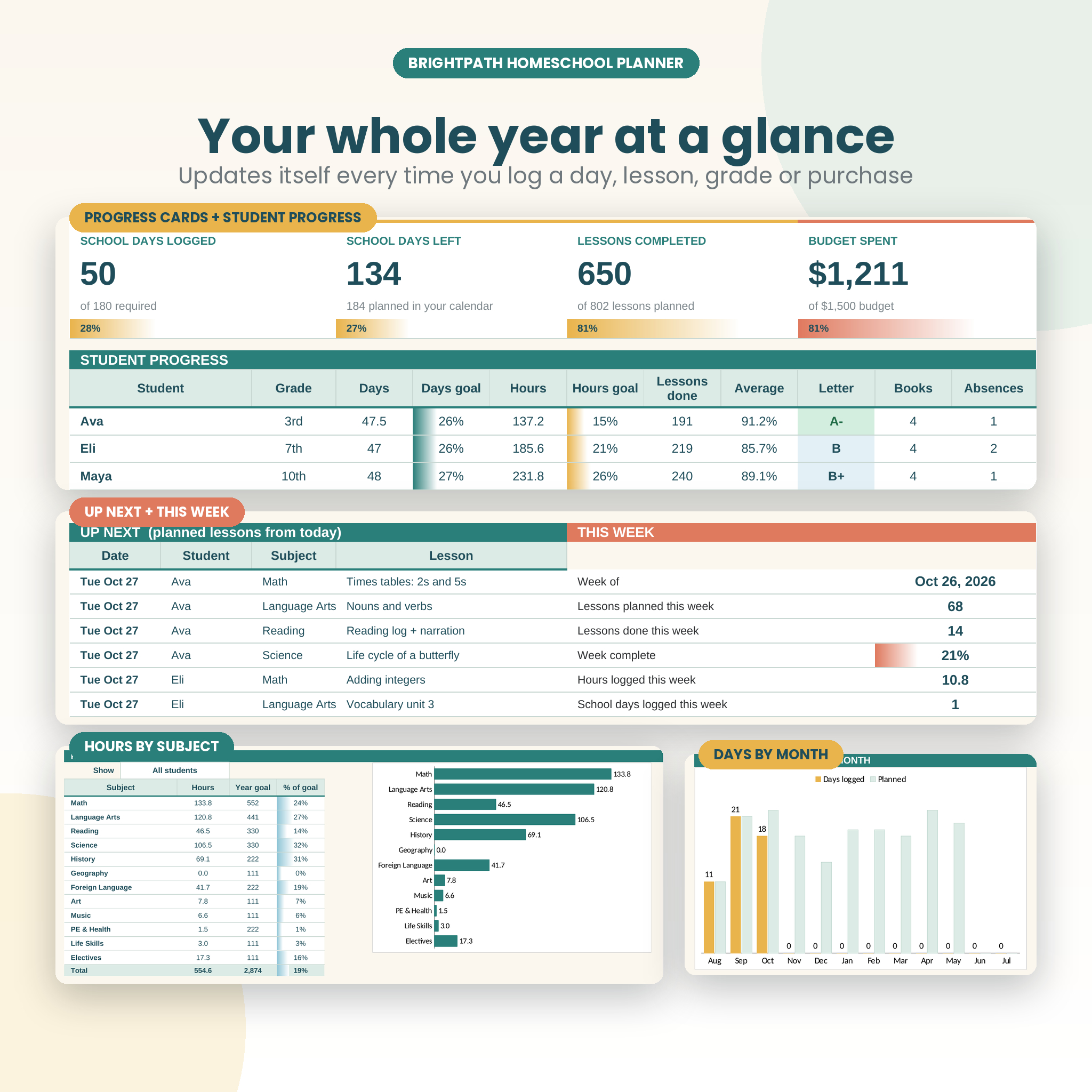
- Know where you stand. See Day 45 of 180, hours against your state target and lessons completed at a glance.
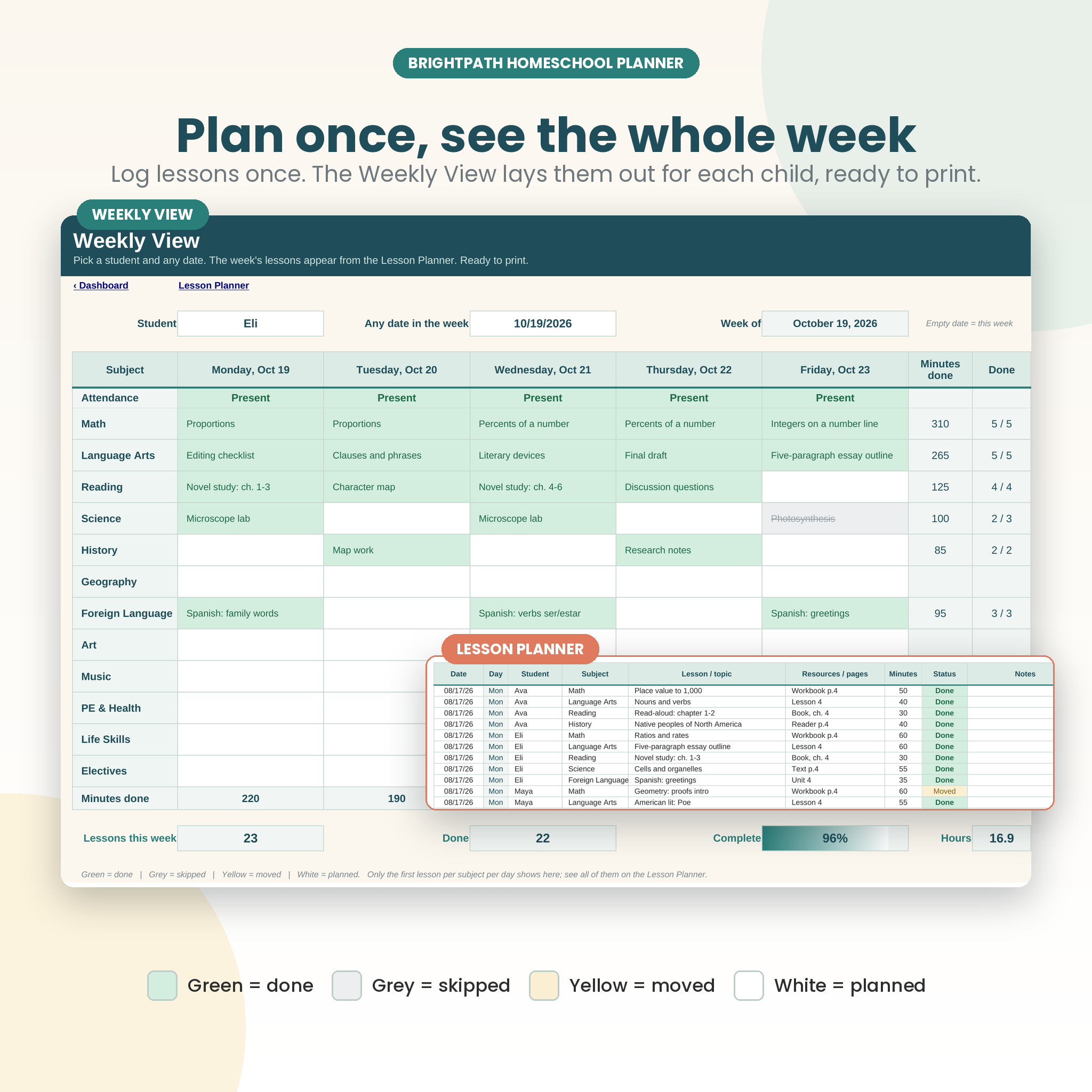
- Plan faster. Log lessons in one list and print a Monday to Friday plan for each child.
- Grade fairly. Use your own grading scale and assignment weights, or simple total points.
- Stay on budget. Track curriculum costs and a wishlist in your own currency.
- Be ready for the end of the year. Print report cards, reading lists, attendance and a transcript in minutes.
Features
Planning and attendance
- Settings: school dates, required days and hours, up to 6 students, 12 subjects, 4 terms, 20 breaks, grading scale, weights and one currency symbol
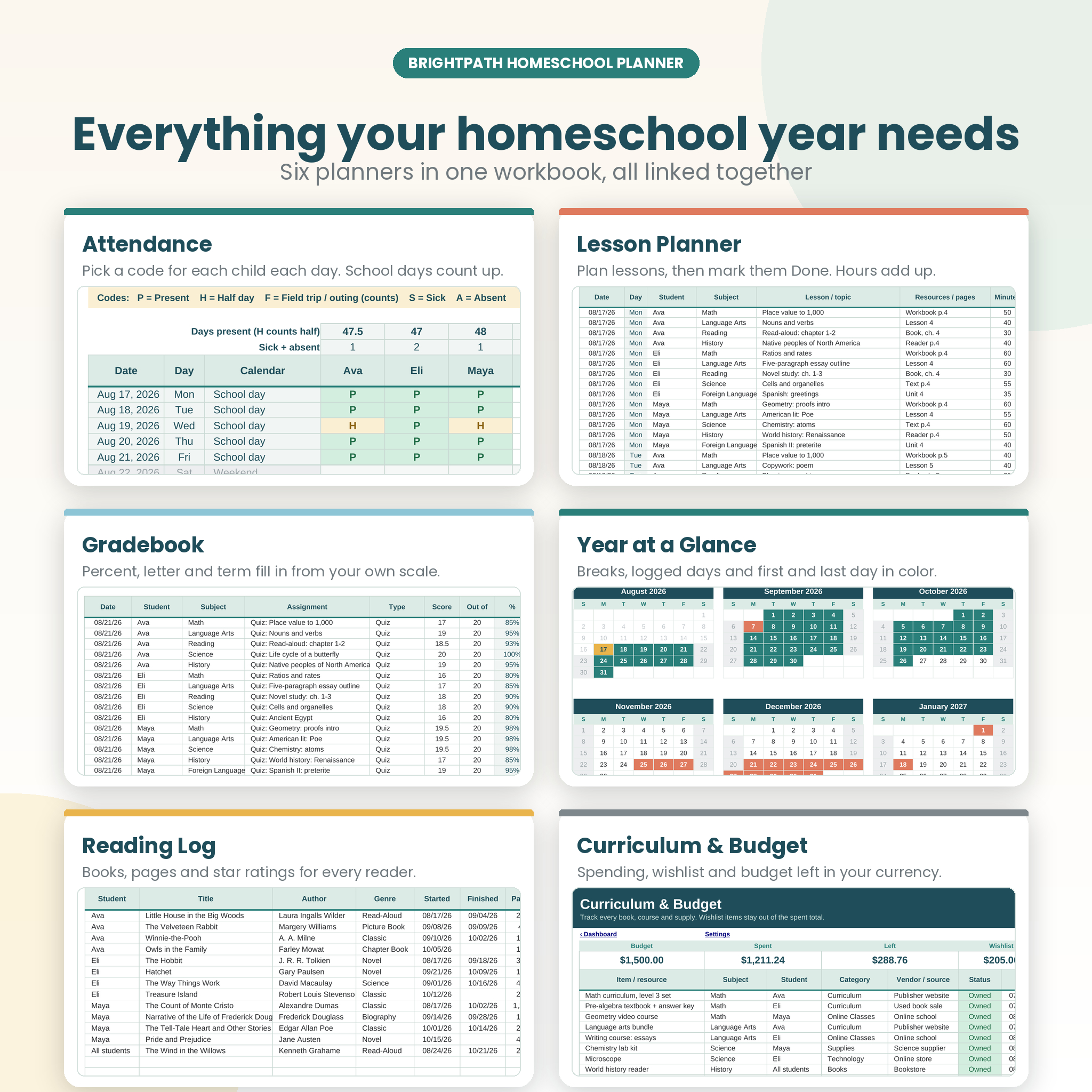
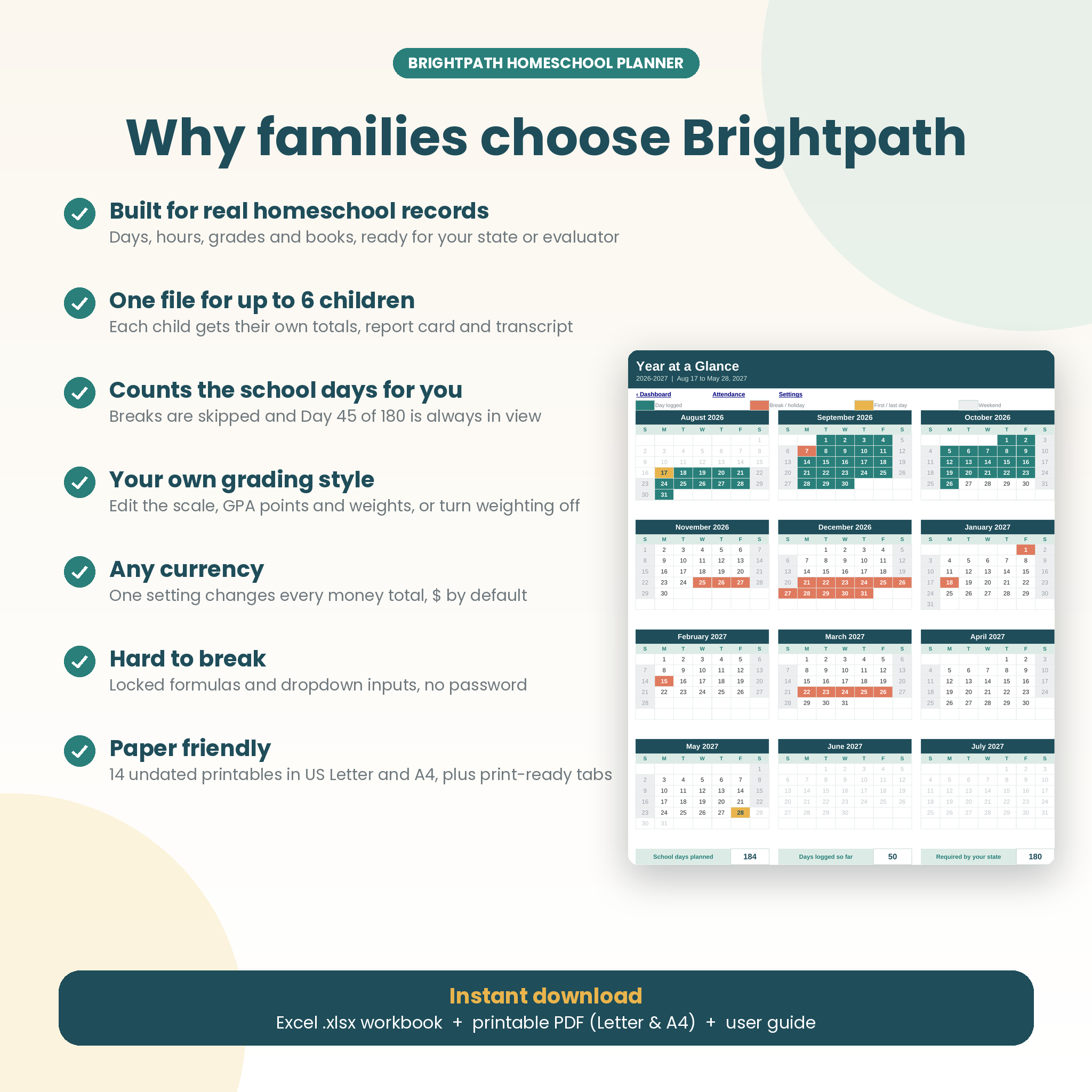
- Year at a Glance: a twelve-month calendar that colors breaks, logged days, weekends and your first and last day
- Attendance: one row per day with P, H, F, S and A codes, absence totals and a running school day number
- Lesson Planner: room for 3,000 lessons with student, subject, topic, resources, minutes and status (Planned, Done, Skipped, Moved)
- Weekly View: pick a student and a date to see the week by subject, with attendance, minutes and a completion score
Grades and records
- Gradebook: percent, letter and term fill in from your own scale
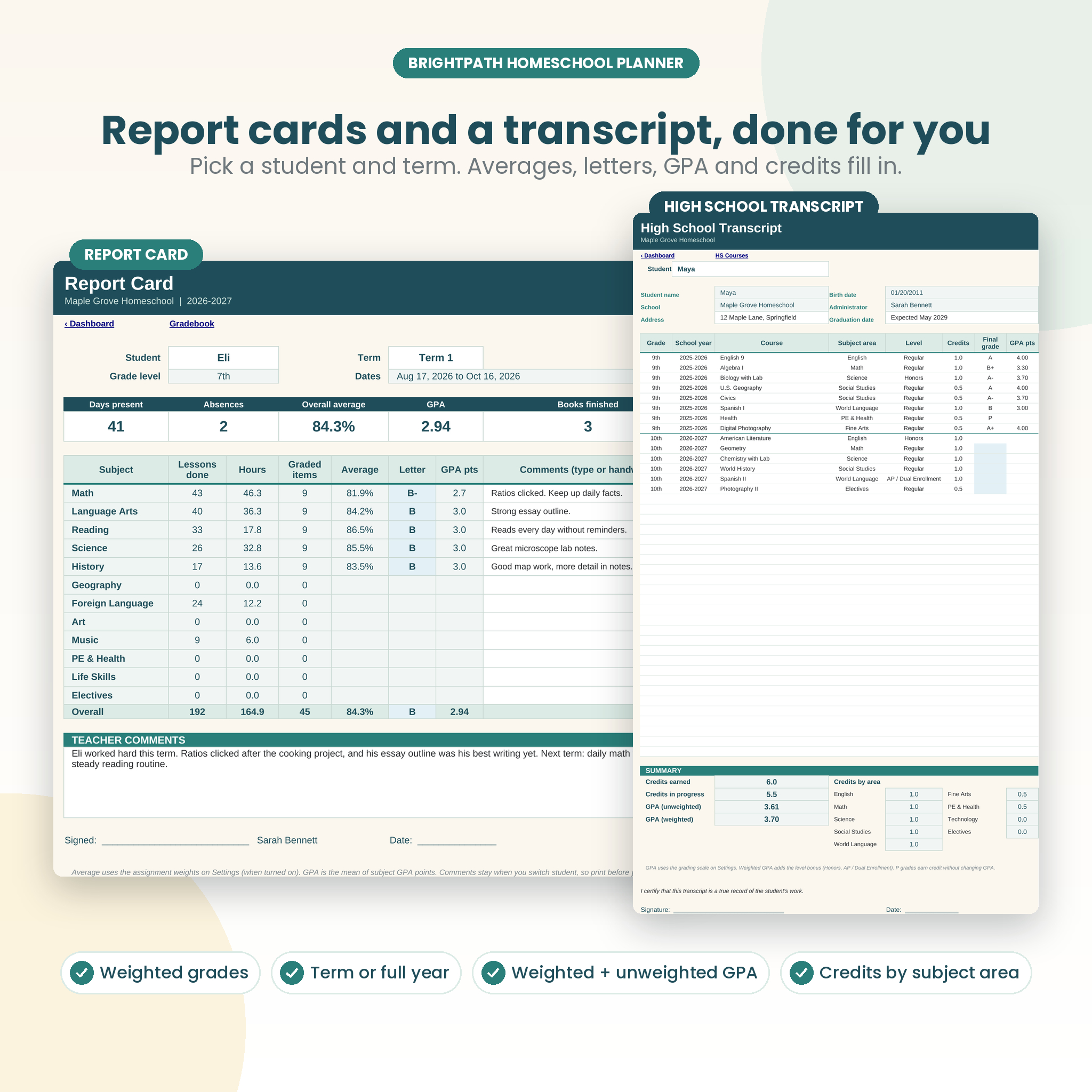
- Report Card: choose a student and term (or full year) for lessons, hours, averages, letters, GPA, attendance, books and comments
- HS Courses and Transcript: credits, Honors and AP or Dual Enrollment levels, weighted and unweighted GPA, and credits by subject area
- Reading Log: books, pages, dates and star ratings for each reader, including family read-alouds
- Activities and Field Trips: co-op, sports, trips and volunteering hours that count toward each student’s totals
- Records Checklist: 17 record keeping tasks for before, during and after the year, with a progress bar
Dashboard and budget
- Dashboard: school days logged and left, lessons completed, budget spent, progress for each student, the next six planned lessons, this week’s numbers and three charts
- Curriculum and Budget: items by category and status, with budget, spent, left and wishlist totals
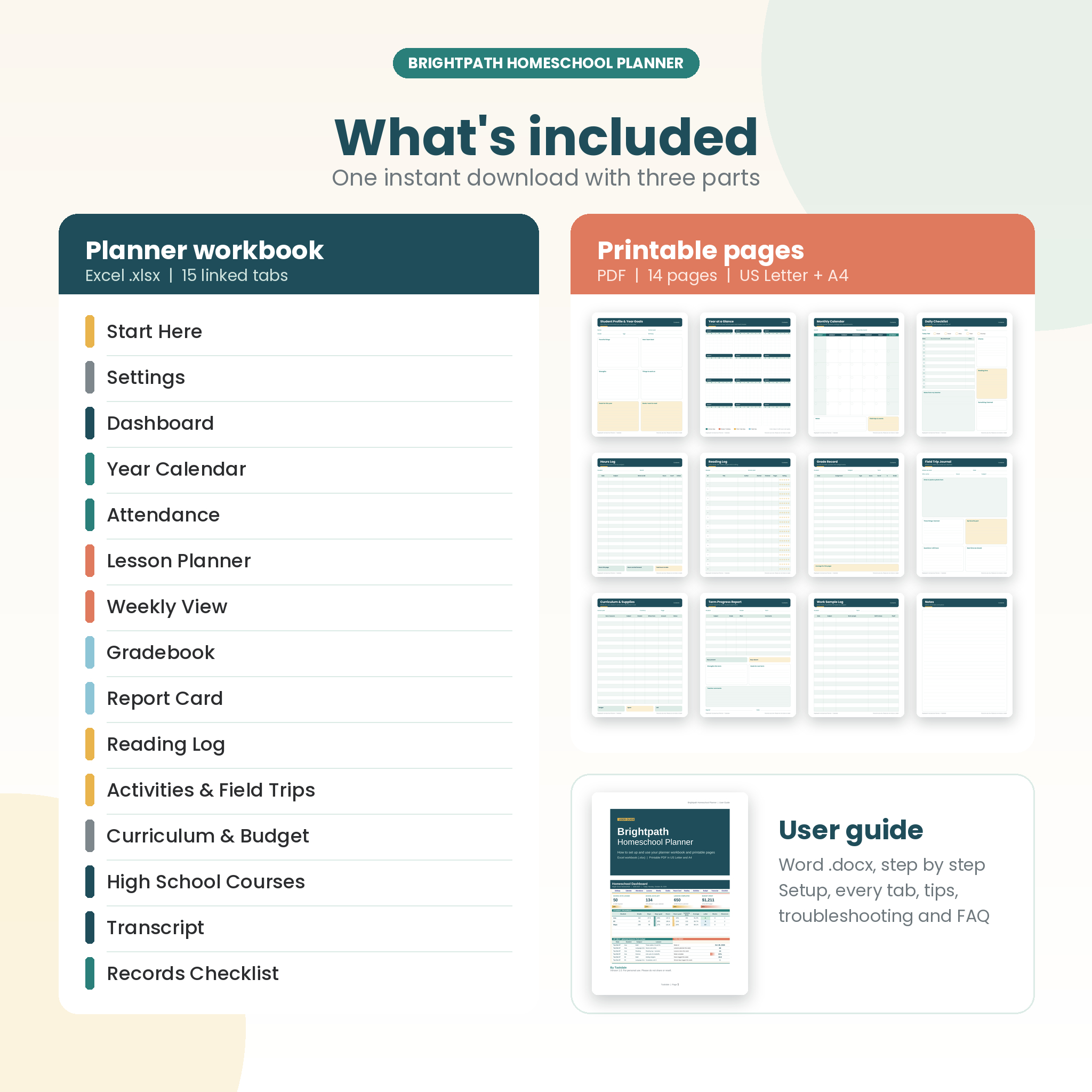
What is included
- Brightpath-Homeschool-Planner.xlsx: the 15-tab planner workbook, blank and ready to use
- Brightpath-Printables-US-Letter.pdf: 14 undated printable pages plus a clickable contents page
- Brightpath-Printables-A4.pdf: the same pages in A4
- Brightpath-Homeschool-Planner-User-Guide.docx: setup, every tab explained, tips, troubleshooting and FAQ
The printable pages are: Student Profile and Year Goals, Year at a Glance, Monthly Calendar, Weekly Lesson Planner, Daily Checklist, Attendance Record, Hours Log, Reading Log, Grade Record, Field Trip Journal, Curriculum and Supplies, Term Progress Report, Work Sample Log and Notes.
How it works
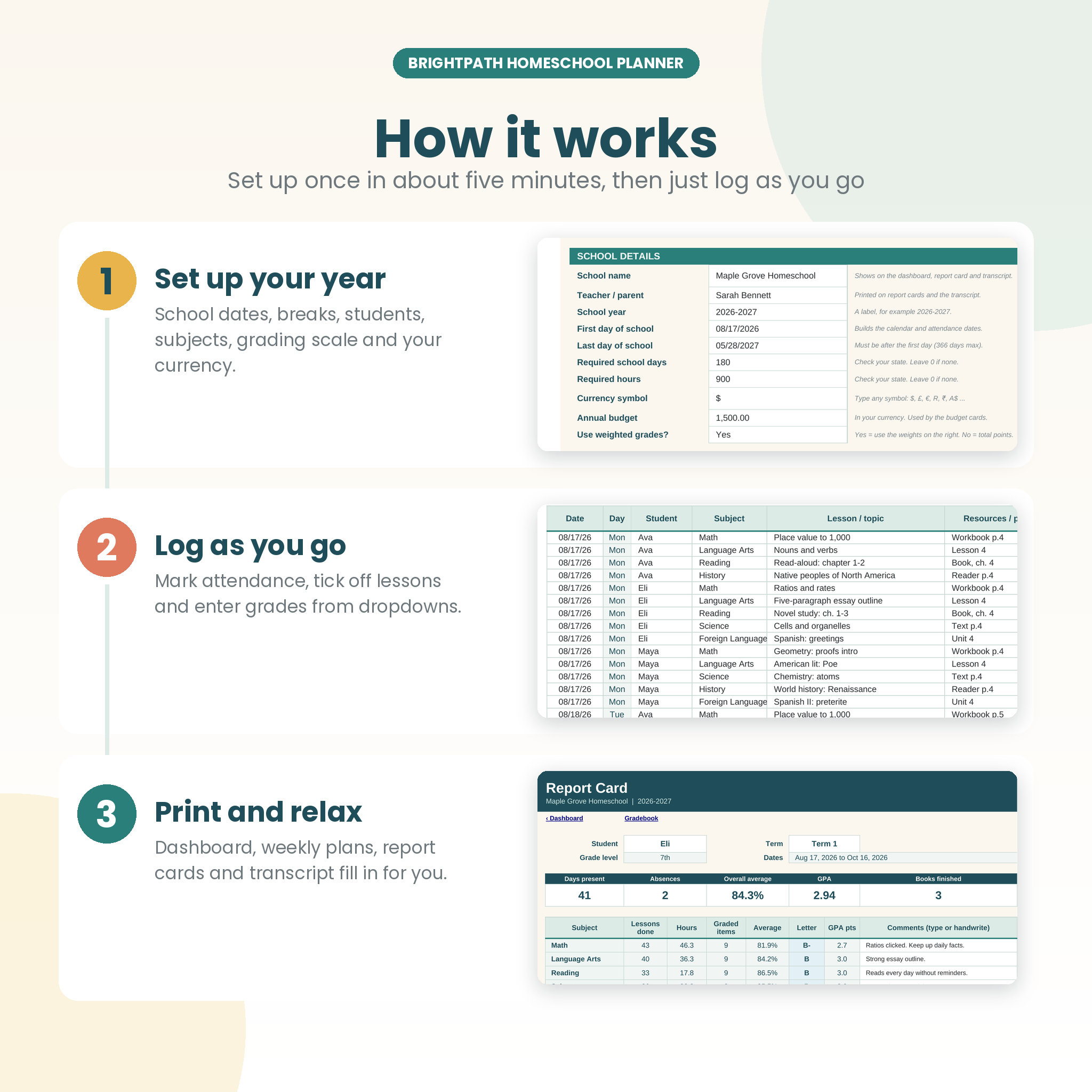
- Set up your year. On the Settings tab, add your dates, breaks, students and subjects. It takes about five minutes.
- Log as you go. Mark attendance, add lessons and switch them to Done, and enter scores. Most cells use dropdowns.
- Check and print. The Dashboard, Weekly View, Report Card and Transcript update on their own and are set up to print.
File formats and software
- Workbook: .xlsx (Excel format) with no macros or add-ins. Built and tested in LibreOffice Calc, using only standard Excel functions. A desktop spreadsheet app such as Microsoft Excel or the free LibreOffice Calc is recommended.
- Google Sheets and phone apps are not recommended, because the colored calendar, progress bars and locked cells may not carry over.
- Printables: PDF with embedded fonts, in US Letter (8.5 x 11 in) and A4. Print at 100% or Actual size.
- User guide: Word .docx
Customization
Change the currency symbol once and every money total follows it, with $ as the default. Rename subjects and budget categories, set your own required days and hours, edit the grading scale and GPA points, and turn weighted grading on or off. Formula cells are locked to prevent accidents, but there is no password, so you can switch protection off on any tab and restyle it.
Digital download
This is a digital product. Nothing will be shipped. After checkout you get one ZIP file with the workbook, both PDFs and the guide. Unzip it, open the Start Here tab and follow the four steps. Licensed for personal use in your own home, homeschool or classroom. Please do not share or resell the files.
Real ways families use it
- A mom of three logs attendance each morning and prints a Weekly View for each child on Sunday night.
- A dad in a state with a 1,000-hour rule checks the hours goal bars every Friday to stay on track.
- A family with a 10th grader builds the transcript one year at a time and prints it for college applications.
- A co-op teacher uses the Gradebook and Report Card for a small class each term.
- A family outside the US sets the currency to £ or € and prints the A4 pages.
Homeschool planner spreadsheet FAQ
Does it work with Microsoft Excel?
It is a standard .xlsx Excel workbook with no macros, using only common Excel functions. We built and tested it in LibreOffice Calc. Use a desktop app for the best result.
How many children can I track?
Up to six students and twelve subjects per workbook. Use a second copy for more.
Is it dated?
No. The calendar and attendance build from the first and last day you enter, so it works for any school year. The printables are undated.
Can I use it outside the United States?
Yes. Set your own currency symbol, enter your own required days and hours (or 0) and print the A4 pages.
Does it include a high school transcript?
Yes. Add courses on the HS Courses tab and the Transcript tab shows credits, weighted and unweighted GPA and credits by subject area, ready to sign and print.
Will it tell me my state’s homeschool requirements?
No. Rules differ by state and change over time, so check your state’s law and enter the required days and hours yourself.
Can I reuse it next year?
Yes. Keep a blank copy and start a fresh file each school year.
Reviews
There are no reviews yet.