Someone new starts on Monday. You sit them down, open the shared drive, and realise the only record of how invoices go out is in your head. And in the head of the person who just left. That is usually the week people start searching for the best SOP templates.
A good standard operating procedure template doesn’t write your process for you. It asks the right questions in the right order: what does this cover, who owns it, what are the steps, how do we check it worked, and who signed it off. Get those five things on one page and most handovers stop being painful.
We put five Taskdale SOP templates side by side. Some are a single, clean document you copy for every process. One is a 71-section manual for running a small business day to day. One is a spreadsheet that keeps your SOPs next to your clients and projects. Below you’ll find the quick picks, a comparison table, a full review of each, and a buying guide so you can choose your own.
Our top picks at a glance
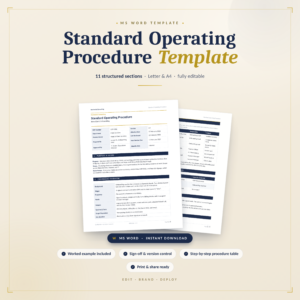
SOP Template for Teams
Ten sections from purpose and scope to version history and sign-off. The one to copy for every process.
See the template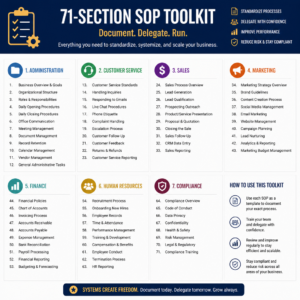
Daily Operations SOP Manual
71 sections across 10 modules, covering everything from opening up to invoice follow-ups.
See the manual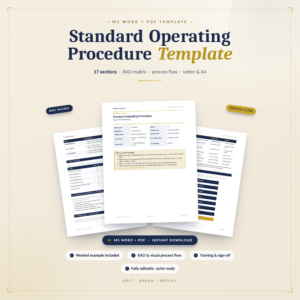
SOP Toolkit
A RACI matrix, a process flow section and a how-to-use guide built in.
See the toolkitBest SOP templates compared
The short version first. On a phone, each template shows as its own card, so scroll down for the details.
| Template | Format | Size | RACI matrix | Sign-off | Best for | |
|---|---|---|---|---|---|---|
| Word (.docx) | 10 sections | No | Yes | Any team process | View | |
| Word (.docx) | 71 sections | No | No | Running a small business | View | |
| Word (.docx) | 10 sections | Yes | Yes | Audits and handoffs | View | |
| Word (.docx) | 8 sections | Yes | No | Tools and resources | View | |
| Excel, Google Sheets | Full workbook | No | No | Tracking the business | View |
How we compared them
Even the best SOP templates look alike in the preview image. A heading, a table, some lines. The difference shows up when you try to write a real procedure in one and hand it to someone who has never done the task.
So we checked each file against five questions:
- Does it cover ownership? A list of steps is not an SOP. Someone has to own the process, approve changes and answer questions when it breaks.
- Is there a place to check the work? Quality checks, pass and fail criteria, or at least a clear end point, so people know when they’re done.
- Can you control versions? Version history and sign-off fields matter the moment two copies of the same SOP start floating around.
- How much is already written? A blank framework is great if you know your process. A pre-written manual saves weeks if you’re starting from nothing.
- Will it fit how you work? Word documents suit written procedures. A spreadsheet suits tracking which SOPs exist and how the business is running.
The 5 best SOP templates, reviewed
Standard Operating Procedure Template for Teams
Best overall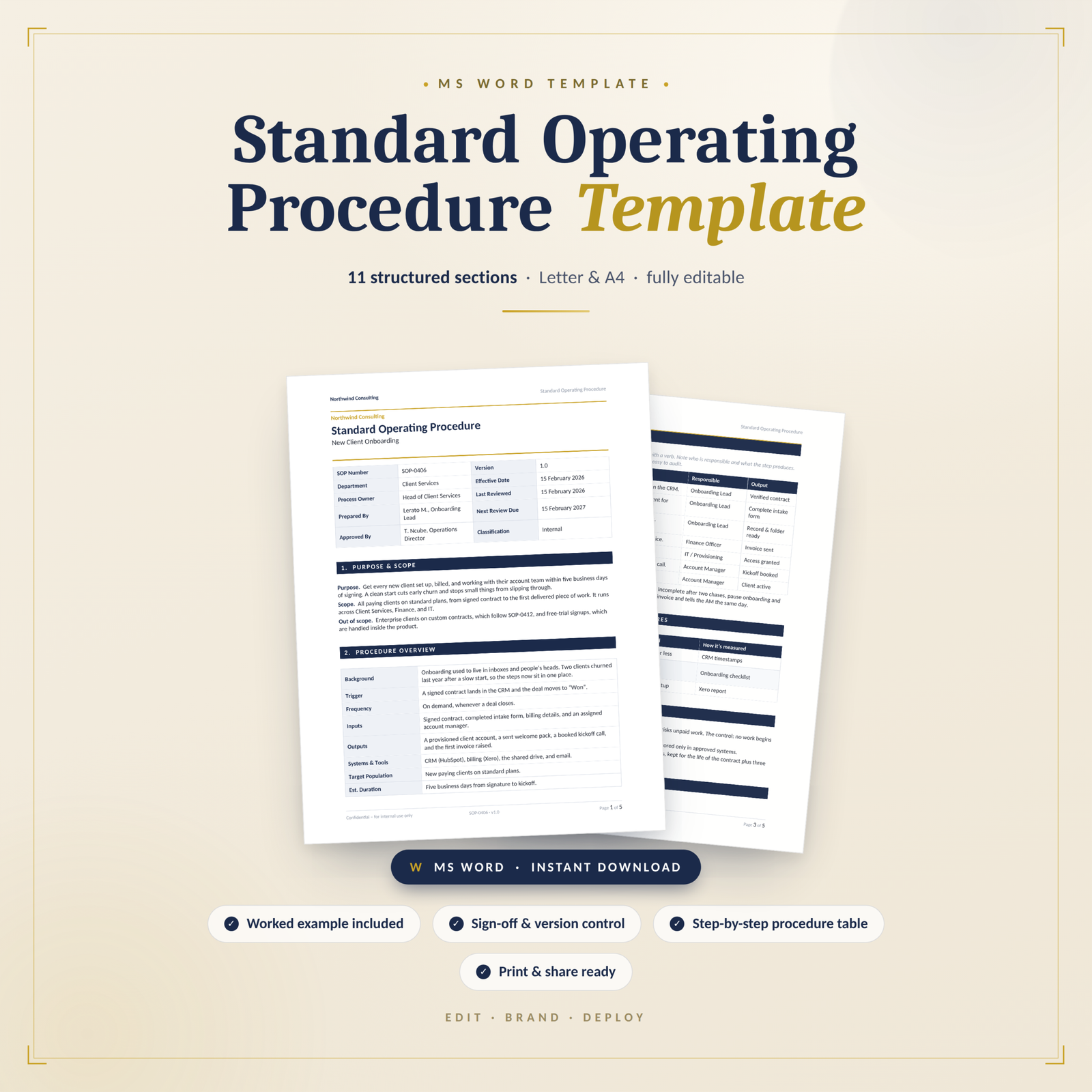
If you want one SOP layout to use for every process in the business, start here. This is a Word document with ten clearly set out sections, and it follows the formal SOP structure that quality and compliance teams expect to see. Copy it, rename it, fill it in. Repeat for the next process.
The order makes sense once you start writing. You open with purpose and scope, which forces you to say what the procedure does not cover (a step most people skip). Then a short procedure overview so a reader gets the gist before the detail. Definitions and acronyms come next, which sounds dull until two people in the same team use the word “approved” to mean different things.
What sets it apart from the others here is the back half. There’s a Quality Checks and Success Measures section for pass and fail criteria, a Safety, Risk and Compliance section, Related Documents and References, a Version History table and an Approval and Sign-Off block. Those last two are what turn a helpful note into a controlled document you can show an auditor.
Picture a café owner writing the closing procedure. Steps go in the step-by-step section, “fridge temperature logged and under the limit” goes in quality checks, the supervisor’s name goes in roles, and the owner signs at the bottom. Next time the process changes, one line in version history says what changed and when.
| Format | Word (.docx), fully editable |
|---|---|
| Sections | 10 |
| Ownership | Roles and Responsibilities section |
| Control | Version History plus Approval and Sign-Off |
| Licence | Single-business use |
What we like
- Quality checks section with pass and fail criteria
- Version history and sign-off built in
- Clean enough to brand and hand to clients
- Works for almost any process
Keep in mind
- No RACI matrix, so roles are written as text
- It is a framework, so you write every step yourself
Daily Operations SOP for Small Businesses
Best for small businesses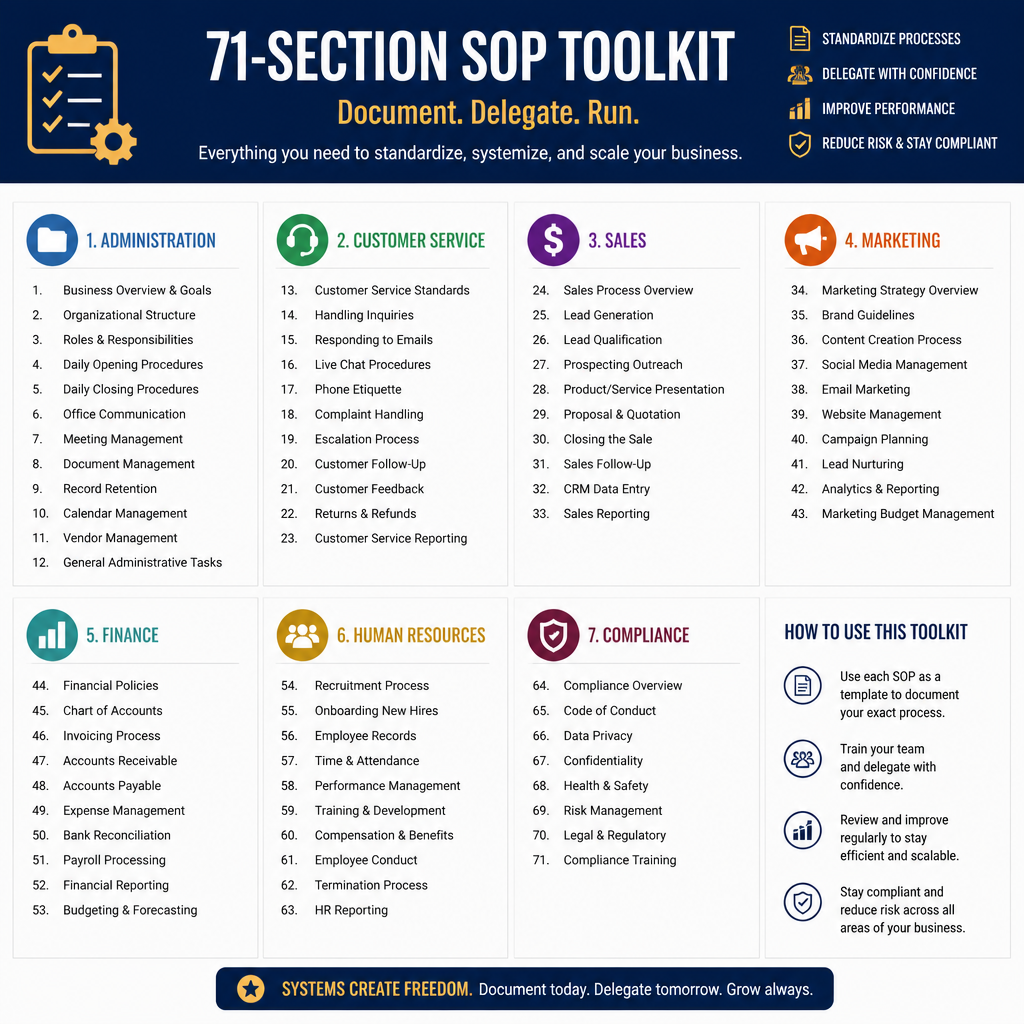
This is a different kind of product. The other templates here give you one empty SOP to fill in. This one gives you a whole operations manual: 71 sections across 10 modules, numbered like a real SOP library (SOP 2.2 for inbox management, SOP 6.1 for invoicing, and so on).
The modules follow how a small business actually runs. Daily admin and office work. Customer service, from first inquiry to refunds and complaints. Sales and lead management. Marketing operations, including newsletters and campaign launches. Finance and bookkeeping, covering invoices, money owed to you, bills, daily cash and receipts. Hiring and HR. Project and task management. Quality control and risk, with SOPs for data security, contract review and business continuity.
Module 1 is the part people underrate. It sets up your SOP system before you write anything: templates, naming and filing rules and a documentation workflow. Module 10 then covers training, testing, review and version control, plus an operations dashboard with metrics. So you’re not just getting procedures. You get the habits that keep them current.
It suits the owner who keeps saying “I really need to write all this down” and never finds the week to do it. Open the module that hurts most (chasing invoices, for most people), edit the steps to match your tools, and you have a working SOP by lunch.
| Format | Word (.docx) |
|---|---|
| Size | 71 sections in 10 modules |
| Covers | Admin, customers, sales, marketing, finance, HR, projects, risk |
| Setup help | Naming, filing and documentation workflow |
| Licence | Customise for your own business, no resale |
What we like
- Most of the writing is already done
- Covers every department of a small business
- Includes rules for naming and filing SOPs
- Numbered SOPs make training easy to reference
Keep in mind
- Big to work through, so start with one module
- Not a single blank template to copy for new processes
- Steps need editing to match your own tools
Standard Operating Procedure Template SOP Toolkit
Best for RACI and process flow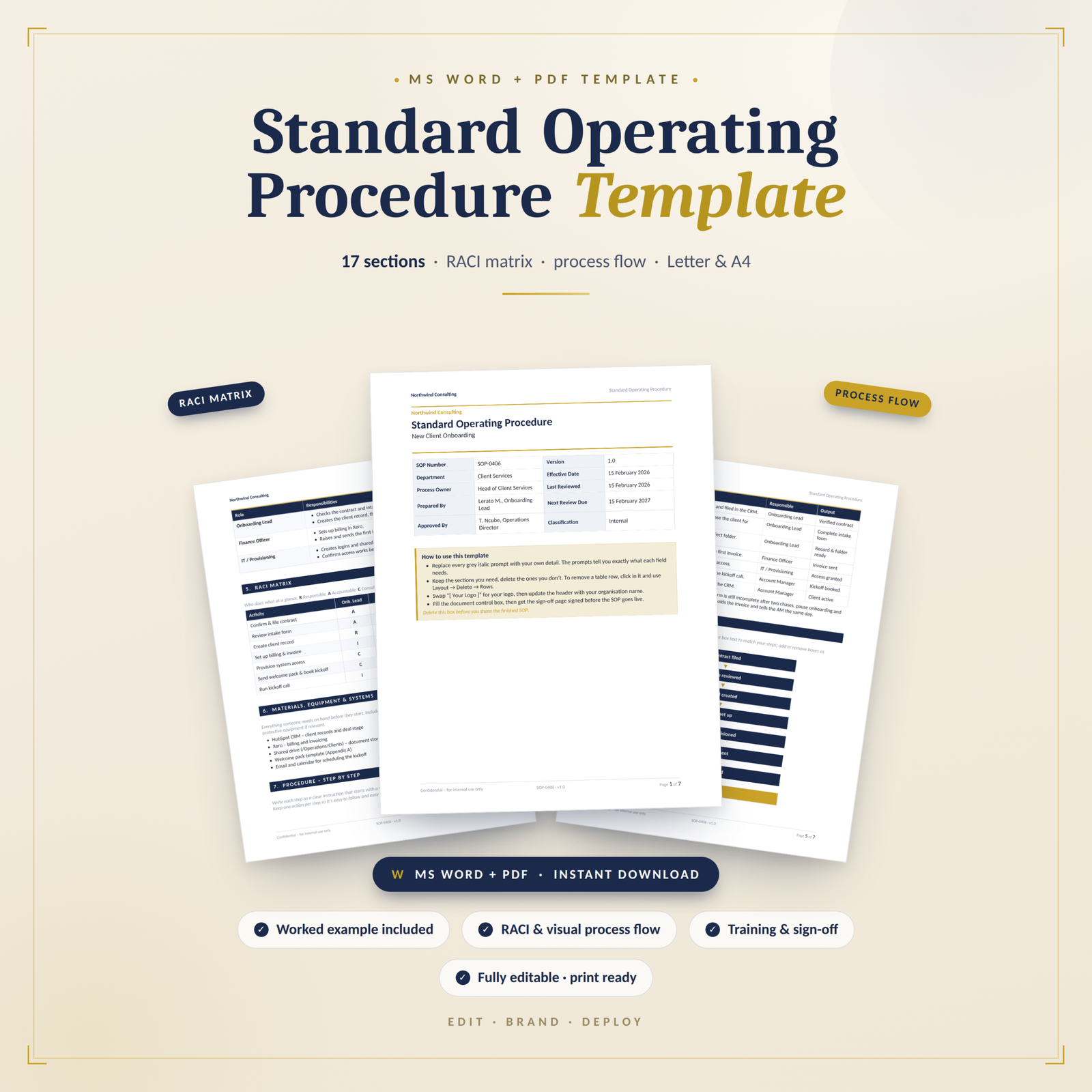
The SOP Toolkit is the pick for processes that pass through several hands. It has ten sections like our top pick, but it trades the definitions and quality checks pages for two things that matter more in a handoff-heavy workflow: a RACI matrix and a Process Flow section.
The RACI matrix maps who is Responsible, Accountable, Consulted and Informed for each part of the procedure. That clears up the classic problem where three people think someone else is approving the refund. The Process Flow section is where you show the handoffs and control points visually, so a new starter can see where their part begins and ends.
It also opens with a How to Use This Template section. That sounds minor, but if you’re asking five department heads to each write their own SOPs, a guided first page is what keeps the results consistent. It closes with Safety, Risk and Compliance, Approval and Sign-off fields, and Appendices for references and notes.
Think of an HR team writing the procedure for approving leave. The manager is accountable, payroll is informed, the employee is responsible for submitting on time. Put that in the matrix once and you stop answering the same question every month.
| Format | Word (.docx) |
|---|---|
| Sections | 10 |
| Roles | Roles section plus RACI matrix |
| Visuals | Process Flow section for handoffs |
| Control | Approval and Sign-off, Appendices |
What we like
- RACI matrix built in
- Process Flow section shows handoffs
- Guided first page keeps teams consistent
- Good fit for audit preparation
Keep in mind
- No dedicated quality checks section
- No definitions page for team jargon
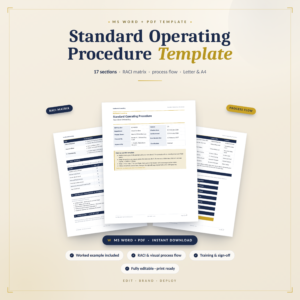
SOP Template Pro A4
Best for tools and resources
SOP Template Pro A4 is the leanest of the Word templates, with eight sections. Where it stands out is the Materials, Equipment and Systems section, which lists every resource someone needs before they start. That makes it a strong choice for processes that depend on specific software, kit or logins.
It still covers the essentials: purpose and scope, a procedure overview, definitions and acronyms, roles and responsibilities, a RACI matrix and the step-by-step method. The last section, Action, closes the SOP with a focus on what happens next, so the reader finishes knowing exactly what to do.
Picture a fulfilment process. Before anyone packs an order they need the label printer, the shipping account, the packing slip template and the right box sizes. In most templates that list gets buried in step one. Here it has its own section, so a temp on their first day can check they have everything before they touch an order.
The A4 in the name is a handy signal if your team prints on A4 paper, as most businesses outside North America do.
| Format | Word (.docx) |
|---|---|
| Sections | 8 |
| Roles | Roles section plus RACI matrix |
| Resources | Materials, Equipment and Systems section |
| Licence | Personal or internal business use |
What we like
- RACI matrix included
- Dedicated section for tools and systems
- Short enough to fill in quickly
- Easy to reuse for every workflow
Keep in mind
- No version history or sign-off section
- No quality checks section, so add your own if you need one
Small Business Operations Planner & Client Project Tracker Pack
Best for tracking the whole business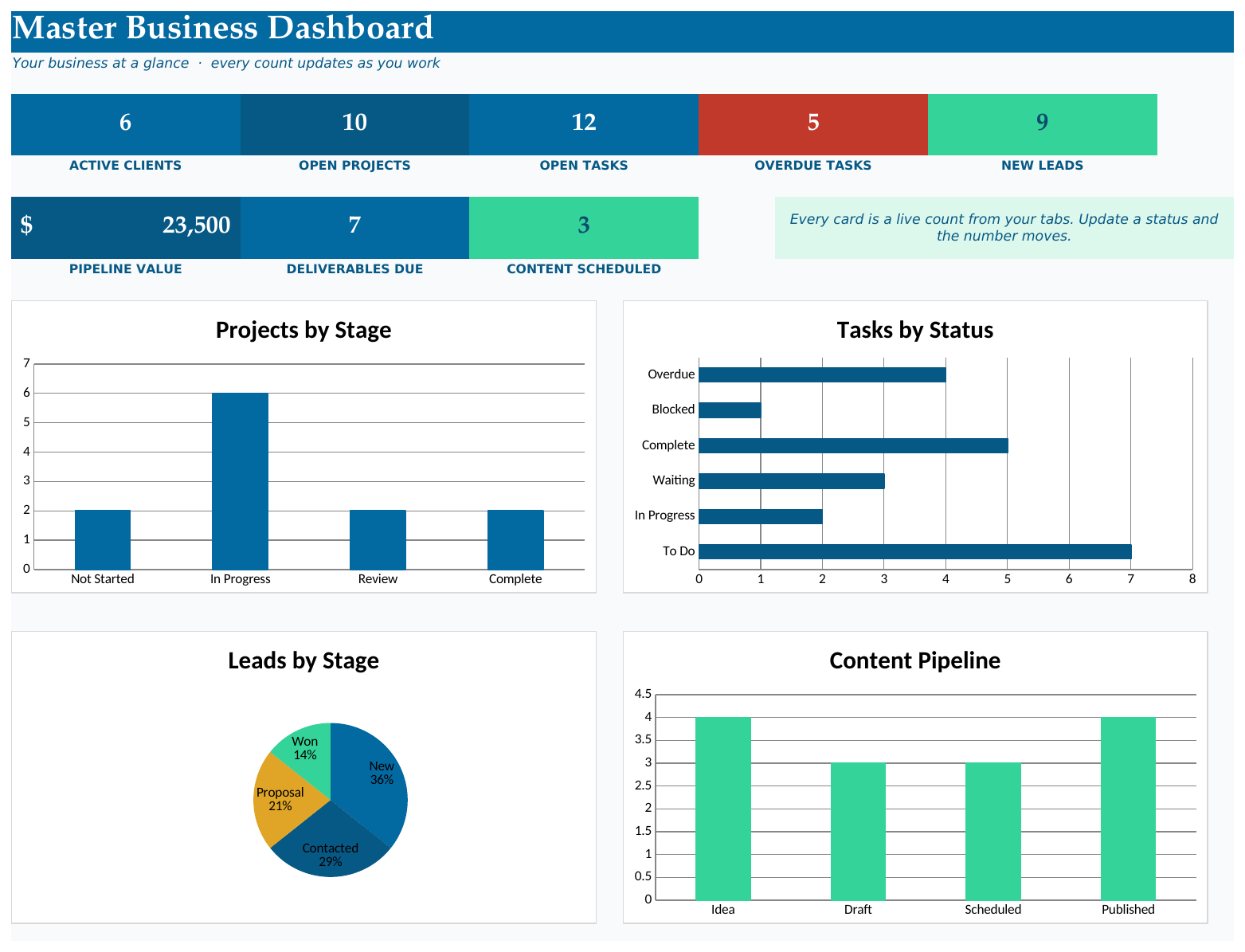
This one isn’t a Word SOP at all, and that’s the point. It’s a spreadsheet pack for running a small business, and one of its sheets is an Operations and SOP sheet for the processes you repeat. If your SOPs keep getting written and then forgotten, putting the list right next to your clients, projects and tasks is a good way to keep them in view.
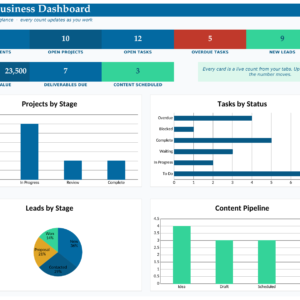
The Master Dashboard reads your lists and counts things for you: active clients, open projects, open tasks, overdue work in red, new leads, pipeline value, deliverables due and content scheduled. Four live charts show projects by stage, tasks by status, leads by stage and your content pipeline. Change a status word and the dashboard updates.
A few sheets work like light SOPs on their own. The client onboarding checklist turns green as you complete each step. The recurring admin checklist keeps legal and financial jobs from slipping. A capacity planner warns you in red when you’re overbooked. There’s also a kanban task board, a follow-up tracker, a lead tracker and a content calendar.
It suits solopreneurs, virtual assistants, designers, coaches and small studios. Pair it with one of the Word templates above: write the procedure in Word, then log it in the SOP sheet so you know what exists and what needs a review.
| Format | Excel and Google Sheets |
|---|---|
| SOP feature | Operations and SOP sheet |
| Dashboard | Master Dashboard with 4 live charts |
| Checklists | Client onboarding, recurring admin |
| Extras | 2 blank custom trackers |
What we like
- Keeps SOPs next to the work they describe
- Dashboard counts everything for you
- Onboarding checklist turns green as you go
- Runs in Excel or Google Sheets
Keep in mind
- Not a written SOP document
- No RACI, version history or sign-off fields
- Best paired with a Word template
Which SOP template should you choose?
Match your situation to a template.
| If you… | Choose | |
|---|---|---|
| Want one clean layout to copy for every process, with sign-off and version history | SOP Template for Teams | View |
| Run a small business and need most of your procedures written already | Daily Operations SOP Manual | View |
| Have processes that move between several people or departments | SOP Toolkit | View |
| Need each SOP to list the tools, systems and equipment first | SOP Template Pro A4 | View |
| Want your SOP list, clients and projects tracked in one spreadsheet | Operations Planner Pack | View |
Buying guide: what to look for in the best SOP templates
1. A clear owner for every procedure
The most common reason an SOP fails isn’t bad steps. It’s that nobody owns it. When the process changes, no one updates the document, and six months later the team quietly ignores it. Look for a Roles and Responsibilities section at minimum. If several people touch the process, a RACI matrix is better, and our guide to the RACI chart template shows how to fill one in without arguments.
2. Version history and sign-off
If you work anywhere with audits, inspections or client contracts, you need to prove which version of a procedure was in force on a given date. A version history table and an approval block do that. If you’re a team of three, you can live without them for now. But adding them later means going back through every SOP you’ve written.
3. A way to check the result
Steps tell people what to do. Quality checks tell them whether they did it right. A section for pass and fail criteria, or success measures, is what separates a procedure from a to-do list.
4. Blank framework or pre-written content
A blank template is faster if you already know the process well and just need a consistent layout. A pre-written manual is faster if you’re documenting a whole business from scratch. The Daily Operations manual gives you 71 starting points. The single templates give you a structure you’ll reuse 71 times.
5. The right file for the job
Written procedures belong in Word, where you can add headings, screenshots and tables. Tracking which procedures exist, who owns them and when they were last reviewed is easier in a spreadsheet. Plenty of teams use both.
Tip: write your first SOP while someone is doing the task, not from memory. Sit next to them, note every click and every “oh, and then I check this”, and you’ll catch the steps that experienced people forget they do.
How to write your first SOP in an afternoon
- Pick one process that causes trouble. Missed invoices, messy onboarding, a closing routine that depends on one person. Start where the pain is.
- Fill in purpose and scope first. One or two sentences on what the procedure covers and, just as useful, what it doesn’t.
- Name the owner and the roles. Who does it, who approves it, who needs to know. Use a RACI matrix if more than two people are involved.
- Write the steps as actions. Start each one with a verb: open, check, send, file. Keep one action per step.
- Add the checks. How does someone know the task is done right? Write it down.
- Test it on a new person. Hand it to someone who hasn’t done the task and watch where they get stuck. Fix those spots.
- Sign it off and log the version. Date it, sign it, and set a review date three to six months out.
Want more detail on the writing itself? Read how to write an SOP people will actually follow. If you need a starting list of routines worth documenting, our daily operations checklist for small businesses walks from open to close. And for client work, here’s what to track in a client project tracker so nothing slips between your SOPs and your deadlines.
SOP templates FAQ
What is the best SOP template?
For most teams, the Standard Operating Procedure Template for Teams. It has ten sections, including quality checks, version history and sign-off, so it works for anything from a café closing routine to a compliance procedure. If you’d rather start with procedures already written, the Daily Operations SOP manual has 71 sections across 10 modules.
What sections should an SOP have?
At minimum: purpose and scope, roles and responsibilities, the step-by-step procedure, and some way to check the result. Version history and an approval section make it a controlled document. A RACI matrix and process flow help when the task passes between people.
Should an SOP be in Word or Excel?
Write the procedure in Word. It handles long text, numbered steps and tables well, and all four Word templates above are editable .docx files. Use a spreadsheet to keep a register of your SOPs, their owners and review dates.
How long should an SOP be?
As long as it takes for someone new to do the task right, and no longer. Most single procedures fit on two to five pages. If yours runs to twenty, it’s probably three procedures that should be split.
Are free SOP templates good enough?
A free template can work for a single, simple task. Where they tend to fall short is control: most skip version history, sign-off and a place for quality checks, which are the parts that matter once a team relies on the document. The best SOP templates build those in so you don’t have to bolt them on later.
Can I use these SOP templates for clients?
The SOP Template for Teams is sold under a single-business licence and the description mentions client projects and client-ready documentation, so check the licence terms on each product page before you reuse a template across several client businesses.
The verdict
All five are solid, but the best SOP templates for you depend on where you are starting. If you want one layout to standardise every process, get the Standard Operating Procedure Template for Teams. It has the quality checks, version history and sign-off that the others leave out. If you’re a small business owner starting from nothing, the Daily Operations SOP manual saves you weeks of writing. And if your processes bounce between people, the SOP Toolkit and its RACI matrix will settle who does what.