Best Client Tracker: Spreadsheet and Notion Options
If you want the best client tracker for a freelance or small service business, choose a linked spreadsheet where you record a payment once and the invoice, client balance and dashboard all update. PaidPath suits invoice-heavy work, Plumline suits sales follow-up, and Linen & Ledger suits people who already work in Notion.
Choosing one can feel more complicated than it should, because the listings promise a great deal. We'll keep this practical: what each type does, where it falls short, and how to match it to the way you work.

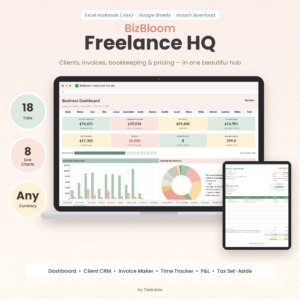 Freelancer Business Spreadsheet for Excel & Google Sheets | BizBloom Freelance HQ All-in-One Client CRM, Invoice Tracker, Bookkeeping & Pricing Calculator
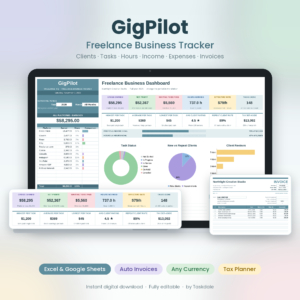 Freelancer Tracker Spreadsheet for Excel & Google Sheets | GigPilot Freelance Business Dashboard with Client CRM, Invoice Generator, Income & Expense Tracker & Rate Calculator
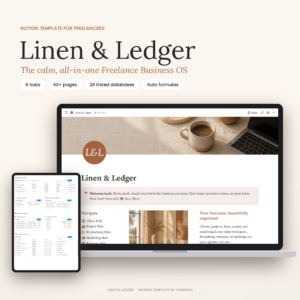 Freelancer Notion Template: All-in-One Business Dashboard, Client CRM, Project Tracker, Invoice & Finance Planner | Linen & Ledger
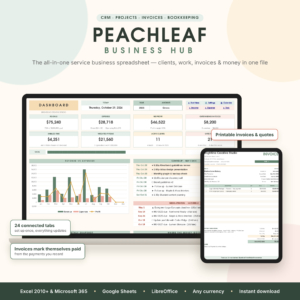 Small Business CRM & Bookkeeping Spreadsheet for Excel & Google Sheets | Peachleaf Business Hub with Invoice Tracker, Projects, Tasks, Time Tracker & Dashboard
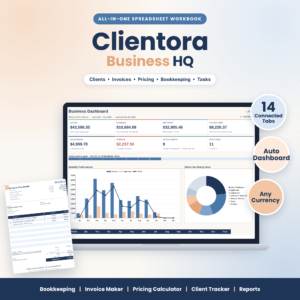 Small Business Spreadsheet Template – Bookkeeping, Invoice Maker, Pricing Calculator & Client Tracker | Clientora Business HQ (.xlsx)
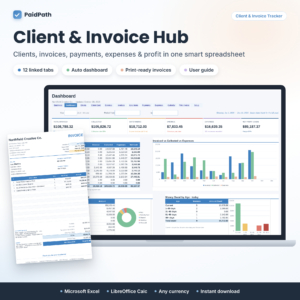 Client Tracker & Invoice Tracker Spreadsheet for Excel | PaidPath Client & Invoice Hub | Payment Tracker, Business Dashboard, Printable Invoice & Expense Log
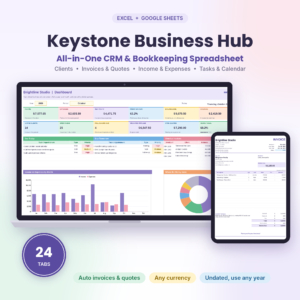 Keystone Business Hub | Small Business Spreadsheet for Excel & Google Sheets | CRM, Bookkeeping, Invoice Tracker, Client Tracker & Business Dashboard
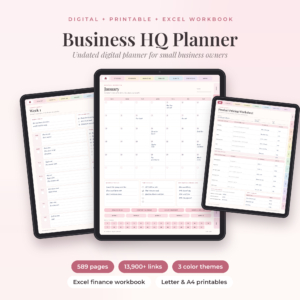
Key facts at a glance
- A client tracker is a single file or workspace that holds your contacts, work, invoices and payments, so you stop checking several places.
- Most options here are Excel or Google Sheets templates, one is a Notion workspace, and two are digital planners for tablets.
- The tab counts range from 12 (PaidPath) to 24 (Peachleaf and Keystone), and more tabs means more features but also more setup.
- Every spreadsheet here works in any currency, and several handle two or three taxes.
- Each one comes with a user guide, so you are not left to work out the formulas alone.
Table of Contents Toggle
- What should you look for in a client tracker?
- How do the best client trackers compare?
- Which client tracker suits which kind of business?
- How do you set up and use a client tracker?
- What mistakes should you avoid with a client tracker?
- What affects the price of a client tracker?
- How to choose the best client tracker for you
- Common questions
What should you look for in a client tracker?
A good client tracker records who you work for, what you have agreed, what you have billed and what has been paid, and it does so without you retyping anything. Five factors separate the strong options from the merely tidy ones.
Linked records, so you enter things once
Linked records mean a payment logged in one place updates every other place it matters. PaidPath, Keystone and Peachleaf all work this way: record the payment and the invoice status, client balance and dashboard change together. Without linking, you end up maintaining the same figure in three tabs, and sooner or later they disagree.
Follow-up and overdue flags
A tracker is only useful if it tells you what needs attention. Plumline flags overdue follow-ups and unpaid invoices on its own, while BizBloom shows overdue invoices and upcoming deadlines on its dashboard. If you chase work and money by memory at the moment, this feature alone is worth paying for.
Invoicing and tax handling
Invoice handling covers whether you can produce a print-ready invoice, accept part payments and add tax. PaidPath handles partial payments, three taxes and money owed by age, and prints invoices, quotes and client statements in Letter and A4. BizBloom and Clientora handle up to two taxes. Check this against how you actually bill, because a single-tax tracker will frustrate you if you charge two.
Where you will open it
Format decides whether you will use the tracker at all. Plumline, PaidPath and Clientora are Excel files. BizBloom, GigPilot and Keystone work in Excel and Google Sheets. Peachleaf adds LibreOffice and states Excel 2010 or later. Linen & Ledger runs in Notion and works on the free Notion plan. Pick the app you already open every day.
Size and fit
Size means how many clients and tasks the file can sensibly hold. GigPilot has a 150-client CRM and a 500-row task log, which is plenty for one person but worth noting if you manage a large client list. Larger workbooks such as Peachleaf and Keystone, at 24 tabs each, also cover budgets, bookkeeping and tax planning. That is useful if you want one file for everything, and more than you need if you just want to track clients.
How do the best client trackers compare?
The nine products on this page split into three groups: client-first spreadsheets, all-in-one business workbooks, and planners. The table shows what actually differs between them. You can browse all 10 options in the grid, with prices shown on each card.
Which client tracker suits which kind of business?
The right client tracker depends on whether your main problem is winning work, billing it, or running the whole business from one file. Here is how we would match them.
Solo freelancers who sell as well as deliver. Plumline is built around leads, deals and follow-ups, and its dashboard shows pipeline value and win rate. Its real hourly rate figure tells you whether a project paid off. GigPilot suits freelancers who want to log a task once and see hours, earnings, platform fees and tax set-aside.
Freelancers who want pricing and records in one place. BizBloom adds an hourly rate and service pricing calculator to its 18 tabs, with a print-ready invoice maker.
Anyone who spends the most time chasing payment. PaidPath is the most invoice-centred option here. Partial payments, an ageing view of money owed and client statements suit trades, consultants and agencies with a steady flow of invoices.
Small businesses that want bookkeeping included. Peachleaf, Keystone and Clientora all combine client tracking with income, expenses and reports. Keystone goes furthest with bank balances, reconciliation and budgets. Clientora is the simpler choice if quotes and invoices are your priority.
People who live in Notion. Linen & Ledger keeps clients, projects, time, invoices and budgets in one workspace, and invoices update themselves when payments are linked.
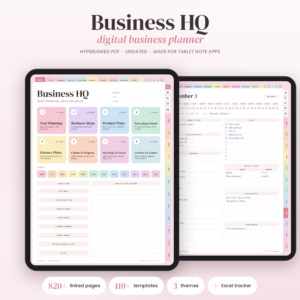
People who think better on paper or a tablet. The two Business HQ planners suit owners who like writing things down. They are planners with a finance workbook attached, not automatic client databases, so treat them as a different kind of tool.
How do you set up and use a client tracker?
You set up a client tracker by entering your existing clients first, then your open invoices, then adopting one routine for updating it. Most of these templates come with an illustrated or step-by-step guide, so read that before you type anything.
- Open the file and save a copy, so you always have a clean original.
- Enter your business details, currency and tax rates in the settings tab.
- Add current clients, using the same spelling of each name every time.
- Enter unpaid invoices, then open projects and deadlines.
- Record each payment the day it arrives, in the one place the template asks for it.
- Check the dashboard weekly, starting with anything flagged overdue.
Keep a dated backup copy each month. If you use a Google Sheets version, check that formulas still work after you copy it into your own account.
What mistakes should you avoid with a client tracker?
The most common mistake is choosing the largest workbook when you only need a client list. A 24-tab file is a good fit for a business that wants bookkeeping, but it is slower to learn than a 12-tab one.
- Using the wrong app. If a file is built for Excel, opening it in a different program may break formulas. Match the format to your software before buying.
- Overwriting formulas. Type only in the cells the guide marks for input.
- Skipping the guide. The guides run from a 15-page one with Linen & Ledger to 21 pages with PaidPath and Keystone, and they explain the settings you would otherwise miss.
- Entering data in two places. The point of linking is to avoid this.
- Letting it go stale. A tracker that is a month behind gives you confident but wrong numbers.
- Treating a planner as a CRM. The Business HQ planners help you plan. They do not calculate overdue invoices from linked records.
What affects the price of a client tracker?
The price of a client tracker mostly reflects how much it does and how much support material comes with it. A focused client and invoice file costs less than a full bookkeeping workbook, and a large set of planner pages with stickers and covers sits somewhere else again.
Things that tend to push cost up include the number of tabs, bookkeeping and tax planning, bank reconciliation, printable invoices and quotes, and the length of the guide. Things that keep it down include a narrower focus on clients and invoices, or working in a free tool such as Notion's free plan. Prices are shown on each product card, so compare them there against the features you will actually use.
How to choose the best client tracker for you
Choose by your biggest daily problem, then check the format.
- If you chase leads, start with Plumline.
- If you chase payments, start with PaidPath.
- If you want bookkeeping in the same file, look at Keystone or Peachleaf.
- If you work in Notion, choose Linen & Ledger.
- If you want a planner more than a database, choose one of the Business HQ planners.
Before you buy, confirm it opens in the app you already use and that it handles the number of taxes you charge.
Common questions
Is a spreadsheet good enough as a client tracker?
For a freelancer or small service business, yes. A well-built spreadsheet holds clients, invoices and payments, and the better ones calculate overdue amounts for you. If you need several people editing at once or automatic emails, you may eventually want dedicated software.
Will these work in Google Sheets?
Some do. BizBloom, GigPilot, Peachleaf and Keystone are listed for Excel and Google Sheets. Plumline, PaidPath and Clientora are described as Excel files, so check the product page before assuming they will work elsewhere.
Do I need Excel macros?
No, not for PaidPath, which states it uses no macros. Avoiding macros means fewer security warnings and a file that behaves the same on more devices. Check each listing if this matters to you.
Can I track clients in more than one currency?
The spreadsheets here all state that they work in any currency. That means you set one currency for the workbook. If you invoice in several currencies, ask yourself whether you will need to convert amounts by hand.
What is the difference between a client tracker and a CRM?
A CRM focuses on contacts, leads and sales stages, while a client tracker also follows work and money owed. Plumline, BizBloom and Peachleaf combine both. For a small business that is usually enough, and it avoids paying for software you will not fully use.