Most digital wedding planners get the same treatment. Downloaded with excitement, imported into GoodNotes, admired for an evening, then quietly forgotten by month three while the real planning drifts back into the notes app.
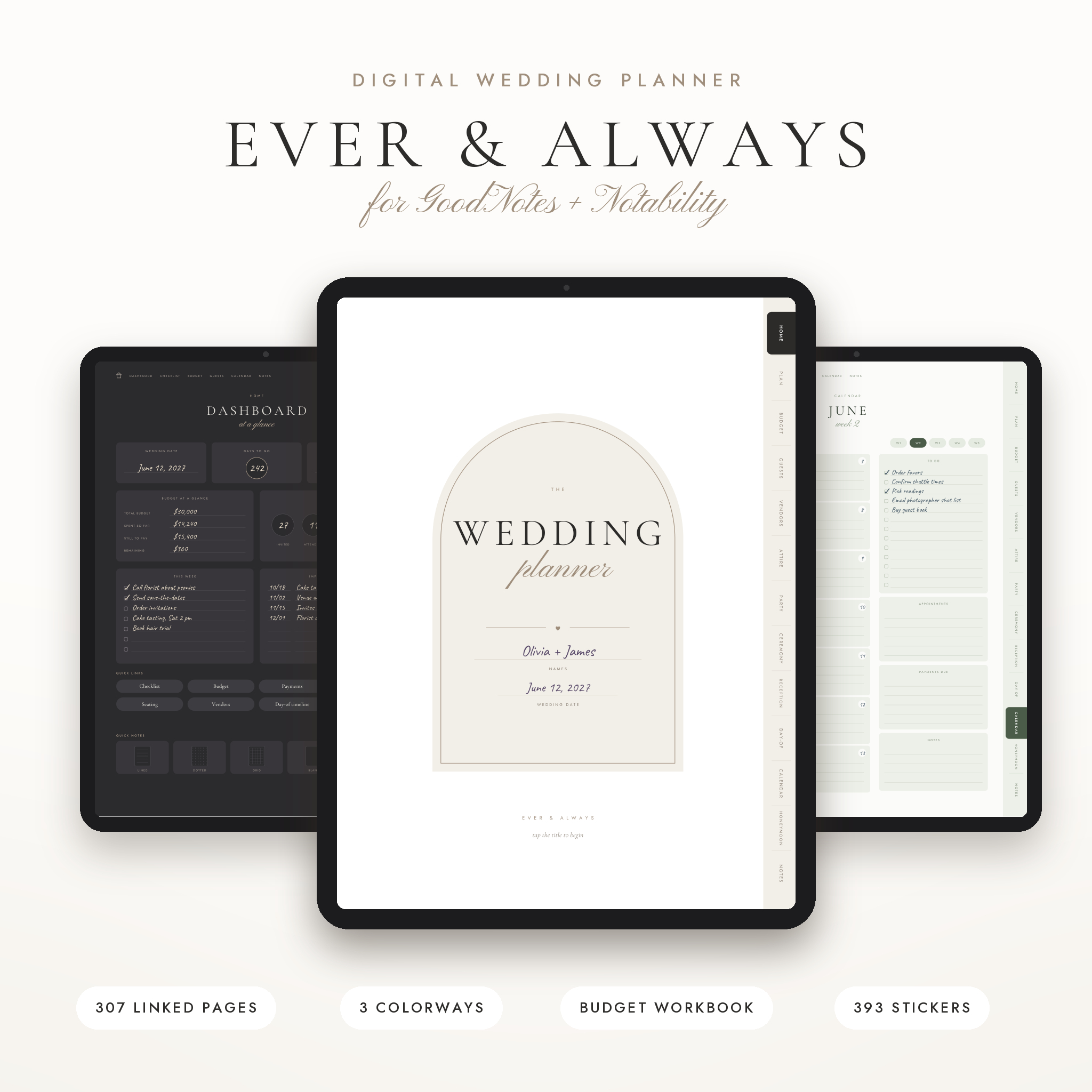
The fix isn’t a prettier planner. It’s knowing how to set one up so it’s faster to open than your notes app. This walkthrough uses the Ever & Always GoodNotes wedding planner, a 307-page hyperlinked PDF, and covers what to fill in first, which pages carry the weight, and how to pair it with a spreadsheet so you’re never adding up deposits by hand.
Step 1: Import it and pick your colorway
Ever & Always comes in three colorways: Ivory, Charcoal and Sage. Same layout in each, so choose the one you’ll enjoy opening on a gray Tuesday. Each file is about 2 MB, which means it opens quickly and doesn’t lag when you flip pages.
Import the PDF into GoodNotes as a new notebook. Then do one thing before writing anything: test a few tabs. The links work in read-only mode or when you tap with your finger. If you tap with the pen tool active, GoodNotes will usually draw instead of jumping, which is the number one reason people think a planner’s links are broken.
Step 2: Fill in the five pages that matter in week one
307 pages is a lot. You don’t need most of them yet. Start here:
- Dashboard: your home base. Quick links to everything.
- Wedding details: date, venue ideas, guest count estimate, budget.
- Priorities: what the two of you care about most. Photography? Food? A great band? Agree this before you visit a single venue.
- Timeline checklists: about 80 real tasks from 12 months out to after the wedding, across three checklists.
- Budget overview: write your total and rough split.
That’s an hour, maybe less. Everything else gets filled in as you go.
How the GoodNotes wedding planner is linked
This is what makes a 307-page file usable. There are 13 side tabs on every page, a contents page for each section, quick links on the dashboard and numbered dots for jumping between pages in a set. You rarely scroll.
A few links are especially handy:
- Budget categories. On the budget overview, each of the 16 category names links to its own worksheet. Tap “Flowers”, land on the flower budget.
- The calendar. Tap a month on the year page, then tap week 1 to 5. Each of the 60 weekly pages links back to its month. It’s undated with a Sunday start, so it fits any year.
- The seating chart. 30 numbered tables. Tap one and you land on its own plan page with a line for every seat.
Walking through the sections
Home and planning
Our story, a 100-day countdown, four vision boards, color palette, venue search, website and registry, a stationery tracker, important dates, five to-do lists and a decision log. That decision log is underrated. When you’re asked “wait, why did we pick the 4pm ceremony?” six months later, the answer is written down.
Budget
A payment tracker, payment calendar, expense log, family contributions page, savings tracker and cash gift log, on top of those 16 category worksheets.
Guests and seating
Room for 300 invitations across 15 guest list pages, an address book, dietary needs, table plans, a head table page, hotel blocks and a gifts and thank-you tracker.
Vendors
14 vendor types, from venue and photographer to DJ, florist and bar, each with a compare-quotes page and a booked-details page. Every compare page lists four questions worth asking before you sign. Bring the page to the meeting and tick them off as you go.
Attire, parties, ceremony and reception
Dress shopping and comparison, suit and tux, fittings, hair and makeup trial, rings, all the pre-wedding parties, order of ceremony, readings, vows for each of you, menu, bar, cake, toasts and music. The ceremony and reception floor plan builders come with a starter layout and a blank dot grid.
Day-of and honeymoon
Week-of plan, rehearsal schedule, getting ready schedule, a two-page wedding day timeline, vendor arrivals, who to call, shot lists, emergency kit, packing lists, a backup plan and takedown. Then honeymoon planning, bookings and itinerary.
Use the stickers for floor plans, not just decoration
You get 393 stickers as PNGs plus a sticker book PDF. Some are pretty (washi, flags, sticky notes). The useful ones are the floor plan pieces and table numbers 1 to 30. Drag them onto the dot grid in the floor plan builder and you can rough out a reception layout in ten minutes, then move tables around as the guest count changes. Much easier than redrawing.
Let the workbook do the math
Paper (even digital paper) can’t add up a column of deposits. So the planner comes with a budget and guest list workbook for Excel and Google Sheets. Budget rows total themselves, overdue and due-soon payments are highlighted, a category view compares what you set aside with what you’re spending, and the dashboard shows days to go, a money summary, an RSVP chart and meal counts. The seating tab tracks seats filled and free for 40 tables.
A good split: write and think in GoodNotes, and keep the numbers in the workbook. Check both on your weekly planning night.
Hand off the day-of binder
There’s also a 17-page editable day-of binder (DOCX for Word or Google Docs) with a bonus guest itinerary. Fill it in two weeks out and send it to your coordinator or maid of honor. Nobody else needs to open your iPad.
Who it’s for, and who should skip it
A good fit if you already write on an iPad, like having every page within two taps, and want a matching spreadsheet. The pages say Partner 1 and Partner 2, so it fits every couple.
Skip it if you don’t own a tablet and hate printing, or if you’d rather keep everything in one spreadsheet. In that case, a spreadsheet planner alone will suit you better.
GoodNotes wedding planner FAQ
Do the links work in GoodNotes?
Yes. Tap with your finger or switch to read-only mode and the tabs and links work. With the pen active, taps may draw instead.
Can I use it on Android?
Yes, with a PDF note app such as Xodo, Noteshelf or Samsung Notes. Link support varies by app, so test a few tabs after importing.
Is the calendar dated?
No. It’s undated with a Sunday start, so it works for a wedding in any year.
Can I print pages?
Yes. Printable PDFs come in Ivory and Sage, in US Letter and A4. Handy for the parent who prefers paper.