Best Google Docs Resume Templates: How to Choose
The best Google Docs resume is a single-column template that applicant tracking systems can read, that opens cleanly in Google Docs, and that comes with a matching cover letter and references page. For most applicants that means a one or two page ATS kit. Photo designs suit roles and countries where a photo is expected.
Choosing a template can feel more complicated than it should. Layouts, page counts, file types and bonus tools all compete for your attention. We'll take the choice one factor at a time, so you can pick a kit with confidence and get on with the real work of describing your experience.
Key facts at a glance
- Every template on this page can be edited in Google Docs, and each is also built for Microsoft Word.
- All of the kits include US Letter and A4 page sizes, so you can match the paper standard of the country where you're applying.
- Most kits bundle a cover letter, a references page and a thank-you letter, so your application documents look like one set.
- A single-column layout is the safest choice for online application portals, and several kits here include one.
- Many kits add a job tracker for Excel and Google Sheets, which is useful if you're sending more than a handful of applications.
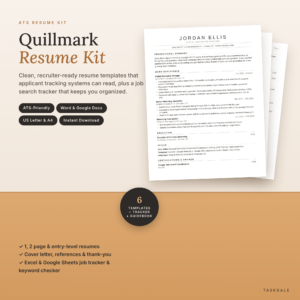 ATS Resume Template for Word & Google Docs | Quillmark Resume Kit with Cover Letter, References, Thank-You Letter & Job Tracker | 1 & 2 Page Resume, Entry-Level CV | US Letter & A4
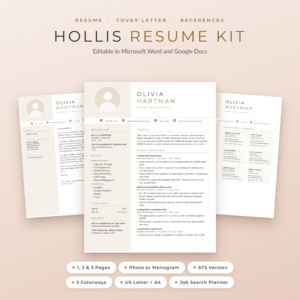 Hollis Resume Template for Word & Google Docs | Resume with Photo, Cover Letter & References | 1, 2 & 3 Page CV | ATS Resume | Job Search Planner | US Letter & A4
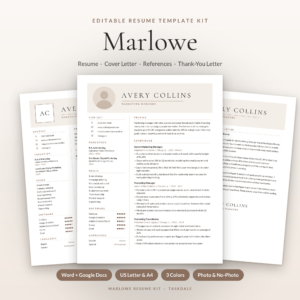 Marlowe Resume Template Kit for Word & Google Docs | Resume, Cover Letter, References & ATS Resume, 1 to 3 Pages
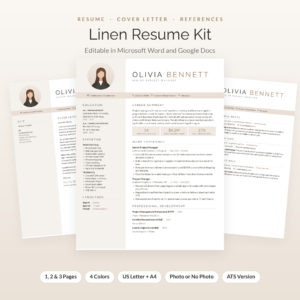 Linen Resume Kit: Resume Template with Photo for Word & Google Docs | Cover Letter, References & Thank-You Letter | 1, 2 & 3 Page CV | ATS Resume + Job Tracker
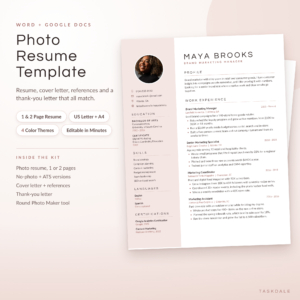 Photo Resume Template for Word & Google Docs | Calla Resume Kit with Cover Letter, References & Thank You Letter | 1 & 2 Page CV | ATS Version | US Letter & A4
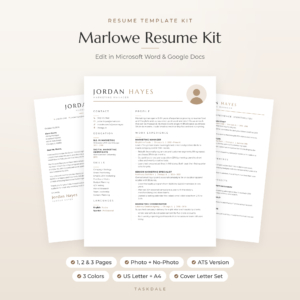 Marlowe Resume Template for Word & Google Docs | Minimalist Resume with Photo, Cover Letter & References | 1, 2 & 3 Page CV | ATS Resume | US Letter & A4
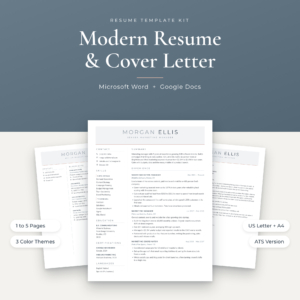
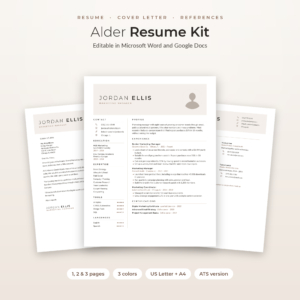 Alder Resume Template with Photo for Word & Google Docs | Minimalist Resume, Cover Letter & References | 1, 2 & 3 Page CV | ATS Resume | Job Tracker
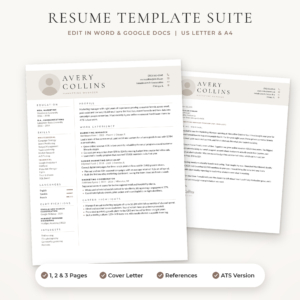 Sloane Resume Template for Word & Google Docs | Modern Resume with Photo, Cover Letter & References | 1, 2 & 3 Page CV | ATS Resume | US Letter & A4
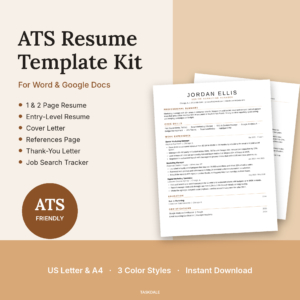 Essential ATS Resume Kit for Word & Google Docs | Cover Letter, References & Job Tracker | US Letter & A4
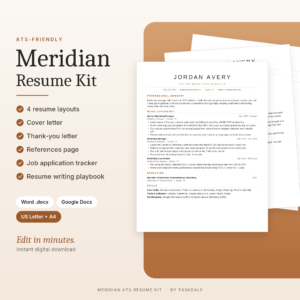 Meridian ATS Resume Template Kit | Word & Google Docs Resume, Cover Letter, References + Job Tracker
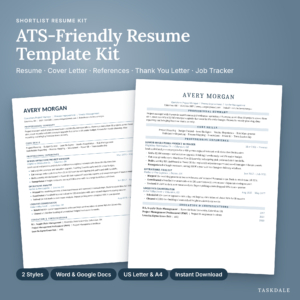
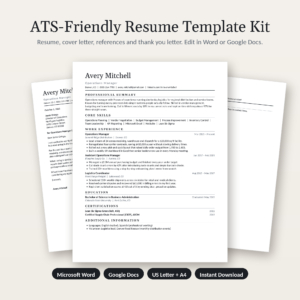
Table of Contents
Toggle
- What makes a Google Docs resume template the best choice?
- Which Google Docs resume templates compare best?
- Which Google Docs resume suits which job seeker?
- How do you edit a Google Docs resume template properly?
- What mistakes spoil a Google Docs resume?
- What affects the price of a Google Docs resume template?
- How do you choose the best Google Docs resume in two minutes?
- Common questions
What makes a Google Docs resume template the best choice?
A good Google Docs resume template reads clearly to software and to people, edits without breaking, and arrives as a full application set. Five factors separate the strong options from the merely pretty ones.
Does the layout pass applicant tracking systems?
An ATS-friendly resume is a document laid out so that hiring software can read each line in the right order. In practise that means a single column, standard headings and no text locked inside graphics.
Kits such as Everett, Meridian and Essential are built around this idea. Two-column designs look polished, but portals can scramble the order of a sidebar. If a kit offers a two-column design, check that it also includes an ATS version, as Northline and Hollis do.
Does it open properly in Google Docs?
Google Docs template means the file works in Google Docs without rearranging itself. Most kits here supply Word files that Google Docs opens, and fonts are the usual weak point, because Google Docs may swap a font it doesn't have.
Calla states that its Word and Google Docs editions are separate and keep their layout. Several others build fonts into the Word files or include free font files. Read the listing for how fonts are handled before you buy.
Do you need a photo or monogram header?
A photo resume template includes a space for a headshot, usually round, or a monogram with your initials. Whether you want one depends on your industry and country, so check what employers there expect.
Linen, Hollis, Alder, Sloane and Calla all offer photo and no-photo versions. If you're unsure, pick one of these so you can drop the photo without redesigning the page.
How many pages and versions do you get?
Page count should follow your experience. A one-page resume suits early careers. Two pages suit a longer record. Three or more pages are for academic, technical or senior profiles.
Quillmark and Essential include an entry-level layout. Northline goes up to five pages. Everett and Shortlist stay at one and two pages, which keeps the choice simple.
Is the full application set included?
An application set is a resume plus the documents that travel with it. Every kit here includes a cover letter, references page and thank-you letter, apart from Sloane, whose listing names a cover letter and references page.
Bonus items vary. Some add a job tracker, writing guide or action-verb list. Those are worth having only if you'll use them.
Which Google Docs resume templates compare best?
The table compares six kits that between them cover the main layout choices. The links and images for each product sit in the grid on this page, along with the rest of the 13 options.
Which Google Docs resume suits which job seeker?
The right kit depends on how much experience you have and where you're applying. These matches follow the supplied details for each product.
- First job or career change: Quillmark and Essential include an entry-level layout. Shortlist and Everett add guided text and filled examples or placeholder prompts, which helps if a blank page worries you.
- Applying mainly through online portals: Meridian, Everett, Essential and Quillmark are single-column, so every line is read in order.
- Roles where a photo is normal: Calla, Linen, Alder and Hollis give you a photo or monogram header and a no-photo version.
- Long careers needing more space: Northline offers up to five pages. Marlowe, Hollis and Sloane go to three.
- Large job searches: Quillmark and Essential include trackers with keyword features, and Shortlist adds follow-up alerts.
- Wanting colour choice: Marlowe Resume Template Kit offers Mocha, Sage or Navy. Sloane offers Stone, Sage and Navy. Linen offers four colours.
How do you edit a Google Docs resume template properly?
You edit a Google Docs resume template by opening the file, replacing the placeholder text section by section, and checking the layout before you export. Follow these steps in order.
- Open the file in Google Docs and choose the page size that matches your country, US Letter or A4.
- Replace the placeholder text one section at a time, keeping the formatting that's already there.
- Add a headshot or monogram only if you chose a photo layout.
- Use your target job advert's own wording for skills and duties, where it's honest to do so.
- Check that fonts and spacing still look right, then fix any line that has moved.
- Download as a PDF unless the employer asks for another format, and read it once more.
Save a separate copy for each job. That way you can tailor the summary and bullets without losing your base version.
What mistakes spoil a Google Docs resume?
The most common mistakes are choosing design over readability, ignoring page size and sending the same resume everywhere. All three are easy to avoid.
- Using a two-column design for a portal that wants plain text. Pick the ATS version for online forms and keep the designed one for emails or print.
- Leaving placeholder text in. Search the finished file for sample names and dates before you send it.
- Picking the wrong paper size. US Letter and A4 differ slightly, so a US-sized file can print awkwardly in the UK.
- Stretching to fill space. A tidy one-page resume beats a padded two-page one.
- Forgetting the matching documents. A cover letter in a different style from your resume looks careless.
What affects the price of a Google Docs resume template?
The cost of a resume template kit depends mainly on how much is in the bundle. Kits with more files, more colours and more extras generally cost more up front than a short two-version kit.
Look at what you'd actually use. Marlowe Resume Template Kit and Hollis include 84 editable files, while Everett has 10. Extras such as trackers, icon packs and writing guides add value only if they match your search. A one-off download is usually a better deal than paying for tools you'll never open. The live price on each product card is the figure to trust.
How do you choose the best Google Docs resume in two minutes?
Choose by answering three questions in order: where will you apply, how much experience do you have, and do you need a photo. Then match the answer to a kit.
- Mostly online portals: choose a single-column kit such as Everett, Meridian or Essential.
- Photo expected: choose Calla, Linen, Alder or Hollis.
- More than ten years of experience: choose Northline, Marlowe or Hollis for the extra pages.
- Early career: choose Quillmark or Essential for the entry-level layout.
If two kits still look equal, pick the one whose bonus tools you'll actually open.
Common questions
Can I use a Word resume template in Google Docs?
Yes, if the listing says it supports both. Google Docs can open Word files, though fonts and spacing may shift slightly. Check the layout after opening and fix any line that has moved. Calla supplies separate editions for each programme, which reduces that risk.
Is a one-page or two-page resume better?
A one-page resume suits early careers and short work histories. A two-page resume suits longer records where the second page holds relevant roles. Use the shortest version that shows your best evidence, and don't add length just to fill the page.
Should I include a photo on my resume?
It depends on the country and industry. Photos are normal in some markets and discouraged in others. Kits with both versions, such as Calla, Alder and Sloane, let you decide without changing designs.
What is an ATS resume?
An ATS resume is a resume formatted for applicant tracking software, which scans applications before a person reads them. It uses a single column, plain headings and no text inside images, so each section is read in the correct order.
Do I need the cover letter and thank-you letter too?
Not always, but a matching set looks more professional. A cover letter introduces your resume, a references page saves time later and a thank-you letter follows an interview. Most kits here include all three, so you can use them when needed.