Digital Teacher Planner 2026-2027 That Runs All the Way to December 2027
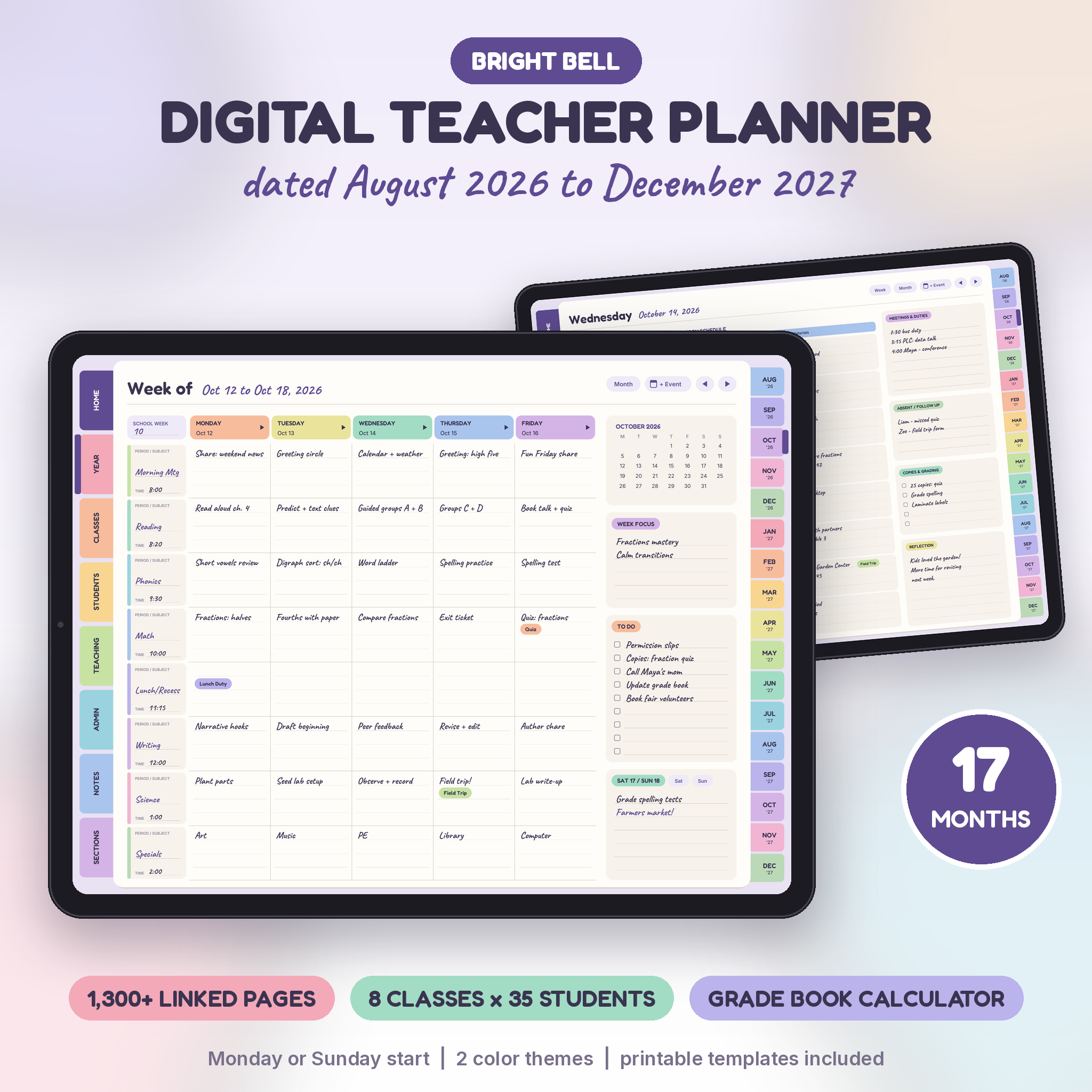
Bright Bell is a digital teacher planner 2026-2027 with 17 dated months, from August 2026 to December 2027. Plan the rest of this school year. Then keep going into fall 2027 without buying a second planner in January.
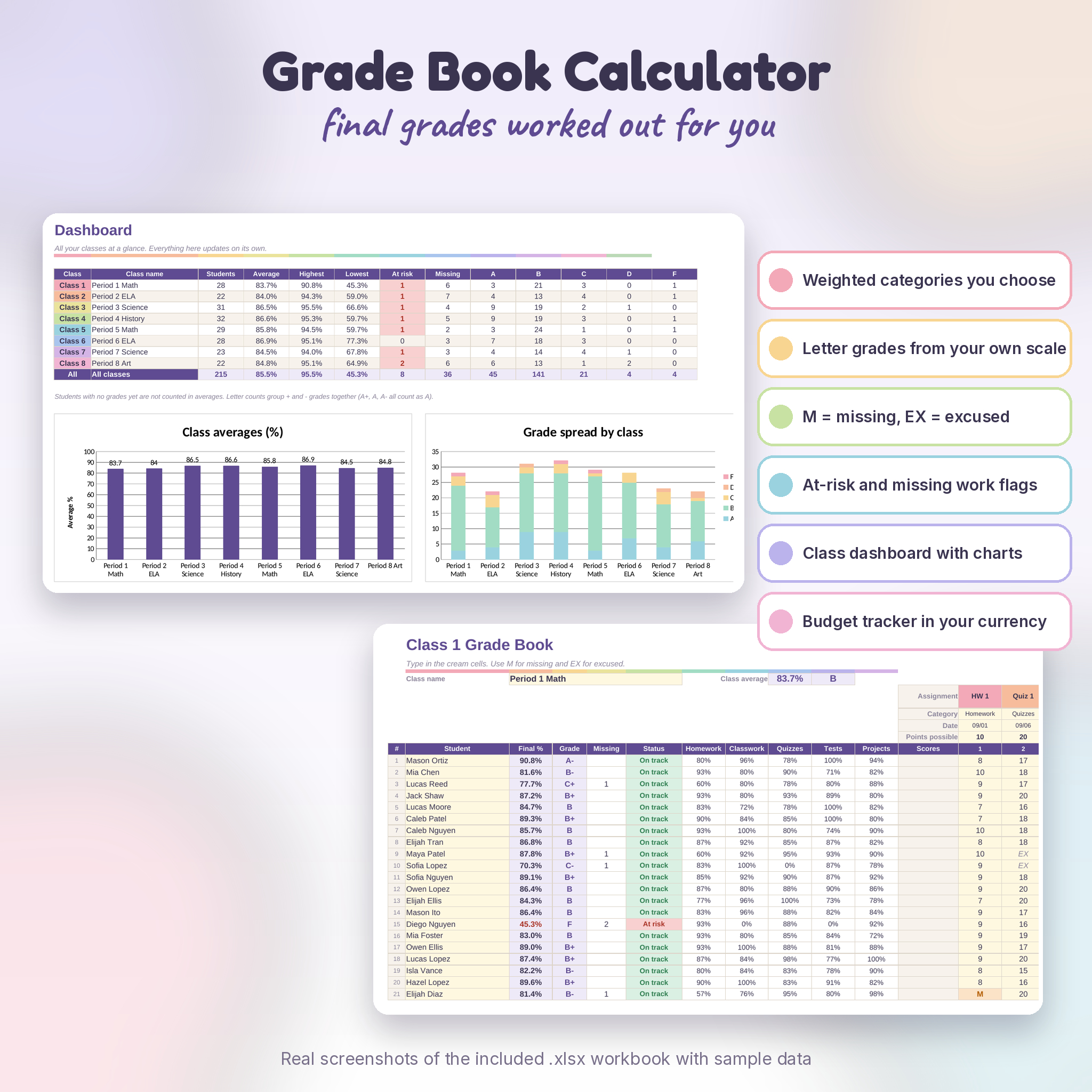
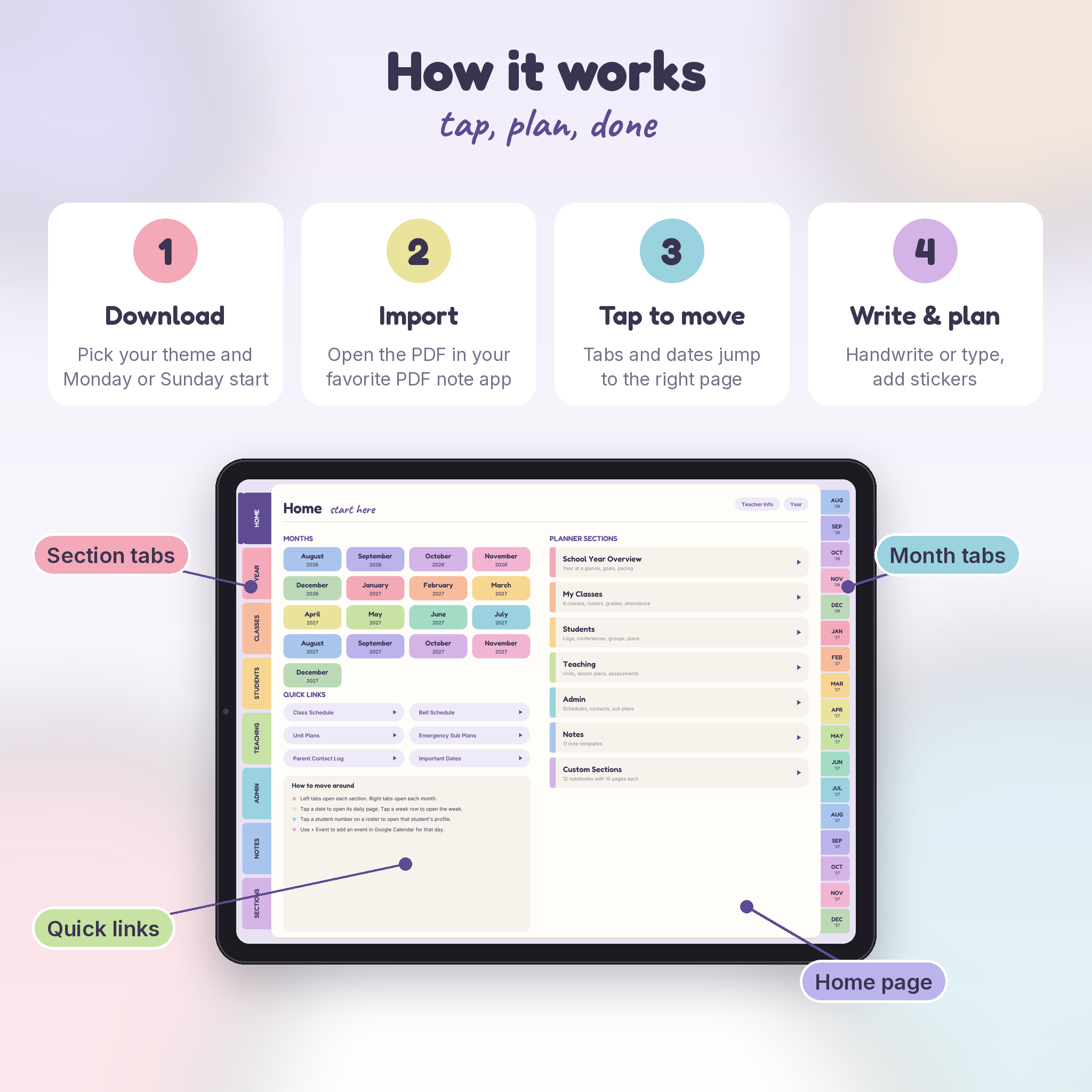
It’s a hyperlinked PDF with 1,303 pages and more than 63,000 links. Tap a date and you’re on that day. Tap a tab and you’re in that section. And because a PDF can’t do math, it comes with a matching Grade Book Calculator spreadsheet that works out weighted grades for you.
What This Teacher Planner Does
It holds your whole teaching year in one file: lesson plans, class rosters, attendance, student notes, unit plans, sub plans, meetings and the little reminders that usually end up on sticky notes. Everything links together, so you spend less time scrolling and more time actually planning.
Who It’s For
- Elementary teachers who plan by subject. Use Class 1 for your homeroom and write subjects down the weekly page.
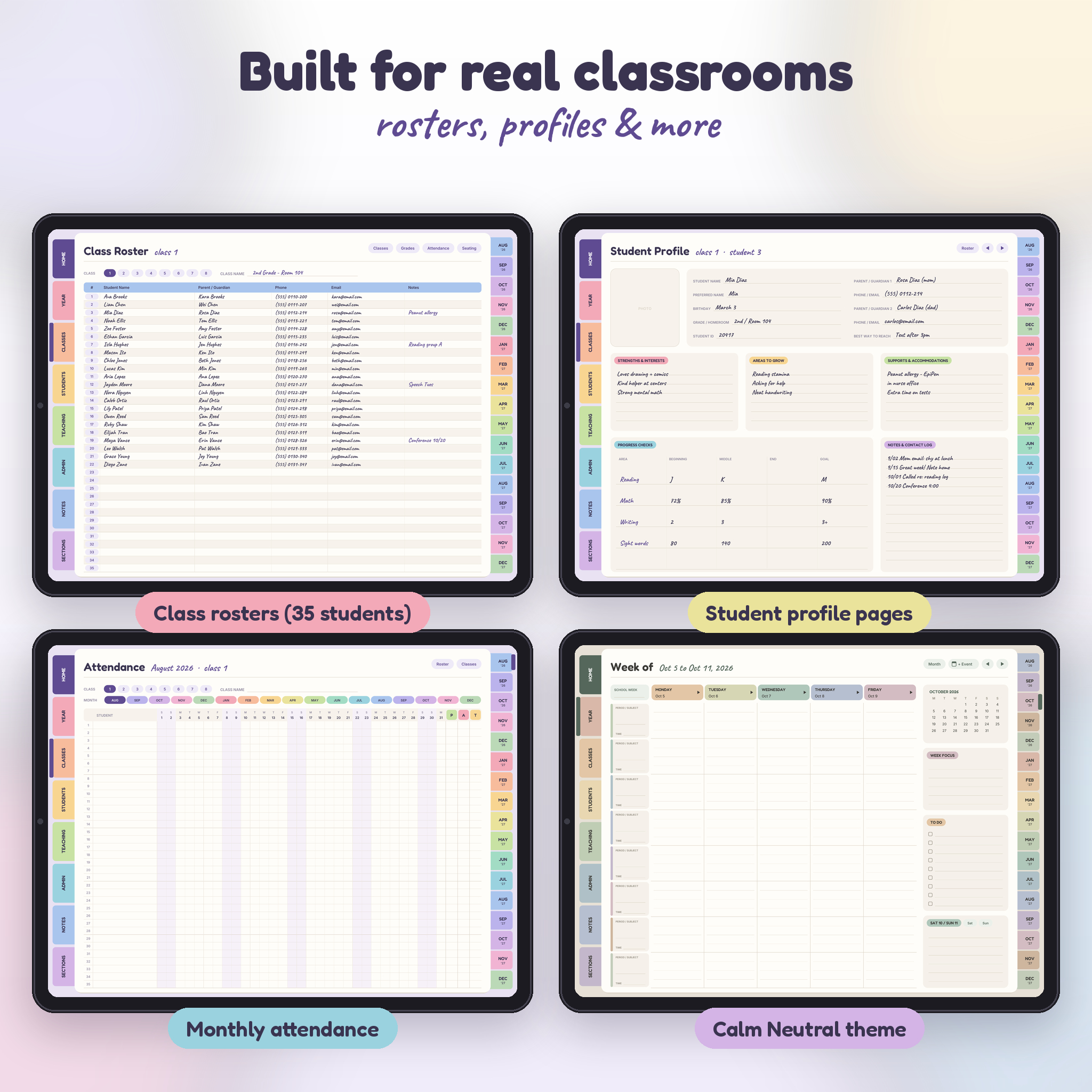
- Middle and high school teachers with up to 8 classes of 35 students. Each class gets its own roster, grade book, attendance and seating chart.
- Specialists, coaches and tutors who need flexible notes and custom sections.
- New teachers who want a clear system from day one.
Main Benefits
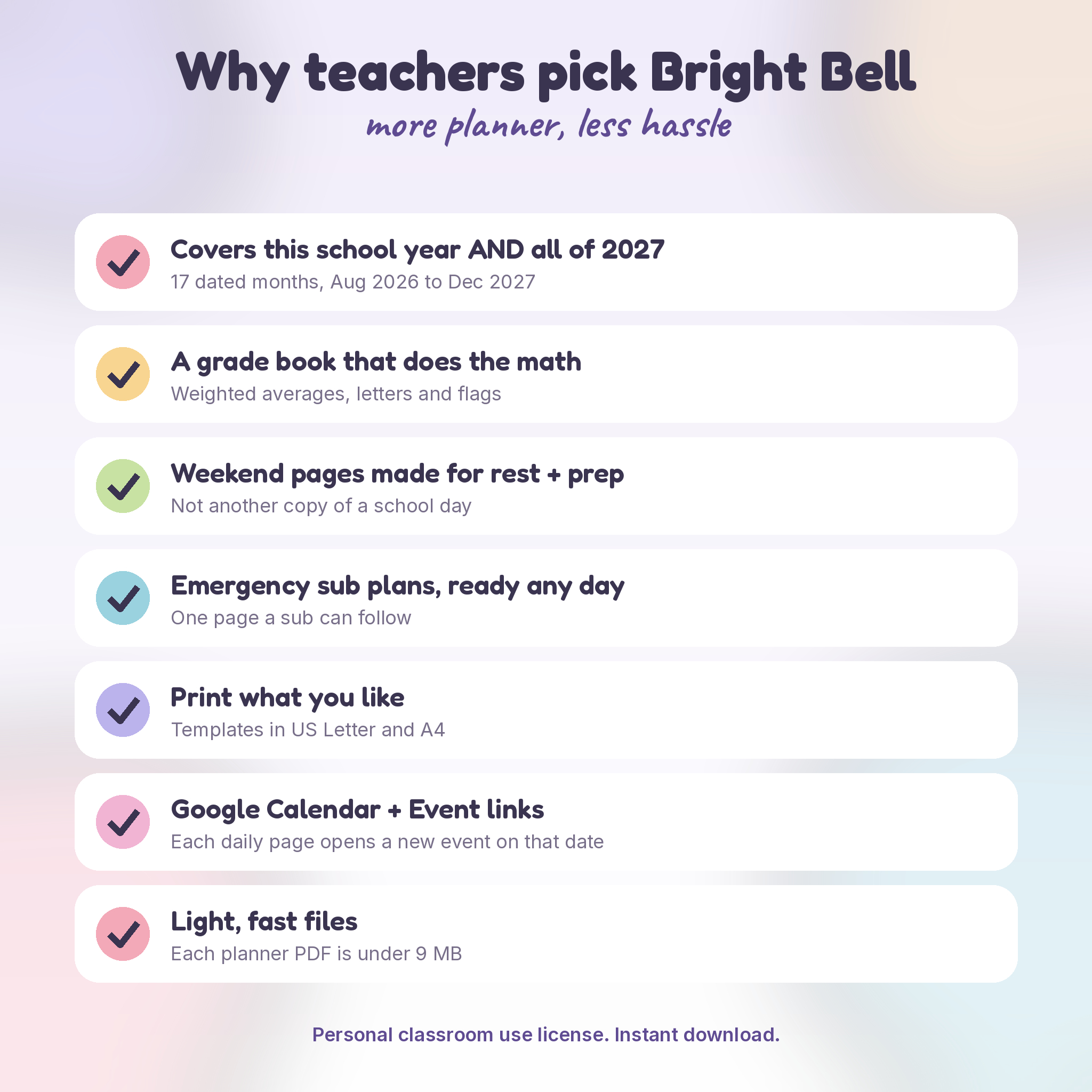
- One planner for this school year and all of 2027. Seventeen months, no gap.
- Grades worked out for you in the included .xlsx workbook, with your own categories, weights and grading scale.
- Weekend pages that look like weekends: plan ahead, grading, self-care and gratitude instead of another 8-period grid.
- A + Event button on every daily page that opens a new Google Calendar event already set to that date.
- Printable templates in US Letter and A4 for the days you want paper.
Features
Calendar and planning pages
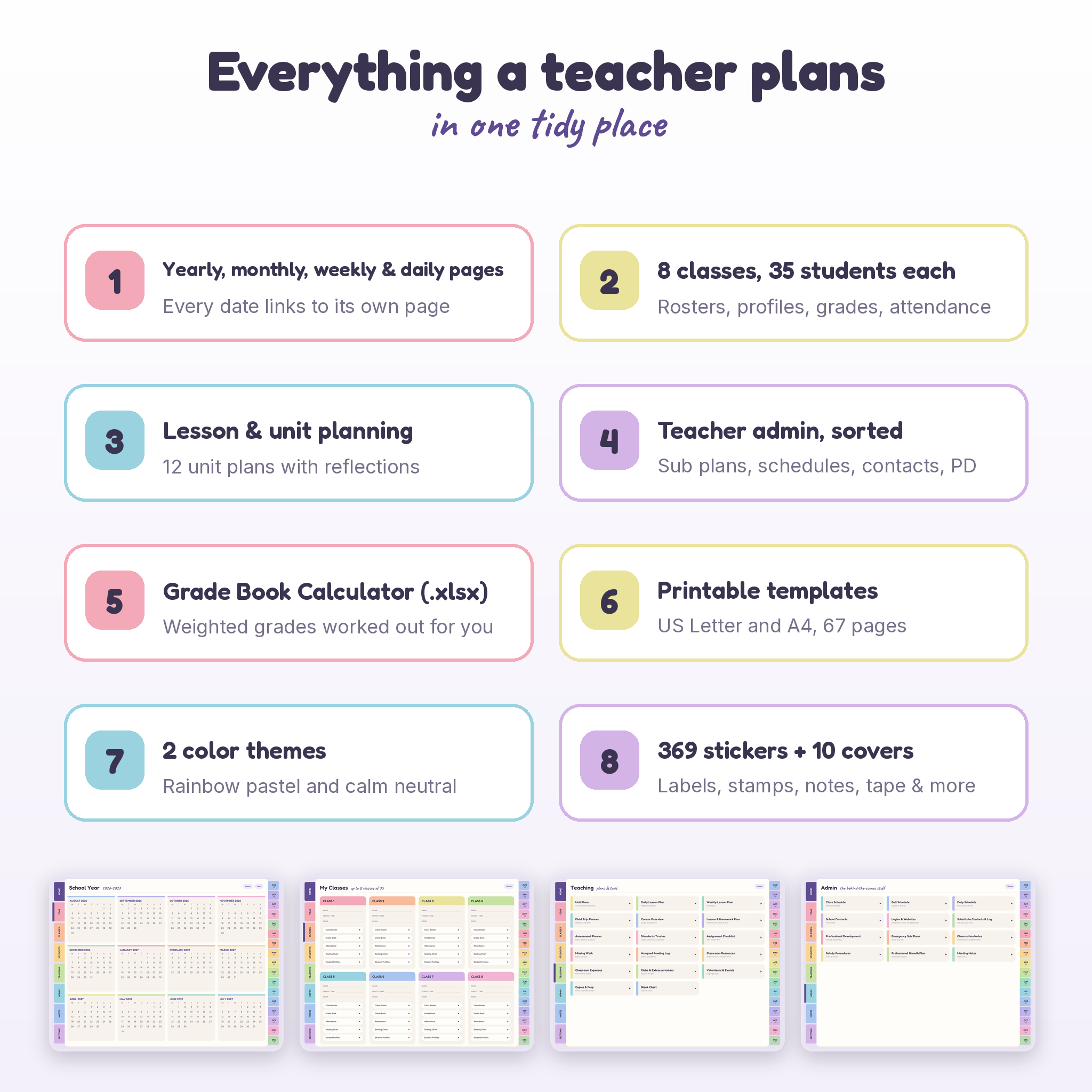
- School year at a glance (2026-2027) and a 2027 calendar, with every date linked
- Important dates grid, yearly goals, quarter overview, 8-subject pacing guide and school calendar
- 17 monthly calendars plus 17 monthly overview pages for goals, units, birthdays and a short look back
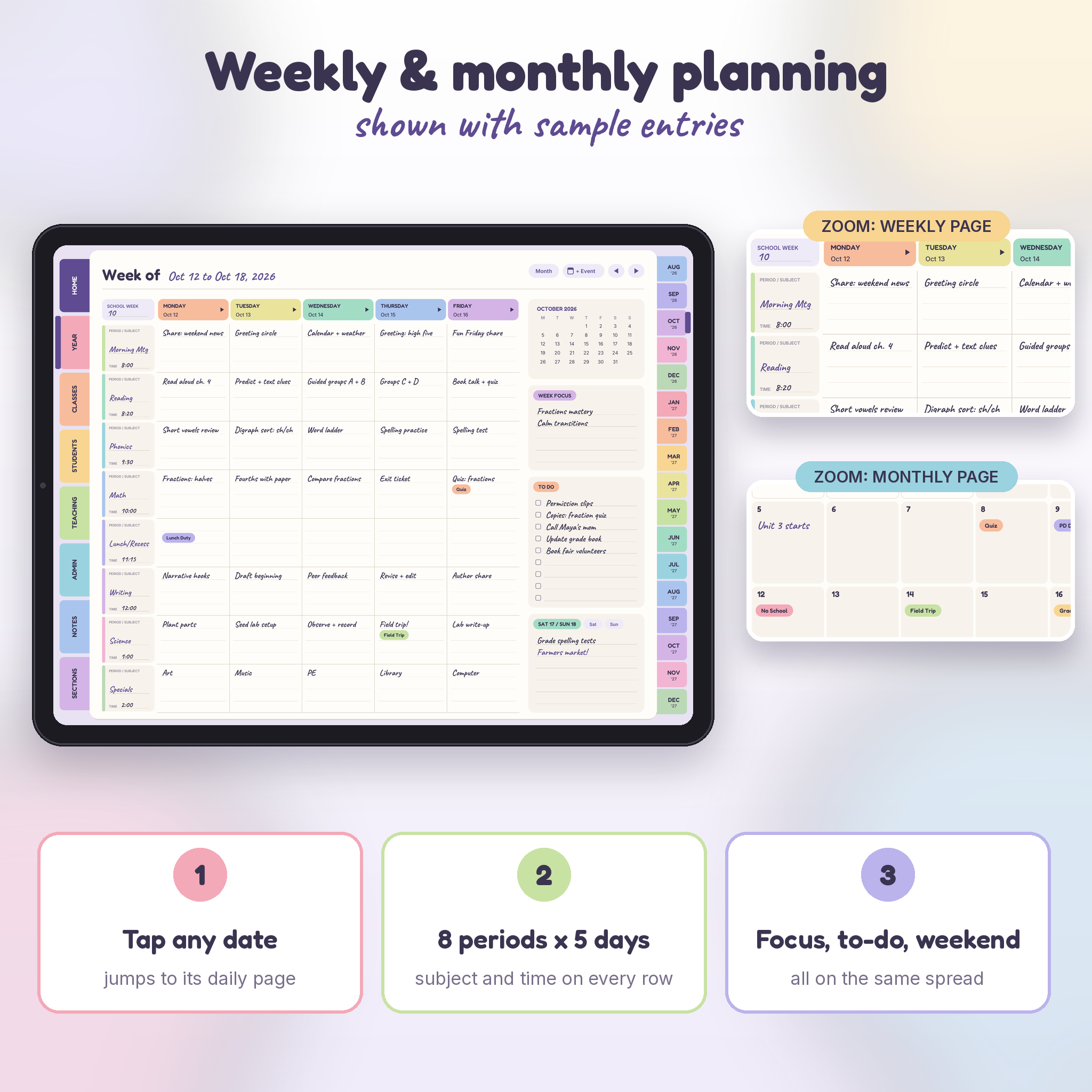
- 75 weekly lesson planners with 8 period rows across Monday to Friday, a week focus, to-do list and weekend box
- 518 daily pages with an 8-block lesson schedule, priorities, to-dos, meetings, absent students, copies and reflection
- Monday start and Sunday start versions
My Classes (8 classes, 35 students each)
- Class roster with a tap-through to each student’s profile
- 280 student profile pages for contacts, strengths, supports, progress checks and a contact log
- Two grade book pages per class (30 assignments)
- Dated monthly attendance with weekends shaded and P, A and T totals
- Seating chart with 36 desks
Students, Teaching and Admin
- Parent communication log, behavior log, conference schedule and notes, goals, accommodations (IEP, 504, ELL), health alerts, class jobs, celebrations, student logins, assessment data tracker, intervention log and small groups
- 12 unit plans, each with its own reflection page
- Daily and weekly lesson plan templates, field trip planner, assessment planner, standards tracker, missing work, reading log, resources, copies and classroom expenses
- Class and bell schedules, duty schedule, school contacts, emergency sub plans, sub log, observation notes, safety procedures, PD log, growth plan and meeting notes
- 11 note templates and 12 custom sections with 10 pages each
Grade Book Calculator (.xlsx)
- 8 class tabs, 35 students and 25 assignments each
- 5 weighted categories and an editable letter-grade scale
- Type M for missing or EX for excused. Blank means not graded yet.
- Automatic final %, letter grade, missing count and an at-risk flag
- Dashboard comparing all classes, with two charts
- Classroom budget tracker that shows money in the currency you choose (default $)
- Formula cells are locked (no password) so they stay safe while you type
What’s Included
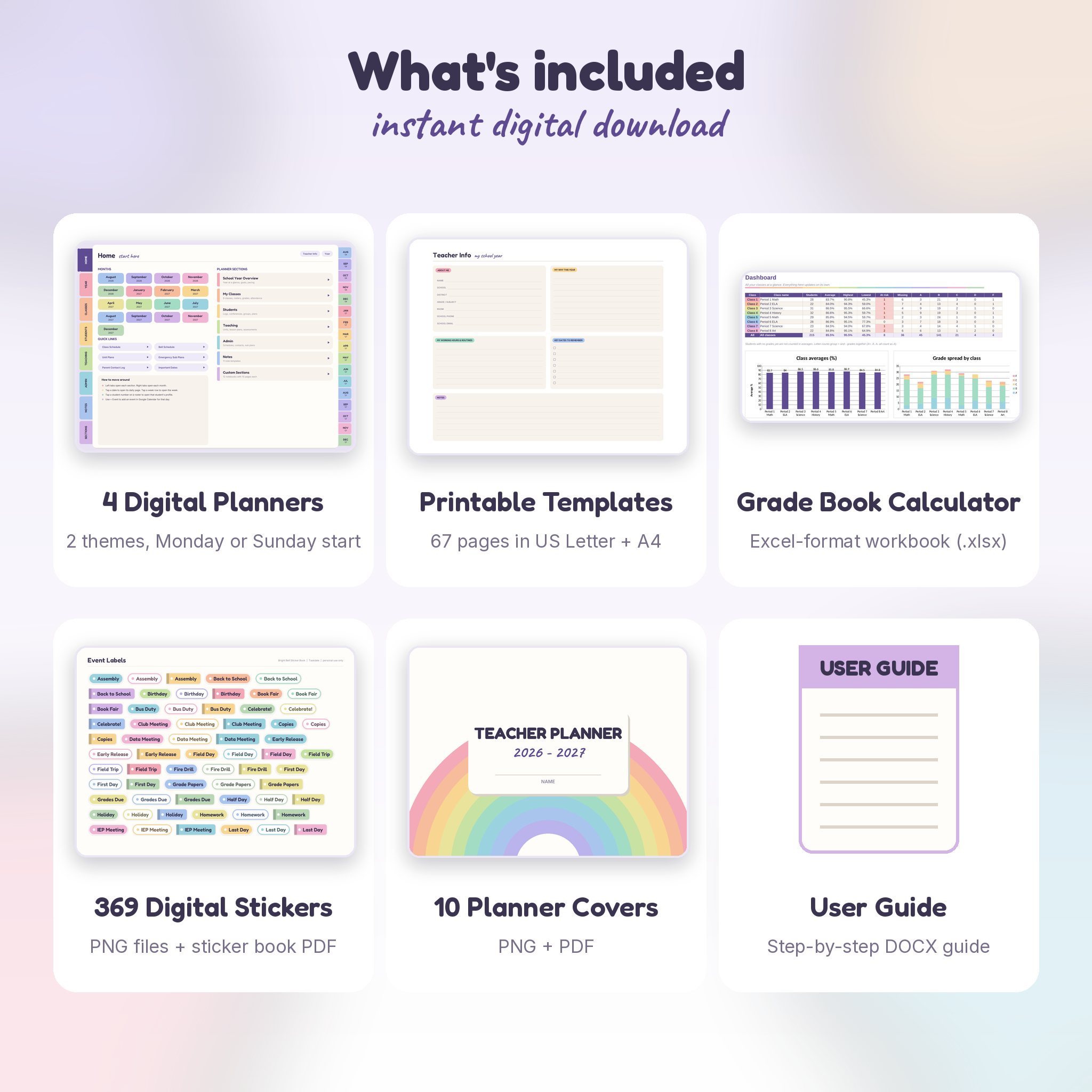
- 4 digital planner PDFs: Rainbow or Neutral theme, Monday or Sunday start (pick one)
- 2 printable template PDFs: US Letter and A4, 67 undated pages each
- Grade Book Calculator workbook (.xlsx)
- 369 PNG stickers in 8 sets, plus a sticker book PDF
- 10 planner covers (PNG and PDF)
- User guide (DOCX) with setup steps, tips and troubleshooting
How It Works
- Download your files right after checkout.
- Pick one planner version and import it into your PDF note app.
- Spend about 20 minutes on setup: your schedule, class names and rosters.
- Plan by tapping. Left tabs open sections, right tabs open months, dates open days.
- Open the grade book in your spreadsheet app and enter scores once a week.
File Formats and Software
- Planner and templates: PDF. The digital planner is landscape, sized for tablets.
- Grade book: .xlsx (Excel format). Built in the Excel format and tested in LibreOffice Calc.
- Stickers and covers: PNG and PDF, delivered in a .zip file.
- Guide: DOCX.
- You’ll need a PDF app that follows hyperlinks for the planner, and a spreadsheet app for the grade book. Neither is included.
Customization
Choose your theme and start day. Name your classes, units and custom sections. Change grade categories, weights, the grading scale and the currency in the workbook. The printed text and colors in the PDF are fixed, but everything you write or add on top stays editable in your app.
Digital Download
This is an instant digital download. No physical item ships. Your files are ready on the order page and in your confirmation email as soon as payment goes through.
Real Ways Teachers Use It
- Sunday afternoon: fill in next week’s lessons on the weekly page, then drop a few stickers on test days.
- Parent conference week: open a student profile, check the contact log, and add notes as you talk.
- Sick day: point the sub to the Emergency Sub Plans page you filled in back in August.
- End of quarter: enter the last scores in the grade book and check the dashboard for at-risk students.
- Summer: read your unit reflections and pacing guide before planning the next year.
FAQ
Is this a physical planner?
No. It’s an instant digital download.
Which dates does it cover?
August 1, 2026 to December 31, 2027. That’s the full 2026-2027 school year plus the fall of the next one.
Does it work in GoodNotes or Notability?
It’s a standard hyperlinked PDF, the kind PDF note apps import. All 63,000+ links were checked page by page before release. Some apps only follow links in read mode, so the guide shows you how.
Does it sync with Google Calendar?
No PDF can sync. The + Event button opens a new Google Calendar event on that date as a shortcut.
Can I use it on my phone?
You can view it, but the pages are made for tablets and computers. They’re too small to write on comfortably on a phone.
Do I need Excel?
You need an app that opens .xlsx files. The workbook was tested in LibreOffice Calc.
I teach 6 periods. Will the 8 rows get in the way?
Not at all. Leave the extra rows blank or use them for duties and planning time.
Can I share it with my team?
Each teacher needs their own copy. The license is for one teacher’s personal classroom use. Please don’t resell or share the files.
Reviews
There are no reviews yet.